1
GB
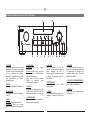
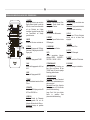
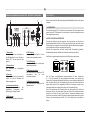
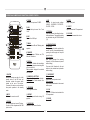
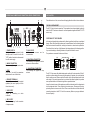
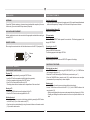
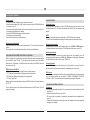
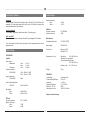
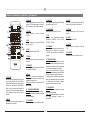
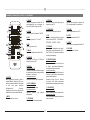
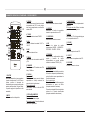
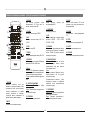
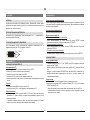
operAtIoNAl eleMeNtS AND CoNNeCtIoNS – reMote CoNtrol
14 eQ
Selection of stored sound settings:
LINEAR - LOUDNESS - POP/ROCK CLASSIC - VOCAL.
4 tuNer
Activates the input source TUNER.
5 AuX
Activates the input sources “Aux 1” and
“Aux 2”.
15 toNe/bAl
Alternates between the settings for bass,
treble and balance. The respective setting
can be altered using the TUNING buttons
(16).
6 lINe
Activates the LINE input.
7 FM/AM
Selects between AM and FMduring radio
operation.
16 SeArCH/tuNING
CD operation:
Briefly pressing this button activates the
search function (forwards/backwards);
pressing the button again will stop the
search function.
Radio operation:
Brief press: Changes the receiving
frequency in 50kHz increments (manual
station setting).
Press and hold: Searches for the next
station on the selected band (automatic
station setting).
8 FM MoDe
Switches between FM-Auto and FMMono for FM stations.
9 DISplAY
CD operation: Switches the time display
between time played and remaining time
of the current track.
Radio operation: display of the selected
RDS function.
1 oN/StbY
Switches the device on when it is in the
standby mode. If the LED does not
illuminate, actuate the power switch
located on the rear of the device.
Conversely the device can be switched
from power operation to the standby
mode.
2 Mute
Switches the sound on and off.
3 CD/uSb
For selecting the input source CD player.
If no disc is in the compartment, the USB
input is active.
17 SKIp/preSet
CD operation:
Skips to the next or previous track.
Radio operation:
Skips forwards/backwards to the nearest
station preset.
10 NuMerICAl buttoNS
CD operation: Direct selection of a track.
Radio operation: Direct selection of a
preset station.
11 proGrAM
For storing radio stations.
18 plAY
Plays the CD if there is one located in the
CD compartment.
12 repeAt
Selects the repeat function during CD
playback.
19 pAuSe
Pauses a CD.
13 SurrouND
Selection of the Surround function.
14
20 Stop
Stops CD playback.
21 ejeCt
Opens or closes the CD compartment.
22 VoluMe
Increases or decreases the volume.