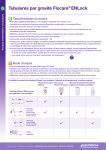
1
ZMNL900076 • 28382-E • IFU FLOC INF PLUS PUMP WE • 148.5 x 210 • 23/11/2011 • PMS2655C addresses BE-NL N.V. Nutricia België, Postbus 10001, 1850 GRIMBERGEN Nutricia Nederland B.V., Postbus 445, 2700 AK ZOETERMEER DE-CH-AT-LU Nutricia GmbH, D-91015 ERLANGEN Nutricia SA Schweiz, CH-1564 DOMDIDIER Nutricia GmbH, A-1120 WIEN ES NUTRICIA S.R.L. Ctra de Andalucía km 25,6, 28343 Valdemoro (Madrid) Tel.: +34 900211088 www.nutricia.es FR-BE-CH-LU NUTRICIA Nutrition Clinique, 150 Bd Victor Hugo. 93406 Saint-Ouen Cedex. FRANCE. Nutricia Belgique S.A., BP 10001, 1850 GRIMBERGEN Nutricia S.A. Suisse, CH-1564 DOMDIDIER IT-CH Nutricia Italia SpA, via Nino Bonnet 6/A, 20154 MILANO Nutricia SA Svizzera, CH-1564 DOMDIDIER PT Distribuído em Portugal por: Nutricia Advanced Medical Nutrition Avenida D. João II lote 1.17.02 12º piso, Torre Fernão Magalhães 1998-025 Lisboa UK-IE Nutricia Ltd, White Horse Business Park, TROWBRIDGE, BA140XQ. Nutricia Ireland Ltd., Block 1, Deansgrange Business Park, Deansgrange, Co. DUBLIN www.nutriciaflocare.com 28382-E, Instruction manual Flocare® Infinity™+ Western Europe ZMNL900076_AW.indd 1 23/11/11 2:33 PM 28035- BE-NL DE-AT-CH-LU ES FR-BE-CH-LU IT-CH PT UK-IE INSTRUCTIONS FOR USE INSTRUCTIONS FOR USE For enteral use only For enteral use only Read Read this this manual manual before before using using the the pump pump ZMNL900076_AW.indd 2 28035-001_COVER.indd 1 23/11/11 2:33 PM 2/10/10 4:39:23 PM 39:23 PM BE-NL • INHOUD Algemene productinformatie Voorbereiding Service en garantie Gebruiksaanwijzing Alarmfuncties en veiligheidsvoorzieningen Onderhoud Problemen en oplossingen Instelmodus Technische specificaties 5 5 5 6 11 11 12 13 15 DE-AT-CH-LU • INHALT Allgemeine Informationen Vorbereitung Service und Gewährleistung Bedienungsanweisung Alarmfunktionen und Sicherheitstechnik Instandhaltung Fehlersuchtabelle Systemeinstellungen Technische Daten Bestellinformation 17 18 19 19 25 25 26 27 28 29 ES • ÍNDICE Introducción 31 Preparación 31 Servicio y garantía 31 Instrucciones de funcionamiento 32 Funciones de alarma y prestaciones de seguridad 37 Mantenimiento 37 Diagrama de solución de problemas 38 Modo de configuración 39 Especificaciones técnicas 41 FR-BE-CH-LU • CONTENT Introduction Précautions d’emploi Service après-vente et garantie Instructions d’utilisation Alarmes et sécurités ZMNL900076_AW.indd 3 43 43 43 44 49 Entretien Résolutions des problèmes Mode de paramétrage Spécifications techniques 49 50 51 53 IT-CH • CONTENUTI Introduzione Preparazione Servizio e garanzia Istruzioni per l’uso Allarmi e funzioni di sicurezza Manutenzione Risoluzione dei problemi Funzione di parametrizzazione Specifiche tecniche 55 55 55 56 61 61 62 63 65 PT • CONTEÚDO Introdução 67 Preparação 67 Serviço e garantia 67 Instruções de funcionamento 68 Funções do alarme e caracteristicas de segurança 73 Manutenção 73 Quadro para solução de problemas 73 Modo de configuração - Set up 75 Especificações técnicas 76 UK-IE • CONTENT Introduction 78 Preparation 78 Service and Warranty 78 Operating instructions 79 Alarm functions and safety features 84 Maintenance 84 Problem solver chart 84 Set up mode 87 Technical specifications 89 Appendix A: Guidance and manufacturer’s declaration Electromagnetic compatibility 88 23/11/11 2:33 PM B P Figure 3 Figure 1 F a a b c d e f g h i h g d F k b F F Figure 4 f e F c D K Figure 2 F a b c d e f g h i Instructions for use Clear memory and Prime the line insert pump set close door Enteral feeding pump ON/OFF CLR FILL SET hold 2 sec volume delivered will be cleared hold 2 sec 1 Continuous feeding ml/h on the screen + – 2 To set a dose (optional) ml/h on the screen + – Manufacturer: 400 ml/h 1 ml/h 400 ml/h 1 ml/h connect to tube START/STOP ! DOSE = VOL + – select 4000 ml 1 ml START/STOP IPX 5 Type BF INPUT: 5 V 2,4 A Internally powered For enteral use only 2 Default flow rate = 125 ml/h Produced by: ZEVEX® Inc. (USA) Medical Devices b.v. Schiphol Boulevard 261 1118 BH Schiphol Airport The Netherlands www.nutriciaflocare.com 1 F j k 24636- 001 Rev. D Open door Patented and patents pending in Europe, USA and other countries. F F F Figure 5a Figure 5b Figure 5c Figure 5d E L B F a A ZMNL900076_AW.indd 4 b c d e f 23/11/11 2:33 PM BE-NL POMPSPECIFICATIES: Fig. 1: a Pompdeur (met: automatische inloopsnelheid 0 ml/h) b Scherm (LCD) c Toetsenbord d Rotor e Stroomopwaartse druksensor f Stroomafwaartse druksensor g Vakje voor pompset h Luchtsensor i Label volgende service check Fig. 2: Label serienummer k Gebruiksaanwijzing Bevestigingspunt voor paalklem Aansluiting voor adapter Fig. 3: Paalklem Fig. 4: Adapter Fig. 5a-5d: De pompset vullen en inbrengen DE-AT-CH-LU KOMPONENTENLISTE: Fig. 1: a Pumpentür (Werkseinstellung angegeben: 0 ml/h) b Anzeigefeld (LCD) c Tastatur d Rotor e Vorgeschalteter Drucksensor f Nachgeschalteter Drucksensor g Anschluss für das Pumpsegment h Luftsensor i Aufkleber mit Datum für den nächsten Funktionstest Fig. 2: j Aufkleber mit Seriennummer k Bedienungshinweise Anschluss für Schraubhalterung Buchse für den Netzanschluss Fig. 3: Schraubhalterung Fig. 4: AC/DC Adapter/Ladegerät Fig. 5a-5d: Einlegen des Pumpsegments ES LISTA DE COMPONENTES: Fig. 1: a Puerta de la bomba (con programación por defecto 0 ml/h) b Panel indicador (LCD) c Teclado d Rotor e Sensor de presión ascendente f Sensor de presión descendente ZMNL900076_AW.indd 5 g Receptáculo para insertar el sistema h Sensor del aire i Comprobar la pegatina lateral para ver fecha de la próxima revisión Fig. 2: j Número de serie k Instrucciones de uso Receptáculo para el fijador del polo Toma para la conexión al cargador Fig. 3: Anclaje Fig. 4: Cargador Fig. 5a-5d: Colocación de la bomba FR-BE-CH-LU Liste de composants: Fig. 1: a Porte de la pompe (avec: default 0 ml/h) b Ecran (LCD) c Clavier d Rotor e Capteur de pression amont f Capteur de pression aval g Site insertion cassette h Détecteur d’air i Etiquette prochaine maintenance préventive Fig. 2: j Etiquette numéro de série k Instructions d’utilisation Site insertion support Connexion de l’adaptateur Fig. 3: Support Fig. 4: Chargeur Fig. 5a-5d: Insertion de la tubulure IT-CH ELENCO DEI COMPONENTI: Fig. 1: a Sportello nutripompa (con: velocità standard 0 ml/h) b Visualizzatore a cristalli liquidi (LCD) c Tastiera d Rotore e Sensore della pressione in ingresso f Sensore della pressione in uscita g Ricettacolo per l’inserto del set h Sensore dell’aria i Etichetta con la data di prossima manutenzione Fig. 2: j Etichetta con il numero di matricola della nutripompa k Istruzioni per l’uso Ricettacolo per il sistema di fissaggio alla piantana Connettore per l’alimentatore Fig. 3: Sistema di fissaggio alla piantana Fig. 4: Caricabatterie Fig. 5a-5d: Inserimento del set PT LISTA DE COMPONENTES: Fig. 1: a Porta (padrão: 0 ml/h) b Ecrã (LCD) c Teclado d Rotor e Sensor de pressão ascendente f Sensor de pressão descendente g Receptor para colocação do sistema h Sensor de ar i Selo de inspecção Fig. 2: j Número de série k Instruções de utilização Receptor para colocação do suporte Conexão para o carregador O F F P I O P t Fig. 3: Suporte Fig. 4: Carregador Fig. 5a-5d: Colocação do sistema de alimentação na bomba UK-IE LIST OF COMPONENTS: Fig. 1: a Pump door with text: Default pump setting (0 ml/h) b Display panel (LCD) c Keypad d Rotor e Upstream pressure sensor f Downstream pressure sensor g Receptacle for pump insert h Air sensor i Next service label (refer to section service and warranty) Fig. 2: j Serial number sticker k Instructions for use Receptacle for pole clamp Socket for connection to the plug charger unit Fig. 3: Pole clamp M Fig. 4: Charger Fig. 5a-5d: Filling and Insertion of the pump set 23/11/11 2:33 PM N S 1 T ORDERING INFORMATION Flocare® Infinity™+ pump corporate code 35677 Flocare® Infinity™ Charger Pole clamp Instructions for use Optional Accessories Please refer to your local Nutricia contact for availability of Flocare® Infinity™ accessories, as there are: feeding sets, carry bag, PDMS/data cable, nurse call, service suitcase and other. MANUFACTURER Nutricia Medical Devices b.v. Schiphol Boulevard 261 1118 BH Schiphol Airport The Netherlands ZMNL900076_AW.indd 6 23/11/11 2:33 PM BE-NL ALGEMENE PRODUCTINFORMATIE •De Flocare® Infinity™+ pomp is een kleine, lichte pomp voor mobiel en stationair gebruik. De pomp is gebaseerd op het roterend peristaltisch principe en is uitsluitend bestemd voor enteraal gebruik. VOORBEREIDING •Controleer of de pomp zich in goede staat bevindt. Gebruik geen beschadigde pomp. Als een technisch defect optreedt of als de pomp gevallen is, moet de pomp door gekwalificeerd personeel worden gecontroleerd. •Gebruik de pomp niet op plaatsen waar explosiegevaar bestaat, bv. bij licht ontvlambare stoffen. •Indien de pomp een tijd werd opgeborgen, moet de batterij eerst via het stroomnet opgeladen worden voordat er gestart wordt met voeden. De batterij is na ongeveer 6 uur volledig opgeladen. •De Flocare® Infinity™+ pomp mag enkel worden gebruikt in combinatie met de bijbehorende Flocare® Infinity™ pompset! (Raadpleeg uw Nutricia afgevaardigde voor informatie over de beschikbare pompsets). •Deze pomp werkt in alle mogelijke oriëntaties, waardoor hij bijzonder geschikt is voor zowel mobiel als stationair gebruik. •Controleer de positie van de sonde vooraleer de sondevoeding te starten, zoals geadviseerd door uw medische zorgverlener. •Patiënten die gevoed worden met een enterale voedingspomp vereisen regelmatige controle en toezicht. Specifieke patiëntengroepen vereisen een consequente en gecontrolleerde toediening van enterale voeding evenals een gelijktijdige toediening van medicatie (bv. toediening van insuline). In deze gevallen moeten regelmatige en frequente controles uitgevoerd worden, zoals geadviseerd door uw medische zorgverlener. Dit om een correcte toediening van voeding te garanderen tijdens de duur van de therapie. In deze gevallen wordt het gebruik van de DOSE functie van de Infinity™+ pomp aanbevolen (zie paragraaf “een dosis instellen”). •Bij stationair gebruik kan de meerstandenpaalklem (afbeelding 3) met de bijgeleverde schroef aan de pomp worden bevestigd. De pomp kan in elke stand worden bevestigd (360° draaibaar). SERVICE EN GARANTIE De fabrikant raadt aan de pomp om de twee jaar door een erkend onderhoudscentrum te laten controleren. Volg hiervoor de aanduiding op de pomp (label 9). Enkel bevoegd personeel mag onderhoudswerk uitvoeren aan Infinity™+ pompen. Wend u tot uw plaatselijke Verkooporganisatie / Nutricia-afdeling voor alle onderhoudswerken en herstellingen van pompen (zie adres op de achterzijde van dit boekje). Garantiebeperkingen Uitsluitend ten voordele van de oorspronkelijke koper garandeert Nutricia Medical Devices b.v dat alle door haar vervaardigde nieuwe Flocare® Infinity™ producten behoudens normale slijtage vrij zijn van fouten in materiaal en afwerking en dat ze alle Flocare® Infinity™ producten die binnen zesendertig (36) maanden na de oorspronkelijke aankoop door de koper/gebruiker worden teruggestuurd, franco door Nutricia of een andere door Nutricia Medical Devices B.V gekozen plaats zal vervangen of herstellen. Deze herstellingen en vervangingen zijn kosteloos. Nutricia Medical Devices b.v garandeert de oorspronkelijke koper/gebruiker dat de vervangen of herstelde producten vrij zijn van fouten in materiaal en afwerking en dat ze deze producten franco aan boord in haar onderhoudsvestiging of een andere door Nutricia Medical Devices b.v gekozen plaats zal vervangen of herstellen. Deze herstellingen en vervangingen hebben een garantie van negentig (90) dagen vanaf de datum van herstelling of vervanging of het tegoed van de garantie van de nieuwe producten zoals hierboven beschreven, afhankelijk van wat de grootste is. Deze waarborg is van toepassing op alle door Nutricia Medical Devices b.v vervaardigde Flocare® Infinity™ producten en is de enige waarborg voor de verkoop van producten en diensten. Geen wettelijke garanties, met inbegrip van, maar niet beperkt tot de impliciete garanties van verhandelbaarheid en geschiktheid voor enig specifiek doel, zijn van toepassing. Nutricia Medical Devices b.v is in elk geval enkel aansprakelijk voor de aankoopprijs van het defecte product, maar niet voor eventuele gevolgschade. Deze waarborg mag niet worden gewijzigd, geamendeerd of anderszins aangepast, tenzij met een schriftelijk document, behoorlijk opgesteld door een Corporate Officer van Nutricia Medical Devices b.v. Nutricia Medical Devices b.v. verklaart de waarborg nietig indien de Flocare® Infinity™ pomp verkeerd gebruikt of aangepast wordt, indien ermee geknoeid wordt, indien er op een of andere wijze aan gewerkt is zonder voorafgaande goedkeuring van Nutricia Medical Devices b.v. In ieder geval zal de aansprakelijkheid van Nutricia Medical Devices b.v. nooit hoger zijn dan de originele aankoopprijs van de pomp en verlies of schade als gevolg kan niet in rekening gebracht worden. -5ZMNL900076_AW.indd 5 23/11/11 2:33 PM BE-NL • N o “ GEBRUIKSAANWIJZING PLAATSING VAN DE Flocare® Infinity™ POMPSET •Connecteer de pompset met de voedingscontainer zoals aangegeven op de verpakking van de Flocare® InfinityTM pompset. Verwijder de beschermhuls van de connector. •De Flocare® InfinityTM pompsets zijn uitgerust met een “automatische doorstroombeveiliging”, waardoor de set geen rolregelklem bevat. Vul de pompset volledig met voeding door zacht op de leiding te drukken aan de zijkant van de cassette waar een druppel staat (punt A figuur 5a), of vul de pompset met de pomp (zie paragraaf: de pompset vullen). •Open de pompdeur door er onderaan op te drukken en ze tegelijkertijd naar boven open te draaien (figuur 5b). •Plaats de siliconen lus van de pompset om de rotor. Trek zachtjes (figuur 5c) om de cassette in de pomp te plaatsen (figuur 5d). •Sluit de pompdeur. AANZETTEN VAN DE POMP De Flocare® Infinity™+ pomp heeft een gecombineerde toets voor “on/off” en “start/ stop”. Voor een correcte werking, controleer of de pompdeur gesloten is voordat de pomp aangezet wordt. Druk gedurende 2 seconden op de -toets. Anders kan de pomp een “error” genereren. De pomp piept en voert een korte zelftest uit, waarbij het serienummer van 8 cijfers weergegeven wordt. Controleer of alle tekens en symbolen op het scherm actief zijn, zoals aangegeven in afbeelding 6 (zie volgende pagina). De pomp geeft het totaal toegediende volume aan sinds het ogenblik waarop het geheugen werd gewist, en schakelt over naar de pauzefunctie, klaar voor programmering. Z v h l t D d O • UITZETTEN VAN DE POMP Houd de -toets gedurende 2 seconden ingedrukt. U hoort een ononderbroken geluidssignaal en de pomp wordt uitgeschakeld. Het voedingsprogramma (ingestelde parameters) en het totaal toegediende volume sinds het ogenblik waarop het geheugen werd gewist, worden in het geheugen van de pomp opgeslagen. Indien de pomp uitvalt door een te lage batterijspanning, wordt de geheugeninhoud gedurende 24 uur bewaard. PAUZEFUNCTIE Druk éénmaal op de “start/stop” toets om de pomp tijdens het voeden in pauze te zetten. De pomp geeft 3 pieptonen en het werkingssymbool verdwijnt. De ingestelde toedieningssnelheid (ml/h), volume (volume ml), het bolusvolume (bolus ml), de bolusinterval (int h) en het toegediend volume (info) blijven behouden. De pauzefunctie wordt gebruikt om het voeden tijdelijk te onderbreken: •om het voedingsprogramma (ingestelde parameters) te veranderen •om een nieuwe voedingscontainer aan te hangen •om medicatie toe te dienen zonder de pomp uit te schakelen start/stop -6ZMNL900076_AW.indd 6 23/11/11 2:33 PM D i s BE-NL •om het alarm uit te zetten en problemen te verhelpen. Na 3 minuten gaat een tweetonig alarm af en het bericht “PUSH STRT” verschijnt op het scherm. Druk éénmaal op “start/stop” om het alarm uit te schakelen en de pauze met 3 minuten te verlengen. Druk tweemaal op “start/stop” (3 pieptonen weerklinken) om de pomp weer in te stellen met de geprogrammeerde instellingen. DE POMPSET VULLEN ® fill set “Fill set” mag enkel gebruikt worden om een lege (met lucht gevulde) pompset te vullen. Elk ander gebruik kan een verkeerde calibratie van de pomp veroorzaken. Wanneer de “FILL SET” functie wordt uitgevoerd, calibreert de pomp automatisch met de aanwezige pompset. Zet de pomp in de pauzefunctie. Druk gedurende 2 seconden de “fill set”-toets in om de pompset automatisch te vullen. Laat de toets los wanneer de pomp piept en ze de pompset begint te vullen met ongeveer 700 ml/u. Tijdens het vullen verschijnt “FILL SET” op het scherm. De pomp stopt automatisch als de Flocare® Infinity™ pompset volledig met voeding gevuld is. Dit manoeuver kan ook onderbroken worden door een tweede keer op de “fill set”toets te drukken. Nadat het manoeuver uitgevoerd of onderbroken is, staat de pomp opnieuw in de pauzefunctie. e e n De “FILL SET” van de Infinity pomp wordt gebruikt om de pompset met voeding (of water indien nodig) te vullen. Tijdens het gebruik van de “FILL SET” functie zijn alle alarmen uitgeschakeld om te voorkomen dat een alarm per ongeluk zou afgaan bijv. “air alarm”). SCHERM - De pomp heeft een Liquid Crystal Display (L.C.D.) met grote alfanumerieke tekens, kleinere symbolen, woorden en achtergrondverlichting. Op het scherm kan de volgende informatie worden weergegeven: p • Inloopsnelheid of rate (ml/h), volume (ml) en interval (h) wordt aangegeven met de grote tekens. De woorden daaronder omschrijven waarop het getal betrekking heeft (Inloopsnelheid of rate, total volume, volume bolus, interval bolus, total volume del). De pomp geeft ook berichten weer; zo verschijnt “end of dose” zodra de pomp klaar is met het toedienen van een enkele voedseldosis. •De cirkelbogen rond het werkingssymbool draaien wanneer de pomp in werking is. e t afbeelding 6 •Het resterende batterijvermogen (zie paragraaf: batterijwerking). •Het stopcontactsymbool geeft aan dat de lader aangesloten is. De achtergrondverlichting van het scherm wordt uitgeschakeld 10 seconden nadat de laatste toets werd ingedrukt. De achtergrondverlichting wordt gedurende 10 seconden ingeschakeld wanneer de adapter in het stopcontact wordt gestoken. -7ZMNL900076_AW.indd 7 23/11/11 2:33 PM BE-NL BEDIENING VAN DE POMP •De Flocare® Infinity™+ pomp kan worden gebruikt voor continue toediening, voor toediening van een dosis of bolusvoeding. •Plaats de pompset in de pomp, zet de pomp aan en vul de pompset zoals beschreven in “de pompset vullen”. •Op het scherm wordt de ingestelde toedieningssnelheid weergegeven, sinds het geheugen laatst werd gewist. •Wis indien nodig het toegediend volume door eerst op “info” en daarna op de “clr”-toets te drukken. •De pomp staat nu in pauze en is klaar voor programmering. CONTINU VOEDEN ml/h + – 400 ml/h 1 ml/h start/stop •Wijzig indien nodig de toedieningssnelheid (ml/h) met de “+” of “-”-toets. Houd de ene of de andere toets ingedrukt om de waarde snel te wijzigen. • Als op het LCD een andere parameter wordt aangegeven, moet eerst de “ml/h”- toets worden ingedrukt, gevolgd door de “+” of “-”-toets om de toedieningssnelheid in te stellen. Houd de ene of de andere toets ingedrukt om de waarde snel te wijzigen. •De toedieningssnelheid kan worden ingesteld van 1 tot 400 ml/h in stappen van 1 ml. •De toedieningssnelheid vertraagt en stopt even bij 50 – 125 – 250 ml/h. •Druk op de “volume ml”-toets en controleer of de waarde op 0 staat, aangegeven met het woord “CONT”. Dit betekent dat de pomp continu zal werken. •Druk op de “bolus ml/int h”-toets. Wis indien nodig de ingestelde waarde door op “clr” te drukken. Op het scherm verschijnt “NO”; dit betekent dat de pomp continu zal werken. •Start de pomp door op “start/stop” te drukken. •De boogjes rond het woord “run” beginnen te draaien. •De toedieningssnelheid is zichtbaar op het scherm terwijl de pomp werkt. EEN DOSIS INSTELLEN ml/h + – 400 ml/h + – volume ml 4000 ml 1 ml start/stop Vanuit pauze met de laatst ingestelde toedieningssnelheid (ml/h) op het scherm: •Stel de toedieningssnelheid in door de “+” of “-”-toets in te drukken. Indien een andere parameter op het scherm staat: •Druk eerst de “ml/h”-toets in, gevolgd door de “+” of “-”-toets om de toedieningssnelheid in te stellen.De toedieningssnelheid kan worden ingesteld van 1 tot 400 ml/h in stappen van 1 ml. •Indien op het scherm “high” of “low” staat, zet dan het bolusvolume uit zoals beschreven onder ‘Continu voeden’. •Druk op de “volume ml”-toets en voer de toe te dienen dosis in met de “+” of “-”-toets. Het bereik gaat van 1 tot 4000 ml in stappen van 1 ml. •Start de pomp door op “start/stop” te drukken. Terwijl de pomp werkt, kunnen de volgende parameters op het scherm worden weergegeven: •de toedieningssnelheid door op de “ml/h”-toets te drukken info •het toegediend volume sinds het geheugen voor de laatste keer werd gewist door de “info”-toets in te drukken. Als de dosis is toegediend, verschijnt “END OF DOSE” en piept de pomp (tenzij het signaal uitgezet is door aanpassing van de configuratie in de Instelmodus). -8ZMNL900076_AW.indd 8 23/11/11 2:33 PM BE-NL BOLUSVOEDING INSTELLEN + – bolus ml/int h + – 500 ml 1 ml volume ml + – 4000 cont HIGH LOW bolus ml/int h + – 12 h ml/h start/stop •Zet de pomp in pauze en druk op de “bolus ml/int h”-toets. •Op het scherm staat nu “bolus volume” of “interval bolus”. •Indien op het scherm “interval bolus” staat, druk dan opnieuw op de “bolus ml/int h”-toets om naar de “bolusvolume” instelling te gaan. •Pas het bolusvolume aan met de “+” of “-”-toets. •Het bolusvolume kan ingesteld worden van 1 tot 500 ml, in stappen van 1 ml. •Druk opnieuw op de “bolus ml/int h”-toets om naar de “interval bolus” instelling te gaan. •Pas het bolusvolume aan met de “+” of “-”-toets. •Het bolus interval kan ingesteld worden van 0.30h tot 12.00h, in stappen van 0.30h. •Druk op de “ml/h”-toets en selecteer de toedieningssnelheid met de “+” of “-”-toets. •De toedieningssnelheid kan in twee snelheden ingesteld worden, hoog (600 ml/h) en laag (400 ml/h). •Indien een totale dosis ingesteld moet worden, druk op de “volume ml”-toets en pas aan met de “+” of “-”-toets. • Indien geen totale dosis ingesteld moet worden, druk op de “volume ml”-toets en aansluitend op “clr” om de dosis te verwijderen. “Cont” verschijnt op het scherm. •Zet de pomp aan door op de - toets te drukken. Opmerkingen: Wanneer een bolus beëindigd wordt, verschijnt “Next BOLU” en een tijdsaanduiding op het scherm. De pomp geeft hiermee de tijd weer tot aan de volgende bolus. Indien het bolusvolume op “no” gezet wordt, wordt de bolustoediening uitgezet. Meer informatie over hoe een totale dosis in te stellen, vindt u in paragraaf “een dosis instellen”. WIJZIGEN VAN HET TOEDIENINGSPROGRAMMA •Druk op de “start/stop”-toets om de pomp in pauze te schakelen. •Verander het programma door de gewenste toets in te drukken (ml/h, volume ml, of bolus ml/int h) en regel bij met de “+” of “-” toets. •Controleer alle instellingen om zeker te zijn dat de pomp goed geprogrammeerd is. •Start de pomp opnieuw door nogmaals op “start/stop” te drukken. HET GEHEUGEN WISSEN Alle parameters en waarden kunnen op de volgende manier na elkaar worden gewist: • Druk op “start/stop” om de pomp in pauze te schakelen. • Selecteer de te wissen parameter. • Druk op de “clr”-toets om het geheugen te wissen. De parameter of waarde wordt opnieuw in de standaardwaarde ingesteld: ml/h = 0 ml/h volume ml = cont = Geen dosis ingesteld. De pomp zal continu toedienen tot de voedingscontainer leeg is of de pomp wordt uitgeschakeld. bolus ml = no = Geen bolusvolume ingesteld. De pomp zal continu toedienen. int h = no = Geen bolusinterval ingesteld. -9ZMNL900076_AW.indd 9 23/11/11 2:33 PM BE-NL info = 0 ml = Toegediend volume wordt gewist. Om een duidelijk overzicht te behouden over de dagelijks toegediende hoeveelheid, wis het toegediend volume elke dag bij het starten van het voedingsschema: • Zet de pomp aan. start/stop • Meteen na de zelftest geeft de pomp het toegediend volume weer. • Druk op de “clr”-toets; het toegediend volume wordt op 0 gezet. clr • De pomp staat in pauze en is klaar voor programmering. • Als een ander voedingsprogramma moet worden gestart of als de pomp voor een andere patiënt gebruikt wordt, kunnen alle instellingen (toedieningssnelheid en dosis) opnieuw op de standaardwaarden worden ingesteld en het toegediend volume kan op 0 worden gezet door de “clr”-toets gedurende 5 seconden in te drukken. BATTERIJFUNCTIE •De Flocare® Infinity™+ pomp heeft een lithium-ionbatterij. • Het batterijsymbool op het scherm wordt automatisch door het stopcontactsymbool vervangen zodra de adapter in het stopcontact wordt gestoken. De “brandstofmeter” geeft dan aan dat de batterij wordt opgeladen door de blokjes in stijgende lijn van links naar rechts weer te geven. Dit patroon wordt ononderbroken herhaald zolang de pomp wordt opgeladen. • Om de staat van de batterij te controleren, de adapter van de pomp loskoppelen en de pomp inschakelen. De blokjes tussen E en F (E=Empty, F=Full) vormen de “brandstofmeter” van de batterij. Elk blokje betekent ongeveer 1/4 van een volledige capaciteit. Wanneer 2 blokjes worden weergegeven, is de batterij halfvol en werkt de pomp nog ongeveer 12 uur bij een toedieningssnelheid van 125 ml/h. •Bij stroomuitval schakelt de pomp automatisch over op de batterij. •Wanneer het laatste blokje opgebruikt is, gaat het batterijsymbool knipperen om aan te geven dat de pomp nog ongeveer een uur kan werken. Afwisselend met het actieve scherm, knippert op het scherm om de 3 seconden “BATT” en de pomp piept om de 2 seconden om de gebruiker eraan te herinneren dat de batterij bijna leeg is. Gebruik de adapter om de werking voort te zetten en de batterij op te laden. •Naarmate de batterijcapaciteit afneemt, kan het gebeuren dat de pomp niet meer in staat is voeding toe te dienen bij een toedieningssnelheid van meer dan 300 ml/h, ook al is de batterij nog min of meer geladen. De pomp waarschuwt hiervoor en geeft “BATT” aan. In dit geval de batterij opladen of een lagere toedieningssnelheid selecteren om de toediening te voltooien. •Bij een storing van de batterij door bijvoorbeeld een te hoge temperatuur (dit kan vanzelf verdwijnen als de temperatuur van de batterij daalt) of indien de batterij volledig defect is, gaan de symbolen E, F en batterij knipperen. Schakel de pomp uit en neem contact op met uw leverancier of laat de pomp onderhouden. AANSLUITING OP EEN EXTERN ALARMSYSTEEM De stroomaansluiting aan de zijkant van de pomp biedt de mogelijkheid om de pomp aan te sluiten op een extern alarmsysteem of een Patient Data Monitoring System (PDMS). • De Flocare® Infinity™ Nurse Call (corporate code 35752) maakt aansluiting mogelijk op een extern alarmsysteem met open of gesloten contact. Volg de gebruiksaanwijzing van de Flocare® Infinity™ Nurse Call om de pomp aan te sluiten. • De Flocare® Infinity™ PDMS Cable (corporate code 35776) maakt aansluiting mogelijk op een extern PDMS-systeem. Volg de gebruiksaanwijzing van de Flocare® Infinity™ PDMS om de pomp aan te sluiten. -10ZMNL900076_AW.indd 10 23/11/11 2:33 PM BE-NL ALARMFUNCTIES EN VEILIGHEIDSVOORZIENINGEN Bij alle problemen zoals beschreven in PROBLEMEN & OPLOSSINGEN geeft de pomp een hoorbaar en zichtbaar signaal en stopt ze met werken. De achtergrondverlichting van het LCD wordt automatisch ingeschakeld. Een uitzondering hierop is het alarm voor lage batterijspanning, waarbij de pomp blijft werken. Acties bij alarm: Controleer welk type alarm de grote letters op het scherm weergegeven. •Stop het geluidssignaal en het visueel signaal door op de “start/stop”-toets te drukken. •Neem de oorzaak van het probleem weg zoals beschreven in de tabel. •Start de pomp opnieuw door op de “start/stop”-toets te drukken. De tabel PROBLEMEN & OPLOSSINGEN geeft een duidelijke toelichting bij de alarmen. ONDERHOUD Reiniging: • Haal altijd eerst de stekker uit het stopcontact voordat de pomp schoongemaakt wordt om elektrische schokken te voorkomen. • Maak met vaste regelmaat alle oppervlakken van de pomp (ook de sensoren en de rotor) regelmatig grondig schoon met warm zeepwater, een oplossing van 5% bleekmiddel in water of een ontsmettende allesreiniger. •De Flocare® Infinity™+ pomp mag onder stromend zuiver warm water worden afgespoeld. De pomp niet onderdompelen! •Houd de rollen van de rotor altijd schoon zodat ze vrij kunnen roteren. • De adapter hoeft normaal gezien niet te worden schoongemaakt. Zo nodig kan de buitenkant van de adapter met een droge of licht vochtige doek worden schoongemaakt. Zorg ervoor dat de adapter niet in het stopcontact zit. Veiligheidsvoorschriften: •De fabrikant raadt aan de pomp om de twee jaar door een erkend onderhoudscentrum te laten controleren. •Als tijdens het gebruik een defect optreedt of als de pomp gevallen is, moet de pomp voor gebruik door geautoriseerd personeel worden gecontroleerd. •Vervang de Flocare® Infinity™ pompset om de 24 uur om een precieze toediening te garanderen en de ontwikkeling van schadelijke bacteriën te voorkomen. Wegwerpen van de Flocare® Infinity™ pompsets dient te gebeuren conform de lokale wetgeving. •Gebruik de Infinity alarmsystemen niet om secundaire (elektrische) medische apparatuur op te wekken (bv. een volumetrische of spuitpomp). •Gebruik de pompfuncties (vb. de fill set functie) niet voor een ander doeleinde dan beschreven is in deze handleiding. -11ZMNL900076_AW.indd 11 23/11/11 2:33 PM BE-NL PROBLEMEN EN OPLOSSINGEN Bij eventuele problemen, steeds onderstaande instructies volgen. Andere dan deze die hier beschreven zijn kunnen aanleiding geven tot een incorrecte werking van de pomp. Probleem NO SET PUSH STRT END OF DOSE Oorzaak Oplossing •De set zit niet of niet goed in de pomp. •Stop het alarm door op “START/STOP” te drukken. •Plaats de Flocare® Infinity™ pompset in de pomp zoals op de blisterverpakking (of fig. 5a-5d) aangegeven en sluit de deur. •Start de pomp opnieuw. •De druksensorzone is vuil. (fig. 1, positie 5 & 6) •Maak de sensoren schoon, plaats de cassette weer in de pomp en start de pomp opnieuw. •De pomp werd in pauze gedurende •Stop het alarm en verleng de wachtstand met 3 minuten 3 minuten of langer niet aangeraakt. door op de “START/STOP”-toets te drukken. •Stel de pomp in en start ze door op “START/STOP” te drukken. •De pomp diende de ingestelde dosis toe. •De ingestelde dosis of volume is toegediend. •Druk op “START/STOP”-toets om het alarm uit te zetten. •Druk op de “info”-toets en vervolgens op “CLR” om het toegediend volume uit het geheugen te wissen. (Om tegelijkertijd de toedieningssnelheid en de dosis te wissen moet de “CLR”-toets 3 seconden ingedrukt worden). PROG •Er is geen toedieningssnelheid ingesteld. Toedieningssnelheid=0 ml/h. •Zorg ervoor dat de juiste toedieningssnelheid is ingesteld. DOOR •De deur is niet of niet volledig gesloten. •Zorg ervoor dat de deur volledig gesloten is voordat een voedingsprogramma gestart wordt. •De luchtsensor detecteerde een lege pompset. •Vervang de lege voedingscontainer en zet de toediening verder. Vul de set indien nodig. AIR •De luchtsensor is vuil (fig.1, positie 8). •Maak de luchtsensor schoon. •De pompset werd niet correct geplaatst. •Controleer of de pompset correct is geplaatst (fig. 5a-5d). BATT de pomp blijft werken BATT met knipperende “E” en “F” •Sluit de adapter op de pomp en het stroomnet aan en •De batterijlading is te laag. laad de pomp gedurende ongeveer 6 uur op. Tijdens het De pomp is met deze laadstatus van laden kan de pomp worden gebruikt. de batterij niet in staat zeer viskeuze vloeistoffen aan een hoge toedieningssnelheid toe te dienen. •Batterijstoring. •Schakel de pomp uit en neem contact op met uw medische zorgverlener of laat de pomp onderhouden. FILL SET •De pomp vult de set. •Druk opnieuw op de “FILL SET”-toets om de pomp te stoppen en deze opnieuw in pauze te zetten. OCC IN •De pomp heeft een stroomopwaartse •Stop het alarm door op “START/STOP” te drukken. •Neem de pompset uit de pomp en controleer de doorverstopping tussen de pomp en de gankelijkheid van de pompset voedingscontainer gedetecteerd. •Plaats de pompset in de pomp en start de pomp opnieuw. •De druksensorzone is vuil (fig. 1, positie 5 & 6). OCC OUT •Maak de sensoren schoon, plaats de pompset weer in de pomp en start de pomp opnieuw. •De pomp heeft een stroomafwaartse •Stop het alarm door op “START/STOP” te drukken. •Controleer de doorgankelijkheid van de sonde door vloeiverstopping tussen de pomp en stof te aspireren via de medicatiepoort. patiënt. •Plaats de pompset in de pomp en start de pomp opnieuw. •De druksensorzone is vuil (fig 1, positie 5 & 6). •Maak de sensoren schoon, plaats de pompset weer in de pomp en start de pomp opnieuw. -12ZMNL900076_AW.indd 12 23/11/11 2:33 PM n BE-NL Probleem OCC OUT (herhaalde) LOCK . ER01 - ER99 Oorzaak Oplossing •IJking nog niet voltooid voor de huidige voedingsset. •Stop het alarm door op “START/STOP” te drukken. •Start de pomp door op “START/STOP” te drukken en laat ze een paar seconden werken. •Stop de pomp door opnieuw op “START/STOP” te drukken; verzeker je ervan dat er geen OCC OUT alarm was. •Haal de pompset uit de pomp en plaats hem opnieuw. •Start de pomp opnieuw. •Voor deze patiënt is enkel het huidige voedingsschema toegestaan. Een ander voedingsschema is niet toegestaan door uw medische zorgverlener. •De instelfunctie is geblokkeerd in de instelmodus van de pomp. Vraag uw medische zorgverlener deze instellingen te wijzigen. •De zelftest detecteerde een elektronische storing. •Schakel de pomp uit, controleer of de pompdeur gesloten is en schakel de pomp weer in. Als de storing niet verdwijnt, neem dan contact op met um medische zorgverlener, of laat de pomp onderhouden. Geen stopcontactsym- •Het stopcontact werkt niet. bool zichtbaar, hoewel de pomp op het stroom- •De adapter is beschadigd. net is aangesloten. •Sluit de pomp op een ander stopcontact aan. •Neem contact op met uw medisch zorgverlener of Nutricia-afdeling om de adapter te vervangen. INSTELMODUS De instelmodus wordt gebruikt •om het alarmpeil in de stellen, •om het toetsenbord te vergrendelen, •om het alarm uit te schakelen wanneer een dosis is toegediend, •om de verlichting van het LCD permanent in te schakelen wanneer het toestel op het net is aangesloten. •om de verbinding met een Nurse call of Patient Data Monitoring System (PDMS) tot stand te brengen. Deze instelmodus is enkel toegankelijk voor medische zorgverleners en bevoegd personeel dat opgeleid is om met deze functie van de pomp te werken. De patiënt of zijn/haar verwanten mogen de instellingen van de instelmodus niet wijzigen zonder toestemming van de arts, de diëtist, de verpleger of ander gediplomeerd medisch personeel. HET ALARMPEIL INSTELLEN 2 sec & + 2 sec + – Beep high Beep low Schakel de pomp in terwijl de “+”-toets 2 seconden lang ingedrukt wordt. De pomp wordt in de instelmodus geschakeld. Eerst kan het alarmpeil worden ingesteld: “BEEP HIGH” (+) of “BEEP LOW” (-) Gebruik de “+” of “-”-toets om de instelling van “hoog” naar “laag” of van “laag” naar “hoog” te wijzigen. -13ZMNL900076_AW.indd 13 23/11/11 2:33 PM BE-NL HET TOETSENBORD VERGRENDELEN + – fill set Lock UNLK Schakel de pomp in terwijl de “+”-toets 2 seconden lang ingedrukt wordt. De pomp is nu in de instelmodus. Druk de “FILL SET”-toets in om naar de volgende instelling over te schakelen: Ontgrendel “UNLK” het toetsenbord (-) of vergrendel “LOCK” het toetsenbord (+). In de “LOCK”-stand kan het toedieningsprogramma van de pomp niet meer worden gewijzigd. Met de “+” or “-” toets verandert u de instelling van “lock” in “unlk” of omgekeerd. ALARMSIGNAAL ZODRA DE DOSIS IS TOEGEDIEND IN/UITSCHAKELEN + – fill set Beep when done Mute when done Schakel de pomp in terwijl de “+”-toets 2 seconden lang ingedrukt wordt. De pomp is nu in de instelmodus. Druk de “FILL SET”-toets in om naar de volgende instelling over te schakelen: “BEEP WHEN DONE” (+): de pomp geeft een alarm zodra de dosis is toegediend of “MUTE WHEN DONE” (-): de pomp geeft geen alarm nadat de dosis is toegediend. De “+” of “-”-toets verandert de instelling van “beep when done” in “mute when done” of omgekeerd. VERLICHTING INSCHAKELEN + – fill set LITE ON LITE OFF Schakel de pomp in terwijl de “+”-toets 2 seconden lang ingedrukt wordt. De pomp is nu in de instelmodus. Druk de “FILL SET”-toets in om naar de volgende instelling over te schakelen: “LITE ON” (+): de verlichting van het LCD-scherm blijft ingeschakeld wanneer de pomp op het net is aangesloten. “LITE OFF” (-): de verlichting van het LCD-scherm wordt na enkele seconden uitgeschakeld. De “+” of “-”-toets verandert de instelling van “litE on” in “litE off” of omgekeerd. DE VERBINDING MAKEN MET NURSE CALL OF PDMS fill set d + – OUTP PMDS OUTP NRSE d 2 sec Schakel de pomp in terwijl de “+”-toets 2 seconden lang ingedrukt wordt. De pomp is nu in de instelmodus. Druk de “FILL SET”-toets in om naar de volgende instelling over te schakelen: “OUTP PDMS” (+) om verbinding te maken met een Patient Data Monitoring System. “OUTP NRSE” om verbinding te maken met een NURSE CALL systeem. De “+” of “-“-toets verandert de instelling van “OUTP PDMS” in “OUTP NRSE” of “OUTP OFF” en omgekeerd. Houd de -toets gedurende 2 seconden ingedrukt om de INSTELMODUS te verlaten. De instellingen worden automatisch opgeslagen. -14ZMNL900076_AW.indd 14 23/11/11 2:33 PM BE-NL TECHNISCHE SPECIFICATIES • Deze Flocare® Infinity™+ pomp in combinatie met de adapter en de Flocare® Infinity™ Nurse Call zijn ontworpen overeenkomstig de normen EN 60601-1-2, EN 61000-3-2, EN 61000-3-3, RTCA DO-160D voor elektromagnetische emissie en immuniteit en zijn in overeenstemming met de Europese Richtlijn 93/42/EG. 0344 • IEC 601: Classe II Richtlijn voor Medische Apparatuur: Klasse IIa • Microprocessorgestuurd •BF Apparatuur •Adapter: 100-240V 50-60 Hz /0,4A Max. uitgang 5 V gelijkstroom 2,4 A • Batterij: interne herlaadbare lithium-ionbatterij, 3,6 V gelijkstroom 2000 mAh •Batterijcapaciteit: 24 uur bij 125 ml/h •Druipwaterbestendig IPX 5: de stralen van het water van om het even welke richting zullen geen effect op de pomp hebben •Behuizing: PC-ABS kunststof, brandvertragend •Afmetingen: 140 x 95 x 35 mm •Gewicht: ong. 392 g • Nauwkeurigheid toedieningssnelheid: ±5,0% met de Flocare® Infinity™ pompset •Vochtigheid: In werking: 30% tot 75% niet-condenserend Opslag: 10% tot 95 % niet-condenserend •Temperatuur: In werking: +5°C tot +40°C Opslag en transport: -20°C tot +65°C •Atmosferische druk: In werking: 70-106 kPa Opslag en transport: 50-106 kPa •Verstoppingsdetectiedruk: Stroomopwaartse verstopping: -34 kPa (afwijking 21 kPa) Stroomafwaartse verstopping: 83 kPa (afwijking 21 kPa) •Luchtbeldetectie: de hoeveelheid lucht die voorbij de luchtsensor moet stromen voordat het “air alarm” wordt geactiveerd, varieerd van 0,5 - 1,5 ml lucht en komt overeen met een luchtbel in de tube van ongeveer 9 - 26 cm. •De Flocare® Infinity™+ kan veilig in een verkeersvliegtuig worden gebruikt. •Gebruik van andere accessoires, omvormers en kabels dan in deze handleiding vermeld kan leiden tot een verhoogde emissie of een verminderde immuniteit van de apparatuur van de Flocare® Infinity™+ pomp. •Elektrische medische apparatuur behoeft speciale EMC voorzorgsmaatregelen en moet in werking gesteld worden volgens EMC informatie uit bijgevoegde documenten. •Medische apparatuur kan worden beïnvloed door draagbare of mobiele communicatie apparatuur (GSM). Controleer de pomp op normaal functioneren indien deze gebruikt of bewaard wordt naast andere apparatuur. •Indien een pomp vernietigd of definitief uit dienst genomen wordt, moet dit steeds gebeuren in overeenstemming met de locale wetgeving. Bezorg de pomp of in elk geval het betreffende serienummer aan uw Nutricia-afdeling. -15ZMNL900076_AW.indd 15 23/11/11 2:33 PM BE-NL -16ZMNL900076_AW.indd 16 23/11/11 2:33 PM DE-AT-CH-LU ALLGEMEINE INFORMATIONEN •Die Flocare® Infinity™+ Pumpe ist eine kleine, leichte Ernährungspumpe, die sich sowohl für den mobilen als auch stationären Einsatz eignet. Die Pumpe arbeitet nach dem Prinzip der Rollenperistaltik und ist ausschließlich für den enteralen Gebrauch bestimmt. HAUPTPRODUKTMERKMALE •Gewicht nur 390 g, daher ideal für den mobilen Gebrauch geeignet. •Dauertropfrate von 1 bis 400 ml/h in 1 ml-Stufen frei wählbar. •Leichtes und fehlerfreies Einlegen des Überleitgerätes. •Pumpe kann unter fließendem Wasser gereinigt werden. •Umfassende akustische und optische Alarmanzeigen ermöglichen einen sicheren Betrieb. •Großes, übersichtliches LCD-Display. •Leistungsfähige Akkus, Ladezeit nur 6 Stunden. •Separate Informationstaste gibt Auskunft über die bereits verabreichte Substratmenge. •Schraubhalterung ist um 360° frei drehbar; dadurch ist eine Förderung in jeder Position möglich. Tastaturübersicht Taste ca. 2 sec. drücken. Pumpe schaltet sich ein und ist programmierbereit. Bei anhaltenden Drücken der Taste für 2 sec. schaltet sich die Pumpe wieder aus. Taste nach erfolgter Programmierung einmal kurz drücken, die Pumpe beginnt zu fördern. start/stop Während des Betriebes können Sie mit dieser Taste den Betrieb unterbrechen und die Pumpe in die so genannte Halteposition (Stand-by) bringen. clr Mit dieser Taste wird das bereits geförderte Volumen gelöscht. Das Löschen empfiehlt sich bei jeder Neuprogrammierung damit Sie die Möglichkeit haben, für jedes Ernährungsprogramm bei 0 ml zu starten. bolus ml/int h Bolus Taste Für die Programmierung eines Bolus. Taste einmal drücken kurz drücken um die Bolusmenge von 1ml bis 500 ml einzustellen. Taste erneut drücken um die Pause zwischen den einzelnen Bolusgaben (0,3 h bis 12 h) zu programmieren. volume ml Gesamtvolumen Taste Für die Eingabe eines gewünschten Gesamtvolumens (z.B. zu verabreichende Tagesdosis). Das Volumen kann von 1 bis 4000 ml in 1 ml-Stufen eingegeben werden. info Informationstaste Die Info-Taste gibt Auskunft über die bereits verabreichte Substratmenge seit dem letzten Löschen der Gesamtmenge (siehe Taste “clr”) und über die Restlaufzeit de Bolus Programms. -17ZMNL900076_AW.indd 17 23/11/11 2:33 PM DE-AT-CH-LU ml/h fill set Förderrate Taste Funktion im Bolusprogramm: Wahl der Fördergeschwindigkeit zwischen HIGH (600 ml/h) und LOW (400 ml/h) im Bolus Programm. Funktion im Dauertropfprogramm: Oder bei kontinuierlicher Ernährung zum Anwählen einer Dauertropfrate zwischen 1 bis 400 ml/h. Vorfüll-Taste Durch Drücken dieser Taste für 2 sec. wird das Überleitgerät automatisch befüllt. • • • • • + – Aufwärts / Plus-Taste Durch Drücken der Plus-Taste (+) erhöhen sich die vorgewählten Funktionen entsprechend (z.B. Bolusmenge Volumen, Dauertropfrate, Gesamtvolumen). Abwärts / Minus-Taste Durch Drücken der Minus-Taste (-) verringern sich die vorgewählten Funktionen entsprechend (z.B. Bolusmenge Volumen, Dauertropfrate, Gesamtvolumen). • WICHTIGE INFORMATIONEN IM DISPLAYFELD Sich drehender Kreis: Pumpe ist im Förderbetrieb. D 1 S PUSH STRT Pumpe befindet sich länger als 3 min in der Halteposition. END OF DOSE Das programmierte Volumen ist verabreicht worden. AIR Luftalarm - Mögliche Ursachen: Luft im Überleitgerät. Substratbehälter leer. Nicht ordnungsgemäß eingelegtes Überleitgerät. NO SET Kein Überleitgerät. Das Überleitgerät ist entweder nicht korrekt eingelegt oder fehlt. OCC IN/OUT Okklusionsalarm. Die Pumpe hat eine Okklusion (Verstopfung) entweder oberhalb (OCC IN) des Pumpsegmentes festgestellt oder entsprechend unterhalb des Pumpsegmentes (OCC OUT). • VORBEREITUNG • •Überprüfen Sie die Unversehrtheit der Pumpe. Verwenden Sie die Pumpe nicht, wenn sie beschädigt ist. Wenn ein technischer Defekt auftritt oder die Pumpe fallen gelassen wurde, sollte diese von einem qualifizierten Techniker überprüft werden. •Verwenden Sie die Pumpe nicht in Bereichen mit Explosionsgefahr z.B. in der Nähe von entflammbaren Anästhetika. • • -18ZMNL900076_AW.indd 18 23/11/11 2:33 PM 1 - n . DE-AT-CH-LU •Wenn die Pumpe für eine beliebige Zeit gelagert wurde, sollte sie an das Stromnetz angeschlossen werden, um den Akku vor Beginn der enteralen Ernährung wieder aufzuladen. Der Akku lädt sich innerhalb von ca. 6 Stunden vollständig auf. •Die Flocare® Infinity™+ Pumpe sollte nur in Verbindung mit dem entsprechenden Flocare® Infinity™+ Überleitgerät verwendet werden (Informationen zu den dazugehörigen Überleitgeräten erhalten Sie von dem für Sie zuständigen Nutricia Außendienst oder über die Careline 0800 - 68874242). •Die Pumpe arbeitet in jeder Ausrichtung und ist daher ideal für den ambulanten wie auch den stationären Einsatz geeignet. •Überprüfen Sie die Lage der Ernährungssonde gemäß den Anweisungen Ihres Arztes oder wie von Ihrer Pflegekraft gezeigt, bevor Sie mit der Verabreichung der Sondennahrung beginnen. •Enteral versorgte Patienten sollten regelmäßig beaufsichtigt und überwacht werden. Spezielle Patientengruppen benötigen sowohl eine stetige und kontrollierte Gabe von Sondennahrung als auch eine zeitgleiche Medikamentenapplikation (z.B. Insulingabe). In diesen Fällen sollten nach Anweisung des Arztes regelmäßige (mit kurzem Zeitabstand) Kontrollen durchgeführt werden, um sicher zu stellen, dass während der gesamten Therapiezeit die Sondennahrung korrekt verabreicht wird. In diesen Fällen wird die Funktion “DOSE” der Flocare® Infinity™+ Pumpe empfohlen (siehe Abschnitt: Einstellen einer Dosis). •Für den stationären Gebrauch kann die Schraubhalterung (siehe Bild 3) mit der dafür vorgesehenen Schraube an der Pumpe angebracht werden. Die Pumpe kann in jeder Position befestigt werden (360° drehbar). SERVICE UND GEWÄHRLEISTUNG Der Hersteller empfiehlt einen Funktionstest alle 24 Monate, wie auf der Pumpe angegeben (siehe Punkt 9, Bild 1). Nur autorisiertes Personal kann Servicearbeiten an den Flocare® Infinity™ Pumpen durchführen. Bitte wenden Sie sich an unsere zuständige autorisierte Servicestelle (Adresse siehe Seite 25). Gewährleistungsbestimmungen Nutricia GmbH bietet eine 36-monatige Gewährleistung für die Flocare® Infinity™ Pumpe auf Material- und Fabrikationsfehler. Diese Gewährleistung umfasst nicht die Behebung von Störungen bzw. Schäden, die auf nicht bestimmungsgemäßem Gebrauch zurückzuführen sind. Nutricia GmbH haftet nicht für jegliche Folge- und Vermögensschäden, insbesondere entgangenen Gewinn. Ferner ausgeschlossen sind Ansprüche aus Beratungsund Aufklärungspflichten einschließlich eines Verschuldens bei Vertragsabschluss, sofern nicht grobe Fahrlässigkeit oder Vorsatz vorliegt. Die Gewährleistung erlischt bei: Reparaturen, Änderungen oder Eingreifen durch Personen, die hierzu nicht von der Nutricia GmbH ermächtigt sind, Nichtbeachtung der empfohlenen Gebrauchshinweise und der Bedienungsanleitung (insbesondere durch Öffnen des Pumpengehäuses), Unkenntlichmachen oder Ändern der Seriennummer der Pumpe. Die Gewährleistung kann nicht modifiziert werden, ergänzt oder in sonstiger Weise verändert werden, es sei denn durch eine schriftliche Bestätigung von Nutricia. BEDIENUNGSANWEISUNG Vorbereiten des Überleitgerätes: Einlegen des Flocare® Infinity™ Überleitgerätes •Verbinden Sie das Flocare® InfinityTM Überleitgerät, wie auf der Verpackung des Überleitgerätes angegeben, mit dem Nahrungsbehälter. Entfernen Sie die Schutzkappe des Stufenkonnektors. •Die Flocare® Überleitgeräte sind mit einer automatischen Auslaufsicherung (“Free-Flow-Schutz”) ausgestattet. Aus diesem Grund hat das Überleitgerät keine Rollenklemme. Füllen Sie das Überleitgerät vollständig mit Nahrung, indem Sie entweder vorsichtig auf die Seite der Kassette drücken, die mit einem Tropfen markiert ist (siehe Punkt A, Bild 5a), oder füllen Sie das Überleitgerät mit Hilfe der Pumpe (siehe Abschnitt: Befüllen des Überleitssystems). •Öffnen Sie die Pumpentür durch Drücken der Einkerbung und gleichzeitiges Hochziehen der Türe. (Siehe Bild 5b). •Positionieren Sie die Silikonschlaufe des Pumpsegments leicht gedehnt um den Rotor (siehe Bild 5c). -19ZMNL900076_AW.indd 19 23/11/11 2:33 PM DE-AT-CH-LU Setzen Sie die Kassette durch leichtes Ziehen nach rechts in das Kassettenfach ein (siehe Bild 5d). •Schließen Sie die Pumpentür. Pumpe in Betrieb nehmen: EINSCHALTEN DER PUMPE Die Flocare® Infinity™+ Pumpe hat eine Kombinationstaste für “an/aus” und “start/ stop”. Stellen Sie sicher, das für den ordnungsgemäßen Betrieb der Pumpe, die Pumpentüre verschlossen ist, sonst erzeugt die Pumpe eine Fehlermeldung. Drücken Sie die Taste für 2 Sekunden. Für einen ordnungsgemäßen Betrieb ist es erforderlich, dass die Pumpentüre vor dem Einschalten der Pumpe verschlossen ist, sonst erzeugt die Pumpe eine Fehlermeldung. Ein Signalton ist hörbar und die Pumpe führt einen kurzen Selbsttest durch, bei dem die 8-stellige Seriennummer der Pumpe angezeigt wird. Prüfen Sie, ob sämtliche Displaysegmente und -symbole angezeigt werden wie in Bild 6 dargestellt (siehe Seite 22). Die Pumpe ist programmierbereit. Die Pumpe zeigt die bereits geförderte Menge nach dem letzten Löschen des Datenspeichers an und wechselt in die Halteposition. LÖSCHEN DER VERABREICHTEN MENGE Drücken Sie die “clr” Taste. Die verabreichte Gesamtmenge wird auf “0 ml” zurückgestellt. Die Pumpe zeigt die zuletzt verwendete Dauertropfrate (ml/h) an und verbleibt in der Halteposition. Um einen genauen Überblick über die tägliche Menge der verabreichten Nahrung aufrechtzuerhalten, empfehlen wir dringend, jeden Morgen die verabreichte Gesamtmenge zu löschen, wenn mit dem Ernährungsprogramm begonnen wird. Vor dem Start eines neuen Ernährungsprogramms oder wenn die Pumpe bei einem anderen Patienten eingesetzt wird, können alle Einstellungen (Flussrate und Volumen) auf die Grundeinstellung bzw. 0 zurückgesetzt werden, indem Sie die “clr” Taste für 5 Sekunden gedrückt halten. clr Überleitgerät automatisch befüllen fill set Die “FILL SET” Funktion der Flocare® InfinityTM Pumpe wird genutzt, um ein (neues) Überleitgerät mit Nahrung (oder ggf. Wasser) zu befüllen. Während die “FILL SET” Funktion läuft, sind alle Alarme deaktiviert, um versehentlich ausgelöste Alarme zu vermeiden (z.B. Air Alarm). Während die “FILL SET” Funktion läuft, sind alle Alarme deaktiviert, um zu verhindern, dass Alarme (z.B. Air Alarm) irrtümlicherweise ausgelöst werden. Die “FILL SET” Funktion sollte nur genutzt werden, um ein leeres (luftbefülltes) Überleitgerät zu befüllen. Die Nutzung der “FILL SET” Funktion zu einem anderen Zweck kann dazu führen, dass sich die Pumpe falsch kalibriert. Sobald die “FILL SET” Funktion gestartet wurde, kalibriert sich die Pumpe auf das jeweils eingelegte Überleitgerät. Wenn sich die Pumpe in der Halteposition befindet: Drücken und halten Sie die “fill set” Taste 2 Sekunden lang, um die Befüllfunktion auszulösen. Lassen Sie die “fill set” Taste los, sobald die Pumpe ein Signal auslöst und mit einer Förderrate von ca. 700 ml/Std. zu pumpen beginnt. Dabei muss “FILL SET” im Display erscheinen. Die Pumpe stoppt automatisch, wenn das Flocare® Infinity™ Pumpüberleitgerät komplett mit Nahrung befüllt ist. Die “FILL SET” Funktion kann jederzeit durch ein nochmaliges Betätigen der “FILL SET” Taste beendet werden. Die Pumpe kehrt in die Halteposition zurück, sobald die “FILL SET” Funktion abgeschlossen ist oder beendet wird. -20ZMNL900076_AW.indd 20 23/11/11 2:33 PM DE-AT-CH-LU Programmierung • Die Flocare® Infinity™+ kann für die Dauertropfapplikation (kontinuierliche Ernährung) eingesetzt werden. Wahlweise ist die Eingabe eines Volumens z.B. Gesamtvolumen möglich. • Legen Sie das Überleitgerät in die Pumpe ein, schalten Sie die Pumpe an und befüllen Sie das Überleitgerät (siehe Abschnitt: Überleitgerät automatisch befüllen). • Das Display zeigt das gesamte Volumen an, das seit dem letzten Löschen verabreicht wurde. • Das verabreichte Volumen kann durch Drücken der Taste “clr” auf 0 ml zurückgesetzt werden (siehe Abschnitt: Löschen der verabreichten Menge). • Die zuletzt eingestelle Dauertropfrate (ml/h) wird angezeigt. • Die Pumpe ist nun im “Standby-Modus” und kann programmiert werden. Kontinuierliche Ernährung (Dauertropfapplikation) ml/h + – 400 ml/h 1 ml/h start/stop •Wenn die Dauertropfrate (ml/h) auf dem Display erscheint, kann dieser Wert durch das Drücken der “+” oder “-” Taste geändert werden. Halten Sie den Knopf gedrückt so ändert sich der Wert schneller. •Falls eine andere Einstellung auf dem Display erscheint, ist es notwendig, zuerst die “ml/h” Taste und im Anschluss die “+” oder “-” Taste zu drücken, um die Dauertropfrate einzustellen. •Die Dauertropfrate kann zwischen 1 - 400 ml/h in 1 ml Stufen, eingestellt werden. •Die Einstellgeschwindigkeit hält bei 50 - 125 - 250 ml/h kurz an. •Drücken Sie die “volume ml” Taste und versichern Sie sich, dass der Wert deaktiviert ist indem Sie die “clr” drücken. Im Display erscheint das Wort “CONT”. •Drücken Sie die “bolus ml/int h” Taste und versichern Sie sich, dass der Boluswert deaktiviert ist indem Sie die “clr” drücken. Im Display erscheint das Wort “NO”. Das bedeutet, dass die Pumpe im kontinuierlichen Modus läuft. •Starten Sie die Pumpe durch Drücken der “start/stop” Taste. •Die Bögen um das Laufsymbol “run” beginnen sich zu drehen. •Die Dauertropfrate (ml/h) wird während des Betriebes angezeigt. Einstellen einer Dosis ml/h + – 400 ml/h 1 ml/h + – volume ml 4000 ml 1 ml start/stop In der Halteposition, im Display erscheint die zuletzt gespeicherte Dauertropfrate (ml/h): •Einstellen der Dauertropfrate durch Drücken der “+” oder “-” Taste. Wenn eine andere Einstellung auf dem Display erscheint: •Drücken Sie die “ml/h” Taste und stellen Sie die Dauertropfrate mit der “+” oder “-” Taste ein. Einstellungen sind zwischen 1 und 400 ml/h in 1 ml Stufen, möglich. Wenn im Display “high” oder “low” erscheint dann deaktivieren Sie den Boluswert, wie in dem Abschnitt “kontinuierliche Ernährung” beschrieben • Drücken Sie die “volume ml” Taste und geben Sie mit Hilfe der “+” und “-” die gewünschte zu verabreichende Menge ein. Einstellungen sind zwischen 1 – 4000 ml in 1 ml Stufen, möglich. •Starten Sie die Pumpe durch Drücken der “start/stop” Taste. Während des Betriebes können folgende Einstellungen abgerufen werden: • Wenn die “ml/h” Taste gedrückt wird, erscheint die Dauertropfrate. info •Wenn die “info” Taste gedrückt wird, erscheint die gesamte verabreichte Menge seit dem letzten Löschen des Speichers. Wenn die eingestellte Menge verabreicht worden ist, erscheint “END OF DOSE” auf dem Display und die Pumpe gibt Alarm (je nach Konfigurationseinstellung, siehe Abschnitt Systemeinstellung). -21ZMNL900076_AW.indd 21 23/11/11 2:33 PM DE-AT-CH-LU HALTEPOSITION Um die Pumpe während des Betriebes in die Halteposition zu bringen, start/stop drücken Sie einmal die “start/stop” Taste. Drei Signaltöne sind zu hören und die Bögen um das Laufsymbol “run” hören auf, sich zu drehen. Die programmierte Dauertropfrate (ml/h), die Menge (volume ml), die Bolusmenge (bolus ml), der Bolusinterval (int h) und die verabreichte Gesamt Menge (info) sind gespeichert. Die Halteposition wird benutzt um den Nahrungsfluss vorläufig zu stoppen: •um das Ernährungsprogramm zu ändern (Dauertropfrate, Gesamtvolumen), •um den Nahrungsbehälter zu wechseln, •um Medikamente zu verabreichen, ohne die Pumpe komplett abzuschalten, •um Alarme zu quittieren und/oder Probleme zu beheben. Nach 3 Minuten ertönt ein akustischer Alarm “Erinnerungsalarm”, und die Meldung “PUSH STRT” erscheint auf dem Display. Drücken Sie “start/stop”, um den Alarm zu quittieren und um die Halteposition für weitere 3 Minuten zu verlängern, oder drücken Sie ein zweites Mal “start/stop” (3 Signaltöne sind zu hören), um mit dem programmierten Ernährungsprogramm fortzufahren. Die Bögen um das Laufsymbol “run” beginnen sich wieder zu drehen. AUSSCHALTEN DER PUMPE Halten Sie die Taste für 2 Sekunden gedrückt. Es ertönt ein Daueralarm und die Pumpe schaltet sich ab. Das Ernährungsprogramm (Dauertropfrate, Gesamtvolumen) und die seit dem letzten Löschen verabreichte Gesamtmenge wird in dem Datenspeicher der Pumpe gespeichert. Falls die Pumpe sich aufgrund zu geringer Akkuleistung abschaltet, sind die Werte für 24 Sunden gespeichert. DISPLAY Die Pumpe verfügt über ein beleuchtetes Flüssigkristalldisplay (LCD) mit großen alphanumerischen Zeichen, kleineren Symbolen und Wörtern. Die folgenden Informationen sind auf dem Display ersichtlich: • Dauertropfrate (ml/h) ist im Display voreingestellt, optional kann auch das Volumen und die verabreichte Menge (Info) durch Drücken der jeweiligen Tasten abgefragt werden. Diese Abfragen können sowohl aus der Halteposition heraus als auch während des Förderbetriebes abgefragt werden. Die jeweils abgefragten Werte werden durch die entsprechenden Einheiten unterhalb der Zahlen zusätzlich gekennzeichnet. •Die Bögen um das Laufsymbol “run” zeigen den Betrieb der Pumpe an. Die Bögen drehen sich, wenn die Pumpe fördert. •Restliche Akkuleistung (siehe Abschnitt: Akkufunktion). Bild 6 •Der Stecker symbolisiert den Anschluss des AC/DC Adapters/Ladegerätes an das Stromnetz. Die Beleuchtung des Displays schaltet sich 10 Sekunden nach Drücken der letzten Taste aus. Das Licht leuchtet für 10 Sekunden auf, wenn der AC/DC Adapter/Ladegerät mit dem Stromnetz verbunden wird. -22- ZMNL900076_AW.indd 22 23/11/11 2:33 PM DE-AT-CH-LU Bolus Ernährung bolus ml/int h + – high low volume ml + – + – 500 ml 1 ml 4000 cont bolus ml/int h + – 12 h 0,3 h ml/h start/stop •Drücken Sie die Taste “bolus ml/int h” in der Halteposition. •Auf dem Display erscheint dann entweder “bolus volume” oder “interval bolus”. •Wenn das Display “interval bolus” anzeigt drücken Sie die “bolus ml/int h” Taste erneut um zu den Bolusvolumeneinstellungen zu gelangen. •Die Bolusvolumen lässt sich durch die Tasten “+” oder “-” verändern. •Das Bolusvolumen kann zwischen 1 – 500 ml in, 1 ml Stufen, eingestellt werden. •Drücken Sie die Taste “bolus ml/int h” Taste erneut um dann zu den Bolusintervalleinstellungen zu gelangen. •Der Bolusintervall lässt sich durch die Tasten “+” oder “-” verändern. •Der Bolusintervall kann zwischen 0.30 h – 12 h in, 0.30 h Stufen, eingestellt werden. •Drücken Sie die „ml/h” Taste und selektieren Sie eine Tropfrate durch betätigen der Tasten “+” oder “-”. • Die Tropfrateneinstellung kann in zwei Stufen eingestellt werden, High (600 ml/h) und Low (400 ml/h). •Wenn Sie eine Gesamtmenge einstellen möchten, drücken Sie die Taste “volume ml” und verändern Sie die Menge indem Sie die Tasten “+” oder “-” drücken. •Wenn Sie keine Gesamtmenge einstellen möchten, drücken Sie die Taste “volume ml” und löschen Sie die Menge indem Sie die Taste “clr” betätigen. “CONT” erscheint auf dem Display. •Starten Sie die Pumpe durch Drücken der “start/stop” Taste. Anmerkung: Nach Beendigung der Bolusgabe erscheint im Pumpendisplay abwechselnd ”NEXT BOLU” sowie die verbleibende Zeit bis zum Start der nächsten Bolusgabe (z.B.: “0:24” = 24 Minuten bis zur nächsten Bolusgabe). Wenn die Volumeneinstellung im Bolusmodus auf “NO” gestellt wird, ist eine kontinuierliche Ernährung aktiviert. Für weitere Informationen wie Sie eine Dosis einstellen, siehe Abschnitt “Einstellen einer Dosis”. Änderung der Einstellungen bei laufender Pumpe •Drücken Sie die “start/stop” Taste. Die Pumpe geht in den “Standby-Modus”. •Verändern Sie die Werte, indem Sie die Taste (“ml/h”, “volumen ml” oder “bolus ml/int h”) drücken Sie können durch Drücken der “+” oder “-” Taste den gewünschten Wert einstellen. •Überprüfen Sie die selektierten Einstellungen um eine korrekte Programmierung der Pumpe zu gewährleisten. •Starten Sie die Pumpe erneut, indem Sie die Taste “start/stop” drücken. Löschen des Datenspeichers Alle Einstellungen und Werte können nacheinander in der folgenden Weise gelöscht werden: • Schalten Sie die Pumpe auf die Halteposition mit der Taste “start/stop”. • Drücken Sie die Taste, um die zum Löschen vorgesehenen Einstellungen oder Werte auf dem Display sichtbar zu machen (Dauertropfrate (ml/h), Volumen (DOSE=VOL) und Info (bereits verabreichtes Volumen)). • Drücken Sie die “clr” Taste, um den Datenspeicher zu löschen. Kenngröße oder Wert gehen auf den voreingestellten Wert zurück: ml/h = 0 ml/h volume ml= cont= Kein Wert bedeutet unendliches Volumen -23ZMNL900076_AW.indd 23 23/11/11 2:33 PM DE-AT-CH-LU bolus ml = no = Kein Bolusvolumenwert. Die Pumpe läuft im kontinuierlichen Ernährungs modus. int h = no = Kein Bolusintervall eingestellt. info = 0 ml = Verabreichte Menge ist gelöscht. Anschließend ist die Pumpe im “HOLD”-Modus und bereit zur Programmierung. Um den kompletten Datenspeicher zu löschen, halten Sie die “clr” Taste für 2 Sekunden gedrückt. Alle Werte werden auf die Werkseinstellung zurückgesetzt. Batteriefunktion/Akkubetrieb •Die Flocare® Infinity™+ Pumpe ist mit einem Lithiumakku ausgestattet. •Das Akkusymbol auf dem Display wird bei Anschluss an das Netz automatisch durch das Steckersymbol ersetzt. Die Akkukapazitätsanzeige zeigt danach an, dass sich der Akku auflädt, wobei die Schaltsegmente in aufsteigender Form von niedrig bis hoch, beginnend bei dem Segment ganz links, dargestellt werden. Dieses Schema wiederholt sich ununterbrochen, während sich der Akku auflädt. • Um den Status des Akkus zu überprüfen, trennen Sie den AC/DC Adapter/ Ladegerät von der Pumpe und starten Sie diese. Die Felder zwischen E und F (E = leer, F = voll) stellen die Kapazität des Akkus dar. Jedes Feld entspricht ungefähr einem 1/4 einer 24 Stunden Betriebsfähigkeit. Falls zwei Felder erscheinen, bedeutet dies, dass der Akku halb voll ist und die restliche Betriebszeit ca. 12 Stunden beträgt. Normalerweise lädt sich der Akku innerhalb von 6 Stunden vollständig auf, unabhängig davon, ob die Pumpe ein- oder ausgeschaltet ist. Der aufgeladene Akku ist für ca. 24 Stunden bei 125 ml/h betriebsbereit. Höhere Dauertropfraten bedeuten eine niedrigere Betriebszeit, wohingegen niedrigere Raten die Betriebszeit verlängern. •Bei Stromausfall schaltet die Pumpe automatisch auf Akkubetrieb um. •Wenn während der Applikation das letzte Schaltsegment verschwindet, fängt das Batteriesymbol an zu blinken um anzuzeigen, dass nun nur noch etwa 1 Stunde Kapazität vorhanden ist. Das Display zeigt Ihnen alle 3 Sekunden “BATT” an, abwechselnd mit der Anzeige piept die Pumpe alle 2 Sekunden, um Sie auf den leeren Akku aufmerksam zu machen. Schließen Sie den AC/ DC Adapter/Ladegerät an das Stromnetz an, um die Applikation fortzuführen und den Akku aufzuladen. •Bei niedrigem Akkustatus ist es möglich, dass die Pumpe nicht mehr in der Lage ist, Sondennahrung mit einer Dauertropfrate von mehr als 300 ml/h zu fördern. Die Pumpe gibt Alarm und zeigt “BATT” im Display an. Schließen Sie den AC/DC Adapter/Ladegerät an das Stromnetz an, um die Applikation fortzuführen. •Im Falle eines Akkudefektes, verursacht z.B. durch extreme Temperatureinflüsse oder einen kompletten Ausfall, fangen die Symbole “E”, “F”, und “BATT” zu Blinken an. Schalten Sie die Pumpe aus und kontaktieren Sie Ihre Servicestelle. Verbindung mit einem externen Alarmsystem/Schwesternrufsystem Der Netzanschluss an der Seite der Pumpe bietet die Möglichkeit die Pumpe mit einem externen Alarmsystem oder Patienten-Daten-Monitoring-System (PDMS) zu verbinden. • Der Flocare® Infinity™ Schwesternruf (Artikelnummer 35752) ermöglicht den Anschluss an ein externes Alarmsystem, welches über einen geöffneten oder einen geschlossenen Kontakt verfügen kann. Folgen Sie der Bedienungsanweisung des Flocare® Infinity™ Schwesternrufs um die Pumpe anzuschließen. • Das Flocare® Infinity™ PDMS-Kabel (Artikelnummer 35776) ermöglicht den Anschluss an ein externes Patienten-Daten-Monitoring-System. Folgen Sie der Bedienungsanweisung des Flocare® Infinity™ PDMS-Kabels um die Pumpe anzuschließen. -24ZMNL900076_AW.indd 24 23/11/11 2:33 PM DE-AT-CH-LU ALARMFUNKTIONEN UND SICHERHEITSTECHNIK Falls eines der Probleme, die in der Übersicht zur Problemlösung aufgelistet sind, auftritt, gibt die Pumpe hörund sichtbaren Alarm und schaltet sich ab. Das Licht des Displays schaltet sich automatisch ein. Eine Ausnahme bildet der Alarm bei Kapazitätsabfall des Akkus “BATT”; hierbei fördert die Pumpe weiter. Vorgehen bei Auftreten eines Alarms: Prüfen Sie die Art des Alarms über die große Displayanzeige. • Drücken Sie die “start/stop” Taste, um den hör- und sichtbaren Alarm zu quittieren. start/stop • Korrigieren Sie die Ursache des Alarms wie in der nachfolgenden Tabelle beschrieben. • Starten Sie die Pumpe erneut durch Drücken der “start/stop” Taste. Die Übersicht zur Problemlösung auf der nächsten Seite ergibt eine genaue Erläuterung der verschiedenen Alarmarten. INSTANDHALTUNG Reinigung: • Ziehen Sie vor dem Reinigen der Pumpe immer den Stecker, um das Risiko eines Stromschlags zu vermeiden. • Reinigen Sie regelmäßig die Oberfläche der Pumpe (inklusive der Sensoren und des Rotors) mit warmem Seifenwasser, einer 5 %igen Bleichmittellösung oder einem Flächendesinfektionsmittel auf Alkoholbasis mit einer Einwirkzeit von maximal 5 Minuten. • Die Flocare® Infinity™+ Pumpe kann unter fließendem, warmem und klarem Wasser kurz abgespült werden. Die Pumpe nicht untertauchen! • Die Rollen des Rotors sollten stets sauber gehalten werden, damit sie sich ungehindert drehen können. • Der AC/DC Adapter/Ladegerät muss normalerweise nicht gereinigt werden. Wenn gewünscht, kann ein trockenes oder leicht feuchtes Tuch zum Säubern der äußeren Oberfläche des Adapters verwendet werden. Dabei ist sicherzustellen, dass der AC/DC Adapter/Ladegerät nicht an das Stromnetz angeschlossen ist. Sicherheitsmerkmale: • Der Hersteller empfiehlt einen Funktionstest der Pumpe alle 2 Jahre durch ein autorisiertes Servicecenter. Anschrift Ihrer zuständigen Servicestelle für die Flocare® Infinity™ Ernährungspumpe: Baxter Deutschland GmbH, MedTech Service, Am Aischpark 9, 91315 Höchstadt/Aisch. • Im Falle eines technischen Defektes während der Benutzung oder falls die Pumpe fallengelassen wird, sollte sie vor der erneuten Benutzung durch einen qualifizierten Techniker geprüpft werden. • Erneuern Sie das Flocare® Infinity™ Überleitgerät alle 24 Stunden, um die Fördergenauigkeit aufrecht zu erhalten und dem Wachstum von schädlichen Bakterien vorzubeugen. Entsorgen Sie die Flocare® Infinity™ Einweg-Überleitgeräte entsprechend der lokalen Gesetzesanforderungen. • Benutzen Sie das Flocare® Infinity™ Alarm-System nicht zur Steuerung von Funktionen, die mit sekundären (elektronischen) Medizinprodukten in Verbindung stehen (z.B. eine Infusions- oder Spritzenpumpe). • Verwenden Sie die Pumpenfunktionen (z. B. “FILL SET” Funktion) für keinen anderen Zweck als den in dieser Gebrauchsanweisung beschriebenen, da dies zu einer fehlerhaften Kalibrierung führen kann. -25ZMNL900076_AW.indd 25 23/11/11 2:33 PM DE-AT-CH-LU FEHLERSUCHTABELLE Befolgen Sie immer die nachstehenden Anweisungen, wenn ein Problem auftritt. Die Nutzung anderer als der beschriebenen Methoden kann eine fehlerhafte Funktion der Pumpe verursachen. Fehler NO SET Ursache Korrektur •Das Überleitgerät (Set) ist nicht oder nicht korrekt in die Pumpe eingelegt. •Stoppen Sie den Alarm durch Drücken von “start/stop”. •Legen Sie das Flocare® Infinity Überleitgerät in die Pumpe ein wie auf der Verpackung angegeben (Abb. 5a – 5d) und schließen Sie die Türe. •Starten Sie die Pumpe neu. •Die Drucksensoren sind verschmutzt (Abb. 1, Punkt 5 und 6). •Reinigen Sie die Sensoren, legen Sie das Überleitgerät wieder ein und starten Sie die Pumpe erneut. •Die Pumpe befindet sich in der Halteposition. Alarm ertönt nach 3 Minuten. •Stoppen Sie den Alarm und verlängern Sie die Halteposition um weitere 3 Minuten durch Drücken der “start/stop” Taste. •Programmieren Sie die Pumpe und starten Sie mit der “start/stop” Taste. •Gesamtvolumen verabreicht. •Gesamtvolumen verabreicht. •Drücken Sie „START/STOP“, um den Alarm auszuschalten. •Drücken Sie „INFO“ und dann „CLR“, um das verabreichte Volumen zu löschen. (Um auch die programmierte Flussrate und das voreingestellte Volumen zu löschen, drücken sie „CLR“ für 3 Sekunden.) PROG •Dauertropfrate wurde nicht eingestellt. Dauertropfrate = 0 ml/h •Die eingestellten Parameter im Bolusprogramm sind nicht richtig. •Bitte vergewissern Sie sich, dass die korrekte Dauertropfrate eingestellt ist. DOOR •Die Tür ist nicht richtig geschlossen. •Bitte vergewissern Sie sich, dass die Tür richtig verschlossen ist bevor Sie das Ernährungsprogramm starten. •Luft im Überleitgerät. •Beseitigen Sie die Luft im Überleitgerät durch Drücken der Taste “fill set”. •Der Luftsensor ist verschmutzt (Abb. 1, Punkt 8). •Vergewissern Sie sich, dass der Luftsensor sauber ist. •Das Überleitgerät ist nicht korrekt eingelegt. •Vergewissern Sie sich, dass das Überleitgerät korrekt eingelegt ist (Abb. 5a – 5d). BATT Die Pumpe arbeitet weiter •Die Kapazität des Akkus ist zu gering. Die Pumpe kann keine sehr viskösen Flüssigkeiten bei hoher Dauertropfrate mit dem gegenwärtigen Ladezustand des Akkus transportieren. •Verbinden Sie den AC/DC Adapter/Ladegerät mit der Pumpe und dem Stromnetz und laden Sie die Pumpe für ca. 6 Stunden. Während des Aufladens kann die Pumpe weiter benutzt werden. BATT “E” und “F” leuchten •Batteriefehler. •Schalten Sie die Pumpe aus und kontaktieren Sie Ihren Ansprechpartner oder senden Sie die Pumpe an den Service. FILL SET •Die Pumpe befüllt das Überleitgerät. •Betätigen Sie die “fill set” Taste nochmals, um die Pumpe zu stoppen und in die Halteposition zurückzubringen. OCC IN •Die Pumpe stellte einen Verschluss/ Okklusion zwischen Pumpe und Nahrungsbehälter fest. •Stoppen Sie den Alarm mit “start/stop”. •Entfernen Sie das Überleitgerät aus der Pumpe und prüfen Sie die Durchlässigkeit durch Spülen des Überleitgerätes. •Legen Sie das Überleitgerät wieder ein und starten Sie erneut. •Die Drucksensoren sind verschmutzt (Abb. 1, Punkt 5 und 6). •Reinigen Sie die Sensoren, legen Sie das Überleitgerät wieder in die Pumpe ein und starten Sie die Pumpe erneut. PUSH STRT END OF DOSE AIR -26ZMNL900076_AW.indd 26 23/11/11 2:33 PM DE-AT-CH-LU Fehler Ursache OCC OUT OCC OUT (wiederholt) LOCK ER01 - ER99 Kein Steckersymbol, während die Pumpe an das Netz angeschlossen ist Korrektur •Die Pumpe stellte einen Verschluss /Okklusion zwischen Pumpe und Patienten fest. •Stoppen Sie den Alarm mit “start/stop”. •Prüfen Sie die Durchlässigkeit der Sonde durch Ansaugen von Flüssigkeit durch den Zuspritzschenkel. •Legen Sie das Überleitgerät wieder in die Pumpe ein und starten Sie erneut. •Der Drucksensorbereich ist verschmutzt (Abb. 1, Punkt 5 & 6). •Reinigen Sie die Sensoren, legen Sie das Überleitgerät wieder in die Pumpe ein und starten Sie erneut. •Kalibrierung des Überleitgerätes nicht vollständig. •Stoppen Sie den Alarm mit “start/stop”. •Starten Sie die Pumpe erneut für kurze Dauer durch Drücken der “start/stop” Taste. •Halten Sie die Pumpe an durch Drücken der Taste “start/stop”. Vergewissern Sie sich, dass während dieses Vorgangs kein Okklusionsalarm auftritt. •Entfernen Sie das Überleitgerät und legen Sie es erneut ein. •Starten Sie die Pumpe erneut mit der “start/stop” Taste. •Nur das aktuelle Ernährungsprogramm ist für diesen Patienten erlaubt. •Die Programmiereinrichtung ist in der Serviceleitung der Pumpe gestört. Fragen Sie Ihren entsprechenden Ansprechpartner um diese Einstellung zu verändern. Die Flocare® Richtlinien beschreiben den Zugang zu dieser Einstellung. •Der Selbsttest ermittelte einen elektronischen Fehler. •Schalten Sie die Pumpe aus und wieder an. Falls der Fehler wieder angezeigt wird, rufen Sie Ihren entsprechenden Ansprechpartner oder übergeben die Pumpe dem Service. •Die Steckdose funktioniert nicht. •Verbinden Sie die Pumpe mit einer anderen Steckdose. •Der AC/DC Adapter/Ladegerät ist beschädigt. •Kontaktieren Sie Ihren Ansprechpartner oder die Nutricia Niederlassung, um den AC/DC Adapter/Ladegerät zu ersetzen. SYSTEMEINSTELLUNGEN Folgende Einstellungen können im Systemeinstellungsmodus programmiert werden: •Lautstärke des Alarms •Sperren der Tastatur •Ausschalten des akustischen Alarms nach Verabreichung der Gesamtdosis •Dauerhaftes Anschalten des LCD-Lichts bei Anschluss an die Stromversorgung •Anschluss von Schwesternruf-Systemen oder Patienten-Daten-Monitoring-Systemen (PDMS) Auf diese Systemeinstellungen sollte nur durch Spezialisten und autorisiertes Personal zugegriffen werden. Der Patient/ in oder seine/ihre Angehörigen sollten nicht ohne Erlaubnis des Arztes, des Diätassistenten, des Pflegepersonals oder anderen zugelassenen Fachleuten die Einstellungen ändern. Einstellung der ALARMLAUTSTÄRKE 2 sec & + 2 sec + – Beep high Beep low Halten Sie die “+” Taste gedrückt, während Sie “ON/OFF” für 2 Sekunden drücken. Die Pumpe geht in die Systemeinstellungen über. Die Lautstärke kann folgendermaßen eingestellt werden: “BEEP HIGH” (+) oder “BEEP LOW” (-). Benutzen Sie die “+” oder “-” Taste, um die Einstellung von “HIGH” (laut) zu “LOW” (leise) oder von “LOW” zu “HIGH” abzuändern. -27ZMNL900076_AW.indd 27 23/11/11 2:33 PM DE-AT-CH-LU Sperren der Tastatur + – fill set Lock Unlk Halten Sie die “+” Taste gedrückt, während Sie “ON/OFF” für 2 Sekunden drücken. Die Pumpe geht in den Systemeinstellungsmodus über. Drücken Sie die „FILL SET“ Taste, um zur nächsten Einstellung zu gelangen: “UNLK” (-) entsperrt die Tastatur oder “LOCK” (+) sperrt die Tastatur. In der “LOCK” Stellung kann das Ernährungsprogramm der Pumpe nicht mehr geändert werden. Benutzen Sie die “+” oder “-” Taste, um die Einstellung von “LOCK” zu “UNLK” oder umgekehrt zu ändern. Stummschaltung nach verabreichter Dosis + – fill set Beep when done Mute when done Halten Sie die “+” Taste gedrückt, während Sie “ON/OFF” für 2 Sekunden drücken. Die Pumpe geht in den Systemeinstellungsmodus über. Drücken Sie die „FILL SET“ Taste zweimal, um zur nächsten Einstellung zu gelangen: “BEEP WHEN DONE” (+): die Pumpe gibt Alarm, wenn die Dosis verabreicht wurde oder “MUTE WHEN DONE” (-): die Pumpe gibt nach Verabreichung der Dosis keinen Alarm (Stummschaltung). Benutzen Sie die “+” oder “-” Taste, um die Einstellung von “BEEP WHEN DONE” zu “MUTE WHEN DONE” oder umgekehrt zu ändern. Beleuchtung des Displays + – fill set LITE ON LITE OFF Halten Sie die “+” Taste gedrückt, während Sie “ON/OFF” für 2 Sekunden drücken. Die Pumpe geht in den Systemeinstellungsmodus über. Drücken Sie die „FILL SET“ Taste dreimal, um zur nächsten Einstellung zu gelangen: “LITE ON” (+), das Licht der LCD-Anzeige leuchtet, wenn die Pumpe an das AC/DC Adapter/ Ladegerät angeschlossen ist. “LITE OFF” (-), das Licht der LCD-Anzeige schaltet sich nach einigen Sekunden ab, obwohl die Pumpe an das Netz angeschlossen ist. Betätigen Sie die (+) oder (-) Taste, um von “LITE ON” auf “LITE OFF” zu wechseln oder umgekehrt. Drücken Sie die “start/stop” Taste und halten Sie diese für 2 Sekunden gedrückt, um die Systemeinstellungen zu beenden. Die Einstellungen werden automatisch gespeichert. Verbinden mit einem Schwesternrufsystem oder PDMS fill set d + – OUTP PDMS OUTP NRSE d 2 sec Halten Sie die “+” Taste gedrückt, während Sie “ON/OFF” für 2 Sekunden drücken. Die Pumpe geht in den Systemeinstellungsmodus über. Drücken Sie die „FILL SET“ Taste viermal, um zur nächsten Einstellung zu gelangen: “OUTP PDMS“ (+), um die Pumpe mit einem Patienten-Daten-Monitoring-System zu verbinden. “OUTP NRSE“, um die Pumpe mit einem Schwesternruf-System zu verbinden. Verwenden Sie die “+“ oder “-” – Taste, um in die Einstellungen “OUTP PDMS“ zu “OUTP NRSE“ oder “OUTP OFF“ zu wechseln und umgekehrt. Drücken Sie die -Taste 2 Sekunden lang, um die Systemeinstellungen zu beenden. Die Einstellungen werden automatisch gespeichert. -28ZMNL900076_AW.indd 28 23/11/11 2:33 PM DE-AT-CH-LU TECHNISCHE DATEN • Die Flocare® Infinity™+ Pumpe in Verbindung mit dem AC/DC Adapter/Ladegerät und dem Flocare® Infinity™ Schwesternruf sind nach den Normen EN 60601-1-2, EN 61000-3-2, EN 61000-3-3, RCTA DO-160D für elektromagnetische Emissionen und Sicherheit konzipiert und entsprechen der Richtlinie 93/42/EWG • 0344 (Medizinproduktegesetz) Klasse IIa •IEC 601: Gerät der Schutzklasse II, schutzisoliert •Mikroprozessorkontrolliert •Grad des Schutzes gegen elektrischen Schlag: Typ BF •Ladegerät: 100-240V AC / 50-60 Hz / 0,4 A Max. Ausgangsleistung: 5V DC 2,4 A •Akku: aufladbarer Lithiumakku, 3,6 V DC 2000mAh •Akkukapazität: 24 h bei 125 ml/h, Ladezeit 6 h •IPX 5: Gegen Spritzwasser geschützt. Wasser aus jeglicher Richtung hat keine Auswirkung auf die Pumpe. •Material des Gehäuses: PC-ABS Plastik, flammhemmend •Maße: 140 x 95 x 35 mm •Gewicht: ca. 392 g •Genauigkeit Dauertropfprogramm: ±5 % mit dem entsprechenden Flocare® Infinity™ Überleitgerät •Luftfeuchtigkeit: in Betrieb: 30 % bis 75 % nicht kondensierend Lagerung: 10 % bis 95 % nicht kondensierend •Temperatur: in Betrieb: +5° C bis +40° C Lagerung und Transport: -20° C bis +65° C •Luftdruck: in Betrieb: 70 – 106 kPa Lagerung und Transport: 50 – 106 kPa •Okklusionserkennungsdruck: vorgeschaltete Okklusion: -34 kPa (Toleranz 21 kPa) nachgeschaltete Okklusion:83 kPa (Toleranz 21 kPa) •Lufterkennung: Die Menge an Luft, die den Luftsensor passieren muss, bevor der AIR-Alarm ausgelöst wird, variiert zwischen 0,5 ml und 1,5 ml, was einer Luftblase mit einer ungefähren Länge im Schlaufe von 9 - 26 cm entspricht. •Die Flocare® Infinity™+ Pumpe kann ohne Bedenken an Bord eines Verkehrsflugzeugs benutzt werden. •Die Verwendung anderer Zubehörteile und AC/DC Adapter/Ladegeräte, die nicht in dieser Gebrauchsinformation aufgelistet sind, kann zu erhöhten Emissionen oder verminderter Sicherheit der Flocare® Infinity™+ Pumpe führen. •Für elektrisches Material für medizinische Zwecke müssen gemäss EMC spezielle Vorkehrungen bezüglich Installation und Wartung vorgenommen werden. Die EMC Anforderungen werden in den beiliegenden Dokumenten mitgeliefert. •Tragbare und mobile Hochfrequenz Kommunikationssysteme (Mobilfunktelefone) können zu Beeinträchtigungen medizinischtechnischer Systeme führen. •Wird die Flocare® Infinity™+ Pumpe an weitere Gerätschaften angrenzend platziert, ist sicherzustellen, dass sämtliche Einrichtungen fehlerfrei funktionieren. •Im Fall der Verschrottung einer Pumpe, bitte generell Ihrer Nutricia Vertriebsorganisation die Pumpenseriennummer mitteilen. Die Pumpenverschrottung sollte immer entsprechend der lokalen Gesetzesanforderungen erfolgen. -29ZMNL900076_AW.indd 29 23/11/11 2:33 PM DE-AT-CH-LU BESTELLINFORMATION Bestellinformationen für Zubehör zur Flocare® Infinity™ Pumpe, wie z. B. Überleitgeräte, Rucksäcke, Tischständer etc. finden Sie im Produkt-Katalog Enterale Ernährung der Nutricia GmbH. -30ZMNL900076_AW.indd 30 23/11/11 2:33 PM , ES INTRODUCCIÓN • La bomba Flocare® Infinity™+ es pequeña y ligera, adecuada para su uso como equipo portátil o para pacientes encamados. La bomba se basa en el principio peristáltico rotatorio y se ha diseñado exclusivamente para su uso enteral. PREPARACIÓN • Verifique la integridad de la bomba. No la utilice si está dañada. En caso de producirse un fallo técnico o bien si la bomba se ha caído, deberá revisarla un técnico cualificado. • No utilice la bomba en áreas en las que exista riesgo de explosiones, por ejemplo en presencia de anestésicos inflamables. • Si la bomba se ha almacenado durante un tiempo, debe conectarse a la red eléctrica con objeto de recargar la batería antes de proceder con la nutrición enteral. La batería estará totalmente cargada después de aproximadamente 6 horas. • La bomba Flocare® Infinity™+ sólo debe utilizarse en combinación con el pertinente sistema universal de administración por bomba Flocare® Infinity™. (Consulte a su representante de Nutricia para más información sobre los sistemas disponibles). • Esta bomba funciona en cualquier orientación, por lo que es ideal tanto para uso ambulatorio como para su uso hospitalario (al lado de la cama). • Compruebe la posición de la sonda de alimentación, siguiendo las recomendaciones de su profesional sanitario, antes de iniciar la alimentación por la sonda. • Los pacientes alimentados por bomba deben ser monitorizados y supervisados con regularidad. Grupos específicos de pacientes requieren una administración constante y controlada tanto de la nutrición enteral como de la medicación que en su caso tenga que administrarse simultáneamente (p. ej. administración de insulina). En estos casos, se deben realizar controles regulares y frecuentes, según determine el profesional sanitario encargado, para asegurar la correcta administración de la nutrición durante el período de tratamiento. En estos casos se recomienda el uso de la función DOSE de la bomba Infinity (consultar la sección “Cómo ajustar una dosis”). • Para su uso fijo (al lado de la cama), el anclaje de múltiples posiciones (figura 3) puede conectarse a la bomba con el tornillo provisto a tal efecto. La bomba puede fijarse en cualquier posición (puede rotarse en un ángulo de 360º). SERVICIO Y GARANTÍA El fabricante recomienda una inspección de la bomba en un centro de servicio autorizado cada 2 años, tal y como se indica en la bomba (indicador 9). Sólo el personal autorizado puede realizar tareas de mantenimiento con las bombas Flocare® Infinity™+. Póngase en contacto con su filial local de Nutricia para todas las tareas de mantenimiento y reparación de las bombas (véase la dirección en la contraportada del folleto). Limitaciones de la garantía Únicamente en beneficio del comprador/usuario original, Nutricia Medical Devices B.V, garantiza todas las bombas nuevas Flocare® Infinity™, en el sentido que su fabricación carece de defectos en cuanto a materiales y mano de obra, a excepción del desgaste normal, y sustituirá o reparará, en sus instalaciones de servicio u otra ubicación designada por Nutricia Medical Devices B.V, toda bomba Flocare® Infinity™ devuelta a la misma antes de que transcurran treinta y seis (36) meses desde la adquisición original por parte del comprador/usuario. Tal reparación o sustitución no conllevará ningún gasto. Nutricia Medical Devices B.V garantiza al comprador/usuario original que todas las bombas reparadas o sustituidas carecen de defectos en cuanto a materiales y mano de obra y sustituirá o reparará aquellos productos, en sus instalaciones de servicio u otra ubicación designada por Nutricia Medical Devices B.V. Esta reparación o sustitución conllevará una garantía de noventa (90) días a partir de la fecha de reparación o sustitución o el balance de la garantía de las nuevas bombas según se ha descrito anteriormente, eligiéndose el período que sea más extenso. ESTA GARANTÍA SÓLO SE APLICA A LAS BOMBAS Flocare® Infinity™ FABRICADAS POR NUTRICIA MEDICAL DEVICES B.V Y ES LA ÚNICA GARANTÍA CONCEDIDA RESPECTO A LAS BOMBAS. NO SE APLICA NINGUNA GARANTÍA IMPLÍCITA EN LA LEY INCLUYENDO, AUNQUE NO EXCLUSIVAMENTE, LAS GARANTÍAS IMPLÍCITAS DE COMERCIABILIDAD Y APTITUD PARA UN USO CONCRETO. NUTRICIA MEDICAL DEVICES B.V SERÁ RESPONSABLE, EN CUALQUIER CASO, ÚNICAMENTE DEL PRECIO DE COMPRA DEL PRODUCTO DEFECTUOSO, PERO NO DE NINGUNO DE LOS DAÑOS INDIRECTOS. Esta Garantía no puede modificarse, enmendarse o cambiarse en modo alguno excepto mediante un documento escrito debidamente ejecutado por un representante corporativo de Nutricia Medical Devices B.V. ESTA GARANTÍA ES NULA SI LA BOMBA Flocare® Infinity™ SE SOMETE A UN MANEJO INADECUADO, ACCIDENTES, ALTERACIÓN, MODIFICACIÓN, MANIPULACIÓN, USO INCORRECTO O REPARACIÓN O MANTENIMIENTO NO AUTORIZADO DE CUALQUIER MODO SIN LA AUTORIZACIÓN PREVIA DE NUTRICIA MEDICAL DEVICES B.V. EN CUALQUIER CASO, LA RESPONSABILIDAD DE NUTRICIA MEDICAL DEVICES B.V. NUNCA SUPERARÁ EL PRECIO DE COMPRA ORIGINAL DE LA BOMBA Y NO SE EXTIENDE A NINGUNO DE LOS DAÑOS O PÉRDIDAS INDIRECTAS. -31ZMNL900076_AW.indd 31 23/11/11 2:33 PM ES • • D [ m INSTRUCCIONES DE FUNCIONAMIENTO INSERCIÓN DEL SISTEMA DE ADMINISTRACIÓN POR BOMBA Flocare® Infinity™ • Conecte el sistema al envase de nutrición tal como se indica en el embalaje del sistema de administración por bomba Flocare® Infinity™+. Retire la cinta guardapolvos del conector. • Los sistemas de administración por bomba Flocare® Infinity™ están equipados con una “protección automática de flujo libre”, por lo tanto, el sistema no dispone de rodillo regulador. Llene completamente el sistema con la nutrición presionando ligeramente sobre el lado de la casette señalado con una gota (punto A en la figura 5a) o bien llene el sistema con ayuda de la bomba (consulte el apartado “Purgado del sistema de administración por bomba”). • Abra la puerta de la bomba presionando hacia arriba en la parte inferior y girando la puerta hacia arriba al mismo tiempo (ver figura 5b). • Coloque el bucle de silicona alrededor del rotor. Estirándolo ligeramente (ver figura 5c), coloque la casette en la bomba (ver figura 5d). • Cierre la puerta de la bomba. Activación Para que la bomba funcione correctamente, asegúrese de que la puerta está cerrada antes de pulsar durante 2 segundos para poner en funcionamiento la bomba. De lo contrario, la bomba dará error. La bomba emite un pitido y ejecuta una breve comprobación automática, indicando el número de serie de la bomba en 8 dígitos. Verifique que todos los símbolos y segmentos de la pantalla estén activos, tal como se indica en la figura 6 (véase la página siguiente). La bomba muestra en pantalla el volumen total administrado desde que se borró la memoria y activa el modo de espera, quedando lista para su programación. C s u a a o v L DESActivación Pulse la tecla y manténgala presionada durante 2 segundos. Escuchará una alarma continua y la bomba se apagará. El programa de nutrición (los parámetros programados) y el volumen total administrado desde la última vez que se borró la memoria se conservarán en la memoria de la bomba. Si la bomba se apaga debido a batería baja, la memoria se conservará durante 24 horas. • MODO DE ESPERA Para detener la bomba temporalmente o bien acceder al modo de start/stop “espera” mientras está funcionando, pulse una vez la tecla “start/ stop” [inicio/parada]. Escuchará tres pitidos y desaparecerá el símbolo de funcionamiento. Se conservan el flujo programado (ml/h), el volumen (volume ml), el volumen de bolo (bolo ml), el intervalo de bolo (int h) y el volumen administrado (info) quedarán memorizados. El modo de “espera” se utiliza para detener temporalmente el flujo de nutrición: •Para cambiar el programa de nutrición (parámetros programados). •Para cambiar el contenedor de nutrición. -32ZMNL900076_AW.indd 32 23/11/11 2:33 PM L L - ES •Para administrar medicación sin desactivar la bomba. •Para silenciar una alarma y solucionar problemas. Después de 3 minutos emite una alarma audible de dos tonos y aparece en pantalla el mensaje “PUSH STRT” [PULSE INICIO]. Pulse “start/stop” [inicio/parada] para detener la alarma y ampliar el modo de “espera” 3 minutos más, o bien pulse “start/stop” dos veces (la bomba emitirá 3 pitidos) para reanudar la nutrición programada. LLENADO DEL SISTEMA DE ADMINISTRACIÓN POR BOMBA fill set La función FILL SET que ofrece la bomba Infinity sirve para cebar un sistema (nuevo) con nutrición (o agua, si es el caso). Cuando está activada la función FILL SET, se desactivan todas las alarmas para ayudar a evitar que se activen involuntariamente (ej. alarma de aire). L a función “FILL SET” debe usarse únicamente para cebar un sistema vacío (lleno de aire). El uso de la función “FILL SET” en cualquier otro momento puede provocar que la bomba no calibre bien. Cuando se activa la función “FILL SET”, la bomba se calibrará a la configuración por defecto. l - Cuando la bomba está en modo de espera: Presione el botón “FILL SET” y manténgalo pulsado durante 2 segundos para activar la operación “FILL SET”. Suelte el botón en el momento en el que la bomba emita un pitido y comience a bombear con una velocidad de flujo de aprox. 700ml/h. Durante esta operación aparece en la pantalla el mensaje “FILL SET”. La bomba se detendrá automáticamente cuando el sistema de administración por bomba Infinity esté completamente cebado con la fórmula de nutrición. Sin embargo, esta operación “FILL SET” puede detenerse en cualquier momento presionando el botón “FILL SET” una segunda vez. La bomba volverá al modo de espera cuando se complete o se detenga la operación “FILL SET” . Pantalla a a - / e e La bomba consta de una pantalla de cristal líquido (LCD) con grandes caracteres alfanuméricos, símbolos más pequeños, palabras e iluminación de fondo. En la pantalla puede encontrarse la siguiente información: •El flujo (ml/h) y el volumen (ml) se visualizan con caracteres grandes. Los que aparecen a continuación describen a qué se refiere el número (velocidad, ml/h, volumen total, volumen de bolo, intervalo de bolo, volumen total administrado). La bomba también muestra mensajes en pantalla, por ejemplo “END OF DOSE” aparecerá cuando la bomba haya terminado de administrar una dosis única de nutrición. • Los arcos alrededor del símbolo de ejecución giran cuando la bomba está en funcionamiento. •Batería restante (véase el párrafo: funcionamiento de la batería). Figura 6 • El símbolo del enchufe indica que el cargador está conectado a la red. La luz de la pantalla se apaga transcurridos 10 segundos desde que se pulsó la última tecla. La luz se activará durante 10 segundos cuando el cargador esté enchufado a la red eléctrica. -33ZMNL900076_AW.indd 33 23/11/11 2:33 PM ES Programación de la bomba •La bomba Flocare® Infinity™+ puede utlizarse para nutrición continua, o por dosis individuales o en bolo. •Coloque el sistema de administración en la bomba, encienda la bomba y llene el sistema de administración si es necesario (ver el apartado: “Llenado del sistema de administración por bomba”). •La pantalla muestra el volumen total administrado desde que se borró por última vez la información de la bomba. •Si es necesario, borre el volumen administrado pulsando la tecla “clr” [borrar]. •Se visualizará entonces la última velocidad de flujo programada (ml/h). •Ahora la bomba se encuentra en el modo de “espera” y está lista para su programación. NUTRICIÓN CONTINUA ml/h + – 400 ml/h 1 ml/h start/stop •Ajuste la velocidad del flujo (ml/h) si es necesario utilizando la tecla “+” ó “-”. Mantenga pulsadas las teclas para avanzar o retroceder más rápidamente. •Si se indica otro parámetro en la pantalla, primero deberá presionar la tecla “ml/h”, seguida de la tecla “+” o “-” para ajustar la velocidad del flujo. •La velocidad del flujo oscila entre 1 y 400 ml/h con aumentos de 1 ml. •La velocidad del flujo se reduce y se detiene brevemente en 50 - 125 - 250 ml/h. •Pulse la tecla “volume ml” y asegúrese de que el valor se ha anulado presionando la tecla “clr”. La pantalla indicará la palabra “cont”. • Pulse la tecla “bolus ml/int h” y asegúrese de que el valor del volumen de bolo se ha anulado pulsando la tecla “clr”. La pantalla indicará la palabra “no”. Esto significa que la bomba funcionará en un modo continuo. •Inicie la bomba pulsando la tecla “start/stop”. •Los arcos alrededor de la palabra “run” [ejecutar] empiezan a girar. •La velocidad del flujo (ml/h) aparece en pantalla mientras la bomba está en funcionamiento. Cómo ajustar una dosis ml/h + – 400 ml/h 1 ml/h + – volume ml 4000 ml 1 ml start/stop Desde la posición de espera con la última velocidad (ml/h) visualizada en la pantalla: •Ajuste el flujo pulsando la tecla “+” ó “-”. Si se visualiza en pantalla otro parámetro: •Pulse primero la tecla “ml/h” seguida de la tecla “+” ó “-” para ajustar la velocidad de flujo. La velocidad de flujo puede ajustarse entre 1 y 400 ml/h, con incrementos de 1 ml. Si la pantalla muestra “HIGH” [alto] o “LOW” [bajo] anule entonces el valor del volumen de bolo tal como se indica en el apartado “nutrición continua”. •Pulse la tecla “volumen ml” y defina el volumen que debe administrarse con la teclas “+” y “-”. El margen oscila entre 1 y 4000 ml, con incrementos de 1 ml. •Inicie la bomba pulsando “start/stop” [inicio/parada]. Mientras está en funcionamiento, pueden visualizarse los siguientes parámetros en la pantalla: •Al pulsar la tecla “ml/h”, aparece en pantalla la velocidad de flujo. info •Al pulsar la tecla “info”, aparece en pantalla el volumen total desde la última vez que se borró la memoria. Cuando se ha administrado la dosis o el volumen requeridos, aparecerá el mensaje “END OF DOSE” [FIN DE DOSIS] y la bomba emitirá un pitido (o bien pasará al modo silencioso, según la configuración de la -34ZMNL900076_AW.indd 34 23/11/11 2:33 PM ES bomba, véase el párrafo: modo de configuración). NUTRICIón EN BOLUS + – bolus ml/int h + – 500 ml 1 ml bolus ml/int h volume ml + – 4000 cont start/stop high low + – 12 h 0,3 h ml/h •Desde una posición en espera, pulse la tecla “bolus ml/int h”. • La bomba visualiza ahora “bolus volume” [volumen de bolo] o “interval bolus” [intervalo de bolo]. •Si la bomba visualiza “interval bolus”, pulse la tecla “bolus ml/int h” de nuevo para pasar a la configuración de “BOLUS VOLUME”. •Ajuste la configuración del volumen de bolo usando la tecla “+” o “-”. •La configuración de volumen de bolo puede ir de 1 a 500 ml, en incrementos de 1 ml. •Pulse la tecla “bolus ml/int h” de nuevo para ir a la configuración de “INTERVAL BOLUS”. •Ajuste de la configuración del intervalo de bolo usando la tecla “+” o “-”. •El intervalo de bolo puede ajustarse de 0.30 h a12.00 h en etapas de 0.30 h. •Pulse la tecla “ml/h” y seleccione la velocidad que debe usarse con la tecla “+” o “-”. •La configuración de la velocidad puede ajustarse en dos tasas, alta (600 ml/h) y baja (400 ml/h). •Si debe establecerse una dosis total, use la tecla “volume ml” y ajuste la dosis con las teclas “+” o “-”. •Si no se desea una dosis total, pulse la tecla “volume ml” y anule la dosis pulsando la tecla “clr”. Se visualizará la palabra “Cont”. •Inicie la bomba pulsando “start/stop”. Notas: Cuando un bolus ha terminado, la bomba le informará de cuándo tendrá lugar el siguiente bolus, mostrando en la pantalla “NEXT BOLU”, así como el tiempo hasta el comienzo del siguiente bolus. Al ajustar el volumen de bolo en “no” se deshabilitará el modo de alimentación de bolo. Para más información sobre cómo ajustar una dosis total, véase el apartado “cómo ajustar una dosis”. Cómo cambiar el programa de NUTRICIÓN durante el funcionamiento •Pulse la tecla “start/stop” para detener la bomba. • Cambie el programa pulsando la tecla requerida (ml/h,volumen ml o bolo ml/int h) y ajústelo utilizando las teclas “+” o “-”. •Compruebe todos los parámetros instalados para asegurarse de la correcta programación de la bomba. •Reinicie la bomba pulsando de nuevo la tecla “start/stop”. CÓMO BORRAR LA memoria Todos los parámetros y valores pueden borrarse uno detrás del otro del modo siguiente: •Pulse “start/stop” para detener la bomba. •Seleccione el parámetro que desea borrar. • Pulse la tecla “clr” para borrar la memoria. El parámetro o valor vuelve al valor por defecto: ml/h = 0 ml/h volume ml = cont = No hay una dosis definida. La bomba procederá con una nutrición continua hasta que el recipiente de nutrición esté vacío o bien se detenga la bomba. bolus ml = no = Ningún volumen de bolo ajustado. La bomba funcionará en el modo de nutrición continua. -35ZMNL900076_AW.indd 35 23/11/11 2:33 PM ES int h = no = Ningún intervalo de bolo ajustado. info = 0 ml = Se ha borrado el volumen previamente administrado. Con objeto de conservar una visión global clara de la cantidad diaria de nutrición administrada, borre el volumen total administrado al iniciar la pauta de nutrición diaria del modo siguiente: • Active la bomba en la posición “ON”. start/stop • Inmediatamente después de la comprobación automática, la bomba presenta en pantalla el volumen total administrado. • Pulse la tecla “clr”. El volumen total administrado vuelve a “0 ml”. clr • La bomba está en el modo de espera, lista para su programación. •Cuando deba iniciarse otro programa de nutrición o bien la bomba se utilice con otro paciente, todas las configuraciones (velocidad de flujo y dosis) pueden volver a los valores por defecto y el volumen administrado puede ajustarse a cero con sólo pulsar la tecla “clr” y mantenerla presionada durante 5 segundos. Funcionamiento de la batería •La bomba Flocare® Infinity™+ está provista de una batería de iones de Litio (Li-Ion). •El símbolo de batería en la pantalla cambia automáticamente por el símbolo del enchufe cuando se conecta el cargador a la red. El “indicador de batería” indica entonces que la batería se está cargando presentando en pantalla los segmentos de forma ascendente empezando por el segmento situado más a la izquierda. •Este modelo se repite continuamente mientras la bomba se está cargando. • Para comprobar el estado de la batería, desconecte el cargador de la bomba y, a continuación, enciéndala. Las barras entre E y F (E=Vacío, F=Lleno) representan el “indicador de batería”. Cada barra representa aproximadamente 1/4 de una carga completa de la batería. Si aparecen 2 barras, la batería está medio llena y el tiempo operativo restante es de aproximadamente 12 horas a una velocidad de 125 ml/h. • En el caso de un corte del suministro eléctrico, la bomba pasa automáticamente a funcionar alimentada por la batería. •Cuando el último segmento desaparece durante el funcionamiento, el símbolo de la batería parpadea para indicar que queda aproximadamente 1 hora de carga. En pantalla parpadeará el mensaje “BATT” [BATERÍA] cada 3 segundos, alternándose con la pantalla activa y la bomba emitirá un pitido cada 2 segundos para recordarle al usuario que la batería está agotándose. Enchufe el cargador para que la bomba siga funcionando y se recargue la batería. • A medida que disminuye el nivel de la batería, es posible que la bomba no logre una velocidad de flujo superior a 300 ml/h, aunque conserve cierta capacidad de batería. La bomba activará la alarma y aparecerá el mensaje “BATT” en pantalla. Si se diera este caso, recargue la batería o bien seleccione una velocidad inferior para completar el ciclo de nutrición. •En el caso de un fallo de la batería provocado, por ejemplo, por un sobrecalentamiento (que puede resolver por sí misma al cabo de un tiempo) o bien por una avería total de la batería, la E, F y el símbolo de la batería parpadearán. Desactive la bomba y póngase en contacto con su proveedor o bien envíe la bomba al servicio técnico. Conexión a un sistema externo de alarma El conector de alimentación eléctrica en el lateral de la bomba ofrece la posibilidad de conectar la bomba a un sistema de alarma externo o Sistema de Monitorización de Pacientes (PDMS, Patient Data Monitoring System). •El sistema Nurse Call Flocare® Infinity™ (código corporativo 35752) permite la conexión a un sistema de -36ZMNL900076_AW.indd 36 23/11/11 2:33 PM ES alarma externo. El sistema de alarma externo puede ser con contacto abierto o cerrado. Siga las instrucciones de uso del sistema Nurse Call Flocare® Infinity™ para conectar la bomba. •El Cable Flocare® Infinity™ PDMS (código corporativo 35776) permite la conexión a un sistema PDMS externo. Siga las instrucciones de uso del Cable Flocare® Infinity™ PDMS para conectar la bomba. FUNCIONES DE ALARMA Y CARACTERÍSTICAS DE SEGURIDAD En caso de que se produzca alguna de las situaciones recogidas en el cuadro de solución de problemas, la bomba emite una alarma audible y visual y deja de funcionar. La iluminación de la pantalla se enciende automáticamente. La excepción a esto es el caso de alarma por batería baja “BATT”, en esta situación la bomba sigue funcionando. Medidas a adoptar en caso de alarma: Compruebe el tipo de alarma que aparece en caracteres grandes en la pantalla. •Pulse la tecla “start/stop” para detener la alarma audible y visual. •Solucione la causa de la alarma según se describe en la tabla. •Inicie de nuevo la bomba pulsando “start/stop”. El cuadro de solución de problemas de la página siguiente ofrece una explicación clara de las alarmas. MANTENIMIENTO Limpieza: •Siempre debe desenchufar la bomba antes de limpiarla para evitar el riesgo de descarga eléctrica. •De forma regular, limpie minuciosamente todas las superficies de la bomba (incluyendo los sensores y el rotor) con agua templada jabonosa, una solución de lejía en agua al 5%, un producto desinfectante multiuso o un paño suave. •La bomba Flocare® Infinity™+ puede enjuagarse bajo un chorro de agua limpia y templada. La bomba no debe sumergirse en agua. •Mantenga siempre limpios los rodillos del rotor con el fin de garantizar que giran correctamente. •El cargador no suele requerir limpieza. Si lo desea, puede utilizarse un paño seco o ligeramente húmedo para limpiar su superficie exterior. Asegúrese de que el cargador esté desconectado de la red eléctrica. Notas de seguridad: •El fabricante recomienda una revisión de la bomba en el servicio técnico autorizado cada 2 años. •Si se produce cualquier avería durante su uso, o bien si la bomba se cae, deberá ser revisada por personal técnico autorizado antes de utilizarla de nuevo. •Reemplace el sistema de administración de la bomba Flocare® Infinity™+ cada 24 horas para mantener la precisión en la administración y prevenir el desarollo de bacterias patógenas. Deseche correctamente los sistemas Flocare® Infinity™, de acuerdo con las normas vigentes. •No utilice los sistemas de alarma de la bomba Infinity™ para poner en marcha dispositivos (eléctricos) médicos secundarios (ej. una bomba volumétrica o de jeringa). •No utilice las funciones de la bomba (ej. la función cebado del sistema) para cualquier otro propósito distinto al descrito en este manual, ya que esto podría causar que la bomba calibre incorrectamente. -37ZMNL900076_AW.indd 37 23/11/11 2:33 PM ES CUADRO DE SOLUCIÓN DE PROBLEMAS Siga siempre las instrucciones que se indican a continuación si surge algún problema. El uso de métodos distintos a los descritos podría provocar que la bomba no funcione correctamente. Estado NO SET PUSH STRT END OF DOSE Causa Correción •El sistema no está colocado en la bomba o está mal colocado. •Detenga la alarma pulsando “start/stop”. •Inserte el sistema Flocare® Infinity™ en la bomba según se indica en el embalaje (o en la Fig 5a - 5d) y cierre la puerta. •Reinicie la bomba. •El área del sensor de presión está sucia. ( Fig 1, posición 5 & 6 ). •Limpie los sensores, reinserte el sistema de administración en la bomba y reinicie la bomba. •La bomba ha permanecido en modo •Detenga la alarma y prolongue el modo de espera durande espera durante 3 minutos o más. te 3 minutos más pulsando la tecla “start/stop”. •Programe la bomba y reiníciela pulsando la tecla “start/stop”. •La bomba ha administrado la dosis = volumen configurados. •La dosis/volumen programado ha sido administrado. •Pulse “start/stop” para apagar la alarma •Pulse INFO y a continuación CLR para borrar el volumen administrado (para borrar también el flujo y la dosis, pulse la tecla CLR durante 3 segundos) PROG •Asegúrese de que están programados los parámetros de •No se ha introducido la velocidad administración correctos. de infusión. Velocidad de infusión = 0 ml/h. •Los parámetros instalados en un programa de bolo no pueden formar una solución correcta. DOOR •La puerta no está bien cerrada •Asegúrese de cerrar bien la puerta antes de comenzar el programa de nutrición. •El sensor de aire ha detectado un sistema de administración vacío. •Sustituya el recipiente de nutrición vacío y prosiga con la administración. Si es necesario, cebe el equipo. AIR •El área del sensor de aire está sucia •Asegúrese de que el sensor de aire está limpio. (Fig 1, posición 8). •Asegúrese de que el sistema de administración está correctamente insertado en la bomba. (Fig 5a - 5d) •El sistema de administración no se ha insertado correctamente. BATT la bomba sigue funcionando Batería, “E” y “F” parpadean FILL SET OCC IN [OCLUSIÓN ENTRADA] OCC OUT [OCLUSIÓN SALIDA] •Conecte el cargador y cargue la bomba durante aprox. •La batería está demasiado baja. 6 horas. La bomba puede utilizarse mientras se está carLa bomba no puede administrar gando. fórmulas de elevada viscosidad a velocidades de flujo elevadas con la carga actual de la batería. •Fallo de la batería. •Desactive la bomba, póngase en contacto con su médico o representante de Nutricia o envíe la bomba al servicio técnico. •La bomba está llenando el sistema. •Pulse la tecla “FILL SET” otra vez hasta detener la bomba y volver al modo de espera. •La bomba ha detectado una oclusión •Detenga la alarma pulsando la tecla “start/stop”. •Quite el sistema de administración de la bomba y compruebe ascendente en el circuito, entre la la permeabilidad haciendo circular líquido por el conducto. bomba y el recipiente de nutrición. •Vuelva a colocar el sistema de administración en la bomba y reiníciela. •El área del sensor de presión está sucia (Fig 1, posición 5 & 6). •Limpie los sensores, reinserte el sistema de administración en la bomba y reiníciela. •La bomba ha detectado una oclusión descendente entre la bomba y el paciente. •Detenga la alarma pulsando la tecla “start/stop”. •Compruebe la permeabilidad del sistema de administración aspirando líquido a través del puerto de medicación. •Reinserte el sistema de administración en la bomba y reiníciela. •El área del sensor de presión está sucia (Fig 1, posición 5 & 6). •Limpie los sensores, reinserte el sistema de administración en la bomba y reiníciela. -38ZMNL900076_AW.indd 38 23/11/11 2:33 PM ES Estado Causa Correción OCC OUT (repetido) •Aún no se ha completado la calibra- •Detenga la alarma pulsando la tecla “start/stop”. ción del sistema de administración •Inicie la bomba pulsando la tecla “start/stop” y deje que actual. funcione unos instantes. • Detenga la bomba pulsando la tecla “start/stop” antes de que se produzca de nuevo la alarma de oclusión de salida. • Saque el sistema de administración de la bomba y vuelva a insertar dicho sistema en la bomba. • Reinicie la bomba pulsando la tecla “start/stop”. LOCK (BLOQUEO) •Para este paciente sólo se permite la pauta de nutrición actual. Su médico no permite ningún otro programa de nutrición. •La opción de programación está bloqueada en el modo de configuración de la bomba. Pida a su médico que modifique esta configuración. ER01 - ER99 •La comprobación automática ha detectado un error electrónico. •Desactive la bomba, asegúrese de que la puerta de la bomba está cerrada y vuelva a activar la bomba. Si el error persiste, póngase en contacto con su médico a través de su delegado de Nutricia o bien envíe la bomba al servicio técnico. El símbolo de enchufe no es visible, aunque la bomba está conectada a la red eléctrica. •La toma de la pared no funciona. •Conecte la bomba a otra toma de la red. •El cargador está dañado. •Póngase en contacto con su médico o representante de Nutricia para reemplazar el cargador. MODO DE CONFIGURACIÓN El modo de configuración se utiliza: •para ajustar el nivel de alarma, • para bloquear el teclado, • para desactivar la alarma audible cuando se administra una dosis, • para encender permanentemente la luz de la pantalla cuando está conectada a la red eléctrica, • para permitir la conexión a un sistema Nurse Call o Sistema de Monitorización de Pacientes (PDMS). A este modo de configuración sólo pueden acceder profesionales sanitarios y personal autorizado que esté capacitado para utilizar esta aplicación de la bomba. El paciente o sus familiares no pueden cambiar los ajustes del modo de configuración sin el permiso del médico, dietista, enfermera u otro profesional autorizado. Cómo ajustar el nivel de alarma 2s & + – + 2s Beep high [pitido fuerte] Beep low [pitido débil] Mantenga pulsada la tecla ‘+’ y presione “ON/OFF” durante 2 segundos. La bomba entra en modo configuración (set up). En primer lugar puede ajustarse el nivel de alarma: “BEEP HIGH” [PITIDO FUERTE] (+) o “BEEP LOW” (-) [PITIDO DÉBIL]. Utilice la tecla “+” o “-” para cambiar la configuración de “HIGH” a “LOW” o de “LOW” a “HIGH”. Cómo bloquear el teclado fill set + – Lock [Bloquear] Unlk [Desbloquear] Mantenga pulsada la tecla ‘+’ y presione “ON/OFF” durante 2 segundos. La bomba entra en modo configuración (set -39ZMNL900076_AW.indd 39 23/11/11 2:33 PM ES up). Pulse la tecla “FILL SET”para cambiar a la siguiente configuración: “UNLK” [DESBLOQUEAR] el teclado (-) o “LOCK” [BLOQUEAR] el teclado (+). En el modo “LOCK” [BLOQUEO] el programa de nutrición de la bomba ya no puede modificarse. Utilice la tecla “+” o “-” para modificar la configuración de “lock” [BLOQUEADA] a “unlk” [desbloqueada] o viceversa. Cómo SILENCIAR la bomba cuando se ha terminado la dosis + – fill set Beep when done [Pitido al terminar] Mute when done [Silencio al terminar] Mantenga pulsada la tecla ‘+’ y presione “ON/OFF” durante 2 segundos. La bomba entra en modo configuración (set up). Pulse la tecla “FILL SET”para cambiar a la siguiente configuración: “BEEP WHEN DONE” [PITIDO AL TERMINAR] (+): la bomba emitirá una alarma cuando se haya administrado la dosis o bien “MUTE WHEN DONE” [SILENCIO AL TERMINAR] (-): la bomba no emitirá ninguna alarma al finalizar la administración de la dosis. Utilice la tecla “+” o “-” para cambiar la configuración de “Beep when done” a “Mute when done” o viceversa. Cómo encender la luz + – fill set Lite on [luz encendida] Lite off [luz apagada] Mantenga pulsada la tecla ‘+’ y presione “ON/OFF” durante 2 segundos. La bomba entra en modo configuración (set up). Pulse la tecla “FILL SET”para cambiar a la siguiente configuración: “LITE ON” (+) la luz de la pantalla sigue encendida cuando la bomba se conecta a la red. “LITE OFF” (-) la luz de la pantalla se apaga al cabo de unos segundos aunque la bomba esté conectada a la red. Utilice la tecla “+” o “-” para cambiar la configuración de “LITE ON” a “LITE OFF” o viceversa. PARA CONECTAR CON UN SISTEMA NURSE CALL O PDMS fill set d + – OUTP PDMS OUTP NRSE d 2s Mantenga pulsada la tecla ‘+’ y presione “ON/OFF” durante 2 segundos. La bomba entra en modo configuración (set up). Pulse la tecla “FILL SET”para cambiar a la siguiente configuración: “OUTP PDMS” (+) para conectar con un Sistema de Monitorización de Pacientes. “OUTP NRSE” para conectar a un sistema Nurse Call. Utilice el botón “+” ó “-“ para cambiar el ajuste de “OUTP PDMS” a “OUTP NRSE” o “OUTP OFF”, y viceversa. Presione la tecla y manténgala pulsada durante 2 segundos para salir del modo SET UP y apague la bomba. Las configuraciones se guardan automáticamente. -40ZMNL900076_AW.indd 40 23/11/11 2:33 PM ES ESPECIFICACIONES TÉCNICAS • Esta bomba Flocare® Infinity™ + en combinación con el cargador y Flocare® Infinity™ Nurse Call están diseñados según las normas EN 60601-1-2, EN 61000-3-2, EN 61000-3-3, RTCA DO-160D respecto a emisiones electromagnéticas e inmunidad y cumplen la Directiva 93/42/CEE. 0344 • IEC 601: Clase II Directiva de Dispositivos Médicos: Clase IIa • Controlado por microprocesador •Equipo BF • Cargador: entrada 100-240V AC / 50-60 Hz / 0,4 A Max. salida 5 V CC 2,4 A • Batería: batería interna recargable de iones de Litio (Li-Ion), 3,6 V CC 2000 mAh •Capacidad de la batería: 24 horas a 125 ml/h •Jet impermeable: IPX 5 •IPX 5: Resistente a salpicaduras: Los chorros de agua procedentes de cualquier dirección no tendrán efecto alguno en la bomba. •Dimensiones: 140 x 95 x 35 mm •Peso: aprox. 392 g •Exactitud de la velocidad de flujo: ±5,0% con el equipo de bomba Flocare® Infinity™ adecuado • Humedad: Modo de funcionamiento: de 30% a 75% sin condensación Almacenamiento: de 10% a 95 % sin condensación •Temperatura: Modo de funcionamiento: de +5°C a +40°C Almacenamiento y transporte: de -20°C a +65°C •Presión atmosférica: Modo de funcionamiento: 70-106 kPa Almacenamiento y transporte: 50-106 kPa • Presión de detección de oclusiones: Oclusión ascendente: -34 kPa (tolerancia 21 kPa) Oclusión descendente: 83 kPa (tolerancia 21 kPa) •Detección de burbujas de aire: La cantidad de aire que debe pasar por el sensor de aire antes de que se active la alarma varia entre 0,5 y 1,5 ml, lo que se refiere a una burbuja de aire con una longitud aproximada en el sistema de 9 - 26 cm. •La bomba Flocare® Infinity™+ puede funcionar de forma segura en vuelos comerciales. •El uso de otros accesorios, cargadores y cables distintos a los que se relacionan en este manual puede derivar en el aumento de emisiones o la disminución de la inmunidad del equipo de la bomba Flocare® Infinity™. •Los equipos médicos electrónicos necesitan precauciones especiales en cuanto a EMC y necesitan ser instalados y puestos en servicio de acuerdo a la información del EMC, que aparece en los documentos que se adjuntan. • Los teléfonos móviles pueden afectar al funcionamiento de los equipos médicos electrónicos. Si la bomba Flocare® Infinity™+ se utiliza junto a otro equipo, la bomba debe ser observada para verificar su correcto funcionamiento. •Para desechar una bomba, comunique siempre a su unidad de venta de Nutricia el número de serie de la bomba. La destrucción de la bomba debe realizarse siempre de acuerdo con la legislación local. -41ZMNL900076_AW.indd 41 23/11/11 2:33 PM ES -42ZMNL900076_AW.indd 42 23/11/11 2:33 PM FR-BE-CH-LU INTRODUCTION •La pompe Flocare® Infinity™+ est une pompe de faible dimension, légère pour une utilisation ambulatoire ou sur pied à perfusion. Cette pompe péristaltique est exclusivement destinée à un usage entéral. PRECAUTIONS D’EMPLOI •Vérifier l’intégrité de la pompe. Ne pas utiliser la pompe si elle est endommagée. En cas de problèmes ou de chute, la pompe doit être vérifiée par un technicien qualifié. •Ne pas utiliser la pompe dans une zone à risque d’explosion ou en présence d’anesthésiques inflammables. •Quelle que soit la durée de stockage et avant toute utilisation (si la pompe n’a pas été utilisée durant quelques temps) la pompe doit être rechargée sur secteur. La batterie sera rechargée en 6h environ. •N’utiliser la pompe Flocare® Infinity™+ qu’avec les tubulures Flocare® Infinity™ adaptées. (Consultez votre délégué Nutricia pour plus d’information concernant les tubulures Flocare® Infinity™ disponibles). •Cette pompe fonctionne dans toutes les positions, s’utilisant aussi bien en ambulatoire qu’en fixe. •Verifier le bon positionnement de la sonde comme conseillé par les professionnels de santé, avant de débuter la nutrition. •Les patients bénéficiant d’une pompe doivent être régulièrement surveillés. Des groupes de patients spécifiques exigent une administration systématique et contrôlée d’alimentation entérale ainsi que l’application simultanée de médicaments (p.ex. administration d’insuline). Dans ces cas, des contrôles réguliers et fréquents doivent être faits comme déterminé par le personnel de santé. Ceci pour assurer une administration correcte de l’alimentation durant la période de thérapie. Dans ces cas, il est recommandé d’utiliser la fonction DOSE de la pompe Infinity™ (voir “la programmation d’une dose”). •Pour une utilisation sur pied à perfusion, fixer la pompe à l’aide du support dorsal (figure 3). La pompe peut être fixée dans toutes les positions (rotation sur 360°). Service apres-vente et garantie Le fabricant recommande une maintenance préventive de la pompe par un service agréé tous les 2 ans (indiqué par l’étiquette 9). Seuls les techniciens habilités sont autorisés à intervenir sur ces pompes. Pour toute réparation ou maintenance, contacter le service après-vente dont l’adresse se trouve au dos de la notice. Limitations de garantie Nutricia Medical Devices B.V garantit uniquement en faveur de l’acheteur initial que tous les nouveaux produits Flocare® Infinity™ de sa fabrication sont, à l’exclusion de l’usure normale, exempts de tout vice de matériaux et de fabrication et que l’entreprise remplacera ou réparera, FOB, dans son service après-vente ou à tout autre endroit indiqué par Nutricia Medical Devices B.V tout produit Flocare® Infinity™ qui lui est retourné dans les trente six (36) mois à compter du premier achat par l’acheteur / l’utilisateur. Cette réparation ou ce remplacement sera effectué à titre gracieux. Nutricia Medical Devices B.V garantit à l’acheteur / utilisateur initial que tous les produits réparés ou remplacés sont exempts de tout vice de matériaux et de fabrication, et remplacera et réparera ces produits FOB dans son service après vente ou à tout autre endroit indiqué par Nutricia Medical Devices B.V. Ladite réparation ou ledit remplacement bénéficiera d’une garantie de quatre-vingt-dix (90) jours à compter de la date de la réparation ou du remplacement, ou de la période restante de garantie applicable aux nouveaux produits selon ce qui est décrit ci-dessus, la durée la plus longue l’emportant. La présente garantie s’applique à tous les produits Flocare® Infinity™ fabriqués par Nutricia Medical Devices B.V et constitue la seule garantie accordée lors de la vente de produits ou services. Aucune garantie implicite en droit, y compris et de manière non limitative, les garanties implicites de qualité marchande et d’adéquation à un but spécifique ne s’appliquera. En tout état de cause, Nutricia Medical Devices B.V ne sera responsable que du prix d’achat du produit défectueux, et non des dommages accessoires, quels qu’ils soient. La présente garantie ne peut être modifiée, amendée ou autrement changée que par un document écrit, signé en bonne et due forme par un membre autorisé de Nutricia Medical Devices B.V. Nutricia Medical Devices B.V annule la garantie si l’utilisateur ouvre ou intervient sur la pompe Flocare® Infinity™ sans autorisation préalable de Nutricia Medical Devices B.V. -43ZMNL900076_AW.indd 43 23/11/11 2:33 PM FR-BE-CH-LU A f INSTRUCTIONS D’UTILISATION Mise en place de la tubulure •Connecter la tubulure au container de nutrition comme indiqué sur l’emballage de la tubulure Flocare® InfinityTM. •Retirer le capuchon du connecteur. •Les tubulures Flocare® InfinityTM sont équipées d’un système de protection automatique anti-débit libre. C’est pourquoi elles n’ont pas de mollette permettant de réguler le débit. •Purger totalement la tubulure soit en pinçant doucement l’insert silicone sur le côté de la cassette signalé par une goutte (point A de la figure 5a), soit à l’aide de la pompe (voir paragraphe : purge de la tubulure). •Ouvrir la pompe en pressant la partie inférieure du capot tout en soulevant le capot (figure 5b) •Positionner la boucle en silicone autour du rotor. •Etirer légèrement la tubulure, (figure 5c) et insérer la cassette dans la pompe (figure 5d). •Refermer le capot de la pompe. Mise en marche “ON” Pour une bonne utilisation de la pompe, s’assurer que la porte est bien fermée avant d’appuyer sur la touche pendant 2 secondes sinon la pompe se mettra en erreur. La pompe émet un bip et effectue un auto-contrôle. Le numéro de série de la pompe s’affiche alors à l’écran (8 chiffres). Vérifier que toutes les informations et tous les symboles s’affichent comme sur la figure 6 (voir page suivante). La pompe affiche alors le volume total administré depuis la dernière programmation et se met en mode pause. Elle est prête à être programmée. ETEINDRE “OFF” Appuyer sur la touche pendant 2 secondes. Une alarme sonore continue se déclenche et la pompe s’éteint. Le programme de nutrition et le volume total délivré depuis le dernier effacement de la mémoire seront conservés en mémoire. Si la pompe s’éteint du fait d’une batterie déchargée, la mémoire sera conservée pendant 24 heures. L d L • Pause “HOLD” Pour mettre la pompe en mode “pause” appuyer 1 fois sur la touche “start/stop”. Après 3 bips le symbole run disparaît. Le débit (ml/h) programmé, le volume (volume ml) programmé, le volume de bolus (bolus ml), l’intervalle de bolus (int h) et le volume administré (info) sont conservés en mémoire. Le mode “pause” est utilisé: •pour modifier le débit sans éteindre la pompe, •pour changer le container de nutrition, •pour administrer des médicaments sans éteindre la pompe, •pour éteindre une alarme et corriger le problème. Après 3 minutes en mode pause, une alarme sonore se déclenche et le message “PUSH STRT” s’affiche à l’écran. start/stop -44ZMNL900076_AW.indd 44 23/11/11 2:33 PM L L FR-BE-CH-LU Appuyer “start/stop” pour arrêter l’alarme et rester 3 minutes de plus en mode pause ou appuyer “start/stop” 2 fois (3 bips) pour afficher les données de programmation. Purge de la tubulure ® fill set . L a fonction “FILL SET” proposée par la pompe Flocare® InfinityTM est utile pour purger automatiquement une (nouvelle) tubulure avec un produit de nutrition entérale (ou de l’eau si nécessaire). Quand la fonction purge est en fonctionnement, toutes les alarmes de la pompe sont désactivées afin d’éviter leurs déclenchements ( par exemple : alarme air). é t La fonction “FILL SET” doit seulement être utilisée pour purger une tubulure vide (remplie d’air). L’utilisation de cette fonction à toute autre occasion peut entraîner un calibrage incorrecte de la pompe (quand la fonction “FILL SET” est amorcée, la pompe se calibre sur la tubulure). En mode pause : Appuyer et maintenir la touche “FILL SET” pendant 2 secondes pour purger la tubulure. Lâcher la touche quand la pompe émet un bip et commence à purger rapidement la tubulure (débit 700 ml/h environ). Le message “FILL SET” s’affiche. La pompe s’arrête automatiquement quand la tubulure Flocare® InfinityTM est complètement remplie de nutrition. Pendant cette manoeuvre la purge peut être interrompue en appuyant sur la touche “FILL SET” une seconde fois. Une fois la purge terminée ou interrompue, la pompe retourne en mode pause. Affichage des informations La pompe dispose d’un écran à cristaux liquides (LCD) avec rétro-éclairage sur lequel les données alphanumériques s’affichent en gros caractères, les symboles et les mots en caractères plus petits. Les informations suivantes peuvent être affichées: •Débit (ml/h), volume (ml) et intervalle (h) s’affiche en gros caractères. Les informations en-dessous décrivent leur signification (débit, volume total, volume bolus, interval bolus, total volume del). La pompe affiche aussi des messages tels que “END OF DOSE” une fois la dose programmée administrée. •L’arc qui entoure le symbole run tourne quand la pompe est en marche. e . Figure 6 •Capacité batterie restante (voir § “fonctionnement de la batterie”). •Le symbole “prise” indique que le chargeur est branché au secteur. Le rétroéclairage s’éteint 10 secondes après que la dernière touche ait été pressée. Le rétroéclairage s’allume 10 secondes après connexion du chargeur au secteur. -45ZMNL900076_AW.indd 45 23/11/11 2:33 PM FR-BE-CH-LU Programmation de la pompe •La pompe Flocare® Infinity™+ s’utilise en mode continu ou pour administrer une dose ou un bolus. •Insérer la tubulure dans la pompe, allumer la pompe et purger la tubulure si nécessaire (voir ”Purge de la tubulure”). •Le volume total délivré depuis la dernière initialisation de la pompe s’affiche à l’écran. •Si nécessaire, effacer le volume délivré en appuyant sur la touche “clr”. •La pompe est maintenant en mode pause et prête à être programmée. Nutrition en continu ml/h + – 400 ml/h 1 ml/h start/stop • Ajuster le débit (ml/h) à l’aide des touches “+” ou “-”. Appuyer en continu pour faire défiler rapidement les données. • Si un autre paramètre est affiché à l’écran LCD, presser d’abord la touche “ml/h”, puis les touches “+” ou “-” pour régler le débit. Maintenir les touches pressées pour un défilement rapide. •Débit possible de 1- 400 ml/h par incrément de 1 ml. •En défilement rapide, le débit s’arrête brièvement à 50 - 125 puis 250 ml/h. •Appuyez ensuite sur la touche “volume ml” et vérifiez si la valeur correspond à 0 ml, sinon appuyez sur la touche “clr”. Le message “cont” s’affichera à l’écran, indiquant que la pompe se trouve en mode d’administration en continu. •Appuyez sur la touche “bolus ml/int h” et vérifiez si la valeur de volume de bolus est désactivée, sinon appuyez sur la touche “clr”. Le message “no” s’affichera à l’écran, indiquant que la pompe se trouve en mode d’administration en continu. •Démarrer la pompe en appuyant sur “start/stop”. •L’arc autour du mot “run” se met à tourner. •Le débit (ml/h) s’affiche à l’écran. PROGRAMMATION D’UNE DOSE ml/h + – 400 ml/h 1 ml/h + – volume ml 4000 ml 1 ml start/stop En mode pause, le dernier débit (ml/h) programmé s’affiche à l’écran: •Ajuster, si nécessaire, le débit à l’aide des touches “+” ou “-”. En cas d’affichage d’un autre paramètre: • Commencer par régler le débit en appuyant sur la touche “ml/h” puis sur les touches “+” ou “-”. Débit possible de 1 à 400 ml/h par incrément de 1 ml. • Lorsque le message “high” ou “low” s’affiche à l’écran, désactivez la valeur de volume de bolus comme indiqué dans le paragraphe “Administration en continu”. •Presser la touche “volume ml” et régler le volume total à administrer à l’aide des touches “+” ou “-”. Le volume programmable est de 1 à 4000 ml par incrément de 1ml. •Démarrer la pompe en appuyant sur “start/stop”. Pendant le fonctionnement, certains paramètres peuvent être affichés: •Débit: en appuyant sur la touche “ml/h”. info •Volume total écoulé depuis dernière remise à zéro de la mémoire: en appuyant touche “info”. Une fois le volume programmé administré, “END OF DOSE” s’affiche et un bip est émis (ou non selon les -46ZMNL900076_AW.indd 46 23/11/11 2:33 PM FR-BE-CH-LU paramètres de réglage de la pompe cf. § “mode SET UP”) Administration en mode bolus bolus ml/int h + – high volume ml + – 500 ml 1 ml + – 4000 cont bolus ml/int h + – 12 h ml/h start/stop •Mettre la pompe en mode “pause” et appuyer sur la touche “bolus ml/int h”. •Le message “bolus volume” ou “interval bolus” s’affiche ensuite à l’écran. • Lorsque la pompe affiche “interval bolus”, appuyer de nouveau sur la touche “bolus ml/int h” pour obtenir le mode “bolus volume”. •Régler le volume de bolus à l’aide des touches “+” et “-”. •Le volume de bolus peut être réglé entre 1 et 500 ml par incrément de 1 ml. •Appuyer de nouveau sur la touche “bolus ml/int h” pour obtenir le mode “interval bolus”. •Régler l’intervalle de bolus à l’aide des touches “+” et “-”. •L’intervalle de bolus peut être réglé entre 0.30 h et 12.00 h par incrément de 0.30 h. •Appuyer sur la touche “ml/h” et sélectionner le débit à l’aide des touches “+” et “-”. •Le débit peut être réglé selon deux valeurs: “high” (600 ml/h) ou “low” (400 ml/h). •Lorsqu’une dose totale doit être administrée, appuyer sur la touche “volume ml” et régler le volume de la dose à l’aide des touches “+” et “-”. • Lorsque aucune dose totale n’est requise, appuyer sur la touche “volume ml” et désactiver la dose en appuyant sur la touche “clr”. Le message “cont” sera ensuite affiché à l’écran. •Démarrer la pompe en appuyant sur la touche . Remarques: Lorsqu’un bolus se termine, “NEXT BOLU” et une indication de temps apparaissent à l’écran. La pompe indique ainsi le temps restant jusqu’au bolus suivant. Si le volume du bolus est paramétré sur “no”, l’administration en bolus sera désactivée. Vous trouverez plus d’information sur la programmation d’un volume total dans le paragraphe “Programmation d’un volume total à administrer lors d’une administration en continu”. Pour changer de programme en cours de fonctionnement •Appuyer “start/stop” pour mettre la pompe en mode pause. • Modifier le programme en appuyant sur la touche adéquate (ml/h, volume ml ou bolus ml/int h), et ajuster à l’aide des touche “+” ou “-”. • Vérifier tous les paramètres programmés afin de vous assurer de la programmation correcte de la pompe. •Redémarrer la pompe en appuyant de nouveau sur la touche “start/stop”. Effacement de la mémoire Tous les paramètres et valeurs peuvent être effacés les uns après les autres de la manière suivante: •Appuyer “start/stop” pour mettre la pompe en mode pause. •Sélectionner le paramètre à effacer. •Appuyer sur la touche “clr” pour effacer la mémoire. Le paramètre ou la valeur retourne à sa valeur par défaut: ml/h = 0 ml/h -47ZMNL900076_AW.indd 47 23/11/11 2:33 PM FR-BE-CH-LU volume ml = cont = pas de réglage de dose. Fonctionnement en continu jusqu’à ce que le container soit vide ou la pompe éteinte. bolus ml = no = Aucun volume de bolus n’est programmé. La pompe fonctionnera en mode d’administration en continu. int h = no = Aucun intervalle de bolus n’est programmé. info = 0 ml = Le volume administré est effacé. Pour vérifier le volume journalier délivré, remettre à 0 le volume total délivré tous les jours avant de commencer la nutrition: •Allumer la pompe. start/stop •Affichage du volume total délivré après auto-contrôle •Appuyer sur la touche “CRL” pour réinitialiser le volume total à “0 ml”. • La pompe est maintenant en mode pause et prête à être programmée. clr •Quand il faut reprogrammer la pompe ou dans le cas où la pompe sera utilisée par un autre patient, tous les paramètres peuvent retourner à la valeur par défaut en pressant la touche “CLR” pendant 5 secondes. Fonctionnement de la batterie •La pompe Flocare® Infinity™+ est équipée d’une batterie Lithium-Ion. •Le symbole batterie disparaît automatiquement de l’écran une fois l’adaptateur branché sur secteur. Le défilement de la barre du “témoin de charge” indique que la batterie est en train de se recharger. Le défilement s’interrompt une fois la batterie entièrement rechargée. • Pour vérifier l’état de la batterie, débrancher le chargeur de la pompe et allumer celle-ci. Les barres entre E et F (E = vide, F = pleine) représentent le “témoin de charge” de la batterie. Chaque barre représente environ 1/4 de la capacité totale de la batterie. Si 2 barres s’affichent, cela signifie que la batterie est à moitié pleine et que le temps de fonctionnement restant est d’environ 12 heures à un débit de 125ml/h. •En cas de coupure de courant, la batterie prend automatiquement le relais. •Quand la dernière barre disparaît, le symbole “batterie” commence à clignoter pour indiquer qu’il ne reste que environ 1 heure de charge. L’écran affiche “low batt” toutes les 3 secondes, en alternance avec les autres données (débit, dose...). Une alarme sonore (bip) se répète toutes les 2 secondes pour rappeler l’utilisateur que la batterie est déchargée. Connecter la pompe au secteur pour continuer l’administration et recharger la batterie. •Si la batterie continue à se décharger, la pompe peut ne plus être en capacité de délivrer un débit supérieur à 300 ml/h. L’alarme “BATT” s’affiche avec une alarme sonore. Si cela arrive, recharger la batterie ou diminuer le débit afin de terminer l’administration de la nutrition. •Une durée de vie optimale de la batterie nécessite une utilisation régulière de la pompe sur batterie pour décharger puis recharger totalement la batterie. • En cas de défaut de batterie induit par exemple par des conditions de températures excessives, les icônes E et F et batterie clignotent. Eteindre la pompe et contacter votre fournisseur ou service après-vente. -48ZMNL900076_AW.indd 48 23/11/11 2:33 PM FR-BE-CH-LU Connexion à une alarme externe Le connecteur situé sur le côté de la pompe permet de relier la pompe à une alarme externe ou un Patient Data Monitoring System (PDMS). • Le Flocare® Infinity™ Nurse Call (35752) permet de relier la pompe à une alarme externe avec contact ouvert ou fermé. Suivre les instructions d’utilisation du Flocare® Infinity™ Nurse Call pour connecter la pompe. • Le Flocare® Infinity™ PDMS Cable (35776) permet de relier la pompe à un système externe PDMS. Suivre les instructions d’utilisation du Flocare® Infinity™ PDMS Data Cable pour connecter la pompe. ALARMES ET SECURITES En cas de survenues d’un problème listé dans le tableau de résolution problèmes, des alarmes sonores et visuelles se déclenchent et la pompe s’arrête. La lumière de l’écran LCD s’allume automatiquement. Seule exception, le déclenchement de l’alarme “BATT” pour laquelle la pompe continue de fonctionner. Que faire en cas de déclenchement d’une alarme? Vérifier le type d’alarme indiqué sur l’écran. •Appuyer sur “start/stop” pour arrêter l’alarme. •Corriger la cause de l’alarme comme indiquée dans le tableau suivant. •Redémarrer la pompe en appuyant sur “start/stop”. Le tableau “Résolutions des problèmes” à la page suivante explique clairement toutes les alarmes. ENTRETIEN Nettoyage: •Toujours débrancher la pompe avant nettoyage pour éviter un court-circuit. •Nettoyer régulièrement toutes les surfaces de la pompes (détecteurs et rotor inclus) avec de l’eau chaude savonneuse, une solution d’eau de javel à de 5 % ou avec un nettoyant désinfectant à usage multiple ou un tissu doux. •La pompe Flocare® Infinity™ peut être lavée à l’eau claire sous le robinet. Elle ne doit en aucun cas être immergée. •Les galets du rotor doivent être maintenus dans un parfait état de propreté pour qu’ils puissent tourner librement. •L’adaptateur n’a normalement pas besoin d’être nettoyé. Si nécessaire, vous pouvez nettoyer sa partie externe avec un tissu sec ou légèrement humide. Assurez-vous que l’adaptateur soit débranché. Mesures de sécurité: •Le fabricant recommande une maintenance préventive de la pompe par un service agréé une fois tous les 2 ans. •En cas de dysfonctionnement en cours d’utilisation ou après une chute, la pompe doit être vérifiée par des personnels techniques qualifiés et compétents avant toute nouvelle utilisation. •Afin d’assurer la précision de la pompe et de prévenir tout risque infectieux, changer la tubulure Flocare® Infinity™ toutes les 24 heures. Disposition des tubulures Flocare® Infinity™ se fait conforme aux législations locales. •Ne pas utiliser les systèmes d’alarme de la pompe Infinity pour déclencher des actions d’autres dispositifs médicaux (électriques) (ex : pompe volumétrique ou pousse-seringue). •Ne pas utiliser les fonctions de la pompe (ex. la fonction purger) dans un autre but que celui décrit dans ce manuel, car cela pourrait causer un calibrage incorrect de la pompe. -49ZMNL900076_AW.indd 49 23/11/11 2:33 PM FR-BE-CH-LU RESOLUTIONS DES PROBLEMES En cas de problème, toujours suivre les instructions suivantes. D’autres méthodes peuvent causer un fonctionnement incorrect de la pompe. Alarme NO SET Cause Solution •Absence de tubulure ou tubulure mal insérée dans la pompe. •Arrêter l’alarme en pressant la touche “start/stop”. •Inserer la tubulure Flocare® InfinityTM dans la pompe comme indiquée sur l’emballage (ou référer vous à la Fig 5a – 5d) et fermer la porte. •Redémarrer la pompe. •Capteurs de pression et d’air sal- •Nétoyer les capteurs, réinsérer la tubulure dans la les à l’entrée et à la sortie ( Fig 1, pompe et redémarrer la pompe. position 5 & 6). PUSH STRT END OF DOSE •Arrêter l’alarme et prolonger le mode pause de 3 minutes en pressant la touche “start/stop”. •Programmer la pompe et redémarrer en pressant la touche “start/stop”. •Pompe en mode pause depuis plus de 3 minutes. •Quantité délivrée (dose) = volume •La dose ou volume programmé a été administré programmé. •Appuyer sur la touché « start/stop » pour éteindre l’alarme •Appuyer sur « info » et ensuite sur « effacer » pour effacer le volume administré (pour effacer le débit et la dose, apuyer sur effacer pendant 3 secondes) PROG •Débit nul programmé. •Assurez-vous que les paramètres d’administration Débit = 0 ml/h corrects sont programmés. •Les paramètres programmés ne permettent pas une administration correcte en mode bolus. DOOR •La porte n’est pas fermée correctement. •Fermer la porte avant de commencer le programme d’alimentation. •Tubulure vide, pas de liquide. •Remplacer le container de nutrition vide et poursuivre l’administration. Si nécessaire, purger la tubulure. •La tubulure n’est insérée corectement (Fig 1, position 8) •Contrôler la propreté du détecteur air. •Tubulure mal positionnée dans la pompe. •Assurer vous que la tubulure est bien insérée dans la pompe (Fig 5a – 5d) •Capacité batterie trop faible. •Charger la batterie pendant 6 heures sur secteur. Pendant le chargement, la pompe peut être utilisée. AIR BATT la pompe ne s’arrête pas BATT voyants F et E clignotants La pompe ne peut pas administrer de produits visqueux à un débit élevé. •Dysfonctionnement de la batterie. •Eteindre la pompe. Contacter le fournisseur ou le service après-vente. FILL SET •Purge automatique de la tubulure. •Presser “fill set” de nouveau afin d’arrêter la pompe et de la mettre en pause. OCC IN •Détection d’une occlusion en amont (entre le container et la pompe). •Arrêter l’alarme en pressant “start/stop” puis enlever la tubulure. •S’assurer par un rinçage de la perméabilité de la tubulure (pas de plicature, ni d’obstruction). •Réinsérer la tubulure et redémarrer la pompe. •Capteur de pression sale (Fig 1, position 5 & 6). •Nettoyer les capteurs, réinsérer la tubulure dans la pompe et redémarrer la pompe. -50ZMNL900076_AW.indd 50 23/11/11 2:33 PM FR-BE-CH-LU Alarme OCC OUT OCC OUT (répétée) Cause Solution •Détection d’une occlusion en amont (entre le container et la pompe). •Arrêter l’alarme en pressant “start/stop” puis enlever la tubulure. •S’assurer par un rinçage de la perméabilité de la tubulure (pas de plicature, ni d’obstruction). •Réinsérer la tubulure et redémarrer la pompe. •Capteur de pression sale (Fig.1, position 5 & 6). •Nettoyer le capteur, repositionner la tubulure (cassette) dans la pompe puis redémarrer. •Calibration de la tubulure non ter- •Arrêter l’alarme en pressant “start/stop”. minée. •Démarrer la pompe pour quelques secondes. •Arrêter la pompe en s’assurant qu’il n’y a pas d’alarme OCC OUT. •Retirer la tubulure de la pompe avant de la réinserrer. •Redémarrer la pompe. LOCK •Paramètres d’administration bloqués par le personnel de santé autorisé. •Demander à votre professionnel de santé de débloquer la programmation. ER01 - ER99 •Détection d’une erreur électronique au cours de l’autocontrôle. •Eteindre la pompe, s’assurer que la porte est bien fermée. Redémarrer la pompe. Si le problème persiste contacter votre fournisseur ou le service après-vente. Pas d’affichage •Prise secteur défectueuse. du symbole prise quand la pompe est •Adaptateur en panne. branchée •Changer de prise. •Contacter le professionnel de santé ou votre fournisseur pour changer l’adaptateur. MODE DE PARAMÉTRAGE Le mode “set up” peut être utilisé pour: •régler le volume de l’alarme, •bloquer le clavier, •éteindre une alarme quand la dose est administrée, •allumer l’écran de façon permanente quand la pompe est sur le secteur, •connecter à un Nurse call ou Patient Data Monitoring System (PDMS). Ce réglage ne peut être effectué que par le personnel soignant ou autre personne autorisée. Le patient ou sa famille ne sont pas autorisés à modifier les réglages de la pompe sans permission préalable du médecin, diététicien, infirmier ou autre personne autorisée. -51ZMNL900076_AW.indd 51 23/11/11 2:33 PM FR-BE-CH-LU Réglage de l’alarme sonore 2 sec & + – + 2 sec Beep high Beep low Appuyer en même temps sur les touches «ON/OFF» et « + » en même temps pendant 2 secondes. La pompe se met en mode set up. Régler d’abord le niveau d’alarme: “BEEP HIGH” (+) ou “BEEP LOW” (-) Utiliser les touches “+” ou “-” pour diminuer (“high” à “low”) ou augmenter (“low” à “high”) le volume de l’alarme sonore. Verrouillage du clavier + – fill set Lock UNLK Dans le mode paramétrage appuyer sur la touche “FILL SET” pour procéder au réglage suivant pour verrouiller ou déverrouiller le clavier : En mode verrouillé “LOCK” (+), les paramètres d’alimentation programmés ne peuvent pas être modifiés. Utiliser les touches “+” ou “-” pour changer le réglage de LOCK à UNLK ou vice versa. Pour supprimer l’alarme fin de dose + – fill set Beep when done Mute when done Dans le mode paramétrage appuyer sur la touche “FILL SET” pour procéder au réglage suivant : “BEEP WHEN DONE” (+) : alarme à la fin de la dose programmée ou “MUTE WHEN DONE” (-) pas d’alarme en fin de dose. Utiliser les touches “+” ou “-” pour changer le réglage de “BEEP WHEN DONE” à “MUTE WHEN DONE” ou vice versa. Eclairage de l’écran + – fill set LITE ON LITE OFF Dans le mode paramétrage appuyer sur la touche “FILL SET” pour procéder au réglage suivant : “LITE ON” (+) : l’écran LCD rest allumé quand la pompe est branchée ou “LITE OFF” (-) : la lumière de la pmpe s’éteint après quelques secondes. Utiliser les touches “+” ou “-” pour changer le réglage de “LITE ON” à “LITE OFF” ou vice versa. CONNEXION AU NURSE CALL OU PDMS fill set d + – OUTP PDMS OUTP NRSE d 2 sec Dans le mode paramétrage appuyer sur la touche “FILL SET” pour procéder au réglage suivant : “OUTP PDMS” (+) pour connecter à un Patient Data Monitoring System ou “OUTP NRSE” : pour connecter à un système NURSE CALL. -52ZMNL900076_AW.indd 52 23/11/11 2:33 PM FR-BE-CH-LU Utiliser les touches “+” ou “-” pour changer le réglage de “OUTP PDMS” à “OUTP NRSE” ou “OUTP OFF” ou vice versa. Pour sortir du mode SET UP appuyer 2 secondes sur la touche sauvegardé. . Le réglage sera automatiquement SPÉCIFICATIONS TECHNIQUES • Cette pompe Flocare® Infinity™+, son adaptateur et l’accessoire Flocare® Infinity™ Nurse Call sont conformes aux normes relatives aux règles de sécurité des appareils électromédicaux et à leur compatibilité électromagnétique: EN60601-1-2, EN 61000-3-2, EN 61000-3-3, RTCA DO-160D et à la directive 93/42/CEE. 0344 • IEC 601: classe II Dispositif médical classe: IIa • Contrôle par microprocesseur • Equipement BF • Chargeur: secteur Replace by: 100-240V AC / 50-60 Hz / 0,4A Max. sortie 5 V DC 2,4 A. • Batterie: batterie interne rechargeable Lithium Ion, 3,6 V DC 2000 mAh •Autonomie de la batterie / 24 h à 125ml/h •Etanche aux projections d’eau: IPX-5 •Façades: ABS/PC anti-feu • Dimensions: 140 x 95 x 35 mm • Poids/approx. 392 g • Précision du débit: ±5,0% avec les tubulures Flocare® Infinity™ •Humidité: En fonctionnement: 30% à 75% sans condensation Stockage: 10% à 95 % sans condensation •Température: En fonctionnement: +5°C à +40°C Stockage et transport: -20°C à +65°C • Pression atmosphérique: En fonctionnement: 70-106 kPa Stockage et transport: 50-106 kPa •Pression d’occlusion: En amont: -34 kPa (tolérance 21 kPa) En aval: 83 kPa (tolérance 21 kPa) •Détection de bulles d’air: la quantité d’air qui doit passer devant le détecteur d’air avant que le container ne soit vide varie de 0,5 - 1,5 ml, ce qui correspond à une bulle d’air d’une longueur approximative dans le tube de 9 - 26 cm. •La pompe Flocare® Infinity™+ peut être utilisée en sécurité dans les avions de ligne. • L’utilisation d’autres accessoires, transducteurs et câbles que ceux listés dans ce manuel sont susceptibles d’altérer votre équipement. • Les appareils électriques médicaux nécessitent des précautions particulières et doivent être installés et mis en service selon les normes EMC fournies avec leurs documents. • Ordinateur portable et téléphone portable peuvent affecter les dispositifs médicaux électriques. En cas de proximité d’autres équipements, vérifier le bon fonctionnement de la pompe avant toute utilisation. • La destruction ou la prise hors service définitivement d’une pompe doit toujours se faire selon la législation locale. Envoyez la pompe ou en tout cas le numéro de série concerné à votre filiale Nutricia. -53ZMNL900076_AW.indd 53 23/11/11 2:33 PM FR-BE-CH-LU -54ZMNL900076_AW.indd 54 23/11/11 2:33 PM IT-CH INTRODUZIONE •La nutripompa Flocare® Infinity™+ è una pompa piccola e leggera utilizzabile come portatile o da fissare alla piantana. La nutripompa è peristaltica e da utilizzarsi solo per uso enterale. PREPARAZIONE • Controllare l’integrità della nutripompa. Non utilizzare la nutripompa se danneggiata. In caso di guasto tecnico o se la nutripompa è danneggiata occorre far revisionare la nutripompa da un tecnico qualificato. • Non utilizzare la nutripompa nelle zone a rischio di esplosione, per esempio in presenza di anestetici infiammabili. • Se la nutripompa è stata immagazzinata per periodi anche brevi di tempo, occorre ricaricare la batteria prima di iniziare la nutrizione enterale. La batteria si carica completamente in 6 ore circa. • La nutripompa Infinity™+ deve essere utilizzata solo in combinazione con i deflussori per Flocare® Infinity™. Contattare il vostro rappresentante Nutricia per informazioni sui sistemi di somministrazione disponibili. • La nutripompa funziona in qualsiasi posizione e questo la rende ideale per l’uso ospedaliero e domiciliare. • Controllare la posizione della sonda, come raccomandato dal medico curante, prima di iniziare la nutrizione enterale. • I pazienti in regime di nutrizione enterale, somministrata con nutripompa, devono essere regolarmente monitorati e controllati. Alcune tipologie di pazienti necessitano di una somministrazione controllata della dieta enterale così come di farmaci (per esempio la somministrazione di insulina). In questi casi, si dovrebbero eseguire controlli regolari e frequenti per assicurare la corretta somministrazione della nutrizione per l’intera durata della terapia. In questi casi è raccomandato l’utilizzo della nutripompa nella funzione “DOSE” (vedere paragrafo “Impostare una dose”). • Per l’utilizzo con piantana al letto del paziente (ved. Fig.3) utilizzare il morsetto presente nella confezione. La nutripompa può essere fissata in qualsiasi posizione (ruotabile a 360°). SERVIZIO E GARANZIA Il produttore raccomanda la manutenzione della nutripompa presso un centro assistenza autorizzato ogni 2 anni come indicato sull’ etichetta presente sulla nutripompa (punto 9). Solo il personale autorizzato può effettuare la manutenzione e la riparazione della nutripompa. Per la manutenzione e la riparazione della nutripompa si prega di contattare la sede NUTRICIA o il collaboratore di zona (gli indirizzi sono riportati sul retro di questo manuale). Limitazioni della garanzia. Nutricia Medical Devices B.V. garantisce agli acquirenti che tutti i nuovi prodotti Flocare® Infinity™, escludendo eventi particolari come guerre o catastrofi naturali, sono privi di difetti dovuti al materiale ed alla lavorazione e saranno sostituiti o riparati presso stabilimenti appositi entro 24 mesi dall’acquisto. Tali riparazioni o sostituzioni sono gratuite. Nutricia Medical Devices B.V. garantisce agli acquirenti che tutti i nuovi prodotti sono privi di difetti dovuti al materiale ed alla lavorazione. I prodotti sostituiti o riparati presso appositi stabilimenti indicati da Nutricia Medical Devices B.V. includeranno una garanzia di 90 giorni dalla data di riparazione o sostituzione o fino a concorrenza della garanzia originale sopra descritta, se maggiore. QUESTA GARANZIA È L’UNICA FORNITA PER LA VENDITA DI PRODOTTO E SERVIZI DA NUTRICIA MEDICAL DEVICES B.V. SE LA NUTRIPOMPA VIENE UTILIZZATA PER SCOPI DIVERSI DALLA NUTRIZIONE ENTERALE, NESSUNA GARANZIA PREVISTA DALLA LEGGE SARÀ APPLICATA. NUTRICIA MEDICAL DEVICES B.V. SARÀ RESPONSABILE, IN OGNI CASO, SOLO DEL PREZZO DI VENDITA DEL PRODOTTO DIFETTATO MA NON PER OGNI DANNO CONSEGUENTE. Questa garanzia non può essere ampliata, corretta o diversamente modificata, eccetto che da un documento scritto ed opportunamente validato da un procuratore di Nutricia Medical Devices B.V. NUTRICIA MEDICAL DEVICES B.V. RITERRÀ NULLA LA GARANZIA SE LA NUTRIPOMPA FLOCARE® INFINITY™ È STATA APERTA O MANOMESSA ED IN OGNI CASO CON L’AUTORIZZAZIONE DI NUTRICIA. IN OGNI CASO LA RESPONSABILITÀ DI NUTRICIA MEDICAL DEVICES B.V. NON SARÀ SUPERIORE AL PREZZO DI ACQUISTO E NON SARÀ ESTESA A DANNI O PERDITE INDIRETTE. -55ZMNL900076_AW.indd 55 23/11/11 2:33 PM IT-CH c o ISTRUZIONI PER L’USO Posizionamento del set Flocare® Infinity™ •Connettere il deflussore alla dieta per sonda come da indicazioni riportate sul foglio illustrativo contenuto nella confezione del deflussore per Flocare® Infinity™. Rimuovere il tappo di protezione dal connettore. •ll deflussore Flocare® Infinity™ è dotato di “un sistema di prevenzione di caduta libera” e pertanto non è presente il “roller clamp” (morsetto a rullo). Riempire completamente il set con il prodotto premendo delicatamente sul lato della cassetta segnato con una goccia (punto A della fig. 5a) o riempire il set con l’aiuto della pompa (vedere il paragrafo: riempimento del set). •Aprire lo sportello della pompa premendo sulla parete più bassa ed allo stesso tempo ruotandolo verso l’alto (Fig. 5b). •Posizionare il tubo di silicone del deflussore intorno al rotore tirandolo leggermente (vedi fig.5c). Collocare la porzione del deflussore nell’alloggiamento della pompa (vedi fig. 5d). •Chiudere lo sportello. Accensione Per un corretto utilizzo della nutripompa, prima dell’accensione assicurarsi che lo sportello sia chiuso premendo il tasto per 2 secondi, altrimenti verrà generato un errore. La nutripompa suona ed esegue un controllo mostrando il numero di matricola di 8 cifre. Verificare che tutte le sezioni ed i simboli del visualizzatore a cristalli liquidi siano attivi come evidenziato nella figura 6 (vedere pagina successiva). La nutripompa visualizza il volume totale somministrato da quando la memoria è stata azzerata e passa alla funzione di pausa. Spegnimento Premere il tasto per 2 secondi. Si sentirà un allarme continuo e la nutripompa si spegnerà. Il flusso programmato (ml/h, dose=volume, interval=h) ed il volume totale somministrato dall’ultimo azzeramento rimarrà nella memoria della nutripompa. Se la nutripompa si spegne perché la carica della batteria è troppo bassa, la memoria verrà mantenuta per 24 ore. U r u a T u E c L p L • Funzione “pausa” Per portare la nutripompa in “pausa” durante il funzionamento premere il tasto “start/ stop” una sola volta. Si sentono 3 squilli e gli archi intorno al simbolo di funzionamento non vengono più visualizzati. La velocità (ml/h), il volume (volume ml), l’intervallo (bolus ml/int h) ed il volume somministrato (ml) programmati vengono mantenuti. La funzione “pausa” viene usata: •per cambiare il programma di nutrizione (parametri installati), •per cambiare il contenitore, •per la somministrazione di farmaci senza spegnere la nutripompa, •per spegnere l’allarme e risolvere il problema. Dopo 3 minuti suona un allarme a doppio tono ed il messaggio “PUSH STRT” appare sul visualizzatore a start/stop -56ZMNL900076_AW.indd 56 23/11/11 2:33 PM L o IT-CH cristalli liquidi. Premere “start/stop” per spegnere l’allarme e continuare la funzione “pausa” per altri 3 minuti o premere “start/stop” due volte (si sentiranno 3 squilli) per continuare la funzione programmata. Riempimento del DEFLUSSORE fill set L a funzione FILL SET offerta dalla nutripompa Infinity permette di avviare il riempimento di un (nuovo) deflussore con la miscela nutrizionale (o con acqua). Quando la funzione FILL SET è in corso, tutti gli allarmi della nutripompa vengono disattivati in modo tale da evitare che essi scattino inavvertitamente (ad es. allarme dell’aria). n L a funzione FILL SET dovrebbe essere utilizzata solo per il riempimento di un deflussore vuoto (riempito d’aria). L’attivazione della funzione FILL SET in altri momenti può causare una calibrazione non corretta della nutripompa. Quando la funzione FILL SET ha inizio, la nutripompa viene calibrata al deflussore. o Una volta che la nutripompa è nella funzione “pausa”: premere il tasto “fill set” per 2 secondi per dare inizio al riempimento. Rilasciare il tasto appena la pompa suona: da questo momento inizia il riempimento del set con una velocità di 700 ml/h. Durante questa operazione il messaggio “FILL SET” appare sul display. La pompa automaticamente si fermerà quando il deflussore sarà completamente riempito. Tuttavia l’operazione di riempimento del set può essere interrotta ogni momento premendo il tasto “fill set” una seconda volta. La pompa tornerà in funzione pausa quando l’operazione è completa o viene interrotta. E’ possibile riempire il deflussore anche manualmente premendo delicatamente sul lato del deflussore segnato con una goccia (vedi fig 5a). Display a e La nutripompa ha un display a cristalli liquidi (L.C.D.) con grandi caratteri alfanumerici, simboli più piccoli, parole ed è retroilluminato. Le seguenti informazioni possono apparire sul display: •Velocità (ml/h), volume (volume ml), intervallo (bolus ml/int h) sono visualizzate con grandi caratteri alfanumerici. Quando la pompa visualizza la velocità di flusso con i caratteri grandi indica “ml/h” alla destra del valore, per la dose indica “ml” e per l’intervallo indica “h”. Le parole più piccole sotto i caratteri indicati, descrivono il significato del numero (velocità, dose o volume, intervallo). La nutripompa visualizza anche messaggi con i grandi caratteri alfanumerici. Per esempio i caratteri visualizzano “end of dose” quando la nutripompa ha terminato la somministrazione della dose programmata. •Gli archi attorno al simbolo di funzionamento indicano che la nutripompa è in funzione. Gli archi ruotano quando la nutripompa sta somministrando il prodotto. - •Carica residua della batteria (vedi paragrafo: funzionamento batteria). Figura 6 • Il simbolo della presa di corrente indica che il caricabatteria è collegato alla rete. La retroilluminazione del display si spegne 10 secondi dopo aver premuto l’ultimo tasto. -57ZMNL900076_AW.indd 57 23/11/11 2:33 PM IT-CH La retroilluminazione si riaccende per 10 secondi quando il caricabatteria viene connesso alla rete. Programmazione della nutripompa •La nutripompa Infinity™+ può essere utilizzata per la nutrizione in continuo e intermittente. • Inserire il deflussore nella nutripompa, accendere la nutripompa e riempire il deflussore come descritto prima. •Il volume totale somministrato dall’ultimo azzeramento appare sul display. •Controllare il volume somministrato e se necessario azzerarlo premendo il tasto “CLR”. •La nutripompa è ora nella funzione “PAUSA”. •Da questa situazione la nutripompa può essere programmata. Nutrizione in continuo ml/h + - 400 ml/h 1 ml/h start/stop •Se la velocità viene visualizzata, questo valore può essere subito modificato premendo i tasti “+” o “-”. • Se viene visualizzato un altro parametro è necessario prima premere il tasto “ml/h” seguito dal tasto “+” o “-” per impostare la velocità. • La velocità va da 1 - 400 ml/h con incrementi di 1 ml. •La velocità rallenta e si ferma brevemente a 50 - 125 - 250 ml/h. • Premere il tasto “volume ml” ed assicurarsi che il valore indicato sia “CONT” (che corrisponde a 0 ml). Questo significa che la pompa continuerà a funzionare in modo continuo. •Premere il tasto “bolus ml/int h” ed assicurarsi che il valore del volume per bolo si azzeri premendo il tasto “CLR”. Il display indicherà la parola “no”. Questo significa che la pompa funziona in modalità continua. •Far partire la nutripompa premendo “start/stop”. •Gli archi attorno alla parola “run” iniziano a ruotare. •La velocità viene visualizzata durante il funzionamento. Impostare una dose ml/h + - 400 ml/h 1 ml/h + - volume ml 4000 ml 1 ml start/stop Dalla funzione “pausa” con l’ultima velocità di flusso visualizzata: •Impostare la velocità di flusso premendo il tasto “+” o “-”. Se viene visualizzato un altro parametro: •Premere prima il tasto “ml/h” seguito dal tasto “+” o “-” per regolare la velocità di flusso. La velocità di flusso può essere impostata tra 1 - 400 ml/h con incrementi di 1 ml/h. •Premere il tasto “volume ml” e inserire il il volume che deve essere somministrato con i tasti “+” e “-”. Il volume da somministrare è compreso tra 1 e 4000 ml con intervalli di 1 ml. Se il display segna “high” o “low” allora annullare il volume del bolo come indicato nel paragrafo “nutrizione in continuo”. •Far partire la nutripompa premendo “start/stop”. Durante il funzionamento sono visualizzati i seguenti parametri: • Premendo il tasto ml/h può essere visualizzata la velocità di flusso. info • Premendo il tasto “info” può essere visualizzato il volume totale da quando la memoria è stata azzerata. Quando la dose richiesta è stata somministrata viene visualizzato “END OF DOSE” e la nutripompa suona (o rimane silenziosa, in relazione alla configurazione della nutripompa: vedere le funzioni di parametrizzazione). -58ZMNL900076_AW.indd 58 23/11/11 2:33 PM IT-CH Nutrizione per bolo bolus ml/int h + - high low volume ml + + - 500 ml 1 ml 4000 cont bolus ml/int h + - 12 h ml/h start/stop •Partendo dalla modalità “pausa” premere il pulsante “bolus/int h”. •La pompa mostra “bolus volume” o “interval bolus”. •Se la pompa mostra “interval bolus” premere nuovamente “bolus ml/int h” per passare alla modalità “bolus volume”. •Modificare il volume premendo i tasti “+” o “-”. •Il volume può essere impostato da 1 ml a 500 ml con incremento di 1ml. •Premere il tasto “bolus ml/int h” per passare alla funzione “interval bolus”. •Modificare il volume premendo i tasti “+” o “-”. •L’intervallo del bolo può essere impostato da 30 min a 12 ore con intervalli di 30 min. •Premere il tasto “ml” e selezionare la velocità di flusso con i tasti “+” e “-”. •La velocità del flusso è limitata a due possibili valori: alto (“+” = 600 ml/h) e basso (“-” = 400 ml/h). •Se deve essere impostato un volume usare il tasto “volume ml” e aggiustare il volume premendo i tasti “+” e “-”. •Se non si desidera somministrare il volume totale premere il tasto “volume ml” e resettare la dose premendo “CLR”. A questo punto sul display compare “Cont”. •Far partire la nutripompa premendo “start/stop”. Note: Quando un bolo è completato, la nutripompa informerà del tempo per il prossimo bolo, visualizzando “NEXT BOLUS”, come pure il tempo mancante al bolo successivo. Impostando il volume del bolo con “no”, l’impostazione nutrizione a bolo verrà disattivata. Per ulteriori informazioni sulla modalità di impostazione del volume vedere il paragrafo “impostazione del volume”. Modificare il programma di nutrizione durante il funzionamento •Premere il tasto “start/stop”. •Modificare il programma premendo il tasto richiesto (ml/h, volume ml o bolus ml/int h) e regolare con i tasti “+” e “-” • Controllare tutti i parametri per assicurarsi di aver programmato correttamente la nutripompa. •Far ripartire la nutripompa premendo ancora il tasto “start/stop”. Azzerare la memoria Tutti i paramentri ed i valori possono essere cancellati uno dopo l’altro nel seguente modo: •Portare la nutripompa nella funzione “pausa”. •Premere il pulsante che visualizza il parametro o il valore che deve essere cancellato. • Premere il tasto “CLR” per azzerare la memoria. Il parametro o il valore ritorna a quello base: ml/h = 0 ml/h volume ml= cont = La dose da somministrare non è impostata. La nutripompa somministra fino allo svuotamento della sacca o del pack. bolus ml = no = Il volume per la nutrizione a bolo non è impostato. La pompa funzionerà in continuo. int h = no = L’intervallo di tempo per la nutrizione a bolo non è impostato. -59ZMNL900076_AW.indd 59 23/11/11 2:33 PM IT-CH info = 0 ml = Il volume somministrato è azzerato. Per avere una chiara visione del prodotto somministrato giornalmente, consigliamo di cancellare ogni mattina il volume somministrato prima di programmare la nutrizione. Agire come segue: •Accendere la nutripompa come descritto prima. start/stop • La nutripompa dopo il self-test visualizza il volume totale somministrato. • Premere il tasto “CLR”. Il volume totale somministrato viene riportato a “0 ml”. clr • Quando è necessario cambiare programma, o quando la nutripompa deve essere usata per un nuovo paziente, tutti i parametri devono essere azzerati tenendo premuto il tasto “CLR” per 5 secondi. •La nutripompa mostra l’ultimo programma di nutrizione (ml/h, DOSE=VOL) e rimane in funzione “pausa”. Funzionamento della batteria •La nutripompa Infinity™+ è equipaggiata con una batteria a ioni di Litio. •Il simbolo della batteria viene automaticamente sostituito dal simbolo della presa quando il caricabatteria è connesso alla rete di alimentazione. N.B: spingere fino in fondo la spina nell’alloggiamento durante il collegamento tra caricabatteria e nutripompa. L’indicatore del “livello di batteria” indica che la batteria è in ricarica visualizzando dei segmenti da un livello basso ad un livello alto cominciando dal segmento di estrema sinistra. Questa indicazione si ripete continuamente mentre la nutripompa è in ricarica. • Per controllare lo stato della batteria, staccare il caricabatteria dalla nutri pompa e quindi accendere la nutripompa. Il blocco tra E e F ( E= vuoto, F= pieno) rappresenta l’indicatore del “livello di batteria”. Ogni blocco rappresenta circa 1/4 delle 24 ore di carica. Se appaiono due blocchi, allora la batteria è a metà carica e funzionerà ancora per 12 ore. Normalmente la batteria si ricarica in 6 ore circa, sia con la pompa accesa che spenta. Una volta ricaricata la nutripompa può funzionare a batteria per circa 24 ore a 125 ml/h. Velocità di flusso più alte riducono la durata della batteria, mentre velocità più basse e la nutrizione per bolo aumentano la durata della batteria. •In caso di mancanza di energia elettrica la nutripompa passa automaticamente al funzionamento a batteria. • Quando durante il funzionamento l’ultimo blocco scompare, il simbolo della batteria lampeggia per indicare che rimane circa 1 ora di carica residua. Il display lampeggia ogni 3 secondi “BATT” e la nutripompa ogni 2 secondi va in allarme per ricordare che la carica della batteria è bassa. Collegare il caricabatteria per continuare il funzionamento e ricaricare la batteria. • In caso di guasto alla batteria causato ad es. da temperatura elevata (che si risolve da solo con il tempo) o da danneggiamento totale, le lettere E, F ed il simbolo della batteria lampeggeranno. Spegnere la pompa e contattare il fornitore. CONNESSIONE AD UN SEGNALATORE DI ALLARME ESTERNO Sul lato della nutripompa è presente l’ingresso per il cavo di alimentazione che permette anche la connessione del Sistema per la Gestione dei Dati del Paziente (PDMS). •Il cavo PDMS per la nutripompa Infinity (codice 35776) permette la connessione ad un sistema esterno di monitoraggio. Seguire le istruzioni per l’uso del cavo PDMS per la connessione alla nutripompa. -60ZMNL900076_AW.indd 60 23/11/11 2:33 PM IT-CH ALLARMI E FUNZIONI DI SICUREZZA Nel caso si verificasse uno dei malfunzionamenti descritti nella scheda di risoluzione dei problemi la nutripompa emette un allarme sonoro e visivo e smette di funzionare. Il display viene automaticamente retroilluminato. A questi fanno eccezione l’allarme di “BATT” in cui la nutripompa continua a funzionare. Cosa fare in caso di segnalazione di allarme : Controllare il tipo di allarme visualizzato con grandi caratteri. • Premere il tasto “start/stop” per eliminare l’allarme sonoro e visivo. • Risolvere la causa dell’allarme come indicato nella tabella di risoluzione dei problemi. • Far ripartire la nutripompa premendo il tasto “start/stop”. La tabella di risoluzione dei problemi della pagina successiva fornisce una chiara spiegazione degli allarmi. MANUTENZIONE Pulizia: •Disconnettere sempre la nutripompa prima di iniziare la pulizia per evitare di incorrere in scariche elettriche. •Per una corretta manutenzione pulire regolarmente tutte le superfici della nutripompa (incluso i sensori ed il rotore) con acqua tiepida e sapone, una soluzione di acqua e ipoclorito di sodio al 5% , con un disinfettante multiuso o con un panno morbido. •La nutripompa Infinity™+ può essere lavata tenendola sotto un getto d’acqua pulita tiepida. Non immergere la nutripompa! •Mantenere sempre puliti i rulli del rotore per garantire che ruotino liberamente. •Il caricabatteria normalmente non richiede pulizia. Quando desiderato, si può utilizzare un panno secco o umido per pulire la superficie esterna del caricabatteria. Assicurarsi prima che il caricabatteria non sia connesso alla rete di alimentazione. Note di sicurezza: •Il produttore raccomanda il controllo della nutripompa ogni due anni presso un centro di assistenza tecnica autorizzato. •In caso di guasto durante l’utilizzo o di danneggiamento, la nutripompa deve essere revisionata dal centro di assistenza Nutricia. •Sostituire il deflussore per Flocare® Infinity™ ogni 24 ore al fine di mantenere un’erogazione accurata e prevenire la proliferazione di batteri nocivi. I deflussori Flocare® Infinity™ devono essere smaltiti secondo raccolta differenziata. •Non usare i sistemi di allarme della nutripompa per avviare attività collegate ad altri dispositivi medici (per esempio nutripompa volumetrica o a siringa). •Non usare le funzionalità della nutripompa (come ad esempio, la funzione di riempimento del deflussore) per qualsiasi altro scopo diverso da quanto riportato nel manuale d’uso, perchè potrebbe causare una non corretta calibrazione della pompa stessa. -61ZMNL900076_AW.indd 61 23/11/11 2:33 PM IT-CH TABELLA DI RISOLUZIONE DEI PROBLEMI Seguire sempre le istruzioni riportate qui sotto in caso di segnalazione di allarme. Usare metodi diversi da quelli descritti nel manuale d’uso potrebbe comportare la non corretta funzionalità della nutripompa. Segnalazione NO SET Causa Aziona correttiva •Fermare l’allarme premendo “start/stop”. •Inserire il deflussore Flocare® Infinity™ nella nutripompa come indicato nella confezione (o come visualizzabile nelle Fig. 5a - 5d) e chiudere lo sportello. •Avviare la nutripompa. •Il set non è posizionato oppure è posizionato in modo non corretto. •I sensori della pressione sono spor- •Pulire i sensori, riposizionare il deflussore nella nutripompa e farla ripartire. chi. (Fig. 1, parte 5 & 6). PUSH STRT •La nutripompa è rimasta nella funzione “pausa” per 3 minuti o più. •Fermare l’allarme e prolungare la funzione “pausa” per altri 3 minuti premendo il tasto “start/stop”. •Programmare la nutripompa e riavviarla premendo il tasto “start/stop”. END OF DOSE •La nutripompa ha somministrato la dose (= volume) programmata. •La nutripompa ha somministrato la dose (= volume) programmata. •Premere START/STOP per fermare l’allarme. •Premere INFO e poi CLR per azzerare il volume somministrato (per azzerare sia la velocità che la dose tenere premuto CLR per 3 secondi). PROG •La velocità di flusso non è stata programmata. Velocità = 0 ml/h. •I parametri programmati per la nutrizione a bolo non sono validi. •Assicurarsi che la corretta velocità di flusso sia stata programmata. DOOR •La nutripompa non è chiusa correttamente. •Controllare che lo sportellino della nutripompa sia chiuso correttamente prima di iniziare la nutrizione. AIR •Il sensore dell’aria rileva che il set è vuoto. •Mettere un una sacca piena e continuare la nutrizione. Se necessario riempire il set. •Il sensore dell’aria è sporco (Fig. 1, parte 8). •Assicurarsi che il sensore dell’aria sia pulito. •Il set non è posizionato correttamente. •Assicurarsi che il set sia posizionato correttamente nella nutripompa (Fig. 5a - 5d). •La batteria è quasi scarica. La nutripompa non è in grado di somministrare prodotti molto viscosi ad un’alta velocità. •Collegare il caricabatteria alla nutripompa ed alla rete di alimentazione e ricaricarla per circa 6 ore. Durante la ricarica la nutripompa può funzionare. •Batteria guasta. •Spegnere la nutripompa. Contattare il centro di assistenza. BATT La nutripompa continua a lavorare Simbolo della batteria con lettere E e F lampeggianti FILL SET •La nutripompa sta riempiendo il set. •Premere il tasto “fill set” un’altra volta per fermare la pompa e tornare in pausa. OCC IN •La nutripompa rileva un’occlusione tra la nutripompa e la sacca. •Fermare l’allarme premendo il tasto “start/stop”. •Rimuovere il set dalla nutripompa e verificare la permeabilità del deflussore. •Reinserire il set nella nutripompa e riavviarla. •I sensori della pressione sono spor- •Pulire i sensori, reinserire il deflussore nella nutripompa e riavviarla. chi (Fig 1, parte 5 e 6). OCC OUT •La nutripompa rileva un’occlusione tra la nutripompa ed il paziente. •Fermare l’allarme premendo il tasto “start/stop”. •Verificare la permeabilità del deflussore aspirando liquido dal by-pass per la somministrazione di liquidi. •Reinserire il deflussore nella nutripompa e riavviarla. •I sensori della pressione sono sporchi (Fig 1, parte 5 e 6). •Pulire i sensori, reinserire il deflussore nella nutripompa e riavviarla. -62ZMNL900076_AW.indd 62 23/11/11 2:33 PM IT-CH Segnalazione Causa OCC OUT (ripetuto) Aziona correttiva •Il riempimento del set non è ancora stato completato. LOCK •Tacitare l’allarme premendo il tasto “start/stop”. •Avviare la pompa premendo il tasto “start/stop” e lasciarla in funzione per un breve periodo. •Fermare la pompa premendo il tasto “start/stop” assicurandosi che non vada in allarme. •Rimuovere il set dalla nutripompa e reinserirlo. •Riavviare la pompa premendo il tasto “start/stop”. •Per questo paziente è previsto solo •Le modalità di programmazione della nutripompa sono bloccate. Chiedi al tuo nutrizionista di modificare questo programma di l’impostazione. nutrizione. Altri programmi non sono autorizzati dal vostro nutrizionista. •Il self test rileva un errore elettronico. ER01 - ER99 Il simbolo della presa •La presa di corrente non funziona. non è visibile quando la nutripompa è connessa alla rete •Il caricabatteria è danneggiato. •Spegnere la nutripompa e riaccenderla. Se l’errore persiste contattare Nutricia. •Connettere la nutripompa ad un’altra presa di corrente. •Contattare il vostro nutrizionista o Nutricia per sostituire il caricabatteria. FUNZIONI SPECIALI Le funzioni speciali della nutripompa sono: • la regolazione del tono di allarme, • il blocco tastiera, • la disattivazione dell’allarme sonoro quando una dose è somministrata, • l’illuminazione del display quando la nutripompa è connessa alla rete, •il collegamento del segnalatore di chiamata o del sistema per la gestione dei dati del paziente (PDMS) Queste funzioni possono essere utilizzate solo dal nutrizionista o da personale autorizzato. Il paziente ed i suoi familiari senza il permesso del medico, del dietista, dell’infermiere o altre persone autorizzate, non possono cambiare la modalità impostata. Regolare il livello del suono dell’allarme 2 sec & + - + 2 sec Beep high Beep low Tenere premuto il tasto “ON/OFF” per 2 secondi e contemporaneamente schiacciare il tasto “+”. La nutripompa entra in modalità funzioni speciali. Prima deve essere impostato il livello del suono dell’allarme: “BEEP HIGH” (+) o “BEEP LOW” (-). Usare il tasto “+” o “-” per cambiare la modalità da “high” a “low” o da “low” a “high”. Bloccare la tastiera fill set + – Lock UNLK Tenere premuto il tasto “ON/OFF” per 2 secondi e contemporaneamente schiacciare il tasto “+”. La nutripompa entra in modalità funzioni speciali. Premere il tasto “FILL SET” per modificare le diverse funzioni speciali: “UNLK” (-) : la tastiera è sbloccata o “LOCK” (+) : la tastiera è bloccata. Nella funzione “LOCK” il programma -63ZMNL900076_AW.indd 63 23/11/11 2:33 PM IT-CH di nutrizione della nutripompa non può essere cambiato. Usare il tasto “+” o “-” per cambiare la modalità da “lock” a “unlk” e viceversa. Disattivare l’allarme sonoro quando una dose è somministratA + – fill set Beep when done Mute when done Tenere premuto il tasto “ON/OFF” per 2 secondi e contemporaneamente schiacciare il tasto “+”. La nutripompa entra in modalità funzioni speciali. Premere il tasto “FILL SET” per modificare le diverse funzioni speciali: la nutripompa emette un allarme sonoro quando la dose è stata somministrata o “MUTE WHEN DONE” (-) la nutripompa non emetterà un allarme sonoro dopo la somministrazione della dose. Usare il tasto “+” o “-” per passare da “beep when done” a “mute when done” o viceversa. Accendere la retroilluminazione del display + – fill set LITE ON LITE OFF Tenere premuto il tasto “ON/OFF” per 2 secondi e contemporaneamente schiacciare il tasto “+”. La nutripompa entra in modalità funzioni speciali. Premere il tasto “FILL SET” per modificare le diverse funzioni speciali: “LITE OFF” (-) la luce si spegne dopo pochi secondi anche nel caso sia connessa alla rete. Usare i tasti (+) o (-) per cambiare l’impostazione da “lite on” a “lite off” o viceversa. Collegare il segnalatore di chiamata o il sistema per la gestione dei dati del paziente (PDMS) fill set d + – OUTP PDMS OUTP NRSE d 2 sec Tenere premuto il tasto “ON/OFF” per 2 secondi e contemporaneamente schiacciare il tasto “+”. La nutripompa entra in modalità funzioni speciali. Premere il tasto “FILL SET” per modificare le diverse funzioni speciali: “OUTP PDMS” (+) per collegare il sistema per il monitoraggio dei dati del paziente (PDMS). “OUTP NRSE” per collegare il segnalatore di chiamata. Usare il tasto “+”o “-“ per cambiare la modalità “OUTP PDMS” o “OUTP NRSE” o “OUTP OFF” e viceversa. Tenere premuto il tasto per 2 secondi per uscire dalla modalità funzioni speciali. Le modalità impostate vengono salvate automaticamente. -64ZMNL900076_AW.indd 64 23/11/11 2:33 PM IT-CH SPECIFICHE TECNICHE • La nutripompa Flocare® Infinity™+ insieme al caricabatteria sono costruiti in accordo alle norme EN606011-2, EN 61000-3-3, RTCA DO-160D per le emissioni elettromagnetiche e l’isolamento e rispettano le Direttive 93/42/EEC. 0344 • IEC 601: Classe II Dispositivo Medico classificato: Classe IIa • Controllato da microprocessore • Apparecchiatura a BF • Caricabatteria: Ingresso 100-240V AC / 50-60 Hz / 0,4A Max. Uscita 5V DC 2,4 A • Batteria: interna ricaricabile a ioni di litio, 3,6V DC 2000 mAh • Capacità della batteria: 24 ore a 125 ml/h • Grado di resistenza ai getti d’acqua: IPX 5 • Materiale della custodia: plastico PC-ABS, a infiammabilità ritardata • Dimensioni: 140 x 95 x 35 mm • Peso: circa 392 g • Accuratezza della velocità: ±5% con set Flocare® Infinity™ • Umidità: Modalità operativa: 30% - 75% senza condensa Immagazzinamento: 10% - 95 % senza condensa • Temperatura: Modalità operativa: +5°C - +40°C Immagazzinamento e trasporto: -20°C - +65°C • Pressione atmosferica: Modalità operativa: 70-106 kPa Immagazzinamento e trasporto: 50-106 kPa • Rilevazione occlusione pressione:Occlusione in ingresso: -34 kPa (tolleranza 21 kPa) Occlusione in uscita: 83 kPa (tolleranza 21 kPa) • Segnalazione di bolle d’aria: la quantità di aria che può passare i sensori dell’aria prima che l’allarme AIR si attivi varia da 0,5 a 1,5 ml, pari ad una bolla d’aria con una lunghezza approssimativa all’interno del deflussore di 9-26 cm. • L’utilizzo di altri accessori, alimentatori e cavi che sono descritti in questo manuale potrebbero causare un incremento di emissioni o diminuire l’isolamento della nutripompa Infinity™+. • L’attrezzatura elettomedicale necessita di speciali precauzioni con riferimento alle norme EMC e deve essere installata e messa in servizio in accordo alle informazioni inerenti il rispetto delle norme EMC fornite nei documenti allegati. • Apparecchiature RF portatili o trasportabili (quali i telefoni cellulari) possono interferire con il regolare funzionamento delle apparecchiature elettromedicali. Se la nutripompa viene utilizzata in prossimità di altre apparecchiature bisogna verificarne la normale funzionalità. • In caso di smaltimento della nutripompa si prega di comunicarne il numero di serie al collaboratore di zona. Lo smaltimento deve avvenire sempre secondo la normativa locale vigente. -65ZMNL900076_AW.indd 65 23/11/11 2:33 PM IT-CH -66ZMNL900076_AW.indd 66 23/11/11 2:33 PM PT INTRODUÇÃO • A Flocare® Infinity™+ é uma bomba pequena, para ser utilizada tanto no ambulatório como na cabeceira do paciente. A bomba Flocare® Infinity™+ baseia-se no princípio peristáltico rotativo e está indicada apenas para utilização entérica. PREPARAÇÃO •Verifique a integridade da bomba. Não utilize a bomba se esta estiver danificada. Se deixar cair a bomba ou no caso de ocorrer uma falha técnica, a bomba deve ser verificada por um técnico qualificado. • Não utilize a bomba em áreas em que possa existir risco de explosão, como por exemplo, na presença de anestésicos inflamáveis. • Se a bomba tiver sido armazenada por um longo perído de tempo, deve ligá-la à corrente para recarregar a bateria, antes de iniciar a alimentação entérica. A bateria estará completamente carregada após aproximadamente 6 horas. • A bomba Flocare® Infinity™+ deve ser utilizada exclusivamente em combinação com o sistema de administração apropriado Flocare® Infinity™ (consulte a equipa de vendas da Nutricia para mais informações sobre os sistemas e bombas existentes). • Esta bomba funciona em qualquer orientação, tornando-se vantajosa para a utilização em ambulatório, assim como para uso de cabeceira. • Verifique a posição da sonda de alimentação, como recomendado pelo profissional de saúde, antes de iniciar a alimentação por sonda. • Os pacientes alimentados com bomba devem ser monitorizados e supervisionados regularmente. Existem grupos de pacientes que requerem uma admistração de alimentação entérica muito precisa e controlada, assim como o controlo da administração simultânea de medicação (como é o caso de administração de insulina). Nestes casos, deve verificar-se regularmente o paciente, como recomendado pelo profissional de saúde, para assegurar a correcta administração da alimentação entérica durante o período de terapêutica farmacológica. É recomendado que nos casos de administração simultânea de alimentação entérica e medicação se utilize a função DOSE (ver o ponto “Para ajustar uma dose”). • Para fixar a bomba na cabeceira, pode encaixar o suporte multiposição à bomba através do suporte fornecido. A bomba pode ser fixa em qualquer posição (rotação de 360º). SERVIÇO E GARANTIA O fabricante recomenda uma inspecção da bomba, por um centro de serviço autorizado cada 2 anos, como indicado na bomba (indicador 9). Somente o pessoal autorizado deve realizar a manutenção das bombas Flocare® Infinity™+. Contacte por favor a equipa de vendas da Nutricia, para todo o serviço e reparação de bombas. Limitações da Garantia Unicamente para o benefício de quem compre/use, Nutricia Medical Devices B.V., garante que todas as bombas novas Flocare® Infinity™, de sua fabricação estão livres de defeitos no material e no seu funcionamento, excluindo o seu desgaste normal. Substituirá ou reparará, com facilidade no serviço ou noutro local designado pela Nutricia Medical Devices B.V., qualquer bomba Flocare® Infinity™ dentro da garantia (36 meses) da compra. Tal reparo ou substituição estarão livres de encargos. Nutricia Medical Devices B.V. garante a quem compre/use, que todas as bombas reparadas ou substituídas estejam livres dos defeitos no material e no seu funcionamento. A Bomba reparada ou substituida terá uma garantia de noventa (90) dias, apartir do dia da reparação, da substituição. ESTA GARANTIA APLICA-SE SOMENTE ÀS BOMBAS DE FLOCARE® INFINITY™ FABRICADAS PELA NUTRICIA MEDICAL DEVICE B.V. E É A ÚNICA GARANTIA FORNECIDA EM RESPEITO ÀS BOMBAS. NÃO SE APLICAM NENHUMAS GARANTIAS INCLUIDAS NA LEI, MAS NÃO SE LIMITAM AS GARANTIAS IMPLICADAS NA SUA COMERCIALIZAÇÃO E NA SUA APTIDÃO PARA FINALIDADE PARTICULAR. NUTRICIA MEDICAL DEVICE B.V. SERÁ RESPONSÁVEL, SOMENTE PELO PREÇO DE COMPRA DO PRODUTO DEFEITUOSO, MAS NÃO PARA QUAISQUER DANOS CONSEQUENTES. Esta garantia não pode ser modificada, emendada ou de outra forma alterada, excepto por um documento original escrito, executado por um oficial endigitado na Nutricia Medical Devices B.V. A GARANTIA É ANULADA SE A BOMBA FLOCARE® INFINITY™ FOR SUJEITA AO ABUSO, ACIDENTE, ALTERAÇÃO, MODIFICAÇÃO, MÁ UTILIZAÇÃO OU REPARAÇÃO NÃO AUTORIZADA NO SERVIÇO EM QUALQUER ALTURA SEM AUTORIZAÇÃO PRÉVIA DA NUTRICIA MEDICAL DEVICES B.V. A RESPONSABILIDADE MÉDICA DA NUTRICIA MEDICAL DEVICE B.V NUNCA EXCEDERÁ O PREÇO ORIGINAL DE COMPRA DA BOMBA E NÃO ESTENDERÁ A NENHUMA PERDA OU DANOS CONSEQUENCIAIS. -67ZMNL900076_AW.indd 67 23/11/11 2:33 PM PT • A “ p o INSTRUÇÕES DE FUNCIONAMENTO Inserção do sistema na Bomba Flocare® Infinity™ • Conecte o sistema de alimentação ao frasco/pack de alimentação, como indicado na embalagem do sistema da bomba Flocare® Infinity™. Remova a tampa protectora. • Os sistemas da bomba Flocare® Infinity™ estão equipados com uma protecção automática de fluxo livre, em consequência de não existir um regulador de ar. Encha completamente o sistema da bomba com a alimentação entérica, comprimindo delicadamente no lado da cassete que tem a marca de uma gota (ponto A na fig. 5a); ou encha o sistema com a ajuda da bomba (ver o ponto “Preenchimento do sistema de alimentação). • Abra a porta da bomba pressionando em cima da parte mais baixa e girando a porta para cima ao mesmo tempo (ver fig. 5b). • Posicione a secção de silicone do sistema em torno do rotor. Estique levemente (ver fig. 5c) e assente a cassete na bomba (ver fig. 5d). • Feche a porta da bomba. Activar “ON” Para que a bomba funcione adequadamente, certifique-se de que a porta se encontra fechada antes de a ligar. Pressione a tecla durante 2 segundos, caso contrário a bomba irá detectar um erro. A bomba apita e realiza um pequeno teste, mostrando o número de série da bomba de 8 dígitos. Verifique se são indicados, todos os segmentos e símbolos activos como mostra a figura 6. A bomba indica o volume total administrado desde que a memória foi cancelada e permanece em “hold mode” pronta a programar. Desactivar “OFF” Pressione a tecla e mantenha-a pressionada por 2 segundos. Um alarme contínuo será ouvido e a bomba desliga-se. O programa de alimentação (parâmetros instalados) e o volume total administrado, desde a última administração será retido na memória da bomba. Se a bomba se desligar devido à carga baixa da bateria, a memória será retida por 24 horas. Modo “HOLD” Para pausar temporariamente a bomba, ou colocar em modo “HOLD”, pressione a tecla “start/stop” uma vez. Três toques serão ouvidos e os símbolos desaparecem. A taxa de débito programada (ml/h), volume (volume ml), volume de bólus (bolus ml), intervalo de bólus (int h) e o volume administrado (info) são retidos. O modo “hold” é usado para parar temporariamente o fluxo da alimentação: •Para mudar o programa de alimentação (parâmetros instalados); •Para mudar o frasco/pack de alimentação; •Para administrar medicação sem desligar a bomba; start/stop -68ZMNL900076_AW.indd 68 23/11/11 2:33 PM Q P p n A S A A p • PT •Para silenciar um alarme e problemas específicos. Após 3 minutos, ouvem-se os sons de um alarme de dois tons e aparece a mensagem “PUSH STRT” no ecrã. Pressione “start/stop” para parar o alarme e prolongar o modo “hold” por um período de mais 3 minutos ou pressione “start/stop” duas vezes (3 toques serão ouvidos) para reajustar os programas definidos. a o a Preenchimento do sistema de alimentação fill set A função “FILL SET” só deve ser utilizada para encher um sistema de alimentação vazio (cheio de ar). Ao utilizar a função “FILL SET” noutras situações pode provocar a descalibração da bomba. Ao accionar a função “FILL SET” a bomba inicia a calibração do sistema. Quando a bomba estiver em modo “hold”: Pressione e prenda a tecla “fill set” para rapidamente encher o sistema da bomba. A taxa de débito do preenchimento é aproximadamente 700 ml/h. Durante o preenchimento, a mensagem “FILL SET” aparece no ecrã e em intervalos regulares será ouvido um bip. A bomba pára automaticamente quando o sistema está completamente cheio. No entanto, a função “FILL SET” pode ser interrompida a qualquer momento pressionando novamente a tecla “fill set”. A bomba retorna ao modo “hold” quando a função “FILL SET” termina ou é interrompida. Ecrã i o A função “FILL SET” da Flocare® Infinity™ é utilizada para encher um sistema de alimentação (novo) com a alimentação (ou água, caso seja necessário). Enquanto a bomba executa a função “FILL SET” todos os alarmes são desactivados, evitando que os alarmes sejam activados inadvertidamente (por exemplo, o caso de air alarm). A bomba tem um ecrã de cristal líquido (L.C.D.) com caracteres alfanuméricos grandes, pequenos símbolos, palavras e uma luz de presença. Pode encontrar no ecrã a seguinte informação: •Taxa de débito (ml/h), volume (ml) e intervalo de tempo (h), indicados através dos caracteres grandes. As palavras em baixo descrevem com o que é que se relacionam os números (taxa, dose ou volume de bólus, intervalo de bólus, total volume del). A bomba indica também mensagens, por exemplo “end of dose” aparecerá quando a bomba tiver terminado de administrar a dose de alimentação. •Os arcos em torno do símbolo “run” giram quando a bomba está em funcionamento. Figure 6 •A capacidade restante da bateria (veja o parágrafo: operação de bateria). •O símbolo da tomada de electricidade indica que o carregador esta ligado à corrente. -69ZMNL900076_AW.indd 69 23/11/11 2:33 PM PT A luz de presença do ecrã desliga 10 segundos depois de se pressionar a última tecla. A luz de presença do ecrã permanecerá ligada, durante 10 segundos, quando o carregador for conectado à corrente. Programar a bomba •A bomba Flocare® Infinity™+ pode ser usada para a administração da alimentação de forma contínua ou em doses. •Introduza o sistema adequado à bomba, ligue a bomba e encha o sistema como descrito no preenchimento do sistema de alimentação. •O ecrã mostra o volume total programado desde que a bomba foi cancelada. •Se for necessário apagar o volume memorizado, pressione a tecla “clr”. •A última taxa de débito programada (ml/h) é agora indicada. •A bomba está no modo “hold”, pronta para ser programada. Alimentação contínua ml/h + – 400 ml/h 1 ml/h start/stop •Ajuste a taxa de débito (ml/h) pretendida utilizando as teclas”+” ou “-”. Mantenha as teclas pressionadas para mudar rapidamente os valores. •Se um outro parâmetro for indicado no ecrã, será necessário pressionar primeiro a tecla “ml/h” seguida das teclas “+” ou “-” para ajustar a taxa de débito, mantendo as teclas pressionadas para mudar rapidamente. •A taxa de débito muda de 1 - 400 ml/h, em dosagens de 1 ml. •A taxa de débito abranda e pára aos 50 - 125 - 250 ml/h. •Pressione a tecla de “volume ml” e certifique-se que o valor é 0 ml indicado pela palavra “CONT”. Isto significa que a bomba funcionará de um modo contínuo. •Ligue a bomba pressionando “start/stop”. •Os arcos em torno da palavra “run” giram com a sua activação. •A taxa de débito (ml/h) é indicada com o seu funcionamento. Para ajustar uma DOSE ml/h + – 400 ml/h 1 ml/h + – volume ml 4000 ml 1 ml start/stop Numa posição “hold”, a última taxa de débito (ml/h) é indicada no ecrã: •Ajuste a taxa de débito pressionando a tecla “+” ou “-”. Se um outro parâmetro for indicado: •Pressione primeiro a tecla “ml/h” seguido pela teclas “+” ou “-” para ajustar a taxa de débito. A taxa de débito pode ser ajustada entre 1 e 400 ml/h, em dosagens de 1 ml. •Pressione a tecla de “volume ml” e insira o volume a ser administrado com a tecla “+” ou “-”. A escala vai de 1 - 4000 ml, com intervalos de 1 ml. •Ligue a bomba pressionando “start/stop”. Durante o seu funcionamento, os seguintes parâmetros podem ser visualizados: •Pressionando a tecla “ml/h” é indicada a taxa de débito. info •Pressionando a tecla “info” o volume total administrado desde que a memória foi cancelada, será visualizado. Quando o volume pretendido ou a dose forem administrados totalmente, será visualizado “END OF DOSE” e a bomba emitirá um alarme (ou fica em silêncio, dependendo da configuração da bomba, veja a secção modo de configuração set-up). -70ZMNL900076_AW.indd 70 23/11/11 2:33 PM PT Administração por doses + – bolus ml/int h + – 500 ml 1 ml volume ml + – 4000 cont high low bolus ml/int h + – 12 h 0,3 h ml/h start/stop • No modo “hold” prima a tecla “bolus ml/int h”. • Irá visualizar o volume da dose ou o tempo de intervalo de administração da dose. • Se visualizar o tempo de intervalo de administração da dose, pode primir novamente a tecla “bolus ml/ int h” para passar para a informação do volume da dose. • Ajuste as definições de volume da dose com as teclas “+” e “-“. • O volume das doses pode ser definido de 1 até 500 ml, de 1 em 1 ml. • Prima a tecla “bolus ml/int h” novamente para voltar para a informação do intervalo de administração da dose. • Ajuste a definição do intervalo de administração da dose com as teclas “+” e “-“. • O intervalo de adminidtração da dose pode ser definido de 30 min até 12 horas, de 30 em 30 min. • Prima a tecla “ml/h” e seleccine o débito a ser utilizado com as teclas “+” e “-“. • O fluxo de débito pode ser definido como alto (600 ml/h) ou baixo (400 ml/h). • Se for necessário definir a dose total a administrar, utilize a tecla “volume ml” e ajuste a dose com as teclas “+” e “-“. • Se não for desejado definir a dose total, prima a tecla “volume ml” e desmarque a dose em memória utilizando a tecla “clr”. Irá visualizar a informação de débito contínuo “Cont”. • Prima start/stop para iniciar a bomba. Notas: Quando a administração de uma dose finalizar, a bomba irá informá-lo quando deve iniciar próxima dose, visualizando a informação “NEXT BOLU” e o tempo que falta para iniciar a próxima dose. Para mudar o programa de alimentação durante o funcionamento •Pressione a tecla “start/stop” para parar a bomba. •Mude o programa pressionando a tecla pretendida (ml/h ou volume ml ou bolus ml/int h) e ajuste usando as teclas “+” ou “-”. •Reinicie a bomba pressionando a tecla “start/stop” outra vez. Cancelar a memória Todos os parâmetros e valores podem ser cancelados um após o outro da seguinte maneira: •Pressione “start/stop” para parar a bomba. •Seleccione o parâmetro que necessita de ser cancelado. •Pressione a tecla “clr” para apagar a memória. O parâmetro ou o valor retorna o seu valor de defeito: ml/h = 0 ml/h volume ml = cont = sem sistema de dose. A bomba alimentará continuamente até que o sistema de alimentação esteja vazio ou quando a bomba tiver parado. bolus ml = NO =Nenhum volume de bólus definido. A bomba irá funcionar em modo de alimentação. int h = NO = Sem intervalo de bólus definido. info = 0 ml = o volume administrado é apagado. -71ZMNL900076_AW.indd 71 23/11/11 2:33 PM PT A fim de manter uma visão geral da quantidade diária de alimentação administrada, apague o volume total memorizado de cada programação de alimentação diária, começando por: •Activar a bomba no . •Imediatamente depois do pré-teste, a bomba indica o volume total administrado. •Pressione a tecla “clr”. O volume total administrado retorna aos “0 ml”. •A bomba indica a taxa de débito anteriormente programada (ml/h). clr •A bomba está no modo “HOLD” pronta para programar. •Quando é necessário iniciar outro esquema de alimentação, ou quando se vai utilizar a bomba para outro paciente, pode retomar-se os valores das definições de débito e dose aos parâmetros iniciais e o volume administrado a zero, primindo apenas a tecla “clr” durante 5 segundos. start/stop Operação da Bateria •A bomba Flocare® Infinity™+ é equipada com uma bateria de lítio. • O símbolo da bateria no ecrã será substituído automaticamente pelo símbolo do carregador quando este estiver conectado. O “fuel gauge” indica que a bateria esta a carregar, indicando os segmentos de forma crescente. Este padrão repete-se continuamente enquanto a bomba está a carregar. •Para verificar a carga da bateria, desconecte o carregador da bomba e active-a. As barras entre E e F (E=VAZIA, F=CHEIA) representam o “fuel gauge” da bateria. Cada barra é aproximadamente 1/4 de carga de uma bateria cheia. Se aparecerem 2 barras metade da bateria está cheia e o tempo de operação restante é aproximadamente 12 horas numa taxa de débito de 125 ml/h. •Em caso de falha de energia, a bomba alterna automaticamente a fonte de energia para a bateria. •Durante o funcionamento, quando o último bloco acaba, o símbolo da bateria piscará para indicar que resta aproximadamente 1 hora da carga. O ecrã piscará cada 3 segundos, alternando com o ecrã activo e a bomba toca cada 2 segundos para lembrar o utilizador da condição de baixa carga na bateria. Ligue-a ao carregador para continuar a funcionar e recarregar a bateria. •Com o nível de bateria baixo pode acontecer que a bomba não consiga administrar a alimentação com débito superior a 300 ml/h, embora a bateria ainda tenha capacidade. O alarme da bomba apita e aparece a mensagem “BATT”. Se isto acontecer, recarregue a bateria ou selecione uma taxa de débito mais baixa para terminar o ciclo de alimentação. • Em caso de falha da bateria, causada por condições de temperatura elevada (o que se pode resolver com tempo) ou por uma falha completa da bateria, o E, F e ícon da bateria piscarão. Pressione o botão da bomba e contacte o fornecedor ou consulte o serviço de bomba. Conexão a um sistema de alarme externo Pode ligar-se um sistema de alarme externo ou ao sistema Patient Data Monitoring System (PDMS) no conector que se encontra de lado na bomba. •O sistema Flocare® Infinity™ Nurse Call permite realizar a ligação a um sistema de alarme externo. Este alarme externo pode estar em contacto aberto ou fechado. Siga as instruções para ligar Flocare® Infinity™ Nurse Call à bomba. •O cabo PDMS Flocare® Infinity™ permite a ligação a um sistema PDMS externo. Siga as instruções para ligar o cabo Flocare® Infinity™ à bomba. -72ZMNL900076_AW.indd 72 23/11/11 2:33 PM PT FUNÇÕES DO ALARME E CARACTERÍSTICAS DE SEGURANÇA Caso alguns dos problemas indicados no quadro para soluções de problemas ocorra, a bomba acciona um alarme auditivo e visual e pára. A luz de presença do ecrã liga automaticamente. A excepção é o caso da bateria fraca “BATT”, nesta situação a bomba continua a trabalhar. Acção num eventual alarme: Verifique o tipo de alarme indicado pelos caracteres grandes expostos. •Pressione a tecla “start/stop” para parar o alarme auditivo e visual. •Corrija a causa do alarme, como descrito no quadro. •Ligue a bomba outra vez pressionando “start/stop”. O quadro de soluções de problemas, na página seguinte, dá uma explicação sobre os alarmes. MANUTENÇÃO Limpeza: •Desligue sempre a bomba da tomada de electricidade antes de a limpar, de forma a evitar o perigo de choque eléctrico. •Limpe regularmente todas as superfícies da bomba (incluindo os sensores e o rotor) com água morna, ensaboada numa solução detergente a 5% ou com um líquido desinfectante de limpeza, ou um pano macio. •A bomba Flocare® Infinity™+ pode ser enxaguada com água limpa e morna a correr. Mas não deve submergir a bomba! •Mantenha sempre os rolos do rotor limpos para assegurar que estes giram livremente. •O carregador da bateria geralmente não necessita de ser limpo. Quando for necessário, deve utilizar um pano seco ou ligeiramente húmido para limpar a superfície exterior do carregador. Certifique-se que o carregador está desligado da tomada de electricidade antes de o limpar. Notas de segurança: •O fabricante recomenda a inspecção da bomba num centro de serviço autorizado a cada 2 anos. •Se ocorrer algum defeito durante a sua utilização ou se deixar cair a bomba, esta deve ser verificada pelo pessoal técnico autorizado, antes de ser utilizada novamente. •Substitua o sistema de administração Flocare® Infinity™ a cada 24 horas para manter a exactidão do débito e impedir a proliferação de bactérias prejudiciais. Destrua correctamente os sistemas Flocare® Infinity™ descartáveis, como mencionado na legislação local. •Não utilize o sistema de alarme Infinity para accionar acções relacionadas com dispositivos médicos secundários (ex.: bombas volumétricas ou de seringa). •Não utilize as funções da bomba (por exemplo, a função “FILL SET”) para outras situações que não estejam descritas neste manual, para que a bomba não fique incorrectamente calibrada. QUADRO PARA SOLUÇÃO DE PROBLEMAS Siga sempre as indicações abaixo no caso de ocorrer um destes problemas. Utilizar outros métodos, para além dos descritos, pode causar mau funcionamento da bomba. Condição NO SET PUSH STRT Causa Correcção •O sistema não não está bem colocado ou não está colocado na bomba. •Pare o alarme pressionando “start/stop”. •Introduza o sistema de administração na bomba Flocare® Infinity™ como indicado na embalagem (Fig 5a – 5d) e feche a porta. •Reinicie a bomba. •A área do sensor da pressão está suja. (Fig 1, posição 5 & 6) •Limpe os sensores, reintroduza o sistema de administração e reinicie a bomba. •A bomba não foi alterada do modo “hold” por 3 ou mais minutos. •Pare o alarme e prolongue o modo “hold” por outros 3 minutos pressionando a tecla “start/stop”. •Programe a bomba e active-a pressionando “start/stop”. -73ZMNL900076_AW.indd 73 23/11/11 2:33 PM PT Condição END OF DOSE Causa Correcção •A dose/volume programada foi administrada •Pressione “start/stop” para desligar o alarme •Pressione INFO e de seguida CLR para apagar da memória o volume administrado (para apagar da memória o débito e a dose, pressione a tecla CLR por 3 segundos) e ligue a bomba pressionando “start/stop”. •A bomba administrou a dos e= volume definidos PROG •A taxa de débito não ésta program- •Certifique-se de que a correcta taxa de débito foi programada. ada. Taxa de débito = 0ml/h. DOOR •A porta não foi correctamente fechada. •Certifique-se de que esta é previamente fechada antes de iniciar o programa de alimentação. •O sensor do ar detectou um sistema vazio na bomba. •Substitua o saco/frasco de alimentação vazio e continue a alimentação. Prima se necessário o sistema. •A área do sensor do ar está suja (Fig 1, posição 8). •Certifique-se que o sensor do ar está limpo. •O sistema de alimentação não foi introduzido corretamente. •Certifique-se que o sistema de administração está introduzido correctamente na bomba (Fig 5a – 5d). AIR M BATT A Bomba continua operacional •A capacidade da bateria é demasi- •Conecte o carregador à bomba e à corrente principal e carregue a bomba aproximadamente durante 6 horas. ado baixa. A bomba não consegue administrar A bomba pode ser usada durante o carregamento. fluídos de elevada viscosidade com o nível actual de carga da bateria. BATT com “E” e “F” intermintes •Falha da bateria. •Desligue a bomba “off”, contate o fornecedor ou consulte os serviços da bomba. FILL SET •A bomba está a preencher o sistema de alimentação. •Pressione novamente a tecla “fill set” e a bomba retorna à modalidade “hold”. OCC IN •A bomba detectou uma obstrução em cima, entre a bomba e o pack/ frasco de alimentação. •Pare o alarme pressionando a tecla “start/stop”. •Remova o sistema de alimentação da bomba e verifique a permeabilidade, nivelando a linha. •Reintroduza o sistema de alimentação na bomba e reinície. •A área do sensor de pressão está •Limpe os sensores, insira novamente o sistema de administração e reinicie a bomba. suja (Fig 1, posição 5 e 6). OCC OUT •Limpe os sensores, insira novamente o sistema de administração e reinicie a bomba. •A calibração do sistema de alimenta- •Pare o alarme pressionando a tecla “start/stop”. •Inicie a bomba pressionando a tecla “start/stop” e deixe ção ainda não terminou. correr brevemente. •Pare a bomba pressionando a tecla “start/stop” assegurando-se que não há alarme de oclusão. •Remova o sistema de alimentação da bomba e reintroduza o sistema de alimentação na bomba. •Reinicie a bomba pressionando a tecla “start/stop”. LOCK •Somente a programação de alimentação actual é permitida a este paciente. Um outro programa de alimentação não é permitido pelo seu profissional de saúde. •A característica de programação foi bloqueada no modo set up. Peça ao profissional de saúde que modifique este ajuste. ER01 - ER99 •O pré-teste detectou um erro electrónico. •Desligue a bomba no “off”, certifique-se que a porta desta está fechada e volte a ligar a bomba no “on”. Se o erro persistir, contacte profissional de saúde ou envie a bomba ao serviço de manutenção. -74ZMNL900076_AW.indd 74 F s U •Pare o alarme pressionando “start/stop”. •A bomba detectou uma obstrução em baixo, entre a bomba •Verifique a permeabilidade da sonda de alimentação pela aspiração do líquido através da porta de medicação. e o paciente. •Insira novamente o sistema de administração na bomba e reinicie-a. •A área do sensor de pressão está suja (Fig 1, posição 5 e 6). OCC OUT (repetido) O • • • • • E p O p 23/11/11 2:33 PM F “ p p F t “ o PT Condição Causa Nenhum símbolo de Correcção •A tomada de parede não apresenta corrente. tomada está visível,quando a bomba é conectada à corrente. •O carregador está danificado. •Conecte a bomba a uma outra tomada de parede. •Contate o seu profissional de saúde ou a subsidiária da Nutricia, para substituir o carregador. MODO DE CONFIGURAÇÃO - SET UP O modo set up é utilizado: •para ajustar o nível do alarme, •para bloquear o teclado, •para desligar o alarme quando uma dose é administrada, •para ligar a luz do ecrã permanentemente quando conectado aos sistemas principais, •para permitir a ligação com o Nurse Call ou Patient Data Monitoring System (PDMS). Este modo set up do sistema, deve ser utilizado apenas pelos profissionais de saúde e pelo pessoal autorizado/treinado para usar esta aplicação da bomba. O paciente ou os seus familiares, sem permissão do médico, dietista/nutricionista, enfermeira ou o outro profissional de saúde, não podem mudar os ajustes do modo set up. Para ajustar o nível do alarme 2 sec & + – + 2 sec Beep high Beep low Fixe a tecla “+” e pressione “ON/OFF” por 2 segundos. A bomba incorpora o modo set up. O nível do alarme pode ser inicialmente ajustado: “BEEP HIGH” (+) or “BEEP LOW” (-). Use as teclas “+” ou “-” para mudar o ajuste “high” ao “low” ou do “low” para “high”. Para bloquear o teclado fill set + – Lock UNLK Fixe a tecla “+” e pressione “ON/OFF” por 2 segundos. A bomba incorpora o modo set up. Pressione a tecla “FILL SET” para activar o ajuste seguinte: “UNLK” o teclado (-) ou “LOCK” o teclado (+). No modo “LOCK” o programa de alimentação da bomba não pode ser alterado durante muito tempo. Use as teclas “+” ou “-” para mudar o ajuste do “lock” para “unlk” ou vice versa. Para mudar a dose quando esta for administrada fill set + – Beep when done Mute when done Fixe a tecla “+” e pressione “ON/OFF” por 2 segundos. A bomba incorpora o modo set up. Pressione a tecla “FILL SET” para activar o ajuste seguinte: a bomba emitirá um bip quando a dose for administrada ou “MUTE WHEN DONE” (-): a bomba não emitirá um alarme após ter administrado a dose. Use as teclas “+” ou “-” para mudar o ajuste do “beep when done” para “mute when done” ou vice versa. -75ZMNL900076_AW.indd 75 23/11/11 2:33 PM PT Para ligar a luz + – fill set • LITE ON LITE OFF Fixe a tecla “+” e pressione “ON/OFF” por 2 segundos. A bomba incorpora o modo set up. Pressione a tecla “FILL SET” para activar o ajuste seguinte: “LITE ON” (+) a luz do ecrã continua ligado quando a bomba é ligada à corrente de electricidade. “LITE OFF” (-) a luz do ecrã desliga-se após alguns segundos. Use as teclas “+” ou “-” para mudar o ajuste da luz “lite on” para “lite off” ou vice versa. PARA LIGAR AO NURSE CALL OU PDMS FILL SET d + – OUTP PDMS OUTP NRSE d 2 sec Fixe a tecla “+” e pressione “ON/OFF” por 2 segundos. A bomba incorpora o modo set up. Pressione a tecla “FILL SET” para activar o ajuste seguinte: “OUTP PDMS” (+) para ligar com o Patient Data Monitoring System. “OUTP NRSE” para ligar com o sistema NURSE CALL. Utilize as teclas “+” ou “-“ para modificar o modo de “OUTP PDMS” para “OUTP NRSE”, ou para “OUTP OFF” e vice-versa. Pressione a tecla e mantenha-a pressionada por 2 segundos para finalizar o modo SET UP. As definições são automaticamente guardadas. ESPECIFICAÇÕES TÉCNICAS • A bomba Flocare® Infinity™+ em combinação com o adaptador e a Flocare® Infinity™ Nurse Call é designada pelos padrões EN 60601-1-2, EN 61000-3-2, EN 61000-3-3, RTCA DO-160D para emissões eletromagnéticas e imunidade e estão na Diretriz 93/42/EEC. 0344 • IEC 601: Classe II Diretriz Médica do Dispositivo: Class IIa • Microprocessador controlado. • Equipamento BF. • Carga: input 100-240V AC / 50-60 Hz / 0,4A Max. output 5V DC 2,4 A. • Bateria: bateria recarregável internamente com lítio, 3,6V DC 2000mAh. • Capacidade da bateria: 24 horas a 125 ml/h. • IPX 5: À prova de água: os jactos de água em todo o sentido não terão nenhum efeito sobre a bomba. • Dimensão: 140 x 95 x 35 mm • Peso: aprox. 392g. • Exactidão da taxa de fluxo: ±5,0% com o sistema de bomba Flocare® Infinity™ apropriado. • Humidade: Modo de operação: 30% a 75% sem condensação. Armazenamento: 10% a 95% sem condensação. • Temperatura: Modo de operação: +5ºC a +40ºC. Armazenamento e transporte: -20ºC a +65ºC. • Pressão atmosférica: Modo de operação: 70-106 kPa. Armazenamento e transporte: 50-106kPa. • Deteccção da oclusão da pressão: Oclusão alta: -34kPa (tolerância de 21 kPa). Oclusão baixa: 83 kPa (tolerância de 21 kPa). -76ZMNL900076_AW.indd 76 23/11/11 2:33 PM • • lite •Deteccao de bolha de ar: a quantidade de ar, que deve passar pelo sensor de ar antes que o alarme deste esteja activo, varia 0,5 a 1,5 ml relacionado com uma bolha de ar de aproximadamente 9 - 26 cm de comprimento, no sistema de administração. •A bomba Flocare® Infinity™+ pode ser, com segurança, operacionalizada no avião comercial. •O uso de outros acessórios, adaptadores e cabos que não estejam listados neste manual pode resultar em aumentos de emissões ou diminuições de imunidade do equipamento da bomba Flocare® Infinity™+. •Equipamento médico eléctrico precisa de precauções especiais relativas ao EMC e tem de ser instalado de acordo com a informação EMC dada nos documentos que o acompanham. •Equipamento de comunicações móveis RF (telemóveis) pode afectar o equipamento médico eléctrico. Se a bomba Flocare® Infinity™ é usada adjacente ou em combinação com outro equipamento, deve-se verificar o seu normal funcionamento. •Em caso de destruição da bomba, deve informar sempre a equipa de vendas da Nutricia e fornecer o número de série da respectiva bomba. A destruição da bomba deve ocorrer sempre dentro dos parâmetros definidos na legislação. e s -77ZMNL900076_AW.indd 77 23/11/11 2:33 PM UK-IE INTRODUCTION •The Flocare® Infinity™+ pump is a small, lightweight pump for both portable and bedside use. The pump is based on the rotary peristaltic principle and is intended for enteral use only. • PREPARATION •Check the integrity of the pump. Do not use the pump if it is damaged. If a technical failure occurs or if the pump is dropped, the pump should be checked by a qualified technician. •Do not use the pump in areas where there is a risk of explosions e.g. in the presence of flammable anaesthetics. •If the pump has been stored for any period of time, it should be plugged into the mains to recharge the battery before commencing enteral feeding. The battery will be completely charged after approximately 6 hours. •The Flocare® Infinity™+ pump should only be used in combination with the appropriate Flocare® Infinity™ pump set! (consult your local Nutricia sales representative for information on availbale pump sets). •This pump operates in any orientation, making it ideal for ambulatory as well as bedside use. •Check the position of the feeding tube, as advised by your healthcare professional, before commencing tube feeding. •Pump fed patients should be regularly monitored and supervised. Specific patient groups require consistent and controlled administration of enteral nutrition as well as simultaneous application of medication (e.g. insulin administration). In these cases, regular and frequent checks, as determined by the attending healthcare professional, should be carried out to ensure correct administration of nutrition throughout the therapy period. Using the Infinity™ pump’s DOSE function is recommended in these cases (see section “To set a Dose”). •For bedside use, the multi-position pole clamp (figure 3) can be attached to the pump with the screw provided. The pump can be fixed in any position (rotatable in 360°). SERVICE AND WARRANTY The manufacturer every 2 years as form service work Subsidiary for all recommends indicated on on Infinity™+ service and an inspection of the pump at an authorised service centre the pump (indicator 9). Only authorised personnel should perpumps. Please contact your local Sales Organisation / Nutricia repair of pumps (see address at the back of the booklet). Limitations of warranty Solely for the benefit of the original buyer/user, Nutricia Medical Devices B.V, warrants all new Flocare® Infinity™ pumps, of its manufacture to be free from defects in material and workmanship, excluding normal wear and tear, and will replace or repair, at its service facility or other location designated by Nutricia Medical Devices B.V, any Flocare® Infinity™ pump returned to it within thirty-six (36) months of original purchase by the buyer/user. Such repair or replacement shall be free of charge. Nutricia Medical Devices B.V warrants to the original buyer/user, all repaired or replaced pumps to be free from defects in material and workmanship and will replace or repair such products, at its service facility or other location designated by Nutricia Medical Devices B.V. Such repair or replacement shall carry a warranty of ninety (90) days from the date of repair or replacement or the balance of the new pumps warranty as described above, whichever is greater. THIS WARRANTY APPLIES ONLY TO FLOCARE® INFINITY™ PUMPS MANUFACTURED BY NUTRICIA MEDICAL DEVICES B.V AND IS THE ONLY WARRANTY GIVEN WITH RESPECT TO THE PUMPS. NO WARRANTIES IMPLIED IN LAW, INCLUDING, BUT NOT LIMITED TO THE IMPLIED WARRANTIES OF MERCHANTABILITY AND FITNESS FOR PARTICULAR PURPOSE, SHALL APPLY. NUTRICIA MEDICAL DEVICES B.V WILL BE LIABLE, IN ANY EVENT, ONLY FOR THE PURCHASE PRICE OF THE DEFECTIVE PRODUCT, BUT NOT FOR ANY CONSEQUENTIAL DAMAGES. This Warranty may not be modified, amended or otherwise changed, except by a written document properly executed by a corporate officer of Nutricia Medical Devices B.V THE WARRANTY IS VOID IF THE FLOCARE® INFINITY™ PUMP IS SUBJECT TO ABUSE, ACCIDENT, ALTERATION, MODIFICATION, TAMPERING, MISUSE OR THE UNAUTHORIZED REPAIR OR SERVICE IN ANY WAY WITHOUT PRIOR AUTHORIZATION FROM NUTRICIA MEDICAL DEVICES B.V. IN ANY EVENT, NUTRICIA MEDICAL DEVICES B.V.’S LIABILITY SHALL NEVER EXCEED THE ORIGINAL PURCHASE PRICE OF THE PUMP AND SHALL NOT EXTEND TO ANY CONSEQUENTIAL LOSS OR DAMAGE. -78ZMNL900076_AW.indd 78 23/11/11 2:33 PM • • • UK-IE OPERATING INSTRUCTIONS INSERTION OF THE FLOCARE® INFINITY™ PUMP SET • Connect the set to the feed container as instructed on the packaging of the Flocare® Infinity™ pump set. Remove the dust cap from the step connector. •The Flocare® Infinity™+ pump sets are equipped with an “automatic free-flow protection”, as a consequence the set has no roller clamp. Fill the pump set completely with feed by gently pinching on the side of the cassette that is marked with a drop (point A on figure 5a) or fill the pump set with help of the pump (see paragraph: filling the pump set). •Open the pump door by pressing up on the lower wall and rotating the door upwards at the same time (see figure 5b). •Position the looped section of the silicone tubing around the rotor. Stretching lightly, (see figure 5c) seat the cassette into the pump (see figure 5d). •Close the pump door SWITCHING “ON” For proper pump operation, make sure the pump door is closed prior to switching the pump on by holding the “ON/OFF” key for 2 seconds otherwise the pump will generate an error. The pump beeps and carries out a short self test, showing the pump serial number in 8 digits. Verify that all display segments and symbols are active as shown in figure 6 (see next page). The pump displays the total volume delivered since the memory was cleared and switches in the hold mode ready for programming. SWITCHING “OFF” Press the key and keep it pressed for 2 seconds. A continuous alarm will be heard and the pump switches off. The feeding program (installed parameters) and total volume administered since the last clearance will be retained in the pump’s memory. If the pump shuts down due to low battery voltage, the memory will be retained for 24 hours. “HOLD” mode To temporarily pause the pump, or switch into “hold” mode whilst operating, press the “start/stop” key once. Three beeps are heard and the run symbol disappears. The programmed flow rate (ml/h), volume (volume ml), the bolus volume (bolus ml), the bolus interval (int h) and the administered volume (info) are retained. The “hold” mode is used to temporarily stop the flow of feed: •to change the feeding program (installed parameters), •to change the feed container, •to administer medication without switching the pump off, start/stop -79ZMNL900076_AW.indd 79 23/11/11 2:33 PM UK-IE •to silence an alarm and correct problems. After 3 minutes a two tone audible alarm sounds and the message “PUSH STRT” appears in the display. Press “start/stop” to stop the alarm and to extend the hold mode by a further 3 minutes or press “start/stop” twice (3 beeps will be heard) to resume programmed settings. FILLING THE PUMP SET fill set The FILL SET function offered by the Infinity pump is used to fill a (new) feeding set with nutrition (or water as the case may be). When the FILL SET function runs all alarms are deactivated helping avoid alarms being inadvertently triggered (e.g. air alarm). The FILL SET function should only be used to fill an empty (air-filled) feeding set. Use of the FILL SET function at any other time may cause the pump to incorrectly calibrate. When the FILL SET function is initiated the pump will calibrate to the giving set. When the pump is in the hold mode: Press and hold the “fill set” key for 2 seconds to activate the “fill set” manoeuver. Release the button as soon as the pump generates a beep and starts pumping at a flow rate of approx. 700ml/h. During this manoeuver the message “fill set” appears in the display. The pump will automatically stop when the Flocare® Pack Infinity™ pump set is completely filled with feed. However this “fill set” manoeuver can at anytime be stopped by pushing the “fill set” key a second time. The pump will return to the hold mode when the “fill set” manoeuver is complete or stopped. DISPLAY The pump has a liquid crystal display (L.C.D.) with large alphanumeric characters, smaller symbols, words and a back light. The following information can be found in the display: •Flow rate (ml/h), volume (ml) and interval (h) are displayed through the large characters. Words below describe what the number relates to (ml/h, total volume, volume bolus, interval bolus, total volume del). The pump also displays messages, for example “end of dose” will appear when the pump has finished delivering a single feed dose. •The arcs around the run symbol rotate when the pump is running. Figure 6 •The remaining battery capacity (see paragraph: battery operation). •The wall plug symbol indicates that the charger is plugged in. The back light of the display turns off 10 seconds after the last key is pressed. The back light will switch on for 10 seconds when the charger is connected to the mains. -80ZMNL900076_AW.indd 80 23/11/11 2:33 PM UK-IE PROGRAMMING THE PUMP . k - s . d •The Flocare® Infinity™+ pump can be used for continuous or dose feeding. •Insert the pump set in the pump, switch the pump on and fill the pump set when necessary (see paragraph: filling the pump set). •The display shows the total volume delivered since the pump was last cleared. •If necessary clear the volume delivered by pressing the “clr” key. •The last installed flow rate (ml/h) is now displayed. •The pump is now in the “hold” mode and is ready for programming. CONTINUOUS FEEDING ml/h + – 1 ml/h start/stop •Adjust the flow rate (ml/h) if required by using the “+” or “-” key. Hold either key down to change rapidly. • If another parameter is indicated in the LCD, it will be necessary to first press the “ml/h” key followed by the “+” or “-” key to set the flow rate. •The flow rate ranges from 1 - 400 ml/h in 1ml increments. •The flow rate slows down and stops shortly at 50 - 125 - 250 ml/h. • Press the “volume ml” key and make sure the value is disabled by pressing the “clr” key. The display will indicate the word “cont”. • Press the “bolus ml/int h” key and make sure the volume bolus value is disabled by pressing the “clr” key. The display will indicate the word “no”. This means the pump will run in a continuous mode. •Start the pump by pressing “start/stop”. •The arcs around the word “run” start rotating. •The flow rate (ml/h) is displayed whilst functioning. To set a dose ml/h + – 400 ml/h 1 ml/h + – volume ml 4000 ml 1 ml start/stop In the “hold” mode with the last flow rate (ml/h) displayed in the LCD: •Set the flow rate by pressing the “+” or “-” key. If another parameter is displayed: •Press first the “ml/h” key followed by “+” or “-” key to adjust the flow rate. The flow rate can be set between 1 and 400 ml/h, with steps of 1 ml/h. If the display shows “high” or “low” then disable the volume bolus value as indicated in the paragraph “continuous feeding”. •Press the “volume ml” key and install the volume to be administered with the “+” and “-” key. The range goes from 1 - 4000 ml, with steps of 1ml. •Start the pump by pressing “start/stop”. During functioning the following parameters can be found in the display: • By pressing the “ml/h” key the “flow rate” is displayed. info • By pressing the “info” key the total volume since the memory was cleared will be visualized. When the required volume or dose has been delivered, “END OF DOSE” will appear and the pump will beep (or mute, depending upon the pumps’ configuration (see paragraph: set up mode). -81ZMNL900076_AW.indd 81 23/11/11 2:33 PM UK-IE Bolus feeding + – bolus ml/int h + – 500 ml 1 ml bolus ml/int h volume ml + – 4000 cont start/stop high low + – 12 h 0,3 h ml/h •In the hold mode press the “bolus ml/int h” key. •The pump now displays either “bolus volume” or “interval bolus”. • If the pump displays “interval bolus” press “bolus ml/int h” key again to go to “bolus volume” settings. •Adjust the bolus volume settings using the “+” or “-” key. •The bolus volume settings can be set from 1 to 500 ml, with increments of 1 ml. •Press the “bolus ml/int h” key again to go to the “interval bolus” settings. •Adjust the bolus interval settings using the “+” or “-” key. •The bolus interval can be set from 0.30 h to 12.00 h in 0.30 h steps. •Press the “ml/h” key and select the flow rate to be used with the “+” or “-” key. •The flow rate settings can be set in two rates, high (600 ml/h) and low (400 ml/h). •If a total dose needs to be set, use the “volume ml” key and adjust the dose with the “+” or “-” keys. •If no total dose is desired, press the “volume ml” key and clear the dose by pressing the “clr” key. “Cont” will be displayed. •Start the pump by pressing “start/stop”. Notes: When a bolus has finished, the pump will inform you of the time to the next bolus, by displaing “NEXT BOLU” as well as the time remaining until the start of the next bolus. Setting the bolus volume to “no” will disable the bolus feeding mode. For more information on how to set a total dose, please check the paragraph “to set a dose”. To change the feeding program during functioning •Press the “start/stop” key to pause the pump. •Change the program by pressing the required key (ml/h, volume ml or bolus ml/int h) and adjust using the “+” or “-” keys. •Check all installed parameters to assure correct programming of the pump. •Restart the pump by pressing the “start/stop” key again. Clearing the memory All parameters and values can be cleared one after the other in the following way: •Press “start/stop” to pause the pump. •Select the parameter that needs to be cleared. •Press the “clr” key to clear the memory. The parameter or value returns to its default value: ml/h = 0 ml/h volume ml = cont = No dose set. Pump will feed continuously until feed container is empty or pump is stopped. bolus ml = no = No bolus volume set. The pump will run in continuous feeding mode. int h = no = No bolus interval set. info = 0 ml = Volume delivered is cleared. In order to keep a clear overview of the daily amount of feed delivered, clear the total volume delivered as each daily feeding schedule is started, as follows: -82ZMNL900076_AW.indd 82 23/11/11 2:33 PM UK-IE • Switch on the pump. • Immediately after the self-test the pump displays total volume delivered. • Press the “clr” key. The total volume delivered returns to “0 ml”. clr • The pump is in the “hold” mode ready for programming. • When another feeding program needs to be started, or the pump will be used for another patient, all settings (rate and dose) can be returned to default and the volume delivered can be set at zero by simply pressing the “clr” key and keeping it pressed for 5 seconds. start/stop Battery operation •The Flocare® Infinity™+ pump is equipped with a Lithium-ion battery. •The battery symbol in the display is automatically replaced by the plug symbol when the adapter is plugged in. The “fuel gauge” then indicates that the battery is charging by displaying the segments in an ascending low to high pattern starting with the leftmost segment. This pattern continuously repeats while the pump is charging. • To check the status of the battery, disconnect the charger from the pump and turn the pump on. The bars between E and F (E=Empty, F=Full) represent the “fuel gauge” of the battery. Each bar is approximately 1/4 of a full battery charge. If 2 bars appear the battery is half full and remaining operating time is approximately 12 hours at a flow rate of 125 ml/h. •In case of power failure the pump automatically switches to battery powered operation. • When during functioning the last block is gone, the battery symbol will blink to indicate that there is approximately 1 hour of charge left. The display will flash “BATT” every 3 seconds, alternating with the active display and the pump will beep every 2 seconds to remind the user of the low battery charge condition. Plug in the charger to continue to run and recharge the battery. • As the battery level decreases the pump may not be able to deliver tube feeds at rates greater than 300 ml/h, even though some battery capacity remains. The pump will alarm and indicate “BATT”. If this happens, either recharge the battery or select a lower rate to complete the feed cycle. • In case of battery failure, caused by, for example, an excessive temperature condition (which may resolve itself with time) or by a complete battery failure, the E, F and battery symbol will flash. Turn the pump “off” and contact your healthcare provider or refer the pump to service. CONNECTION TO AN EXTERNAL ALARM SYSTEM The power connector at the side of the pump offers the option of connecting the pump to an external alarm system or Patient Data Monitoring System (PDMS). •The Flocare® Infinity™ Nurse Call (corporate code 35752) enables connection to an external alarm system. This external alarm system may be with open or closed contact. Follow the instructions for use of the Flocare® Infinity™ Nurse Call to connect the pump. •The Flocare® Infinity™ PDMS Cable (corporate code 35776) enables connection to an external PDMS system. Follow the instructions for use of the Flocare® Infinity™ PDMS Cable to connect the pump. -83ZMNL900076_AW.indd 83 23/11/11 2:33 PM UK-IE ALARM FUNCTIONS AND SAFETY FEATURES In case any of the problems listed on the problem solver chart occur, the pump delivers an audible and visual alarm and stops working. The back light of the LCD automatically switches on. Exception to this is the low battery alarm “BATT”, in this situation the pump continues working. Action in the event of an alarm: Check the type of alarm displayed by the large display characters. • Press the “start/stop” key to stop the audible and visual alarm. • Correct the cause of the alarm as described in the table. • Start the pump again by pressing “start/stop”. The problem solver chart on the next page gives a clear explanation of the alarms. MAINTENANCE Cleaning: •Always unplug the pump prior to cleaning to avoid electric shock hazard. • On a regular basis thoroughly clean all surfaces of the pump (including the sensors and rotor) with warm soapy water, a 5% bleach solution in water, a multipurpose disinfectant cleaner or a soft cloth. •The Flocare® Infinity™+ pump may be rinsed by holding under a stream of warm, clean water. Do not submerge the pump! •Always maintain the rollers on the rotor in a clean state to ensure they spin freely. •The adaptor normally does not require cleaning. When desired, a dry or slightly damp cloth may be used to clean the outside surface of the adaptor. Make sure the adaptor is disconnected from the wall outlet. Safety notes: •The manufacturer recommends an inspection of the pump at an authorised service centre every 2 years. • If any fault occurs during use, or if the pump is dropped, it should be checked by authorised technical personnel prior to use. •Replace the Flocare® Infinity™ pump set every 24 hours to maintain delivery accuracy and prevent the growth of harmful bacteria. Dispose of Flocare® Infinity™ disposable sets properly, as required by local law. •Do not use the Infinity alarm systems to trigger actions related to secondary (electrical) medical devices (e.g. a volumetric or syringe pump). •Do not use pump functions (e.g. the fill set function) for any other purpose than described in this manual, as this may cause the pump to incorrectly calibrate. PROBLEM SOLVER CHART Always follow the instructions below in case a problem occurs. Using methods other than those described may cause the pump to function incorrectly. Condition NO SET PUSH STRT Cause Correction •The set is not fitted or wrongly fitted •Stop the alarm by pressing “start/stop”. in the pump. •Insert the Flocare® Infinity™ feeding set into the pump as indicated on the blister packaging (or refer to Fig 5a - 5d) and close the door. •Restart the pump. •The pressure sensor area is dirty (Fig 1, position 5 & 6) •Clean the sensors, reinsert the feeding set in the pump and restart the pump. •The pump has been untouched in hold mode for 3 minutes or more. •Stop the alarm and prolong the hold mode with another 3 minutes by pressing “start/stop” key. •Program the pump and start it by pressing the “start/ stop”. -84ZMNL900076_AW.indd 84 23/11/11 2:33 PM UK-IE Condition END OF DOSE Cause Correction •The pump administered the installed •The programmed dose/volume has been administered dose = volume. •Press start/stop to switch off the alarm •Press INFO and then CLR to reset the administered volume (to reset the flow rate and dose as well, press the CLR button for 3 seconds) PROG •Make sure the correct feeding parameters are program•No flow rate is installed. med. Flow rate = 0 ml/h •The installed parameters in a bolus program cannot form a correct solution. DOOR •The door is not correctly closed. •Make sure the door is properly closed prior to starting a feeding program. AIR •The air sensor detected an empty pump set. •Replace the empty feeding reservoir and continue feeding. If necessary prime the set. •The air sensor area is dirty( Fig 1, position 8). •Make sure the air sensor is clean. •The feeding set is not inserted correctly. •Make sure the feeding set is properly inserted in the pump. (Fig 5a - 5d) •The battery capacity is too low. The pump is not able to deliver highly viscous fluids at high flow rates with the present charge level of the battery. •Connect the adaptor to the pump and mains and charge the pump for approx. 6 hours. During charging the pump can be used. •Battery failure. •Turn the pump “off”, contact your healthcare provider or refer the pump to service. FILL SET •The pump is priming the set. •Press the “fill set” key another time to stop the pump and bring it back in the hold mode. OCC IN •The pump detected an upstream occlusion between the pump and the feeding bag. •Stop the alarm by pressing the “start/stop” key. •Remove the feeding set out of the pump and check the permeability by flushing the line. •Re-insert the feeding set in the pump and restart. •The pressure sensor area is dirty (Fig 1, position 5 & 6). •Clean the sensors, reinsert the feeding set in the pump and restart the pump. •The pump detected a downstream occlusion between the pump and the patient. •Stop the alarm by pressing the “start/stop” key. •Check the permeability of the feeding tube by aspirating liquid via the medication port. •Re-insert the feeding set in the pump and restart. •The pressure sensor area is dirty (Fig 1, position 5 & 6). •Clean the sensors, reinsert the feeding set in the pump and restart the pump. •Calibration not yet completed on the current feeding set •Stop the alarm by pressing the “start/stop” key. •Start the pump by pressing the “start/stop” key and let it run only briefly. •Stop the pump by pressing the “start/stop” key insuring that there has been no occlusion out alarm. •Remove the feeding set from the pump and reinsert the feeding set in the pump. •Restart the pump by pressing the “start/stop” key. BATT the pump remains working Battery, “E” and “F” flashing OCC OUT OCC OUT (repeated) LOCK ER01 - ER99 No plug symbol visible, while the pump is connected to the mains. •The programming feature is blocked in the set up mode •Only the current feeding of the pump. Ask your healthcare professional to modify schedule is allowed for this patient. this setting. Another feeding program is not allowed by your healthcare professional. •The self test detected an electronic error. •Turn the pump “off”, make sure the pump door is closed and switch the pump back “on”. If the error persists, contact your healthcare provider or refer the pump to service. •The wall outlet doesn’t work. •Connect the pump to another wall outlet. •The adaptor is damaged. •Contact your healthcare professional or Nutricia subsidiary to replace the adaptor. -85ZMNL900076_AW.indd 85 23/11/11 2:33 PM UK-IE SET UP MODE The set up mode is used •to set the alarm level, •to lock the keypad, •to switch the audible alarm off when a dose is administered. •to switch the light of the LCD permanently on when connected to the mains. •to enable connection with a Nurse call or Patient Data Monitoring System (PDMS). This set up mode may only be entered by healthcare professionals and authorised personnel trained to use this application of the pump. The patient or his/her relatives without permission of the physician, dietician, nurse or other licensed practitioner, may not change the settings of the set up mode. To set the alarm level 2 sec & + – + 2 sec Beep high Beep low Hold the ‘+’ key down and press “ON/OFF” for 2 seconds. The pump enters the set up mode. First the alarm level can be set: “beep high” (+) or “beep low” (-) Use the “+” or “-” key to change the setting from “high” to “low” or from “low” to “high”. To lock the keypad fill set + – Lock unlk Hold the ‘+’ key down and press “ON/OFF” for 2 seconds. The pump enters the set up mode. Press the “FILL SET” key to switch to the next setting: “unlk” the keypad (-) or “lock” the keypad (+). In the “lock” mode the feeding program of the pump can no longer be changed. Use the “+” or “-” key to change the setting from “lock” to “unlk” or vice versa. To mute when dose done fill set + – Beep when done Mute when done Hold the ‘+’ key down and press “ON/OFF” for 2 seconds. The pump enters the set up mode. Press the “FILL SET” key to switch to the next setting: “BEEP WHEN DONE” (+): the pump will give an alarm when the dose is administered or “MUTE WHEN DONE” (-): the pump will not give an alarm after administering the dose. Use the “+” or “-” key to change the setting from “beep when done” to “mute when done” or vice versa. To switch light on fill set + – LITE ON Lite off Hold the ‘+’ key down and press “ON/OFF” for 2 seconds. The pump enters the set up mode. Press the “FILL SET” key to switch to the next setting: -86ZMNL900076_AW.indd 86 23/11/11 2:33 PM “ l t UK-IE “LITE ON” (+) the light of the LCD remains on when the pump is connected to the mains. “LITE OFF” (-) the light of the LCD switches off after a few seconds even if connected to the mains. Use the “+” or “-” key to change the setting from “lite on” to “lite off” or vice versa. To connect with Nurse Call or PDMS fill set + – OUTP PMDS OUTP NRSE 2 sec Hold the ‘+’ key down and press “ON/OFF” for 2 seconds. The pump enters the set up mode. Press the “FILL SET” key to switch to the next setting: “OUTP PDMS” (+) to connect with a Patient Data Monitoring System. “OUTP NRSE” to connect with a NURSE CALL system. Use the “+” or “-” key to change to setting from “OUTP PDMS”, to “OUTP NRSE” or “OUTP OFF” and vice versa. Press the key and keep it pressed for 2 seconds to exit the SET UP mode and turn off the pump. The settings are automatically saved. TECHNICAL SPECIFICATIONS • This Flocare® Infinity™+ pump in combination with the adapter and the Flocare® Infinity™ Nurse Call are designed to EN 60601-1-2, EN 61000-3-2, EN 61000-3-3, RTCA DO-160D standards for electromagnetic emissions and immunity and are in compliance with Directive 93/42/EEC. 0344 • IEC 601: Class II Medical Device Directive: Class IIa • Microprocessor controlled • BF Equipment • Charger: input 100-240V AC / 50-60 Hz / 0,4A Max. output 5 V DC 2,4 A • Battery: internal rechargeable Lithium ion battery, 3,6 V DC 2000 mAh •Battery capacity: 24 hours at 125 ml/h • Jet waterproof: IPX 5 • IPX 5: Splash water proof: Water jets from any direction shall have no effect on the pump. • Dimensions: 140 x 95 x 35 mm •Weight: approx. 392 g • Accuracy flow rate: ±5,0% with appropriate Flocare® Infinity™ pump set •Humidity: Operation mode: 30% to 75% noncondensing Storage: 10% to 95 % noncondensing •Temperature: Operation mode: +5°C to +40°C Storage and transportation:-20°C to +65°C • Atmospheric pressure: Operation mode: 70-106 kPa Storage and transportation:50-106 kPa •Occlusion detection pressure:Upstream occlusion: -34 kPa (tolerance 21 kPa) Downstream occlusion: 83 kPa (tolerane 21 kPa) •Air bubble detection: The amount of air, that must pass the air sensor before the air alarm is activated, varies from 0.5 to 1.5 ml which relates to an air bubble with an approximate length in the tubing of 9 - 26 cm. -87ZMNL900076_AW.indd 87 23/11/11 2:33 PM UK-IE •The Flocare® Infinity™+ pump can safely be operated on commercial aircraft. • The use of other accessories, adaptors and cables than listed within this manual may result in increased emissions or decreased immunity of the equipment of the Flocare® Infinity™+ pump. •Medical electrical equipment needs special precautions regarding EMC and needs to be installed and put into service according to the EMC information provided in the accompanying documents. • Portable and mobile RF communications equipment (cellular telephones) can affect medical electrical equipment. If the Flocare® Infinity™+ pump is used adjacent to or stacked with other equipment, the pump should be observed to verify normal operation. •In case of pump scrapping, always notify your Nutricia sales unit of the pumps serial number. Pump scrapping should always occur according to local legislation. -88ZMNL900076_AW.indd 88 23/11/11 2:33 PM APPENDIX A: GUIDANCE AND MANUFACTURER’S DECLARATION ELECTROMAGNETIC COMPATIBILITY Guidance and manufacturer’s Declaration – Electromagnetic emissions The Flocare® Infinity™+ enteral feeding pump is intended for use in the electromagnetic environment specified below. The customer or the user of the Flocare® Infinity™+ enteral feeding pump should assure that it is used in such an environment. Emissions test Compliance Electromagnetic environment – guidance RF Emissions Group 1 The Flocare® Infinity™+ uses RF energy only for its interCISPR 11 nal function. Therefore, its RF emissions are very low and are not likely to cause any interference in nearby electronic equipment. RF Emissions Class B The Flocare® Infinity™+ is suitable for use in all CISPR 11 establishments, including domestic establishments and those directly connected to the public low-voltage power Harmonic emissions Class A supply network that supplies buildings used for domesIEC 61000-3-2 tic purposes. Voltage fluctuations/ Complies Flicker emissions IEC 61000-3-3 Guidance and manufacturer’s Declaration – Electromagnetic immunity The Flocare® Infinity™+ enteral feeding pump is intended for use in the electromagnetic environment specified below. The customer or the user of the Flocare® Infinity™+ enteral feeding pump should assure that it is used in such an environment. Immunity test IEC 60601 test level Compliance level Electromagnetic environment – guidance Electrostatic ≥ 6 KV contact ≥ 6 KV contact Floors should be wood, concrete or ceramic discharge (ESD) tile. If floors are covered with synthetic ≥ 8 KV air ≥ 8 KV air IEC 61000-4-2 material, the relative humidity should be at least 30%. Electric fast ≥ 2 KV for power ≥ 2 KV for power Mains power quality should be that of a typitransient/burst supply lines supply lines cal commercial or hospital environment. IEC 61000-4-4 ≥ 1 KV for input/ ≥ 1 KV for input/ output lines output lines Surge ≥ 1 KV differential ≥ 1 KV differential Mains power quality should be that of a typiIEC 61000-4-5 mode mode cal commercial or hospital environment. Voltage dips, short 161 Vac for 0,5 s 161 Vac for 0,5 s Mains power quality should be that of a interruptions and 95 Vac for 100 ms 95 Vac for 100 ms typical commercial or hospital environment. 0 Vac for 10 ms voltage variations on 0 Vac for 10 ms If the user of the Flocare® Infinity™+ requires 0 Vac for 5 s 0 Vac for 5 s continued operation during power mains power supply lines. interruptions, it is recommended that the IEC 61000-4-6 Flocare® Infinity™+ enteral feeding pump be powered from an uninterruptible power supply of battery. -89ZMNL900076_AW.indd 89 23/11/11 2:33 PM Recommended separation distances between portable and mobile RF communications equipment and the Flocare® Infinity™+ enteral feeding pump The Flocare® Infinity™+ enteral feeding pump is intended for use in an electromagnetic environment in which radiated RF disturbances are controlled. The customer or the user of the Flocare® Infinity™+ can help prevent electromagnetic interference by maintaining a minimum distance between portable and mobile RF communications equipment (transmitters) and the Flocare® Infinity™+ as recommended below, according to the maximum output power of the communications equipment. Rated Maximum output power Separation distance according to frequency of transmitter (m) of transmitter 150 KHz to 80 MHz 80 MHz to 800 MHz 800 MHz to 2,5 GHz (W) d = 0,12CDP d = 0,12CDP d = 0,23CDP 0,01 0,01 0,01 0,02 0,1 0,04 0,04 0,07 1 0,12 0,12 0,23 10 0,37 0,37 0,74 100 1,17 1,17 2,33 For transmitters rated at a maximum output power not listed above, the recommended separation distance d in metres (m) can be estimated using the equation applicable to the frequency of the transmitter, where P is the maximum output power rating of the transmitter in Watts (W) according to the transmitter manufacturer. NOTE 1 At 80 MHz and 800 MHz, the separation distance for the higher frequency range applies. NOTE 2 These guidelines may not apply in all situations. Electromagnetic propagation is affected by absorption and reflection from structures, objects and people. Guidance and manufacturer’s Declaration – Electromagnetic immunity The Flocare® Infinity™+ enteral feeding pump is intended for use in the electromagnetic environment specified below. The customer or the user of the Flocare® Infinity™+ enteral feeding pump should assure that it is used in such an environment. Immunity test IEC 60601 test level Compliance level Electromagnetic environment – guidance Portable and mobile RF communications equipment should be used no closer to any part of the Flocare® Infinity™+, including cables, than the recommended separation distance calculated from the equation applicable toe the frequency of the transmitter: Recommended separation distance Conducted RF IEC 61000-4-6 Radiated RF IEC 61000-4-3 3 Vrms 150 KHz to 80 MHz 3 V/m 80 Mhz to 2,5 GHz 3 Vrms 150 KHz to 80 MHz 30 V/m 80 Mhz to 2,5 GHz d = 1,17CDP d = 0,12CDP 80 MHz to 800 MHz d = 0,23CDP 800 MHz to 2,5 GHz Where P is the maximum output power rating of the transmitter in watts (W) according to the transmitter manufacturer and d is the recommended separation distance in metres (m). Field strengths from fixed RF transmitters, as determined by an electromagnetic site survey,a should be less than the compliance level in each frequency range.b Interference may occur in the vicinity of equipment marked with the following symbol: NOTE 1 NOTE 2 At 80 Mhz and 800 MHz, the higher frequency range applies. These guidelines may not apply in all situations. Electromagnetic propagation is affected by absorption and reflection from structures, objects and people. a.Field strengths from fixed transmitters, such as base stations for radio (cellular/cordless) telephones and land mobile radios, amateur radio, AM and FM radio broadcast and TV broadcast cannot be predicted theoretically with accuracy. To assess the electromagnetic environment due to fixed RF transmitters, an electromagnetic site survey should be considered. If the measurement field strength in the location in which the Flocare® Infinity™+ is used exceeds the applicable RF compliance above, the Flocare® Infinity™+ should be observed to verify normal operation. If abnormal performance is observed, additional measures may be necessary, such as reorienting or relocating the Flocare® Infinity™+. b.Over the frequency range 150 KHz to 80 MHz, field strengths should be less than 3 V/m. -90ZMNL900076_AW.indd 90 23/11/11 2:33 PM -91ZMNL900076_AW.indd 91 23/11/11 2:33 PM