1
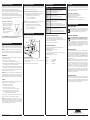
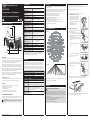
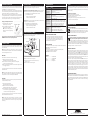
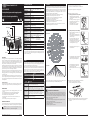
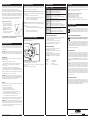
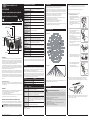
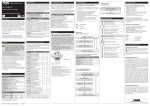
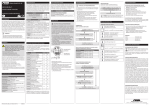
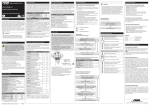
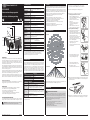
Operation and functions Troubleshooting Optional Settings The movement detector (radio transmitter) is part of the Easyclick (EC) system developed by PEHA. The system is based on radio transmitters and receivers which operate at 868.3 MHz frequency, to wirelessly control consumers. Two additional settings can be configured. Note that these settings consume additional energy and are not advisable for low-light level installations. Problem Solution Radio transmitters (e.g. movement detectors, wall transmitters) are devices that execute a receiver’s switching functions and transmit status messages by means of radio signals. These radio transmitters must be assigned to their receivers. Flashing LED on occupancy status message (motion): The red LED under the lens flashes when the occupancy status message is transmitted (deactivated by default). Sensor does not generate a wireless signal • Press Set button 5s for Walk Test • Verify the LED blinks when motion is detected during a Walk Test • Verify the device is charged properly Receivers (e.g. switching receivers, dimmers, gateways) can both receive and transmit radio signals (bidirectional). The receiver executes a switching function when it receives a radio signal from a radio transmitter. This switching function can be configured separately for each radio receiver (e.g. for switching ON or OFF a lamp). –Enabled = 3 blinks from green LRN LED –Disabled = 3 blinks from red Set LED Life-Signal: When no motion is registered for longer periods, the device transmits a life signal every hour (deactivated by default). Assigning or Deleting Movement detectors: 1. Set the desired receiver into Learn mode (see operating instruction receiver) To enable/disable - press and hold LRN button for 3 seconds (green LRN LED will blink once) LRN-Taste SET-Taste To enable/disable - press and hold LRN button for 5 seconds (both green and red LEDs will blink once) –Enabled = 3 blinks from green LRN LED –Disabled = 3 blinks from red Set LED 2. Pressing the LRN button assigns the occupancy sensor to the receiver or deletes it. Note: The receiver’s switching function is configured in the function programming of the receiver. • Verify there is 1,20 m clearance from heat sources that Sensor is activa may disturb sensing ted when there is • Reduce sensitivity setting by moving the PIR sensitivity nothing to detect switch from REG to LOW • To test the receiver, press the SET button for five seconds. Receiver device This transmits the occupancy status message to the receiver. does not respond • Check that the range and environment are clear for the signals. to wireless signal • Check that the device has been assigned to the receiver. • Check that the right devices have been programmed. Explanation of Occupied & Life-Signals Data Byte 3: Super Capacitor Voltage, 0-255 (% of 0-5V) Data Byte 2: Solar Panel Current, 0-127 uA Data Byte 1: 0xFF (occupied) or 0x00 (unoccupied) Data Byte 0: 0x09 (wall sensor) or 0x0B (ceiling sensor) Battery operation (optional) Details on learn mode and function programming can be found in the PROGRAMMING section of the receiver’s operating instructions. In areas with consistently low lighting, battery power supply (CR2032 / 3V DC) can be used to supplement the solar energy harvester. Battery Clip PIR Sensitivity Switch Testing the Sensor New system or existing system • Check the system’s surroundings for changes that could cause interfe rence (e.g. metal cabinets, furniture or walls which have been moved). • If the transmitters/receivers operate at a reduced distance, they are en countering interference or being used outside the transmission range. • Relocate the device to a better location. range limitations Before starting a test, ensure the sensor’s energy storage is charged by placing it under bright light (at least 500 lux) for 20 minutes, or insert a battery for 5 minutes while in a well-lit area. NOTE: If the sensor does not have a sufficient charge, it cannot enter into the test modes. When the SET button is pressed to initiate a test and none of the LEDs light up or flash red, the charged state is too low. • Use of the device in the vicinity of metal objects or materials with metal components. Note: Maintain a distance of at least 10 cm. • Moist materials. • Devices which emit high-frequency signals (e.g. audio and video systems, computers, electronic ballasts in light fixtures). Note: Maintain a distance of at least 0.5 m. WAlk Test Contact Use the walk test to confirm motion is within the sensor’s range. 1. Remove the sensor from the mounting plate. 1. Press and hold the Set button for 5 seconds. Red LED will blink to confirm that a walk test is active. 2. Move in and out of the sensor‘s range to determine its coverage area. Sensor will blink when it detects motion. 3. Make small hand movements just inside the limit of the sensor‘s range to see if the motion triggers a response. A test mode will stay active for 3 minutes. To exit a test and resume normal operation, press the LRN button. NOTE: Ensure the sensor does not falsely trigger from user activity outside the desired zone or other heat and motion sources. If false triggering occurs, adjust the sensitivity switch (under back cover, next to the battery slot) from REG to LOW. Light Test The light test lets you measure the light intensity and verify that the movement detector is supplied with adequate power. 2. Insert the battery under the clip with the positive pole (+) up and press it in place. 3. Remount the sensor on the mounting plate. Telephone:.............................+49 (0)2351 185-0 Fax:...........................................+49 (0)2351 27666 Internet:..................................www.peha.de E-mail:[email protected] Safety This device is only intended to be used for its stated application. Unauthorised conversions, modifications or changes are not permissible! This device may not be used in conjunction with other devices whose operation could present a hazard to people, animals or property. The following must be observed: • Prevailing statutes, standards and regulations. • State-of-the-art technology at the time of installation. • The device’s operating instructions. • Operating instructions can only cite general stipulations. These are to be viewed in the context of a specific system. General INFORMATION Disposal of the device Do not dispose of old devices in the household waste! The device must be disposed of in compliance with the laws and standards of the country in which it is operated! The device contains electrical components that must be disposed of as electronics waste. The enclosure is made from recyclable plastic. Correct battery disposal The ID code on the battery and in the documentation indicates that the battery must not be disposed of together with normal household waste. If the battery is marked with the chemical symbols Hg, Cd or PB, the mercury, cadmium or lead content of the battery is above the limits stipulated by EC Directive 2006/66. Incorrect battery disposal can cause damage to human health and the environment. End-of-life batteries must be disposed of separately; they can be deposited free of charge with dealers or municipal collection points. Warranty conditions These operating instructions are an integral part of both the device and our terms of warranty. They must be handed over to the user. The technical design of the appliance is subject to change without prior notification. PEHA products are manufactured and quality-checked with the latest technology according to applicable national and international regulations. Nevertheless, if a product should exhibit a defect, PEHA warrants to make remedy as follows (regardless of any claims against the dealer to which the end user may be entitled as a result of the sales transaction): In the event of a justified and properly established claim, PEHA shall exercise its prerogative to either repair or replace the defective device. Further claims or liability for consequential damage are explicitly excluded. A justifiable deficiency is deemed to exist if the device exhibits a structural, manufacturing, or material defect that makes it unusable or substantially impairs its utility at the time it is turned over to the end user. The warranty does not apply to natural wear, improper usage, incorrect connection, device tampering or the effects of external influences. The warranty period is 24 months from the date of purchase by the end user from a dealer and ends not later than 36 months after the device’s date of manufacture. German law shall be applicable for the settlement of warranty claims. Conformity declaration PEHA products may be sold and operated in EU countries as well as in CH, IS and N. PEHA herewith declares that the Movement detector (451 FU-BM DE) is in compliance with the fundamental requirements and other relevant provisions of R&TTE Directive 1999/5/EC. The conformity declaration is available on the Internet at the following address: www.peha.de. 1. Create a realistic lighting condition (the test measures the real-time light level). 2. Press and hold the Set button for 10 seconds. Red & green LEDs will blink to confirm light test is active. 3. Watch the LED blink rate to determine the light strength. 5 blinks indicates very good light strength (200 lux or more). 1 blink indicates minimum light strength(<25 lux). A test mode will stay active for 3 minutes. To exit a test and resume normal operation, press and hold the LRN button for 5 seconds. NOTE: If a battery is used to charge the sensor for a light test, ensure it is removed to get an accurate light measurement. If the LED fails to flash, you should consider mounting the movement detector at another site or using a battery (for adequate power supply). PEHA Elektro GmbH & Co. KG Postfach 1727 • D-58467 Lüdenscheid • Internet: www.peha.de PEHA_M_451FU_BM_DE (Rev01_130724) 31060000-147 GB-2