1
Details in display elements
Details in display elements
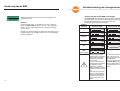
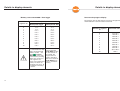
Memory status: testo 580 - Data logger
Number of
segments on
0
1
2
3
4
5
6
7
8
9
10
The progress bars for data transfer consist of 10 segments
which indicate the amount of data transferred.
Memory occupation
Memory/Data logger
Memory/testo 580
<5 %
>5 %
>15 %
>25 %
>35 %
>45 %
>55 %
>65 %
>75 %
>85 %
>95 %
<5 %
>5 %
>15 %
>25 %
>35 %
>45 %
>55 %
>65 %
>75 %
>85 %
>91 %
If the wraparound memory is activated in the data
logger, the wraparound
memory symbol
will
appear in the testo
580 display. If the wraparound memory is being
filled for the first time, 0
to 10 segments are
shown. If the wraparound
memory has been run
through at least once, all
10 segments will always
be shown.
14
Data transfer progress display
If more data is to be
read out than the
testo 580 can take
on, data transfer is
not started. The
progress bars for
memory allocation
flash once. Read out
testo 580 data in
your PC and delete
memory.
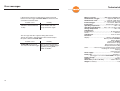
Number of segments
on
Transferred data in %
0
1
2
3
4
5
6
7
8
9
10
0 to 10 %
10 to 20 %
20 to 30 %
30 to 40 %
40 to 50 %
50 to 60 %
60 to 70 %
70 to 80 %
80 to 90 %
90 to 100 %
100 %
15