1
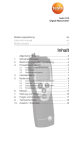
Key functions Key Functions Switch instrument on; switch instrument off (press and hold) Switch display light on/off Keep reading, display maximum/minimum value Open/leave configuration mode (press and hold); In configuration mode: Confirm input In configuration mode: Increase value, select option In configuration mode: Decrease value, select option Important displays Display Meaning Battery capacity (bottom right in display): · 4 segments in the battery symbol are lit: Instrument battery is fully charged · No segments in the battery symbol are lit: Battery is almost spent en fr nl Contact plates Display Control keys Battery compartment (rear) ?? Overview sv pt 3.1 Display and control elements es This chapter provides an overview of the components of the product and their functions. it Product description ?? 3. de 3. Product description 21