1
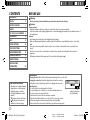
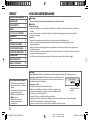
CONTENTS
BEFORE USE
BEFORE USE
2
BASICS
3
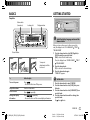
GETTING STARTED
3
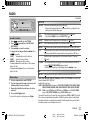
RADIO
5
CD / USB / iPod / ANDROID
6
BLUETOOTH®
8
AUX
13
AUDIO SETTINGS
14
DISPLAY SETTINGS
15
MORE INFORMATION
15
TROUBLESHOOTING
16
SPECIFICATIONS
18
INSTALLATION /
CONNECTION
20
Warning
Do not operate any function that takes your attention away from safe driving.
Caution
Volume setting:
• Adjust the volume so that you can hear sounds outside the car to prevent accidents.
• Lower the volume before playing digital sources to avoid damaging the speakers by the sudden increase of
the output level.
General:
• Avoid using the external device if it might hinder safe driving.
• Make sure all important data has been backed up. We shall bear no responsibility for any loss of recorded
data.
• Never put or leave any metallic objects (such as coins or metal tools) inside the unit, to prevent a short
circuit.
• If a disc error occurs due to condensation on the laser lens, eject the disc and wait for the moisture to
evaporate.
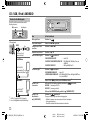
• USB rating is indicated on the main unit. To view, detach the faceplate. ( 3)
Maintenance
How to read this manual
• Operations are explained mainly
using buttons on the faceplate.
• English language is used for
the display explanation in this
manual.
• [XX] indicates the selected items.
• ( XX) indicates references are
available on the stated page.
Cleaning the unit: Wipe off dirt on the faceplate with a dry silicone or soft cloth.
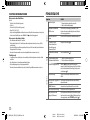
Cleaning the connector: Detach the faceplate and clean the connector
gently with a cotton swab, being careful not to damage the connector.
Handling discs:
• Do not touch the recording surface of the disc.
• Do not stick tape etc. on the disc, or use a disc with tape stuck on it.
• Do not use any accessories for the disc.
• Clean from the center of the disc and move outward.
• Clean the disc with a dry silicone or soft cloth. Do not use any solvents.
• When removing discs from this unit, pull them out horizontally.
• Remove burrs from the center hole and disc edge before inserting a disc.
Connector (on the reverse
side of the faceplate)
2
JS_KWD_KDC_BT35U_EN_EN_05.indd 2
Data Size:
Book Size:
B6L (182 mm x 128 mm)
B6L (182 mm x 128 mm)
4/8/2014 5:25:55 PM