1
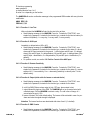
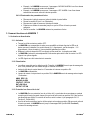
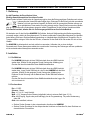
• Send following message to the HAMGSM: S1111. S stands for “SERVICE”, 1111 stands for your
personal code.
• Do not enter any spaces before or in your message.
• The HAMGSM will confirm the engaged mode with following message:
SERVICE=ON (LED blinks continuously when turning the ignition key)
SERVICE=OFF (LED turns on when turning the ignition key)
3.5. Temporary Activation of the Service Mode
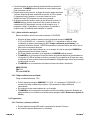
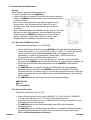
Depress the push button when turning the ignition key in the OFF position until you hear a long beep.
Release the push button. The temporary service mode is now activated until you turn the ignition key in the
ON position again. The HAMGSM will not send any messages in service mode.
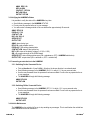
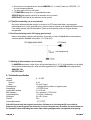
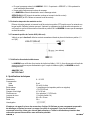
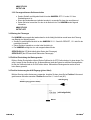
3.6. Positive Control of the AUX Input (green cable)
Use the NC contacts with function 2 when you desire to use the positive control. Function 2 must be set to
1, 3 or 5 (NC).
(not included)
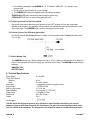
3.7. Vehicle Battery Fault
The HAMGSM will warn you if battery voltage is too low (< 10.6V), if there is a disconnection of the battery or
if there is an interruption of the power supply (e.g. caused by a burnt fuse). The HAMGSM will send following
message:
AMA2 REV 2.29
BATTERY FAULT
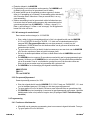
4. Technical Specifications
Power Supply
Power Consumption
Stand-by
Alarm
Alarm Input
Alarm Output
Built-in Li-ion Charger
Back-up Battery
Cable Length
Dimensions
Weight
8 ~ 20 VDC
8 mA
20 mA (2 A peak)
1 (triggered by positive or negative pulse)
+12 VDC/500 mA
4.2 V/120 mA
li-ion polymer 3,7 V/720 mAh
1.5m (with 2 A fuse)
80 x 40 x 20 mm
58 g
Homologation
Use this device with original accessories only. Velleman nv cannot be held responsible in the event of
damage or injury resulted from (incorrect) use of this device. For more info concerning this product, please
visit our website www.velleman.eu. The information in this manual is subject to change without prior notice.
HAMGSM_v5
VELLEMAN®