1
START(
START
DOUBLE
DI, DO, MO
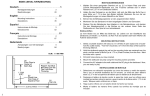
GAME SELECTION
When finishing game setup, push the START button to
begin playing.
For the games, 301-1001 and League 301-1001, you can
choose additional settings to make the game more
challenging (see GAME RULES). You may change this
setting anytime before or during the game to give the less
skillful player a break. The available settings are:
Open In / Open Out
Double In (DI) / Open Out
Open In / Double Out (DO)
Double In (DI) / Double Out (DO)
Open In / Master Out (MO)
Double In (DI) / Master Out (MO)
SCORES
Push this botton to view other players’ scores at anytime
during the play. The game is paused when viewing scores.
SOLITAIRE
Push this button to turn on the automatic player change
function. When 3 throws are registered on the board, the
computer will change player automatically. This is ideal for
a single player with a handful of darts in practice.v
SOUND
This button allows you to adjust speaker volume. There are
7 levels between sound-off and the maximum volume.
START
HOLD
During a play, a push on the START button provides a
pause to the game. This is typically useful to avoid
accidentally touching off scoring when removing darts. A
push on the button again will resume the game.
RESET
A push on this button will cause interruption and prompt up
the setup mode. All the settings remain the same as the last
game. You may choose to change settings, or you may
simply push the START button to start the same game
again. Push the RESET button twice will clear the
HANDICAP settings.
GAME
Group
301
lea
rc
Cu 2
O¯
Cri
biL
5
Cut
PuP
OPTION
Dart Game
301
501
601
701
801
901
1001
League 301
League 501
League 601
League 701
League 801
League 901
League 1001
Round the Clock
Shoot-Out
Shanghai
Halve-It
Count Up 200
Count Up 400
Count Up 600
Count Up 800
Count Up 1000
High Score
Overs
Unders
Big-6
Cricket
No Score Cricket
Cut Throat Cricket
Killer Cricket
biL
biL 2
biL 3
biL 4
Billiard
Billiard 2
Billiard 3
Billiard 4
Code
301
501
601
701
801
901
1001
301
501
601
701
801
901
1001
rc
S_O
SH
1-2
Cu 2
400
600
800
1000
Hi
O¯
U_
b-6
Cri
no
HANDICAP
Range
Step
301 to 1001
change by 100 points
301 to 1001
change by 100 points
301 to 1001
change by 100 points
301 to 1001
change by 100 points
301 to 1001
change by 100 points
301 to 1001
change by 100 points
301 to 1001
change by 100 points
301 to 1001
change by 100 points
301 to 1001
change by 100 points
301 to 1001
change by 100 points
301 to 1001
change by 100 points
301 to 1001
change by 100 points
301 to 1001
change by 100 points
301 to 1001
change by 100 points
No. 1 to 9
advance 1 number
0 to 9 points
add 1 point
No. 1 to 9
advance 1 number
0 to 950 points
add 50 points
0 to 150 points
add 50 points
0 to 350 points
add 50 points
0 to 550 points
add 50 points
0 to 750 points
add 50 points
0 to 950 points
add 50 points
0 to 500 points
add 50 points
3 to 7 lives
add 1 life
3 to 7 lives
add 1 life
3 to 7 lives
add 1 life
0, 15, 25
(see Note)
0, 15, 25
(see Note)
0, 15, 25
(see Note)
0, 15, 25
(see Note)
Note: "0": no specific order.
"15": must close numbers from 15,
16, 17, 18, 19, 20 to Bull’s Eye.
"25": must close numbers from Bul’s
Eye, 20, 19, 18, 17, 16 to 15.
spot No. 20 to 11 fill 1 spot
spot No. 20 to 11 fill 1 spot
spot No. 20 to 11 fill 1 spot
spot No. 20 to 11 fill 1 spot
6