1
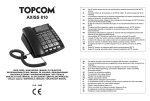
Topcom Axiss 830
Thank you for purchasing this high featured
telephone.
1.1 Intended purpose
This product is intended to be connected indoor to
an analogue PSTN telephone line.
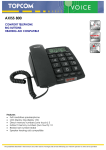
This model is specially designed for elderly
people :
• It comes with a pendant that can be used in
case of an emergency.
• It has big buttons for better visibility.
• 11 selectable display languages : English,
Dutch, French, German, Spanish, Italian,
Polish, Portuguese, Danish, Swedish and
Finish.
• Voice guidance in 6 languages : English,
Dutch, French, German, Spanish and Swedish.
• Talking Caller ID
• Large display
• Hearing aid compatible
• High volume ringer
• High quality hands-free operation
• Two direct memory keys
• Phonebook for 30 entries
• Caller ID list
The emergency feature will operate as follow :
1. To activate an emergency call, someone
presses the SOS key on the wireless
pendant or the SOS key on the phone.
2. A loud local alarm will go off during 15
seconds.
3. If no one arrives to deactivate the alarm, the
phone will dial the first pre-programmed
emergency number from the phonebook.
4. The receiving party of this emergency call will
hear a recorded voice message indicating
that there is an emergency.
If the receiving party does not answer or
ignores the emergency call, the phone will
call the next pre-programmed emergency
number 3 minutes later.
Topcom Axiss 830
5. The receiver who answers the emergency
call will press “0” to accept the call.
6. Now a speakerphone conversation will be
activated.
7. After 3 minutes the call will be disconnected
and the phone will dial the next emergency
number unless the receiving party presses
“15” to continue the conversation and to
deactivate the emergency feature.
ENGLISH
1 Before initial use
Each time the phone dials an emergency
number, the telephone line will be
occupied for at least 3 minutes, even
when the receiving party hung up the call.
1.2 Caller ID
To use ‘Caller ID’ (display caller), this
service has to be activated on your
phone line. Normally you need a separate
subscription from your telephone
company to activate this function. If you
don’t have the Caller ID function on your
phone line, the incoming telephone
numbers will NOT be shown on the
display of your telephone.
1.3 Connection
The CE symbol indicates that the unit
complies with the essential
requirements of the R&TTE directive.
This device has been designed and manufactured
to comply with the 98/482/EC rule, referent to the
Pan European connection of a terminal to the
Public Switching Telephone Network (PSTN) and
following the established guidelines by the 1999/
5/EC Directive about radio electric equipments
and the reciprocal acknowledge of their
conformity. However, due to the fact that there are
some differences in the PSTNs from one country
to another, the verifying measurements by
themselves do not set up an unconditional
guarantee for an optimal working in every
connection point to the PSTN of any country. If
any problem comes up, get in touch firstly with the
distributor.
3