1
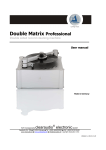
Smart Matrix Professional
User manaul
Bedienungsanleitung
3.4
For simple and effective record cleaning please follow these steps:
1. Connect the Smart Matrix Professional machine to the mains supply and switch the main switch on the
rear panel on.
2. Take off the vacuum arm from the arm base. Unscrew and remove the record clamp.
Place the Record on the platter and hand-tighten the record clamp onto the spindle.
Replace the vacuum arm into the arm base.
3. Start the machine on by using the front panel button marked „POWER“.
4. Take the bottle with the cleaning fluid (in the accessory bag) and cut off the marked top of the
dispenser. Gently hold the Clearaudio Pure Groove cleaning brush (Art. No. AC015) against the LP surface
and dispense a small amount of the fluid onto the record.
Pic. 8: Manual fluid application
Please note:
The fluid should just cover the whole record playing surface evenly. Too much fluid will spill onto the
Smart Matrix Professional or onto the record label.
5. Gently hold the cleaning brush against the record while the platter makes approximately two complete
turns in each direction (clockwise and anti-clockwise), using the button marked „PLATTER“ to change the
direction of rotation.
Please note:
If too much fluid is applied, immediately mop up excess fluid with a towel or similar material
to prevent any damage to the record label or to the machine!
Page / Seite 8
© clearaudio electronic GmbH 2015