1
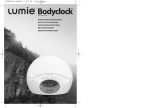
OPERATING INSTRUCTIONS Bodyclock Advanced 200 NOTICE D’UTILISATION Bodyclock Advanced 200 BEDIENUNGSANLEITUNG Bodyclock Advanced 200 BRUKSANVISNING Bodyclock Advanced 200 ИНСТРУКЦИЯ ПО ЭКСПЛУАТАЦИИ Бодиклок Адванс 200 English OPERATING INSTRUCTIONS Bodyclock Advanced 200 1 2 3 4 5 6 7 8 9 10 11 12 13 14 15 16 17 18 19 Safety Getting started The display The four control buttons Setting the time Setting the clock to 12 or 24 hours Using the Bodyclock as a reading light Setting the sunrise (to wake you up) Setting the wake-up speed Using snooze Disabling the back-up beeper Setting the sunset (go-to-sleep program) Setting the sunset to end as a nightlight Adjusting the brightness of the clock display Setting Sleepsound (white noise) Security mode Demo mode Problem solving Programming summary 2 | www.lumie.com | lumie careline 0845 658 9292 English INTRODUCTION Congratulations on buying Bodyclock Advanced. With proper use, it will help regulate your circadian rhythm (sleep/wake pattern), leaving you feeling more energetic. Thousands of people have benefited from its positive effects, and it is especially useful in alleviating the symptoms of the Winter Blues or SAD (Seasonal Affective Disorder). In clinical trials, dawn simulators like the Bodyclock Advanced have been shown to improve mood, energy, productivity and the quality of sleep and awakening.* Please read these instructions carefully to get the most out of your Bodyclock Advanced. *Acta Psychiatr Scand 1993 Jul; 88 (1):67-71 www.lumie.com | lumie careline 0845 658 9292 | 3 English 1 Safety Keep the glass globe over the bulb, unless the bulb is cold and the lamp unplugged. Always use a 60W E14 (SES) candle bulb. The glass globe will be warm to the touch, so keep it clear of anything that might deteriorate in contact with heat. Keep the Bodyclock away from water and damp. For indoor use only. Don't open the casing for any reason. There are no userserviceable parts inside. 2 Getting started Remove the 'globe', the glass cover over the bulb, with a gentle upward tug. Screw in the bulb firmly and replace the globe. Find a good position for the Bodyclock close to the bed-head. Plug the Bodyclock into the mains. The display will flash on and off until the time has been set. Once you've programmed the Bodyclock Advanced, all settings will be memorised if the unit is unplugged or if there's a power failure. If the power is out for a short period, it will even keep track of time. To program the clock A must be depressed ( not lit). Pressing the P button repeatedly will take you through each of the programming options in turn (see 19 for the list of options). Within the next few seconds press + or to change the setting. NOTE: the clock will revert to its normal state if no button is pressed for 12 seconds. - When replacing the bulb, always unplug the Bodyclock. Spare sunshine neodymium bulbs are available from the Lumie Careline. 4 | www.lumie.com | lumie careline 0845 658 9292 English 3 The display Beeper Wake-up Current program option 4 The four control buttons Sunrise/Sunset Program Option change 5 Setting the time A must be OFF (button depressed). Press P repeatedly until program message TIME appears. Immediately press + or - to set time. Press P to move on to the next setting or wait 12 seconds for the clock to revert to normal. The time is now set. If you are using the 12-hour clock, the PM indicator will light up when the time shown is between noon and midnight. www.lumie.com | lumie careline 0845 658 9292 | 5 English 6 Setting the clock to 12 or 24 hours The time display is pre-set as a 12-hour clock. If you prefer a 24hour clock… A must be OFF (button depressed). Press P repeatedly until program message 12 HOUR appears. Immediately press + or - until 24 HOUR appears. Press P to move on to the next setting or wait 12 seconds for the clock to revert to normal. 7 Using the Bodyclock as a reading light Press + until the lamp is as bright as you want it. To switch off the light, press - until it goes completely dark. 8 Setting the sunrise (to wake you up) The wake-up function is ON when A is elevated and Ò is lit up. Wake-up time is pre-set for 7:00a.m. If you want a different time… A must be OFF (button depressed). Press P repeatedly until the program message ALARM TIME appears. - Immediately press + or until the alarm time is set. If you are using the 12-hour clock pay attention to the PM indicator to make sure you set the correct wake-up time! The PM indicator will light up when the time shown is between noon and midnight. Press P to move on to the next setting or wait 12 seconds for the clock to revert to normal. 6 | www.lumie.com | lumie careline 0845 658 9292 English 9 Setting the wake-up speed The wake-up sequence is pre-set so the sunrise starts 30 minutes before wake-up time. To change the speed of the wake-up sequence… Make sure A is OFF (button depressed). Press P repeatedly until FADE UP 30 (or 60 or 90 or 15 or DEMO) appears on the display. Immediately press + or appears. - until the desired wake-up speed Press P to move on to the next setting or wait 12 seconds for the clock to revert to normal. Remember to press A again so that the wake-up is ON (button elevated). 10 Using snooze - When the beeper sounds, press once to turn it off and leave the light on. The beeper will sound again 9 minutes later. - If you prefer, when the beeper sounds press and hold to turn off the beeper and dim the light. The light will re-illuminate to full strength over the next 9 minutes then the beeper will sound again. 11 Disabling the back-up beeper To turn the beeper off at wake-up time when it is sounding, press A. The beeper is pre-set to ON, to change this… A must be OFF (button depressed). Press P repeatedly until the program message reads BEEP ON. www.lumie.com | lumie careline 0845 658 9292 | 7 English Immediately press + or - until you see BEEP OFF. Press P to move on to the next setting or wait 12 seconds for the clock to revert to normal. The beeper symbol is displayed when the beeper is on. 12 Setting the sunset (go-to-sleep program) To start the sunset sequence: Press + until the lamp is as bright as you want it. Press A ON so button is elevated and is displayed. Sunset will start and the lamp will slowly fade down. The wake-up sequence will activate at its usual time. To start the sunset sequence when you don' t want the wake-up sequence (such as on a Friday night): Make sure A is OFF (button depressed). Press + until the lamp is as bright as you want it. Press + and - together. Sunset will start and there will be no wake-up sequence. To choose sunset speed: Make sure A is OFF (button depressed). Press P repeatedly until program message FADE DOWN 30 (or 60 or 90 or 15) appears. Immediately press + or - until the desired sunset speed appears. Press P to move on to the next setting or wait 12 seconds for the clock to revert to normal. 8 | www.lumie.com | lumie careline 0845 658 9292 English 13 Setting the sunset to end as a nightlight Rather than have the sunset end in darkness, you can set it to act as a nightlight at 10% of the intensity of the lamp. A must be OFF (button depressed). Press P until program message NITELITE OFF appears. Immediately press + or - until NITELITE ON is set. Press P to move on to the next setting or wait 12 seconds for the clock to revert to normal. 14 Adjusting the brightness of the clock display The DISPLAY AUTO mode automatically dims the display at sleep time (when the light is at a low level and the wake-up or sunset sequences are set). To set the display to remain bright, then… A must be OFF (button depressed). Press P until the program message DISPLAY AUTO appears. Immediately press + or - until DISPLAY HIGH is set. Press P to move on to the next setting or wait 12 seconds for the clock to revert to normal. www.lumie.com | lumie careline 0845 658 9292 | 9 English 15 Setting Sleepsound (white noise) Sleepsound is a continuous white noise 'hiss' sound that is useful to mask outside noises when you want to sleep. Make sure A is OFF (button depressed). Press P repeatedly until program message SOUND OFF appears. - Immediately press + or until SOUND AUTO appears. This means the Sleepsound will become quieter with the sunset, falling silent as the light goes out. - Alternatively press + or until SOUND PERM (sound permanent) appears. This means whenever you turn the wake-up on (A ON, button elevated), the Sleepsound will be heard. The # symbol on the display shows when Sleepsound is enabled. To turn the Sleepsound off for just one night …while the hiss sound is audible, press A IN and immediately OUT again. 16 Security mode Allows you to set the Bodyclock Advanced's light to switch on and off at random between 4pm and 11pm to give the impression the house is occupied. A must be OFF (button depressed). Press P until the program message SECURITY OFF appears. Immediately press + or - until SECURITY ON is set. Press P to move on to the next setting or wait 12 seconds for the clock to revert to normal. The display will now read SECURITY. Pressing any button will cancel security mode. Remember, security mode is only set if the display reads SECURITY. 10 | www.lumie.com | lumie careline 0845 658 9292 English 17 Demo mode To demonstrate the Bodyclock Advanced's sunrise and sunset functions continuously, in short 4 minute cycles (rolling demonstration mode). A must be OFF (button depressed). Press + for about 12 seconds until you hear a beep and the program message reads SUNSET. To stop the demonstration press + again for about 12 seconds until you hear 2 beeps and the program message goes blank. You might want to disable the beeper (see 11) before starting this mode. For a demonstration mode in which the Bodyclock Advanced operates as normal except the sunrise and sunset take only 2 minutes, set FADEUP DEMO (see 9). In this mode press and hold P then press + briefly to start a sunrise. 18 Problem solving The light will not come on but the clock still works. Check to make sure the bulb is fully screwed into the socket. If this fails, try replacing the bulb. Neither the clock nor the light works, or the clock is not doing what I expect it to. Turn the power off at the wall. Now press and hold P as you turn the power back on. This re-sets all the program options to their default state. If this fails, check the fuse in UK plugs. Please call the Lumie Careline (0845 658 9292) if you have any other problems with the Bodyclock Advanced, before doing anything else. www.lumie.com | lumie careline 0845 658 9292 | 11 English 19 Programming summary A summary of programs when P is pressed. The first setting is the default for each program. ALARM TIME TIME 12 HOUR > 24 HOUR BEEP ON > BEEP OFF DISPLAY AUTO > DISPLAY HIGH FADEUP 30 > 60 > 90 > 15 NITELITE OFF > NITELITE ON SOUND OFF > SOUND AUTO > SOUND PERM SECURITY OFF > SECURITY ON Then reverts to normal operation. 12 | www.lumie.com | lumie careline 0845 658 9292 English Bodyclock Advanced Guarantee This unit is guaranteed against any manufacturing defect for 24 months from the date of purchase. This is in addition to your statutory rights. If you are returning your Bodyclock Advanced for service, it must be in its complete original packaging including internal pieces. Make sure that the mains plug is prevented from moving in transit and damaging the unit. If the unit is received damaged or without original packaging, then regretfully we will have to charge to put it right. Please call us for advice before sending the unit back. Contact us Outside In is Europe's leading specialist in light therapy. Our products are derived from the latest scientific studies and we are specialists in sleep science, circadian rhythms and SAD (Seasonal Affective Disorder). If you have any suggestions that you feel could help us improve our products or service, or if there are problems you think we should know about, please tell us. Lumie Careline 0845 658 9292 www.lumie.com www.lumie.com | lumie careline 0845 658 9292 | 13 English Technical specification Specification subject to change without notice Lumie Bodyclock Advanced model NSE/NSU 220-240Vac 50Hz 70W Lamp E14 (SES) 35 mm candle 220/230/240V 60W MAX Operating temperature 0ºC –35ºC Safety – EN60601 Class I Medical Device Lumie is a trademark of: Outside In (Cambridge) Ltd 3 The Links, Trafalgar Way, Bar Hill, Cambridge, CB3 8UD UK © Outside In July 2005 14 | www.lumie.com | lumie careline 0845 658 9292 Francais NOTICE D’UTILISATION Bodyclock Advanced 200 1 2 3 4 5 6 7 8 9 10 11 12 13 14 15 16 17 18 19 Mesures de sécurité Mise en place L’affichage Les quatre boutons de contrôle Réglage de l’heure Réglage de l’horloge en mode d’affichage 12 heures ou 24 heures Utilisation du Bodyclock comme lampe de chevet Réglage du lever de soleil (pour vous réveiller) Réglage de la durée de la séquence d’éveil Utilisation de la l’option répétition de l’alarme Arrêt de l’alarme sonore Réglage du coucher de soleil (séquence d’endormissement) Passage du mode coucher de soleil au mode veilleuse Réglage de la luminosité du cadran de l’horloge Son d’endormissement (bruit blanc) Activation du mode sécurité Utilisation du mode démonstration Résolution de problèmes Résumé des opérations de programmation www.lumie.com | lumie careline +44 1954 780 500 |15 Francais INTRODUCTION Félicitations, vous venez d’acheter un Bodyclock Advanced ! Utilisé correctement il vous aidera à réguler votre rythme circadien (les tendances de sommeil/d’éveil) et vous aurez le sentiment d’avoir plus d’énergie. Des milliers de personnes ont bénéficié de ses effets positifs. Il est particulièrement utile pour réduire les symptômes du blues hivernal ou DSH (Déprime Saisonnière Hivernale), connu en anglais sous le sigle SAD (Seasonal Affective Disorder). Des expériences médicales ont montré que des simulateurs d’aube tels que le Bodyclock Advanced permettent d’être de meilleure humeur, d’améliorer le niveau d’énergie, de productivité et la qualité du sommeil et du réveil.* Veuillez lire avec attention cette notice pour profiter au mieux des avantages du Bodyclock Advanced. *Acta Psychiatr Scand 1993 Juillet; 88 (1):67-71 16 | www.lumie.com | lumie careline +44 1954 780 500 Francais 1 Mesures de sécurité Ne retirez jamais le globe en verre recouvrant l’ampoule sans vous êtes assuré au préalable que l’ampoule est froide et que la lampe est débranchée. N’utilisez que des ampoules flamme E14 de 60 W maximum (SES). Le globe en verre est chaud au toucher, tenez-le éloigné de tout ce qui pourrait se détériorer au contact de la chaleur. Gardez le Bodyclock éloigné de l’eau et de l’humidité. Ne l’utilisez qu’à l’intérieur. N’ouvrez jamais le boîtier. Le boîtier ne comporte aucune pièce pouvant être changée. 2 Mise en place Retirez le ‘globe’, la protection en verre recouvrant l’ampoule, en tirant légèrement vers le haut. Mettez en place l’ampoule en la vissant fermement puis replacez le globe. Trouvez un bon endroit pour le Bodyclock, de préférence près de la tête du lit. Branchez le Bodyclock. L’affichage clignotera tant que la date ne sera pas saisie. Une fois le Bodyclock Advanced programmé, tous les paramètres de la configuration sont gardés en mémoire et ils ne seront pas perdus en cas de débranchement ou de coupure de courant. Même l’heure sera retrouvée si la coupure est de courte durée. Pour programmer l’horloge le bouton A doit être enfoncé ( non éclairé). Vous pouvez consulter une à une toutes les options de programmation en appuyant successivement sur la touche P www.lumie.com | lumie careline +44 1954 780 500 | 17 Francais (reportez-vous au paragraphe 19 pour la liste des options). Quand vous êtes sur une option et si vous désirez modifier son paramètre appuyez sur + ou dans les quelques secondes qui suivent. NOTA: l’horloge reviendra à son état normal si aucun bouton n’a été pressé au bout de 12 secondes. - Débranchez toujours le Bodyclock avant de changer l’ampoule. Des ampoules néodyme ‘rayons de soleil’ de rechange sont disponibles chez Lumie Careline. 3 L’affichage Alarme sonore Réveil Option de programme en cours 4 Les quatre boutons de contrôle Lever de soleil / Coucher de soleil Programme Changement d’option 18 | www.lumie.com | lumie careline +44 1954 780 500 Francais 5 Réglage de l’heure A doit être sur OFF (bouton enfoncé). Appuyez sur P à plusieurs reprises, jusqu’à ce que le message de programmation TIME s’affiche. Appuyez immédiatement sur + ou - pour ajuster l’heure. Appuyez sur P pour passer au prochain paramètre de réglage ou attendez 12 secondes pour que l’horloge revienne à son état normal. L’heure est à présent définie. Si vous utilisez l’horloge en mode d’affichage 12 heures (au lieu de 24 heures), l’indicateur PM sera allumé quand l’heure indiquée se situe entre midi et minuit. 6 Réglage de l’horloge en mode d’affichage 12 heures ou 24 heures Par défaut l’heure est affichée en mode 12 heures. Si vous préférez le mode d’affichage sur 24 heures … A doit être sur OFF (bouton enfoncé). Appuyez sur P à plusieurs reprises, jusqu’à ce que le message de programmation 12 HOUR s’affiche. Appuyez immédiatement sur + ou 24 HOUR s’affiche. - jusqu’à ce que Appuyez sur P pour passer au prochain paramètre de réglage ou attendez 12 secondes pour que l’horloge revienne à son état normal. www.lumie.com | lumie careline +44 1954 780 500 | 19 Francais 7 Utilisation du Bodyclock comme lampe de chevet Appuyez sur + jusqu’à l’obtention de la luminosité désirée. Pour éteindre appuyez sur lumière. - jusqu’à l’extinction totale de la 8 Réglage du lever de soleil (pour vous réveiller) La fonction réveil est activée (mode ON) quand A est en position relevée et la touche est allumée. Par défaut l’heure du réveil est fixée à 7 h du matin. Si vous voulez changer cette heure de réveil … A doit être sur OFF (bouton enfoncé). Appuyez sur P à plusieurs reprises, jusqu’à ce que le message de programmation ALARM TIME s’affiche. - Appuyez immédiatement sur + ou jusqu’à ce que l’heure de réveil désirée s’affiche. Si vous utilisez l’affichage horaire en mode 12 heures vérifiez le voyant PM pour vous assurer de ne pas vous tromper d’heure de réveil ! L’indicateur PM est éclairé si l’heure affichée se situe entre midi et minuit. Appuyez sur P pour passer au prochain paramètre de réglage ou attendez 12 secondes pour que l’horloge revienne à son état normal. 20 | www.lumie.com | lumie careline +44 1954 780 500 Francais 9 Réglage de la durée de la séquence d’éveil La séquence d’éveil est définie par défaut à 30 minutes de simulation de lever du soleil avant l’heure du réveil. Pour changer la durée de la séquence d’éveil … Vérifiez que A est sur OFF (bouton enfoncé). Appuyez sur P à plusieurs reprises, jusqu’à ce que le message FADE UP 30 (ou 60 ou 90 ou 15 ou DEMO) s’affiche. Appuyez immédiatement sur + ou d’éveil désiré s’affiche. - jusqu’à ce que le temps Appuyez sur P pour passer au prochain paramètre de réglage ou attendez 12 secondes pour que l’horloge revienne à son état normal. N’oubliez pas d’appuyer à nouveau sur A pour que la fonction réveil soit activée (mode ON) (le bouton doit être en position relevée). 10 Utilisation de l’option répétition de l’alarme - Quand vous entendez l’alarme, appuyez une fois sur la touche l’alarme s’arrêtera mais la lumière restera allumée. 9 minutes plus tard l’alarme se déclenchera à nouveau. Si vous préférez, vous pouvez également régler la lumière. Quand l’alarme se déclenche, appuyez en maintenant la pression sur la touche le bip sonore s’arrêtera et la lumière perdra de son intensité. Progressivement, au cours des 9 prochaines minutes, la lumière retrouvera toute son intensité puis l’alarme sonnera à nouveau. - www.lumie.com | lumie careline +44 1954 780 500 | 21 Francais 11 Arrêt de l’alarme sonore Pour arrêter l’alarme qui s’est déclenchée à l’heure du réveil, appuyez sur A. Par défaut l’alarme sonore est activée (ON), pour changer ce paramètre … A doit être sur OFF (bouton enfoncé). Appuyez sur P à plusieurs reprises, jusqu’à ce que le message de programmation BEEP ON s’affiche. Appuyez immédiatement sur + ou BEEP OFF s’affiche. - jusqu’à ce que Appuyez sur P pour passer au prochain paramètre de réglage ou attendez 12 secondes pour que l’horloge revienne à son état normal. Le symbole représentant l’alarme sonore l’alarme est activée (mode ON). est affiché quand 12 Réglage du coucher de soleil (séquence d’endormissement) Pour déclencher la séquence du coucher de soleil : Appuyez sur + jusqu’à l’obtention de la luminosité désirée. Appuyez sur A ON pour mettre le bouton en position relevée, doit être affiché. Le coucher de soleil commencera et la lampe perdra lentement de sa luminosité. La séquence d’éveil sera activée automatiquement le lendemain à son heure habituelle. 22 | www.lumie.com | lumie careline +44 1954 780 500 Francais Pour commencer la séquence du coucher de soleil sans déclencher, le lendemain matin, la séquence d’éveil (par exemple le vendredi soir): Veillez à mettre A sur OFF (bouton enfoncé) Appuyez sur + jusqu’à l’obtention de la luminosité désirée. - Appuyez simultanément sur + et . Le coucher de soleil commencera mais il n’y aura pas de séquence d’éveil le lendemain matin. Pour choisir la duré du coucher de soleil : Veillez à mettre A sur OFF (bouton enfoncé) Appuyez sur P à plusieurs reprises, jusqu’à ce que le message FADE DOWN 30 (ou 60 ou 90 ou 15) s’affiche. - Appuyez immédiatement sur + ou jusqu’à ce que le temps correspondant à la durée de coucher de soleil désiré s’affiche. Appuyez sur P pour passer au prochain paramètre de réglage ou attendez 12 secondes pour que l’horloge revienne à son état normal. 13 Passage du mode coucher de soleil au mode veilleuse Plutôt que d’avoir le coucher de soleil se finissant dans l’obscurité totale, vous pouvez le configurer de manière à se transformer en veilleuse avec 10% de luminosité. A doit être sur OFF (bouton enfoncé). Appuyez sur P jusqu’à ce que le message de programmation NITELITE OFF s’affiche. www.lumie.com | lumie careline +44 1954 780 500 | 23 Francais Appuyez immédiatement sur + ou NITELITE ON s’affiche. - jusqu’à ce que Appuyez sur P pour passer au prochain paramètre de réglage ou attendez 12 secondes pour que l’horloge revienne à son état normal. 14 Réglage de la luminosité du cadran de l’horloge Le mode DISPLAY AUTO réduit automatiquement la luminosité de l’affichage lors de l’endormissement (quand le niveau de lumière est faible et des séquences d’éveil ou de coucher de soleil sont définies). Pour garder un affichage lumineux … A doit être sur OFF (bouton enfoncé). Appuyez sur P jusqu’à ce que le message de programmation DISPLAY AUTO s’affiche. Appuyez immédiatement sur + ou HIGH s’affiche. - jusqu’à ce que DISPLAY Appuyez sur P pour passer au prochain paramètre de réglage ou attendez 12 secondes pour que l’horloge revienne à son état normal. 15 Son d’endormissement (bruit blanc) Le son d’endormissement est un bruit blanc continu ‘sss’ qui permet de masquer les bruits environnants quand vous voulez vous endormir. Veillez à mettre A sur OFF (bouton enfoncé) 24 | www.lumie.com | lumie careline +44 1954 780 500 Francais Appuyez sur P à plusieurs reprises, jusqu’à ce que le message SOUND OFF s’affiche. - Appuyez immédiatement sur + ou jusqu’à ce que SOUND AUTO s’affiche. Le bruit d’endormissement diminuera avec le coucher du soleil et aura complètement disparu quand la lumière s’éteint. - Ou, vous pouvez appuyer sur + ou jusqu’à ce que SOUND PERM (son permanent) s’affiche. Ceci voudra dire que chaque fois que vous activez le réveil (A ON, bouton en position relevée), le son d’endormissement sera entendu. Le symbole # sur l’affichage indique si le son d’endormissement est activé. Pour arrêter occasionnellement le son d’endormissement, par exemple pour une seule nuit …. pendant que le son ‘sss’ est encore audible, appuyez sur A IN puis immédiatement sur OUT à nouveau. 16 Activation du mode sécurité Cette fonctionnalité vous permet de régler la lumière du Bodyclock Advanced pour qu’elle s’allume et s’éteigne au hasard entre 16 h et 23 h pour donner l’impression que la maison est occupée. A doit être sur OFF (bouton enfoncé). Appuyez sur P jusqu’à ce que le message de programmation SECURITY OFF s’affiche. Appuyez immédiatement sur + ou ON s’affiche. - jusqu’à ce que SECURITY Appuyez sur P pour passer au prochain paramètre de réglage ou attendez 12 secondes pour que l’horloge revienne à son état normal. L’affichage indiquera ensuite SECURITY. www.lumie.com | lumie careline +44 1954 780 500 | 25 Francais Pour annuler le mode sécurité il suffit d’appuyer sur n’importe quelle touche. Souvenez-vous, le mode sécurité n’est activé que quand SECURITY est affiché. 17 Utilisation du mode démonstration Pour démontrer en continu sur 4 cycles courts de 4 minutes, les fonctions de lever et coucher de soleil du Bodyclock Advanced effectuez les opérations suivantes: A doit être sur OFF (bouton enfoncé). Pressez + pendant environ 12 secondes, jusqu’à ce que vous entendiez un bip et voyez le message de programmation SUNSET. Pour arrêter la démonstration appuyez à nouveau sur + pendant environ 12 secondes et attendez d’entendre 2 bips et de voir s’effacer le message de programmation. Si vous le désirez vous pouvez désactiver l’alarme sonore (reportez-vous au paragraphe 11) avant d’aller en mode démonstration. Pour un mode de démonstration où le Bodyclock Advanced fonctionne normalement à l’exception du lever et coucher de soleil qui ne durent dans ce cas que 2 minutes, définissez le paramètre FADEUP DEMO (voir paragraphe 9). Dans ce mode appuyez, en maintenant votre pression, sur P puis appuyez brièvement sur + afin de faire commencer un lever de soleil. 26 | www.lumie.com | lumie careline +44 1954 780 500 Francais 18 Résolution de problèmes La lampe ne s’allume pas mais l’horloge fonctionne. Vérifiez que l’ampoule est entièrement vissée sur sa douille. Si le problème persiste changez l’ampoule. La lampe ni l’horloge ne fonctionnent ou l’horloge n’effectue pas les opérations espérées. Retirez pendant quelques instants le Bodyclock Advanced de sa prise de courant. Puis au moment de le rebranchez appuyez en même temps sur P en maintenant un certain temps la pression. Ceci remettra tous les paramètres de programmation à leur valeur par défaut. Si le problème persiste, vérifiez le fusible si vous avez une prise anglaise. Si vous avez d’autres problèmes avec le Bodyclock Advanced, n’entreprenez rien avant d’avoir appeler le centre d’assistance Lumie Careline (+44 1954 780 500). www.lumie.com | lumie careline +44 1954 780 500 | 27 Francais 19 Résumé des opérations de programmation Résumé des options de programmation quand P est pressé. La première valeur de chaque option de programmation correspond à sa valeur par défaut. ALARM TIME TIME 12 HOUR > 24 HOUR BEEP ON > BEEP OFF DISPLAY AUTO > DISPLAY HIGH FADEUP 30 > 60 > 90 > 15 NITELITE OFF > NITELITE ON SOUND OFF > SOUND AUTO > SOUND PERM SECURITY OFF > SECURITY ON Puis retour au fonctionnement normal. 28 | www.lumie.com | lumie careline +44 1954 780 500 Francais Garantie pour le Bodyclock Advanced Cet appareil est garanti pendant 24 mois, à partir de la date d’achat, contre tout défaut ou vice de fabrication. Cette garantie s’ajoute aux droits prévus par la loi. Si vous nous renvoyez votre Bodyclock Advanced pour une révision, il doit être dans son emballage d’origine et comprendre toutes les pièces y compris les pièces internes. Veillez à ce que les prises de courant ne bougent pas pendant le transport et ne puissent pas abîmer l’appareil. Si nous recevons l’appareil endommagé ou sans son emballage d’origine, nous serons au regret de vous facturer la réparation. Veuillez nous appeler pour nous demander conseil avant de renvoyer l’appareil. Nous contacter Outside In est le leader européen spécialisé dans la luminothérapie. Nos produits prennent en compte les recherches scientifiques les plus récentes et nous sommes spécialisés dans les domaines des sciences du sommeil, des rythmes circadiens et de la DSH (Déprime Saisonnière Hivernale), connu en anglais sous le sigle SAD (Seasonal Affective Disorder). Nous serons ravis de recevoir vos suggestions pouvant contribuer à améliorer nos produits et notre service ou si vous avez connaissance de problèmes qui vous semblent dignes d’intérêt veuillez nous en faire part. Lumie Careline +44 1954 780 500 www.lumie.com www.lumie.com | lumie careline +44 1954 780 500 | 29 Francais Caractéristiques techniques Ces caractéristiques techniques sont données sous réserve de modification sans préavis. Lumie Bodyclock Advanced modèle NSE/NSU 220-240 Volts ca 50 Hz 70 Watts Lampe E14 (SES, petite lampe Edison à vis) 35 mm type flamme 220/230/240 Volts 60 Watts MAX Températures d’utilisations 0ºC –35ºC Norme de sécurité – EN60601 Classe I Appareil médical Lumie est une marque de fabrication de : Outside In (Cambridge) Ltd 3 The Links, Trafalgar Way, Bar Hill, Cambridge, CB3 8UD Royaume-Uni © Outside In Juillet 2005 30 | www.lumie.com | lumie careline +44 1954 780 500 Deutsch BEDIENUNGSANLEITUNG Bodyclock Advanced 200 1 2 3 4 5 6 7 8 9 10 11 12 13 14 15 16 17 18 19 Sicherheit Erste Schritte Das Display Die vier Bedienungstasten Einstellen der Uhrzeit Einstellen der 12- bzw. 24-Stunden-Anzeige Die Bodyclock als Leselampe Einstellen des Sonnenaufgangs (zum Aufwachen) Einstellen der Weckgeschwindigkeit Die Schlummerfunktion Abstellen des Sicherheits-Wecktons Einstellen des Sonnenuntergangs (zum Einschlafen) Der Sonnenuntergang als Nachtlicht Helligkeitsregelung der Zeitanzeige Einstellen von Sleepsound (weißes Rauschen) Sicherheits-Option Vorführ-Modus Probleme und Lösungen Programmliste www.lumie.com | lumie careline +44 1954 780 500 | 31 Deutsch EINFUHRUNG Wir gratulieren Ihnen zum Erwerb einer Bodyclock Advanced. Bei korrektem Einsatz hilft Ihnen dieses Gerät, Ihren Biorhythmus (Schlaf- und Wachzeiten) zu regulieren. Als Ergebnis haben Sie mehr Lebensenergie. Tausende Benutzer schwören auf die positive Wirkung der Bodyclock. Dieses Gerät hat sich besonders dabei bewährt, die Symptome von WinterBlues und SAD (saisonal abhängiger Depression) zu lindern. Klinikversuche haben erwiesen, dass Dämmerungssimulatoren wie die Bodyclock Advanced Stimmung, Energieniveau, Produktivität und die Qualität von Schlaf und Aufwachen verbessern.* Bitte lesen Sie diese Anweisungen sorgfältig, damit Sie Ihre Bodyclock Advanced optimal einsetzen können. *Acta Psychiatr Scand 1993 Jul; 88 (1):67-71 1 Sicherheit Bevor Sie die Glaskuppel von der Lampe abnehmen, ziehen Sie bitte zuerst den Stecker aus der Dose und stellen Sie sicher, dass die Glühbirne abgekühlt ist. Verwenden Sie immer eine Glühbirne vom Typ 60W E14 (SES) in Kerzenform. Die Glaskuppel erwärmt sich im Einsatz. Vermeiden Sie daher Kontakt mit allem, was bei Hitzeeinwirkung verderben oder beschädigt werden kann. Die Bodyclock nicht in Kontakt mit Wasser und Feuchtigkeit bringen. Nicht für den Betrieb im Freien geeignet. Bitte niemals das Gehäuse öffnen. Die internen Elemente sollten nur von qualifizierten Fachleuten gewartet werden. 32 | www.lumie.com | lumie careline +44 1954 780 500 Deutsch 2 Erste Schritte Nehmen Sie die Glaskuppel über der Glühbirnenfassung ab, indem Sie sie vorsichtig nach oben ziehen. Schrauben Sie die Glühbirne fest ein und setzen Sie die Kuppel wieder auf das Gehäuse. Platzieren Sie die Bodyclock nahe dem Kopfende Ihres Bettes. Verbinden Sie die Bodyclock über den Netzstecker mit dem Stromnetz. Das Display blinkt jetzt in regelmäßigen Abständen, bis Sie die Uhrzeit einstellen. Wenn Sie die Bodyclock Advanced einmal programmiert haben, bleiben alle Einstellungen selbst bei Herausziehen des Netzsteckers oder bei einem Stromausfall weiterhin gespeichert. Wenn der Strom nur vorübergehend ausfällt, bleibt sogar die korrekte Uhrzeit erhalten. Bevor Sie die Uhr programmieren können, müssen Sie sicherstellen, dass A gedrückt ist ( nicht beleuchtet). Durch wiederholtes Drücken der Taste P können Sie alle vorhandenen Programmierungsoptionen durchgehen (siehe Punkt 19: Liste der Optionen). Zum Ändern einer Einstellung müssen Sie dann jeweils in den nächsten paar Sekunden entweder + oder drücken. HINWEIS: Wenn keine Taste gedrückt wird, kehrt die Uhr nach 12 Sekunden in ihren Normalzustand zurück. - Bevor Sie die Glühbirne auswechseln, ziehen Sie bitte immer zuerst den Stecker für die Bodyclock aus der Dose. Weitere Neodym-Sonnenlichtglühbirnen erhalten Sie über die LumieServiceline. www.lumie.com | lumie careline +44 1954 780 500 | 33 Deutsch 3 Das Display Summer Wecken Derzeitige Programmoption 4 Die vier Bedienungstasten Sonnenaufgang/Sonnenuntergang Programm Optionsänderung 5 Einstellen der Uhrzeit A muss in der Position OFF sein (Taste heruntergedrückt). Drücken Sie mehrmals P, bis die Programmanzeige TIME erscheint. Stellen Sie nun durch sofortiges Drücken von + bzw. Uhrzeit ein. - die richtige Drücken Sie P, um zur nächsten Einstelloption weiterzugehen, oder warten Sie 12 Sekunden, bis die Uhr wieder in ihren Normalzustand zurückkehrt. Die Uhr ist nun gestellt. Wenn Sie mit der 12-Stunden-Uhr arbeiten, leuchtet die PM-Anzeige auf, wenn die Zeit zwischen Mittag und Mitternacht liegt. 34 | www.lumie.com | lumie careline +44 1954 780 500 Deutsch 6 Einstellen der 12- bzw. 24-StundenAnzeige Das Standardanzeigeformat ist die 12-Stunden-Anzeige. Uhrzeiten erscheinen hier mit den Zusätzen AM (Vormittag) und PM (Nachmittag/Abend). Wenn Ihnen eine 24-Stunden-Anzeige lieber ist, gehen Sie wie folgt vor: A muss in der Position OFF sein (Taste heruntergedrückt). Drücken Sie mehrmals P, bis die Programmanzeige 12 HOUR erscheint. - Drücken Sie nun sofort + oder , bis 24 HOUR erscheint. Drücken Sie P, um zur nächsten Einstelloption weiterzugehen, oder warten Sie 12 Sekunden, bis die Uhr wieder in ihren Normalzustand zurückkehrt. 7 Die Bodyclock als Leselampe Drücken Sie so lange auf +, bis die Lampe die gewünschte Helligkeit erzielt hat. Zum Ausschalten der Lampe halten Sie das Licht vollständig erlischt. - so lange gedrückt, bis www.lumie.com | lumie careline +44 1954 780 500 | 35 Deutsch 8 Einstellen des Sonnenaufgangs (zum Aufwachen) Die Bodyclock weckt Sie mit einem Sonnenaufgang, wenn die Taste A erhoben und beleuchtet ist. Die Weckzeit ist ab Werk auf 7 Uhr morgens (AM) eingestellt. Zum Einstellen einer anderen Zeit gehen Sie wie folgt vor: A muss in der Position OFF sein (Taste heruntergedrückt). Drücken Sie mehrmals P, bis die Programmanzeige ALARM TIME erscheint. - Stellen Sie nun durch sofortiges Drücken von + bzw. die richtige Weckzeit ein. Wenn Sie mit der 12-Stunden-Uhr arbeiten, achten Sie bitte auf die PM-Anzeige, um sicherzustellen, dass Sie auch die richtige Weckzeit wählen. Die PM-Anzeige leuchtet dann auf, wenn die gewählte Zeit zwischen Mittag und Mitternacht liegt. Drücken Sie P, um zur nächsten Einstelloption weiterzugehen, oder warten Sie 12 Sekunden, bis die Uhr wieder in ihren Normalzustand zurückkehrt. 9 Einstellen der Weckgeschwindigkeit Die Wecksequenz ist ab Werk so vorprogrammiert, dass der Sonnenaufgang 30 Minuten vor der Weckzeit beginnt. Wenn Sie die Ablaufgeschwindigkeit der Wecksequenz ändern möchten, gehen Sie wie folgt vor: A muss in der Position OFF sein (Taste heruntergedrückt). Drücken Sie mehrmals P, bis FADE UP 30 (bzw. 60 oder 90 oder 15 oder DEMO) auf dem Display erscheint. Stellen Sie nun durch sofortiges Drücken von + bzw. gewünschte Weckgeschwindigkeit ein. 36 | www.lumie.com | lumie careline +44 1954 780 500 - die Deutsch Drücken Sie P, um zur nächsten Einstelloption weiterzugehen, oder warten Sie 12 Sekunden, bis die Uhr wieder in ihren Normalzustand zurückkehrt. Vergessen Sie nicht, wieder A zu drücken, damit die Weckfunktion eingeschaltet ist (Taste erhaben). 10 Die Schlummerfunktion - Wenn der Summer ertönt, drücken Sie einmal auf die Taste , um den Weckton auszuschalten und das Licht anzulassen. Der Summer ertönt 9 Minuten später dann noch einmal. - Wenn es Ihnen lieber ist, können Sie die Taste beim Ertönen des Wecktons auch gedrückt halten, um den Weckton auszuschalten und das Licht wieder herunterzuregeln. Das Licht wird dann über die nächsten 9 Minuten allmählich zu seiner vollen Stärke zurückkehren, und der Weckton ertönt danach erneut. 11 Abstellen des Sicherheits-Wecktons Um den Summer nach dem Ertönen auszuschalten, drücken Sie die Taste A. Der Weckton ist ab Werk aktiviert. Zum Deaktivieren gehen Sie wie folgt vor: A muss in der Position OFF sein (Taste heruntergedrückt). Drücken Sie mehrmals P, bis die Programmanzeige BEEP ON erscheint. - Drücken Sie nun sofort + oder , bis BEEP OFF erscheint. Drücken Sie P, um zur nächsten Einstelloption weiterzugehen, oder warten Sie 12 Sekunden, bis die Uhr wieder in ihren Normalzustand zurückkehrt. Wenn der Weckton aktiviert ist, erscheint das Summersymbol www.lumie.com | lumie careline +44 1954 780 500 | 37 Deutsch 12 Einstellen des Sonnenuntergangs (zum Einschlafen) Starten der Sonnenuntergangssequenz: Drücken Sie + so lange, bis die Lampe die gewünschte Helligkeit erzielt hat. Schalten Sie die Taste A in die erhobene Position, bei der erscheint. Der Sonnenuntergang beginnt nun, und das Licht wird allmählich immer schwächer. Die Wecksequenz wird dann wieder zur üblichen Zeit aktiviert. Zum Starten der Sonnenuntergangssequenz, wenn Sie keine Wecksequenz benötigen (etwa an einem Freitagabend): A muss in der Position OFF sein (Taste heruntergedrückt). Drücken Sie + so lange, bis die Lampe die gewünschte Helligkeit erzielt hat. Drücken Sie + und - gleichzeitig. Der Sonnenuntergang beginnt nun, und es folgt keine Wecksequenz. Festlegen der Geschwindigkeit des Sonnenuntergangs: A muss in der Position OFF sein (Taste heruntergedrückt). Drücken Sie mehrmals P, bis FADE DOWN 30 (bzw. 60 oder 90 oder 15 oder DEMO) auf dem Display erscheint. Stellen Sie nun durch sofortiges Drücken von + bzw. gewünschte Sonnenuntergangs-Geschwindigkeit ein. - die Drücken Sie P, um zur nächsten Einstelloption weiterzugehen, oder warten Sie 12 Sekunden, bis die Uhr wieder in ihren Normalzustand zurückkehrt. 38 | www.lumie.com | lumie careline +44 1954 780 500 Deutsch 13 Der Sonnenuntergang als Nachtlicht Der Sonnenuntergang muss nicht in totaler Dunkelheit enden. Sie können ihn auch so programmieren, dass am Schluss noch 10% der Leuchtkraft der Lampe erhalten bleiben. A muss in der Position OFF sein (Taste heruntergedrückt). Drücken Sie mehrmals P, bis die Programmanzeige NITELITE OFF erscheint. Drücken Sie nun sofort + oder - bis NITELITE ON erscheint. Drücken Sie P, um zur nächsten Einstelloption weiterzugehen, oder warten Sie 12 Sekunden, bis die Uhr wieder in ihren Normalzustand zurückkehrt. 14 Helligkeitsregelung der Zeitanzeige Im Betriebsmodus DISPLAY AUTO wird das Display während der Schlafenszeit (wenn die Lampe nur schwach leuchtet und eine Weck- oder Sonnuntergangs-Sequenz programmiert ist) automatisch gedimmt. Wenn Sie möchten, dass das Display seine normale Helligkeit beibehält, gehen Sie wie folgt vor: A muss in der Position OFF sein (Taste heruntergedrückt). Drücken Sie mehrmals P, bis die Programmanzeige DISPLAY AUTO erscheint. - Drücken Sie nun sofort + oder , bis DISPLAY HIGH erscheint. Drücken Sie P, um zur nächsten Einstelloption weiterzugehen, oder warten Sie 12 Sekunden, bis die Uhr wieder in ihren Normalzustand zurückkehrt. www.lumie.com | lumie careline +44 1954 780 500 | 39 Deutsch 15 Einstellen von Sleepsound (weißes Rauschen) Sleepsound ist ein stetiges Rauschen, das von außen in Ihr Schlafzimmer eindringende Geräusche überdecken kann. A muss in der Position OFF sein (Taste heruntergedrückt). Drücken Sie mehrmals P, bis die Programmanzeige SOUND OFF erscheint. - Drücken Sie nun sofort + oder bis SOUND AUTO erscheint. Dies bedeutet, dass der Sleepsound im Verlauf des Sonnenuntergangs leiser wird und beim Ausgehen des Lichts schließlich ganz verstummt. - Sie können auch + oder drücken, bis SOUND PERM (steht für permanent) erscheint. Dies bedeutet, dass der Sleepsound immer ertönt, wenn die Weckfunktion eingeschaltet ist (A steht auf ON, Taste ist erhaben). Wenn der Sleepsound aktiviert ist, erscheint das Symbol #. Um den Sleepsound für eine Nacht auszuschalten, nachdem er begonnen hat, drücken Sie die Taste A zweimal in schneller Folge (erst herunterdrücken und dann wieder herausspringen lassen). 16 Sicherheits-Option Mit dieser Funktion können Sie die Bodyclock Advanced so programmieren, dass sie zwischen 16 Uhr und 23 Uhr das Licht in zufälligen Zeitabständen ein- und ausschaltet, um den Eindruck zu erwecken, dass jemand im Hause ist. A muss in der Position OFF sein (Taste heruntergedrückt). Drücken Sie mehrmals P, bis die Programmanzeige SECURITY OFF erscheint. - Drücken Sie nun sofort + oder , bis SECURITY ON erscheint. 40 | www.lumie.com | lumie careline +44 1954 780 500 Deutsch Drücken Sie P, um zur nächsten Einstelloption weiterzugehen, oder warten Sie 12 Sekunden, bis die Uhr wieder in ihren Normalzustand zurückkehrt. Im Display erscheint nun SECURITY. Druck einer beliebigen Taste schaltet den Sicherheitsmodus aus. Beachten Sie: Der Sicherheitsmodus ist nur dann aktiviert, wenn im Display SECURITY erscheint. 17 Vorführ-Modus Ermöglicht kontinuierliche Vorführung der Sonnenauf- und untergangsfunktion, in einem kurzen, sich ständig wiederholenden 4-Minuten-Zyklus. A muss in der Position OFF sein (Taste heruntergedrückt). Halten Sie + etwa 12 Sekunden lang gedrückt, bis Sie einen Piepton hören und die Programmanzeige SUNSET erscheint. Zum Verlassen des Vorführ-Modus halten Sie + wieder etwa 12 Sekunden lang gedrückt, bis Sie zwei Pieptöne hören und die Programmanzeige erlischt. Vor dem Einschalten dieses Modus empfiehlt es sich, den Weckton zu deaktivieren (siehe Punkt 11). Ein Vorführ-Modus, bei dem die Bodyclock Advanced wie gewöhnlich funktioniert, Sonnenauf- und untergang aber nur jeweils 2 Minuten dauern, ist über FADEUP DEMO möglich (siehe 9). In diesem Modus müssen Sie P drücken und festhalten und dann kurz + drücken, um einen Sonnenaufgang zu starten. www.lumie.com | lumie careline +44 1954 780 500 | 41 Deutsch 18 Probleme und Lösungen Das Licht geht nicht an, aber die Uhr funktioniert tadellos. Prüfen Sie, ob die Glühbirne fest in ihrer Fassung sitzt. Wenn dies der Fall war, tauschen Sie die Glühbirne aus. Weder Uhr noch Lampe funktionieren, oder die Uhr arbeitet nicht entsprechend meinen Einstellungen. Unterbrechen Sie die Stromzufuhr. Halten Sie nun P gedrückt, während Sie die Stromzufuhr wiederherstellen. Dadurch werden alle Programmoptionen wieder auf die Werksvorgabe zurückgestellt. Wenn dies nicht hilft, überprüfen Sie bei englischen Steckern die eingebaute kleine Sicherung. Bei allen weiteren Problemen mit Ihrer Bodyclock Advanced wenden Sie sich bitte zuerst an die Lumie-Serviceline (+44 1954 780 500 ), bevor Sie weitere Schritte unternehmen. 42 | www.lumie.com | lumie careline +44 1954 780 500 Deutsch 19 Programmliste Eine Zusammenfassung der verfügbaren Programme, wenn P gedrückt wird. Die erste Einstellung ist die Werksvorgabe für jedes Programm. ALARM TIME TIME 12 HOUR > 24 HOUR BEEP ON > BEEP OFF DISPLAY AUTO > DISPLAY HIGH FADEUP 30 > 60 > 90 > 15 NITELITE OFF > NITELITE ON SOUND OFF > SOUND AUTO > SOUND PERM SECURITY OFF > SECURITY ON Danach kehrt die Uhr in den regulären Betriebszustand zurück. www.lumie.com | lumie careline +44 1954 780 500 | 43 Deutsch Garantie für Bodyclock Advanced Dieses Gerät unterliegt ab dem Kaufdatum einer 24-monatigen Garantie gegen jegliche Fertigungsmängel. Dies gilt zusätzlich zu etwaigen gesetzlichen Verbraucherschutzregelungen. Wenn Sie Ihre Bodyclock Advanced zur Wartung einschicken, darf der Versand nur in der vollständigen Originalverpackung erfolgen, einschließlich aller Innenteile. Stellen Sie sicher, dass der Netzstecker so verpackt ist, dass er das Gerät beim Transport nicht beschädigt. Falls wir das Gerät beschädigt oder nicht in seiner Originalverpackung empfangen, müssen wir Ihnen die Reparatur leider in Rechnung stellen. Bitte sprechen Sie mit uns, bevor Sie Ihr Gerät einsenden. So kontaktieren Sie uns Outside In ist europaweit der führende Spezialist für Lichttherapie. Unsere Produkte basieren auf aktuellen wissenschaftlichen Erkenntnissen, und wir sind Experten für Schlafforschung, Biorhythmus und SAD (saisonal abhängige Depression). Wenn Sie Anregungen haben, wie wir unsere Produkte verbessern könnten, oder Sie uns über Probleme informieren möchten, nehmen Sie bitte Kontakt mit uns auf. Sie erreichen die Lumie-Serviceline unter +44 1954 780 500 www.lumie.com 44 | www.lumie.com | lumie careline +44 1954 780 500 Deutsch Technische Details Diese Angaben können ohne Vorankündigung geändert werden. Lumie Bodyclock Advanced Modell NSE/NSU 220-240 V (WS) 50Hz 70W Lampe E14 (SES) 35 mm Kerze 220/230/240V 60W Max Betriebstemperatur 0°C - 35°C Sicherheit – EN60601 Medizinisches Gerät der Kategorie 1 (in Großbritannien: Class I Medical Device) Lumie ist eine Marke von: Outside In (Cambridge) Ltd 3 The Links, Trafalgar Way, Bar Hill, Cambridge, CB3 8UD GB © Outside In, Juli 2005 www.lumie.com | lumie careline +44 1954 780 500 | 45 Svensk BRUKSANVISNING Bodyclock Advanced 200 1 2 3 4 5 6 7 8 9 10 11 12 13 14 15 16 17 18 19 Säkerhet Komma igång Displayen De fyra kontroll knapparna Att ställa tiden Att ställa klockan i 12 eller 24 timmars visning Att använda Bodyclock Advanced som läslampa Att ställa väcktid (soluppgång) Att ställa soluppgångens längd Snooze funktionen Att använda ljudsignal (Beeper) Att ställa solnedgångens längd Ställa solnedgång som avslutas med ett nattljus Justera ljusstyrkan i klockans display Programmera “sleepsound” (white noise) Säkerhets läge “Lura Tjuven” läge Demo läge Problemlösningar Sammanfattning av all programering 46 | www.lumie.com | lumie careline +44 1954 780 500 Svensk INTRODUKTION Gratulerar till ditt köp av Bodyclock Advanced. Tusentals personer har redan upptäckt dess positiva effekter. Vid rätt användande kommer lampan att regulera din sov & uppvakningsrytm (circadian rhythm), som gör att du kommer att känna dig mer pigg och energisk. Den är speciellt till nytta för att lindra symptomerna av ”vintertrötthet” eller Seasonal Affective Disorder (SAD) som är den engelska benämningen. I kliniska undersökningar har det visat sig att soluppgångs simulatorer som Bodyclock Advanced förbättrar ditt humör, energi, produktivitet och förbättrar sömn och uppvaknande.* Så läs dessa instruktioner noggrant för att få ut det mesta av din Bodyclock Advanced. *Acta Psychiatr Scand 1993 Jul; 88 (1):67-71 1 Säkerhet Låt alltid glasgloben sitta på lampan, om inte glaset är kallt och kontakten urdragen. Använd alltid en 60W E14 (SES) glödlampa. Glasgloben är alltid varm att beröra, så håll den i från allt som kan bli förstört i kontakt med värme. Håll din Bodyclock borta från vatten och fukt. Enbart för inomhusbruk. Öppna aldrig lampans chassi. Den innehåller inga utbytbara delar. www.lumie.com | lumie careline +44 1954 780 500 | 47 Svensk 2 Komma igång Lossa globen, glashöljet över glödlampan, med ett försiktigt drag uppåt. Skruva i glödlampan försiktigt och sätt tillbaka globen. Finn en bra placering för din Bodyclock nära sängen. Anslut din Bodyclock till vägguttaget. Displayen kommer nu att blinka tills klockan/tiden blivit ställd. När du väl har programmerat Bodyclock Advanced, kommer allt att finnas i dess minne. Lampan har en backup funktion så även om kontakten skulle dras ut ur vägguttaget eller om det skulle bli ett kort strömavbrott, så behålls inställningarna. För att programmera klockan så måste A knappen vara nedtryckt ( symbolen ej tänd). Ett lätt tryck på P knappen upprepade gånger tar dig igenom alla programmerings möjligheter (se punkt 19). För att ändra inställning, tryck inom några sekunder på + eller knappen för att ändra. NOTERA: klockan går tillbaka till normalläge om ingen knapp är nedtryckt inom 12 sekunder. - Vid byte av glödlampa, dra alltid ut kontakten till din Bodyclock. Solskens neodymium glödlampor finns att beställas hos Nordic Light Care. 3 Displayen Ljudsignal Uppvaknande Nuvarande program val 48 | www.lumie.com | lumie careline +44 1954 780 500 Svensk 4 De fyra kontroll knapparna Soluppgång / Solnedgång Program Programmering av valmöjligheterna 5 Ställa tiden A måste vara AV (knappen nedtryckt). Tryck P upprepade gånger tills texten TIME kommer fram. Tryck omedelbart + eller - för att ställa tiden. Tryck P för att gå till nästa inställning eller vänta i 12 sekunder för att klockan skall återgå till normalläge. Tiden är nu inställd. Om du använder dig av 12-timmars visningen, så kommer PM att lysa i displayen mellan middag och midnatt. 6 Ställa klockan i 12 eller 24 timmars visning Tidsvisningen är förinställd på 12-timmars visning. Om du föredrar 24-timmars visning … A måste vara AV (knappen nedtryckt). Tryck P upprepade gånger tills texten 12 HOUR kommer fram. Tryck omedelbart + eller - så 24 HOUR visar sig. Tryck P för att gå till nästa inställning eller vänta i 12 sekunder för att klockan skall återgå till normalläge. www.lumie.com | lumie careline +44 1954 780 500 | 49 Svensk 7 Att använda Bodyclock Advanced som läslampa. Tryck + tills lampan lyser som du önskar. För att släcka ljuset, tryck - tills det blir mörkt. 8 Att ställa väcktid (soluppgång) Uppvakningsfunktionen är PÅ när A är I upptryckt läge, och symbolen tänd. Soluppgången är förinställd på kl. 07.00. Om du vill vakna en annan tid..... A knappen ska vara AV (knappen EJ nedtryckt). Tryck P upprepade gånger tills texten ALARM TIME kommer fram. - Tryck omedelbart + eller för att ställa alarmtiden. Om du använder dig av 12-timmars visningen, var uppmärksam på PM indikatorn så att du får korrekt uppvakningstid! PM indikatorn lyser i displayen mellan middag och midnatt. Tryck P för att gå till nästa inställning eller vänta i 12 sekunder för att klockan skall återgå till normalläge. 9 Att ställa soluppgångens längd Uppvakningstiden är förinställd så att soluppgången startar 30 minuter innan vald väckningstid. För att ändra uppvakningssekvensen ...... A måste vara AV (knappen nedtryckt). Tryck P upprepade gånger tills FADE UP 30 (el. 60 el. 90 el. 15 el. DEMO) visar sig i displayen. 50 | www.lumie.com | lumie careline +44 1954 780 500 Svensk Tryck omedelbart + eller - tills du får önskad uppvakningstid. Tryck P för att gå till nästa inställning eller vänta i 12 sekunder för att klockan skall återgå till normalläge. Kom ihåg att trycka på A igen så att alarmet är PÅ (knappen uppe). 10 Snooze funktionen - När alarmsignalen ljuder, tryck en gång för att stänga av det och att låta ljuset vara på. Alarmsignalen kommer då att repeteras igen 9 minuter senare. - Om ni föredrar … När alarmsignalen ljuder, tryck och håll nere för att stänga av ljudet och dimma ned ljuset. Ljuset kommer då igen att återgå till full styrka inom 9 minuter, sedan ljuder alarmsignalen igen. 11 Att använda ljudsignal (beeper) För att stänga av ljudsignalen helt när den ringer, tryck på A. Ljudsignalen är förinställd på att vara PÅ. För att ändra detta...... A måste vara AV (knappen nedtryckt). Tryck P upprepade gånger tills texten BEEP ON kommer fram. Tryck omedelbart + eller - tills du ser BEEP OFF. Tryck P för att gå till nästa inställning eller vänta i 12 sekunder för att klockan skall återgå till normalläge. Beeper symbolen aktiverad. visas i displayen när alarmsignalen är www.lumie.com | lumie careline +44 1954 780 500 | 51 Svensk 12 Att ställa solnedgångens längd Att starta solnedgångs sekvensen: Tryck + knappen tills lampan lyser så starkt som du vill. Tryck A knappen så ljussymbolen tänds Solnedgången (FADE DOWN) startar, lampan tonas sakta ned & släcks. Uppvakningstiden (FADE UP) kommer att starta på morgonen så som du har ställt tidigare. Att starta solnedgången, men du vill inte ha väckning (soluppgången) t.ex. fredag natt: A knappen ska vara av (knappen nedtryckt). Tryck på + så att lampan lyser så starkt som du vill. Tryck på + och - knappen samtidigt. Solnedgången startar, MEN du får ingen soluppgång på morgonen. Att välja solnedgångs tid: A knappen ska vara av (knappen nedtryckt). Tryck på P knappen upprepade gånger till meddelandet FADE DOWN 30, 60, 90 eller 15 visas. - Tryck omedelbart på + eller knappen tills den önskade hastigheten på solnedgången visas. Tryck på P knappen för att gå vidare eller vänta i 12 sek. för att klockan ska inta normalläge. 52 | www.lumie.com | lumie careline +44 1954 780 500 Svensk 13 Ställa solnedgång som avslutas med ett nattljus I stället för att ha en solnedgång som avslutas med mörker kan du ställa klockan så att ljuset lyser med 10% under hela natten. A knappen ska vara AV (knappen nedtryckt). Tryck på P knappen upprepade gånger till meddelandet NITELITE OFF visas. Tryck omedelbart på + eller visas. - knappen tills NITELITE ON Tryck på P knappen för att gå vidare eller vänta i 12 sek. för att klockan ska inta normalläge. 14 Justera ljusstyrkan i klockans display Läget DISPLAY AUTO dimmar ned ljuset displayen automatiskt i sovläget (när lampan är satt i ”alarm” och vakna upp eller soluppgångs sekvensen är programmerad) För att låta displayen lysa med full styrka hela tiden …. A knappen ska vara AV (knappen nedtryckt). Tryck på P knappen upprepade gånger till meddelandet DISPLAY AUTO visas. Tryck omedelbart på + eller visas. - knappen tills DISPLAY HIGH Tryck på P knappen för att gå vidare eller vänta i 12 sek. för att klockan ska inta normalläge. www.lumie.com | lumie careline +44 1954 780 500 | 53 Svensk 15 Programmera “sleepsound” (white noise) Sleepsound är ett kontinuerligt ”summer” ljud som är användbart för att maskera ”Oljud” i din närhet, eller när du har svårt för att somna. För att ställa denna funktion ......... A knappen ska vara AV (knappen nedtryckt). Tryck på P knappen upprepade gånger till meddelandet SOUND OFF visas. - Tryck omedelbart på + eller knappen så att SOUND AUTO visas. Detta menas att den vill tona ut samtidigt som solnedgången tonas ned. - Alternativt, tryck + eller tills SOUND PERM (permanent) visas. Denna funktion gör att ljudet vill höras hela tiden (under sov fasen).Symbolen # i displayen visar att funktionen är aktiverad. För att stänga av det bara för en natt … just när ljudet hörs, tryck A IN och omedelbart UT igen. Tryck på P knappen för att fortsätta eller vänta i 12 sek. för att klockan ska inta normalläge. 16 Säkerhets läge – “Lura Tjuven” läge Klockan kan ställas så att ljuset slumpmässigt slås av och på av sig själv under natten mellan kl. 04.00 till 11.00 för att ge intryck av att någon finns i huset. För att ställa denna funktion ......... A knappen ska vara AV (knappen nedtryckt). Tryck på P knappen upprepade gånger till meddelandet SECURITY OFF visas. Tryck omedelbart på + eller SECURITY ON visas. - knappen så att 54 | www.lumie.com | lumie careline +44 1954 780 500 Svensk Tryck på P knappen för att fortsätta eller vänta i 12 sek. för att klockan ska inta normalläge. Det skall nu visas SECURITY i displayen. OBS! Om man trycker på någon av klockans tangenter EFTER denna programmering leder detta till att denna funktion sätts UR funktion. Så kom ihåg att läget endast är aktiverat när man kan se SECURITY lysa i displayen. 17 Demo läge För att demonstrera Bodyclock Advanced soluppgång & solnedgångs funktioner oavbrutet, i korta 4 minuters cyklar (rullande demonstrations läge). För att ställa denna funktion ......... A knappen ska vara AV (knappen nedtryckt). Tryck på + i 12 sekunder tills du hör en pip signal och program meddelandet SUNSET visas. För att upphäva demonstrationen tryck + igen i ca 12 sekunder tills du hör 2 pip signaler, och program meddelandet försvinner från displayen. Du kanske också vill stänga av beeper signalen (se 11) innan du startar detta läge. För demo läge där Bodyclock Advanced arbetar som normalt förutom soluppgången & solnedgången som bara tar 2 minuter, sätt den i FADEUP DEMO (se punkt 9). I detta läge, tryck in och håll kvar P sedan tryck + lite lätt för att starta en soluppgång. www.lumie.com | lumie careline +44 1954 780 500 | 55 Svensk 18 Problemlösningar Ljuset vill inte fungera, men klockan fungerar: Kontrollera att glödlampan är riktigt i skruvad. Om det inte skulle fungera, pröva med en ny glödlampa. Varken klockan eller ljuset fungerar som förväntat: Ta ur nätsladden och vänta några sekunder. Sätt tillbaka nätsladden och omprogrammera. Någon gång har det hänt att klockans microprocessor har ”plockat” upp en statisk elektrisitet, men tar man ur nätsladden så försvinner den. 19 Sammanfattning av all programmering Summering av program när P är nedtryckt. Första valet är förinställt för varje program. ALARM TIME TIME 12 HOUR > 24 HOUR BEEP ON > BEEP OFF DISPLAY AUTO > DISPLAY HIGH FADEUP 30 > 60 > 90 > 15 NITELITE OFF > NITELITE ON SOUND OFF > SOUND AUTO > SOUND PERM SECURITY OFF > SECURITY ON Sedan återgår den till normal funktion. 56 | www.lumie.com | lumie careline +44 1954 780 500 Svensk Bodyclock Advanced Garanti Denna enhet har en garanti mot fabrikationsfel inom 24 månader efter inköp. Om ni returnerar er Bodyclock Advanced för service, så måste den returneras i sin original förpackning inklusive alla delar som hör till. Se till att nätsladden är utdragen ur enheten, för att förhindra ytterligare skada vid transport. Om varan skulle komma till oss i skadat skick eller om ni returnerar den utan original förpackning. Vänligen ring oss för råd innan ni skickar oss er produkt. Kontakta oss Våra produkter är framtagna i från det senaste inom vetenskapliga studier och vi är också specialister inom sömn forskning, sömn rytm och SAD (Seasonal Affective Disorder). Vi eftersträvar att ständigt utveckla våra produkter och service. Så om ni har synpunkter som ni tror skulle kunna förbättra oss ytterligare. Tveka i så fall inte, utan kontakta oss i så fall mycket gärna. Lumie Careline +44 1954 780 500 www.lumie.com www.lumie.com | lumie careline +44 1954 780 500 | 57 Svensk Teknisk information Specification subject to change without notice Lumie Bodyclock Advanced model NSE/NSU 220-240Vac 50Hz 70W Lamp E14 (SES) 35 mm candle 220/230/240V 60W MAX Operating temperature 0oC-35oC Safety – EN60601 Class I Medical Device Lumie is a trademark of: Outside In (Cambridge) Ltd 3 The Links, Trafalgar Way, Bar Hill, Cambridge, CB3 8UD UK © Outside In July 2005 58 | www.lumie.com | lumie careline +44 1954 780 500 Pусский ИНСТРУКЦИЯ ПО ЭКСПЛУАТАЦИИ Бодиклок Адванс 200 1 2 3 4 5 6 7 8 9 10 11 12 13 14 15 16 17 18 19 Безопасность Подготовка к эксплуатации Дисплей Четыре кнопки управления Установка времени Установка 12 или 24-часового режима показа времени Использование Бодиклок в виде настольной лампы Установка имитации восхода (программа пробуждения) Установка скорости имитации восхода Использование функции повтора Отключение резервного звукового сигнала Установка имитации заката (программа отхода ко сну) Установка окончания имитации заката в режиме ночного светильника Настройка яркости показа часов Установка режима маскируюшего шума Режим безопасности Демонстрационный режим Устранение проблем Список программируемых настроек www.lumie.com | lumie careline +44 1954 780 500 | 59 Pусский ВВЕДЕНИЕ Поздравляем Вас с приобретением Бодиклок Адванс. При правильном использовании прибор помогает регулировать ваш циркадный ритм (ритм сна и пробуждения) и позволит почувствовать себя более энергичным. Тысячи людей получили пользу от его положительных эффектов, и он особенно полезен в облегчении симптомов синдрома сезонного аффективного расстройства (SAD). При клинических исследованиях, симуляторы подобные Бодиклок Адванс проявили способность улучшать настроение, поднимать уровень энергии, работоспособности и влиять на режим сна и пробуждения.* Пожалуйста внимательно ознакомьтесь с инструкцией для получения наибольшей пользы от Бодиклок Адванс. *Acta Psychiatr Scand 1993 Jul; 88 (1):67-71 1 Безопасность Держите лампу накрытой плафоном, за исключением если лампа остыла и прибор выключен из сети. Используйте только 60 Вт E14 (SES) лампы типа свеча. Плафон нагревается, поэтому держите его в отдалении от предметов которые портятся при контакте с теплом. Предохраняйте Бодиклок от воды и сырости. Для использования только внутри помещений. Не открывайте корпус. Внутренние детали не нуждаются в обслуживании. 60 | www.lumie.com | lumie careline +44 1954 780 500 Pусский 2 Подготовка к эксплуатации Снимите плафон окружающий лампу аккуратным движением вверх. Плотно вкрутите лампу и поместите плафон обратно. Найдите удобное положение для Бодиклок у изголовья кровати. Подключите Бодиклок к сети. Дисплей начнет мигать до тех пор пока не будет установлено время. Как только вы запрограммируете Бодиклок Адванс, все настройки будут сохранены при отключении питания. Если отключение кратковременное то часы сохранят текущее время. При установке часов кнопка A должна быть нажата ( не горит). Повторные нажатия на P дают возможность выбора параметра настройки (см. раздел 19 со списком вариантов). В течение нескольких секунд нажмите + или для изменения настройки. ЗАМЕЧАНИЕ: часы вернутся в нормальное состояние если не будет нажата ни одна кнопка в течение 12 секунд. - При замене лампы всегда выключайте Бодиклок из сети. Запасные лампы с использованием неодимия можно приобрести в сервисном центре Lumie (Lumie Careline). 3 Дисплей Звуковой сигнал Режим пробуждения Текущий вариант настройки www.lumie.com | lumie careline +44 1954 780 500 | 61 Pусский 4 Четыре кнопки управления Восход/Заход Настройка Изменение выбора 5 Установка времени Установите A в положение выключено (кнопка нажата). Нажмите P несколько раз, пока не появится сообщение TIME. Сразу нажмите + или - для установки времени. Нажмите P чтобы перейти на следующую настройку или подождите 12 секунд и часы вернутся в обычное состояние. Время установлено. Если вы используете 12-часовой режим показа времени, то индикатор PM загорится между полуднем и полночью. 6 Установка 12 или 24-часового режима показа времени На заводе установлен 12-часовой режим показа времени. Если вы предпочитаете 24-часовой режим… Установите A в положение выключено (кнопка нажата). Нажмите P несколько раз пока не появится сообщение 12 HOUR. Сразу нажмите + или 24 HOUR. - пока не появится сообщение Нажмите P чтобы перейти на следующую настройку или подождите 12 секунд и часы вернутся в обычное состояние. 62 | www.lumie.com | lumie careline +44 1954 780 500 Pусский 7 Использование Бодиклок в виде настольной лампы Нажмите + до получения требуемой яркости лампы. Нажмите - до полного выключения света. 8 Установка имитации восхода (программа пробуждения) Режим пробуждения устанавлен когда кнопка A не нажата и высвечивается символ . Время пробуждения установлено на 7:00 утра. Для изменения времени пробуждения … A должна быть выключена (кнопка нажата). Нажмите P несколько раз пока не появится сообщение ALARM TIME. - Сразу нажмите + или до установки требуемого времени. Если вы используете 12-часовой режим показа времени, обратите внимание на индикатор PM чтобы убедиться в правильной установке времени! Индикатор PM загорается между полуднем и полночью. Нажмите P чтобы перейти на следующую настройку или подождите 12 секунд, и часы вернутся в обычное состояние. 9 Установка скорости имитации восхода Режим пробуждения установлен так чтобы имитация восхода началась за 30 минут до подъема. Чтобы изменить скорость имитации восхода … www.lumie.com | lumie careline +44 1954 780 500 | 63 Pусский Убедитесь что A выключено (кнопка нажата). Нажмите P несколько раз пока сообщение FADE UP 30 (или 60 или 90 или 15 или DEMO) не появится на дисплее. Сразу нажмите + или имитации восхода. - пока не появится требуемая скорость Нажмите P чтобы перейти на следующую настройку или подождите 12 секунд, и часы вернутся в обычное состояние. Не забудьте снова нажать A чтобы включить режим пробуждения (кнопка отжата). 10 Использование функции повтора - При звуке будильника, нажмите один раз чтобы его выключить и оставить свет. Звуковой сигнал включится опять через 9 минут. Если необходимо, при звуке будильника нажмите и держите чтобы выключить звук и свет. В течение 9 минут свет опять вернется на полную яркость и включится звуковой сигнал. - 11 Отключение резервного звукового сигнала Чтобы выключить звуковой сигнал когда он начал работать, необходимо нажать кнопку A. Звуковой сигнал установлен на работу. Чтобы это изменить… A должна быть выключена (кнопка нажата). Нажмите P несколько раз пока не появится сообщение BEEP ON. Сразу нажмите + или BEEP OFF. - пока не появится сообщение 64 | www.lumie.com | lumie careline +44 1954 780 500 Pусский Нажмите P чтобы перейти на следующую настройку или подождите 12 секунд, и часы вернутся в обычное состояние. Можно определить, включен ли звуковой сигнал, по наличию символа 12 Установка имитации заката (программа отхода ко сну) Чтобы начать программу имитации заката: Нажмите + до получения требуемой яркости лампы. Убедитесь что кнопка A отжата и высвечивается символ . Начнется имитация заката и лампа медленно потухнет. Программа пробуждения включится в установленное время. Чтобы начать программу имитации заката, но так чтобы программа восхода автоматически не включалась (например в пятницу вечером): Убедитесь что A выключено (кнопка нажата). Нажмите + до получения требуемой яркости лампы. - Одновременно нажмите + и . Начнется программа заката но без последуюшей программы восхода. Чтобы установить скорость программы заката: Убедитесь что A выключено (кнопка нажата). Нажмите P несколько раз пока не появится сообщение FADE DOWN 30 (или 60 или 90 или 15). Сразу начмите + или заката. - для установки желаемой скорости www.lumie.com | lumie careline +44 1954 780 500 | 65 Pусский Нажмите P чтобы перейти на следующую настройку или подождите 12 секунд, и часы вернутся в обычное состояние. 13 Установка окончания имитации заката в режиме ночного светильника Вместо того чтобы закончить закат полной темнотой, можно установить программу так чтобы она остановилась на 10% яркости лампы. Убедитесь что A выключено (кнопка нажата). Нажмите P пока не появится сообщение NITELITE OFF. Сразу нажмите + или NITELITE ON. - пока не появится сообщение Нажмите P чтобы перейти на следующую настройку или подождите 12 секунд, и часы вернутся в обычное состояние. 14 Настройка яркости показа часов Режим DISPLAY AUTO автоматически уменьшает яркость дисплея во время сна (когда слабый уровень освещения и установлены программы заката или восхода). Чтобы дисплей всегда оставался ярким … Убедитесь что A выключено (кнопка нажата). Нажмите P пока не появится сообщение DISPLAY AUTO. Сразу нажмите + или DISPLAY HIGH. - пока не появится сообщение Нажмите P чтобы перейти на следующую настройку или подождите 12 секунд, и часы вернутся в обычное состояние. 66 | www.lumie.com | lumie careline +44 1954 780 500 Pусский 15 Установка режима маскируюшего шума Маскирующий шум это непрерывный тихий шипящий шум который смягчает внешние шумы когда вы хотите спать. Убедитесь что A выключено (кнопка нажата). Нажмите P пока не появится сообщение SOUND OFF. - Сразу нажмите + или пока не появится сообщение SOUND AUTO. Это означает что маскирующий шум будет затихать с закатом до полной тишины вместе со светом. - Альтернативно нажмите + или пока не появится сообщение SOUND PERM (постоянный звук). Это означает, что когда вы включаете программу пробуждения, (A включено, кнопка отжата), будет слышен маскирующий шум. Индикатор # показывает когда включен маскирующий шум. Чтобы выключить маскирующий шум на одну ночь, включите и сразу выключите A. 16 Режим безопасности Позволяет установить лампу Бодиклок Адванс в режим включения и выключения с разными интервалами с 4 до 11 вечера чтобы создать впечатление что в доме есть люди. Убедитесь что A выключено (кнопка нажата). Нажмите P пока не появится сообщение SECURITY OFF. Сразу нажмите + или – пока не появится сообщение SECURITY ON. Нажмите P чтобы перейти на следующую настройку или подождите 12 секунд, и часы вернутся в обычное состояние. На дисплее будет сообщение SECURITY. www.lumie.com | lumie careline +44 1954 780 500 | 67 Pусский Нажмите любую кнопку для отмены режима безопасности. Режим безопасности включен только когда на дисплее есть сообщение SECURITY. 17 Демонстрационный режим Для непрерывной демонстрации программ восхода и захода Бодиклок Адванс с интервалом в 4 минуты. Убедитесь что A выключено (кнопка нажата). Нажмите + в течение 12 секунд пока не прозвучит звуковой сигнал и не появится сообщение SUNSET. Чтобы остановить режим демонстрации, снова нажмите + в течение 12 секунд пока не услышите 2 сигнала и сообщение не исчезнет. Можно выключить звуковой сигнал (см. раздел 11) перед началом режима демонстрации. Чтобы установить режим демонстрации когда Бодиклок Адванс работает как обычно, но только восход и заход занимают 2 минуты, установите FADEUP DEMO (см. раздел 9). В этом режиме нажмите и держите P, затем кратковременно нажмите + чтобы начать программу восхода. 18 Устранение проблем Отсутствие света при работающих часах. Убедитесь что лампа плотно вкручена. Если это не поможет, попробуйте заменить лампу. Ни свет ни часы не работают, или часы работают неправильно. Отключите Бодиклок из сети. Нажмите и держите P в момент обратного подключения к сети. Все настройки 68 | www.lumie.com | lumie careline +44 1954 780 500 Pусский перейдут в заводское состояние. Если это не поможет, проверьте предохранитель. Пожалуйста обратитесь в Lumie Careline (тел. 0845 658 9292 или +44 1954 780 500) если у вас возникли какие либо другие проблемы с Бодиклок Адванс, перед тем как предпринимать что либо еще. 19 Список программируемых настроек Список настраеваемых параметров при нажатии P. Первый установка является заводской. ALARM TIME TIME 12 HOUR > 24 HOUR BEEP ON > BEEP OFF DISPLAY AUTO > DISPLAY HIGH FADEUP 30 > 60 > 90 > 15 NITELITE OFF > NITELITE ON SOUND OFF > SOUND AUTO > SOUND PERM SECURITY OFF > SECURITY ON Затем переходит в нормальный режим. www.lumie.com | lumie careline +44 1954 780 500 | 69 Pусский Гарантия на Бодиклок Адванс Прибор гарантируется от заводских дефектов в течение 12 месяцев со дня покупки. Это в дополнение к вашим, установленным законом, правам. Если вы возвращаете ваш Бодиклок Санрей для обслуживания, он должен быть в полной оригинальной упаковке. Убедитесь что элетрический шнур с вилкой не может повредить прибор в пути. Если прибор будет получен с повреждениями или без оригинальной упаковки, к сожалению мы будем вынуждены выставить счет за ремонт. Пожалуйста обратитесь к нам за советом перед тем как посылать прибор обратно. Контактная информация Outside In является ведущим специалистом в Европе в области светотерапии. Наше оборудование разработано по последним научным исследованиям и мы являемся специалистами в области сна, циркадного ритма и синдрома сезонного аффективного расстройства (SAD). Если у вас есть предложения которые помогут нам улучшить нашу продукцию или сервис, или есть проблемы о которых вы считаете что мы должны знать, пожалуйста дайте нам знать. Lumie Careline 0845 658 9292 или +44 1954 780 500 www.lumie.com 70 | www.lumie.com | lumie careline +44 1954 780 500 Pусский Техническая спецификация В спецификацию могут быть внесены изменения без предупреждения Lumie Bodyclock Advanced модель NSE/NSU 220-240В 50Гц 70Вт Лампа E14 (SES) 35 мм свеча 220/230/240В 60Вт максимум Рабочая температура 0oC-35oC Безопасность – EN60601 Медицинский прибор I класса Lumie является торговой маркой: Outside In (Cambridge) Ltd 3 The Links, Trafalgar Way, Bar Hill, Cambridge, CB3 8UD UK © Outside In Июль 2005 www.lumie.com | lumie careline +44 1954 780 500 | 71 Lumie is a trademark of: Outside In (Cambridge) Ltd 3 The Links, Trafalgar Way, Bar Hill, UK © Outside In July 2005 72 | www.lumie.com | lumie careline +44 1954 780 500 BAINST July 2004 BAINST JULY 2004 Cambridge, CB3 8UD