1
SAVE THESE INSTRUCTIONS FOR FUTURE REFERENCE.
Only close adherence of these installation, electrical and
maintenance guidelines will ensure the safe and efficient use of
this appliance.
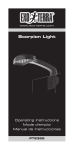
Exo Terra® Scorpion Light Installation Instructions
CAUTION:
A. The Exo Terra® Scorpion Light is for indoor, household use only.
Maintenance
Warning:
Disconnect the plug of the Scorpion Light, and any other electrical
equipment, used for the terrarium or paludarium before placing your
hands in the enclosure; and/or performing any maintenance of any
kind. Whenever installing, removing or maintaining the Scorpion
Light, or any other equipment, always ensure that it is unplugged.
Cleaning the Unit:
1. The Scorpion Light is not water proof. Do not expose this lighting
device to water spray or humidity. DO NOT SUBMERSE IN WATER
OR ANY OTHER LIQUID.
2. No special maintenance is required for the Exo Terra® Scorpion
Light, other than periodic cleaning with a cloth (never use harsh
chemical products or detergents).
3. It is strongly recommended to always follow all the precautions
and procedures outlined in both the Important Safeguards and
Installation Instructions sections.
GUARANTEE
This product is guaranteed for defects in material or workmanship
for a period of 2 years from date of purchase. The guarantee is valid
with proof of purchase only. The guarantee is limited to repair or
replacement of the unit only and does not cover consequential loss
ENGLISH
FRANÇAIS
DEUTSCH
ESPAÑOL
Integrated into the Exo Terra® Scorpion Light is a self-adhesive
mounting bracket that will allow you to easily attach the unit onto
the terrarium.
1. Clean the outside surface of the terrarium glass.
2. With the protective backing still intact, place the mounting
bracket on the back or the side of the terrarium to determine its
final position.
3.Mark the position with a wax pencil or other marker.
4. Remove the protective backing and carefully fit the mounting
bracket within the marked area.
5. Make sure the tape is pressed evenly against the terrarium glass
and that no air bubbles are showing.
6. Press the adhesive side firmly against the glass panel for at least
30 seconds.
7. Wait a few minutes and make sure the tape is attached firmly to
the terrarium before suspending the fixture.
8. Place the LED Fixture in the mounting bracket and connect the
power supply to the fixture.
9. Simply tap the ON/OFF logo touch button to switch the UV-LED’s
ON. Touch the ONN/OFF logo touch button again to switch OFF.
ITALIANO
B. Be sure that the voltage of the mains supply corresponds to the
voltage shown on the rating label of the unit.
C. Before connecting to the mains supply ensure that the cord and
the unit are undamaged.
D.WARNING Disconnect the plug of this lighting device and all
other electrical equipment used for the terrarium before placing
your hands in the terrarium and/or performing any maintenance
of any kind.
E.WARNING Whenever installing, removing or maintaining the
Scorpion Light, or any other equipment, always ensure that it is
unplugged.
F. Do not place the light unit near filter outputs or expose it to water
spray or humidity. Do not submerge in water.
NEDERLANDS
4
appliance get wet, unplug the appliance immediately.
B. Carefully examine the appliance after installation. It should not
be plugged in if there is water on parts not intended to be wet.
C. Do not operate any appliance if it has a damaged electrical cord
or plug, or if it is malfunctioning or if it is dropped or damaged
in any manner. The power cord of this appliance cannot be
replaced: if the cord is damaged, the appliance should be
discarded. Never cut the cord.
D. To avoid the possibility of the
appliance plug or electrical outlet
getting wet, position the appliance
to one side of a wall mounted
outlet to prevent water from
dripping onto the outlet or plug. A
“drip-loop” should be arranged.
The “drip-loop” is that part of the
cord below the level of the outlet,
or the connector if an extension
cord is used, to prevent water
from traveling along the cord and
coming in contact with the outlet.
If the plug or outlet does get wet, DO NOT unplug the electrical
cord. Disconnect the fuse or circuit breaker that supplies power
to the appliance, then unplug and examine for presence of water
in the outlet.
3. This appliance is not intended for use by persons (including
children) with significantly impaired physical or mental
capabilities, unless they have been given supervision or
instruction concerning the use of the appliance by a person
responsible for their safety. Children should always be
supervised to ensure that they do not play with the appliance.
4. To avoid injury, do not contact hot parts.
5. Always unplug an appliance from an outlet when not in use,
before putting on or taking off parts, and before cleaning. Never
yank cord to pull plug from outlet. Grasp the plug and pull to
disconnect.
6. Do not use the appliance for other than intended use. The use
of attachments not recommended or sold by the appliance
manufacturer may cause an unsafe condition.
7. Do not install or store the appliance where it will be exposed to
weather or to temperatures below freezing.
8. The safety of this appliance is guaranteed only provided that the
adaptor and light unit are properly installed. Ensure sufficient air
space around the fixture.
9. If an extension cord is necessary, a cord with a proper rating
should be used. A cord rated for less amperes or watts than the
appliance rating may overheat. Care should be taken to arrange
the cord so that it will not be tripped over or pulled.