1
92
English
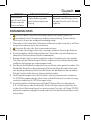
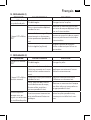
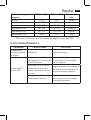
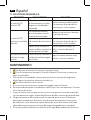
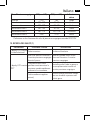
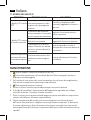
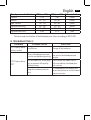
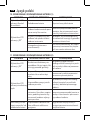
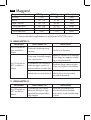
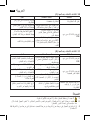
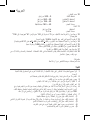
11.TROUBLESHOOTING (2)
PROBLEM
LCD Display shows
“EE”
LCD Display shows
abnormal result
POSSIBLE CAUSE
The cuff was not properly applied or the rubber tube was
bent or pressed.
The cuff position was not
correct or it was not properly
tightened
SOLUTION
Review the cuff applying and testing sections of the instructions and
re-test.
Apply the cuff correctly and try
again
Review the body posture and
Body posture was not correct
testing sections of the instructions
during testing
and re-test.
Speaking, arm or body
Re-test when calm and without
movement, angry, excited or
speaking or moving during the test
nervous during testing
No response when
Incorrect operation, or strong Take out batteries for five minutes,
you press button or
electromagnetic interference and then reinstall all batteries.
load battery
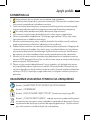
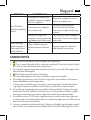
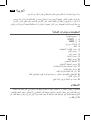
MAINTENANCE
1.
2.
3.
4.
5.
6.
7.
8.
9.
Do not drop this monitor nor subject it to strong impacts.
Avoid high temperatures and direct sunlight. Do not immerse the monitor in water
as this will result in damage to the monitor.
If this monitor was stored at a temperature near the freezing point, allow it to come to
room temperature before use.
Do not attempt to disassemble this monitor.
If you do not use the monitor for a long time, please remove the batteries.
It is recommended the performance should be checked every 2 years or after repair.
Please contact the service center.
Clean the monitor with a dry, soft cloth or a soft cloth squeezed well after moistened
with water, diluted disinfectant alcohol, or diluted soapsuds.
No component in the monitor can be serviced by the user. The circuit diagrams,
component part lists, descriptions, calibration instructions, or other information which
will assist the user’s appropriately qualified technical personnel to repair those parts of
equipment which are designated repairably can be supplied.
The monitor can maintain the safety and performance characteristics for a minimum