1
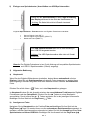
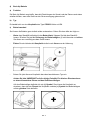
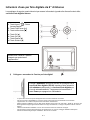
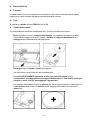
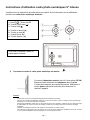
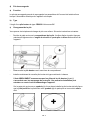
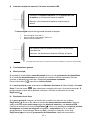
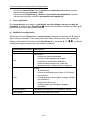
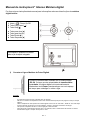
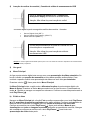
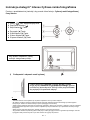
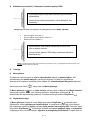
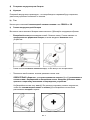
2) Insert memory cards | connect USB data carriers Insert the Memory Card with the Logo towards the Display into the card reader slot. Please note: Never insert cards by use of force! The following memory card formats can be used with your digital photo frame: Secure Digital Card (SD™) Secure Digital High Capacity (SDHC™) Multimedia Card (MMC™) USB data carriers can only be plugged into the USB slot in one direction. Please note: Never insert USB data carriers by use of force! Note: The digital photo frame is exclusively designed for the use with compatible memory cards and 2.0 data media (100 mA). 3) General operation a) Main menu When you turn on the digital picture frame, it will automatically begin to display a slide show. If you have a storage medium with own photos inserted, those will be shown. Alternatively, the device will show the 4 preinstalled photos. Press the Home [ ] button to open the main menu. In the main menu, you can chose different functions of the Digital Picture Frame and of the Setup menu. Press the , button to select a menu option. By pressing the ▲, ▼ buttons you can navigate through the respective submenus. Confirm your selection by pressing the Play/Pause [ ] button. b) Viewing photos From the main menu navigate to the photo function and confirm your selection by pressing the Play/Pause [ ] button. Now the connected storage mediums are shown. Depending on which medium is connected, you can chose between a memory card and an USB flash drive. Confirm your selection by pressing the Play/Pause [ ] button. The image preview menu will now open and display all supported images saved on the storage medium. Navigate to a photo and confirm your selection by pressing the Play/Pause [ ] button to start the slide show from this position on. EN - 2