1
Operating instructions
Betriebsanleitung
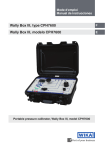
CalibratorUnit, model CPU6000
EN
CalibratorUnit, Typ CPU6000
DE
CalibratorUnits, CPU6000-W, CPU6000-S, CPU6000-M
iPad® App – CPB-CAL
EN Operating instructions model CPU6000
Page 3 - 40
DE Betriebsanleitung Typ CPU6000
Seite 41 - 78
© 2014 WIKA Alexander Wiegand SE & Co. KG
All rights reserved. / Alle Rechte vorbehalten.
WIKA® is a registered trademark in various countries.
WIKA® ist eine geschützte Marke in verschiedenen Ländern.
Vor Beginn aller Arbeiten Betriebsanleitung lesen!
Zum späteren Gebrauch aufbewahren!
2
WIKA operating instructions CalibratorUnit, model CPU6000
14097659.02 03/2015 EN/DE
Prior to starting any work, read the operating instructions!
Keep for later use!
Contents
Contents
1. General information
4
2. Safety6
2.1
2.2
2.3
2.4
Intended use . . . . . . . . . . . . . . . . . . . . . . . . . . 6
Personnel qualification . . . . . . . . . . . . . . . . . . . . . . 7
Special hazards . . . . . . . . . . . . . . . . . . . . . . . . 7
Labelling, safety marks . . . . . . . . . . . . . . . . . . . . . . 9
2.4.1 Product labels . . . . . . . . . . . . . . . . . . . . . . . 9
2.4.2 Explanation of symbols . . . . . . . . . . . . . . . . . . . 10
3. Specifications10
4. Design and function
18
4.1
4.2
4.3
4.4
4.5
4.6
4.7
Description . . . . . . . . . . . . . . . . . . . . . . . . . . 18
Scope of delivery . . . . . . . . . . . . . . . . . . . . . . . 18
Weather station, model CPU6000-W . . . . . . . . . . . . . . . . . 19
Pressure balance sensor box, model CPU6000-S . . . . . . . . . . . . 20
Digital multimeter, model CPU6000-M . . . . . . . . . . . . . . . . 21
Sensor connection to model CPU6000-S pressure balance sensor box . . . . . 22
Connection of pressure transmitter to model CPU6000-M digital multimeter . . . 23
5. Transport, packaging and storage
24
6. Commissioning, operation
25
7. Remote instruction set
8. Maintenance, cleaning and calibration
31
35
5.1 Transport . . . . . . . . . . . . . . . . . . . . . . . . . . 24
5.2 Packaging . . . . . . . . . . . . . . . . . . . . . . . . . . 24
5.3 Storage . . . . . . . . . . . . . . . . . . . . . . . . . . . 24
6.1 Connecting the CPU6000 series . . . . . . . . . . . . . . . . . . 25
6.2 Setting up the models CPU6000 . . . . . . . . . . . . . . . . . . 26
6.2.1 Setting up model CPU6000-W . . . . . . . . . . . . . . . . 26
6.2.2 Setting up model CPU6000-S . . . . . . . . . . . . . . . . . 27
6.2.3 Setting up model CPU6000-M . . . . . . . . . . . . . . . . 29
6.3 Mass calculation . . . . . . . . . . . . . . . . . . . . . . . . 30
14097659.02 03/2015 EN/DE
8.1 Maintenance . . . . . . . . . . . . . . . . . . . . . . . . . 35
8.2 Cleaning . . . . . . . . . . . . . . . . . . . . . . . . . . 35
8.3 Recalibration . . . . . . . . . . . . . . . . . . . . . . . . . 35
9. Faults36
10.Dismounting, return and disposal
37
10.1Dismounting . . . . . . . . . . . . . . . . . . . . . . . . . 37
10.2Return . . . . . . . . . . . . . . . . . . . . . . . . . . . 37
10.3Disposal . . . . . . . . . . . . . . . . . . . . . . . . . . 38
11.Accessories38
Appendix: EC declaration of conformity
40
Declarations of conformity can be found online at www.wika.com.
WIKA operating instructions CalibratorUnit, model CPU6000
3
EN
1. General information
1. General information
■■ The model CPU6000 CalibratorUnits described in these operating instructions have
been designed and manufactured using state-of-the-art technology. All components
are subject to stringent quality and environmental criteria during production. Our
management systems are certified to ISO 9001 and ISO 14001.
■■ These operating instructions contain important information on handling the
instrument. Working safely requires that all safety instructions and work instructions
are observed.
■■ Observe the relevant local accident prevention regulations and general safety
regulations for the instrument’s range of use.
■■ The operating instructions are part of the product and must be kept in the immediate
vicinity of the instrument and readily accessible to skilled personnel at any time.
■■ Skilled personnel must have carefully read and understood the operating instructions
prior to beginning any work.
■■ The manufacturer’s liability is void in the case of any damage caused by using
the product contrary to its intended use, non-compliance with these operating
instructions, assignment of insufficiently qualified skilled personnel or unauthorised
modifications to the instrument.
■■ The general terms and conditions contained in the sales documentation shall apply.
■■ Subject to technical modifications.
■■ Further information:
- Internet address:
- Relevant data sheet:
- Application consultant:
4
www.wika.de / www.wika.com
CT 35.02
Tel.: +49 9372 132-0
Fax:
+49 9372 132-5049
[email protected]
WIKA operating instructions CalibratorUnit, model CPU6000
14097659.02 03/2015 EN/DE
EN
1. General information
Explanation of symbols
WARNING!
... indicates a potentially dangerous situation that can result in serious
injury or death, if not avoided.
EN
CAUTION!
... indicates a potentially dangerous situation that can result in light injuries
or damage to equipment or the environment, if not avoided.
Information
... points out useful tips, recommendations and information for efficient
and trouble-free operation.
DANGER!
... identifies hazards caused by electrical power. Should the safety
instructions not be observed, there is a risk of serious or fatal injury.
Abbreviations
2-wire
The two connection lines are used for the voltage supply.
The measurement signal also provides the supply current.
3-wire
UB
Positive power supply terminal
Positive output terminal
14097659.02 03/2015 EN/DE
S+
Two connection lines are used for the voltage supply.
One connection line is used for the measurement signal.
WIKA operating instructions CalibratorUnit, model CPU6000
5
2. Safety
2. Safety
WARNING!
Before installation, commissioning and operation, ensure that the
appropriate CalibratorUnit has been selected in terms of measuring range,
design and specific measuring conditions.
Non-observance can result in serious injury and/or damage to the
equipment.
EN
Further important safety instructions can be found in the individual
chapters of these operating instructions.
2.1 Intended use
The CPU6000 series is made up of three instruments: the model CPU6000-W
weather station, the model CPU6000-S pressure balance sensor box and the model
CPU6000-M digital multimeter. All of these products serve for the acquisition of
measured value data, relevant for calibration certificates. The new calibration concept
simplifies the generation of certificates and increases the productivity and quality of the
certificate generation process.
The instrument has been designed and built solely for the intended use described here,
and may only be used accordingly.
The technical specifications contained in these operating instructions must be
observed. Improper handling or operation of the instrument outside of its technical specifications requires the instrument to be taken out of service immediately and
inspected by an authorised WIKA service engineer.
If the instrument is transported from a cold into a warm environment, the formation of
condensation may result in instrument malfunction. Before putting it back into operation,
wait for the instrument temperature and the room temperature to equalise.
The manufacturer shall not be liable for claims of any type based on operation contrary
to the intended use.
6
WIKA operating instructions CalibratorUnit, model CPU6000
14097659.02 03/2015 EN/DE
Handle electronic precision measuring instruments with the required care (protect from
humidity, impacts, strong magnetic fields, static electricity and extreme temperatures,
do not insert any objects into the instrument or its openings). Plugs and sockets must be
protected from contamination.
2. Safety
2.2 Personnel qualification
WARNING!
Risk of injury should qualification be insufficient!
Improper handling can result in considerable injury and damage to
equipment.
The activities described in these operating instructions may only be
carried out by skilled personnel who have the qualifications described
below.
EN
Special operating conditions require further appropriate knowledge, e.g. of aggressive
media.
Skilled electrical personnel
Skilled electrical personnel are understood to be personnel who, based on their
technical training, know-how and experience as well as their knowledge of countryspecific regulations, current standards and directives, are capable of carrying out work
on electrical systems and independently recognising and avoiding potential hazards.
The skilled electrical personnel have been specifically trained for the work environment
they are working in and know the relevant standards and regulations.
The skilled electrical personnel must comply with current legal accident prevention
regulations.
2.3 Special hazards
14097659.02 03/2015 EN/DE
WARNING!
For hazardous media such as oxygen, acetylene, flammable or toxic
gases or liquids, and refrigeration plants, compressors, etc., in addition
to all standard regulations, the appropriate existing codes or regulations
must also be followed.
Residual media on the test item and/or sensors of the CalibratorUnit
can result in a risk to personnel, the environment and equipment. Take
sufficient precautionary measures.
WIKA operating instructions CalibratorUnit, model CPU6000
7
2. Safety
Safety instructions for the power supply unit
The power supply unit should only be operated in an ambient temperature of 0 ... +40 °C
(humidity: to 90 % relative humidity, non-condensing).
8
WIKA operating instructions CalibratorUnit, model CPU6000
14097659.02 03/2015 EN/DE
DANGER!
Danger of death caused by electric current
Upon contact with live parts, there is a direct danger of death.
■■ Operation using a defective power supply unit (e.g. short-circuit from
the mains voltage to the output voltage) can result in life-threatening
voltages at the instrument!
■■ If there is any visible damage to the case or the wiring, do not use the
power supply unit!
■■ Never install nor store the power supply unit in the following locations,
as this can lead to a failure in operation:
- places where there is strong humidity or condensation
- places which have specific environmental influences
- places which are subject to constant vibration
- places which are subject to strong fluctuations in temperature
- outdoors
■■ During thunderstorms or when it won’t be used for long periods,
disconnect the power supply unit from the mains supply.
■■ Do not pull on the cable in order to disconnect the power supply unit
from the mains supply.
■■ The power supply unit is maintenance-free. It must not be opened
(risk of electrical shock).
■■ No modification of the power supply unit is permitted (voids the
warranty).
■■ The power supply unit may only be repaired by authorised skilled
personnel.
■■ Before cleaning, disconnect the power supply unit from the mains
supply. Do not clean with chemical cleaning fluids. Only clean with a
dry cloth.
■■ Dispose of the power supply unit correctly (Waste Electrical and
Electronic Equipment in accordance with local regulations).
EN
2. Safety
2.4 Labelling, safety marks
2.4.1Product labels
EN
Weather station, model CPU6000-W
1
8
7
6
5
1
2
3
4
2
3
4
5
6
7
8
Serial no. and date of manufacture
Ambient temperature
Relative humidity
Atmospheric pressure
Bluetooth antenna
Interface connector
Power supply
Model
Pressure balance sensor box, model CPU6000-S
1
7
6
5
4
1
2
3
2
3
4
5
6
7
Serial no. and date of manufacture
Piston temperature
Floating position of the masses
Bluetooth antenna
Interface connector
Power supply
Model
Digital multimeter, model CPU6000-M
1
6
14097659.02 03/2015 EN/DE
5
4
3
1
2
2
3
4
5
6
Serial no. and date of manufacture
Interface
Bluetooth antenna
Interface connector
Power supply
Model
WIKA operating instructions CalibratorUnit, model CPU6000
9
2. Safety / 3. Specifications
2.4.2Explanation of symbols
Before mounting and commissioning the instrument, ensure you read the
operating instructions!
EN
CE, Communauté Européenne
Instruments bearing this mark comply with the relevant European directives.
This marking on the instruments indicates that they must not be
disposed of in domestic waste. The disposal is carried out by return to
the manufacturer or by the corresponding municipal authorities (see EU
directive 2002/96/EC).
3. Specifications
Symbol
1)
2)
Description
Measuring range
Accuracy
Ambient temperature
-40 ... +123.8 °C
±0.5 °C 1)
Relative humidity
0 … 100 % r. h.
±5.0 % r. h. 2)
Atmospheric pressure
550 … 1,150 mbar abs.
0.05 % FS
(opt. 551 … 1,172 mbar abs.) (opt. 0.01 % of reading)
The calibration is performed for the points 18 °C, 23 °C and 25 °C following a warm-up time of 120 minutes.
The calibration is performed for the points 30 % r. h., 50 % r. h. and 80 % r. h. following a warm-up time of 120 minutes.
10
WIKA operating instructions CalibratorUnit, model CPU6000
14097659.02 03/2015 EN/DE
Weather station, model CPU6000-W
3. Specifications
EN
Pressure balance sensor box, model CPU6000-S
Symbol
Description
Measuring range
Accuracy
Piston temperature
-50 ... +250 °C
±0.1 °C at 20 °C
Floating position of the
masses
4 … 20 mA
20 … 200 mm
±0.5 mm
It is recommended to install the sensor box for pressure balances of the
CPB5000, CPB5000HP and CPB5800 series.
Digital multimeter, model CPU6000-M
Symbol
+ mA +V-
14097659.02 03/2015 EN/DE
+ Out -
Description
Current input
Voltage input
Measuring range 0 … 20 mA
Accuracy ±1.6 µA
Measuring range 0 … 10 V
Accuracy ±0.5 mV
Voltage supply
DC 24 V (load: max. 50 mA; min. 20 mA)
Interface
Model D-10
Models CPT6100 and CPT6180
RS-232 interface, 9600 Baud, 8N1
WIKA operating instructions CalibratorUnit, model CPU6000
11
3. Specifications
Basic instrument
Voltage supply
Power supply
DC 24 V, 625 mA
Permissible ambient conditions
Operating temperature
15 ... 45 °C
Storage temperature
0 ... 70 °C
Communication
Interface
USB with PC/laptop, Bluetooth® 4.0 with iPad® 3.0 or later
Bluetooth
Frequency range
HF output power
Case
Dimensions
(W x H x D)
Weight
2.402 ... 2.480 GHz
max. 2 dBm (+ 2 dBi)
190.4 x 58 x 110 mm
190.4 x 58 x 80 mm
190.4 x 58 x 110 mm
1.44 kg
1.18 kg
1.29 kg
Certificates
CE conformity
EMC directive
R&TTE directive
Certificates
Calibration
Recommended calibration
interval
2004/108/EC, EN 61326-1 Emission (group 1, class B) and
interference immunity (“basic environment”: Commercial,
laboratories, service centres or workshops)
1999/5/EC, EN 300 228, harmonised frequency range
2,400 … 2,500 MHz is used; the instrument may be used
without limitations in the EU and also CH, NO and LI.
Standard: 3.1 calibration certificate per DIN EN 10204
Option: DKD/DAkkS calibration certificate
1 year (depending on the conditions of usage)
Approvals and certificates, see website
For further specifications see WIKA data sheet CT 35.02 and the order documentation.
12
WIKA operating instructions CalibratorUnit, model CPU6000
14097659.02 03/2015 EN/DE
EN
Model CPU6000-W Model CPU6000-S Model CPU6000-M
3. Specifications
Weather station, model CPU6000-W
Dimensions in mm
14097659.02 03/2015 EN/DE
EN
WIKA operating instructions CalibratorUnit, model CPU6000
13
3. Specifications
Pressure balance sensor box, model CPU6000-S
Dimensions in mm
EN
1
2
Piston temperature sensor connector
Floating position sensor connector
14097659.02 03/2015 EN/DE
1
2
14
WIKA operating instructions CalibratorUnit, model CPU6000
3. Specifications
Digital multimeter, model CPU6000-M
Dimensions in mm
1
2
EN
3
1
RS-232 interface connector
3
Voltage input
2
Current input
Voltage supply for test item
14097659.02 03/2015 EN/DE
4
4
WIKA operating instructions CalibratorUnit, model CPU6000
15
3. Specifications
Weather station, model CPU6000-W
Pin assignment
EN
1
2
3
4
6
1
On/Off switch
3
USB interface connector
4
5
6
Power connection DC 24 V
4 mm hose connection for internal barometric reference
Bluetooth® 4.0 antenna
Exchangeable humidity-temperature sensor
14097659.02 03/2015 EN/DE
2
5
16
WIKA operating instructions CalibratorUnit, model CPU6000
3. Specifications
Model CPU6000-S pressure balance sensor box and model CPU6000-M digital
multimeter
EN
Pin assignment
1
1
On/Off switch
3
USB interface connector
2
3
4
Power connection DC 24 V
Bluetooth® 4.0 antenna
14097659.02 03/2015 EN/DE
4
2
WIKA operating instructions CalibratorUnit, model CPU6000
17
4. Design and function
4. Design and function
4.1 Description
The CPU6000 series is made up of three instruments:
■■ Weather station, model CPU6000-W
■■ Pressure balance sensor box, model CPU6000-S
■■ Digital multimeter, model CPU6000-M
All products are used for measured value recording of data relevant for calibration
certificates.
This calibration concept simplifies the generation of certificates and increases the
productivity and quality of the certificate generation process.
In combination with any pressure balance, the CPB-CAL (iPad® app) and/or WIKA-CAL
(PC software) can determine the necessary mass loads or the reference pressure.
Through simple operation and setting, the calculation of the mass loads or the pressure
is made easier. The CalibratorUnit takes into account all critical influencing factors and
thus increases the accuracy of the measurement.
A calibration of relative pressure measuring instruments with absolute pressure references, and vice versa, is also possible. Via the integrated voltage supply and multimeter
function, easy calibrations of pressure transmitters can be carried out.
The weather station and the digital multimeter can also be used, independently of the
pressure balance calibration, with other calibration instruments and the WIKA-CAL
software. Existing automatic calibration systems can thus be enhanced. Via the
integrated voltage supply and multimeter function, easy calibrations of pressure
transmitters can be carried out. The weather station and the digital multimeter can
also be used, independently of the pressure balance calibration, with other calibration
instruments and the WIKA-CAL software. Existing automatic calibration systems can
thus be enhanced.
4.2 Scope of delivery
■■ Model CPU6000-W, model CPU6000-S or model CPU6000-M
■■ AC adapter, DC 24 V, 625 mA
■■ Factory calibration certificate
■■ Operating instructions in German and English language
Cross-check scope of delivery with delivery note.
18
WIKA operating instructions CalibratorUnit, model CPU6000
14097659.02 03/2015 EN/DE
EN
4. Design and function
14097659.02 03/2015 EN/DE
4.3 Weather station, model CPU6000-W
The CPU6000-W provides measured values such as atmospheric air pressure, relative
humidity and the ambient temperature of the laboratory environment. The WIKA-CAL
software automatically documents, in the respective test report, the measured values
and saves these to a database. Furthermore, with this software or the CPB-CAL iPad®
application, the measured values are used in conjunction with pressure balances for the
calculation of the mass loads.
Measuring assembly: model CPB5800 pressure balance, model CPU6000-W
weather station, model CPU6000-S pressure balance sensor box and PC/laptop
WIKA operating instructions CalibratorUnit, model CPU6000
19
EN
4. Design and function
Measuring assembly: model CPB5800 pressure balance, model CPU6000-W
weather station, model CPU6000-S pressure balance sensor box and PC/laptop
20
WIKA operating instructions CalibratorUnit, model CPU6000
14097659.02 03/2015 EN/DE
EN
4.4 Pressure balance sensor box, model CPU6000-S
The CPU6000-S measures the piston temperature and displays the floating position of
the masses. The sensor is fitted directly to the pressure balance and serves to achieve
the highest accuracy with a single pressure balance.
4. Design and function
14097659.02 03/2015 EN/DE
4.5 Digital multimeter, model CPU6000-M
The CPU6000-S measures the piston temperature and displays the floating position of
the masses. The sensor is fitted directly to the pressure balance and serves to achieve
the highest accuracy with a single pressure balance.
The CPU6000-M fulfills the function of a digital multimeter and power supply unit when
electronic pressure transmitters must be calibrated. The CPU6000-M supplies test items
with DC 24 V and measures voltage and current signals. In addition, digital pressure
sensors such as the model CPT61X0 and model D-10 can be connected directly over
the RS-232 interface.
Measuring assembly: model CPB5800 pressure balance, model CPU6000-W
weather station, model CPU6000-S pressure balance sensor box and PC/laptop
WIKA operating instructions CalibratorUnit, model CPU6000
21
EN
4. Design and function
4.6 Sensor connection to model CPU6000-S pressure balance sensor box
1
EN
2
3
Pt100 to measure the piston
temperature
Ultrasonic sensor for measuring
the floating position
Built-in or cable version
2
1
3
Piston temperature sensor, built-in version
Lemo connector
Lemo connector
Lemo socket
Pt100 probe
Float position sensor, built-in version
Sub-D connector
Sub-D
socket
Floating position
sensor
14097659.02 03/2015 EN/DE
Binder connector
22
WIKA operating instructions CalibratorUnit, model CPU6000
4. Design and function
Cable version - Standard - Piston temperature sensor
Lemo connector
Pt100 probe
EN
Cable version - Standard - Floating position sensor
Binder connector
Floating position sensor
4.7 Connection of pressure transmitter to model CPU6000-M digital multimeter
Test item
Own power supply
mA
max. 24 mA
+
2-wire (mA)
2-wire (mA)
3-wire (mA)
3-wire (V)
no
yes
no
no
sigsig+
sig+
-
V
max. DC 12 V
+
-
DC 24 V
+
Output
-
sig+
sigsig+
UB+
UB+
UBUB-
14097659.02 03/2015 EN/DE
No external electrical bridge is required!
The pin assignment for the different pressure transmitters is indicated on the underside
of the CPU6000-M.
WIKA operating instructions CalibratorUnit, model CPU6000
23
5. Transport, packaging and storage
5. Transport, packaging and storage
5.1 Transport
Check the model CPU6000 CalibratorUnit for any damage that may have been caused
by transport. Obvious damage must be reported immediately.
5.2 Packaging
Do not remove packaging until just before mounting.
Keep the packaging, as it will provide optimum protection during transport (e.g. change
in installation site, sending for repair, etc.).
5.3 Storage
Permissible conditions at the place of storage:
For the CPU6000 series and power supply unit
■■ Storage temperature: 0 ... 70 °C
■■ Humidity: 35 ... 85 % relative humidity (no condensation)
Avoid exposure to the following factors:
■■ Direct sunlight or proximity to hot objects
■■ Mechanical vibration, mechanical shock (putting it down hard)
■■ Soot, vapour, dust and corrosive gases
■■ Potentially explosive environments, flammable atmospheres
■■ Corrosive liquids
Store the model CPU6000 CalibratorUnit in its original packaging in a location that fulfils
the conditions listed above. If the original packaging is not available, pack and store the
instrument as described below:
1. Wrap the instrument in an antistatic plastic film.
2. Place the instrument, along with shock-absorbent material, in the packaging.
3. If stored for a prolonged period of time (more than 30 days), place a bag containing a
desiccant inside the packaging.
WARNING!
Before storing the instrument and its sensors (following operation),
remove any residual media. This is of particular importance if the medium
is hazardous to health, e.g. caustic, toxic, carcinogenic, radioactive, etc.
24
WIKA operating instructions CalibratorUnit, model CPU6000
14097659.02 03/2015 EN/DE
EN
6. Commissioning, operation
6. Commissioning, operation
6.1 Connecting the CPU6000 series
WARNING!
■■ Only assemble and connect the instruments when they are switched
off!
■■ Only use the AC adapter from WIKA supplied with the instrument!
■■ Never connect any electrical cables longer than 3 metres!
Before commissioning, connect all instruments that are to be measured. An erroneous connection of individual components is prevented due to the different male/female
connector combinations.
When connecting an electronic pressure transmitter, pay attention to the
correct polarity.
The correct pin assignments are shown in the technical drawings (see chapter
3 “Specifications”).
14097659.02 03/2015 EN/DE
If a wall mount is integrated into the instrument, the CPU6000 can be mounted on a wall
or under a table, for example. The position is irrelevant for both the measurements and
the communication with PC/laptop or iPad®.
WIKA operating instructions CalibratorUnit, model CPU6000
25
EN
6. Commissioning, operation
6.2 Setting up the models CPU6000
The driver has been correctly installed when, in Windows Device
Manager, by switching the CPU on or off, a COM port appears under
“Connections”.
3. In WIKA-CAL, within “Object manager” under “Workplace”, select the new COM
port under “COM port weather station” and save the data record.
The software polls a new value from the CPU6000-W every 10 seconds and every
30 seconds, it stores the current value under “Weather data” in “Object manager”. In
addition, the ambient conditions are updated in the document view and in the bottom
right in the status bar.
26
WIKA operating instructions CalibratorUnit, model CPU6000
14097659.02 03/2015 EN/DE
EN
6.2.1Setting up model CPU6000-W
1. Connect the CPU6000-W to the PC/laptop using the supplied USB cable.
2. Directly download the driver from the local website and install.
http://en-co.wika.de/cpu6000_w_cpu6000_s_cpu6000_m_en_co.WIKA
→ Software → Interface driver
6. Commissioning, operation
6.2.2Setting up model CPU6000-S
1. Connect the CPU6000-S to the PC/laptop using the supplied USB cable.
2. Directly download the driver from the local website and install.
http://en-co.wika.de/cpu6000_w_cpu6000_s_cpu6000_m_en_co.WIKA
→ Software → Interface driver
EN
The driver has been correctly installed when, in Windows Device
Manager, by switching the CPU on or off, a COM port appears under
“Connections”.
14097659.02 03/2015 EN/DE
3. In WIKA-CAL, within “Object manager” under “Workplace”, select the new COM
port under “COM port” of the defined pressure balance and save the data record.
The pressure balance must first be generated and assigned to the work station (see
instruction manual WIKA-CAL, chapter 6.3.18 „References (Pressure“).
4. Set baud rate 9600 and, via the [Test] button, check the communication. The
communication is working properly if a realistic value is displayed.
5. In “Object manager”, under “Piston”, the “Floating position” for the respective
piston of the pressure balance must be specified. This can be entered manually in
[mm] or read via the [Read position] button. The data record must then be saved
with [Save] in order to accept the settings.
WIKA operating instructions CalibratorUnit, model CPU6000
27
6. Commissioning, operation
EN
14097659.02 03/2015 EN/DE
6. In the mass calculation tool, following a successful connection, the piston
temperature and the floating position can be read. The calculation of the masses
automatically adjusts to the new piston temperature.
28
WIKA operating instructions CalibratorUnit, model CPU6000
6. Commissioning, operation
6.2.3Setting up model CPU6000-M
1. Connect the CPU6000-M to the PC/laptop using the supplied USB cable.
2. Directly download the driver from the local website and install.
http://en-co.wika.de/cpu6000_w_cpu6000_s_cpu6000_m_en_co.WIKA
→ Software → Interface driver
EN
The driver has been correctly installed when, in Windows Device
Manager, by switching the CPU on or off, a COM port appears under
“Connections”.
14097659.02 03/2015 EN/DE
3. In WIKA-CAL, within “Object manager” under “Workplace”, select the new COM
port under the “COM port” of the defined CPU6000-M (multimeter) and save the
data record. The multimeter must first be generated and the work station assigned
(see instruction manual WIKA-CAL, chapter 6.3.17 “Multimeter”).
4. Set baud rate 9600 and, via the [Test] button, check the communication. The
communication is working properly if a realistic value is displayed.
WIKA operating instructions CalibratorUnit, model CPU6000
29
6. Commissioning, operation
6.3 Mass calculation
If a pressure value is entered in the left-hand column and Enter is pressed, the cells
above are populated with uniformly distributed values. For example, fill the lower
left-hand cell with the full-scale value -> uniformly distributed values to the start of the
measuring range will be completed in the cells above.
It is also possible to calculate trim masses in order to calculate the masses for a
pressure value, or vice versa. It is also possible to enter the mass numbers.
For the correction of the measured values, the measured ambient conditions and the
piston temperature are used. The piston position is used to display the floating position.
In addition, for absolute pressure instruments, the vacuum residual pressure must also
be specified. Through CPU6000 series instruments, this can be read automatically.
14097659.02 03/2015 EN/DE
EN
Mass calculation tool
The tool is used to convert masses into pressure, and vice versa, for pressure balances.
First, an instrument (pressure balance) and the associated piston must be chosen. The
mass set is chosen accordingly. The pressure balance data must previously have been
registered in the object manager or imported via an XML file (see WIKA-CAL instruction
manual Chapter 6.3.18 “Standards (Pressure)” and 3.2.1.1 “Import, backup database,
restore database, exit”).
30
WIKA operating instructions CalibratorUnit, model CPU6000
7. Remote instruction set
7. Remote instruction set
This remote instruction set applies for all instruments in the CPU6000 series. The
CPU6000 remote-control commands are given in the list below. All commands must be
terminated with a <CR> (Carriage Return) and a subsequent <LF> (Linefeed).
14097659.02 03/2015 EN/DE
For a query command (ending with a ?), the “Data” column displays the response from
the CPU6000. All response sequences are terminated with a <CR> and a <LF>.
For all commands without a question mark, the “Data” column displays the required
parameters that must be sent to the CPU6000 after the string in the command column.
Command Response
Description
ID?
WIKA,CPU6000-X-HH.
SS,AAA
ID string, WIKA, CPU6000
X = Model of the box, HH = Hardware version,
SS = Software version, AAA = Serial no.
TE?
+1.2345E+01
Temperature in °C, CPU6000-W
PD?
+1.2345E+01
Pressure in [bar] abs. from the barometric
sensor with accuracy of 0.05 % of full scale
value, CPU6000-W-W
AD?
+1.2345E+01
Start of measuring range in [bar] abs. from the
barometric sensor with accuracy of 0.05 % of full
scale value, CPU6000-W-W
ED?
+1.2345E+01
End of measuring range in [bar] abs. from the
barometric sensor with accuracy of 0.05 % of full
scale value, CPU6000-W-W
TD?
+1.2345E+01
Temperature from the barometric sensor
with accuracy of 0.05 % of full scale value,
CPU6000-W-W
PM?
+1.2345E+01
AM?
+1.2345E+01
Start of measuring range in [bar] abs. from the
barometric sensor with accuracy of 0.01 % of
reading, CPU6000-W-M
EM?
+1.2345E+01
End of measuring range in [bar] abs. from the
barometric sensor with accuracy of 0.01 % of
reading, CPU6000-W-M
HU?
+1.2345E+01
Relative humidity in [% rel.], CPU6000-W
Pressure in [bar] abs. from the barometric
sensor with accuracy of 0.01 % of reading,
CPU6000-W-M
WIKA operating instructions CalibratorUnit, model CPU6000
31
EN
EN
Command Response
Description
PT?
+1.2345E+01
Piston temperature from the externally
connected Pt100 in [°C], CPU6000-S
FP?
+1.2345E+01
Floating position of the externally connected
floating position sensor in [mm], CPU6000-S
MC?
CPU6000-W, CPU6000-M or
CPU6000-S
Model code of the respective CPU6000
SN?
1100GRYZ
Serial number of the instrument
UR?
+1.2345E+01
Input voltage, raw value in [V], CPU6000-M
UK?
+1.2345E+01
Input voltage, calibrated value in [V],
CPU6000-M
IR?
+1.2345E+01
Input current, raw value in [mA], CPU6000-M
IK?
+1.2345E+01
Input current, calibrated value in [mA],
CPU6000-M
MV?
+1.2345E+01
Hardware version, electrical measuring board,
CPU6000-M
MM
x (x = 1: voltage;
x = 2: current)
Voltage or current input of the electrical board,
CPU6000-M
MO
x (x = 0: OFF; x = 1: ON)
24 Volt output of the electrical board,
CPU6000-M
KA
+1.2345E+01
Ambient temperature coefficient 0 (Coeff[0]),
CPU6000-W
KB
+1.2345E+01
Ambient temperature coefficient 1 (Coeff[1]),
CPU6000-W
KC
+1.2345E+01
Ambient temperature coefficient 2 (Coeff[2]),
CPU6000-W
KD
+1.2345E+01
Ambient temperature coefficient 3 (Coeff[3]),
CPU6000-W
KE
+1.2345E+01
Ambient temperature coefficient 4 (Coeff[4]),
CPU6000-W
KF
+1.2345E+01
Ambient humidity coefficient 0 (Coeff[5]),
CPU6000-W
KG
+1.2345E+01
Ambient humidity coefficient 1 (Coeff[6]),
CPU6000-W
KH
+1.2345E+01
Ambient humidity coefficient 2 (Coeff[7]),
CPU6000-W
KI
+1.2345E+01
Ambient humidity coefficient 3 (Coeff[8]),
CPU6000-W
32
WIKA operating instructions CalibratorUnit, model CPU6000
14097659.02 03/2015 EN/DE
7. Remote instruction set
14097659.02 03/2015 EN/DE
7. Remote instruction set
Command Response
Description
KJ
+1.2345E+01
KK
+1.2345E+01
Ambient humidity coefficient 4 (Coeff[9]),
CPU6000-W
KL
+1.2345E+01
KM
+1.2345E+01
KN
+1.2345E+01
KO
+1.2345E+01
KP
+1.2345E+01
KQ
+1.2345E+01
KR
+1.2345E+01
KS
+1.2345E+01
KT
+1.2345E+01
KU
+1.2345E+01
KV
+1.2345E+01
CW
+1.2345E+01
KX
+1.2345E+01
KY
+1.2345E+01
CA
+1.2345E+01
CB
+1.2345E+01
CC
+1.2345E+01
CD
+1.2345E+01
EN
Ambient pressure coefficient 0 (Coeff[10]),
CPU6000-W
Ambient pressure coefficient 1 (Coeff[11]),
CPU6000-W
Ambient pressure coefficient 2 (Coeff[12]),
CPU6000-W
Ambient pressure coefficient 3 (Coeff[13]),
CPU6000-W
Ambient pressure coefficient 4 (Coeff[14]),
CPU6000-W
Piston temperature coefficient 0 (Coeff[15]),
CPU6000-S
Piston temperature coefficient 1 (Coeff[16]),
CPU6000-S
Piston temperature coefficient 2 (Coeff[17]),
CPU6000-S
Piston temperature coefficient 3 (Coeff[18]),
CPU6000-S
Piston temperature coefficient 4 (Coeff[19]),
CPU6000-S
Piston displacement coefficient 0 (Coeff[20]),
CPU6000-S
Piston displacement coefficient 1 (Coeff[21]),
CPU6000-S
Piston displacement coefficient 2 (Coeff[22]),
CPU6000-S
Piston displacement coefficient 3 (Coeff[23]),
CPU6000-S
Piston displacement coefficient 4 (Coeff[24]),
CPU6000-S
Multimeter voltage coefficient 0 (Coeff[0]),
CPU6000-M
Multimeter voltage coefficient 1 (Coeff[1]),
CPU6000-M
Multimeter voltage coefficient 2 (Coeff[2]),
CPU6000-M
Multimeter voltage coefficient 3 (Coeff[3]),
CPU6000-M
WIKA operating instructions CalibratorUnit, model CPU6000
33
7. Remote instruction set
Description
CE
+1.2345E+01
CF
+1.2345E+01
Multimeter voltage coefficient 4 (Coeff[4]),
CPU6000-M
CG
+1.2345E+01
CH
+1.2345E+01
CI
+1.2345E+01
CJ
+1.2345E+01
CK
+1.2345E+01
CL
+1.2345E+01
Multimeter current coefficient 0 (Coeff[5]),
CPU6000-M
Multimeter current coefficient 1 (Coeff[6]),
CPU6000-M
Multimeter current coefficient 2 (Coeff[7]),
CPU6000-M
Multimeter current coefficient 3 (Coeff[8]),
CPU6000-M
Multimeter current coefficient 4 (Coeff[9]),
CPU6000-M
Start of measuring range of the floating position
sensor in [mm] (standard value 20 mm),
corresponds with the electrical initial value of the
sensor of 4 [mA], CPU6000-S
End of measuring range of the floating position
sensor in [mm] (standard value 200 mm),
corresponds with the electrical final value of the
sensor of 20 [mA], CPU6000-S
14097659.02 03/2015 EN/DE
EN
Command Response
34
WIKA operating instructions CalibratorUnit, model CPU6000
8. Maintenance, cleaning and calibration
8. Maintenance, cleaning and calibration
8.1 Maintenance
The model CPU6000 CalibratorUnit is maintenance-free.
EN
Repairs must only be carried out by the manufacturer.
8.2 Cleaning
CAUTION!
■■ Before cleaning, correctly disconnect the CalibratorUnit from the
pressure supply, switch it off and disconnect it from the mains.
■■ Clean the instrument with a moist cloth.
■■ Electrical connections must not come into contact with moisture.
■■ Residual media on the test item and/or sensors of the CalibratorUnit
can result in a risk to personnel, the environment and equipment.
Take sufficient precautionary measures.
For information on returning the instrument see chapter 10.2 “Return”.
8.3 Recalibration
14097659.02 03/2015 EN/DE
DKD/DAkkS certificate - official certificates:
We recommend that the instrument is regularly recalibrated by the manufacturer, with
time intervals of approx. 12 months. The basic settings will be corrected if necessary.
WIKA operating instructions CalibratorUnit, model CPU6000
35
9. Faults
9. Faults
EN Faults
Causes
Measures
Undefinable characSystem error
ters, instrument is not
responding to key press
Switch off the instrument, wait for
a short period of time, switch on
again
Instrument faulty
Send in for repair
Malfunctions during
operation.
System error
Switch off the system and switch
on again after 5 seconds.
Error in reading the
measured values.
No sensor connected
Switch instrument off and connect
sensor
Connected sensor or device faulty
If second sensor available, check if
instrument is ok. Return defective
instrument/sensor to manufacturer
for repair.
Reading is significantly above or
below the measuring range
Check: is the pressure within the
permissible measuring range of
the sensor?
Sensor not present / recognised
Plug in inserted sensor once more,
with running recording, stop the
logger and re-start it
---
Display value cannot be calculated Plug in appropriate sensor
combination
Measured values are
fluctuating heavily
Break in the internal reference
sensor or the internal reference
sensor is defective.
Send the instrument back to the
manufacturer or service partner
for repair.
Malfunctions during operation
Switch off the instrument and
switch on again after 5 seconds.
The test item (read via
mA or V measuring
input) displays a false
value.
36
Wrong measuring range entered
for the test item.
Enter correct measuring range of
the test item.
WIKA operating instructions CalibratorUnit, model CPU6000
14097659.02 03/2015 EN/DE
The test item (read via
Test item is not properly connected Check the cabling
mA or V measuring
input) is not responding. Test item is without its own power Activate the 24 V test item power
supply.
supply
9. Faults / 10. Dismounting, return and disposal
CAUTION!
If faults cannot be eliminated by means of the measures listed above, shut
down the CalibratorUnit immediately, ensure that pressure is no longer
present, and secure the instrument from being put back into operation
inadvertently.
In this case, contact the manufacturer.
If a return is needed, follow the instructions given in chapter 10.2 “Return”.
10.Dismounting, return and disposal
WARNING!
Residual media on the test item and/or sensors of the CalibratorUnit
can result in a risk to personnel, the environment and equipment. Take
sufficient precautionary measures.
10.1 Dismounting
Only disconnect test and calibration installations once the system has been depressurised!
10.2 Return
WARNING!
Strictly observe the following when shipping the instrument:
All instruments delivered to WIKA must be free from any kind of hazardous
substances (acids, bases, solutions, etc.).
14097659.02 03/2015 EN/DE
When returning the instrument, use the original packaging or a suitable transport
packaging.
To avoid damage:
1. Wrap the instrument in an antistatic plastic film.
2. Place the instrument, along with shock-absorbent material, in the packaging. Place
shock-absorbent material evenly on all sides of the transport packaging.
3. If possible, place a bag containing a desiccant inside the packaging.
4. Label the shipment as carriage of a highly sensitive measuring instrument.
WIKA operating instructions CalibratorUnit, model CPU6000
37
EN
10. Dismounting, return and disposal / 11. Accessories
Information on returns can be found under the heading “Service” on our
local website.
EN
10.3 Disposal
Incorrect disposal can put the environment at risk.
Dispose of instrument components and packaging materials in an environmentally
compatible way and in accordance with the country-specific waste disposal regulations.
This marking on the instruments indicates that they must not be
disposed of in domestic waste. The disposal is carried out by return to
the manufacturer or by the corresponding municipal authorities (see EU
directive 2002/96/EC).
11.Accessories
Calibration
■■ 3.1 calibration certificate per DIN EN 10204 (standard)
■■ DKD/DAkkS calibration certificate (option)
For CPU6000-W
■■ Temperature-humidity sensor
■■ WIKA sensor, 550 … 1,150 mbar abs., accuracy 0.05 % FS (standard)
■■ Mensor sensor, 551 … 1,172 mbar abs., accuracy 0.01 % of reading
■■ Wall mount
38
WIKA operating instructions CalibratorUnit, model CPU6000
14097659.02 03/2015 EN/DE
For CPU6000-S
■■ Piston temperature sensor with 1 m cable (standard)
■■ Piston temperature sensor with 2.5 m cable
■■ Piston temperature sensor with 1 m cable for installation
■■ Piston temperature sensor with 2.5 m cable for installation
■■ Floating position sensor with 1 m cable, accuracy ±0.5 mm (standard)
■■ Floating position sensor with 2.5 m cable, accuracy ±0.5 mm
■■ Floating position sensor with 1 m cable, accuracy ±0.5 mm for installation
■■ Floating position sensor with 2.5 m cable, accuracy ±0.5 mm for installation
■■ Wall mount
11. Accessories
For CPU6000-M
■■ Test cable set, consisting of 4 test cables, each with crocodile clips and banana jack
connector adapter in black and red
EN
■■ Wall mount
Voltage supply
■■ AC adapter, DC 24 V, 625 mA
14097659.02 03/2015 EN/DE
Communication
■■ USB interface cable
WIKA operating instructions CalibratorUnit, model CPU6000
39
Appendix: EC declaration of conformity
14097659.02 03/2015 EN/DE
EN
40
WIKA operating instructions CalibratorUnit, model CPU6000
Inhalt
Inhalt
1. Allgemeines42
2. Sicherheit44
2.1 Bestimmungsgemäße Verwendung . . . . . . . . . . . . . . . . . 44
2.2 Personalqualifikation . . . . . . . . . . . . . . . . . . . . . . 45
2.3 Besondere Gefahren . . . . . . . . . . . . . . . . . . . . . . 45
2.4 Beschilderung, Sicherheitskennzeichnungen . . . . . . . . . . . . . . 47
2.4.1 Typenschilder . . . . . . . . . . . . . . . . . . . . . . . 47
2.4.2 Symbolerklärung . . . . . . . . . . . . . . . . . . . . . . 48
3. Technische Daten
4. Aufbau und Funktion
48
56
5. Transport, Verpackung und Lagerung
62
6. Inbetriebnahme, Betrieb
63
4.1
4.2
4.3
4.4
4.5
4.6
4.7
Beschreibung . . . . . . . . . . . . . . . . . . . . . . . . 56
Lieferumfang . . . . . . . . . . . . . . . . . . . . . . . . . 56
Wetterstation, Typ CPU6000-W . . . . . . . . . . . . . . . . . . 57
Sensorbox Kolbenmanometer, Typ CPU6000-S . . . . . . . . . . . . . 58
Digitalmultimeter, Typ CPU6000-M . . . . . . . . . . . . . . . . . 59
Sensoranschluss an Sensorbox Kolbenmanometer, Typ CPU6000-S . . . . . 60
Anschluss Druckmessumformer an Digitalmultimeter, Typ CPU6000-M . . . . . 61
5.1 Transport . . . . . . . . . . . . . . . . . . . . . . . . . . 62
5.2 Verpackung . . . . . . . . . . . . . . . . . . . . . . . . . 62
5.3 Lagerung . . . . . . . . . . . . . . . . . . . . . . . . . . 62
6.1 Anschließen der Serie CPU6000 . . . . . . . . . . . . . . . . . . 63
6.2 Einrichten der Typen CPU6000 . . . . . . . . . . . . . . . . . . 64
6.2.1 Einrichten des Typs CPU6000-W . . . . . . . . . . . . . . . . 64
6.2.2 Einrichten des Typs CPU6000-S . . . . . . . . . . . . . . . . . 65
6.2.3 Einrichten des Typs CPU6000-M . . . . . . . . . . . . . . . . 67
6.3 Massenberechnung . . . . . . . . . . . . . . . . . . . . . . 68
7. Remote-Befehlssatz69
8. Wartung, Reinigung und Kalibrierung
73
14097659.02 03/2015 EN/DE
8.1 Wartung . . . . . . . . . . . . . . . . . . . . . . . . . . 73
8.2 Reinigung . . . . . . . . . . . . . . . . . . . . . . . . . . 73
8.3 Rekalibrierung . . . . . . . . . . . . . . . . . . . . . . . . 73
9. Störungen74
10.Demontage, Rücksendung und Entsorgung
75
10.1 Demontage . . . . . . . . . . . . . . . . . . . . . . . . . 75
10.2 Rücksendung . . . . . . . . . . . . . . . . . . . . . . . . 75
10.3 Entsorgung . . . . . . . . . . . . . . . . . . . . . . . . . 76
11.Zubehör76
Anlage: EG-Konformitätserklärung
78
Konformitätserklärungen finden Sie online unter www.wika.de.
WIKA Betriebsanleitung CalibratorUnit, Typ CPU6000
41
DE
1. Allgemeines
1. Allgemeines
■■ Die in der Betriebsanleitung beschriebenen CalibratorUnits, Typen CPU6000 werden
■■ Diese Betriebsanleitung gibt wichtige Hinweise zum Umgang mit dem Gerät.
Voraussetzung für sicheres Arbeiten ist die Einhaltung aller angegebenen
Sicherheitshinweise und Handlungsanweisungen.
■■ Die für den Einsatzbereich des Gerätes geltenden örtlichen Unfallverhütungsvor-
schriften und allgemeinen Sicherheitsbestimmungen einhalten.
■■ Die Betriebsanleitung ist Produktbestandteil und muss in unmittelbarer Nähe des
Gerätes für das Fachpersonal jederzeit zugänglich aufbewahrt werden.
■■ Das Fachpersonal muss die Betriebsanleitung vor Beginn aller Arbeiten sorgfältig
durchgelesen und verstanden haben.
■■ Die Haftung des Herstellers erlischt bei Schäden durch bestimmungswidrige
Verwendung, Nichtbeachten dieser Betriebsanleitung, Einsatz ungenügend
qualifizierten Fachpersonals sowie eigenmächtiger Veränderung am Gerät.
■■ Es gelten die allgemeinen Geschäftsbedingungen in den Verkaufsunterlagen.
■■ Technische Änderungen vorbehalten.
■■ Weitere Informationen:
- Internet-Adresse:
- Zugehöriges Datenblatt:
- Anwendungsberater:
42
www.wika.de / www.wika.com
CT 35.02
Tel.:
+49 9372 132-0
Fax:
+49 9372 132-5049
[email protected]
WIKA Betriebsanleitung CalibratorUnit, Typ CPU6000
14097659.02 03/2015 EN/DE
DE
nach dem aktuellen Stand der Technik konstruiert und gefertigt. Alle Komponenten
unterliegen während der Fertigung strengen Qualitäts- und Umweltkriterien. Unsere
Managementsysteme sind nach ISO 9001 und ISO 14001 zertifiziert.
1. Allgemeines
Symbolerklärung
WARNUNG!
… weist auf eine möglicherweise gefährliche Situation hin, die zum Tod
oder zu schweren Verletzungen führen kann, wenn sie nicht gemieden
wird.
VORSICHT!
… weist auf eine möglicherweise gefährliche Situation hin, die zu geringfügigen oder leichten Verletzungen bzw. Sach- und Umweltschäden
führen kann, wenn sie nicht gemieden wird.
Information
… hebt nützliche Tipps und Empfehlungen sowie Informationen für einen
effizienten und störungsfreien Betrieb hervor.
GEFAHR!
… kennzeichnet Gefährdungen durch elektrischen Strom. Bei Nichtbeachtung der Sicherheitshinweise besteht die Gefahr schwerer oder tödlicher
Verletzungen.
Abkürzungen
2-Leiter
Die zwei Anschlussleitungen dienen zur Spannungsversorgung.
Der Speisestrom ist das Messsignal.
3-Leiter
UB
Positiver Versorgungsanschluss
Positiver Messanschluss
14097659.02 03/2015 EN/DE
S+
Zwei Anschlussleitungen dienen zur Spannungsversorgung.
Eine Anschlussleitung dient für das Messsignal.
WIKA Betriebsanleitung CalibratorUnit, Typ CPU6000
43
DE
2. Sicherheit
2. Sicherheit
WARNUNG!
Vor Montage, Inbetriebnahme und Betrieb sicherstellen, dass die richtige
CalibratorUnit hinsichtlich Messbereich, Ausführung und spezifischen
Messbedingungen ausgewählt wurde.
Bei Nichtbeachten können schwere Körperverletzungen und/oder
Sachschäden auftreten.
DE
Weitere wichtige Sicherheitshinweise befinden sich in den einzelnen
Kapiteln dieser Betriebsanleitung.
2.1 Bestimmungsgemäße Verwendung
Die Serie CPU6000 umfasst drei Geräte: Wetterstation Typ CPU6000-W, Sensorbox
Kolbenmanometer Typ CPU6000-S und Digitalmultimeter Typ CPU6000-M. Alle
Produkte dienen der Messwertaufnahme für kalibrierzeugnisrelevante Daten. Das neue
Kalibrierkonzept vereinfacht die Zeugniserstellung und erhöht die Produktivität und
Qualität des Zeugniserstellungsprozesses.
Das Gerät ist ausschließlich für den hier beschriebenen bestimmungsgemäßen
Verwendungszweck konzipiert und konstruiert und darf nur dementsprechend
verwendet werden.
Die technischen Spezifikationen in dieser Betriebsanleitung sind einzuhalten.
Eine unsachgemäße Handhabung oder ein Betreiben des Gerätes außerhalb der
technischen Spezifikationen macht die sofortige Stilllegung und Überprüfung durch
einen autorisierten WIKA-Servicemitarbeiter erforderlich.
Wird das Gerät von einer kalten in eine warme Umgebung transportiert, so kann durch
Kondensatbildung eine Störung der Gerätefunktion eintreten. Vor einer erneuten
Inbetriebnahme die Angleichung der Gerätetemperatur an die Raumtemperatur abwarten.
Ansprüche jeglicher Art aufgrund von nicht bestimmungsgemäßer Verwendung sind
ausgeschlossen.
44
WIKA Betriebsanleitung CalibratorUnit, Typ CPU6000
14097659.02 03/2015 EN/DE
Elektronische Präzisionsmessgeräte mit erforderlicher Sorgfalt behandeln (vor Nässe,
Stößen, starken Magnetfeldern, statischer Elektrizität und extremen Temperaturen
schützen, keine Gegenstände in das Gerät bzw. Öffnungen einführen). Stecker und
Buchsen vor Verschmutzung schützen.
2. Sicherheit
2.2 Personalqualifikation
WARNUNG!
Verletzungsgefahr bei unzureichender Qualifikation!
Unsachgemäßer Umgang kann zu erheblichen Personen- und Sachschäden führen.
Die in dieser Betriebsanleitung beschriebenen Tätigkeiten nur durch
Fachpersonal nachfolgend beschriebener Qualifikation durchführen
lassen.
Spezielle Einsatzbedingungen verlangen weiteres entsprechendes Wissen, z. B. über
aggressive Medien.
Elektrofachpersonal
Das Elektrofachpersonal ist aufgrund seiner fachlichen Ausbildung, Kenntnisse und
Erfahrungen sowie Kenntnis der landesspezifischen Vorschriften, geltenden Normen
und Richtlinien in der Lage, Arbeiten an elektrischen Anlagen auszuführen und
mögliche Gefahren selbstständig zu erkennen und zu vermeiden.
Das Elektrofachpersonal ist speziell für das Arbeitsumfeld, in dem es tätig ist, ausgebildet und kennt die relevanten Normen und Bestimmungen.
Das Elektrofachpersonal muss die Bestimmungen der geltenden gesetzlichen Vorschriften zur Unfallverhütung erfüllen.
2.3 Besondere Gefahren
14097659.02 03/2015 EN/DE
WARNUNG!
Bei gefährlichen Messstoffen wie z. B. Sauerstoff, Acetylen, brennbaren
oder giftigen Stoffen, sowie bei Kälteanlagen, Kompressoren etc.
müssen über die gesamten allgemeinen Regeln hinaus die einschlägigen
Vorschriften beachtet werden.
Messstoffreste am Prüfling und/oder den Sensoren der CalibratorUnit
können zur Gefährdung von Personen, Umwelt und Einrichtung führen.
Ausreichende Vorsichtsmaßnahmen ergreifen.
WIKA Betriebsanleitung CalibratorUnit, Typ CPU6000
45
DE
2. Sicherheit
Sicherheitshinweise für das Netzgerät
DE
Die Benutzung des Netzgerätes darf nur bei einer Umgebungstemperatur von
0 ... +40 °C erfolgen (Luftfeuchtigkeit: bis 90 % relative Feuchte, nicht kondensierend).
46
WIKA Betriebsanleitung CalibratorUnit, Typ CPU6000
14097659.02 03/2015 EN/DE
GEFAHR!
Lebensgefahr durch elektrischen Strom
Bei Berührung mit spannungsführenden Teilen besteht unmittelbare
Lebensgefahr.
■■ Bei Betrieb mit einem defekten Netzgerät (z. B. Kurzschluss von
Netzspannung zur Ausgangsspannung) können am Gerät lebensgefährliche Spannungen auftreten!
■■ Bei sichtbaren Schäden am Gehäuse oder an der Leitung das
Netzgerät nicht benutzen!
■■ Das Netzgerät niemals an den folgenden Stellen anbringen oder
aufbewahren, da es hier zu Betriebsschäden kommen kann:
- Stellen, die stark Feuchtigkeit bzw. Kondenswasser ausgesetzt sind
- Stellen, die besonderen Umwelteinflüssen ausgesetzt sind
- Stellen, die ständigen Vibrationen unterliegen
- Stellen, die starken Temperaturschwankungen unterliegen
- Im Freien
■■ Das Netzgerät bei Gewitter oder wenn es länger nicht benutzt wird,
vom Netz trennen.
■■ Nicht am Kabel ziehen um das Netzgerät vom Netz zu trennen.
■■ Das Netzgerät ist wartungsfrei. Es darf nicht geöffnet werden (Risiko
eines elektrischen Schlages).
■■ Eine Modifikation des Netzgerätes ist nicht erlaubt (Erlöschen der
Gewährleistung).
■■ Das Netzgerät nur von autorisiertem Fachpersonal reparieren lassen.
■■ Vor dem Reinigen das Netzteil vom Netz trennen. Nicht mit chemischen Reinigungsmitteln säubern. Nur mit einem trockenen Tuch
abwischen.
■■ Das Netzgerät fachgerecht entsorgen (Elektro- und Elektronikgeräteabfall nach ElektroG).
2. Sicherheit
2.4 Beschilderung, Sicherheitskennzeichnungen
2.4.1Typenschilder
Wetterstation, Typ CPU6000-W
1
8
7
6
5
1
2
3
4
2
3
4
5
6
7
8
DE
Serien-Nr. und Herstellungsdatum
Umgebungstemperatur
Relative Luftfeuchtigkeit
Atmosphärischer Luftdruck
Bluetooth-Antenne
Schnittstellenanschluss
Hilfsenergie
Typ
Sensorbox Kolbenmanometer, Typ CPU6000-S
1
7
6
5
4
1
2
3
2
3
4
5
6
7
Serien-Nr. und Herstellungsdatum
Kolbentemperatur
Schwebeposition der Massen
Bluetooth-Antenne
Schnittstellenanschluss
Hilfsenergie
Typ
Digitalmultimeter, Typ CPU6000-M
1
6
14097659.02 03/2015 EN/DE
5
4
1
2
3
WIKA Betriebsanleitung CalibratorUnit, Typ CPU6000
2
3
4
5
6
Serien-Nr. und Herstellungsdatum
Schnittstelle
Bluetooth-Antenne
Schnittstellenanschluss
Hilfsenergie
Typ
47
2. Sicherheit / 3. Technische Daten
2.4.2Symbolerklärung
Vor Montage und Inbetriebnahme des Gerätes unbedingt die Betriebsanleitung lesen!
DE
CE, Communauté Européenne
Geräte mit dieser Kennzeichnung stimmen überein mit den zutreffenden
europäischen Richtlinien.
Bei Geräten mit dieser Kennzeichnung wird darauf hingewiesen, dass
diese nicht in den Hausmüll entsorgt werden dürfen. Die Entsorgung
erfolgt durch Rücknahme bzw. durch entsprechende kommunale Stellen
(siehe EU-Richtlinie 2002/96/EC).
3. Technische Daten
Wetterstation, Typ CPU6000-W
Beschreibung
Messbereich
Genauigkeit
Umgebungstemperatur
-40 ... +123,8 °C
±0,5 °C 1)
Relative Luftfeuchtigkeit 0 … 100 % r. F.
Atmosphärischer
Luftdruck
1)
2)
±5,0 % r. F. 2)
550 … 1.150 mbar abs.
0,05 % FS
(opt. 551 … 1.172 mbar abs.) (opt. 0,01 % v. MW)
Die Kalibrierung wird für die Punkte 18 °C, 23 °C und 25 °C durchgeführt und erfolgt nach einer Aufwärmzeit von 120 Minuten.
Die Kalibrierung wird für die Punkte 30 % r. F., 50 % r. F. und 80 % r. F. durchgeführt und erfolgt nach einer Aufwärmzeit von 120
Minuten.
48
WIKA Betriebsanleitung CalibratorUnit, Typ CPU6000
14097659.02 03/2015 EN/DE
Symbol
3. Technische Daten
Sensorbox Kolbenmanometer, Typ CPU6000-S
Symbol
Beschreibung
Messbereich
Genauigkeit
Kolbentemperatur
-50 ... +250 °C
±0,1 °C bei 20 °C
Schwebeposition der
Massen
4 … 20 mA
20 … 200 mm
±0,5 mm
DE
Empfohlen wird der Einbau der Sensorbox bei Kolbenmanometer der
Serie CPB5000, CPB5000HP und CPB5800.
Digitalmultimeter, Typ CPU6000-M
Symbol
+ mA +V-
14097659.02 03/2015 EN/DE
+ Out -
Beschreibung
Stromeingang
Spannungseingang
Messbereich 0 … 20 mA
Genauigkeit ±1,6 µA
Messbereich 0 … 10 V
Genauigkeit ±0,5 mV
Spannungsversorgung
DC 24 V (Bürde: max. 50 mA; min. 20 mA)
Schnittstelle
Typ D-10
Typen CPT6100 und CPT6180
RS-232-Schnittstelle, 9600 Baud, 8N1
WIKA Betriebsanleitung CalibratorUnit, Typ CPU6000
49
3. Technische Daten
Grundgerät
Typ CPU6000-W Typ CPU6000-S
Typ CPU6000-M
Spannungsversorgung
Hilfsenergie
Betriebstemperatur
15 ... 45 °C
Lagertemperatur
0 ... 70 °C
Kommunikation
Schnittstelle
USB mit PC/Laptop, Bluetooth® 4.0 mit iPad® 3.0 oder höher
Bluetooth
Frequenzbereich
HF-Ausgangsleistung
Gehäuse
Abmessungen
(B x H x T)
Gewicht
2,402 ... 2,480 GHz
max. 2 dBm (+ 2 dBi)
190,4 x 58 x 110 mm
190,4 x 58 x 80 mm
190,4 x 58 x 110 mm
1,44 kg
1,18 kg
1,29 kg
Zertifikate
CE-Konformität
EMV-Richtlinie
R&TTE-Richtlinie
Zertifikate
Kalibrierung
Empfohlenes
Kalibrierintervall
2004/108/EG, EN 61326-1 Emission (Gruppe 1, Klasse B) und
Störfestigkeit („grundlegende Umgebung“: Gewerbe-, Labor-,
Servicebereiche oder Werkstätten)
1999/5/EG, EN 300 228, Harmonisierter Frequenzbereich
2.400 … 2.500 MHz wird verwendet; das Gerät darf ohne
Einschränkungen in der EU und CH, N und FL eingesetzt werden.
Standard: Kalibrierzertifikat 3.1 nach DIN EN 10204
Option: DKD/DAkkS-Kalibrierzertifikat
1 Jahr (je nach Einsatzbedingungen)
Zulassungen und Zertifikate siehe Internetseite
Weitere technische Daten siehe WIKA-Datenblatt CT 35.02 und Bestellunterlagen.
50
WIKA Betriebsanleitung CalibratorUnit, Typ CPU6000
14097659.02 03/2015 EN/DE
DE
DC 24 V, 625 mA
Zulässige Umgebungsbedingungen
3. Technische Daten
Wetterstation, Typ CPU6000-W
Abmessungen in mm
14097659.02 03/2015 EN/DE
DE
WIKA Betriebsanleitung CalibratorUnit, Typ CPU6000
51
3. Technische Daten
Sensorbox Kolbenmanometer, Typ CPU6000-S
Abmessungen in mm
DE
1
2
Anschluss Kolbentemperatursensor
Anschluss Schwebepositionssensor
14097659.02 03/2015 EN/DE
1
2
52
WIKA Betriebsanleitung CalibratorUnit, Typ CPU6000
3. Technische Daten
Digitalmultimeter, Typ CPU6000-M
Abmessungen in mm
1
2
3
1
RS-232-Schnittstellenanschluss
3
Spannungseingang
2
Stromeingang
Spannungsversorgung für Prüfling
14097659.02 03/2015 EN/DE
4
DE
4
WIKA Betriebsanleitung CalibratorUnit, Typ CPU6000
53
3. Technische Daten
Wetterstation, Typ CPU6000-W
Anschlussbelegung
DE
1
2
3
4
6
1
Ein-/Aus-Schalter
3
USB-Schnittstellenanschluss
4
5
6
Netzanschluss DC 24 V
4-mm-Schlauchanschluss für interne barometrische Referenz
Bluetooth® 4.0 Antenne
Austauschbarer Feuchte-Temperatur-Sensor
14097659.02 03/2015 EN/DE
2
5
54
WIKA Betriebsanleitung CalibratorUnit, Typ CPU6000
3. Technische Daten
Sensorbox Kolbenmanometer, Typ CPU6000-S und
Digitalmultimeter, Typ CPU6000-M
Anschlussbelegung
DE
1
2
1
Ein-/Aus-Schalter
3
USB-Schnittstellenanschluss
2
4
Netzanschluss DC 24 V
Bluetooth® 4.0 Antenne
14097659.02 03/2015 EN/DE
4
3
WIKA Betriebsanleitung CalibratorUnit, Typ CPU6000
55
4. Aufbau und Funktion
4. Aufbau und Funktion
In Kombination mit einem beliebigen Kolbenmanometer, der CPB-CAL (iPad®-App)
und/oder der WIKA-CAL (PC-Software) können die erforderlichen Massenauflagen oder
der Referenzdruck bestimmt werden. Durch einfaches Bedienen und Einrichten wird
das Berechnen der Massenauflagen bzw. des Druckes erleichtert. Die CalibratorUnit
berücksichtigt alle kritischen Einflussgrößen und erhöht somit die Genauigkeit der
Messung.
Ein Kalibrieren von Relativdruck-Messgeräten mit Absolutdruck-Referenzen und
umgekehrt ist ebenfalls möglich. Durch die integrierte Spannungsversorgung und Multimeterfunktion können einfache Kalibrierungen von Druckmessumformern durchgeführt
werden.
Die Wetterstation und das Digitalmultimeter können unabhängig von der Kolbenmanometerkalibrierung auch mit anderen Kalibriergeräten und der Software WIKA-CAL
eingesetzt werden. Bestehende automatische Kalibriersysteme sind somit erweiterbar.
Durch die integrierte Spannungsversorgung und Multimeterfunktion können einfache
Kalibrierungen von Druckmessumformern durchgeführt werden. Die Wetterstation und
das Digitalmultimeter können unabhängig von der Kolbenmanometerkalibrierung auch
mit anderen Kalibriergeräten und der Software WIKA-CAL eingesetzt werden. Bestehende automatische Kalibriersysteme sind somit erweiterbar.
4.2 Lieferumfang
■■ Typ CPU6000-W, Typ CPU6000-S oder Typ CPU6000-M
■■ Steckernetzteil DC 24 V, 625 mA
■■ Werkskalibrierschein
■■ Betriebsanleitung in deutscher und englischer Sprache
Lieferumfang mit dem Lieferschein abgleichen.
56
WIKA Betriebsanleitung CalibratorUnit, Typ CPU6000
14097659.02 03/2015 EN/DE
DE
4.1 Beschreibung
Die Serie CPU6000 umfasst drei Geräte:
■■ Wetterstation Typ CPU6000-W
■■ Sensorbox Kolbenmanometer Typ CPU6000-S
■■ Digitalmultimeter Typ CPU6000-M
Alle Produkte dienen der Messwertaufnahme für kalibrierzeugnisrelevante Daten.
Dieses Kalibrierkonzept vereinfacht die Zeugniserstellung und erhöht die Produktivität
und Qualität des Zeugniserstellungsprozesses.
4. Aufbau und Funktion
14097659.02 03/2015 EN/DE
4.3 Wetterstation, Typ CPU6000-W
Die CPU6000-W stellt die Messwerte wie atmosphärischer Luftdruck, relative Luftfeuchtigkeit und Umgebungstemperatur der Laborumgebung zur Verfügung. Die Software
WIKA-CAL dokumentiert automatisch im jeweiligen Prüfprotokoll die gemessenen
Werte und archiviert diese in der Datenbank. Des Weiteren werden mit dieser Software
oder der iPad®-Applikation CPB-CAL die Messwerte in Verbindung mit Kolbenmanometern für die Berechnung der Massenauflagen verwendet.
Messaufbau: Kolbenmanometer Typ CPB5800, Wetterstation Typ CPU6000-W,
Sensorbox Kolbenmanometer Typ CPU6000-S und PC/Laptop
WIKA Betriebsanleitung CalibratorUnit, Typ CPU6000
57
DE
4. Aufbau und Funktion
4.4 Sensorbox Kolbenmanometer, Typ CPU6000-S
Die CPU6000-S misst die Kolbentemperatur und zeigt die Schwebeposition der Massen
an. Die Sensorik wird direkt am Kolbenmanometer angebracht und dient zum Erreichen
der höchsten Genauigkeit mit einem Kolbenmanometer.
Messaufbau: Kolbenmanometer Typ CPB5800, Wetterstation Typ CPU6000-W,
Sensorbox Kolbenmanometer Typ CPU6000-S und PC/Laptop
58
WIKA Betriebsanleitung CalibratorUnit, Typ CPU6000
14097659.02 03/2015 EN/DE
DE
4. Aufbau und Funktion
14097659.02 03/2015 EN/DE
4.5 Digitalmultimeter, Typ CPU6000-M
Die CPU6000-S misst die Kolbentemperatur und zeigt die Schwebeposition der Massen
an. Die Sensorik wird direkt am Kolbenmanometer angebracht und dient zum Erreichen
der höchsten Genauigkeit mit einem Kolbenmanometer.
Das CPU6000-M erfüllt die Funktion eines Digitalmultimeters und Netzteils, wenn
elektronische Druckmessumformer kalibriert werden sollen. Die CPU6000-M versorgt
Prüflinge mit DC 24 V und misst Spannung- und Stromsignale. Zusätzlich können
digitale Drucksensoren wie die Typen CPT61X0 und Typ D-10 direkt über die RS-232Schnittstelle angeschlossen werden.
Messaufbau: Kolbenmanometer Typ CPB5800, Wetterstation Typ CPU6000-W,
Sensorbox Kolbenmanometer Typ CPU6000-S und PC/Laptop
WIKA Betriebsanleitung CalibratorUnit, Typ CPU6000
59
DE
4. Aufbau und Funktion
4.6 Sensoranschluss an Sensorbox Kolbenmanometer, Typ CPU6000-S
1
2
DE
3
Pt100 zur Messung der Kolbentemperatur
Ultraschallsensor zur Messung der
Schwebeposition
Einbau- oder Kabelversion
2
1
3
Einbauversion Kolbentemperatursensor
Lemo-Stecker
Lemo-Stecker
Lemo-Buchse
Pt100-Fühler
Einbauversion Schwebepositionssensor
Sub-DBuchse
Schwebepositionssensor
Sub-D-Stecker
60
WIKA Betriebsanleitung CalibratorUnit, Typ CPU6000
14097659.02 03/2015 EN/DE
Binder-Stecker
4. Aufbau und Funktion
Kabelversion - Standard - Kolbentemperatursensor
Lemo-Stecker
Pt100-Fühler
DE
Kabelversion - Standard - Schwebepositionssensor
Binder-Stecker
Schwebepositionssensor
4.7 Anschluss Druckmessumformer an Digitalmultimeter, Typ CPU6000-M
Prüfling
Eigenversorgung
mA
max. 24 mA
+
2-Leiter (mA)
2-Leiter (mA)
3-Leiter (mA)
3-Leiter (V)
nein
ja
nein
nein
sigsig+
sig+
-
V
max. DC 12 V
+
-
DC 24 V
Ausgang
+
-
sig+
sigsig+
UB+
UB+
UBUB-
14097659.02 03/2015 EN/DE
Es ist keine externe elektrische Brücke notwendig!
Die Anschlussbelegung für die verschiedenen Druckmessumformer ist auf der
Unterseite der CPU6000-M abgebildet.
WIKA Betriebsanleitung CalibratorUnit, Typ CPU6000
61
5. Transport, Verpackung und Lagerung
5. Transport, Verpackung und Lagerung
5.2 Verpackung
Verpackung erst unmittelbar vor der Montage entfernen.
Die Verpackung aufbewahren, denn diese bietet bei einem Transport einen optimalen
Schutz (z. B. wechselnder Einbauort, Reparatursendung usw.).
5.3 Lagerung
Zulässige Bedingungen am Lagerort:
Für die CPU6000-Serie und Netzgerät
■■ Lagertemperatur: 0 ... 70 °C
■■ Feuchtigkeit: 35 ... 85 % relative Feuchte (keine Betauung)
Folgende Einflüsse vermeiden:
■■ Direktes Sonnenlicht oder Nähe zu heißen Gegenständen
■■ Mechanische Vibration, mechanischer Schock (hartes Aufstellen)
■■ Ruß, Dampf, Staub und korrosive Gase
■■ Explosionsgefährdete Umgebung, entzündliche Atmosphären
■■ Korrosiven Flüssigkeiten
Die CalibratorUnit Typ CPU6000 in der Originalverpackung an einem Ort lagern, der die
oben gelisteten Bedingungen erfüllt. Wenn die Originalverpackung nicht vorhanden ist,
dann das Gerät wie folgt verpacken und lagern:
1. Das Gerät in eine antistatische Plastikfolie einhüllen.
2. Das Gerät mit dem Dämmmaterial in der Verpackung platzieren.
3. Bei längerer Einlagerung (mehr als 30 Tage) einen Beutel mit Trocknungsmittel der
Verpackung beilegen.
WARNUNG!
Vor der Einlagerung des Gerätes und deren Sensorik (nach Betrieb) alle
anhaftenden Messstoffreste entfernen. Dies ist besonders wichtig, wenn
der Messstoff gesundheitsgefährdend ist, wie z. B. ätzend, giftig, krebserregend, radioaktiv, usw.
62
WIKA Betriebsanleitung CalibratorUnit, Typ CPU6000
14097659.02 03/2015 EN/DE
DE
5.1 Transport
Die CalibratorUnit Typ CPU6000 auf eventuell vorhandene Transportschäden untersuchen. Offensichtliche Schäden unverzüglich mitteilen.
6. Inbetriebnahme, Betrieb
6. Inbetriebnahme, Betrieb
6.1 Anschließen der Serie CPU6000
WARNUNG!
■■ Geräte nur im ausgeschalteten Zustand montieren und anschließen!
■■ Nur das mitgelieferte Steckernetzteil von WIKA verwenden!
■■ Keine elektrischen Leitungen länger als 3 Meter anschließen!
Vor der Inbetriebnahme alle zu messenden Geräte anschließen. Ein versehentliches
Anschließen der einzelnen Komponenten ist aufgrund der unterschiedlichen SteckerBuchsen-Kombinationen ausgeschlossen.
Beim Anschließen eines elektronischen Druckmessumformers auf die
richtige Polung achten.
Genaue Anschlussbelegung sind in den technischen Zeichnungen dargestellt (siehe
Kapitel 3 „Technische Daten“).
14097659.02 03/2015 EN/DE
Ist eine Wandhalterung im Gerät integriert, kann die CPU6000 z. B. an der Wand oder
unter einem Tisch montiert werden. Dabei ist die Lage irrelevant für die Messungen und
die Kommunikation mit dem PC/Laptop oder dem iPad®.
WIKA Betriebsanleitung CalibratorUnit, Typ CPU6000
63
DE
6. Inbetriebnahme, Betrieb
6.2 Einrichten der Typen CPU6000
Der Treiber ist korrekt installiert, wenn im Windows-Gerätemanager beim
Ein- oder Ausschalten der CPU ein COM-Port unter „Anschlüsse“
erscheint.
3. In der WIKA-CAL im „Objektmanager“ unter „Arbeitsplatz“ den neuen COM-Port
unter „COM-Port Wetterstation“ auswählen und den Datensatz speichern.
Die Software fragt alle 10 Sekunden einen neuen Wert von der CPU6000-W ab
und speichert alle 30 Sekunden den aktuellen Wert unter „Wetterdaten“ im
„Objektmanager“. Zusätzlich werden die Umgebungsbedingungen auch in der
Dokumentansicht und unten rechts in der Statusleiste aktualisiert.
64
WIKA Betriebsanleitung CalibratorUnit, Typ CPU6000
14097659.02 03/2015 EN/DE
DE
6.2.1Einrichten des Typs CPU6000-W
1. CPU6000-W über mitgeliefertes USB-Kabel mit PC/Laptop verbinden.
2. Treiber direkt von der lokalen Internetseite herunterladen und installieren.
http://de-de.wika.de/cpu6000_w_cpu6000_s_cpu6000_m_de_de.WIKA
→ Software → Schnittstellentreiber
6. Inbetriebnahme, Betrieb
6.2.2Einrichten des Typs CPU6000-S
1. CPU6000-S über mitgeliefertes USB-Kabel mit PC/Laptop verbinden.
2. Treiber direkt von der lokalen Internetseite herunterladen und installieren.
http://de-de.wika.de/cpu6000_w_cpu6000_s_cpu6000_m_de_de.WIKA
→ Software → Schnittstellentreiber
Der Treiber ist korrekt installiert, wenn im Windows-Gerätemanager beim
Ein- oder Ausschalten der CPU ein COM-Port unter „Anschlüsse“
erscheint.
14097659.02 03/2015 EN/DE
3. In der WIKA-CAL im „Objektmanager“ unter „Arbeitsplatz“ den neuen COM-Port
unter „COM-Port“ des angelegten Kolbenmanometers auswählen und den
Datensatz speichern. Es muss zuerst das Kolbenmanometer angelegt und dem
Arbeitsplatz zugeordnet sein (siehe Bedienungsanleitung WIKA-CAL, Kapitel
6.3.18 „Normale (Druck)“).
4. Baudrate 9600 einstellen und über den [Test]-Button die Kommunikation prüfen. Die
Kommunikation ist korrekt, wenn ein realistischer Wert angezeigt wird.
5.Im „Objektmanager“ unter „Kolben“ muss für den jeweiligen Kolben des Kolbenmanometers die „Schwebeposition“ mit angegeben werden. Diese kann manuell
in [mm] eingetragen werden oder über den Button [Position auslesen] ausgelesen
werden. Mit [Speichern] muss der Datensatz anschließend gesichert werden um
die Einstellungen zu übernehmen.
WIKA Betriebsanleitung CalibratorUnit, Typ CPU6000
65
DE
6. Inbetriebnahme, Betrieb
DE
14097659.02 03/2015 EN/DE
6. Im Massenberechnungstool kann nach erfolgreichem Anschließen die Kolbentemperatur und die Schwebeposition ausgelesen werden. Die Berechnung der Massen
passt sich automatisch auf die neue Kolbentemperatur an.
66
WIKA Betriebsanleitung CalibratorUnit, Typ CPU6000
6. Inbetriebnahme, Betrieb
6.2.3Einrichten des Typs CPU6000-M
1. CPU6000-M über mitgeliefertes USB-Kabel mit PC/Laptop verbinden.
2. Treiber direkt von der lokalen Internetseite herunterladen und installieren.
http://de-de.wika.de/cpu6000_w_cpu6000_s_cpu6000_m_de_de.WIKA
→ Software → Schnittstellentreiber
Der Treiber ist korrekt installiert, wenn im Windows-Gerätemanager beim
Ein- oder Ausschalten der CPU ein COM-Port unter „Anschlüsse“
erscheint.
14097659.02 03/2015 EN/DE
3. In der WIKA-CAL im „Objektmanager“ unter „Arbeitsplatz“ den neuen
COM-Port unter „COM-Port“ der angelegten CPU6000-M (Multimeter) auswählen
und den Datensatz speichern. Es muss zuerst das Multimeter angelegt und
dem Arbeitsplatz zugeordnet sein (siehe Bedienungsanleitung WIKA-CAL,
Kapitel 6.3.17 „Multimeter“).
4. Baudrate 9600 einstellen und über den [Test]-Button die Kommunikation prüfen. Die
Kommunikation ist korrekt, wenn ein realistischer Wert angezeigt wird.
WIKA Betriebsanleitung CalibratorUnit, Typ CPU6000
67
DE
6. Inbetriebnahme, Betrieb
6.3 Massenberechnung
Wird ein Druckwert in die linke Spalte eingegeben und auf Enter gedrückt, werden die
Zellen die oberhalb liegen mit gleichmäßig verteilten Werten vorgefüllt. z. B. untere linke
Zelle mit Endwert füllen -> gleichmäßig verteilte Werte bis zum Messbereichsanfang in
den Zellen darüber.
Es ist auch möglich, Feinmassen auszurechnen um die Masse für einen Druckwert oder
umgekehrt zu berechnen. Es können auch die Massennummern eingegeben werden.
Für das Korrigieren der Messwerte werden die gemessenen Umgebungsbedingungen
und die Kolbentemperatur herangezogen. Die Kolbenposition dient zur Anzeige der
Schwebeposition. Bei Absolutdruckgeräten muss zusäztlich der Vakuum-Restdruck
angegeben werden. Über die Geräte der CPU6000-Serie können diese automatisch
eingelesen werden.
14097659.02 03/2015 EN/DE
DE
Massenberechnungstool
Das Tool dient zur Umrechnung von Masse in Druck und umgekehrt für Kolbenmanometer. Zuerst muss ein Gerät (Kolbenmanometer) und der zugehörige Kolben gewählt
werden. Der Massensatz wird dementsprechend gewählt. Die Kolbenmanometerdaten
müssen zuvor im Objektmanager eingetragen oder über eine XML-Datei importiert
worden sein (siehe Bedienungsanleitung WIKA-CAL Kapitel 6.3.18 „Normale (Druck)“,
3.2.1.1 „Importieren, Datenbank sichern, wiederherstellen, Beenden“).
68
WIKA Betriebsanleitung CalibratorUnit, Typ CPU6000
7. Remote-Befehlssatz
7. Remote-Befehlssatz
Dieser Remote-Befehlssatz gilt für alle Geräte der CPU6000-Serie. Die
CPU6000-Fernbedienungsbefehle sind in der unten angegebenen Liste aufgeführt. Alle
Befehle müssen mit einem <CR> (Carriage Return) und einem anschließenden <LF>
(Linefeed) abgeschlossen werden.
14097659.02 03/2015 EN/DE
Für einen Abfragebefehl (endet mit einem ?) zeigt die Spalte „Daten“ die Antwort der
CPU6000. Alle Antwortfolgen werden mit einem <CR> und einem <LF> abgeschlossen.
Für alle Befehle ohne Fragezeichen, zeigt die Spalte „Daten“ die notwendigen Parameter an, die nach dem String in der Befehlsspalte an die CPU6000 gesendet werden
müssen.
Befehl
Antwort
Beschreibung
ID?
WIKA,CPU6000-X-HH.
SS,AAA
ID String, WIKA, CPU6000
X = Typ der Box, HH = Hardwareversion,
SS = Softwareversion, AAA = Serial-No
TE?
+1.2345E+01
Temperatur in °C, CPU6000-W
PD?
+1.2345E+01
Druck in [bar] abs. vom barometrischen
Sensor mit Genauigkeit 0,05 % vom Endwert,
CPU6000-W-W
AD?
+1.2345E+01
ED?
+1.2345E+01
TD?
+1.2345E+01
PM?
+1.2345E+01
AM?
+1.2345E+01
EM?
+1.2345E+01
Messbereichsende vom barometrischen
Sensor mit Genauigkeit 0,01 % vom Messwert,
CPU6000-W-M
HU?
+1.2345E+01
Relative Luftfeuchte in [% rel.], CPU6000-W
Messbereichsanfang vom barometrischen
Sensor mit Genauigkeit 0,05 % vom Endwert,
CPU6000-W-W
Messbereichsende vom barometrischen
Sensor mit Genauigkeit 0,05 % vom Endwert,
CPU6000-W-W
Temperatur vom barometrischen Sensor mit
Genauigkeit 0,05 % vom Endwert,
CPU6000-W-W
Druck in [bar] abs. vom barometrischen
Sensor mit Genauigkeit 0,01 % vom Messwert,
CPU6000-W-M
Messbereichsanfang vom barometrischen
Sensor mit Genauigkeit 0,01 % vom Messwert,
CPU6000-W-M
WIKA Betriebsanleitung CalibratorUnit, Typ CPU6000
69
DE
7. Remote-Befehlssatz
Antwort
Beschreibung
PT?
+1.2345E+01
FP?
+1.2345E+01
Kolbentemperatur vom extern angeschlossenen
Pt100 in [°C], CPU6000-S
MC?
CPU6000-W, CPU6000-M
oder CPU6000-S
SN?
1100GRYZ
Seriennummer des Gerätes
UR?
+1.2345E+01
Eingangsspannung, Rohwert in [V], CPU6000-M
UK?
+1.2345E+01
Eingangsspannung, kalibrierter Wert in [V],
CPU6000-M
IR?
+1.2345E+01
Eingangsstrom, Rohwert in [mA], CPU6000-M
IK?
+1.2345E+01
MV?
+1.2345E+01
Eingangsstrom, kalibrierter Wert in [mA],
CPU6000-M
MM
x (x = 1: Spannung;
x = 2: Strom)
MO
x (x = 0: AUS; x = 1: EIN)
KA
+1.2345E+01
KB
+1.2345E+01
KC
+1.2345E+01
KD
+1.2345E+01
KE
+1.2345E+01
KF
+1.2345E+01
KG
+1.2345E+01
KH
+1.2345E+01
KI
+1.2345E+01
70
Schwebeposition des extern angeschlossenen
Schwebepositionssensor in [mm], CPU6000-S
Modelcode der jeweiligen CPU6000
Hardware Version, elektrische Messplatine,
CPU6000-M
Spannungs- oder Stromeingang der elektrischen Platine, CPU6000-M
24 Volt Ausgang der elektrischen Platine,
CPU6000-M
Umgebungstemperatur-Koeffizient 0 (Koeff[0]),
CPU6000-W
Umgebungstemperatur-Koeffizient 1 (Koeff[1]),
CPU6000-W
Umgebungstemperatur-Koeffizient 2 (Koeff[2]),
CPU6000-W
Umgebungstemperatur-Koeffizient 3 (Koeff[3]),
CPU6000-W
Umgebungstemperatur-Koeffizient 4 (Koeff[4]),
CPU6000-W
Umgebungsfeuchte-Koeffizient 0 (Koeff[5]),
CPU6000-W
Umgebungsfeuchte-Koeffizient 1 (Koeff[6]),
CPU6000-W
Umgebungsfeuchte-Koeffizient 2 (Koeff[7]),
CPU6000-W
Umgebungsfeuchte-Koeffizient 3 (Koeff[8]),
CPU6000-W
WIKA Betriebsanleitung CalibratorUnit, Typ CPU6000
14097659.02 03/2015 EN/DE
DE
Befehl
14097659.02 03/2015 EN/DE
7. Remote-Befehlssatz
Befehl
Antwort
Beschreibung
KJ
+1.2345E+01
KK
+1.2345E+01
Umgebungsfeuchte-Koeffizient 4 (Koeff[9]),
CPU6000-W
KL
+1.2345E+01
KM
+1.2345E+01
KN
+1.2345E+01
KO
+1.2345E+01
KP
+1.2345E+01
KQ
+1.2345E+01
KR
+1.2345E+01
KS
+1.2345E+01
KT
+1.2345E+01
KU
+1.2345E+01
KV
+1.2345E+01
KW
+1.2345E+01
KX
+1.2345E+01
KY
+1.2345E+01
CA
+1.2345E+01
CB
+1.2345E+01
CC
+1.2345E+01
CD
+1.2345E+01
Umgebungsdruck-Koeffizient 0 (Koeff[10]),
CPU6000-W
DE
Umgebungsdruck-Koeffizient 1 (Koeff[11]),
CPU6000-W
Umgebungsdruck-Koeffizient 2 (Koeff[12]),
CPU6000-W
Umgebungsdruck-Koeffizient 3 (Koeff[13]),
CPU6000-W
Umgebungsdruck-Koeffizient 4 (Koeff[14]),
CPU6000-W
Kolbentemperatur-Koeffizient 0 (Koeff[15]),
CPU6000-S
Kolbentemperatur-Koeffizient 1 (Koeff[16]),
CPU6000-S
Kolbentemperatur-Koeffizient 2 (Koeff[17]),
CPU6000-S
Kolbentemperatur-Koeffizient 3 (Koeff[18]),
CPU6000-S
Kolbentemperatur-Koeffizient 4 (Koeff[19]),
CPU6000-S
Kolbenabstand-Koeffizient 0 (Koeff[20]),
CPU6000-S
Kolbenabstand-Koeffizient 1 (Koeff[21]),
CPU6000-S
Kolbenabstand-Koeffizient 2 (Koeff[22]),
CPU6000-S
Kolbenabstand-Koeffizient 3 (Koeff[23]),
CPU6000-S
Kolbenabstand-Koeffizient 4 (Koeff[24]),
CPU6000-S
Multimeter-Spannung-Koeffizient 0 (Koeff[0]),
CPU6000-M
Multimeter-Spannung-Koeffizient 1 (Koeff[1]),
CPU6000-M
Multimeter-Spannung-Koeffizient 2 (Koeff[2]),
CPU6000-M
Multimeter-Spannung-Koeffizient 3 (Koeff[3]),
CPU6000-M
WIKA Betriebsanleitung CalibratorUnit, Typ CPU6000
71
7. Remote-Befehlssatz
Antwort
Beschreibung
CE
+1.2345E+01
CF
+1.2345E+01
Multimeter-Spannung-Koeffizient 4 (Koeff[4]),
CPU6000-M
CG
+1.2345E+01
CH
+1.2345E+01
CI
+1.2345E+01
CJ
+1.2345E+01
CK
+1.2345E+01
CL
+1.2345E+01
Multimeter-Strom-Koeffizient 0 (Koeff[5]),
CPU6000-M
Multimeter-Strom-Koeffizient 1 (Koeff[6]),
CPU6000-M
Multimeter-Strom-Koeffizient 2 (Koeff[7]),
CPU6000-M
Multimeter-Strom-Koeffizient 3 (Koeff[8]),
CPU6000-M
Multimeter-Strom-Koeffizient 4 (Koeff[9]),
CPU6000-M
Messbereichsanfang des Schwebepositionssensor in [mm] (Standardwert 20 mm), entspricht
dem elektrischen Messbereichsanfang des
Sensors von 4 [mA], CPU6000-S
Messbereichsende des Schwebepositionssensor in [mm] (Standardwert 200 mm), entspricht
dem elektrischen Messbereichsende des
Sensors von 20 [mA], CPU6000-S
14097659.02 03/2015 EN/DE
DE
Befehl
72
WIKA Betriebsanleitung CalibratorUnit, Typ CPU6000
8. Wartung, Reinigung und Kalibrierung
8. Wartung, Reinigung und Kalibrierung
8.1 Wartung
Die CalibratorUnit Typ CPU6000 ist wartungsfrei.
DE
Reparaturen sind ausschließlich vom Hersteller durchzuführen.
8.2 Reinigung
VORSICHT!
■■ Vor der Reinigung die CalibratorUnit ordnungsgemäß von der Druckversorgung trennen, ausschalten und vom Netz trennen.
■■ Das Gerät mit einem feuchten Tuch reinigen.
■■ Elektrische Anschlüsse nicht mit Feuchtigkeit in Berührung bringen.
■■ Messstoffreste am Prüfling und/oder den Sensoren der CalibratorUnit
können zur Gefährdung von Personen, Umwelt und Einrichtung
führen.
Ausreichende Vorsichtsmaßnahmen ergreifen.
Hinweise zur Rücksendung des Gerätes siehe Kapitel 10.2 „Rücksendung“.
8.3 Rekalibrierung
14097659.02 03/2015 EN/DE
DKD/DAkkS-Schein - amtliche Bescheinigungen:
Es wird empfohlen, das Gerät in regelmäßigen Zeitabständen von ca. 12 Monaten
durch den Hersteller rekalibrieren zu lassen. Die Grundeinstellungen werden wenn
notwendig korrigiert.
WIKA Betriebsanleitung CalibratorUnit, Typ CPU6000
73
9. Störungen
DE
Störungen
Ursachen
Maßnahmen
Wirre Zeichen, Gerät
reagiert nicht auf
Tastendruck
Systemfehler
Gerät ausschalten, kurz warten,
wieder einschalten
Gerät defekt
Zur Reparatur einschicken
Funktionsstörungen
während der Bedienung.
Systemfehler
Das System ausschalten und nach
5 Sekunden wieder einschalten.
Fehler beim Auslesen
der Messwerte.
Es ist kein Sensor angesteckt
Gerät ausschalten und Sensor
anstecken
Angesteckter Sensor oder Gerät
ist defekt
Mit evtl. vorhandenem 2. Sensor
das Gerät überprüfen. Defekten
Sensor bzw. defektes Gerät zur
Reparatur einschicken.
Messbereich weit über- oder
unterschritten
Prüfen: liegt Druck in zulässigen
Messbereich des Sensors?
Sensor nicht vorhanden / erkannt
Abgesteckten Sensor wieder
anstecken, bei laufender Aufzeichnung Logger stoppen und erneut
starten
Anzeigewert nicht berechenbar
Passende Sensorkombination
anstecken
Unterbrechung des internen
Referenzfühlers oder der interne
Referenzfühler ist defekt.
Das Gerät an den Hersteller bzw.
Servicepartner zur Reparatur
einschicken.
Messwerte schwanken
sehr stark
Funktionsstörungen während der
Bedienung
Gerät ausschalten und nach 5
Sekunden wieder einschalten.
Der Prüfling (eingelesen via mA- bzw.
V-Messeingänge)
reagiert nicht.
Prüfling falsch angeschlossen
Verkabelung überprüfen
Prüfling ohne Eigenversorgung.
Die 24-V-Prüflingsspannungsversorgung aktivieren.
Der Prüfling (eingelesen via der mA- bzw.
V-Messeingänge) zeigt
einen falschen Wert.
Falscher Messbereich des
Prüflings eingegeben
Messbereich des Prüflings korrekt
eingeben.
---
74
WIKA Betriebsanleitung CalibratorUnit, Typ CPU6000
14097659.02 03/2015 EN/DE
9. Störungen
9. Störungen / 10. Demontage, Rücksendung und Entsorgung
VORSICHT!
Können Störungen mit Hilfe der oben aufgeführten Maßnahmen nicht
beseitigt werden, ist die CalibratorUnit unverzüglich außer Betrieb zu
setzen, sicherzustellen, dass kein Druck mehr anliegt und gegen versehentliche Inbetriebnahme zu schützen.
In diesem Falle Kontakt mit dem Hersteller aufnehmen.
Bei notwendiger Rücksendung die Hinweise unter Kapitel 10.2 „Rücksendung“ beachten.
10.Demontage, Rücksendung und Entsorgung
WARNUNG!
Messstoffreste am Prüfling und/oder den Sensoren der CalibratorUnit
können zur Gefährdung von Personen, Umwelt und Einrichtung führen.
Ausreichende Vorsichtsmaßnahmen ergreifen.
10.1 Demontage
Prüf- und Kalibrieraufbauten nur im drucklosen Zustand demontieren!
10.2 Rücksendung
WARNUNG!
Beim Versand des Gerätes unbedingt beachten:
Alle an WIKA gelieferten Geräte müssen frei von Gefahrstoffen (Säuren,
Laugen, Lösungen, etc.) sein.
14097659.02 03/2015 EN/DE
Zur Rücksendung des Gerätes die Originalverpackung oder eine geeignete Transportverpackung verwenden.
Um Schäden zu vermeiden:
1. Das Gerät in eine antistatische Plastikfolie einhüllen.
2. Das Gerät mit dem Dämmmaterial in der Verpackung platzieren. Zu allen Seiten der
Transportverpackung gleichmäßig dämmen.
3. Wenn möglich einen Beutel mit Trocknungsmittel der Verpackung beifügen.
4. Sendung als Transport eines hochempfindlichen Messgerätes kennzeichnen.
WIKA Betriebsanleitung CalibratorUnit, Typ CPU6000
75
DE
10. Demontage, Rücksendung und Entsorgung / 11. Zubehör
Hinweise zur Rücksendung befinden sich in der Rubrik „Service“ auf
unserer lokalen Internetseite.
10.3 Entsorgung
Durch falsche Entsorgung können Gefahren für die Umwelt entstehen.
Gerätekomponenten und Verpackungsmaterialien entsprechend den landesspezifischen Abfallbehandlungs- und Entsorgungsvorschriften umweltgerecht entsorgen.
Bei Geräten mit dieser Kennzeichnung wird darauf hingewiesen, dass
diese nicht in den Hausmüll entsorgt werden dürfen. Die Entsorgung
erfolgt durch Rücknahme bzw. durch entsprechende kommunale Stellen
(siehe EU-Richtlinie 2002/96/EC).
11.Zubehör
Kalibrierung
■■ Kalibrierzertifikat 3.1 nach DIN EN 10204 (Standard)
■■ DKD/DAkkS-Kalibrierzertifikat (Option)
Für CPU6000-S
■■ Kolbentemperatursensor mit 1 m Kabel (Standard)
■■ Kolbentemperatursensor mit 2,5 m Kabel
■■ Kolbentemperatursensor mit 1 m Kabel zum Einbau
■■ Kolbentemperatursensor mit 2,5 m Kabel zum Einbau
■■ Schwebepositionssensor mit 1 m Kabel, Genauigkeit ±0,5 mm (Standard)
■■ Schwebepositionssensor mit 2,5 m Kabel, Genauigkeit ±0,5 mm
■■ Schwebepositionssensor mit 1 m Kabel, Genauigkeit ±0,5 mm zum Einbau
■■ Schwebepositionssensor mit 2,5 m Kabel, Genauigkeit ±0,5 mm zum Einbau
■■ Wandhalterung
Für CPU6000-W
■■ Temperatur-Feuchte-Sensor
■■ WIKA-Sensor, 550 … 1.150 mbar abs., Genauigkeit 0,05 % FS (Standard)
■■ Mensor-Sensor, 551 … 1.172 mbar abs., Genauigkeit 0,01 % vom Messwert
■■ Wandhalterung
76
WIKA Betriebsanleitung CalibratorUnit, Typ CPU6000
14097659.02 03/2015 EN/DE
DE
11. Zubehör
Für CPU6000-M
■■ Prüfkabelset bestehend aus 4 Prüfkabeln mit jeweils einer Krokodilklemme und
Bananensteckeradapter in schwarz und rot
■■ Wandhalterung
Spannungsversorgung
■■ Steckernetzteil DC 24 V, 625 mA
DE
14097659.02 03/2015 EN/DE
Kommunikation
■■ USB-Schnittstellenkabel
WIKA Betriebsanleitung CalibratorUnit, Typ CPU6000
77
Anlage: EG-Konformitätserklärung
14097659.02 03/2015 EN/DE
DE
78
WIKA Betriebsanleitung CalibratorUnit, Typ CPU6000
14097659.02 03/2015 EN/DE
DE
WIKA Betriebsanleitung CalibratorUnit, Typ CPU6000
79
WIKA Alexander Wiegand SE & Co. KG
Alexander-Wiegand-Straße 30
63911 Klingenberg • Germany
Tel. +49 9372 132-0
Fax +49 9372 132-406
[email protected]
www.wika.de
80
WIKA operating instructions CalibratorUnit, model CPU6000
14097659.02 03/2015 EN/DE
WIKA subsidiaries worldwide can be found online at www.wika.com.
WIKA-Niederlassungen weltweit finden Sie online unter www.wika.de.