1
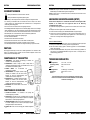
ENGLISH OPERATION MANUAL OPERATION MANUAL ® Thank you for buying this JB Systems product. To take full advantage of all possibilities, please read these operating instructions very carefully. FEATURES This unit is radio-interference suppressed. This product meets the requirements of the current European and national guidelines. Conformity has been established and the relevant statements and documents have been deposited by the manufacturer. Wireless remote control for your all your light effects*: controls your light effects exactly the same way as our CA-8 hand controller but without any wire! This set contains 2 parts: RF-8T: a small, wireless remote to control up to 5 different effects!!! RF-8R: wireless receiver with magnetic back panel can be easily fixed to the enclosure of a light effect with metal case. Three control buttons for optimal control of all kinds of different light effects: STANDBY: switch the output of each unit on/off MODE: different working modes can be selected (audio, auto, fast, slow, …) FUNCTION: gobo/color select, dimming, strobe, … Always in control of your light effects, even while they are used in master/slave setup: simply connect the RF-8R to the master. Maximum working distance: up to 100m Working frequency: 433,92MHz Data connector: DIN 5pin *Check if your light effect is adapted for use with this wireless RF-8SET. BEFORE USE Check the contents: Check that the carton contains the following items: RF-8T wireless transmitter RF-8R RF-receiver User manual Some important instructions: Before you start using this unit, please check if there’s no transportation damage. Should there be any, do not use the device and consult your dealer first. Important: This device left our factory in perfect condition and well packaged. It is absolutely necessary for the user to strictly follow the safety instructions and warnings in this user manual. Any damage caused by mishandling is not subject to warranty. The dealer will not accept responsibility for any resulting defects or problems caused by disregarding this user manual. Keep this booklet in a safe place for future consultation. If you sell the fixture, be sure to add this user manual. To protect the environment, please try to recycle the packing material as much as possible. JB SYSTEMS® 1/18 RF-8SET WIRELESS REMOTE ENGLISH OPERATION MANUAL SAFETY INSTRUCTIONS: This symbol means: indoor use only This symbol means: Read instructions To prevent fire or shock hazard, do not expose this appliance to rain or moisture. To avoid condensation to be formed inside, allow the unit to adapt to the surrounding temperatures when bringing it into a warm room after transport. Condense sometimes prevents the unit from working at full performance or may even cause damages. This unit is for indoor use only. Don’t place metal objects or spill liquid inside the unit. No objects filled with liquids, such as vases, shall be placed on this appliance. Electric shock or malfunction may result. If a foreign object enters the unit, immediately disconnect the mains power. No naked flame sources, such as lighted candles, should be placed on the appliance. Prevent use in dusty environments and clean the unit regularly. Keep the unit away from children. Inexperienced persons should not operate this device. In the event of serious operating problems, stop using the appliance and contact your dealer immediately. Please use the original packing when the device is to be transported. Due to safety reasons it is prohibited to make unauthorized modifications to the unit. MAINTENANCE Clean by wiping with a polished cloth slightly dipped with water. Avoid getting water inside the unit. Do not use volatile liquids such as benzene or thinner which will damage the unit. FUNCTIONS RF-8T TRANSMITTER 1. SEND INDICATOR: blinks while the transmitter sends commands to the RFreceiver. 2. CONTROL BUTTONS: these 5 groups of 3 buttons make it possible to control 5 different light effects. The functionality is 100% identical to that of the wired CA-8 hand controller. 3. STANDBY BUTTONS: used to switch the light output of the light effects on/off. 4. FUNCTION BUTTONS: the available functions completely depend on the light effect you want to control. Please check the user manual of your light effect to see which functions are available. 5. MODE BUTTONS: the different working modes completely depend on the light effect you want to control. Please check the user manual of your light effect to see which working modes are available. 6. BATTERY COMPARTMENT: the transmitter works with a small 12V battery. (type A23 or MN21) FUNCTIONS RF-8R RECEIVER 7. DIN 5PIN CONNECTOR: to be connected to the DIN 5pin remote input on the light effect. 8. SETUP BUTTON: the transmitter can control up to 5 light effects so you should tell the receiver to which of the buttons it should respond. In the next chapter we explain how to setup the receiver. 9. RF-SIGNAL LED: is lit while the unit receives commands from the RF-8T remote. Also used to setup the receiver, see next chapter for more information. 10. STANDBY LED: is lit when the light output of the light effect is switched off. 11. MODE LED: shows the current working mode of the connected light effect, please refer to the light effect for the exact details. JB SYSTEMS® 2/18 RF-8SET WIRELESS REMOTE