1
ENGLISH
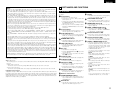
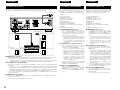
10.Multiple functions
(1) Still picture playback function
Kodak Picture CD (NOTE 6) and Fujifilm
Fujicolor CD (NOTE 7) can be played on the
DVD-A11.
Still images stored in JPEG format on CDR/RWs can also be played.
(2) Windows Media™ playback function (NOTE 8)
Windows Media™ CDs can be played on the
DVD-A11.
(3) Multiple audio function
Selection of up to 8 audio languages.
(The number of languages offered differs from
DVD to DVD.)
(4) Multiple subtitle function
Selection of up to 32 subtitle languages.
(The number of languages offered differs from
DVD to DVD.)
(5) Multiple angle function
The angle of view can be changed.
(For DVDs on which multiple angles are
recorded.)
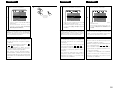
(6) GUI (Graphical User Interface) function
The DISPLAY button on the remote control
unit can be used to display player and disc
information on the TV screen.
(7) Marker function
The positions of up to five scenes can be
stored in the memory, so you can watch your
favorite scenes whenever you want.
(8) Playback disable function
This function can be used to disable playback
of DVDs you do not want children to watch.
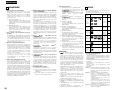
NOTES:
® , HDCD ® , High Definition Compatible
1.
Digital ® and Microsoft ® are either registered
trademarks or trademarks of Microsoft
Corporation, Inc. in the United States and/or other
countries. HDCD system manufactured under
license from Microsoft Corporation, Inc. This
product is covered by one or more of the
following: In the USA: 5,479,168, 5,638,074,
5,640,161, 5,808,574, 5,838,274, 5,854,600,
5,864,311, 5,872,531, and in Australia: 669114.
Other patents pending.
2. Manufactured under license from Dolby
Laboratories. “Dolby” and the double-D symbol
are trademarks of Dolby Laboratories. Confidential
Unpublished Work. ©1992 – 1998 Dolby
Laboratories, Inc. All rights reserved.
3. “DTS” and ”DTS Digital Surround” are registered
trademarks of Digital Theater Systems, Inc.
4. “DCDi™” is trademark of Faroodja, a division of
Genesis Microchip Inc.
5. “NSV” is a trademark of Analog Devices, Inc.
6. “KODAK” is a trademark of Eastman Kodak
Company.
7. “FUJICOLOR CD” is a trademark of Fuji Photo
Film Co, Ltd.
8. “Windows Media™”, “Windows™”are a
trademarks of Microsoft Corporation, Inc.
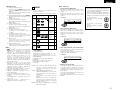
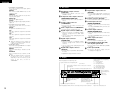
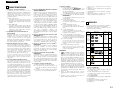
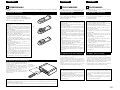
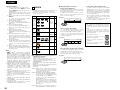
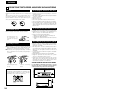
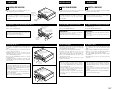
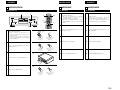
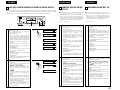
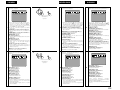
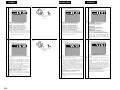
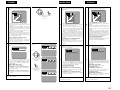
2 Disc terminology
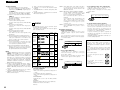
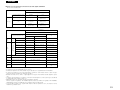
2 DISCS
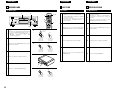
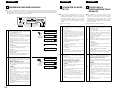
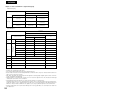
• The types of discs listed on the table below can be
used on the DVD-A11.
The marks are indicated on the disc labels or jackets.
Usable
discs
Recorded
signals
Mark (logo)
Disc
size
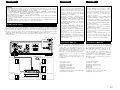
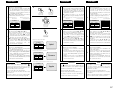
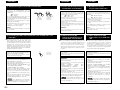
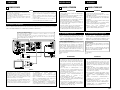
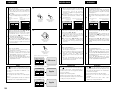
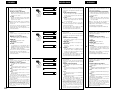
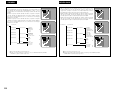
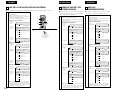
• Groups and tracks (DVD-audios)
DVD-audios are divided into several large sections
called “groups” and smaller sections called
“tracks”.
Numbers are allotted to these sections. These
numbers are called “group numbers” and “track
numbers”.
For example:
DVD video
DVD audio
(NOTE 1)
12 cm
DVD-R
DVD-RW
(NOTE 2)
Group 1
Digital audio +
digital video
(MPEG2)
R
R
Track 1
Track 2
Group 2
Track 3
Track 1
For Oceanian, South American
model:
The Region number for this DVD
player is 4.
R W
RW
Digital audio
12 cm
Video CD
(NOTE 1)
Digital audio + 12 cm
digital video
(MPEG1)
8 cm
CD
CD-R
CD-RW
(NOTE 3)
Digital audio
MP3
Digital picture
(JPEG)
Picture CD
Recordable
ReWritable
JPEG
12 cm
8 cm
For European model:
The Region number for this DVD
player is 2.
2
Track 2
8 cm
Super audio
CD
NOTE:
• This DVD player is designed and manufactured to
respond to the Region Management Information
that is recorded on a DVD disc.
If the Region number described on the DVD disc
does not correspond to the Region number of this
DVD player, this DVD player cannot play this disc.
4
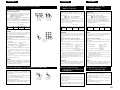
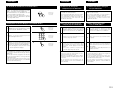
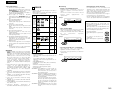
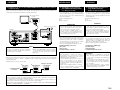
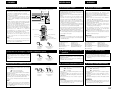
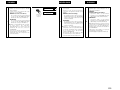
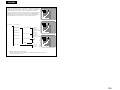
• Titles and chapters (DVD-videos)
DVD-videos are divided into several large sections
called “titles” and smaller sections called “chapters”.
Numbers are allotted to these sections. These
numbers are called “title numbers” and “chapter
numbers”.
For example:
Title 1
12 cm
Title 2
Chapter 1 Chapter 2 Chapter 3 Chapter 1 Chapter 2
Fujicolor
CD
JPEG
12 cm
WMA
(Windows
Media
Audio)
Digital audio
12 cm
2 The following types of discs cannot be played
on the DVD-A11:
• For European model:
DVDs with region numbers other than “2” or “ALL”
For Oceanian, South American model:
DVDs with region numbers other than “4” or “ALL”
• DVD-ROM/RAMs
• CD-ROMs (unless MP3, JPEG, WMA Files)
• CVD/VSDs
• CDVs (Only the audio part can be played.)
• CD-Gs (Only the audio is output.)
• Photo CDs
NOTE 1: Some DVD audio, DVD video and video CD
discs do not operate as described in this
manual due to the intentions of the discs’
producers.
NOTE 2: Playing DVD-R and DVD-RW discs
DVD-R and DVD-RW discs recorded in video
format on a DVD recorder can be played on
the DVD-A11.
Discs that have not be finalized cannot be
played.
Depending on the disc’s recording status,
the disc may not be accepted or may not be
played normally (the picture or sound may
be not be smooth, etc.).
NOTE 3: According to recording quality, some CD-R/
RW cannot be played.
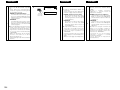
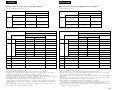
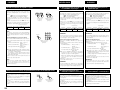
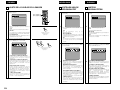
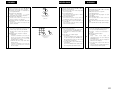
• Tracks (Super audio CDs, video and music CDs)
Super audio CDs, video and music CDs are divided
into sections called “tracks”.
Numbers are allotted to these sections. These
numbers are called “track numbers”.
For example:
Track 1
Track 2
Track 3
Track 4
Track 5
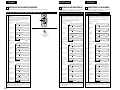
• Playback control (video CDs)
Video CDs including the words “playback control”
on the disc or jacket are equipped with a function
for displaying menus on the TV screen for selecting
the desired position, displaying information, etc., in
dialog fashion.
In this manual, playing video CDs using such menus
is referred to “menu playback”.
Video CDs with playback control can be used on the
DVD-A11.
5