1
ENG
Thank you for choosing DVR teXet. To take full advantage of the DVR and
prolong its service life, it is recommended to read the complete operating manual,
which is available for download on the official website of teXet: http://www.texet.eu.
System software (hereinafter - software) installed on your copy may differ from
those in this manual due to the constant improvement of the product.
Car DVR is designed to record the traffic situation from the car. The company
teXet Global SE is not liable for the use of the device for other purposes.
WARNING! Remember! Independent installation of the system software (repeated firmware) may lead to a complete loss of data, as well as to non-operability of
the device! To reinstall the software, visit the nearest authorized service center.
Charging the battery
Connect the power adapter to the network or the cigarette lighter socket and plug
the adapter into the appropriate USB slot (step 5 in Fig.) on the device. The device
can be charged using the AC or car charger with a current of no more than 1.5A.
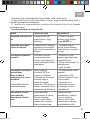
ATTENTION! When charging, use only compatible chargers!
ATTENTION! The unit may be charged incorrectly from a USB socket in the removable disk mode.
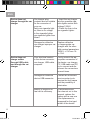
1
Power Switch (POWER), shutdown mode, switching backlight
2
Screenshots (SNAP), images button, deleting files in playback mode
3
Connector for fixing
4
Video connector A/V
2
DVR.indd 2
16.01.2014 13:31:31