1
English
7/16
Operating
Start up (page 4)
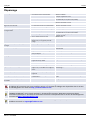
When power-up, the BRIGHT shows consecutive.
1 Software version information
2 Bronkhorst High-Tech logo
3 Readout screen
!
Keep contrast and screen saver time low for longer display life-time.
Select « Readout » (page 4)
Press
Press
or
CANCEL
to toggle between ‘measure readout’, ‘custom readout 1’ and ‘custom readout 2’.
return direct to ‘measure readout’
You can press
SET
to enter the sub-menu below the selected readout.
!
If ‘custom readout1’ is disabled. You can only switch between ‘measure’ and ‘custom readout 2’
!
The displayed readout parameters and values are depending on custom settings and the connected instrument.
Change « Custom Readout 2 » (page 4)
Press CANCEL to change the readout parameter of ‘custom readout 2’. Press
parameter.
CANCEL
again to select the next available
Some readout parameters have their own sub-menu. Select ‘custom readout 2’ and press
submenu.
!
SET
to enter its
You can only select parameters which are supported by the connected instrument.
Edit setpoint (page 4)
to select
From the main readout menu, Press CANCEL to change ‘custom readout 2’ into “setpoint” menu. Press
‘custom readout 2’. Press SET to enter the setpoint edit mode. Use , and SET to edit the setpoint value. Press
CANCEL to abort the edit mode.
!
If the entered setpoint is neglected, check controller mode in the settings-controller mode menu.
Enter the security settings
From the readout screen press both
and
for 5 seconds till 'enter password' display appears. The default password
is 'abc'. Please refer to 'Security settings' of the Instruction Manual for more information.
Doc nr.: 9.17.049