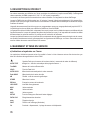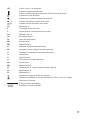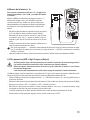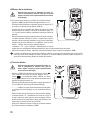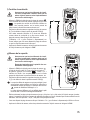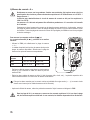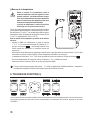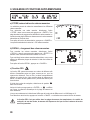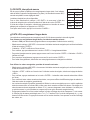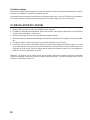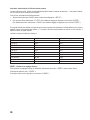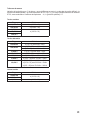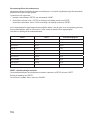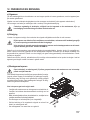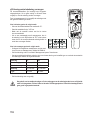
1
DIGITAL-MULTIMETER VC950 D BEDIENUNGSANLEITUNG DIGITAL MULTIMETER VC950 G OPERATING INSTRUCTIONS SEITE 2 - 34 PAGE 35 - 64 MULTIMÈTRE NUMÉRIQUE VC950 F MODE D’EMPLOI PAGE 65 - 94 DIGITALE MULTIMETER VC950 O GEBRUIKSAANWIJZING Best.-Nr. / Item no. / N° de commande / Bestelnr.: 124705 PAGINA 95 - 125 ° VERSION 07/15 EINFÜHRUNG D Sehr geehrter Kunde, mit dem Kauf eines Voltcraft®-Produktes haben Sie eine sehr gute Entscheidung getroffen, für die wir Ihnen danken. Voltcraft® - Dieser Name steht auf dem Gebiet der Mess-, Lade- sowie Netztechnik für überdurchschnittliche Qualitätsprodukte, die sich durch fachliche Kompetenz, außergewöhnliche Leistungsfähigkeit und permanente Innovation auszeichnen. Vom ambitionierten Hobby-Elektroniker bis hin zum professionellen Anwender haben Sie mit einem Produkt der Voltcraft®-Markenfamilie selbst für die anspruchsvollsten Aufgaben immer die optimale Lösung zur Hand. Und das Besondere: Die ausgereifte Technik und die zuverlässige Qualität unserer Voltcraft®Produkte bieten wir Ihnen mit einem fast unschlagbar günstigen Preis-/Leistungsverhältnis an. Darum sind wir uns absolut sicher: Mit unserer Voltcraft®-Geräteserie schaffen wir die Basis für eine lange, gute und auch erfolgreiche Zusammenarbeit. Wir wünschen Ihnen nun viel Spaß mit Ihrem neuen Voltcraft®-Produkt! Bei technischen Fragen wenden Sie sich bitte an: Deutschland: www.conrad.de/kontakt Österreich: www.conrad.at www.business.conrad.at Schweiz: www.conrad.ch www.biz-conrad.ch 2 3 INHALTSVERZEICHNIS Seite 1. Bestimmungsgemäße Verwendung....................................................................................................................... 6 2. Lieferumfang.......................................................................................................................................................... 7 3. Sicherheitshinweise............................................................................................................................................... 7 4. Bedienelemente..................................................................................................................................................... 9 5. Produktbeschreibung........................................................................................................................................... 10 6 handhabung und Inbetriebnahme........................................................................................................................ 10 a) Display-Angaben und Symbole................................................................................................................... 10 b) Drehschalter (4)������������������������������������������������������������������������������������������������������������������������������������������ 12 7. Durchführung von Messungen............................................................................................................................. 12 a) Multimeter einschalten................................................................................................................................. 12 b) Spannungsmessung „V“����������������������������������������������������������������������������������������������������������������������������� 13 c) Tiefpassfilter (HFR = High Frequency Reject)............................................................................................. 13 d) Widerstandsmessung��������������������������������������������������������������������������������������������������������������������������������� 14 e) Diodentest�������������������������������������������������������������������������������������������������������������������������������������������������� 14 f) g) Kapazitätsmessung������������������������������������������������������������������������������������������������������������������������������������ 15 h) Strommessung „A“....................................................................................................................................... 16 i) Frequenzmessung / Periodendauer / Tastgrad (Duty Factor)...................................................................... 17 j) Temperaturmessung����������������������������������������������������������������������������������������������������������������������������������� 18 Durchgangsprüfung������������������������������������������������������������������������������������������������������������������������������������ 15 8. Funktionstasten (3).............................................................................................................................................. 18 a) RANGE-Funktion, manuelle Messbereichswahl.......................................................................................... 18 b) DIGIT, Anzeigeumschaltung........................................................................................................................ 19 c) Tiefpassfilter (HFR = High Frequency Reject)............................................................................................. 19 d) Auto-HOLD-Funktion................................................................................................................................... 19 e) Peak-HOLD-Funktion (Nur bei AC)............................................................................................................. 19 9. Untermenü und Zusatzfunktionen........................................................................................................................ 20 a) STORE, Speichern von Messwerten���������������������������������������������������������������������������������������������������������� 20 b) RECALL, Auslesen von Messwerten���������������������������������������������������������������������������������������������������������� 20 c) REL-Funktion ............................................................................................................................................ 20 d) Pegelanzeige in dB, dBm��������������������������������������������������������������������������������������������������������������������������� 21 e) MAX / MIN / AVG-Funktion.......................................................................................................................... 21 f) g) DATA LOG, Langzeitaufzeichnung.............................................................................................................. 22 h) Auto-Power-Off-Funktion............................................................................................................................. 23 i) Displaybeleuchtung..................................................................................................................................... 23 j) Optische Schnittstelle.................................................................................................................................. 24 LOG RATE, Messintervall��������������������������������������������������������������������������������������������������������������������������� 22 10. Installation der Software...................................................................................................................................... 22 11. Setup................................................................................................................................................................... 23 4 Seite 10. Installation der Software...................................................................................................................................... 24 11. Voreinstellungen (SETUP)................................................................................................................................... 25 12. Wartung und Reinigung....................................................................................................................................... 27 a) Allgemein..................................................................................................................................................... 27 b) Reinigung.................................................................................................................................................... 27 c) Messgerät öffnen......................................................................................................................................... 27 d) Sicherungscheck/Sicherungswechsel......................................................................................................... 28 e) Einsetzen und Wechseln der Batterie......................................................................................................... 29 13. Entsorgung............................................................................................................................................................ 29 a) Produkt........................................................................................................................................................ 29 b) Batterien und Akkus..................................................................................................................................... 29 14. Behebung von Störungen.................................................................................................................................... 30 15. Technische Daten................................................................................................................................................ 30 5 1. BESTIMMUNGSGEMÄSSE VERWENDUNG -Messen und Anzeigen der elektrischen Größen im Bereich der Überspannungskategorie CAT IV bis max. 600 V bzw. CAT III bis max. 1000 V gegen Erdpotential, gemäß EN 61010-1 sowie alle niedrigeren Kategorien. - Messen von Gleich- und Wechselspannung bis max. 1000 V - Messen von Gleich- und Wechselstrom bis max. 10 A - Frequenzmessung bis 4 MHz - Anzeige des Tastgrades (Duty Factor) in % - Messen von Kapazitäten bis 40 mF - Messen von Widerständen bis 40 MΩ - Durchgangsprüfung (<50 Ω akustisch) - Diodentest - Temperaturmessung von -200 bis +1200 °C (mit K-Typ-Thermofühler) - Wechselspannungsmessung mit Tiefpassfilter (HFR) - Messwertespeicher für bis zu 1000 Werte - Datenlogger für bis zu 20000 Werte - Datenübertragung per optischer Schnittstelle Die Messfunktionen werden über den Drehschalter angewählt. Die Messbereichswahl erfolgt in allen Messfunktionen automatisch. Eine manuelle Einstellung ist jederzeit möglich. Bei dem Multimeter VC950 werden sowohl im Gleich-, als auch Wechselspannungs- und Strommessbereich EchtEffektiv-Messwerte (True RMS) angezeigt. Die Polarität wird bei negativem Messwert automatisch mit Vorzeichen (-) dargestellt. Die beiden Strom-Messeingänge sind mit keramischen Hochleistungssicherungen gegen Überlast abgesichert. Die Spannung im Strom-Messkreis darf 1000 V in CAT lll bzw. 600 V in CAT IV nicht überschreiten. Das Multimeter wird mit vier handelsüblichen Mignon-Batterien (Typ AA) betrieben. Der Betrieb ist nur mit dem angegebenen Batterietyp zulässig. Eine automatische Abschaltung verhindert die vorzeitige Entleerung der Batterie, wenn das Gerät ca. 30 Minuten nicht benutzt wird. Bei aktiver Schnittstelle ist diese Funktion abgeschaltet. Das Multimeter darf im geöffneten Zustand, mit geöffnetem Batteriefach oder fehlendem Batteriefachdeckel nicht betrieben werden. Messungen in Feuchträumen bzw. unter widrigen Umgebungsbedingungen sind nicht zulässig. Widrige Umgebungsbedingungen sind: Nässe oder hohe Luftfeuchtigkeit, Staub und brennbare Gase, Dämpfe oder Lösungsmittel sowie Gewitter bzw. Gewitterbedingungen wie starke elektrostatische Felder usw. Verwenden Sie zum Messen nur Messleitungen bzw. Messzubehör, welche auf die Spezifikationen des Multimeters abgestimmt sind. Eine andere Verwendung als zuvor beschrieben, führt zur Beschädigung dieses Produktes, außerdem ist dies mit Gefahren wie z.B. Kurzschluss, Brand, elektrischer Schlag etc. verbunden. Das gesamte Produkt darf nicht geändert bzw. umgebaut werden! Lesen Sie die Bedienungsanleitung sorgfältig durch, und bewahren Sie diese für späteres Nachschlagen auf. Die Sicherheitshinweise sind unbedingt zu beachten! 6 2. LIEFERUMFANG · Multimeter · 4 Mignon-Batterien (Typ AA) · Sicherheitsmessleitungen · Krokoklemmen · K-Typ-Steckadapter · K-Typ-Thermoelement · Optisches Schnittstellenkabel USB · CD-ROM mit Installationsanleitung · Bedienungsanleitung 3. SICHERHEITSHINWEISE Lesen Sie bitte vor Inbetriebnahme die komplette Anleitung durch, sie enthält wichtige Hinweis zum korrekten Betrieb. Bei Schäden, die durch Nichtbeachten dieser Bedienungsanleitung verursacht werden, erlischt die Gewährleistung/Garantie! Für Folgeschäden übernehmen wir keine Haftung! Bei Sach- oder Personenschäden, die durch unsachgemäße Handhabung oder Nichtbeachten der Sicherheitshinweise verursacht werden, übernehmen wir keine Haftung! In solchen Fällen erlischt die Gewährleistung/Garantie. Dieses Gerät hat das Werk in sicherheitstechnisch einwandfreien Zustand verlassen. Um diesen Zustand zu erhalten und einen gefahrlosen Betrieb sicherzustellen, muss der Anwender die Sicherheitshinweise und Warnvermerke beachten, die in dieser Bedienungsanleitung enthalten sind. Folgende Symbole gilt es zu beachten: in in einem Dreieck befindliches Ausrufezeichen weist auf wichtige Hinweise in dieser BedienungsanE leitung hin, die unbedingt zu beachten sind. Ein Blitzsymbol im Dreieck warnt vor einem elektrischen Schlag oder der Beeinträchtigung der elektrischen Sicherheit des Geräts. Das „Pfeil“-Symbol ist zu finden, wenn Ihnen besondere Tipps und Hinweise zur Bedienung gegeben werden sollen. ° Dieses Gerät ist CE-konform und erfüllt die erforderlichen europäischen Richtlinien. Schutzklasse 2 (doppelte oder verstärkte Isolierung) 7 CAT II Überspannungskategorie II für Messungen an elektrischen und elektronischen Geräten, welche über einen Netzstecker mit Spannung versorgt werden. Diese Kategorie umfasst auch alle kleineren Kategorien (z.B. CAT I zur Messung von Signal- und Steuerspannungen). CAT IIIÜberspannungskategorie III für Messungen in der Gebäudeinstallation (z.B. Steckdosen oder Unterverteilungen). Diese Kategorie umfasst auch alle kleineren Kategorien (z.B. CAT II zur Messung an Elektrogeräten). CAT IVÜberspannungskategorie IV für Messungen an der Quelle der Niederspannungsinstallation (z.B. Hauptverteilung, Haus-Übergabepunkte der Energieversorger etc.). Diese Kategorie umfasst auch alle kleineren Kategorien. Erdpotential Aus Sicherheits- und Zulassungsgründen (CE) ist das eigenmächtige Umbauen und/oder Verändern des Geräts nicht gestattet. Wenden Sie sich an eine Fachkraft, wenn Sie Zweifel über die Arbeitsweise, die Sicherheit oder den Anschluss des Geräts haben. Messgeräte und Zubehör sind kein Spielzeug und gehören nicht in Kinderhände! In gewerblichen Einrichtungen sind die Unfallverhütungsvorschriften des Verbandes der gewerblichen Berufsgenossenschaften für elektrische Anlagen und Betriebsmittel zu beachten. In Schulen und Ausbildungseinrichtungen, Hobby- und Selbsthilfewerkstatten ist der Umgang mit Messgeräten durch geschultes Personal verantwortlich zu überwachen. Stellen Sie vor jeder Spannungsmessung sicher, dass sich das Messgerät nicht im Strommessbereich befindet. Die Spannung zwischen den Anschlusspunkten des Messgeräts und Erdpotential darf 1000 V (DC/AC) in CAT III bzw. 600 V in CAT IV nicht überschreiten. Vor jedem Wechsel des Messbereiches sind die Messspitzen vom Messobjekt zu entfernen. Seien Sie besonders Vorsichtig beim Umgang mit Spannungen >25 V Wechsel- (AC) bzw. >35 V Gleichspannung (DC)! Bereits bei diesen Spannungen können Sie bei Berührung elektrischer Leiter einen lebensgefährlichen elektrischen Schlag erhalten. Überprüfen Sie vor jeder Messung Ihr Messgerät und deren Messleitungen auf Beschädigung(en). Führen Sie auf keinen Fall Messungen durch, wenn die schützende Isolierung beschädigt (eingerissen, abgerissen usw.) ist. Um einen elektrischen Schlag zu vermeiden, achten Sie darauf, dass Sie die zu messenden Anschlüsse/Messpunkte während der Messung nicht, auch nicht indirekt, berühren. Über die fühlbaren Griffbereichsmarkierungen an den Messspitzen darf während des Messens nicht gegriffen werden. Verwenden Sie das Multimeter nicht kurz vor, während oder kurz nach einem Gewitter (Blitzschlag!/energiereiche Überspannungen!). Achten Sie darauf, dass ihre Hände, Schuhe, Kleidung, der Boden, Schaltungen und Schaltungsteile usw. unbedingt trocken sind. Vermeiden Sie den Betrieb in unmittelbarer Nähe von: - starken magnetischen oder elektromagnetischen Feldern - Sendeantennen oder HF-Generatoren. Dadurch kann der Messwert verfälscht werden. 8 Wenn anzunehmen ist, dass ein gefahrloser Betrieb nicht mehr möglich ist, so ist das Gerät außer Betrieb zu setzen und gegen unbeabsichtigten Betrieb zu sichern. Es ist anzunehmen, dass ein gefahrloser Betrieb nicht mehr möglich ist, wenn: - das Gerät sichtbare Beschädigungen aufweist, - das Gerät nicht mehr arbeitet und - nach längerer Lagerung unter ungünstigen Verhältnissen oder - nach schweren Transportbeanspruchungen. Schalten Sie das Messgerät niemals gleich dann ein, wenn dieses von einem kalten in einen warmen Raum gebracht wird. Das dabei entstandene Kondenswasser kann unter Umständen Ihr Gerät zerstören. Lassen Sie das Gerät uneingeschaltet auf Zimmertemperatur kommen. Lassen Sie das Verpackungsmaterial nicht achtlos liegen; dieses könnte für Kinder zu einem gefährlichen Spielzeug werden. Beachten Sie auch die Sicherheitshinweise in den einzelnen Kapiteln. 4. BEDIENELEMENTE Siehe Ausklappseite 1 Gummischutzrahmen 2 Display 3 Funktionstasten: RANGE: Manuelle Messbereichsumschaltung : Taste zur Funktionsumschaltung HFR: High Frequency Reject, Taste zum Aktivieren des Tiefpassfilters DIGIT: Taste zur Anzeigeumschaltung : Steuerkreuz zum Navigieren im Untermenü ENTER: Taste zum Bestätigen CANCEL: Taste zum Abbrechen oder Beenden einer Funktion A-HOLD: Taste zur Aktivierung der Auto-HOLD-Funktion P-HOLD: Taste zur Aktivierung der Peak-HOLD-Funktion 4 Drehschalter zur Messfunktionswahl 5 mA-Messbuchse 6 10 A-Messbuchse 7 Hz°CVΩ-Messbuchse (bei Gleichgrößen „Plus“) 8 COM-Messbuchse (Bezugspotential, „Minus“) 9 Fotosensor für automatische Hintergrundbeleuchtung 10 Optisch isolierte Schnittstelle zur Datenübertragung 11 Messleitungshalter 12 Klappbarer Aufstellbügel 13 Batteriefach 9 5. PRODUKTBESCHREIBUNG Die Messwerte werden am Multimeter (im folgenden DMM genannt) in einer Digitalanzeige dargestellt. Die Messwertanzeige des DMM umfasst 100 000 / 10 000 Counts (umschaltbar). Die Anzeige kann auf eine kleinere Auflösung umgeschaltet werden. Dies erhöht die Anzeigegeschwindigkeit. Wird das DMM ca. 30 Minuten nicht bedient, schaltet sich das Gerät automatisch ab. Die Batterie wird geschont und ermöglicht eine längere Betriebszeit. Die automatische Abschaltung ist bei eingeschalteter Schnittstelle deaktiviert. Das Messgerät ist sowohl im Hobby- als auch im professionellen Bereich bis CAT IV einsetzbar. Zur besseren Ablesbarkeit kann das DMM mit dem rückseitigen Aufstellbügel ideal platziert werden. Das Batterie- und Sicherungsfach kann nur geöffnet werden, wenn alle Messleitungen vom Messgerät entfernt wurden. Bei geöffnetem Batterie- und Sicherungsfach ist es nicht möglich, die Messleitungen in die Messbuchsen zu stecken. Dies erhöht die Sicherheit für den Benutzer. Im Spannungs- und Strommessbereich erfolgt bei falsch angeschlossenen Messleitungen ein Warnton mit der blinkenden Displayanzeige . Schließen Sie die Messleitungen korrekt an, bevor Sie messen. 6. HANDHABUNG UND INBETRIEBNAHME a) Display-Angaben und Symbole Die Symbole und Angaben sind je nach Modell unterschiedlich vorhanden. Dies ist eine Aufstellung aller möglichen Symbole und Angaben der Serie VC900. Delta-Symbol für Relativwertmessung (=Bezugswertmessung) AUTO TEST steht für „Automatische Messbereichswahl“ TrueRMS Echt-Effektivwertmessung HOLD Data-Hold-Funktion AUTO HOLD Automatisches Einfrieren des Messwerts Peak HOLD Einfrieren des Spitzenwertes dB Dezibel – logarithmische Messeinheit STORE Wert speichern RECALL Speicherstand laden LOG RATE Aufzeichnungsrate MAX Maximalwert MIN Minimalwert AVG Mittelwert SETUP Setup-Funktion zum Vornehmen weiteren Einstellungen DATA LOG Daten-Aufzeichnung mem Speicherplatz DIGIT Anzeige-Genauigkeit (Nachkommastelle) OL Overload = Überlauf; der Messbereich wurde überschritten OFF Schalterstellung „Aus“ 10 Batteriewechselsymbol; bitte schnellstmöglich die Batterie wechseln um Messfehler zu vermeiden! Symbol für den Diodentest Symbol für den akustischen Durchgangsprüfer AC Wechselgröße für Spannung und Strom DC Gleichgröße für Spannung und Strom mV Milli-Volt (exp.-3) V Volt (Einheit der elektrischen Spannung) A Ampere (Einheit der elektrischen Stromstärke) mA Milli-Ampere (exp.-3) μA Micro-Ampere (exp.-6) Hz Hertz (Einheit der Frequenz) kHz Kilo-Hertz (exp.3) MHz Mega-Hertz (exp.6) W Watt (Einheit der elektrischen Wirkleistung) VA Volt-Ampere (Einheit der elektrischen Scheinleistung) % Prozentanzeige bei Duty Cycle-Messung °C Grad Celsius °F Grad Fahrenheit Ω Ohm (Einheit des elektrischen Widerstandes) kΩ Kilo-Ohm (exp.3) MΩ Mega-Ohm (exp.6) nF Nano-Farad (exp.-9; Einheit der elektrischen Kapazität, Symbol ) µF Mikro-Farad (exp.-6) mF Milli-Farad (exp.-3) Symbol für den Kapazitätsmessbereich Warnsymbol bei Spannungen >30 V/AC und >42 V/DC und falsch angeschlossenen Messleitungen Bargraf-Balkenanzeige Symbol für die eingebauten Sicherungen 11 b) Drehschalter (4) Die einzelnen Messfunktionen werden über einen Drehschalter angewählt. Die automatische Bereichswahl „AUTO“ ist in einigen Messfunktionen aktiv. Hierbei wird immer der jeweils passende Messbereich eingestellt. Beginnen Sie bei der Strommessung immer mit dem größten Messbereich (10 A) und schalten Sie bei Bedarf auf einen kleineren Messbereich um. Das Multimeter ist in der Schalterposition „OFF“ ausgeschaltet. Schalten Sie das Messgerät bei Nichtgebrauch immer aus. Die Abbildung zeigt die Anordnung der Messfunktionen. 7. DURCHFÜHRUNG VON MESSUNGEN Überschreiten Sie auf keinen Fall die max. zulässigen Eingangsgrößen. Berühren Sie keine Schaltungen oder Schaltungsteile, wenn darin höhere Spannungen als 25 V/ ACrms oder 35 V/DC anliegen können! Lebensgefahr! Kontrollieren Sie vor Messbeginn die angeschlossenen Messleitungen auf Beschädigungen wie z.B. Schnitte, Risse oder Quetschungen. Defekte Messleitungen dürfen nicht mehr benutzt werden! Lebensgefahr! Über die fühlbaren Griffbereichsmarkierungen an den Messspitzen darf während des Messens nicht gegriffen werden. Es dürfen immer nur die zwei Messleitungen am Messgerät angeschlossen sein, welche zum Messbetrieb benötigt werden. Entfernen Sie aus Sicherheitsgründen alle nicht benötigten Messleitungen vom Messgerät. Messungen in Stromkreisen >50 V/AC und >75 V/DC dürfen nur von Fachkräften und eingewiesenen Personen durchgeführt werden, die mit den einschlägigen Vorschriften und den daraus resultierenden Gefahren vertraut sind. Sobald „OL“ (für Overload = Überlauf) im Display erscheint, haben Sie den Messbereich überschritten. a) Multimeter einschalten Das Multimeter wird über den Drehschalter ein- und ausgeschaltet. Drehen Sie den Drehschalter (4) in die entsprechende Messfunktion. Zum Ausschalten bringen Sie den Drehschalter in Position „OFF“. Schalten Sie das Messgerät bei Nichtgebrauch immer aus. Bevor Sie mit dem Messgerät arbeiten können, muss erst die beiliegende Batterie eingesetzt werden. Das Einsetzen und Wechseln der Batterie ist im Kapitel „Reinigung und Wartung“ beschrieben. 12 b) Spannungsmessung „V“ Zur Messung von Gleichspannungen „DC“ (V ) und Wechselspannungen „AC“ (V ) gehen Sie wie folgt vor: Schalten Sie das DMM ein und wählen den Messbereich „V“. Für kleine Spannungen bis max. 400 mV wählen Sie „mV“. Beachten Sie, dass die zulässigen Höchstwerte (siehe auch Kapitel Technische Daten) beim Messvorgang nicht überschritten werden. -Stecken Sie die rote Messleitung in die V-Messbuchse (7), die schwarze Messleitung in die COM-Messbuchse (8). -Verbinden Sie die beiden Messspitzen mit dem Messobjekt (Batterie, Schaltung usw.). Die rote Messspitze entspricht dem Pluspol, die schwarze Messspitze dem Minuspol. -Die jeweilige Polarität des Messwertes wird zusammen mit dem augenblicklichen Messwert im Display angezeigt. Sobald bei der Gleichspannung ein Minus „-“ vor dem Messwert erscheint, ist die gemessene Spannung negativ (oder die Messleitungen sind vertauscht). Der Spannungsbereich „V DC/AC“ weist einen Eingangswiderstand von >10 MOhm auf. -Entfernen Sie nach Messende die Messleitungen vom Messobjekt und schalten Sie das DMM aus. c) Tiefpassfilter (HFR = High Frequency Reject) Nutzen Sie die Tiefpassfilteroption nie zum Prüfen des Vorhandenseins gefährlicher Spannungen! Die vorhandenen Spannungen können unter Umständen höher sein als angegeben. Führen Sie immer zuerst eine Spannungsmessung ohne den Filter durch, um etwaige gefährliche Spannungen zu erkennen. Die Funktion lässt sich nur im Wechselspannungs-Messbereich aktivieren. Das DMM ist mit einem Wechselstrom-Tiefpassfilter ausgestattet. Es handelt sich hierbei um eine Wechselspannungsmessung, die über einen Tiefpassfilter geleitet wird, der unerwünschte Spannungen oberhalb von 800 Hz blockiert. - Schalten Sie das DMM ein und wählen den Messbereich „V“. Für kleine Spannungen bis max. 400 mV wählen Sie „mV“. - Stecken Sie die rote Messleitung in die V-Messbuchse (7), die schwarze Messleitung in die COM-Messbuchse (8). - Drücken Sie die Taste „HFR“. Im Display wird „HFR“ angezeigt. -Verbinden Sie die beiden Messspitzen mit dem Messobjekt (Batterie, Schaltung usw.). Die rote Messspitze entspricht dem Pluspol, die schwarze Messspitze dem Minuspol. - Die jeweilige Polarität des Messwertes wird zusammen mit dem augenblicklichen Messwert im Display angezeigt. - Zum Deaktivieren des Tiefpassfilters drücken Sie erneut die Taste „HFR“. 13 d) Widerstandsmessung Vergewissern Sie sich, dass alle zu messenden Schaltungsteile, Schaltungen und Bauelemente sowie andere Messobjekte unbedingt spannungslos und entladen sind. Zur Widerstandsmessung gehen Sie wie folgt vor: - Schalten Sie das DMM ein und wählen den Messbereich „Ω“. -Stecken Sie die rote Messleitung in die Ω-Messbuchse (7), die schwarze Messleitung in die COM-Messbuchse (8). -Überprüfen Sie die Messleitungen auf Durchgang, indem Sie die beiden Messspitzen verbinden. Daraufhin muss sich ein Widerstandswert von ca. 0 - 1,5 Ohm einstellen (Eigenwiderstand der Messleitungen). -Verbinden Sie nun die beiden Messspitzen mit dem Messobjekt. Der Messwert wird, sofern das Messobjekt nicht hochohmig oder unterbrochen ist, im Display angezeigt. Warten Sie, bis sich die Anzeige stabilisiert hat. Bei Widerständen >1 MOhm kann dies einige Sekunden dauern. -Sobald „OL“ (für Overload = Überlauf) im Display erscheint, haben Sie den Messbereich überschritten bzw. der Messkreis ist unterbrochen. - Entfernen Sie nach Messende die Messleitungen vom Messobjekt und schalten Sie das DMM aus. Wenn Sie eine Widerstandsmessung durchführen, achten Sie darauf, dass die Messpunkte, welche Sie mit den Messspitzen zum Messen berühren, frei von Schmutz, Öl, Lötlack oder ähnlichem sind. Solche Umstände können das Messergebnis verfälschen. e) Diodentest Vergewissern Sie sich, dass alle zu messenden Schaltungsteile, Schaltungen und Bauelemente sowie andere Messobjekte unbedingt spannungslos und entladen sind. -Schalten Sie das DMM ein und wählen den Messbereich . Drücken Sie die Taste um die Messfunktion umzuschalten. Im Diplay erscheint das Diodensymbol. Eine erneute Betätigung schaltet in die erste Messfunktion usw. -Stecken Sie die rote Messleitung in die Ω-Messbuchse (7), die schwarze Messleitung in die COM-Messbuchse (8). -Bei offenem und kurzgeschlossenem Messeingang/Messkreis (z.B. bei defekter Diode) wird „- - - - -“ angezeigt. -Verbinden Sie die beiden Messspitzen mit dem Messobjekt (Diode). -Im Display wird die Durchlassspannung „UF“ in Volt (V) angezeigt. Ist ein Minuszeichen vor dem Messwert ersichtlich, so wird die Diode in Sperrrichtung (UR) gemessen. Führen Sie zur Kontrolle eine gegenpolige Messung durch. -Entfernen Sie nach Messende die Messleitungen vom Messobjekt und schalten Sie das DMM aus. 14 f) Durchgangsprüfung Vergewissern Sie sich, dass alle zu messenden Schaltungsteile, Schaltungen und Bauelemente sowie andere Messobjekte unbedingt spannungslos und entladen sind. - Schalten Sie das DMM ein und wählen den Messbereich . Drücken Sie die Taste „ “ um die Messfunktion umzuschalten. Im Display erscheint das Symbol für Durchgangsprüfung. Eine erneute Betätigung schaltet in die nächste Messfunktion usw. -Stecken Sie die rote Messleitung in die Ω-Messbuchse (7), die schwarze Messleitung in die COM-Messbuchse (8). -Als Durchgang wird ein Messwert <50 Ohm erkannt und es ertont ein Piepton. Der Messbereich reicht bis max. 400 Ohm. -Sobald „OL“ (für Overload = Überlauf) im Display erscheint, haben Sie den Messbereich überschritten bzw. der Messkreis ist unterbrochen. -Entfernen Sie nach Messende die Messleitungen vom Messobjekt und schalten Sie das DMM aus. g) Kapazitätsmessung Vergewissern Sie sich, dass alle zu messenden Schaltungsteile, Schaltungen und Bauelemente sowie andere Messobjekte unbedingt spannungslos und entladen sind. Beachten Sie bei Elektrolyt-Kondensatoren unbedingt die Polarität. -Schalten Sie das DMM ein und wählen den Messbereich mittels Drehschalter (4). Drücken Sie die Taste um die Messfunktion umzuschalten. In der Anzeige erscheint die Einheit „µF“. Eine erneute Betätigung schaltet in die erste Messfunktion usw. -Stecken Sie die rote Messleitung in die V-Messbuchse (7), die schwarze Messleitung in die COM-Messbuchse (8). Aufgrund des empfindlichen Messeingangs kann es bei „offenen“ Messleitungen zu einer Wertanzeige im Display kommen. Durch Auswahl der Funktion wird die Anzeige auf „0“ gesetzt. Im oberen kleinen Display wird der Grundwert (Rel-Differenz) angezeigt. Die Autorange-Funktion wird deaktiviert. -Verbinden Sie nun die beiden Messspitzen (rot = Pluspol/ schwarz = Minuspol) mit dem Messobjekt (Kondensator). Im Display wird nach einer kurzen Zeit die Kapazität angezeigt. Warten Sie, bis sich die Anzeige stabilisiert hat. Bei Kapazitäten >40 µF kann dies einige Sekunden dauern. - Sobald „OL“ (für Overload = Überlauf) im Display erscheint, haben Sie den Messbereich überschritten. - Entfernen Sie nach Messende die Messleitungen vom Messobjekt und schalten Sie das DMM aus. 15 h) Strommessung „A“ Überschreiten Sie auf keinen Fall die max. zulässigen Eingangsgrößen. Berühren Sie keine Schaltungen oder Schaltungsteile, wenn darin höhere Spannungen als 25 V/ACrms oder 35 V/DC anliegen können! Lebensgefahr! Die max. zulässige Spannung im Strommesskreis darf 1000 V in CAT III nicht überschreiten. Messungen >5 A dürfen nur für max. 10 Sekunden und nur im Intervall von 10 Minuten durchgeführt werden. B eginnen Sie die Strommessung immer mit dem größten Messbereich und wechseln ggf. auf einen kleineren Messbereich. Vor einem Messbereichswechsel immer die Schaltung stromlos schalten. Alle Strommessbereiche sind abgesichert und somit gegen Überlastung geschützt. Zur Messung von Gleichströmen (A ) und Wechselströmen (A ) gehen Sie wie folgt vor: - Schalten Sie das DMM ein und wählen den Messbereich „A“. -In der Tabelle sind die unterschiedlichen Messfunktionen und die möglichen Messbereiche ersichtlich. Wählen Sie den Messbereich und die zugehörigen Messbuchsen. Messfunktion Messbereich Messbuchsen mA 0,001 mA - 400 mA COM + mA 10A 0,001 A - 10 A COM + 10A -Stecken Sie die rote Messleitung in die mAµA- oder 10A-Messbuchse. Die schwarze Messleitung stecken Sie in die COMMessbuchse. -Verbinden Sie die beiden Messspitzen in Reihe mit dem Messobjekt (Batterie, Schaltung usw.); die jeweilige Polarität des Messwertes wird zusammen mit dem augenblicklichen Messwert im Display angezeigt. Sobald bei der Gleichstrommessung ein Minus „-“ vor dem Messwert erscheint, verläuft der Strom entgegengesetzt (oder die Messleitungen sind vertauscht). - Entfernen Sie nach Messende die Messleitungen vom Messobjekt und schalten Sie das DMM aus. Messen Sie im 10A-Bereich auf keinen Fall Ströme über 10 A bzw. im mA Bereich Ströme über 400 mA, da sonst die Sicherungen auslösen. 16 i) Frequenzmessung / Periodendauer / Tastgrad (Duty Factor) Überschreiten Sie auf keinen Fall die max. zulässigen Eingangsgrößen. Berühren Sie keine Schaltungen oder Schaltungsteile, wenn darin höhere Spannungen als 25 V/ACrms oder 35 V/DC anliegen können! Lebensgefahr! Die max. zulässige Spannung im Strommesskreis darf 1000 V in CAT III nicht überschreiten. Das DMM kann die Frequenz einer Signalspannung von 0,001 Hz - 4 MHz messen und anzeigen. Die Periodendauer, sowie der Tastgrad werden wahlweise angezeigt. Beachten Sie, dass die zulässigen Höchstwerte (siehe auch Kapitel Technische Daten) beim Messvorgang nicht überschritten werden. Zur Messung von Frequenzen gehen Sie wie folgt vor: -Schalten Sie das DMM ein und wählen Sie den Messbereich „Hz %“ mittels Drehschalter (4). -Stecken Sie die rote Messleitung in die Hz-Messbuchse (7), die schwarze Messleitung in die COM-Messbuchse (8). -Verbinden Sie die beiden Messspitzen mit dem Messobjekt (Signalgenerator, Schaltung usw.). -Die Frequenz wird mit der entsprechenden Einheit im Display angezeigt. -Oberhalb der Frequenzanzeige wird wahlweise die Periodendauer in ms, oder der Tastgrad (Duty Factor) in % angezeigt. Wählen Sie die entsprechende Anzeige mittels Druck auf die Taste . -Entfernen Sie nach Messende die Messleitungen vom Messobjekt und schalten Sie das DMM aus. 17 j) Temperaturmessung Während der Temperaturmessung darf nur der Temperaturfühler der zu messenden Temperatur ausgesetzt werden. Die Arbeitstemperatur des Messgerätes darf nicht über oder unterschritten werden, da es sonst zu Messfehlern kommen kann. Der Kontakt-Temperaturfühler darf nur an spannungsfreien Oberflächen verwendet werden. Zur Temperaturmessung können alle K-Typ-Thermofühler verwendet werden. Die Temperatur kann wahlweise in °C und °F angezeigt werden. Mit optionalen Fühlern kann der gesamte Messbereich (-200 bis +1200 °C bzw. -328 bis 2192 °F) verwendet werden. Zur Temperatur-Messung gehen Sie wie folgt vor: -Schalten Sie das DMM ein und wählen den Messbereich „°C °F“. Drücken Sie die Taste um die Messfunktion auf eine Anzeige in °F umzuschalten. Eine erneute Betätigung schaltet in die erste Messfunktion usw. -Stecken Sie den Thermofühler polungsrichtig mit dem Pluspol in die V-Messbuchse (7) und mit dem Minuspol in die COMMessbuchse (8). Verwenden Sie den im Lieferumfang enthaltenen K-Typ-Steckadapter. - In der Hauptanzeige erscheint der Temperaturwert in °C oder °F, je nach Betätigung der Taste - Sobald „OL.“ im Display erscheint, wurde der Messbereich überschritten. - Entfernen Sie nach Messende den Fühler und schalten Sie das DMM aus. . Bei überbrücktem Messeingang (Buchsen: °C – COM) wird die Gerätetemperatur des DMM angezeigt. Die Temperaturanpassung an die Umgebung erfolgt auf Grund des geschlossenen Gehäuses sehr langsam. 8. FUNKTIONSTASTEN (3) Mit den Funktionstasten lassen sich weitere Parameter und Zusatzfunktionen einstellen. Die Unterfunktionen werden erst durch Drücken der jeweiligen Taste aktiviert. Zum Deaktivieren dieser Funktionen drücken Sie die Taste „CANCEL“ a) RANGE-Funktion, manuelle Messbereichswahl Die RANGE-Funktion ermöglicht in einigen Messfunktionen mit automatischer Messbereichswahl (AUTO) die manuelle Messbereichswahl. In Grenzbereichen ist es sinnvoll den Messbereich zu fixieren, um ein ungewolltes Umschalten zu verhindern. 18 Durch Drücken der „RANGE“-Taste wird diese Funktion aktiviert. Im Display erlischt die Anzeige „AUTO“. Um diese Funktion abzuschalten, halten Sie die Taste „RANGE“ für 2 s gedrückt. „AUTO“ erscheint wieder im Display (vorausgesetzt die Autorange-Funktion ist in diesem Messbereich möglich). b) DIGIT, Anzeigeumschaltung Mit der DIGIT-Taste lässt sich die Anzeigeauflösung um eine Stelle verschieben. Bei dem DMM VC950 können somit von 10 000 auf 100 000 Counts umschalten. Die Messrate wird hierbei allerdings verringert: Um die Anzeigeauflösung zu ändern drücken Sie die Taste „DIGIT“. Ein erneutes Drücken schaltet die Auflösung zurück in ihre ursprüngliche Darstellungsweise. c)Tiefpassfilter (HFR = High Frequency Reject) Das DMM ist mit einem Wechselstrom-Tiefpassfilter ausgestattet. Es handelt sich hierbei um eine Wechselspannungsmessung, die über einen Tiefpassfilter geleitet wird, der unerwünschte Spannungen blockiert. Der -3dB-Punkt liegt hier bei 800 Hz. (siehe auch Kapitel 8) Der Tiefpassfilter lässt sich nur in der Wechselspannungs-Messfunktion aktivieren. d) Auto-HOLD-Funktion Die Auto-HOLD-Funktion friert den momentan dargestellten Messwert ein, um diesen in Ruhe abzulesen oder protokollieren zu können. Übersteigt der gemessene Wert den eingefrorenen um 20 Counts, wird der neu ermittelte Messwert eingefroren. Stellen Sie bei der Überprüfung von spannungsführenden Leitern sicher, dass diese Funktion bei Testbeginn deaktiviert ist. Es wird sonst ein falsches Messergebnis vorgetäuscht! Zum Einschalten der Auto-HOLD-Funktion drücken Sie die Taste „A-HOLD“; ein Signalton bestätigt diese Aktion und es wird „Auto HOLD“ im Display angezeigt. Um die Auto-HOLD-Funktion abzuschalten, drücken Sie die Taste „A-HOLD“ erneut oder wechseln Sie die Messfunktion. e) Peak-HOLD-Funktion (Nur bei AC) Die Peak-HOLD-Funktion friert den momentan gemessenen Maximal und Minimal-Spitzenwert bei Wechselspannungen oder Wechselströmen ein, um diesen in Ruhe abzulesen oder protokollieren zu können. Stellen Sie bei der Überprüfung von spannungsführenden Leitern sicher, dass diese Funktion bei Testbeginn deaktiviert ist. Es wird sonst ein falsches Messergebnis vorgetäuscht! Die Peak-HOLD-Funktion lässt sich nur in den Messfunktionen für Wechselspannung- oder Wechselstrom benutzen. Zum Einschalten der Peak-Hold-Funktion drücken Sie die Taste „P-HOLD“; ein Signalton bestätigt diese Aktion und es wird „Peak HOLD“ im Display angezeigt. Im Sekundärdisplay wird nun der Maximalwert angezeigt. Bei weiterem Betätigen der Taste „P-HOLD“ wird der Minimalwert angezeigt. Um die Peak-HOLD-Funktion abzuschalten, halten Sie die Taste „P-HOLD“ für 2 s gedrückt. 19 9. UNTER-MENÜ UND ZUSATZFUNKTIONEN a) STORE, Speichern von Messwerten Das Multimeter besitzt die Fähigkeit einzelne Messwerte manuell zu speichern. Um einen Messwert abzuspeichern navigieren Sie sich im UnterMenü zum Punkt „STORE“ und drücken Sie „ENTER“. Dem Messwert wird ein Programmspeicherplatz zugeordnet. Dieser wird abwechselnd mit dem gespeicherten Messwert im oberen Display angezeigt. Um die Speicherfunktion zu verlassen drücken Sie „CANCEL“. Die maximale Speichergröße beträgt 1000 Messwerte. b) RECALL, Auslesen von Messwerten Um gespeicherte Messwerte erneut anzusehen navigieren Sie sich im Unter-Menü zum Punkt „RECALL“ und drücken Sie „ENTER“. Der letzte gespeicherte Messwert wird angezeigt. Um weitere gespeicherte Messwerte zu überprüfen, können Sie mittels der Navigationstasten durch die Speicherplätze wechseln. Um die RECALL-Funktion zu verlassen drücken Sie „CANCEL“. c) REL-Funktion Die REL-Funktion ermöglicht eine Bezugswertmessung um evtl. Leitungsverluste wie z.B. bei Widerstandsmessungen zu vermeiden. Hierzu wird der momentane Anzeigewert auf Null gesetzt. Ein neuer Bezugswert wurde eingestellt. Im oberen kleinen Display wird der Grundwert (Rel-Differenz) angezeigt. Bewegen Sie sich mit den Navigationstasten bis zum Symbol im Unter-Menü vor. Aktivieren Sie die Funktion mit „ENTER“. Im Display erscheint „ “. Die automatische Messbereichswahl wird dabei deaktiviert. Sie können nun wahlweise die Rel-Differenz als Wert oder in % anzeigen lassen. Um diese Funktion abzuschalten, drücken Sie die Taste „CANCEL“ oder wechseln Sie die Messfunktion. Die REL-Funktion ist nicht aktiv in den Messbereichen Temperatur, Durchgangsprüfung, Diodentest, Frequenz und bei der Tiefpassfilter-Spannungsmessung. 20 d) Pegelanzeige in dB, dBm Die dB-Funktion ermöglicht während der Messung von Wechselspannungen die Umrechnung in dB, bzw. dBm. Nach Aktivierung der Funktion wird der jeweilige Umrechnungswert im kleinen oberen Display angezeigt. Durch Bestätigen der Funktionen „dB“, oder „dBm“ im Untermenü wird der aktuelle Spannungswert im großen und der jeweilige dBWert im kleinen oberen Display angezeigt. Im Display erscheint das jeweilige Symbol „dB“, oder „dBm“. Während Sie eine dieser Funktionen ausführen, können Sie mit den Navigationstasten zwischen den zwei Funktionen wechseln. Um diese Funktion abzuschalten, drücken Sie die Taste „CANCEL“. Die dB-Funktion ist nur bei Wechselspannungen ausführbar. e) MAX / MIN / AVG-Funktion Die MAX/MIN-Funktion ermöglicht während einer Messung die Maximal- und Minimalwerte zu erfassen und anzuzeigen. Nach Aktivierung der „MAX/MIN“-Funktion wird wahlweise der Max-, Min- oder Mittelwert festgehalten. Der aktuelle Messwert kann im kleinen oberen Display weiterhin abgelesen werden. Die Abbildung zeigt das Beispiel im DC-Spannungsmessbereich. Durch Bestätigen der Funktionen „MAX“, „MIN“, oder „AVG“ im Untermenü wird der aktuelle Messbereich fixiert (Autorange ist deaktiviert). Im Display erscheint das jeweilige Symbol „MIN“, „MAX“ oder „AVG“. Der aktuelle Messwert wird angezeigt. Während Sie eine dieser Funktionen ausführen, können Sie mit den Navigationstasten zwischen den drei Funktionen wechseln. Um diese Funktion abzuschalten, drücken Sie die Taste „CANCEL“. Die MAX-MIN-Funktion ist nicht in allen Messfunktionen verfügbar. 21 f) LOG RATE, Messintervall Um das DMM für Langzeitaufzeichnungen nutzen zu können, muss hierbei zuerst das Aufzeichnungsintervall (Log Rate) definiert werden. Als Grundeinstellung ist hierbei ein Messintervall von 0,5 Sekunden voreingestellt. Die Tabelle zeigt die zur Verfügung stehenden Auswahlmöglichkeiten. Bewegen Sie sich hierzu mit den Navigationstasten zum Untermenüpunkt „LOG RATE“ und bestätigen Sie diesen mit der Taste „ENTER“. Wählen Sie nun mittels der Navigationstasten ein passendes Messintervall aus und bestätigen Sie dies mit „ENTER“ Zum Verlassen der Funktion drücken Sie die Taste „CANCEL“. LOG RATE 0,5 s 180 s 1s 240 s 10 s 300 s 30 s 360 s 60 s 480 s 120 s 600 s g) DATA LOG, Langzeitaufzeichnung Die Digitalmultimeter können bis zu 20000 Messwerte über einstellbare Intervalle aufzeichen. Um eine Langzeitaufzeichnung zu starten, gehen Sie wie folgt vor: - Schalten Sie das DMM ein und wählen den entsprechenden Messbereich mittels Drehschalter (4). -Bewegen Sie sich mit den Navigationstasten zum Untermenüpunkt „DATA LOG“ und bestätigen Sie diesen mit der Taste „ENTER“. - Im oberen Display wird „START“ angezeigt. - Drücken Sie nun zum Bestätigen die Taste „ENTER“. Die Aufzeichnung beginnt. - Zum Pausieren der Aufnahme drücken Sie ein weiteres Mal die Taste „ENTER“. Im Display erscheint „PAUSE“. - Um die Aufzeichnung fortzuführen drücken Sie erneut die Taste „ENTER“. - Zum Beenden der Aufzeichnung wechseln Sie den Messbereich oder schalten Sie das Multimeter ab. Um aufgezeichnete Werte betrachten zu können, gehen Sie wie folgt vor: -Bewegen Sie sich mit den Navigationstasten zum Untermenüpunkt „DATA LOG“ und bestätigen Sie diesen mit der Taste „ENTER“. - Im oberen Display wird „START“ angezeigt. Wechseln Sie hier mithilfe der Navigationstasten zum Auswahlbereich „VIEW“. - Drücken Sie nun zum Bestätigen die Taste „ENTER“. Der letzte gespeicherte Messwert wird angezeigt. -Um weitere gespeicherte Messwerte zu überprüfen, können Sie mittels der Navigationstasten (Links/Rechts) durch die Speicherplätze wechseln. -Über die Navigationstasten (Auf/Ab) können die gespeicherten Werte zur schnellen Kontrolle der Messreihe mit einem Min- oder Max-Indikator angezeigt werden, ohne die Werte betrachten zu müssen. Dies gibt Auskunft darüber, ob sich der nächste Messwert erhöht oder gesenkt hat. Ist keine Änderung vorhanden, wird für diesen Messpunkt kein Indikator gesetzt. Es wird immer der Scheitelpunkt zum nächsten aufgezeichneten Messpunkt betrachtet. -Durch weiteres drücken der Auf/Ab-Taste wird in den Modus „Änderungs-Punkt-Anzeige T“ umgeschaltet. Jeder Messpunkt wird mit „Tx“ (T = Transform-Point = Änderungs-Punkt) bezeichnet, wobei „x“ für eine fortlaufende Zahl steht. Ein erneutes Drücken der Auf/Ab-Taste schaltet wieder in den Wertanzeige-Modus, usw. 22 - Beispiel einer möglichen Messreihe mit 11 Werten: -Am Scheitelpunkt T2 fällt der nächste Messpunkt T3 ab. Der Indikator wird für T2 auf „Max“ und T3 auf „Min“ gesetzt. -Am Messpunkt T4 ist keine Wertänderung vorhanden. Hier wird kein Indikator gesetzt. Bei T5 ist ein Anstieg zum nächsten Messwert vorhanden. Der Messpunkt T5 wird auf „Min“ gesetzt. Nach T6 fällt der Wert wieder ab, Indikator „Max“ wird gesetzt usw. - Zum Verlassen der Funktion drücken Sie die Taste „CANCEL“. Um alle gespeicherten Messwerte zu löschen gehen Sie wie folgt vor: Schalten Sie hierbei das Messgerät aus. Schalten Sie bei gedrückter „CANCEL“ -Taste das Messgerät wieder ein. Alle gespeicherten Messwerte sind jetzt gelöscht. h) Auto-Power-Off-Funktion Das DMM schaltet nach 30 Minuten automatisch ab, wenn keine Taste oder der Drehschalter betätigt wurde. Diese Funktion schützt und schont die Batterie und verlängert die Betriebszeit. Die Abschaltungszeit kann im SETUP (siehe Kapitel 10) zwischen 1 und 60 Minuten eingestellt oder die Funktion deaktiviert werden. Um das DMM nach einer automatischen Abschaltung wieder einzuschalten betätigen Sie den Drehschalter oder drücken Sie eine beliebige Taste. Die Auto-Power-Off-Funktion wird bei eingeschalteter Schnittstelle deaktiviert, um die Datenverbindung nicht zu unterbrechen. Die Funktion ist solange inaktiv, bis die Schnittstelle wieder abgeschaltet wird. i) Displaybeleuchtung Bei schlechten Lichtverhältnissen wird das Display automatisch beleuchtet. Diese schaltet nach 5 Minuten automatisch ab, wenn keine Taste oder der Drehschalter betätigt wurde. Diese Funktion schützt und schont die Batterie und verlängert die Betriebszeit. Die Abschaltungszeit kann im SETUP (siehe Kapitel 10) zwischen 1 und 60 Minuten eingestellt oder die Funktion deaktiviert werden. 23 j) Optische Schnittstelle An der Oberseite des Messgerätes ist eine optisch isolierte Schnittstelle integriert, mit der Messdaten zu einem Computer übertragen und weiterverarbeitet werden können. Die Datenverbindung kann mit dem im Lieferumfang enthaltenen Datenkabel mit einer freien USB-Schnittstelle an Ihrem Computer hergestellt werden. Stecken Sie dazu das Schnittstellenkabel in die Buchse der optischen Schnittstelle (10) oberhalb des Gehäuses. 10. INSTALLATION DER SOFTWARE 1. Legen Sie die CD in das CD-Rom-Laufwerk Ihres Computers ein. 2.Die Installation beginnt automatisch. Falls nicht, gehen Sie bitte in Ihr CD-ROM-Verzeichnis und öffnen Sie dort die Installationsdatei „autorun.exe“. 3. Wählen Sie Ihre gewünschte Sprache aus (Deutsch, Englisch oder Französisch). 4.Folgen Sie den Anweisungen im Dialogfenster, wählen Sie das Zielverzeichnis für die Installation aus und führen Sie die Installation durch. 5. Beachten Sie für nähere Informationen bitte die auf der CD enthaltene Bedienungsanleitung. 6.Bei der beiliegenden Software handelt es sich um die Voltsoft Standard Edition. Die Professional Version (Voltsoft Datenlogger, Nr. 101333) kann separat erworben werden. Mit Erwerb der Professional Version erhalten Sie den entsprechenden Lizenzschlüssel. Folgen Sie den Anweisungsschritten der Voltsoft Bedienungsanleitung, um ein Upgrade Ihrer Software zur Professional Version durchzuführen und diese zu registrieren. Anmerkung: Voltsoft Software-Updates auf die neueste Version des Voltsoft Programms sind verfügbar, wenn das Programm läuft und eine Internetverbindung besteht; alternativ können Sie auch unter „http://www.conrad.com“ nach den neuesten Voltsoft-Updates suchen. 24 11. VOREINSTELLUNGEN (SETUP) Im Setup-Menü können verschiedene Parameter voreingestellt werden. Bewegen Sie sich hierzu mit den Navigationstasten zum Untermenüpunkt „SETUP“ und bestätigen Sie diesen mit der Taste „ENTER“. Wählen Sie nun mittels der Navigationstasten eine der folgenden Einstellmöglichkeiten aus und bestätigen Sie diese mit der Taste „ENTER. Zum Verlassen der Funktion drücken Sie die Taste „CANCEL“. Deaktivierung/Aktivierung des Tastentons: Wählen Sie im SETUP die Funktion „BEEP“. Mittels der Navigationstasten können Sie nun den Tastenton ein- bzw. ausschalten. Bestätigen Sie die Aktion mit „ENTER“. Zum Verlassen der Funktion drücken Sie die Taste „CANCEL“. Einstellung der Auto-Power-Off-Zeit: Wählen Sie im SETUP die Funktion „APO“. Mittels der Navigationstasten können Sie nun eine Zeit zwischen 1 un 60 Minuten wählen oder die Funktion deaktivieren. Bestätigen Sie die entsprechende Zeit mit der Taste „ENTER“. Zum Verlassen der Funktion drücken Sie die Taste „CANCEL“. Einstellung der Hintergrundbeleuchtungszeit: Wählen Sie im SETUP die Funktion „bLItE“. Mittels der Navigationstasten können Sie nun eine Zeit zwischen 1 un 60 Minuten wählen. Bestätigen Sie die entsprechende Zeit mit der Taste „ENTER“. Zum Verlassen der Funktion drücken Sie die Taste „CANCEL“. Die Hintergrundbeleuchtung kann auch gänzlich deaktiviert werden. Schalten Sie hierbei das Messgerät aus. Schalten Sie bei gedrückter „A-HOLD“-Taste das Messgerät wieder ein. Die Hintergrundbeleuchtung ist deaktiviert. Nach dem Abschalten des Messgerätes ist die Hintergrundbeleuchtung automatisch wieder aktiv. Deaktivierung/Aktivierung des Warntons für gefährliche Spannungen: Bei der Messung von Spannungen >25 V Wechsel- (AC) bzw. >35 V Gleichspannung (DC) ertönt automatisch ein Warnton und das Symbol wird angezeigt. Um die Funktion zu deaktivieren wählen Sie im SETUP die Funktion „HAZ“. Mittels der Navigationstasten können Sie nun den Warnton ein- bzw. ausschalten. Bestätigen Sie die Aktion mit „ENTER“. Zum Verlassen der Funktion drücken Sie die Taste „CANCEL“. 25 Störspannungsfilter aktivieren/deaktivieren Mit aktiviertem Filter wird während dem Messen von Spannungen <1 mV (Wechsel- oder Gleichspannung) der Filter automatisch aktiviert und Störungen werden gefiltert. Gehen Sie dazu wie folgt vor: 1. Navigieren Sie im Einstellmenü „SETUP“ zum Menüpunkt „NOISE“. 2. Zum Aktivieren des Filters wählen Sie „FILTER“ an und bestätigen Sie die Einstellung mit der Taste „ENTER“. Zum Deaktivieren des Filters, wählen Sie „PASS“ an und bestätigen Sie die Einstellung mit der Taste „ENTER“. Ist das Eingangssignal bei aktiviertem Störspannungsfilter kleiner als das Limit und die Störspannung größer als das Störspannungslimit, so zeit das LC-Display „0“ an. Ansonsten den Wert des Eingangssignals. Beachten Sie hierzu die nachstehende Tabelle: Bereich Limit Störspannungslimit DC 10 V 0,3 V 0,5 mV DC 100 V 0,3 V 5 mV DC 1000 V 0,3 V 10 mV AC 10 V 0,3 V 5 mV AC 100 V 0,3 V 5 mV AC 1000 V 0,3 V 10 mV DC 100 mV 30 mV 10 µV DC 1000 mV 30 mV 10 µV AC 100 mV 40 mV 10 µV AC 1000 mV 40 mV 10 µV RESET – Auf Werkseinstellungen zurücksetzen: Um das Multimeter auf Werkseinstellungen zurückzusetzen wählen Sie im SETUP die Funktion „rESET“. Bestätigen Sie die Aktion mit „ENTER“. Zum Verlassen der Funktion drücken Sie die Taste „CANCEL“. 26 12. WARTUNG UND REINIGUNG a) Allgemein Um die Genauigkeit des Multimeters über einen längeren Zeitraum zu gewährleisten, sollte es jährlich einmal kalibriert werden. Das Messgerät ist bis auf eine gelegentliche Reinigung und den Sicherungswechsel absolut wartungsfrei. Den Sicherungs- und Batteriewechsel finden Sie im Anschluss. Überprüfen Sie regelmäßig die technische Sicherheit des Gerätes und der Messleitungen z.B. auf Beschädigung des Gehäuses oder Quetschung usw. b) Reinigung Bevor Sie das Gerat reinigen beachten Sie unbedingt folgende Sicherheitshinweise: Beim Öffnen von Abdeckungen oder Entfernen von Teilen, außer wenn dies von Hand möglich ist, können spannungsführende Teile freigelegt werden. Vor einer Reinigung oder Instandsetzung müssen die angeschlossenen Leitungen vom Messgerät und von allen Messobjekten getrennt werden. Schalten Sie das DMM aus. Verwenden Sie zur Reinigung keine carbonhaltigen Reinigungsmittel, Benzine, Alkohole oder ähnliches. Dadurch wird die Oberfläche des Messgerätes angegriffen. Außerdem sind die Dämpfe gesundheitsschädlich und explosiv. Verwenden Sie zur Reinigung auch keine scharfkantigen Werkzeuge, Schraubendreher oder Metallbürsten o.a. Zur Reinigung des Gerätes bzw. des Displays und der Messleitungen nehmen Sie ein sauberes, fusselfreies, antistatisches und leicht feuchtes Reinigungstuch. Lassen Sie das Gerät komplett abtrocknen, bevor Sie es für den nächsten Messeinsatz verwenden. c) Messgerät öffnen Öffnen Sie das Batterie- und Sicherungsfach (13) nur, wenn alle Messleitungen vom Messgerät entfernt wurden. Das Gehäusedesign lässt selbst bei geöffnetem Batterie- und Sicherungsfach nur den Zugriff auf Batterie und Sicherungen zu. Das Gehäuse muss nicht mehr wie üblich komplett geöffnet und zerlegt werden. Diese Maßnahmen erhöhen die Sicherheit und Bedienungsfreundlichkeit für den Anwender. Zum Öffnen gehen Sie wie folgt vor: -Entfernen Sie alle Messleitungen vom Messgerät und schalten es aus. -Entfernen Sie den Gummischutzmantel vorsichtig vom Gerät. -Lösen und entfernen Sie die rückseitige Batteriefachschraube und entfernen Sie den Batteriefachdeckel. -Die Sicherungen und das Batteriefach sind jetzt zugänglich. -Verschließen Sie das Gehäuse in umgekehrter Reihenfolge und verschrauben Sie das Batterie- und Sicherungsfach. - Das Messgerät ist wieder einsatzbereit. 27 d) Sicherungscheck/Sicherungswechsel Die Strommessbereiche sind mit Hochleistungssicherungen abgesichert. Ist keine Messung in diesem Bereich mehr möglich, muss die Sicherung ausgewechselt werden. Das Messgerät ermöglicht die Prüfung der Sicherungen bei geschlossenem Gehäuse. Zur Prüfung gehen Sie wie folgt vor: - Wählen Sie am Drehschalter den Messbereich „Ω“. - Stecken Sie eine Messleitung in die Buchse „VΩ“. -Kontaktieren Sie mit der Prüfspitze die zu prüfende StromMessbuchse. -Wird ein Messwert angezeigt, so ist die Sicherung ok. Bleibt jedoch „OL“ in der Anzeige stehen, so ist die entsprechende Sicherung defekt und muss ausgewechselt werden. Zum Auswechseln gehen Sie wie folgt vor: -Trennen Sie die angeschlossenen Messleitungen vom Messkreis und von Ihrem Messgerät. Schalten Sie das DMM aus. - Öffnen Sie das Gehäuse wie im Kapitel „Messgerät öffnen“ beschrieben. -Ersetzen Sie die defekte Sicherung gegen eine neue desselben Typs und Nennstromstärke oder Baugleiche. Die Sicherungen haben folgende Werte: Sicherung F1 F2 Nenndaten 440mA,1000V 11A, 1000V Schaltvermögen 10kA 20 kA Abmessung 10 x 35 mm 10 x 38 mm Typ IR 10KA IR 20KA - Verschließen Sie das Gehäuse wieder sorgfaltig. Die Verwendung geflickter Sicherungen oder das Überbrücken des Sicherungshalters ist aus Sicherheitsgründen nicht zulässig. Dies kann zum Brand oder zur Lichtbogenexplosion führen. Betreiben Sie das Messgerät auf keinen Fall im geöffneten Zustand. 28 e) Einsetzen und Wechseln der Batterie Zum Betrieb des Messgerätes werden vier Mignon-Batterien (Typ AA) benötigt. Bei Erstinbetriebnahme oder wenn das Batterie-Wechselsymbol im Display erscheint, muss eine neue, volle Batterie eingesetzt werden. Zum Einsetzen/Wechseln gehen Sie wie folgt vor: -Trennen Sie die angeschlossenen Messleitungen vom Messkreis und von Ihrem Messgerät. Schalten Sie das DMM aus. - Öffnen Sie das Gehäuse wie im Kapitel „Messgerät öffnen“ beschrieben. -Ersetzen Sie die verbrauchten Batterien gegen neue desselben Typs. Setzen Sie die neuen Batterien polungsrichtig in das Batteriefach (13). Achten Sie auf die Polaritätsangaben im Batteriefach. - Verschließen Sie das Gehäuse wieder sorgfaltig. Betreiben Sie das Messgerät auf keinen Fall im geöffneten Zustand. !LEBENSGEFAHR! Lassen Sie keine verbrauchten Batterien im Messgerät, da selbst auslaufgeschützte Batterien korrodieren können und dadurch Chemikalien freigesetzt werden können, welche Ihrer Gesundheit schaden bzw. das Gerat zerstören. Lassen Sie keine Batterien achtlos herumliegen. Diese könnten von Kindern oder Haustieren verschluckt werden. Suchen Sie im Falle eines Verschluckens sofort einen Arzt auf. Entfernen Sie die Batterien bei längerer Nichtbenutzung aus dem Gerät, um ein Auslaufen zu verhindern. Ausgelaufene oder beschädigte Batterien können bei Berührung mit der Haut Verätzungen verursachen. Benutzen Sie deshalb in diesem Fall geeignete Schutzhandschuhe. Achten Sie darauf, dass Batterien nicht kurzgeschlossen werden. Werfen Sie keine Batterien ins Feuer. Batterien dürfen nicht aufgeladen oder zerlegt werden. Es besteht Explosionsgefahr. 13. ENTSORGUNG a) Produkt Elektronische Geräte sind Wertstoffe und dürfen nicht in den Hausmüll! Entsorgen Sie das Produkt am Ende seiner Lebensdauer gemäß den geltenden gesetzlichen Bestimmungen. Entnehmen Sie evtl. eingelegte Batterien und entsorgen Sie diese getrennt vom Produkt. b) Batterien und Akkus Sie als Endverbraucher sind gesetzlich (Batterieverordnung) zur Rückgabe aller gebrauchten Batterien und Akkus verpflichtet; eine Entsorgung über den Hausmüll ist untersagt! Schadstoffhaltige Batterien/Akkus sind mit dem nebenstehenden Symbol gekennzeichnet, das auf das Verbot der Entsorgung über den Hausmüll hinweist. Die Bezeichnungen für das ausschlaggebende Schwermetall sind: Cd=Cadmium, Hg=Quecksilber, Pb=Blei (Bezeichnung steht auf den Batterien/ Akkus z.B. unter dem links abgebildeten Mülltonnen-Symbol). Ihre verbrauchten Batterien/Akkus können Sie unentgeltlich bei den Sammelstellen Ihrer Gemeinde, unseren Filialen oder überall dort abgeben, wo Batterien/Akkus verkauft werden! Sie erfüllen damit die gesetzlichen Verpflichtungen und leisten Ihren Beitrag zum Umweltschutz. 29 14. BEHEBUNG VON STÖRUNGEN Mit dem DMM haben Sie ein Produkt erworben, welches nach dem neuesten Stand der Technik gebaut wurde und betriebssicher ist. Dennoch kann es zu Problemen oder Störungen kommen. Deshalb möchten wir Ihnen hier beschreiben, wie Sie mögliche Störungen leicht selbst beheben können: Fehler Mögliche Ursache Mögliche Abhilfe Das Multimeter funktioniert nicht. Sind die Batterien verbraucht? Kontrollieren Sie den Zustand. Batteriewechsel. Keine Messwertänderung Ist eine falsche Messfunktion aktiv Kontrollieren Sie die Anzeige (AC/DC) (AC/DC)? und schalten die Funktion ggf. um. Stecken die Messleitungen zuverläs- Kontrollieren Sie den Sitz der Messleisig in den Messbuchsen? tungen Ist die Sicherung defekt? Kontrollieren Sie die Sicherungen. Das Messgerät piept und es blinkt Falsch angeschlossene oder unge- Messleitungen richtig am Messgerät das Symbol . eignete Messleitungen anschließen, austauschen oder Messfunktion ändern. Beachten Sie unbedingt die Sicherheitshinweise! Andere Reparaturen als zuvor beschrieben sind ausschließlich durch einen autorisierten Fachmann durchzuführen. 15. TECHNISCHE DATEN Anzeige........................................... max. 100 000 Counts Messrate......................................... 3 Messungen/Sekunde Messleitungslänge.......................... je ca. 90 cm Messimpedanz............................... 10 MΩ (V-Bereich), <100pF Betriebsspannung........................... 4 Mignon-Batterien (Typ AA) Arbeitsbedingungen........................ 11 bis 30 °C (<80%rF), >30 bis 40 °C (<75%rF), >40 bis 50 °C (<45%rF) Betriebshöhe.................................. max. 2000 m Lagertemperatur............................. -20 °C bis +60 °C Masse............................................. ca. 620 g Abmessungen (LxBxH)................... 212 x 98 x 52 mm Überspannungskategorie............... CAT III 1000 V, CAT IV 600 V, Verschmutzungsgrad Crest-Faktor Max............................ 3 (CF 1,4 bis 2,0 +1%; CF 2,0 bis 2,5 +2,5%; CF 2,5 bis 3,0 +4,0%) 30 Messtoleranzen Angabe der Genauigkeit in ± (% der Ablesung + Anzeigefehler in Counts (= Anzahl der kleinsten Stellen)). Die Genauigkeit gilt ein Jahr lang bei einer Temperatur von +23 °C (± 5 °C), bei einer rel. Luftfeuchtigkeit von kleiner als 75%, nicht kondensierend. Temperaturkoeffizient: +0,1 x (spezifizierte Genauigkeit)/1 °C Gleichspannung Bereich 100,000 mV 1000,00 mV 10,0000 V 100,000 V 1000,00 V Genauigkeit ± (0,03% + 40) ± (0,026% + 20) ± (0,02% + 20) Wechselspannung Bereich 100,000 mV 1000,00 mV 10,0000 V 100,000 V 1000,00 V 10,0000 V 100,000 V Genauigkeit ± (1% + 50) bei 40Hz ~ 65Hz ± (1,95% + 50) bei 66Hz ~ 1kHz ± (3,9% + 50) bei 1.01kHz ~ 3kHz ± (1,3% + 50) bei 40Hz ~ 45Hz ± (0,52% + 50) bei 46Hz ~ 65Hz ± (1,3% + 50) bei 66Hz ~ 1kHz ± (2,6% + 50) bei 1,01kHz ~ 10kHz ± (3,9% + 50) bei 10,01kHz ~ 20kHz ± (6,5% + 50) bei 20,01kHz ~ 50kHz ± (13% + 50) bei 50,01kHz ~ 100kHz Gleichstrom Bereich 10,0000 mA 100,000 mA 10,000 A Genauigkeit ± (0,13% + 40) ± (0,13% + 80) 31 Wechselstrom Bereich 10,0000 mA 100,000 mA 10,0000 A Genauigkeit ± (0,91% + 80) bei 40Hz ~ 65Hz ± (2,6% + 80) bei 66Hz ~ 1KHz Widerstand Bereich Genauigkeit 1000,00 Ω ± (0,07% + 30) 10,0000 kΩ ± (0,033% + 30) 100,000 kΩ 1000,00 kΩ ± (0,39% + 30) 10,0000 MΩ ± (1,3% + 30) 40,000 MΩ ± (1,95% + 30) Überlastschutz 1000 V; Messspannung: ca, 2,5 V Kapazität Bereich 40,00 nF 4400,0 nF 4,000 µF 40,00 µF 400,0 µF 4,000 mF 40,00 mF Überlastschutz 1000 V Genauigkeit ± (1,6% + 20) ± (1% + 2) ± (1,6% + 20) ± (1,6% + 40) Frequenz Bereich Genauigkeit 40,000 Hz ± (0,003% + 50) 400,00 Hz 4,0000 kHz 40,000 kHz ± (0,003% + 10) 400,00 kHz 4,0000 MHz Überlastschutz 1000 V Empfindlichkeit (40 Hz - 40 kHz): 1 Vpp - 10 Vpp Empfindlichkeit (400 kHz - 4 MHz): 5 Vpp - 10 Vpp 32 Tastgrad (Duty Factor) Bereich Genauigkeit 20,0% ~ 80,0% ± (0,13% + 10) Überlastschutz 1000 V Empfindlichkeit: 5 Vpp - 10 Vpp Signal: Rechteck (5 Hz bis 10 kHz) HFR (Tiefpassfilter) Bereich Identisch zu ACV Überlastschutz 1000 V Genauigkeit (1,3% + 8) bei 40Hz ~ 400Hz Temperatur Bereich -200 °C bis +10 °C 10 °C bis +1200 °C -328,0 °F ~ 50,0 °F 50,1 °F ~ 2192,0 °F Überlastschutz 1000 V Genauigkeit ± (1,3% + 20) ± (1,3% + 10) ± (1,3% + 40) ± (1,3% + 20) Akust. Durchgangsprüfer Prüfspannung Auflösung ca. 2,5 V 0,1 Ω Überlastschutz: 1000 V, <10 Ω Dauerton Diodentest Prüfspannung ca. 2,5 V Überlastschutz: 1000 V Auflösung 0,001 V 33 INTRODUCTION G Dear customer, Thank you for making the excellent decision of purchasing this Voltcraft® product. Voltcraft® - This name stands for above-average quality products in the areas of measuring, charging and grid technology, characterised by technical competence, extraordinary performance and permanent innovation. Whether you are an ambitious hobby electronics technicians or a professional user - a product of the Voltcraft® brand family will provide you the best solution for even the most sophisticated of tasks. Special features: We offer the sophisticated technology and reliable quality of our Voltcraft® products at a near-unbeatable price/ performance ratio. We are positive: With our Voltcraft® series, we lay the groundwork for long, good and success -ful cooperation. Enjoy your new Voltcraft® product! If there are any technical questions, contact: International: www.conrad.com/contact United Kingdom: www.conrad-electronic.co.uk/contact 34 TABLE OF CONTENTS Page 1. Intended use........................................................................................................................................................ 36 2. Scope of delivery................................................................................................................................................. 37 3. Safety information................................................................................................................................................ 37 4. Control elements.................................................................................................................................................. 39 5. Product description.............................................................................................................................................. 40 6. Handling and start-up.......................................................................................................................................... 40 a) Display indications and symbols.................................................................................................................. 40 b) Rotary control (4)���������������������������������������������������������������������������������������������������������������������������������������� 42 7. Performance of measurements........................................................................................................................... 42 a) Switching on the multimeter........................................................................................................................ 42 b) Voltage measuring “V”�������������������������������������������������������������������������������������������������������������������������������� 43 c) Low-Pass Filter (HFR = High Frequency Reject)........................................................................................ 43 d) Impedance measurement��������������������������������������������������������������������������������������������������������������������������� 44 e) Diode test��������������������������������������������������������������������������������������������������������������������������������������������������� 44 f) Continuity test��������������������������������������������������������������������������������������������������������������������������������������������� 45 g) Capacity measuring������������������������������������������������������������������������������������������������������������������������������������ 45 h) Current measuring “A”................................................................................................................................. 46 i) Frequency measurement / period duration / scanning rate (Duty Factor)................................................... 47 j) Temperature measuring������������������������������������������������������������������������������������������������������������������������������ 48 8. Function buttons (3)............................................................................................................................................. 48 a) RANGE function, manual measurement range selection............................................................................ 48 b) DIGIT, Display switching.............................................................................................................................. 49 c) Low-Pass Filter (HFR = High Frequency Reject)........................................................................................ 49 d) Auto-HOLD function.................................................................................................................................... 49 e) Peak-HOLD-function (AC Only)................................................................................................................... 49 9. Sub-menu and additional function....................................................................................................................... 50 a) STORE, storing measured values�������������������������������������������������������������������������������������������������������������� 50 b) RECALL, reading measured values����������������������������������������������������������������������������������������������������������� 50 c) REL function................................................................................................................................................ 50 d) Level display in dB, dBm���������������������������������������������������������������������������������������������������������������������������� 51 e) MAX/MIN, AVG function.............................................................................................................................. 51 f) LOG RATE, measuring interval������������������������������������������������������������������������������������������������������������������ 52 g) DATA LOG, Long-Term Record................................................................................................................... 52 h) Auto power off function................................................................................................................................ 53 i) Display illumination...................................................................................................................................... 53 j) Optical interface........................................................................................................................................... 54 10. Software installation............................................................................................................................................. 54 11. Initial settings (SETUP)........................................................................................................................................ 55 35 12. 13. 14. 15. Maintenance and cleaning................................................................................................................................... 57 a) General information..................................................................................................................................... 57 b) Cleaning...................................................................................................................................................... 57 c) Opening meter............................................................................................................................................. 57 d) Checking the fuse/replacing the fuse��������������������������������������������������������������������������������������������������������� 58 e) Inserting and changing the battery.............................................................................................................. 59 Disposal............................................................................................................................................................... 59 a) Product........................................................................................................................................................ 59 b) Batteries and rechargeable batteries........................................................................................................... 59 Troubleshooting................................................................................................................................................... 60 Technical data...................................................................................................................................................... 60 1. INTENDED USE -Measuring and displaying electric parameters in the range of overvoltage category CAT IV for up to 600 V or CAT III for up to 1000 V against earth potential, pursuant to EN 61010-1 and all lower categories. - Measurement of direct and alternating voltage up to 1,000 V - Measurement of direct and alternating current up to 10 A - Frequency measurement up to 4 MHz - Scan rate display (duty factor) in % - Capacity measurement up to 40 mF - Measurement impedance values of up to 40 MΩ - Continuity test (<50 Ω acoustic) - Diode test - Temperature measurement from -200 to +1,200 °C (with K-type thermal sensor) - Alternating voltage measurement with low-pass filter (HFR) - Measured value storage for 1,000 values. - Measured value datalog for 20,000 values - Data transfer per optical interface The measurement functions are selected using the rotary control. The measuring range is selected automatically for all measuring functions. Manual setting is possible at any time. The VC950 multimeter shows actual effective measured values (True RMS) in the direct and alternating voltage and current measuring ranges. Polarity is automatically indicated with the prefix (-) if the measured values are negative. The two current measuring inputs are secured against overload with ceramic high-performance fuses. The voltage in the current measuring circuit must not exceed 1,000 V in CAT III or 600 V in CAT IV. The multimeter is operated with four common mignon batteries (type AA). The device must only be operated with the specified battery type. If the device is not used for approx. 30 minutes, it is automatically switched off too prevent premature emptying of the battery. When the interface is active, this function is switched off. The multimeter must not be operated when it is open, i.e. with an open battery compartment or when the battery compartment cover is missing. 36 Measuring in damp rooms or under unfavourable ambient conditions is not permitted. Unfavourable ambient conditions are: Moisture or high humidity, dust and flammable gases, fumes or solvents, thunderstorms or thunderstorm conditions like strong electrostatic fields, etc. Only use measuring lines or accessories adjusted to the specifications of the multimeter when measuring. Any use other than that described above damages the product. Moreover, this is linked to dangers such as short circuit, fire, electric shock, etc. No part of the product must be modified or converted! Read the operating instructions carefully and keep them for later reference. Always observe the safety information! 2. SCOPE OF DELIVERY · · · · · · · · · Multimeter 4 mignon batteries (type AA) Safety measuring cables Alligator clamps K-type adapter K-type thermal element Optical interface cable USB CD-ROM with installation instructions Operating instructions 3. SAFETY INFORMATION Please read the entire operating instructions before using the product for the first time; they contain important information on how to operate the device correctly. The guarantee/warranty will expire if damage is incurred resulting from non-compliance with the operating instructions! We do not assume any liability for consequential damage! We do not assume any liability for property damage and personal injury caused by improper use or non-compliance with the safety instructions! In such cases the warranty/guarantee will expire. This device left the manufacturer’s factory in safe and perfect condition. The user must observe the safety instructions and warnings contained in these operating instructions to preserve this condition and to ensure safe operation. Observe the following symbols: n exclamation mark in a triangle shows important notes in these operating instructions that must be strictly A observed. The triangle containing a lightning symbol warns against danger of electric shock or impairment of the electrical safety of the device. The “arrow” symbol indicates that special advice and notes on operation are provided. 37 ° This device is CE-compliant and meets the applicable European directives. Protection class 2 (double or reinforced insulation) CAT IIOvervoltage category II for measurements on electric and electronic devices connected to the mains supply with a mains plug. This category also covers all lower categories (e.g. CAT I for measuring signal and control voltages). CAT IIIOvervoltage category III for measuring in building installation (e.g. outlets or sub-distribution). This category also covers all lower categories (e.g. CAT II for measuring electronic devices). CAT IVOvervoltage category IV for measuring at the source of the low-voltage installation (e.g. main distribution, house-transfer points of energy providers, etc.). This category also contains all lower categories. Earth potential For safety and licensing reasons (CE), unauthorised conversion and/or modification of the device is not permitted. Consult an expert when in doubt as to the operation, the safety or the connection of the device. Meters and accessories are not toys and have no place in the hands of children! On industrial sites, the accident prevention regulations of the association of the industrial workers’ societies for electrical equipment and utilities must be followed. In schools, training centres, hobby and self-help workshops, handling of meters must be responsibly supervised by trained personnel. Ensure before every voltage measurement that the meter is not set to a measuring range for current. The voltage between the connection points of the meter and the earth potential must not exceed 1,000 V (DC/AC) in CAT III or 600 V in CAT IV. The measuring prods have to be removed from the measured object every time the measuring range is changed. Be especially careful when dealing with voltages higher than 25 V alternating (AC) or 35 V direct voltage (DC)! Even at these voltages it is possible to receive a potentially fatal electric shock if you touch electrical conductors. Check the meter and its measuring lines for damage before each measurement. Never carry out any measurements if the protecting insulation is defective (torn, ripped off etc.). To avoid electric shock, make sure not to touch the connections/measuring points to be measured directly or indirectly during measurement. Never reach beyond the noticeable grip area marks at the measuring prods during measurements. Do not use the multimeter just before, during or just after a thunderstorm (lightning! / high-energy overvoltage!). Make sure that your hands, shoes, clothing, the floor, circuits and circuit components are dry. Never operate the product in direct proximity of: - strong magnetic or electromagnetic fields - transmitter aerials or HF generators. This could affect the measurement. 38 If you have reason to believe that the device can no longer be operated safely, disconnect it immediately and make sure it is not unintentionally operated. It can be assumed that safe operation is no longer possible if: - the device shows any visible damage, - the device no longer works and - the device was stored under unfavourable conditions for an extended period of time or - after it was exposed to extraordinary stress caused by transport. Do not switch the meter on immediately after it was taken from a cold to a warm environment. The condensation that forms might destroy your device. Allow the device to reach room temperature before switching it on. Do not leave the packaging material lying around carelessly since such materials can become dangerous toys in the hands of children. Also observe the safety information in each chapter of these instructions. 4. CONTROL ELEMENTS See fold-out page 1 Rubber protection frame 2 Display 3 Function buttons: RANGE: Manual measurement range switching : Button for function switching HFR: High Frequency Reject, button for low-pass filter activation DIGIT: Button for switching the display : Control cross for submenu navigation ENTER: Confirmation button CANCEL: Button for canceling or terminating a function A-HOLD: Button for activation of the auto HOLD function P-HOLD: Button for activation of the peak HOLD function 4 Rotary control for selecting the measuring function 5 mA measuring jack 6 10 A measuring jack 7 Hz°CVΩ measuring jack (at equal values “Plus”) 8 COM measuring jack (reference potential, “Minus”) 9 Photo sensor for automatic backlighting 10 Optically isolated interface for data transfer 11 Measuring line holder 12 Foldable standing bracket 13 Battery compartment 39 5. PRODUCT DESCRIPTION The multimeter (referred to as DMM in the following) indicates measured values on a digital display. The DMM measuring value display comprises 100,000 / 10,000 Counts (switchable). The display can be switched too a smaller resolution. This increases the display speed. If the DMM is not operated for approx. 30 minutes, the device switches off automatically. This saves battery power and extends the period of operation. Automatic switching off is deactivated when the interface is switched on. The meter can be used for do-it-yourself or for professional applications up to CAT IV. For better readability, the DMM can also be optimally mounted with the standing bracket on the rear. The battery and fuse compartment can only be opened after all measuring lines were removed from the meter. When the battery and fuse compartment is opened, the measuring lines cannot be inserted into the measuring jacks. This improves user safety. In the voltage and current measurement area, incorrectly connected measuring lines trigger a warning sound and a flashing display. Connect the measuring lines correctly before measuring. 6. HANDLING AND START-UP a) display indications and symbols The symbols and indications are different for each model. This is a list of all the possible symbols and indications for the VC900 series. Delta symbol for relative value measurement (=reference value measurement) AUTO TEST means “automatic measuring range selection” TrueRMS True root mean square HOLD Data hold function AUTO HOLD Automatic freezing of the measured value Peak HOLD Freezing of the peak value dB Dezibel - logarithmic measuring unit STORE Store value RECALL Restore stored value LOG RATE Recording rate MAX Maximum value MIN Minimum value AVG Average SETUP Setup functions for other settings DATA LOG Data logging mem Memory slot DIGIT Display accuracy (decimal digits) OL Overload = the measuring range was exceeded OFF Switch position “off ” 40 Battery replacement symbol; please replace the batteries as soon as possible to avoid measuring errors! Symbol for the diode test Symbol for the acoustic continuity tester AC Alternating value for voltage and current DC Direct value for voltage and current mV Millivolt (exp.-3) V Volt (unit of electric voltage) A Ampere (unit of electric current) mA Milliampere (exp.-3) μA Microampere (exp.-6) Hz Hertz (unit of frequency) kHz Kilo Hertz (exp.3) MHz Mega Hertz (exp.6) W Watt (unit of electric effective power) VA Voltampere (unit of electric apparent power) % Percentage for duty cycle measurement °C Degrees Celsius °F Degrees Fahrenheit Ω Ohm (unit of electric impedance) kΩ Kilo Ohm (exp.3) MΩ Mega Ohm (exp.6) nF Nanofarad (exp.-9, unit of electric capacity, symbol ) µF Microfarad (exp.-6) mF Millifarad (exp.-3) Symbol for the capacity measuring range Warning symbols for voltages >30 V/AC and >42 V/DC and incorrectly connected measuring lines Bargraf bar display Symbol for the integrated fuses 41 b) Rotary control (4) The individual measuring functions are selected via a rotary control. The automatic range selection “AUTO” is active for some measuring functions. The appropriate measurement range is set individually for each application. Always start current measurements at the highest measurement range (10 A) and switch down to lower ranges if necessary. If the multimeter switch is set to “OFF”, the meter is switched off. Always turn the meter off when it is not in use. The figure shows the measuring function layout. 7. PERFORMANCE OF MEASUREMENTS Do not exceed the maximum permitted input values. Do not touch any circuits or parts of circuits if they may be subject to voltages higher than 25 V/ACrms or 35 V/DC! Danger to life! Before measuring, check the connected measuring lines for damage such as, for example, cuts, cracks or squeezing. Defective measuring lines must no longer be used! Danger to life! During measuring, do not grip beyond the tangible grip range markings present on the measuring prods. Only the two measuring lines that are required for measuring operation must be connected to the meter at any time. Remove all measuring lines not required from the meter for safety reasons. Measurements in electrical circuits >50 V/AC and >75 V/DC must only be carried out by specialists and technically instructed personnel who are familiar with the relevant regulations and the ensuing risks. If “OL” (overload) appears on the display, you have exceeded the measuring range. a) Switching on the multimeter The multimeter can be turned on and off using the rotary control. Turn the rotary control (4) to the corresponding measurement function. To switch off, turn the rotary control to “OFF”. Always turn the meter off when it is not in use. Before working with the meter, you have to insert the enclosed battery. Insertion and changing of the battery is described in the chapter “Cleaning and maintenance”. 42 b) Voltage measuring “V” Proceed as follows to measure direct voltages “DC” (V ) and alternating voltages “AC” V ): Switch on the DMM and select measuring range “V”. For low voltages up to 400 mV, select “mV”. Observe that the maximum values (also see chapter Technical Data) must not be exceeded while measuring. -Plug the red measuring line into the V measuring jack (7) and the black measuring line into the COM measuring jack (8). -Connect the two measuring prods to the object to be measured (battery, circuit, etc.). The red measuring prod indicates the positive pole, the black measuring prod the negative pole. -The polarity of the respective measured value is indicated on the display together with the current measured value. If a minus “-” appears in front of the measured value for direct voltage, the measured voltage is negative (or the measuring lines are swapped). The voltage range “V DC/ AC” has an input impedance of >10 MOhm. -Always remove the measuring lines from the object to be measured after completion of the measurement and switch off the DMM. c) Low-Pass Filter (HFR = High Frequency Reject) Never use the low-pass filter option to test for presence of dangerous voltages! The present voltages may be higher than indicated. Always perform voltage measurement without the filter first to recolonise any possible dangerous voltages. This function can only be activated in the alternate voltage measuring range. The DMM is equipped with an alternating current low-pass filter. This is an alternating voltage measurement routed through a low-pass filter that blocks undesired voltages exceeding 800 Hz. - Switch on the DMM and select measuring range “V”. For low voltages up to 400 mV, select “mV”. -Plug the red measuring line into the V measuring jack (7) and the black measuring line into the COM measuring jack (8). - Press the “HFR” button. The display shows “HFR”. -Connect the two measuring prods to the object to be measured (battery, circuit, etc.). The red measuring prod indicates the positive pole, the black measuring prod the negative pole. - The polarity of the respective measured value is indicated on the display together with the current measured value. - Press the “HFR” button again to deactivate the low-pass filter. 43 d) Impedance measurement Make sure that all circuit parts, circuits and components and other objects of measurement are disconnected from the voltage and discharged. Proceed as follows to measure impedance: - Switch on the DMM and select measuring range “Ω”. -Plug the red measuring line into the Ω measuring jack (7) and the black measuring line into the COM measuring jack (8). -Check the measuring lines for continuity by connecting the two measuring prods. The impedance value must be approximately 0 - 1.5 Ohm (inherent impedance of the measuring lines). -Now connect the two measuring prods to the object to be measured. As long as the object to be measured is not highimpedance or interrupted, the measured value will be indicated on the display. Wait until the displayed value has stabilised. With impedances of >1 MOhm, this may take a few seconds. -If “OL” (overload) appears on the display, you have exceeded the measuring range or the measuring circuit is interrupted. -Always remove the measuring lines from the object to be measured after completion of the measurement and switch off the DMM. If you carry out an impedance measurement, make sure that the measuring points you touch with the measuring prods are free from dirt, oil, solderable lacquer or similar. Such circumstances can falsify the measured result. e) Diode test Make sure that all circuit parts, circuits and components and other objects of measurement are disconnected from the voltage and discharged. -Switch on the DMM and select the measuring range . Press the button to switch measurement functions. The diode symbol appears in the display. Pressing this button again takes you to the first measuring function, etc. -Plug the red measuring line into the Ω measuring jack (7) and the black measuring line into the COM measuring jack (8). -When the measurement input/measurement circuit is open and short-circuited (e.g., if the diode is defective), “- - - - -” will be displayed. -Connect the two measuring prods with the object to be measured (diode). -The forward voltage “UF” is shown in volts (V) in the display. A minus sign in front of the measurement value indicates that the diode is measured in reverse direction (UR). As a test, conduct a counter-pole measurement. -Always remove the measuring lines from the object to be measured after completion of the measurement and switch off the DMM. 44 f) Continuity test Make sure that all circuit parts, circuits and components and other objects of measurement are disconnected from the voltage and discharged. -Switch on the DMM and select the measuring range . Press the button to switch measurement functions. The symbol for continuity test now appears in the display. Pressing this button again takes you to the next measuring function, etc. -Plug the red measuring line into the Ω measuring jack (7) and the black measuring line into the COM measuring jack (8). -A value of less than 50 Ohm is measured as continuity and a beep sounds. The measuring range is up to 400 Ohm. -If “OL” (overload) appears on the display, you have exceeded the measuring range or the measuring circuit is interrupted. -Always remove the measuring lines from the object to be measured after completion of the measurement and switch off the DMM. g) Capacity measuring Make sure that all circuit parts, circuits and components and other objects of measurement are disconnected from the voltage and discharged. Always observe polarity with electrolyte capacitors. -Switch on the DMM and select the measuring range with the rotary control (4). Press the button to switch measurement functions. The display shows the unit “µF”. Pressing this button again takes you to the first measuring function, etc. -Plug the red measuring line into the V measuring jack (7) and the black measuring line into the COM measuring jack (8). Due to the sensitive measuring input, the display may show a value if the measuring lines are “open”. By selecting the function , the display is set to “0”. The basic value (rel difference) is displayed in the upper, small display. The autorange feature is deactivated. -Now connect the two measuring prods (red = plus/black = minus) with the object to be measured (capacitator). After a short time the display shows the capacity. Wait until the displayed value has stabilised. This may take a few seconds for capacities of >40 µF. - If “OL” (overload) appears on the display, you have exceeded the measuring range. -Remove the measuring lines from the object to be measured after completion of the measurement and switch off the DMM. 45 h) Current measuring “A” Do not exceed the maximum permitted input values. Do not touch any circuits or parts of circuits if they may be subject to voltages higher than 25 V/ACrms or 35 V/DC! Danger to life! The maximum permissible voltage in the current measuring circuit may not exceed 1,000 V in CAT III. Measurements >5 A must only be performed for max. 10 seconds and at 10 minute intervals. Always start current measurements at the highest measurement range and switch down to lower ranges if necessary. Before changing the measurement range, always power down the circuit. All current measuring ranges are secured with fuses and thus protected against overload. Proceed as follows to measure direct currents (A ) and alternate currents (A ): - Switch on the DMM and select measuring range “A”. -The table shows the different measuring functions and possible measuring ranges. Select your measuring range and the respective measuring jacks. Measuring range Measuring jacks Measuring function mA 0.001 mA - 400 mA COM + mA 10A 0.001 A - 10 A COM + 10A -Insert the red measuring line into the mAµA or 10A measuring jack. Plug the black measuring line into the COM jack. -Connect the two measuring prods in series with the object to be measured (battery, circuit, etc.); the display indicates the polarity of the measured value together with the currently measured value. When a minus “-” appears in front of the measured value when measuring direct current, the current has the opposite direction (or the measuring lines have been swapped). -Remove the measuring lines from the object to be measured after completion of the measurement and switch off the DMM. Never measure any currents above 10 A in the 10 A range or currents above 400 mA in the mA range; otherwise the fuses trigger. 46 i) Frequency measurement / period duration / scanning rate (Duty Factor) Do not exceed the maximum permitted input values. Do not touch any circuits or parts of circuits if they may be subject to voltages higher than 25 V/ACrms or 35 V/DC! Danger to life! The maximum permissible voltage in the current measuring circuit may not exceed 1,000 V in CAT III. The DMM can be used to measure and indicate signal voltage requencies from 0.001 Hz to 4 MHz. The period duration and scanning rate can also be selected. Observe that the maximum values (also see chapter Technical data) must not be exceeded while measuring. Proceed as follows to measure frequencies: -Switch on the DMM and select measuring range “Hz %” with the rotary control (4). -Plug the red measuring line into the Hz measuring jack (7) and the black measuring line into the COM measuring jack (8). -Connect the two measuring prods to the object to be measured (signal generator, circuit, etc.). -The frequency and corresponding unit are displayed. -Above the frequency display, either the period duration is displayed in ms or the scanning rate (duty factor) in %. Select the corresponding display by pressing the button . -Remove the measuring lines from the object to be measured after completion of the measurement and switch off the DMM. 47 j) Temperature measuring During temperature measurement, only the temperature sensor must be subject to the the temperature to be measured. The meter’s working temperature must not be undercut or exceeded. Otherwise, there may be measuring errors. The contact temperature sensor must only be used at voltage-free surfaces. Any K-type thermo sensor may be used for temperature measurement. The temperature can be displayed in °C or °F. Optional sensors can be used for the complete measurement range (-200 to +1200 °C or -328 to 2192 °F). For measuring temperatures, proceed as follows: -Switch on the DMM and select the measuring range “°C °F”. Press the button to switch the measurement function to display in °F. Pressing this button again takes you to the first measuring function, etc. -Plug the thermo sensor into the V measuring jack (7) in the correct polarity with the plus pole and into the COM measuring jack (8) with the minus pole. Use the K type adapter included in the delivery. - The main display indicates the temperature value in °C or °F according to the setting via the button - When “OL” is displayed, the measuring range is exceeded. - After measuring, remove the sensor and turn off the DMM. . When the measuring input is bridged (sockets: °C - COM), the DMM device temperature is indicated. Due to the closed casing, the temperature is only slowly adapted to the ambience temperature. 8. FUNCTION BUTTONS (3) The function buttons can be used to set additional parameters and additional functions. The sub-functions are only activated by pressing the respective button. Press the button “CANCEL” to deactivate these functions a) RANGE Function, Manual Measurement Range Selection The RANGE function enables manual measuring range selection in some measuring functions with an automatic measuring range selection (AUTO). In threshold areas, the measuring range should be set firmly to prevent undesired switching. 48 Press the “RANGE” button to activate this function. The “AUTO” indication in the display disappears. Press the “RANGE” button for 2 seconds to switch off this function. “AUTO” appears again in the display (if the autorange function is available for his measuring range). b) DIGIT, display switching The DIGIT button changes the display resolution by one digit. You can therefore switch from 10,000 to 100,000 counts with the DMM VC950. The measuring rate is, however, reduced by this: To change the display resolution, press the button “DIGIT”. Press again to return the resolution to its original display settings. c) Low-Pass Filter (HFR = High Frequency Reject) The DMM is equipped with an alternating current low-pass filter. This is an alternating voltage measurement routed through a low-pass filter that blocks undesired voltages. The -3dB-point here is at 800 Hz. (also see chapter 8). The low-pass filter can only be activated in the alternate voltage measuring range. d) Auto-HOLD function The Auto HOLD function freezes the currently indicated measured value to allow you to read or record it easily. If the measured value exceeds the frozen one by 20 counts, the newly determined measured value is frozen. If you test live wires, make sure that this function is deactivated before the measurement starts. Otherwise, the measurement will be incorrect! To switch on the Auto HOLD function, press the “A-HOLD” button; a signal sound confirms this command and “Auto HOLD” appears on the display. In order to switch off the Auto HOLD function, press the “A-HOLD” button again or change the measurement function. e) Peak-HOLD-function (AC only) The Peak HOLD function freezes the currently measured maximum and minimum peak values for alternate voltages or alternate currents to allow you to read or record it easily. If you test live wires, make sure that this function is deactivated before the measurement starts. Otherwise, the measurement will be incorrect! The Peak-HOLD function can only be used in measuring functions for alternate voltage or alternate current. To switch on the Peak-Hold function, press the “P-HOLD” button; a signal sound confirms this command and “Peak HOLD” appears on the display. The secondary display now shows the maximum value. Pressing the button “P-HOLD” again shows the minimum value. To switch off the Peak-HOLD function, keep the “P-HOLD” button pressed for 2 s. 49 9. SUB-MENU AND ADDITIONAL FUNCTION a) STORE, storing measured values The multimeter is able to manually save individual measured values. To save the measured value, navigate to the item “STORE” in the submenu and press “ENTER”. The measured value is assigned a programme memory slot. It is displayed in the upper display, alternatively with the measured value saved. To leave the memory function, press “CANCEL”. The max storage is 1,000 measured values. b) RECALL, reading measured values To view the measured values again, navigate to the item “RECALL” in the submenu and press “ENTER”. The last measured value stored will be displayed. To verify other measured values that were stored, switch through the memory slots with the navigation buttons. To leave the RECALL function, press “CANCEL”. c) REL function The REL function allows a reference value measurement to avoid possible line loss as it occurs, e.g., during impedance measurements. For this purpose, the current indicated value is set to zero. A new reference value is set. The basic value (rel difference) is displayed in the upper, small display. Use the navigation buttons to move to the icon in the submenu. Press the “ENTER” button to activate the function. The display indicates “ ”. The automatic measuring range selection is deactivated now. You can now have the rel difference displayed either as value or in %. To switch off this function, press the button “CANCEL” or change the measuring function. The REL function is not active in the measuring ranges for temperature, continuity test, diode test, frequency and low-pass filter voltage measurement. 50 d) Level display in dB, dBm The dB function enables conversion in dB or dBm while measuring alternate voltages. After this function is activated, the respective conversion value is displayed in the small upper display. Confirm the functions “dB” or “dBm” in the submenu to display the current voltage value in the large and the corresponding dB value in the small upper display. The display shows the respective symbol “dB” or “dBm”. While performing one of these functions, you can switch between two functions with the navigation buttons. Press the button “CANCEL” to deactivate this function. The dB function is only available for alternate voltages. e) MAX / MIN / AVG function The MAX/MIN function enables recording and displaying the maximum and minimum values during measuring. When the “MAX/MIN” function is activated, either the max or min value or the average is displayed. The current measured value continues to be displayed in the small upper display. The figure shows an example for the DC voltage measuring range. Confirm the functions “MAX”, “MIN” or “AVG” in the submenu to fixate the current measuring range (autorange is deactivated). The display shows the respective symbol “MIN”, “MAX” or “AVG”. The currently measured value will be displayed. While performing one of these functions, you can switch between the three functions with the navigation buttons. Press the button “CANCEL” to deactivate this function. The MAX-MIN function is not available for all measuring functions. 51 f) LOG RATE, measuring interval To use the DMM for long-term recordings, log rate must be defined first. The basic default setting here is a log rate of 0.5 seconds. The table shows the available options. Move to the submenu item “LOG RATE” with the navigation buttons and confirm it with “ENTER”. Now select an appropriate log rate with the navigation buttons and confirm it with “ENTER”. Press the button “CANCEL” to leave this function. LOG RATE 0,5 s 180 s 1s 240 s 10 s 300 s 30 s 360 s 60 s 480 s 120 s 600 s g) DATA LOG, long-term record The digital multimeters can record up to 20,000 measured values for adjustable intervals, depending on type. To start long-term recording, proceed as follows: - Switch on the DMM and select the corresponding measuring range with the rotary control (4). -Move to the submenu item “DATA LOG” with the navigation buttons and confirm it with “ENTER”. - The display shows “START”. - Press “ENTER” to confirm. The recording starts. - To pause the recording, press “ENTER” again. The display indicates “PAUSE”. - Press “ENTER” again to continue the recording. - To terminate the recording, change the measuring range or switch off the multimeter. To look at the recorded values, proceed as follows: -Move to the submenu item “DATA LOG” with the navigation buttons and confirm it with “ENTER”. - The upper display shows “START”. Change to the selection range “VIEW” with the navigation buttons. - Press “ENTER” to confirm. The last measured value stored will be displayed. -To verify other measured values that were stored, switch through the memory slots with the navigation buttons (left/right). -The saved values of the measurement series can be displayed with a minimum or maximum indicator using the navigation buttons (up/down) without having to view the values. This provides information on whether the next measurement value has increased or decreased. If there is no change, no indicator will be set for this measurement point. The apex to the next recorded measurement point will always be considered. -When pressing on the up/down button again, the mode will switch to “Transform Point Display T”. Each measurement point is indicated with “Tx” (T = transform point), where x stands for a running number. Pressing the up/down button again, will change the mode back to value display, etc. 52 - Example of a possible measurement series with 11 values: -At the apex T2, the next measurement point T3 decreases. The indicator is set to “Max” for T2 and to “Min” for T3. -There is no change of the value at measurement point T4. No indicator is set here. At T5, the measurement value increases to the next measurement value. The measurement point T5 is set to “Min”. The value decreases again after T6; indicator “Max” is set, etc. - Press the button “CANCEL” to leave this function. To delete all stored measured values, proceed as follows: Switch off the meter. Switch on the meter again with the “CANCEL” button pressed. All stored measured values are now deleted. h) Auto power off function The DMM turns off automatically after 30 minutes if no button or rotary control is operated. This function protects the battery, saves battery power and extends the operating time. The switch-off time can be set between 1 and 60 minutes in the SETUP (see chapter 10), or the function can be deactivated. To reactivate the DMM after automatic shutdown, use the rotary control or press any key. The Auto-Power-Off function is deactivated when the interface is activated so that the data connection is not interrupted. This function remains inactive until the interface is switched off again. i) Display illumination The display is lighted automatically in bad lighting. The illumination turns off automatically after 5 minutes if no button or rotary control is operated. This function protects the battery, saves battery power and extends the operating time. The switch-off time can be set between 1 and 60 minutes in the SETUP (see chapter 10), or the function can be deactivated. 53 j) Optical interface An optically isolated interface is located at the top of the meter. It serves to transfer data to a computer for further processing. The data connection with a free USB interface of your computer can be established with data cable included in the delivery. For this, plug the interface cable into the socket of the optical interface (10) above the casing. 10. SOFTWARE INSTALLATION 1. Insert the CD into the CD-ROM of your computer. 2.The installation will start automatically. If not, please go to your CD-ROM directory, and open the installation file “autorun.exe”. 3. Select your desired language from German, English and French. 4. Follow the instructions on the dialog box, select the destination for the installation and complete the installation. 5. For further information, please refer to the operating instructions on the CD provided. 6.The enclosed software is the Voltsoft standard edition. The professional version (Voltsoft Data Logger, No. 101333) is an optional item which you can purchase separately. If you purchase the professional version, you will get the license key. Follow the steps in the Voltsoft user manual to register and upgrade your software to the professional version. Note: Voltsoft software updates to the latest version of the Voltsoft program are available when the program is running and the Internet is connected; or check for the latest Voltsoft update via “http://www.conrad.com”. 54 11. INITIAL SETTINGS (SETUP) Different parameters can be pre-set in the setup menu. For this, move to the submenu item “SETUP” with the navigation buttons and confirm with “ENTER”. Now select one of the following settings with the navigation buttons and confirm with “ENTER”. Press the button “CANCEL” to leave this function. Key sound deactivation/activation: Select the function “BEEP” in the SETUP. Use the navigation buttons to switch the key sound on or off. Confirm with “ENTER”. Press the button “CANCEL” to leave this function. Setting the Auto Power Off time: Select the function “APO” in the SETUP. Now you can use the navigation buttons to select a time between 1 and 60 minutes or deactivate the function. Confirm the respective time with “ENTER”. Press the button “CANCEL” to leave this function. Setting the backlighting time: Select the function “bLItE” in the SETUP. Now you can use the navigation buttons to select a time between 1 and 60 minutes. Confirm the respective time with “ENTER”. Press the button “CANCEL” to leave this function. Backlighting can also be deactivated entirely. For this, switch off the meter. Switch on the meter again with the “A-HOLD” button pressed. Backlighting is deactivated. Backlighting is automatically activated again after the meter is switched off. Deactivation/activation of the warning sound for dangerous voltages: When measuring voltages >25 V alternate (AC) or >35 V direct voltage (DC), a warning sound is emitted and the icon is displayed. To deactivate this function, select the function “HAZ” in the SETUP. Use the navigation buttons to switch the warning sound on or off. Confirm with “ENTER”. Press the button “CANCEL” to leave this function. 55 Activate/deactivate interference voltage filter If the filter is activated, the filter is automatically activated while measuring voltages <1 mV (alternating or direct voltage) and interferences are filtered out. Proceed as follows: 1. Navigate to the menu item “NOISE“ in the setting menu “SETUP“. 2. To activate the filter, Select “FILTER“ and confirm the setting with “ENTER“. To activate the filter, Select “PASS“ and confirm the setting with “ENTER“. If the input signal with the interference voltage activated is less than the limit and the interference voltage is more than the interference voltage limit, the LC display indicates “0“. Otherwise, it shows the input signal value. Observe the following table: Range DC 10 V DC 100 V DC 1000 V AC 10 V AC 100 V AC 1000 V DC 100 mV DC 1000 mV AC 100 mV AC 1000 mV Limit 0,3 V 0,3 V 0,3 V 0,3 V 0,3 V 0,3 V 30 mV 30 mV 40 mV 40 mV Interference voltage limit 0,5 mV 5 mV 10 mV 5 mV 5 mV 10 mV 10 µV 10 µV 10 µV 10 µV RESET – Resetting to default settings: To reset the multimeter to default settings, select the function “RESET” in the SETUP. Confirm with “ENTER”. Press the button “CANCEL” to leave this function. 56 12. MAINTENANCE AND CLEANING a) General information To ensure accuracy of the multimeter over an extended period of time, it should be calibrated once a year. Apart from occasional cleaning and fuse replacements, the meter requires no servicing. Notes on changing the battery and fuse are provided below. Regularly check the technical safety of the device and measuring lines, e.g. check for damage to the casing or squeezing, etc. b) Cleaning Always observe the following safety information before cleaning the device: Live components may be exposed if covers are opened or parts are removed (unless this can be done without tools). The connected lines must be disconnected from the meter and all measuring objects before the device is cleaned or repaired. Switch off the DMM. Do not use any carbon-containing cleaning agents or petrol, alcohol or the like to clean the product. They will damage the surface of the meter. Furthermore, the fumes are hazardous to your health and explosive. Also do not use any sharp-edged tools, screwdrivers, metal brushes, etc. for cleaning. Use a clean, lint-free, antistatic, slightly damp cloth for cleaning the device or the display and the measuring lines. Allow the product to dry completely before you use it again to conduct measurements. c) Opening meter The battery and fuse compartment (13) must only be opened after all measuring lines were disconnected from the meter. The casing design only permits access to the battery and fuse even when the battery and fuse compartment is opened. The casing no longer has to be opened and disassembled completely. These measures improve user safety and operational comfort. Proceed as follows to open it: -Disconnect all measuring lines from the meter and switch it off. - Remove the rubber protection cover from the device carefully. -Loosen and remove the rear battery compartment screw and remove the battery compartment lid. -The fuses and the battery compartment can be accessed now. -Close the casing again in the reverse order and screw the battery and fuse compartment closed. - The meter is ready for use once again. 57 d) Checking the fuse/replacing the fuse The current measuring ranges are protected by high-performance fuses. If measuring in this range is no longer possible, you have to change the fuse. The meter enables testing fuses when the casing is closed. Proceed as follows for testing: - Select the measuring range “Ω” on the rotary control. - Insert the measuring lines into the “VΩ” socket. -Touch the measuring prod to the current measuring jack to the tested. -If a measured value is displayed, the fuse is OK. If the display continues to show “OL”, the respective fuse is defective and needs to be replaced. Proceed as follows for fuse replacement: -Disconnect the connected measuring lines from the measuring circuit and the meter. Switch off the DMM. -Open the casing as described in chapter “Opening the Meter”. -Replace the defective fuse with a new one of the same type and rated current or one of the same build. The fuses have the following values: Fuse Rated data Switching capability Dimensions Type F1 440mA, 1,000V 10kA 10 x 35 mm IR 10KA F2 11A, 1,000V 20 kA 10 x 38 mm IR 20KA - Close the casing again carefully. Using mended fuses or bridging the fuse holder is not permitted for safety reasons. It may cause fires or arc explosions. Never operate the meter when it is open. 58 e) Inserting and changing the battery The multimeter is operated with four mignon batteries (type AA). You need to insert a new, charged battery before initial operation or when the battery change symbol appears on the display. Proceed as follows to insert or change the batteries: -Disconnect the connected measuring lines from the measuring circuit and the meter. Switch off the DMM. - Open the casing as described in chapter “Opening the Meter”. -Replace the flat batteries with new one of the same type. Insert the new batteries in the battery compartment (13) observing the correct polarity. Observe the polarity as indicated in the battery compartment. - Close the casing again carefully. Never operate the meter when it is open. !DANGER TO LIFE! Do not leave flat batteries in the meter. Even batteries protected against leaking can corrode and thus release chemicals which may be detrimental to your health or destroy the battery compartment. Do not leave batteries lying around carelessly. They could be swallowed by children or pets. If swallowed, consult a doctor immediately. Remove the batteries if the device is not used for extended periods of time to prevent leaking. Leaking or damaged batteries may cause alkali burns if they come in contact with the skin. Therefore, use suitable protective gloves. Make sure that the batteries are not short-circuited. Do not throw batteries into fire. Batteries must not be recharged or dismantled. There is a danger of explosion. 13. DISPOSAL a) Product Electronic devices are recyclable waste and must not be disposed of in the household waste! Dispose of the product according to the applicable statutory provisions at the end of its service life. Remove any inserted batteries and dispose of them separately from the product. b) Batteries and rechargeable batteries You as the end user are required by law (Battery Ordinance) to return all used batteries/rechargeable batteries. Disposing of them in the household waste is prohibited! Batteries/rechargeable batteries that contain any hazardous substances are labelled with the adjacent icon to indicate that disposal in domestic waste is forbidden. The descriptions for the respective heavy metal are: Cd=cadmium, Hg=mercury, Pb=lead (the names are indicated on the battery/rechargeable battery e.g. below the rubbish bin symbol shown to the left). You may return used batteries/rechargeable batteries free of charge at the official collection points of your community, in our stores, or wherever batteries/rechargeable batteries are sold! You thus fulfil your statutory obligations and contribute to the protection of the environment. 59 14. TROUBLESHOOTING In purchasing the DMM, you have acquired a product designed to the state of the art and operationally reliable. Nevertheless, problems or errors may occur. For this reason, the following is a description of how you can easily remove possible malfunctions yourself: Error Possible cause Possible remedy The multimeter does not Are the batteries dead? work. Check the status. Replace the battery. No measured value change Is the wrong measuring function Check the display (AC/DC) and switch the funcactivated (AC/DC)? tion if required. Are the measuring lines reliably Check the proper fit of the measuring lines inserted in the measuring jacks? Is the fuse defective? Check the fuses. The meter beeps and the Incorrectly connected or unsuitab- Connect measuring lines correctly to meter, icon flashes. le measuring lines replace them or change the measuring function. Always observe the safety information! Repairs other than those described above must only be carried out by an authorised specialist. 15. TECHNICAL DATA Display............................................ max. 100,000 counts Measuring rate................................ 3 measuring operations/second Measuring line length..................... approx. 90 cm each Measuring impedance.................... 10MΩ (V range), <100pF Operating voltage........................... 4 mignon batteries (type AA) Working conditions......................... 11 to 30 °C (<80%rF), >30 to 40 °C (<75%rF), >40 to 50 °C (<45%rF) Operating altitude........................... max. 2,000 m Storage temperature....................... -20 °C to +60 °C Weight............................................ approx. 620 g Dimensions (LxWxH)...................... 212 x 98 x 52 mm Over-voltage category.................... CAT III 1,000 V, CAT IV 600 V, contamination degree 2 Crest factor max............................. 3 (CF 1.4 to 2.0 +1%; CF 2.0 to 2.5 +2.5%; CF 2.5 to 3.0 +4.0%) 60 Measurement tolerances Statement of accuracy in ± (% of reading + display error in counts (= number of smallest points)). The accuracy is valid for one year at a temperature of +23 °C ± 5 °C, and at a relative humidity of less than 75%, non-condensing. Temperature coefficient: +0.1 x (specified accuracy)/1 °C Direct voltage Range 100.000 mV 1000.00 mV 10.0000 V 100.000 V 1000.00 V Accuracy ± (0.03% + 40) ± (0.026% + 20) ± (0.02% + 20) Alternating voltage Range 100.000 mV 1000.00 mV 10.0000 V 100.000 V 1000.00 V 10.0000 V 100.000 V Accuracy ± (1% + 50) at 40Hz ~ 65Hz ± (1.95% + 50) at 66Hz ~ 1kHz ± (3.9% + 50) at 1.01kHz ~ 3kHz ± (1.3% + 50) at 40Hz ~ 45Hz ± (0.52% + 50) at 46Hz ~ 65Hz ± (1.3% + 50) at 66Hz ~ 1kHz ± (2.6% + 50) at 1.01kHz ~ 10kHz ± (3.9% + 50) at 10.01kHz ~ 20kHz ± (6.5% + 50) at 20.01kHz ~ 50kHz ± (13% + 50) at 50.01kHz ~ 100kHz Direct current Range 10.0000 mA 100.000 mA 10.0000 A Accuracy ± (0.13% + 40) ± (0.13% + 80) 61 Alternating current Range 10.0000 mA 100.000 mA 10.0000 A Accuracy ± (0.91% + 80) at 40Hz ~ 65Hz ± (2.6% + 80) at 66Hz ~ 1KHz Impedance Range Accuracy 1000.00 Ω ± (0.07% + 30) 10.0000 kΩ ± (0.033% + 30) 100.000 kΩ 1000.00 kΩ ± (0.39% + 30) 10.0000 MΩ ± (1.3% + 30) 40.000 MΩ ± (1.95% + 30) Overload protection 1000 V; Measuring voltage: approx. 2.5 V Capacity Range 40.00 nF 4400.0 nF 4.000 µF 40.00 µF 400.0 µF 4.000 mF 40.00 mF Overload protection 1000 V Accuracy ± (1.6% + 20) ± (1% + 2) ± (1.6% + 20) ± (1.6% + 40) Frequency Range Accuracy 40.000 Hz ± (0.003% + 50) 400.00 Hz 4.0000 kHz 40.000 kHz ± (0.003% + 10) 400.00 kHz 4.0000 MHz Overload protection 1000 V Sensitivity (40 Hz - 40 kHz): 1 Vpp - 10 Vpp Sensitivity (400 kHz - 4 MHz): 5 Vpp - 10 Vpp 62 Scanning rate (duty factor) Range 20.0% ~ 80.0% Overload protection 1000 V Sensitivity: 5 Vpp - 10 Vpp Signal: rectangular (5 Hz to 10 kHz) Accuracy ± (0.13% + 10) HFR (Low-Pass Filter) Range Identical with ACV Overload protection 1000 V Accuracy (1.3% + 8) at 40Hz ~400Hz Temperature Range -200 °C to +10 °C 10 °C to +1200 °C -328.0 °F ~ 50.0 °F 50.1 °F ~ 2192.0 °F Overload protection 1000 V Accuracy ± (1.3% + 20) ± (1.3% + 10) ± (1.3% + 40) ± (1.3% + 20) Acoustic continuity tester Test voltage Resolution approx. 2.5 V 0.1 Ω Overload protection: 1000 V, <10 Ω continuous sound Diode test Test voltage approx. 2.5 V Overload protection: 1000 V Resolution 0.001 V 63 INTRODUCTION F Cher client, Vous avez pris une très bonne décision en achetant un produit Voltcraft® et nous vous en remercions. Voltcraft® - Ce nom est en effet garant d’une qualité au dessus de la moyenne dans les domaines de la mesure, de la recharge ainsi que des appareils de réseau, tous se distinguant par leur compétence technique, leur abilité, leur longévité et une innovation permanente. Que vous soyez un électronicien amateur ambitionné ou un utilisateur professionnel, les produits de la famille Voltcraft® vous proposent toujours la solution optimale pour les tâches les plus exigeantes. Et notre particularité : la technique éprouvée et la fiabilité des produits Voltcraft® sont disponibles à des prix imbattables quant au rapport qualité/prix. Aussi sommes-nous absolument sûrs : avec notre série d’appareils Voltcraft®, nous créons la base d’une coopération durable, efficace et fructueuse. Nous vous souhaitons beaucoup de plaisir avec votre nouveau produit Voltcraft® ! Pour toute question technique, veuillez vous adresser à: France (email): [email protected] Suisse: www.conrad.ch www.biz-conrad.ch 64 TABLE DES MATIÈRES Page 1. Utilisation conforme............................................................................................................................................. 66 2. Contenu de la livraison........................................................................................................................................ 67 3. Consignes de sécurité......................................................................................................................................... 67 4. Éléments de commande...................................................................................................................................... 69 5. Description du produit.......................................................................................................................................... 70 6. Maniement et mise en service............................................................................................................................. 70 a) Indications et symboles sur l’écran.............................................................................................................. 70 b) Bouton rotatif (4)��������������������������������������������������������������������������������������������������������������������������������������� 72 7. Réalisation de mesures....................................................................................................................................... 72 a) Mise en marche du multimètre.................................................................................................................... 72 b) Mesure de la tension « V »������������������������������������������������������������������������������������������������������������������������� 73 c) Filtre passe-bas (HFR = High Frequency Reject)........................................................................................ 73 d) Mesure de la résistance.............................................................................................................................. 74 e) Test des diodes............................................................................................................................................ 74 f) Contrôle de continuité.................................................................................................................................. 75 g) Mesure de la capacité................................................................................................................................. 75 h) Mesure du courant « A ».............................................................................................................................. 76 i) Mesure de la fréquence / durée de période / rapport cyclique (facteur de durée)....................................... 77 j) Mesure de la température�������������������������������������������������������������������������������������������������������������������������� 78 8. Touches de fonction (3)....................................................................................................................................... 78 a) Fonction RANGE, sélection manuelle de la plage de mesure..................................................................... 79 b) DIGIT, commutation de l’affichage............................................................................................................... 79 c) Filtre passe-bas (HFR = High Frequency Reject)....................................................................................... 79 d) Fonction Auto-HOLD................................................................................................................................... 79 e) Fonction Peak-HOLD (uniquement avec CA).............................................................................................. 79 9. Sous-menu et fonctions supplémentaires............................................................................................................ 80 a) STORE, mémorisation des valeurs mesurées�������������������������������������������������������������������������������������������� 80 b) RECALL, chargement des valeurs mesurées�������������������������������������������������������������������������������������������� 80 c) Fonction REL............................................................................................................................................... 80 d) Affichage du niveau en dB, dBm���������������������������������������������������������������������������������������������������������������� 81 e) Fonction AVG MAX / MIN��������������������������������������������������������������������������������������������������������������������������� 81 f) LOG RATE, intervalle de mesure................................................................................................................ 82 g) DATA LOG, enregistrement longue durée................................................................................................... 82 h) Fonction Auto-Power-Off............................................................................................................................. 83 i) Éclairage de l’écran..................................................................................................................................... 83 j) Interface optique.......................................................................................................................................... 84 10. Installation du logiciel........................................................................................................................................... 84 11. Préréglages (SETUP).......................................................................................................................................... 85 65 12. 13. 14. 15. Maintenance et nettoyage................................................................................................................................... 87 a) Généralités.................................................................................................................................................. 87 b) Nettoyage.................................................................................................................................................... 87 c) Ouverture de l’appareil de mesure.............................................................................................................. 87 d) Contrôle/remplacement des fusibles���������������������������������������������������������������������������������������������������������� 88 e) Mise en place et remplacement de la pile................................................................................................... 89 Élimination........................................................................................................................................................... 89 a) Produit............................................................................................................................................................. 89 b) Piles et batteries.............................................................................................................................................. 89 Dépannage.......................................................................................................................................................... 90 Caractéristiques techniques................................................................................................................................ 90 1. UTILISATION CONFORME -Mesure et affichage des valeurs électriques appartenant à la catégorie de surtension CAT IV à concurrence de 600 V max. ou CAT III à concurrence de 1 000 V max. par rapport au potentiel terrestre, conformément à la norme EN 61010-1 et à toutes les catégories inférieures. - Mesure des tensions continues et alternatives à concurrence de max. 1 000 V - Mesure des courants continus et alternatifs à concurrence de max. 10 A - Mesure de fréquences à concurrence de 4 MHz - Affichage du rapport cyclique (facteur de durée) en % - Mesure des capacités à concurrence de 40 mF - Mesure des résistances à concurrence de 40 Mž - Contrôle de continuité (< 50 Ω, acoustique) - Test des diodes - Mesure des températures de -200 à +1 200 °C (avec sonde thermique de type K) - Mesure des tensions alternatives à filtre passe-bas (HFR) -Mémoire des valeurs mesurées pour 1 000 valeurs - Fonction de stockage des données pour 20 000 valeurs - Transmission des données par interface optique Les fonctions de mesure peuvent être sélectionnées à l’aide du bouton rotatif. La sélection de la plage de mesure est automatique avec toutes les fonctions de mesure. Un réglage manuel est possible à tout moment. Le multimètre VC950 affiche les valeurs mesurées réelles efficaces (True RMS), aussi bien dans la plage de mesure de la tension continue et de la tension alternative que dans la plage de mesure du courant. Pour les valeurs mesurées négatives, la polarité est automatiquement affichée avec un signe (-). Les deux entrées de mesure de courant sont protégées contre les surcharges par des fusibles HPC en céramique. La tension dans le circuit de mesure du courant ne doit pas dépasser 1 000 V dans la catégorie CAT III, respectivement 600 V dans la catégorie CAT IV. Le multimètre fonctionne avec quatre piles Mignon (type AA) disponibles dans le commerce. L’appareil doit uniquement être exploité avec le type de pile indiqué. Une coupure automatique empêche un épuisement prématuré de la pile lorsque l’appareil n’est pas utilisé pendant env. 30 minutes. Cette fonction est désactivée lorsque l’interface est active. Le multimètre ne doit pas être ouvert durant l’utilisation, le logement des piles ne doit alors pas non plus être ouvert et l’appareil ne doit pas être utilisé en l’absence du couvercle. 66 Les mesures ne doivent pas être effectuées dans les locaux humides ni en présence de conditions ambiantes défavorables. Les conditions ambiantes défavorables sont les suivantes : présence d’eau ou d’humidité atmosphérique élevée, poussière et gaz inflammables, vapeurs ou solvants, orages ou conditions orageuses telles que les champs électrostatiques de forte intensité, etc. Pour effectuer les mesures, utilisez uniquement les câbles et accessoires de mesure conformes aux spécifications du multimètre. Toute utilisation autre que celle décrite précédemment endommage le présent produit. De plus, elle risque de provoquer des courts-circuits, des incendies, des électrocutions, etc. L’appareil entier ne doit ni être transformé ni modifié ! Lisez attentivement le mode d’emploi et conservez-le afin de pouvoir le consulter ultérieurement. Impérativement respecter les consignes de sécurité ! 2. CONTENU DE LA LIVRAISON · Multimètre · 4 piles Mignon (type AA) · Câbles de mesure de sécurité · Pinces crocodile · Adaptateur enfichable du type K · Élément thermique du type K · Câble pour l’interface optique USB · Cédérom avec guide d’installation · Mode d’emploi 3. CONSIGNES DE SÉCURITÉ Avant la mise en service, veuillez lire l’intégralité du mode d’emploi ; il contient des consignes importantes pour son fonctionnement correct. Tout dommage résultant d’un non-respect du présent mode d’emploi entraîne l’annulation de la garantie ! Nous déclinons toute responsabilité pour les dommages consécutifs ! De même, nous n’assumons aucune responsabilité en cas de dommages matériels ou corporels résultant d’une utilisation de l’appareil non conforme aux spécifications ou du non-respect des présentes consignes de sécurité ! De tels cas entraînent l’annulation de la garantie. Du point de vue de la sécurité, cet appareil a quitté l’usine dans un état irréprochable. Afin de maintenir l’appareil en bon état et d’en assurer une utilisation correcte sans risques, l’utilisateur doit observer les consignes de sécurité ainsi que les avertissements contenus dans le présent mode d’emploi. Observez les symboles suivants : ans ce mode d’emploi, un point d’exclamation placé dans un triangle signale les consignes importantes D qui doivent impérativement être respectées. Le symbole de l’éclair dans un triangle met en garde contre tout risque de décharge électrique ou toute atteinte à la sécurité électrique de l’appareil. Le symbole de « flèche » précède les recommandations et consignes d’utilisation particulières. 67 ° Cet appareil est homologué CE et satisfait aux directives européennes en vigueur. Classe de protection 2 (double isolation ou isolation renforcée) CAT II Catégorie de surtension II pour les mesures réalisées sur les appareils électriques et électroniques qui sont alimentés en tension par une fiche de secteur. Cette catégorie comprend également toutes les catégories inférieures (telles que CAT I pour la mesure des tensions du signal et des tensions de commande). CAT IIICatégorie de surtension III pour les mesures réalisées lors des installations à l’intérieur de bâtiments (par ex. prises de courant ou répartitions secondaires). Cette catégorie comprend également toutes les catégories inférieures (par ex. CAT II pour les mesures réalisées sur les appareils électriques). CAT IV Catégorie de surtension IV pour les mesures effectuées à la source de l’installation basse tension (par ex. distributeur principal, point d’interconnexion des entreprises d’approvisionnement en électricité, etc.). Cette catégorie comprend également toutes les catégories inférieures. Potentiel de terre Pour des raisons de sécurité et d’homologation (CE), les transformations et/ou modifications arbitraires de l’appareil sont interdites. Veuillez consulter un spécialiste si vous avez des doutes sur la manière dont fonctionne le produit ou si vous avez des questions liées à la sécurité ou au raccordement de l’appareil. Les appareils de mesure et les accessoires ne sont pas des jouets, ne les laissez pas à la portée des enfants ! Dans les installations industrielles, il convient d’observer les directives en matière de prévention des accidents relatives aux installations et aux matériels électriques définies par les associations professionnelles. Dans les écoles, les centres de formation, les ateliers de loisirs et de réinsertion, la manipulation d’appareils de mesure doit être surveillée par des personnes spécialement formées à cet effet. Avant de mesurer la tension, assurez-vous que l’appareil de mesure ne se trouve pas dans la plage de mesure du courant. La tension entre les points de connexion de l’appareil de mesure et le potentiel terrestre ne doit pas dépasser 1 000 V (CC/CA) dans la CAT III et 600 V dans la CAT IV. Avant de changer de plage de mesure, éloignez les pointes de mesure de l’objet à mesurer. Une prudence particulière est conseillée en présence de tensions alternatives (CA) supérieures à 25 V ou de tensions continues (CC) supérieures à 35 V ! En cas de contact avec les conducteurs électriques, de telles tensions peuvent déjà provoquer une électrocution comportant un danger de mort. Avant chaque mesure, assurez-vous que ni votre appareil de mesure ni les câbles ne soient endommagés. N’effectuez jamais de mesures dans le cas où l’isolation de protection serait endommagée (déchirée, arrachée, etc.). Afin d’éviter une électrocution, veillez à ne pas toucher directement ou indirectement les raccordements/points de mesure pendant la mesure. Pendant la mesure, ne pas saisir les pointes de mesure en dehors des zones marquées. N’utilisez pas le multimètre juste avant, pendant ou juste après un orage (coup de foudre ! / surtensions à haute énergie !). Veillez impérativement à ce que vos mains, vos chaussures, vos vêtements, le sol, les circuits et les éléments du circuit, etc. soient parfaitement secs. 68 Évitez de faire fonctionner l’appareil à proximité immédiate de ce qui suit : - champs électromagnétiques ou magnétiques à forte intensité - antennes émettrices ou générateurs HF. Les valeurs mesurées risqueraient alors d’être faussées. Lorsqu’un fonctionnement sans danger de l’appareil n’est plus garanti, il convient de mettre celui-ci hors service et d’empêcher toute remise en marche accidentelle. Une utilisation sans danger n’est plus garantie lorsque : - l’appareil est visiblement endommagé, - l’appareil ne fonctionne plus et - l’appareil a été stocké durant une période prolongée dans des conditions défavorables ou - suite à de sévères contraintes liées au transport. N’allumez jamais l’appareil de mesure immédiatement après l’avoir transporté d’un local froid dans un local chaud. L’eau de condensation qui se forme alors risquerait de détruire l’appareil. Attendez que l’appareil non branché ait atteint la température ambiante. Ne laissez pas le matériel d’emballage sans surveillance ; il pourrait constituer un jouet dangereux pour les enfants. Observez également les consignes de sécurité figurant dans les différents chapitres. 4. ÉLÉMENTS DE COMMANDE Voir volet rabattable 1 Cadre de protection en caoutchouc 2 Écran 3 Touches de fonction : RANGE : commutation manuelle des plages de mesure : touche pour la commutation des fonctions HFR : High Frequency Reject (rejet de haute fréquence), touche permettant d’activer le filtre passe-bas DIGIT : touche pour la commutation de l’affichage : croix directionnelle pour la navigation dans le sous-menu ENTER : touche de confirmation CANCEL : touche permettant d’annuler ou de quitter une fonction A-HOLD : touche permettant d’activer la fonction Auto-HOLD P-HOLD : touche permettant d’activer la fonction Peak-HOLD 4 Bouton rotatif pour la sélection des fonctions de mesure 5 Prise de mesure mA 6 Prise de mesure 10 A 7 Prise de mesure Hz°CVΩ (pour grandeurs continues « Plus ») 8 Prise de mesure COM (potentiel de référence, « Moins ») 9 Photocapteur pour le rétroéclairage automatique 10 Interface optique isolée pour la transmission de données 11 Porte-câble de mesure 12 Pied d’appui rabattable 13 Logement des piles 69 5. DESCRIPTION DU PRODUIT Les valeurs mesurées sont affichées sur l’écran numérique du multimètre (ci-après nommé DMM). L’affichage des valeurs mesurées du DMM comprend 100 000 / 10 000 counts (commutable). La résolution de l’écran peut être commutée à une valeur inférieure. Ceci augmente la vitesse d’affichage. Lorsque le DMM n’est pas utilisé pendant env. 30 minutes, l’appareil s’éteint automatiquement. Cela permet d’économiser la pile et de prolonger l’autonomie de fonctionnement. La désactivation automatique est désactivée lorsque l’interface est activée. L’appareil de mesure a aussi bien été conçu pour un usage amateur que pour un usage professionnel jusqu’à la CAT IV. Le pied d’appui au dos est idéal pour améliorer la lisibilité sur l’écran du DMM. Le logement des piles et fusibles doit uniquement être ouvert lorsque tous les câbles de mesure sont débranchés de l’appareil de mesure. Lorsque le logement des piles et des fusibles est ouvert, il est impossible de brancher les câbles de mesure dans les prises de mesure. Ce principe accroît la sécurité de l’utilisateur. Lorsque les câbles de mesure ne sont pas branchés correctement dans la plage de mesure de tension et de courant, une tonalité d’avertissement retentit, accompagnée d’un clignotement de l’affichage sur l’écran. Raccordez correctement les câbles de mesure avant d’effectuer une mesure. 6. MANIEMENT ET MISE EN SERVICE a) Indications et symboles sur l’écran Les symboles et indications peuvent varier d’un modèle à l’autre. La liste ci-dessous est une liste de tous les symboles et indications des appareils de la série VC900. Symbole Delta pour la mesure de la valeur relative (= mesure de la valeur de référence) AUTO TEST désigne la « sélection automatique de la plage de mesure » TrueRMS Mesure de la valeur efficace réelle HOLD Fonction Data Hold AUTO HOLD Mémorisation automatique de la valeur mesurée Peak HOLD Mémorisation de la valeur de crête dB Décibel - unité de mesure logarithmique STORE Mémoriser la valeur RECALL Charger le contenu de la mémoire LOG RATE Intervalle d’enregistrement MAX Valeur maximale MIN Valeur minimale AVG Valeur moyenne SETUP Fonction Setup pour effectuer d’autres réglages DATA LOG Enregistrement des données mem Plage de mémoire DIGIT Précision de l’affichage (décimales) OL Overload = dépassement ; la plage de mesure a été dépassée 70 OFF Position « Arrêt » de l’interrupteur Symbole de remplacement des piles ; prière de rapidement remplacer les piles afin d’éviter les erreurs de mesure ! Symbole pour le test des diodes Symbole pour le contrôleur acoustique de continuité AC Grandeur alternative de la tension et du courant DC Grandeur continue de la tension et du courant mV Millivolt (exp.-3) V Volt (unité de tension électrique) A Ampère (unité de l’intensité électrique du courant) mA Milliampère (exp.-3) µA Microampère (exp.-6) Hz Hertz (unité de fréquence) kHz Kilohertz (exp.3) MHz Mégahertz (exp.6) W Watt (unité de puissance électrique active) VA Voltampère (unité de puissance électrique apparente) % Affichage en pourcentage lors de la mesure Duty Cycle °C Degré Celsius °F Degré Fahrenheit Ω Ohm (unité de la résistance électrique) kΩ Kiloohm (exp.3) MΩ Mégaohm (exp.6) nF Nanofarad (exp.-9 ; unité de capacité électrique, symbole) µF Microfarad (exp.-6) mF Millifarad (exp.-3) Symbole pour la plage de mesure des capacités Symbole d’avertissement en présence de tensions >30 V/CA ou >42 V/CC et câbles de mesure mal raccordés Affichage en barres du bargraphe Symbole pour les fusibles installés 71 b) Bouton rotatif (4) Un bouton rotatif permet de sélectionner les différentes fonctions de mesure. La sélection automatique de la plage « AUTO » est activée pour plusieurs fonctions de mesure. L’appareil sélectionne alors la plage de mesure la mieux adaptée. Lors de la mesure de courant, commencez toujours les mesures par la plus grande plage de mesure (10 A) puis réduisez, le cas échéant, la plage de mesure. Lorsque l’interrupteur se trouve en position « OFF », le multimètre est éteint. Éteignez toujours l’appareil de mesure lorsque vous ne l’utilisez pas. L’illustration montre la disposition des différentes fonctions de mesure. 7. RÉALISATION DE MESURES Ne dépassez en aucun cas les grandeurs d’entrée max. autorisées. Ne touchez aucun circuit ni partie des circuits en présence de tensions supérieures à 25 V/CA (efficaces) ou à 35 V/CC ! Danger de mort ! Avant le début de la mesure, assurez-vous de l’absence de détériorations telles que coupures, fissures ou pincements au niveau des câbles de mesure raccordés, etc. Les câbles de mesure défectueux ne doivent plus être utilisés ! Danger de mort ! Pendant la mesure, ne pas saisir les pointes de mesure en dehors des zones marquées. Seuls les deux câbles de mesure requis doivent être raccordés à l’appareil de mesure durant la mesure. Pour des raisons de sécurité, débranchez tous les autres câbles de mesure de l’appareil de mesure. Les mesures sur les circuits électriques >50 V/CA et >75 V/CC ne doivent être effectuées que par des spécialistes et des personnes formées, familiarisés avec les instructions en vigueur et les dangers qui en résultent. Dès que l’indication « OL » (pour Overload = dépassement) s’affiche sur l’écran, vous avez dépassé la plage de mesure. a) Mise en marche du multimètre Le bouton rotatif permet d’allumer et d’éteindre le multimètre. Tournez le bouton rotatif (4) sur la position de la fonction de mesure correspondante. Pour l’éteindre, tournez le bouton rotatif en position « OFF ». Éteignez toujours l’appareil de mesure lorsque vous ne l’utilisez pas. Avant de pouvoir travailler avec l’appareil de mesure, vous devez d’abord insérer la pile fournie. La mise en place et le remplacement de la batterie sont décrits au chapitre « Nettoyage et maintenance ». 72 b) Mesure de la tension « V » Pour mesurer les tensions continues « CC » (V ) et les tensions alternatives « CA » (V ), procédez de la manière suivante : Allumez le DMM puis sélectionnez la plage de mesure « V ». Sélectionnez la plage « mV » pour les petites tensions à concurrence de 400 mV. Veillez à ce que les valeurs maximales admissibles (voir également chapitre Caractéristiques techniques) ne soient pas dépassées durant l’opération de mesure. -Enfichez le câble de mesure rouge dans la prise de mesure V (7) et le câble noir dans la prise de mesure COM (8). -Raccordez les deux pointes de mesure à l’objet à mesurer (batterie, circuit, etc.). La pointe de mesure rouge correspond au pôle plus et la pointe de mesure noire au pôle moins. -La polarité respective de la valeur mesurée s’affiche avec la valeur de mesure instantanée sur l’écran. Dès qu’un signe négatif « - » précède la valeur mesurée de la tension continue, la tension mesurée est négative (ou les câbles de mesure ont été inversés). La plage de tension « V (DC/AC) » présente une résistance d’entrée > 10 Mohms. -Après avoir effectué la mesure, retirez les pointes de mesure de l’objet à mesurer puis éteignez le DMM. c) Filtre passe-bas (HFR = High Frequency Reject) N’utilisez jamais l’option du filtre passe-bas pour contrôler la présence de tensions dangereuses ! Les tensions disponibles risqueraient d’être supérieures aux valeurs indiquées. Effectuez toujours d’abord une mesure de la tension sans le filtre afin de déceler, le cas échéant, les tensions dangereuses. Cette fonction peut uniquement être activée dans la plage de mesure de la tension alternative. Le DMM est équipé d’un filtre passe-bas à courant alternatif. Il s’agit ici d’une mesure de la tension alternative acheminée par le biais d’un filtre passe-bas qui bloque les tensions indésirables au-delà de 800 Hz. -Allumez le DMM puis sélectionnez la plage de mesure « V ». Sélectionnez la plage « mV » pour les petites tensions à concurrence de 400 mV. - Enfichez le câble de mesure rouge dans la prise de mesure V (7) et le câble noir dans la prise de mesure COM (8). - Appuyez sur la touche « HFR ». L’indication « HFR » s’affiche sur l’écran. -Raccordez les deux pointes de mesure à l’objet à mesurer (batterie, circuit, etc.). La pointe de mesure rouge correspond au pôle plus et la pointe de mesure noire au pôle moins. - La polarité respective de la valeur mesurée s’affiche avec la valeur de mesure instantanée sur l’écran. - Pour désactiver le filtre passe-bas, appuyez encore une fois sur la touche « HFR ». 73 d) Mesure de la résistance Assurez-vous que tous les éléments du circuit, circuits et composants à mesurer ainsi que les autres objets à mesurer soient impérativement hors tension et déchargés. Pour la mesure de la résistance, procédez de la manière suivante : - Allumez le DMM puis sélectionnez la plage de mesure « Ω ». -Enfichez le câble de mesure rouge dans la prise de mesure Ω (7) et le câble noir dans la prise de mesure COM (8). -Assurez-vous de la continuité des câbles de mesure en reliant les deux pointes de mesure. Une valeur de résistance d’env. 0 à 1,5 ohm doit ensuite s’afficher (résistance interne des câbles de mesure). -Reliez maintenant les deux pointes de mesure à l’objet à mesurer. La valeur mesurée s’affiche sur l’écran à condition que l’objet à mesurer n’ait pas une haute impédance ou qu’il ne soit interrompu. Attendez que la valeur affichée se soit stabilisée. Pour les résistances > 1 Mohm, cela peut durer quelques minutes. - L’indication « OL » (pour Overload = dépassement) sur l’écran indique que vous avez dépassé la plage de mesure ou que le circuit de mesure est interrompu. - Après avoir effectué la mesure, retirez les pointes de mesure de l’objet à mesurer et éteignez le DMM. Lorsque vous effectuez une mesure de résistance, veillez à ce que les points de mesure que vous touchez avec les pointes soient exempts de saleté, de graisse, de vernis soudable et d’autres produits similaires. Ce genre de circonstances peut fausser le résultat de la mesure. e) Test des diodes Assurez-vous que tous les éléments du circuit, circuits et composants à mesurer ainsi que les autres objets à mesurer soient impérativement hors tension et déchargés. -Allumez le DMM puis sélectionnez la plage de mesure . Pour commuter la fonction de mesure, appuyez sur la touche . Le symbole des diodes s’affiche sur l’écran. Une nouvelle pression sur la touche permet de sélectionner la première fonction de mesure, etc. -Enfichez le câble de mesure rouge dans la prise de mesure Ω (7) et le câble noir dans la prise de mesure COM (8). -« - - - - - » saffiche en cas d´entrée de mesure/circuit de mesure ouvert(e) et court-circuité(e) (p. ex. en cas de diode défectueuse). -Reliez les deux pointes de mesure à l’objet à mesurer (diode). -La tension directe « UF » est affichée sur l´écran en volt (V). Si un signe moins est visible avant la valeur de mesure, alors la diode est mesurée en polarisation inverse (UR). Effectuez une mesure avec la polarité inverse pour contrôler. -Après avoir effectué la mesure, retirez les pointes de mesure de l’objet à mesurer puis éteignez le DMM. 74 f) Contrôle de continuité ssurez-vous que tous les éléments du circuit, A circuits et composants à mesurer ainsi que les autres objets à mesurer soient impérativement hors tension et déchargés. -Allumez le DMM puis sélectionnez la plage de mesure . Pour commuter la fonction de mesure, appuyez sur la touche . Le symbole du contrôle de continuité s’affiche sur l’écran. Une nouvelle pression sur la touche permet de sélec-tionner la fonction de mesure suivante, etc. -Enfichez le câble de mesure rouge dans la prise de mesure Ω (7) et le câble noir dans la prise de mesure COM (8). -Une valeur mesurée inférieure à 50 ohms est détectée comme valeur de continuité et un bip sonore retentit. La plage de mesure s’étend jusqu’à 400 ohms max. -L’indication « OL » (pour Overload = dépassement) sur l’écran indique que vous avez dépassé la plage de mesure ou que le circuit de mesure est interrompu. -Après avoir effectué la mesure, retirez les pointes de mesure de l’objet à mesurer puis éteignez le DMM. g) Mesure de la capacité Assurez-vous que tous les éléments du circuit, circuits et composants à mesurer ainsi que les autres objets à mesurer soient impérativement hors tension et déchargés. Respectez impérativement la polarité des condensateurs électrolytiques. -Allumez le DMM puis sélectionnez la plage de mesure à l’aide du bouton rotatif (4). Pour commuter la fonction de mesure, appuyez sur la touche . L’unité « µF » s’affiche sur l’écran. Une nouvelle pression sur la touche permet de sélectionner la première fonction de mesure, etc. -Enfichez le câble de mesure rouge dans la prise de mesure V (7) et le câble noir dans la prise de mesure COM (8). Lorsque les câbles de mesure ne sont pas protégés, il peut arriver qu’une valeur s’affiche sur l’écran en raison de la sensibilité de l’entrée de mesure. La sélection de la fonction permet de réinitialiser l’affichage à « 0 ». La valeur de base (différence rel.) est affichée dans le petit écran du haut. La fonction Autorange est désactivée. -Reliez maintenant les deux pointes de mesure (rouge = pôle plus / noir = pôle moins) à l’objet à mesurer (condensateur). La capacité s’affiche en l’espace de quelques secondes sur l’écran. Attendez que la valeur affichée se soit stabilisée. Avec les capacités > 40 µF, cela peut durer quelques minutes. -Vous avez dépassé la plage de mesure dès que l’indication « OL » (pour Overload = dépassement) s’affiche sur l’écran. - Après avoir effectué la mesure, retirez les pointes de mesure de l’objet à mesurer et éteignez le DMM. 75 h) Mesure du courant « A » Ne dépassez en aucun cas les grandeurs d’entrée max. autorisées. Ne touchez aucun circuit ou aucune partie des circuits en présence de tensions supérieures à 25 V/CA efficaces ou à 35 V/CC ! Danger de mort ! La tension max. admissible dans le circuit de mesure du courant ne doit pas être supérieure à 1000 V en CAT III. Les mesures >5 A doivent uniquement être effectuées pendant max. 10 secondes et à intervalle de 10 minutes. Commencez toujours la mesure du courant par la plage de mesure maximale et, si nécessaire, passez à une plage de mesure inférieure. Avant de changer de plage de mesure, toujours d’abord mettre le circuit hors tension. Toutes les plages de mesure du courant sont protégées par fusibles et sont donc protégées contre les surcharges. Pour mesurer les courants continus (A ) et les courants alternatifs (A ), procédez de la manière suivante : -Allumez le DMM puis sélectionnez la plage de mesure « A ». -Le tableau récapitule les fonctions de mesure ainsi que les plages de mesure disponibles. Sélectionnez la plage de mesure et les prises de mesure correspondantes. Fonction de mesure Plage de mesure Prises de mesure mA 0,001 mA - 400 mA COM + mA 10A 0,001 A - 10 A COM + 10A -Enfichez le câble de mesure rouge dans la prise de mesure mAµA ou 10A. Branchez le câble noir dans la prise de mesure COM. -Reliez les deux pointes de mesure en série à l’objet à mesurer (pile, circuit, etc.) ; la polarité respective de la valeur mesurée s’affiche sur l’écran avec la mesure momentanée. Dès que la valeur mesurée pour le courant continu est précédée d’un signe moins (« - »), le courant circule dans le sens inverse (ou les câbles de mesure ont été inversés). - Après avoir effectué la mesure, retirez les pointes de mesure de l’objet à mesurer et éteignez le DMM. Dans la plage de 10 A, ne mesurez en aucun cas les courants supérieurs à 10 A ou, dans la plage mA, les courants supérieurs à 400 mA. Le cas contraire, les fusibles risqueraient de se déclencher. 76 i) Mesure de la fréquence / durée de période / rapport cyclique (facteur de durée) Ne dépassez en aucun cas les grandeurs d’entrée max. autorisées. Ne touchez aucun circuit ou aucune partie des circuits en présence de tensions supérieures à 25 V/CA efficaces ou à 35 V/CC ! Danger de mort ! La tension max. admissible dans le circuit de mesure du courant ne doit pas être supérieure à 1 000 V en CAT III. Le DMM peut mesurer et afficher la fréquence d’une tension de signal comprise entre 0,001 Hz et 4 MHz. La durée de période et le rapport cyclique peuvent également être affichés. Veillez à ce que les valeurs maximales admissibles (voir également chapitre Caractéristiques techniques) ne soient pas dépassées durant l’opération de mesure. Pour mesurer les fréquences, procédez de la manière suivante : -Allumez le DMM puis sélectionnez la plage de mesure « Hz % » à l’aide du bouton rotatif (4). -Enfichez le câble de mesure rouge dans la prise de mesure Hz (7) et le câble noir dans la prise de mesure COM (8). -Raccordez ensuite les deux pointes de la sonde à l’objet à mesurer (générateur de signal, circuit, etc.). -La fréquence s’affiche sur l’écran avec l’unité correspondante. -La durée de période en ms ou le rapport cyclique (Duty Factor) en % peuvent également être affichés au-dessus de la fréquence. Sélectionnez l’affichage correspondant en appuyant sur la touche . -Après avoir effectué la mesure, retirez les pointes de mesure de l’objet à mesurer puis éteignez le DMM. 77 j) Mesure de la température Durant la mesure de la température, seule la sonde de température doit être exposée à la température à mesurer. Les limites inférieure et supérieure de la température de service de l’appareil de mesure ne doivent pas être dépassées, sans quoi les mesures risqueraient d’être faussées. La sonde de température à contact ne doit être utilisée que sur les surfaces hors tension. Toutes les sondes thermiques de type K peuvent être utilisées pour la mesure de la température. La température peut, au choix, être affichée en °C ou en °F. Les sondes disponibles en option permettent d’utiliser l’intégralité de la plage de mesure (-200 à +1 200 °C, respectivement -328 à 2 192 °F). Pour la mesure de la température, procédez de la manière suivante : -Allumez le DMM puis sélectionnez la plage de mesure « °C °F ». Pour commuter l’affichage de la mesure en °F, appuyez sur la touche . Une nouvelle pression sur la touche permet de sélectionner la première fonction de mesure, etc. -Raccordez la sonde thermique en respectant la polarité avec le pôle plus dans la prise de mesure V (7) et le pôle moins dans la prise de mesure COM (8). Utilisez l’adaptateur enfichable fourni du type K. - La température s’affiche en °C ou °F sur l’écran principal en fonction de la sélection à l’aide de la touche . - En cas de dépassement de la plage de mesure, l’indication « OL » s’affiche sur l’écran. - Après avoir mesure la mesure, retirez la sonde puis éteignez le DMM. Lorsque l’entrée de mesure est pontée (prises : °C - COM), la température du DMM est affichée. L’adaptation à la température ambiante s’effectue très lentement du fait que le boîtier est fermé. 8. TOUCHES DE FONCTION (3) Les touches de fonction permettent de définir d’autres paramètres et fonctions supplémentaires. Les sous-fonctions ne sont activées qu’après avoir enfoncé la touche correspondante. Pour désactiver ces fonctions, appuyez sur la touche « CANCEL ». 78 a) Fonction RANGE, sélection manuelle de la plage de mesure Avec certaines fonctions de mesure avec sélection automatique de la plage de mesure (AUTO), la fonction RANGE permet de sélectionner manuellement la plage de mesure. Dans les zones limites, il s’avère utile de fixer la plage de mesure afin d’éviter une commutation intempestive. Une pression sur la touche « RANGE » permet d’activer cette fonction. L’indication « OFF » s’éteint. Pour désactiver cette fonction, maintenez la touche « RANGE » enfoncée pendant 2 s. L’indication « AUTO » s’affiche à nouveau sur l’écran (à condition que la fonction Autorange soit possible dans cette plage de mesure). b) DIGIT, commutation de l’affichage La touche DIGIT permet de décaler la résolution d’affichage d’un chiffre. Avec le multimètre numérique VC950, il est ainsi possible de basculer de 10 000 à 100 000 counts. Le taux de mesure est alors toutefois réduit : pour modifier la résolution d’affichage, appuyez sur la touche « DIGIT ». Une nouvelle pression sur cette touche rétablit le mode d’affichage initial. c) Filtre passe-bas (HFR = High Frequency Reject) Le DMM est équipé d’un filtre passe-bas à courant alternatif. Il s’agit ici d’une mesure de la tension alternative acheminée par le biais d’un filtre passe-bas qui bloque les tensions indésirables. Le point -3 dB se situe ici aux alentours de 800 Hz. (Voir également chapitre 8) Le filtre passe-bas peut uniquement être activé en liaison avec la fonction de mesure de la tension alternative. d) Fonction Auto-HOLD La fonction Auto-HOLD conserve la valeur mesurée momentanément affichée sur l’écran afin de pouvoir la relever ou l’inscrire en toute tranquillité. Lorsque la valeur mesurée dépasse la valeur mémorisée de 20 counts, la nouvelle valeur mesurée déterminée reste affichée sur l’écran. Lors du contrôle des conducteurs sous tension, assurez-vous que cette fonction soit désactivée avant de débuter le test. Le cas contraire, le résultat de la mesure serait faussé ! Pour activer la fonction Auto-HOLD, appuyez sur la touche « A-HOLD ». Un bip sonore confirme cette action et l’indication « Auto HOLD » s’affiche sur l’écran. Pour désactiver la fonction Auto-HOLD, appuyez encore une fois sur la touche « A-HOLD » ou sélectionnez une autre fonction de mesure. e) Fonction Peak-HOLD (uniquement avec CA) La fonction Peak-HOLD conserve la crête maximale ou minimale mesurée pour les tensions et courants alternatifs momentanément affichée sur l’écran afin de pouvoir la relever ou l’inscrire en toute tranquillité. Lors du contrôle des conducteurs sous tension, assurez-vous que cette fonction soit désactivée avant de débuter le test. Le cas contraire, le résultat de la mesure serait faussé ! La fonction Peak-HOLD est uniquement disponible en liaison avec les fonctions de mesure de tensions alternatives ou de courants alternatifs. Pour activer la fonction Peak-HOLD, appuyez sur la touche « P-HOLD ». Un bip sonore confirme cette action et l’indication « Peak HOLD » s’affiche sur l’écran. La valeur maximale s’affiche alors sur l’écran secondaire. Une nouvelle pression sur la touche « P-HOLD » permet d’afficher la valeur minimale. Pour désactiver la fonction Peak-HOLD, maintenez la touche « P-HOLD » enfoncée pendant 2 s. 79 9. SOUS-MENU ET FONCTIONS SUPPLÉMENTAIRES a) STORE, mémorisation des valeurs mesurées Le multimètre permet de mémoriser manuellement les différentes valeurs mesurées. Pour mémoriser une valeur mesurée, sélectionnez l’option « STORE » dans le sous-menu puis appuyez sur « ENTER ». Une plage de mémoire du programme est affectée à la valeur mesurée. Le numéro de cette plage s’affiche en alternance avec la valeur mesurée mémorisée sur l’écran du haut. Pour quitter la fonction de mémorisation, appuyez sur « CANCEL ». La capacité maximale de la mémoire 1 000 valeurs mesurées. b) RECALL, chargement des valeurs mesurées Pour consulter les valeurs mesurées, sélectionnez l’option « RECALL » dans le sous-menu puis appuyez sur « ENTER ». La dernière valeur mesurée mémorisée s’affiche sur l’écran. Pour contrôler d’autres valeurs mesurées mémorisées, vous pouvez afficher les différentes plages de mémoire à l’aide des touches de navigation. Pour quitter la fonction RECALL, appuyez sur « CANCEL ». c) Fonction REL La fonction REL permet de mesurer une valeur de référence afin d’éviter d’éventuelles pertes en lignes comme par ex. pour les mesures de résistance. Pour ce faire, la valeur momentanément affichée est remise à zéro. Une nouvelle valeur de référence est définie. La valeur de base (différence rel.) est affichée dans le petit écran du haut. À l’aide des touches de navigation, sélectionnez le symbole dans le sous-menu. Activez la fonction en appuyant sur « ENTER ». « » s’affiche sur l’écran. La sélection automatique de la plage de mesure est alors désactivée. Vous pouvez maintenant soit sélectionner l’affichage de la valeur de la différence rel. soit l’affichage en %. Pour désactiver cette fonction, appuyez sur la touche « CANCEL » ou sélectionnez une autre fonction de mesure. La fonction REL n’est pas activée dans les plages de mesure des températures, du contrôle de continuité, du test des diodes, de mesure des fréquences ainsi que lors de la mesure de tension avec filtre passe-bas. 80 d) Affichage du niveau en dB, dBm Pendant la mesure de tensions alternatives, la fonction dB permet de convertir les valeurs en dB ou en dBm. Après activation de la fonction, la valeur convertie est affichée dans le petit écran du haut. La validation des fonctions « dB » ou « dBm » dans le sous-menu permet d’afficher la tension actuelle sur le grand écran et la valeur correspondante en dB sur le petit écran du haut. Le symbole correspondant « dB » ou « dBm » s’affiche sur l’écran. Lorsque l’une de ces fonctions est en cours d’exécution, les touches de navigation permettent de basculer entre les deux fonctions. Pour désactiver cette fonction, appuyez sur la touche « CANCEL ». La fonction dB est uniquement disponible avec les tensions alternatives. e) Fonction AVG / MAX / MIN Pendant une mesure, la fonction MAX/MIN permet de saisir et d’afficher les valeurs maximales et minimales. L’activation de la fonction « MAX/MIN » permet d’enregistrer la valeur maximale, la valeur minimale ou la valeur moyenne. La valeur mesurée actuelle peut être relevée sur le petit écran du haut. La figure montre un exemple dans la plage de mesure de la tension CC. L’activation des fonctions « MAX », « MIN » ou « AVG » dans le sous-menu permet de fixer la plage de mesure actuelle (la fonction Autorange est désactivée). Le symbole correspondant « MIN », « MAX » ou « AVG » s’affiche sur l’écran. La valeur mesurée actuelle est affichée. Lorsque l’une de ces fonctions est en cours d’exécution, les touches de navigation permettent de basculer entre les trois fonctions. Pour désactiver cette fonction, appuyez sur la touche « CANCEL ». La fonction MAX/MIN n’est pas disponible avec toutes les fonctions de mesure. 81 f) LOG RATE, intervalle de mesure Afin de pouvoir utiliser le DMM pour les enregistrements longue durée, il est indispensable de définir l’intervalle d’enregistrement (Log Rate). Un intervalle de mesure de 0,5 seconde est prédéfini comme réglage de base. Le tableau récapitule les options disponibles. Pour ce faire, sélectionnez la rubrique « LOG RATE » du sous-menu à l’aide des touches de navigation puis confirmez la sélection à l’aide de la touche « ENTER ». À l’aide des touches de navigation, sélectionnez maintenant un intervalle de mesure adéquat puis confirmez-le en appuyant sur « ENTER ». Pour quitter cette fonction, appuyez sur la touche « CANCEL ». LOG RATE 0,5 s 180 s 1s 240 s 10 s 300 s 30 s 360 s 60 s 480 s 120 s 600 s g) DATA LOG, enregistrement longue durée Les multimètres numériques peuvent enregistrer jusqu’à 20 000 valeurs mesurées à intervalle réglable. Pour démarrer un enregistrement longue durée, procédez de la manière suivante : - Allumez le DMM puis sélectionnez la plage de mesure correspondante à l’aide du bouton rotatif (4). -Sélectionnez la rubrique « LOG RATE » du sous-menu à l’aide des touches de navigation puis confirmez la sélection à l’aide de la touche « ENTER ». - L’indication « START » s’affiche sur l’écran du haut. - Pour confirmer, appuyez maintenant sur la touche « ENTER ». L’enregistrement débute. -Pour mettre l’enregistrement en pause, appuyez encore une fois sur la touche « ENTER ». L’indication « PAUSE » s’affiche sur l’écran. - Pour poursuivre l’enregistrement, appuyez encore une fois sur la touche « ENTER ». - Pour arrêter l’enregistrement, sélectionnez une autre plage de mesure ou éteignez le multimètre. Pour afficher les valeurs enregistrées, procédez de la manière suivante : -Sélectionnez la rubrique « LOG RATE » du sous-menu à l’aide des touches de navigation puis confirmez la sélection à l’aide de la touche « ENTER ». - L’indication « START » s’affiche sur l’écran du haut. À l’aide des touches de navigation, sélectionnez la plage de sélection « VIEW ». -Pour confirmer, appuyez maintenant sur la touche « ENTER ». La dernière valeur mesurée mémorisée s’affiche sur l’écran. -Pour contrôler d’autres valeurs mesurées mémorisées, vous pouvez afficher les différentes plages de mémoire à l’aide des touches de navigation (gauche/droite). -Les touches de navigation (haut/bas) permettent d´afficher les valeurs enregistrées pour un contrôle rapide des séries de mesures avec un indicateur Min ou Max, sans devoir examiner en détail les valeurs. Cela indique si la valeur de mesure suivante augmente ou diminue. S´il n´y a aucun changement, aucun indicateur n´est défini pour ce point de mesure. Le point précédent se compare toujours au point de mesure enregistré suivant. -En appuyant plusieurs fois sur les touches haut/bas, le mode « affichage du point de changement T » est commuté. Chaque point de mesure est désigné avec « Tx » (T = Transform-Point = point de changement) où « x » représente un chiffre continu. En appuyant à nouveau sur les touches haut/bas, vous repassez en mode d´affichage des valeurs, etc. . 82 - Exemple d´une série de mesures possible avec 11 valeurs : - Après le point T2, le point de mesure suivant T3 retombe. L´indicateur définit T2 sur « Max » et T3 sur « Min ». -Il ny a aucun changement au point de mesure T4. Aucun indicateur n´est défini ici. À T5, il y a une augmentation à la valeur mesurée suivante. Le point de mesure T5 est alors défini comme « Min ». Après T6, la valeur diminue à nouveau. L´indicateur « Max » est à nouveau défini, etc. - Pour quitter cette fonction, appuyez sur la touche « CANCEL ». Pour effacer toutes les valeurs mesurées, procédez de la manière suivante : Éteignez alors l’appareil de mesure. Rallumez l’appareil de mesure tout en maintenant la touche « CANCEL » enfoncée. Toutes les valeurs mesurées mémorisées sont maintenant effacées. h) Fonction Auto-Power-Off Le DMM s’éteint automatiquement au bout de 30 minutes si vous n’actionnez aucune touche et que vous n’appuyez sur aucun bouton rotatif. Cette fonction protège et économise la batterie et prolonge l’autonomie de fonctionnement. Le délai de désactivation peut être défini entre 1 et 60 minutes dans le SETUP (voir chapitre 10) ou cette fonction peut être désactivée. Pour rallumer le DMM suite à une désactivation automatique, actionnez le bouton rotatif ou appuyez sur une touche quelconque. La fonction Auto-Power-Off est désactivée lorsque l’interface est branchée afin de ne pas interrompre la transmission des données. La fonction reste inactive jusqu’à ce que l’interface soit à nouveau désactivée. i) Éclairage de l’écran En présence de mauvaises conditions d’éclairage, l’écran est automatiquement éclairé. Ce dispositif d’éclairage s’éteint automatiquement au bout de 5 minutes lorsque vous n’actionnez aucune touche ou que vous n’appuyez sur aucun bouton rotatif. Cette fonction protège et économise la batterie et prolonge l’autonomie de fonctionnement. Le délai de désactivation peut être défini entre 1 et 60 minutes dans le SETUP (voir chapitre 10) ou cette fonction peut être désactivée. 83 j) Interface optique Une interface optique isolée est intégrée à l’arrière de l’appareil de mesure. Elle permet de transmettre les valeurs mesurées à un ordinateur en vue de leur traitement ultérieur. La transmission des données peut être effectuée en raccordant le câble fourni sur un port USB libre de votre ordinateur. Pour ce faire, branchez le câble d’interface dans la prise de l’interface optique (10) sur le haut du boîtier. 10. INSTALLATION DU LOGICIEL 1. Insérer le CD fourni dans le lecteur de CD-ROM de votre ordinateur. 2.L’installation s’exécutera automatiquement. Dans le cas contraire, sélectionnez le répertoire de votre CD-ROM et ouvrez le fichier d‘installation « autorun.exe ». 3. Sélectionner la langue de votre choix parmi allemand, anglais et français. 4.Suivez les instructions dans la boîte de dialogue, sélectionnez la destination de l‘installation et terminez l‘installation. 5. Pour plus de détails, veuillez vous reporter aux consignes d‘utilisation sur le CD fourni. 6.Le logiciel ci-joint est la version standard de Voltsoft. La version professionnelle (Voltsoft Data Logger, nº. 101333) est un article optionnel que vous pouvez acheter séparément. Si vous achetez la version professionnelle, vous obtiendrez la clé du produit. Suivez les étapes dans le manuel de l’utilisateur Voltsoft, pour vous enregistrer et passer à la version professionnelle du logiciel. Remarque : Les mises à jour du logiciel Voltsoft vers la dernière version du programme Voltsoft sont disponibles lorsque le programme est exécuté et que la connexion Internet est activée ; ou vérifiez la dernière mise à jour de Voltsoft sur « http://www.conrad.com ». 84 11. PRÉRÉGLAGES (SETUP) Le menu Setup permet de prédéfinir différents paramètres. Pour ce faire, sélectionnez la rubrique « SETUP » du sous-menu à l’aide des touches de navigation puis confirmez la sélection à l’aide de la touche « ENTER ». À l’aide des touches de navigation, sélectionnez maintenant l’une des options de réglage suivantes puis confirmez-la en appuyant sur « ENTER ». Pour quitter cette fonction, appuyez sur la touche « CANCEL ». Activation/désactivation du bip touches : Sélectionnez la fonction « BEEP » dans le menu Setup. Vous pouvez maintenant activer ou désactiver le bip touches à l’aide des touches de navigation. Confirmez la sélection avec « ENTER ». Pour quitter cette fonction, appuyez sur la touche « CANCEL ». Réglage du délai pour la fonction Auto-Power-Off : Sélectionnez la fonction « APO » dans le menu Setup. Vous pouvez maintenant définir un délai compris entre 1 et 60 minutes ou désactiver cette fonction à l’aide des touches de navigation. Confirmez le délai sélectionné à l’aide de la touche « ENTER ». Pour quitter cette fonction, appuyez sur la touche « CANCEL ». Réglage de la durée du rétroéclairage : Sélectionnez la fonction « bLItE » dans le menu Setup. Vous pouvez maintenant définir une durée comprise entre 1 et 60 minutes à l’aide des touches de navigation. Confirmez la durée sélectionnée à l’aide de la touche « ENTER ». Pour quitter cette fonction, appuyez sur la touche « CANCEL ». Le rétroéclairage peut également complètement être désactivé. Éteignez alors l’appareil de mesure. Rallumez l’appareil de mesure tout en maintenant la touche « A-HOLD » enfoncée. Le rétroéclairage est désactivé. Après avoir éteint l’appareil de mesure, le rétroéclairage est automatiquement réactivé. Activation/désactivation de la tonalité d’avertissement pour les tensions dangereuses : Lors de la mesure de tensions alternatives >25 V (CA) ou de tensions continues >35 V (CC), une tonalité d’avertissement retentit automatiquement et le symbole s’affiche sur l’écran. Pour désactiver cette fonction, sélectionnez la fonction « HAZ » dans le menu Setup. Vous pouvez maintenant activer ou désactiver la tonalité d’avertissement à l’aide des touches de navigation. Confirmez la sélection avec « ENTER ». Pour quitter cette fonction, appuyez sur la touche « CANCEL ». 85 Activation / désactivation du filtre de tension parasite Lorsque le filtre est activé, le filtre est automatiquement activé durant la mesure de tensions < 1 mV (tension alternative ou continue) et les parasites sont éliminés. Pour ce faire, procédez de la manière suivante : 1. Sélectionnez la rubrique « NOISE » dans le menu de configuration « SETUP ». 2. Pour activer le filtre, sélectionnez « FILTER » puis validez le réglage en appuyant sur la touche « ENTER ». Pour désactiver le filtre, sélectionnez « PASS » puis validez le réglage en appuyant sur la touche « ENTER ». Si le signal d’entrée est inférieur à la limite et que la tension parasite est supérieure à la limite définie pour la tension parasite, l’écran à cristaux liquides affiche « 0 » lorsque le filtre de tension parasite est activé. Le cas contraire, il affiche la valeur du signal d’entrée. Veuillez ici observer le tableau ci-dessous : Plage CC 10 V CC 100 V CC 1000 V CA 10 V CA 100 V CA 1000 V CC 100 mV CC 1000 mV CA 100 mV CA 1000 mV Limite 0,3 V 0,3 V 0,3 V 0,3 V 0,3 V 0,3 V 30 mV 30 mV 40 mV 40 mV Limite de tension parasite 0,5 mV 5 mV 10 mV 5 mV 5 mV 10 mV 10 µV 10 µV 10 µV 10 µV RESET – Restaurer les réglages d’usine : Pour restaurer les réglages d’usine du multimètre, sélectionnez la fonction « RESET » dans le menu Setup. Confirmez la sélection avec « ENTER ». Pour quitter cette fonction, appuyez sur la touche « CANCEL ». 86 12. MAINTENANCE ET NETTOYAGE a) Généralités Afin de garantir la précision du multimètre pendant une période prolongée, il doit être calibré une fois par an. Hormis un nettoyage occasionnel et un remplacement de fusibles, l’appareil de mesure ne nécessite pas d’entretien. Le remplacement de la pile et du fusible est décrit plus bas. Contrôlez régulièrement la sécurité technique de l’appareil et des câbles de mesure en vous assurant de l’absence d’endommagements au niveau du boîtier ou d’écrasement, etc. b) Nettoyage Avant de procéder au nettoyage de l’appareil, il est impératif d’observer les consignes de sécurité suivantes : L’ouverture de caches ou le démontage de pièces risquent de mettre à nu des pièces sous tension, sauf lorsqu’il est possible d’effectuer ces procédures manuellement. Avant tout entretien ou réparation, il convient de débrancher les câbles connectés de l’appareil de mesure et de tous les objets de mesure. Éteignez le DMM. Pour nettoyer l’appareil, n’utilisez jamais de détergents contenant du carbone, de l’essence, de l’alcool ou des substances similaires. Ces produits attaquent la surface de l’appareil de mesure. De plus, les vapeurs de ces produits sont explosives et nocives pour la santé. Pour le nettoyage, n’utilisez jamais d’outils à arêtes vives, de tournevis, de brosses métalliques ou similaires. Utilisez un chiffon propre, non pelucheux, antistatique et légèrement humide pour nettoyer l’appareil, l’écran et les câbles de mesure. Laissez l’appareil sécher entièrement avant de le réutiliser pour la prochaine mesure. c) Ouverture de l’appareil de mesure Le logement des piles et fusibles (13) doit uniquement être ouvert après avoir débranché tous les câbles de mesure de l’appareil de mesure. Le design du boîtier permet uniquement d’accéder à la pile et aux fusibles après avoir ouvert le logement. Le boîtier ne doit pas être complètement ouvert ni démonté plus qu’il ne le faut. Ces mesures renforcent la sécurité et la convivialité d’utilisation pour l’utilisateur. Pour l’ouverture, procédez de la manière suivante : -Débranchez tous les câbles de mesure de l’appareil de mesure puis éteignez-le. -Retirez avec précaution l’enveloppe de protection en caoutchouc de l’appareil. -Desserrez puis retirez la vis du logement des piles au dos avant de retirer le couvercle du logement des piles. -Les fusibles et le logement des piles sont maintenant accessibles. -Refermez le boîtier en procédant dans le sens inverse puis revissez le logement de la batterie et des fusibles. - L’appareil de mesure est à nouveau opérationnel. 87 d) Contrôle/remplacement des fusibles Les plages de mesure du courant sont protégées par des fusibles HPC. S’il s’avère impossible d’effectuer une mesure dans cette plage, vous devez alors remplacer le fusible. L’appareil de mesure permet de contrôler les fusibles lorsque le boîtier est fermé. Pour effectuer un contrôle, procédez de la manière suivante : -Sélectionnez la plage de mesure « Ω » à l’aide du bouton rotatif. - Branchez le câble de mesure dans la prise « VΩ ». -Mettez la pointe de mesure en contact avec la prise de mesure du courant à contrôler. -Si une valeur mesurée est affichée, le fusible est en ordre. Si l’écran affiche cependant toujours « OL », le fusible est défectueux et doit être remplacé. Pour remplacer le fusible, procédez de la manière suivante : -Débranchez les câbles de mesure raccordés au circuit et à votre appareil de mesure. Éteignez le DMM. - Ouvrez le boîtier de la manière décrite dans le chapitre « Ouverture de l’appareil de mesure ». -Remplacez le fusible défectueux par un fusible neuf du même type et de même intensité de courant nominal ou de conception similaire. Les fusibles ont les valeurs suivantes : Fusible F1 F2 Caractéristiques nominales 440 mA, 1 000 V 11 A, 1 000 V Pouvoir de coupure 10 kA 20 kA Dimensions 10 x 35 mm 10 x 38 mm Type IR 10KA IR 20KA - Refermez le boîtier avec précaution. Pour des raisons de sécurité, il est interdit d’utiliser des fusibles réparés ou de ponter le portefusible. Ceci peut provoquer un incendie ou une explosion par arc électrique. N’utilisez en aucun cas l’appareil de mesure lorsqu’il est ouvert. 88 e) Mise en place et remplacement de la pile Quatre piles Mignon (type AA) sont requises pour le fonctionnement de l’appareil de mesure. Lors de la première mise en marche ou lorsque le symbole de remplacement des piles s’affiche sur l’écran, la pile doit être remplacée par une pile neuve et pleine. Pour insérer ou remplacer la pile, procédez de la manière suivante : -Débranchez les câbles de mesure raccordés au circuit et à votre appareil de mesure. Éteignez le DMM. - Ouvrez le boîtier de la manière décrite dans le chapitre « Ouverture de l’appareil de mesure ». -Remplacez les piles usées par des piles neuves du même type. Insérez les piles neuves dans le logement des piles (13) en respectant la polarité. Respectez la polarité indiquée dans le logement de la pile. - Refermez le boîtier avec précaution. N’utilisez en aucun cas l’appareil de mesure lorsqu’il est ouvert ! ! DANGER DE MORT ! Ne laissez jamais les piles usagées dans l’appareil de mesure, car même si elles sont conçues pour ne pas fuir, elles peuvent corroder, libérant ainsi des substances chimiques nuisibles pour la santé et détériorant l’appareil. Ne laissez pas traîner négligemment les piles. Les enfants ou les animaux risqueraient de les avaler. En tel cas, consultez immédiatement un médecin. En cas de non-utilisation prolongée, retirez les piles de l’appareil afin d’éviter les fuites. En cas de contact avec la peau, les piles qui fuient ou sont endommagées peuvent occasionner des brûlures par acide. Portez donc des gants de protection appropriés. Veillez à ne pas court-circuiter les piles. Ne jetez pas les piles dans le feu. Les piles ne doivent pas être rechargées ni démontées. Il y a risque d’explosion. 13. ÉLIMINATION a) Produit Les appareils électroniques sont des matériaux recyclables et ne doivent pas être éliminés avec les ordures ménagères ! À la fin de sa durée de vie, éliminez l’appareil conformément aux dispositions légales en vigueur. Le cas échéant, retirez d’abord les piles insérées et éliminez-les séparément. b) Piles et batteries Le consommateur final est légalement tenu (ordonnance relative à l’élimination des piles usagées) de rapporter toutes les piles et batteries usagées, il est interdit de les jeter dans les ordures ménagères ! Les piles et batteries qui contiennent des substances toxiques sont caractérisées par les symboles cicontre qui indiquent l’interdiction de les jeter dans les ordures ménagères. Les désignations pour le métal lourd prépondérant sont : Cd = cadmium, Hg = mercure, Pb = plomb (vous trouverez la désignation sur la pile ou la batterie, par ex. au-dessous des symboles de poubelles figurant à gauche). Vous pouvez rapporter gratuitement vos piles et batteries usagées aux centres de récupération de votre commune, à nos succursales ou à tous les points de vente de piles et de batteries ! Vous répondez ainsi aux exigences légales et contribuez à la protection de l’environnement. 89 14. DÉPANNAGE En optant pour le DMM, vous avez acheté un produit à la pointe du développement technique et bénéficiant d’une grande sécurité de fonctionnement. Il est toutefois possible que des problèmes ou des dysfonctionnements surviennent. Vous trouverez donc ci-après plusieurs procédures vous permettant de le dépanner facilement le cas échéant : Problème Cause éventuelle Remède Le multimètre ne fonctionne pas. Les piles sont-elles vides ? Contrôler leur état. Remplacement des piles. Pas de modification de la valeur Une fonction de mesure incorrecte Contrôlez l’affichage (CA/CC) et sélectiona-t-elle été activée (CA/CC) ? nez une autre fonction le cas échéant. Les câbles de mesure sont-ils Contrôlez la fixation des câbles de mesure. correctement branchés dans les prises de mesure ? Le fusible est-il défectueux ? Contrôlez les fusibles. L’appareil de mesure émet un signal Câbles de mesure mal branchés Brancher correctement ou remplacer les sonore et le symbole clignote. ou incompatibles câbles de mesure sur l’appareil de mesure ou sélectionner une autre fonction de mesure. Observez impérativement les consignes de sécurité ! L es réparations autres que celles précédemment décrites doivent uniquement être exécutées par un technicien qualifié et agréé. 15. CARACTÉRISTIQUES TECHNIQUES Affichage......................................... 100 000 counts max. Intervalle de mesure....................... 3 mesures/seconde Longueur des câbles de mesure..... env. 90 cm chacun Impédance de mesure.................... 10 MΩ (plage V), <100 pF Tension de service......................... 4 piles Mignon (type AA) Conditions de service..................... 11 à 30 °C (h.r. < 80 %), >30 à 40 °C (h.r. < 75 %), >40 à 50 °C (h.r. < 45 %) Altitude de service.......................... max. 2 000 m Température de stockage............... -20 °C à +60 °C Poids............................................... env. 620 g Dimensions (L x l x h)................ 212 x 98 x 52 mm Catégorie de surtension................. CAT III 1 000 V, CAT IV 600 V, degré de pollution 2 Facteur Crest max.......................... 3 (CF 1.4 jusqu’à 2.0 +1 % ; CF 2.0 jusqu’à 2.5 +2.5 % ; CF 2.5 jusqu’à 3.0 +4.0 %) 90 Tolérances de mesure Indication de la précision en ± (% de lecture + erreur d’affichage en counts (= nombre des plus petits chiffres)). La précision est valable pendant 1 an à une température de +23 °C (± 5 °C), pour une humidité relative de l’air inférieure à 75%, sans condensation. Coefficient de température : +0,1 x (précision spécifiée)/1 °C Tension continue Plage 100,000 mV 1000,00 mV 10,0000 V 100,000 V 1000,00 V Précision ± (0.03% + 40) ± (0.026% + 20) ± (0.02% + 20) Tension alternative Plage 100,000 mV 1000,00 mV 10,0000 V 100,000 V 1000,00 V 10,0000 V 100,000 V Précision ± (1% + 50) avec 40Hz ~ 65Hz ± (1.95% + 50) avec 66Hz ~ 1kHz ± (3.9% + 50) avec 1.01kHz ~ 3kHz ± (1.3% + 50) avec 40Hz ~ 45Hz ± (0.52% + 50) avec 46Hz ~ 65Hz ± (1.3% + 50) avec 66Hz ~ 1kHz ± (2.6% + 50) avec 1.01kHz ~ 10kHz ± (3.9% + 50) avec 10.01kHz ~ 20kHz ± (6.5% + 50) avec 20.01kHz ~ 50kHz ± (13% + 50) avec 50.01kHz ~ 100kHz Courant continu Plage 10,0000 mA 100,000 mA 10,0000 A Précision ± (0.13% + 40) ± (0.13% + 80) 91 Courant alternatif Plage 10,0000 mA 100,000 mA 10,0000 A Précision ± (0.91% + 80) avec 40Hz ~ 65Hz ± (2.6% + 80) avec 66Hz ~ 1KHz Résistance Plage Précision 1000,00 Ω ± (0.07% + 30) 10,0000 kΩ ± (0.033% + 30) 100,000 kΩ 1000,00 kΩ ± (0.39% + 30) 10,0000 MΩ ± (1.3% + 30) 40,000 MΩ ± (1.95% + 30) Protection contre la surcharge 1000 V; tension de mesure: env. 2,5 V Capacité Plage Précision 40,00 nF ± (1.6% + 20) 4400,0 nF 4,000 µF ± (1% + 2) 40,00 µF 400,0 µF 4,000 mF ± (1.6% + 20) 40,00 mF ± (1.6% + 40) Protection contre la surcharge 1000 V Fréquence Plage Précision 40,000 Hz ± (0.003% + 50) 400,00 Hz 4,0000 kHz 40,000 kHz ± (0.003% + 10) 400,00 kHz 4,0000 MHz Protection contre la surcharge 1000 V Sensibilité (40 Hz - 40 kHz): 1 Vpp - 10 Vpp Sensibilité (400 kHz - 4 MHz): 5 Vpp - 10 Vpp 92 Rapport cyclique (Duty Factor) Plage Précision 20.0% ~ 80.0% ± (0.13% + 10) Protection contre la surcharge 1000 V Sensibilité: 5 Vpp - 10 Vpp Signal : rectangulaire (5 Hz à 10 kHz) HFR (filtre passe-bas) Plage Précision Identique (1.3% + 8) avec 40Hz ~400Hz pour ACV Protection contre la surcharge 1000 V Température Plage Précision -200 °C à +10 °C ± (1.3% + 20) 10 °C à +1200 °C ± (1.3% + 10) -328.0 °F ~ 50.0 °F ± (1.3% + 40) 50.1 °F ~ 2192.0 °F ± (1.3% + 20) Protection contre la surcharge 1000 V Contrôleur acoustique de continuitér Tension d’essai Résolution env. 2,5 V 0,1 Ω Protection contre la surcharge: 1000 V, <10 Ω tonalité continue Test des diodes Tension d’essai Résolution env. 2,5 V 0,001 V Protection contre la surcharge: 1000 V 93 INLEIDING O Geachte klant, Wij danken u hartelijk voor het aanschaffen van een Voltcraft®-product. Hiermee heeft u een uitstekend apparaat in huis gehaald. Voltcraft® - deze naam staat op het gebied van meettechniek, laadtechniek en voedingsspanning voor onovertroffen kwaliteitsproducten die worden gekenmerkt door gespecialiseerde vakkundigheid, buitengewone prestaties en permanente innovaties. Voor ambitieuze elektronica-hobbyisten tot en met professionele gebruikers ligt voor de meest ingewikkelde taken met een product uit het Voltcraft® - assortiment altijd de perfecte oplossing binnen handbereik. Bovendien: bieden wij u de geavanceerde techniek en betrouwbare kwaliteit van onze Voltcraft®producten tegen een nagenoeg niet te evenaren verhouding van prijs en prestaties. Wij zijn er absoluut van overtuigd: dat de apparatuur van onze Voltcraft®-reeks de basis vormt voor een duurzame, goede en tevens succesvolle samenwerking. Wij wensen u veel plezier met uw nieuwe Voltcraft®-product! Bij technische vragen kunt u zich wenden tot onze helpdesk. Voor meer informative kunt u kijken op www.conrad.nl of www.conrad.be 94 INHOUDSOPGAVE Pagina 1. Voorgeschreven gebruik...................................................................................................................................... 96 2. Leveringsomvang................................................................................................................................................ 97 3. Veilighedisinstructies........................................................................................................................................... 97 4. Bedieningselementen.......................................................................................................................................... 99 5. Produchtbeschrijving......................................................................................................................................... 100 6. Gebruik en inbedrijfstelling................................................................................................................................ 100 a) Displaygegevens en symbolen.................................................................................................................. 100 b) Draaischakelaar (4)���������������������������������������������������������������������������������������������������������������������������������� 102 7. Uitvoeren van metingen..................................................................................................................................... 102 a) Multimeter inschakelen.............................................................................................................................. 102 b) Spanningsmeting “V”�������������������������������������������������������������������������������������������������������������������������������� 103 c) Laagdoorlaatfilter (HFR = High Frequency Reject)................................................................................... 103 d) Weerstandsmeting������������������������������������������������������������������������������������������������������������������������������������ 104 e) Diodetest�������������������������������������������������������������������������������������������������������������������������������������������������� 104 f) Doorgangstest������������������������������������������������������������������������������������������������������������������������������������������ 105 g) Capaciteitsmeting������������������������������������������������������������������������������������������������������������������������������������� 105 h) Stroommeting “A”...................................................................................................................................... 106 i) Frequentiemeting / periode / impuls-/pauzeverhouding (Duty Factor)...................................................... 107 j) Temperatuurmeting����������������������������������������������������������������������������������������������������������������������������������� 108 8. Functietoetsen (3).............................................................................................................................................. 108 a) RANGE-functie, manuele selectie van het meetbereik............................................................................. 109 b) DIGIT, weergaveomschakeling.................................................................................................................. 109 c) Laagdoorlaatfilter (HFR = High Frequency Reject)................................................................................... 109 d) Auto-HOLD-functie.................................................................................................................................... 109 e) Peak-HOLD-functie (uitsluitend bij AC)..................................................................................................... 109 9. Submenu en bijkomende functies.......................................................................................................................110 a) STORE, meetwaarden opslaan�����������������������������������������������������������������������������������������������������������������110 b) RECALL, selecteren van meetwaarden����������������������������������������������������������������������������������������������������110 c) REL-functie . ..............................................................................................................................................110 d) Niveauweergave in dB, dBm��������������������������������������������������������������������������������������������������������������������� 111 e) MAX / MIN / AVG-functie............................................................................................................................ 111 f) LOG RATE, meetinterval............................................................................................................................112 g) DATA LOG, langdurige registratie...............................................................................................................112 h) Auto-Power-Off-functie...............................................................................................................................114 i) Displayverlichting........................................................................................................................................114 j) Optische interface.......................................................................................................................................114 10. Software installatie..............................................................................................................................................114 11. Voorinstellingen (SETUP)...................................................................................................................................115 95 12. 13. 14. 15. Onderhoud en reiniging......................................................................................................................................117 a) Algemeen...................................................................................................................................................117 b) Reiniging.....................................................................................................................................................117 c) Meetapparaat openen................................................................................................................................117 d) Zekeringcontrole/zekering vervangen�������������������������������������������������������������������������������������������������������118 e) Plaatsen en vervangen van de batterij.......................................................................................................119 Afvalverwijdering.................................................................................................................................................119 a) Product.......................................................................................................................................................119 b) Batterijen en accu´s....................................................................................................................................119 Verhelpen van storingen.................................................................................................................................... 120 Technische gegevens........................................................................................................................................ 120 1. VOORGESCHREVEN GEBRUIK -Meting en weergave van de elektrische grootheden binnen het bereik van de overspanningscategorie IV tot max. 600 V resp. CAT III tot max. 1000 V t.o.v. aardpotentiaal, volgens EN 61010-1 en alle lagere categorieën. - Meten van gelijk- en wisselspanning tot max. 1000 V - Meten van gelijk- en wisselstroom tot max. 10 A - Frequentiemeting tot 4 MHz - Weergave van de impuls-/pauzeverhouding (Duty Factor) in % - Meten van capaciteiten tot 40 mF - Meten van weerstanden tot 40 MZ - Doorgangstest (<50 Ohm akoestisch) - Diodetest - Temperatuurmeting van -200 tot +1200 °C (met K-type-thermosensor) - Wisselspanningsmeting met laagdoorlaatfilter (HFR) - Meetwaardengeheugen voor 1000 waarden - Datalogger voor 20000 waarden - Gegevensoverdracht per optische interface De meetfuncties worden gekozen via een draaischakelaar. De selectie van het meetbereik gebeurt bij alle meetfuncties automatisch. Een manuele instelling is te allen tijde mogelijk. Bij de multimeter VC950 wordt in zowel het gelijk-, wisselspannings- als stroommeetbereik de echt-effectieve meetwaarde (True RMS) weergegeven. De polariteit wordt bij een negatieve meetwaarde automatisch met het (-) teken weergegeven. De beide stroommetingen zijn met keramische groot vermogenzekeringen beveiligd tegen overbelasting. De spanning in het stroommeetcircuit mag de 1000 V in CAT III of 600 V in CAT IV niet overschrijden. De multimeter wordt door vier in de handel verkrijgbare mignon-batterijen (type AA) aangedreven. Het gebruik is alleen toegestaan met de aangegeven batterijtypen. Wanneer het apparaat ca. 30 minuten niet wordt gebruikt, verhindert automatische uitschakeling de voortijdige uitputting van de batterij. Bij een actieve interface is deze functie uitgeschakeld. Het meetapparaat mag in geopende toestand met open batterijvak of een defect batterijdeksel niet worden gebruikt. 96 Metingen in vochtige ruimten of onder ongunstige omstandigheden zijn niet toegestaan. Ongunstige omstandigheden zijn: Vocht of hoge luchtvochtigheid, stof en brandbare gassen, dampen of oplosmiddelen, onweer of onweerachtige omstandigheden zoals sterke elektrostatische velden, enz. Gebruik voor het meten alleen meetsnoeren of meettoebehoren, die op de specificaties van de multimeter zijn afgestemd. Een andere toepassing dan hierboven beschreven kan leiden tot beschadiging van het product. Daarnaast bestaat het risico van bijv. kortsluiting, brand of elektrische schokken. Het complete product mag niet worden veranderd of omgebouwd! Lees deze handleiding zorgvuldig door en bewaar deze voor toekomstig gebruik. De veiligheidsvoorschriften dienen absoluut in acht te worden genomen! 2. LEVERINGSOMVANG · · · · · · · · Multimeter 4 Mignon-batterijen (type AA) Veiligheidsmeetsnoeren Krokodillenklemmen K-type stekkeradapter K-type thermo-element Optische interfacekabel USB CD-ROM met installatiehandleiding · Gebruiksaanwijzing 3. VEILIGHEDISINSTRUCTIES Lees voor ingebruikneming de volledige gebruiksaanwijzing door; deze bevat belangrijke instructies voor het juiste gebruik. Bij schade veroorzaakt door het niet opvolgen van de gebruiksaanwijzing, vervalt het recht op garantie! Voor vervolgschade die hieruit ontstaat, zijn wij niet aansprakelijk! Voor materiële schade of persoonlijk letsel, veroorzaakt door ondeskundig gebruik of het niet opvolgen van de veiligheidsaanwijzingen, aanvaarden wij geen aansprakelijkheid! In zulke gevallen vervalt de garantie. Het apparaat heeft de fabriek in veiligheidstechnisch perfecte staat verlaten. Volg de instructies en waarschuwingen van de gebruiksaanwijzing op om deze status van het apparaat te handhaven en een gevaarloze werking te garanderen. Let op de volgende symbolen: en uitroepteken in een driehoek wijst op belangrijke instructies in deze gebruiksaanwijzing die beslist in E acht moeten worden genomen. Een bliksemschicht in een driehoek waarschuwt voor een elektrische schok of een veiligheidsbeperking van elektrische onderdelen in het apparaat. Het “pijl”-symbool wijst op speciale tips en aanwijzingen voor de bediening van het product. 97 ° Dit apparaat is CE-goedgekeurd en voldoet aan de desbetreffende Europese richtlijnen. Beschermingsniveau 2 (dubbele of versterkte isolatie) CAT II Overspanningscategorie II voor metingen aan elektrische en elektronische apparaten, die via een netstekker worden voorzien van spanning. Deze categorie omvat ook alle kleinere categorieën (bijv. CAT I voor het meten van signaal- en stuurspanningen). CAT IIIOverspanningscategorie III voor metingen in de gebouwinstallatie (b.v. stopcontacten of onderverdelingen). Deze categorie omvat ook alle kleinere categorieën (bijv. CAT lI voor het meten aan elektrische apparaten). CAT IVOverspanningscategorie IV voor metingen aan de bron van de laagspanningsinstallatie (bijv. hoofdverdeling, huis-omschakelingspunten van de energieleverancier etc.). Deze categorie omvat ook alle kleinere categorieën. Aardpotentiaal Om veiligheids- en keuringsredenen (CE) is het eigenmachtig ombouwen en/of veranderen van het apparaat niet toegestaan. Gelieve u tot een vakman te wenden indien u vragen heeft omtrent de werkwijze, veiligheid of aansluiting van het product. Meetapparaten en accessoires zijn geen speelgoed; houd deze buiten bereik van kinderen! In industriële omgevingen dienen de Arbovoorschriften ter voorkoming van ongevallen met betrekking tot elektrische installaties en bedrijfsmiddelen in acht te worden genomen. In scholen, opleidingscentra, hobbyruimten en werkplaatsen moet door geschoold personeel voldoende toezicht worden gehouden op de bediening van meetapparaten. Zorg bij elke spanningsmeting dat het meetapparaat zich niet binnen het stroommeetbereik bevindt. De spanning tussen meetapparaat en aardpotentiaal mag niet meer zijn dan 1000 V (DC/AC) in CAT III resp. 600 V in CAT IV. Vóór elke wisseling van het meetbereik moeten de meetstiften van het meetobject worden verwijderd. Wees vooral voorzichtig bij de omgang met spanningen >25 V wissel- (AC) resp. >35 V gelijkspanning (DC)! Reeds bij deze spanningen kunt u door het aanraken van elektrische geleiders een levensgevaarlijke elektrische schok krijgen. Controleer voor elke meting uw meetapparaat en de meetsnoeren op beschadiging(en). Voer in geen geval metingen uit als de beschermende isolatie beschadigd (gescheurd, verwijderd enz.) is. Om een elektrische schok te voorkomen, dient u ervoor te zorgen dat u de te meten aansluitingen/meetpunten tijdens de meting niet (ook niet indirect) aanraakt. Pak tijdens het meten niet boven de voelbare handgreepmarkeringen op de meetstiften vast. Gebruik de multimeter nooit kort voor, tijdens, of kort na een onweersbui (blikseminslag! / energierijke overspanningen!). Zorg dat uw handen, schoenen, kleding, de vloer, schakelingen en onderdelen van de schakeling enz. absoluut droog zijn. Vermijd gebruik van het apparaat in de direct omgeving van: - sterke magnetische of elektromagnetische velden - zendantennes of HF-generatoren. Daardoor kan de meetwaarde worden vervalst. 98 Wanneer kan worden aangenomen dat een veilig gebruik niet meer mogelijk is, mag het apparaat niet meer worden gebruikt en moet het worden beveiligd tegen onbedoeld gebruik. U mag ervan uitgaan dat een veilig gebruik niet meer mogelijk is indien: - het apparaat zichtbaar is beschadigd, - het apparaat niet meer functioneert en - het product gedurende langere tijd onder ongunstige omstandigheden is opgeslagen of - het apparaat tijdens transport zwaar is belast. Schakel het meetapparaat nooit onmiddellijk in, nadat het van een koude naar een warme ruimte is gebracht. Door het condenswater dat wordt gevormd, kan het apparaat onder bepaalde omstandigheden beschadigd raken. Laat het apparaat uitgeschakeld op kamertemperatuur komen. Laat het verpakkingsmateriaal niet achteloos liggen. Dit kan voor kinderen gevaarlijk speelgoed zijn. Neem ook de veiligheidsvoorschriften in de afzonderlijke hoofdstukken in acht. 4. BEDIENINGSELEMENTEN Zie uitklappagina 1 Rubberbeschermholster 2 Display 3 Functietoetsen: RANGE: Manuele meetbereikomschakeling : toets voor omschakelen van de functie HFR: High Frequency Reject, toets voor het activeren van de laagdoorlaatfilter DIGIT: Toets voor de weergaveomschakeling : Stuurkruis om te navigeren in het submenu ENTER: Toets om te bevestigen CANCEL: Toets om een functie te annuleren of beëindigen A-HOLD: Toets voor het activeren van de Auto-HOLD-functie P-HOLD: Toets voor het activeren van de Peak-HOLD-functie 4 Draaischakelaar voor meetfunctieselectie 5 mA-meetbus 6 10 A-meetbus 7 Hz°CVΩ-meetbus (bij gelijkspanningsgrootheden “Plus“) 8 COM-meetbus (referentiepotentiaal “min”) 9 Fotosensor voor automatische achtergrondverlichting 10 Optisch geïsoleerde interface voor gegevensoverdracht 11 Meetsnoerhouder 12 Inklapbare standaard 13 Batterijvak 99 5. PRODUCHTBESCHRIJVING De meetwaarden worden op de multimeter (hierna DMM genoemd) digitaal weergegeven. De meetwaardenweergave van de DMM omvat 100.000 / 10.000 counts (omschakelbaar). De weergave kan naar een kleinere resolutie worden omgeschakeld. Dit verhoogt de weergavesnelheid. Als de DMM 30 minuten niet wordt bediend, wordt het apparaat automatisch uitgeschakeld. Deze functie spaart de batterijen en verlengt de gebruiksduur. De automatische uitschakeling is gedeactiveerd bij een ingeschakeld interface. Het meetapparaat is bestemd voor hobbygebruik maar ook voor professionele toepassingen tot aan CAT IV. Voor een betere afleesbaarheid kan de DMM worden neergezet met de standaard aan de achterzijde. Het batterij- en zekeringsvak kan alleen geopend worden, wanneer alle meetsnoeren van het meetapparaat verwijderd worden. Bij geopend batterij- en zekeringsvak ik is het niet mogelijk om de meetsnoeren in de meetbussen te steken. Dit verhoogt de veiligheid voor de gebruiker. Bij incorrect aangesloten meetkabels, klinkt in het spannings- en stroommeetbereik een een alarmtoon met een knipperende displayweergave . Sluit de meetkabels correct aan voordat u gaat meten. 6. GEBRUIK EN INBEDRIJFSTELLING a) Displaygegevens en symbolen Afhankelijk van het model zijn er verschillende symbolen en gegevens beschikbaar. Dit is een opstelling van alle mogelijke symbolen en informatie van de serie VC900. Delta-symbool voor relatieve metingen (=referentiewaardemeting) AUTO TEST staat voor “automatische keuze van het meetbereik” TrueRMS Echt-effectieve waardemeting HOLD Functie data hold AUTO HOLD Automatisch invriezen van de meetwaarde Peak HOLD Invriezen van de piekwaarde dB Decibel - logaritmische meeteenheid STORE Waarde opslaan RECALL Opslagbestand laden LOG RATE Opslagrate MAX Maximumwaarde MIN Minimumwaarde AVG Middelste waarde SETUP Set-upfunctie voor het uitvoeren van verdere instellingen DATA LOG Gegevensopslag mem Geheugenplaats DIGIT Weergavenauwkeurigheid (cijfers na de komma) OL Overload = overbelasting; het meetbereik werd overschreden OFF Schakelstand “Uit” 100 Batterij vervangen-symbool; de batterij zo snel mogelijk vervangen om meetfouten te vermijden! Symbool voor de diodetest Symbool voor de akoestische doorgangsmeting AC Wisselspanningsgrootheid voor spanning en stroom DC Gelijkspanningsgrootheid voor spanning en stroom mV Millivolt (exp.-3) V Volt (eenheid van elektrische spanning) A Ampère (eenheid van elektrische stroomsterkte) mA Milli-ampère (exp.-3) μA Micro-ampère (exp.-6) Hz Hertz (eenheid van frequentie) kHz Kilo Hertz (exp.3) MHz Mega Hertz (exp.6) W Watt (eenheid van elektrisch effectieve vermogen) VA Volt Ampère (eenheid van het elektrisch schijnbare vermogen) % Procentaanduiding bij Duty Cycle-meting °C Graden Celsius °F Graden Fahrenheit Ω Ohm (eenheid van elektrische weerstand) kΩ Kilo ohm (exp.3) MΩ Mega ohm (exp.6) nF Nano-Farad (exp.-9; eenheid van elektrische capaciteit, symbool) µF Microfarad (exp.-6) mF Millifarad (exp.-3) Symbool voor het capaciteitsmeetbereik Waarschuwingssymbool bij spanningen >30 V/AC en >42 V/DC en foutief aangesloten meetsnoeren Bargraf-balkenweergave Symbool voor de ingebouwde zekeringen 101 b) Draaischakelaar (4) De afzonderlijke meetfuncties worden gekozen via een draaischakelaar. De automatische bereikkeuze “AUTO” is in alle meetbereiken actief. Hierbij wordt altijd het geschikte meetbereik ingesteld. Begin de stroommeting altijd met het grootste meetbereik (10 Z) en schakel indien nodig om naar een kleiner meetbereik. De multimeter is op stand “OFF” uitgeschakeld. Schakel het meetapparaat altijd uit als u het niet gebruikt. De afbeelding toont de rangschikking van de meetfuncties. 7. UITVOEREN VAN METINGEN Zorg dat de max. toegestane ingangswaarden in geen geval worden overschreden. Raak schakelingen en schakeldelen niet aan als daarop een hogere spanning dan 25 V/ACrms of 35 V/DC kan staan! Levensgevaarlijk! Controleer voor aanvang van de meting de aangesloten meetdraden op beschadigingen, zoals sneden, scheuren of afknellingen. Defecte meetsnoeren mogen niet meer worden gebruikt! Levensgevaarlijk! Pak tijdens het meten de meetsnoeren niet boven de tastbare handgreepmarkeringen vast. Er mogen altijd alleen de twee meetsnoeren op het meetapparaat aangesloten zijn, die nodig zijn voor de meetfuncties. Verwijder om veiligheidsredenen alle niet benodigde meetsnoeren uit het apparaat. Metingen in stroomcircuits >50 V/AC en >75 V/DC mogen alleen door elektriciens en hiervoor aangewezen personeel, die op de hoogte zijn van de van toepassing zijnde voorschriften en de daaruit volgende gevaren, uitgevoerd worden. Zodra “OL” (voor Overload = overbelasting) op het display verschijnt, hebt u het meetbereik overschreden. a) Multimeter inschakelen De multimeter wordt door de draaischakelaar in- en uitgeschakeld. Draai de schakelaar op de betreffende meetfunctie (4). Draai de schakelaar op de stand “OFF” om het apparaat uit te zetten. Schakel het meetapparaat altijd uit als u het niet gebruikt. Voordat u het meetapparaat kunt gebruiken, moet eerst de meegeleverde batterij worden geplaatst. Het plaatsen en vervangen van de batterijen wordt in het hoofdstuk “Onderhoud en reiniging” beschreven. 102 b) Spanningsmeting “V” Voor het meten van gelijkspanningen “DC” (V ) en wisselspanningen “AC” (V ) gaat u als volgt te werk: Schakel de DMM in en kies het meetbereik “V”. Voor kleine spanningen tot max. 400 mV kiest u het meetbereik “mV”. Let op dat de toegelaten maximumwaarden (zie ook hoofdstuk Technische gegevens) tijdens het meten niet worden overschreden. -Steek het rode meetsnoer in de V-meetbus (7); het zwarte meetsnoer in de COM-meetbus (8). -Maak nu met de beide meetstiften contact met het meetobject (batterij, schakeling, enz.). De rode meetstift komt overeen met de pluspool, de zwarte meetstift met de minpool. -De betreffende polariteit van de meetwaarde wordt samen met de actuele meetwaarde op het display weergegeven. Is er bij gelijkspanning voor de meetwaarde een “-” (min)teken te zien, dan is de gemeten spanning negatief (of de meetdraden zijn verwisseld). Het spanningsbereik “V DC/AC” bezit een ingangsweerstand van >10 Mohm. -Verwijder na het meten de meetsnoeren van het meetobject en schakel de DMM uit. c) Laagdoorlaatfilter (HFR = High Frequency Reject) Gebruik de laagdoorlaatfilter nooit om te controleren of gevaarlijke spanningen aanwezig zijn! De aanwezige spanningen kunnen soms hoger zijn dan aangeduid. Voer altijd eerst een spanningsmeting zonder de filter uit om eventuele gevaarlijke spanningen te herkennen. De werking kan alleen in het wisselspanningsmeetbereik worden geactiveerd. Het DMM is met een wisselstroom-laagdoorlaatfilter uitgerust. Het gaat hierbij om een wisselspanningsmeting die via een laagdoorlaatfilter wordt gevoerd die ongewenste spanningen boven de 800 Hz blokkeert. - Schakel de DMM in en kies het meetbereik “V”. Voor kleine spanningen tot max. 400 mV kiest u het meetbereik “mV”. - Steek het rode meetsnoer in de V-meetbus (7), het zwarte in de COM-aansluiting (8). - Druk op de toets “HFR”. Op het scherm wordt “HFR” weergegeven. -Maak nu met de beide meetstiften contact met het meetobject (batterij, schakeling, enz.). De rode meetstift komt overeen met de pluspool, de zwarte meetstift met de minpool. - De betreffende polariteit van de meetwaarde wordt samen met de actuele meetwaarde op het display weergegeven. - Druk opnieuw op de toets “HFR” om deze functie te deactiveren. 103 d) Weerstandsmeting Controleer of alle te meten schakeldelen, schakelingen en componenten evenals andere meetobjecten absoluut spanningsloos en ontladen zijn. Voor de weerstandsmeting gaat u als volgt te werk: - Schakel de DMM in en kies het meetbereik “Ω”. -Steek het rode meetsnoer in de Ω-meetbus (7), het zwarte in de COM-aansluiting (8). -Controleer de meetsnoeren op doorgang door beide meetstiften met elkaar te verbinden. Nu moet zich een weerstandswaarde van ca. 0 - 0,5 ohm instellen (de eigen weerstand van de meetsnoeren). -Sluit nu de beide meetstiften aan op het meetobject. De meetwaarde wordt op het display weergegeven, mits het meetobject niet hoogohmig of onderbroken is. Wacht tot de displaywaarde gestabiliseerd is. Bij weerstanden >1 MOhm kan dit enkele seconden duren. -Zodra “OL” (voor Overload = overbelasting) op het display verschijnt, hebt u het meetbereik overschreden of is het meetcircuit onderbroken. - Verwijder na het meten de meetsnoeren van het meetobject en schakel de DMM uit. Wanneer u een weerstandsmeting uitvoert, moet u erop letten dat de meetpunten waarmee de meetstiften in contact komen, vrij zijn van vuil, olie, soldeerhars of dergelijke. Dergelijke omstandigheden kunnen het meetresultaat vervalsen. e) Diodetest Controleer of alle te meten schakeldelen, schakelingen en componenten evenals andere meetobjecten absoluut spanningsloos en ontladen zijn. -Schakel de DMM in en kies het meetbereik . Druk op de toets om de meetfunctie om te schakelen. Op het display verschijnt het diodesymbool. Door nogmaals op de knop te drukken, wordt de eerste meetfunctie ingeschakeld. -Steek het rode meetsnoer in de Ω-meetbus (7), het zwarte in de COM-aansluiting (8). -Bij open en kortgesloten meetingang/meetcircuit (bijv. bij een defecte diode) wordt “- - - - -” weergegeven. -Sluit nu de beide meetsnoeren aan op het meetobject (diode). -In de display wordt de doorlaatspanning “UF” in Volt (V) weergegeven. Wanneer er een minteken voor de meetwaarde staat, wordt de diode in sperrichting (UR) gemeten. Voer een tegenpolige meting uit, om dit te controleren. -Verwijder na het meten de meetsnoeren van het meetobject en schakel de DMM uit. 104 f) Doorgangstest Controleer of alle te meten schakeldelen, schakelingen en componenten evenals andere meetobjecten absoluut spanningsloos en ontladen zijn. -Schakel de DMM in en kies het meetbereik . Druk op de toets om de meetfunctie om te schakelen. Op het display verschijnt het symbool voor de doorgangsmeting. Door nogmaals op de knop te drukken, wordt de volgende meetfunctie ingeschakeld. -Steek het rode meetsnoer in de Ω-meetbus (7), het zwarte in de COM-aansluiting (8). -Als doorgang wordt een meetwaarde <50 ohm herkend; hierbij klinkt een pieptoon. Het meetbereik gaat tot max. 400 Ohm. -Zodra “OL” (voor Overload = overbelasting) op het display verschijnt, hebt u het meetbereik overschreden of is het meetcircuit onderbroken. -Verwijder na het meten de meetsnoeren van het meetobject en schakel de DMM uit. g) Capaciteitsmeting Controleer of alle te meten schakeldelen, schakelingen en componenten evenals andere meetobjecten absoluut spanningsloos en ontladen zijn. Let bij elektrolyt-condensatoren absoluut op de polariteit. -Schakel de DMM met de draaiknop in en kies het meetbereik aan de hand van de draaischakelaar (4). Druk op de toets om de meetfunctie om te schakelen. In het display verschijnt de eenheid “µF”. Door nogmaals op de knop te drukken, wordt de eerste meetfunctie ingeschakeld. -Steek het rode meetsnoer in de V-meetbus (7); het zwarte meetsnoer in de COM-meetbus (8). Op basis van de gevoelige meetingang kan het bij “open” meetsnoeren komen tot een waarde-indicatie op het display. Door het selecteren van de functie wordt het display op “0” gereset. Op het bovenste, kleine display wordt de basiswaarde (Rel-verschil) weergegeven. De autorange-functie wordt gedeactiveerd. -Verbind nu de beide meetpunten (rood = pluspool/ zwart = minpool) met het meetobject (condensator). Op het display wordt na korte tijd de capaciteit weergegeven. Wacht tot de displaywaarde gestabiliseerd is. Bij condensatoren >40 µF kan dit enkele seconden duren. - Zodra “OL” (voor Overload = overbelasting) op het display verschijnt, hebt u het meetbereik overschreden. - Verwijder na het meten de meetsnoeren van het meetobject en schakel de DMM uit. 105 h) Stroommeting “A” Zorg dat de max. toegestane ingangswaarden in geen geval worden overschreden. Raak schakelingen en schakeldelen niet aan als daarop een hogere spanning dan 25 V/ACrms of 35 V/DC kan staan! Levensgevaarlijk! De max. toegestane spanning in het meetcircuit mag 1.000 V in CAT III niet overschrijden. Metingen in het >5 A-gebied mogen max. 10 seconden duren, en worden uitgevoerd met een interval van 10 minuten. B egin de stroommeting altijd met het grootste meetbereik en wissel indien nodig naar een kleiner meetbereik. Voor een meetbereik altijd de stroom op de schakeling uitschakelen. Alle stroommeetbereiken zijn gezekerd en dus beveiligd tegen overbelasting. Om gelijkstromen (A ) en wisselstromen (A ) te meten gaat u als volgt te werk: - Schakel de DMM in en kies het meetbereik “A”. -In de tabel kunnen de verschillende meetfuncties en de mogelijke meetbereiken bekeken worden. Selecteer een meetbereik en de bijbehorende meetbussen. Meetfunctie mA 10A Meetbereik 0,001 mA - 400 mA 0,001 A - 10 A Meetbussen COM + mA COM + 10A -Steek de rode meetkabel in de mA µA- of 10A-meetbussen. Het zwarte meetsnoer stopt u in de COM-aansluiting. -Sluit nu de beide meetsnoeren in serie aan met het meetobject (batterij, schakeling, enz.); de betrokken polariteit van de meetwaarde wordt samen met de actuele meetwaarde op het display weergegeven. Van zodra er bij de gelijkstroommeting voor de meetwaarde een “-”(min)-teken te zien, dan is de gemeten stroom tegengesteld (of zijn de meetsnoeren verwisseld). - Verwijder na het meten de meetsnoeren van het meetobject en schakel de DMM uit. Meet op het bereik 10A in geen geval stromen van meer dan 10 A resp. in het mA-gebied stromen groter dan 400 mA: anders spreken de zekeringen aan. 106 i) Frequentiemeting / periode / impuls-/pauzeverhouding (Duty Factor) Zorg dat de max. toegestane ingangswaarden in geen geval worden overschreden. Raak schakelingen en schakeldelen niet aan als daarop een hogere spanning dan 25 V/ACrms of 35 V/DC kan staan! Levensgevaarlijk! De max. toegestane spanning in het meetcircuit mag 1.000 V in CAT III niet overschrijden De DMM kan de frequentie van een signaalspanning van 0,001 Hz - 4 MHz meten en weergeven. De periode en impuls-/ pauzeverhouding worden optioneel weergegeven. Let op dat de toegelaten maximumwaarden (zie ook hoofdstuk Technische gegevens) tijdens het meten niet worden overschreden. Voor het meten van frequenties gaat u als volgt te werk: -Schakel de DMM met de draaiknop in en kies het meetbereik “Hz %” aan de hand van de draaischakelaar (4). -Steek het rode meetsnoer in de Hz-meetbus (7), het zwarte in de COM-aansluiting (8). -Maak nu met de beide meetstiften contact met het meetobject (signaalgenerator, schakeling, enz.). -De frequentie wordt in de bijbehorende eenheid op het display weergegeven. -Bovenop de frequentieaanduiding wordt optioneel de periode in ms of de impuls-/pauzeverhouding (Duty Factor) in % weergegeven. Selecteer de overeenkomstige weergave aan de hand van een druk op de toets . -Verwijder na het meten de meetsnoeren van het meetobject en schakel de DMM uit. 107 j) Temperatuurmeting Tijdens de temperatuurmeting mag alleen de temperatuursensor van de te meten temperatuur toegepast worden. De bedieningstemperatuur van het meetapparaat mag niet naar boven of onder overschreden worden, omdat het anders tot meetfouten kan leiden. De contact-temperatuurvoeler mag niet op het spanningsvrije oppervlak gebruikt worden. Voor de temperatuurmeting kunnen alle K-type thermovoelers gebruikt worden. De temperatuur kan optioneel in °C of in °F worden aangeduid. Met de optionele sensoren kan het totale meetbereik (-200 bis +1.200 °C, resp. -328 tot 2.192 °F) toegepast worden. Voor een temperatuurmeting gaat u als volgt te werk: -Schakel de DMM in en kies het meetbereik “°C °F”. Druk op de toets om de meetfunctie naar een weergave in °F om te schakelen. Door nogmaals op de knop te drukken, wordt de eerste meetfunctie ingeschakeld. -Steek de optionele thermovoeler in de richting van de pool met de plus-pool in de V-meetbus (7) en met de min-pool in de COM-meetbus (8). Gebruik de in de leveringsomvang inbegrepen K-type-stekkeradapter. - In het hoofdscherm verschijnt de temperatuurwaarde in °C of °F, naargelang het indrukken van de toets - Verschijnt “OL” in het scherm, dan wordt het meerbereik overschreden. - Verwijder na het meten de meetsnoeren van het meetobject en schakel de DMM uit. . Bij een overbrugde meetingang (bussen: °C - COM) wordt de temperatuur van het apparaat in DMM weergegeven. De het aanpassen van de temperatuur aan de omgeving, vindt vanwege de gesloten behuizingen, zeer langzaam plaats. 8. FUNCTIETOETSEN (3) Met de functietoetsen kunnen andere parameters en bijkomende functies worden ingesteld. De subfuncties worden pas geactiveerd na het drukken op de overeenkomstige toets. Om deze functies te deactiveren drukt u op de toets “CANCEL” 108 a) RANGE-functie, manuele selectie van het meetbereik De RANGE-functie maakt in enige meetfuncties met automatische selectie van meetbereik (AUTO), manuele meetbereikselectie mogelijk. In het grensbereik is het zinvol het meetbereik te fixeren, om onbedoeld omschakelen te voorkomen. Door indrukken van de toets “RANGE” wordt deze meetfunctie ingeschakeld. Op het display verdwijnt de weergave “AUTO”. Houd de toets “RANGE” 2 s ingedrukt om deze functie uit te schakelen. “AUTO” verschijnt weer op het display (vooropgesteld dat de autorange-functie aanwezig is, is dit in dit meetbereik mogelijk). b) DIGIT, weergaveomschakeling Met de DIGIT-knop kan de weergaveresolutie met een positie worden verschoven. Bij de DMM VC950 kan van 10 000 naar 100 000 counts worden omgeschakeld. Het meetvermogen wordt hierbij alleszins verminderd: Om de weergaveresolutie te wijzigen, drukt u op de toets “DIGIT” . Wanneer u opnieuw op de toets drukt, schakelt de resolutie terug naar de oorspronkelijke weergave. c) Laagdoorlaatfilter (HFR = High Frequency Reject) Het DMM is met een wisselstroom-laagdoorlaatfilter uitgerust. Het gaat hierbij om een wisselspanningsmeting die via een laagdoorlaatfilter wordt gevoerd die ongewenste spanningen blokkeert. Het -3dB-punt ligt hier rond 800 Hz. (zie ook hoofdstuk 8) De laagdoorlaatfilter kan alleen in de wisselspanningsmeetfunctie worden geactiveerd. d) Auto-HOLD-functie De Auto-HOLD-functie bevriest de huidige meetwaarde op het display om deze rustig te kunnen aflezen of verwerken. Wanneer de gemeten waarde de ingevroren waarde met 20 counts overstijgt, wordt de nieuwe vastgestelde meetwaarde ingevroren. Zorg bij het testen van spanningvoerende leidingen dat deze functie bij aanvang van de test is gedeactiveerd. Er wordt anders een verkeerd meetresultaat gesimuleerd! Voor het inschakelen van de Auto-HOLD-functie drukt u op de toets “A-HOLD”, een geluidssignaal bevestigt deze handeling en “Auto-HOLD” wordt op het display weergegeven. Om de Auto-HOLD-functie uit te schakelen, drukt u nogmaals op de toets “A-HOLD” of verandert u de meetfunctie. e) Peak-HOLD-functie (uitsluitend bij AC) De Peak-HOLD-functie vriest de huidig gemeten maximum- en minimumpiekwaarde bij wisselspanningen of -stromen in om deze rustig te kunnen aflezen en noteren. Zorg bij het testen van spanningvoerende leidingen dat deze functie bij aanvang van de test is gedeactiveerd. Er wordt anders een verkeerd meetresultaat gesimuleerd! De Peak-HOLD-functie kan uitsluitend in de meetfuncties voor wisselspanning of -stroom worden gebruikt. Om de Peak-HOLD-functie in te schakelen, drukt u op de toets “P-HOLD”, een geluidssignaal bevestigt deze handeling en “Peak-HOLD” wordt op het display weergegeven. Op het tweede display verschijnt nu de maximumwaarde. Wanneer u nogmaals op de toets “P-HOLD” drukt wordt de minimumwaarde weergegeven. Om de Peak-HOLD-functie uit te schakelen, houdt u de toets “P-HOLD” gedurende 2s ingedrukt. 109 9. SUBMENU EN BIJKOMENDE FUNCTIES a) STORE, meetwaarden opslaan De multimeter beschikt over de mogelijkheid individuele meetwaarden handmatig op te slaan. Om een meetwaarde op te slaan, navigeert u in het submenu naar het punt “STORE” en drukt u op “ENTER”. De meetwaarde krijgt een programma-opslagplaats toegewezen. Deze wordt afwisselend met de opgeslagen meetwaarden in het bovenste display weergegeven. Om de opslagfunctie te verlaten drukt u op “CANCEL”. De maximale opslagcapaciteit bedraagt 1.000 meetwaarden. b) RECALL, selecteren van meetwaarden Om een opgeslagen meetwaarde opnieuw te bekijken, navigeert u in het submenu naar het punt “RECALL” en drukt u op “ENTER”. De laatst opgeslagen meetwaarde wordt weergegeven. Om andere opgeslagen meetwaarden te controleren, kunt u met behulp van de navigatietoetsen door de opslagplaatsen bladeren. Om de RECALL-functie te verlaten drukt u op “CANCEL”. c) REL-functie De REL-functie maakt een referentiewaardemeting mogelijk om ev. leidingsverliezen zoals bijv. bij weerstandsmetingen te vermijden. Hiertoe wordt de momentane displaywaarde op nul gezet. Er wordt een nieuwe referentiewaarde ingesteld. Op het bovenste, kleine display wordt de basiswaarde (Rel-verschil) weergegeven. Beweeg met de navigatietoetsen naar het symbool in het submenu. Activeer de functie met “ENTER”. Op het display verschijnt „ “. De automatische meetbereikkeuze wordt daarbij uitgeschakeld. U kunt nu optioneel het Rel-verschil als waarde of in % weergeven. Om de deze functie uit te schakelen, drukt u op de toets “CANCEL” of verandert u de meet-functie. De REL-functie is niet actief in de meetbereiken; temperatuur, doorgangstest, diodentest, frequentie en bij de laagdoorlaatfilter-spanningsmeting. 110 d) Niveauweergave in dB, dBm De dB-functie maakt het mogelijk om tijdens het meten van wisselspanningen naar dB of dBm om te rekenen. Na het activeren van de functie wordt de omrekeningswaarde telkens op het kleine, bovenste display weergegeven. Door de functies “dB” of “dBm” in het submenu te bevestigen, worden de huidige spanningswaarde in het grote en de overeenkomstige dBwaarde in het kleine, bovenste display weergegeven. Op het display verschijnt telkens het symbool “dB” of “dBm”. Terwijl u één van deze functies uitvoert, kunt u met de navigatietoetsen tussen de twee functies omschakelen. Om deze functie uit te schakelen, drukt u op de toets “CANCEL”. De dB-functie kan alleen bij wisselspanningen worden uitgevoerd. e) MAX / MIN / AVG-functie Met de MAX/MIN-functie kan tijdens een meting de maximaleen minimale waarde verkregen en weergegeven worden. Na activering van “MAX/MIN”-functie, wordt naar keuze de max.-, min. of middelste waarde vastgehouden. De actuele meetwaarde kan verder van het kleine bovenste display afgelezen worden. De afbeelding toont het voorbeeld in het DC-spanningmeetbereik. Door de functies “MAX”, “MIN” of “AVG” in het submenu te bevestigen wordt het actuele meetbereik gefixeerd (Autorange is gedeactiveerd). Op het display verschijnt het overeenkomstige symbool “MIN”, “MAX” of “AVG”. De actuele meetwaarde wordt weergegeven. Terwijl u één van deze functies uitvoert, kunt u met de navigatietoetsen tussen de drie functies omschakelen. Om deze functie uit te schakelen, drukt u op de toets “CANCEL”. De MAX-MIN-functie is niet beschikbaar in alle meetfuncties. 111 f) LOG RATE, meetinterval Om het DMM voor langdurige registratie te kunnen gebruiken, moet hierbij eerst het opslaginterval (Log Rate) worden gedefinieerd. Als basisinstelling is hierbij een meetinterval van 0,5 seconden vooringesteld. De tabel toont de beschikbare selectiemogelijkheden. Beweeg hiervoor met de navigatietoetsen naar het submenupunt “LOG RATE” en bevestig met de toets “ENTER”. Selecteer nu met behulp van de navigatietoetsen een passend meetinterval en bevestig dit met “ENTER” Om de functie te verlaten, drukt u op de toets “CANCEL”. LOG RATE 0,5 s 180 s 1s 240 s 10 s 300 s 30 s 360 s 60 s 480 s 120 s 600 s g) DATA LOG, langdurige registratie De digitale multimeters kunnen naargelang tot 20.000 meetwaarden via instelbare intervallen opslaan. Ga als volgt te werk om een langdurige registratie te starten: -Schakel de DMM met de draaiknop in en kies het overeenkomstige meetbereik aan de hand van de draaischakelaar (4). -Beweeg hiervoor met de navigatietoetsen naar het submenupunt “DATA LOG” en bevestig met de toets “ENTER”. - In het bovenste display wordt “START” weergegeven. - Druk nu op de toets “ENTER” om te bevestigen. De registratie begint. - Om de opname te pauzeren, drukt u opnieuw op de toets “ENTER”. Op het scherm verschijnt “PAUSE”. - Om het opslaan uit te voeren, drukt u opnieuw op de toets “ENTER”. - Om het opslaan te beëindigen wisselt u het meetbereik of schakelt u de multimeter uit. Ga als volgt te werk om opgeslagen waarden te kunnen bekijken: -Beweeg hiervoor met de navigatietoetsen naar het submenupunt “DATA LOG” en bevestig met de toets “ENTER”. - In het bovenste display wordt “START” weergegeven. Wissel hier met behulp van de navigatietoetsen naar het selectiebereik “VIEW”. - Druk nu op de toets “ENTER” om te bevestigen. De laatst opgeslagen meetwaarde wordt weergegeven. -Om andere opgeslagen meetwaarden te controleren, kunt u met behulp van de navigatietoetsen (links/rechts) door de opslagplaatsen bladeren. -Via de navigatietoetsen (omhoog/omlaag) kunnen de opgeslagen waarden voor de snelle controle van de meetreeks met een min- of max-indicator worden weergegeven, zonder dat er rekening moet worden gehouden met de waarden. Deze geeft informatie, of de volgende meetwaarde is verhoogd of is gedaald. Als er niets is veranderd, wordt er geen indicator ingesteld voor dit meetpunt. Er wordt altijd rekening gehouden met het gezamenlijke punt voor het volgende geregistreerde meetpunt. -Door de omhoog-/omlaagtoetsen meerdere keren in te drukken, wordt naar de modus “Wijzigingspuntweegave T” omgeschakeld. Elk meetpunt wordt met “Tx” (T= transform-point = wijzigingspunt) gekenmerkt, waarbij “x” voor een doorlopend getal staat. Door nogmaals op de omhoog-/omlaagtoets te drukken, wordt weer naar de waardeweergavemodus omgeschakeld enz. 112 - Een voorbeeld van een mogelijke meetreeks met 11 waarden: -Op het gezamenlijke punt T2 neemt het volgende meetpunt T3 af. De indicator voor T2 wordt op “Max” en voor T3 op “Min” ingesteld. -Op het meetpunt T4 is geen waardewijziging aanwezig. Hier wordt geen indicator ingesteld. Bij T5 is geen stijging naar de volgende meetwaarde aanwezig. Het meetpunt T5 wordt op “Min” ingesteld. Na T6 neemt de waarde weer af, indicator “Max” wordt ingesteld enz. - Om de functie te verlaten, drukt u op de toets “CANCEL”. Om alle opgeslagen meetwaarden te wissen, gaat u als volgt te werk: Schakel daarbij het meetapparaat uit. Schakel het meetapparaat opnieuw in terwijl u de “CANCEL”-toets ingedrukt houdt. Alle opgeslagen meetwaarden zijn nu gewist. 113 h) Auto-Power-Off-functie De DMM schakelt na 30 minuten automatisch uit, indien er geen enkele toets of schakelaar is bediend. Deze functie beschermt en spaart de batterij en verlengt de gebruiksduur. De uitschakeltijd kan in SETUP (zie hoofdstuk 10) tussen 1 en 60 minuten worden ingesteld of de functie kan worden gedeactiveerd. Om de DMM na een automatische uitschakeling terug in te schakelen bedient u de draaischakelaar of drukt u op een willekeurige toets. De Auto-Power-Off-functie wordt bij een ingeschakeld interface gedeactiveerd om de dataverbinding niet te onderbreken. De functie is inactief tot de interface weer uitgeschakeld wordt. i) Displayverlichting Bij slechte lichtverhoudingen wordt het display automatisch verlicht. Dit schakelt na 5 minuten automatisch uit, indien er geen enkele toets of schakelaar is bediend. Deze functie beschermt en spaart de batterij en verlengt de gebruiksduur. De uitschakeltijd kan in SETUP (zie hoofdstuk 10) tussen 1 en 60 minuten worden ingesteld of de functie kan worden gedeactiveerd. j) Optische interface Aan de bovenzijde van het meetapparaat is de optische geïsoleerde interface geïntegreerd waarmee meetgegevens naar een pc kunnen worden overgedragen en verder kunnen worden verwerkt. De dataverbinding kan met de in de leveringsomvang inbegrepen datakabel met een vrije USB-interface aan uw computer tot stand worden gebracht. Steek daartoe de interfacekabel in de bus van de optische interface (10) boven de behuizing. 10. SOFTWARE INSTALLATIE 1. Plaats de CD in het CD-ROM loopwerk van de computer. 2.De installatieprocedure zal automatisch starten. Is dat niet het geval, ga dan naar de directory op de CD-ROM en open het installatiebestand “autorun.exe”. 3. Kies de gewenste taal uit Duits, Engels en Frans. 4.Volg de instructies in het dialoogvenster, kies de bestemming voor de installatie en voer de installatieprocedure uit. 5. Raadpleeg voor aanvullende informatie de gebruiksaanwijzing die op de meegeleverde CD staat. 6.De bijgesloten software is de Voltsoft standaard editie. De professionele versie (Voltsoft Datalogger, nr. 101333) is optioneel en kan afzonderlijk worden besteld. Bij het aanschaffen van de professionele versie ontvangt u een licentiecode. Volg de stappen in de Voltsoft gebruiksaanwijzing voor registratie en opwaardering van uw software naar de professionele versie. Informatie: Voltsoft software updates naar de laatste versie van het Voltsoft programma zijn beschikbaar als het programma draait en het Internet is aangesloten; of kijk voor de meest recente Voltsoft update op “http://www.conrad.com”. 114 11. VOORINSTELLINGEN (SETUP) In het Setup-menu kunnen verschillende parameters worden vooringesteld. Beweeg hiervoor met de navigatietoetsen naar het submenupunt “SETUP” en bevestig met de toets “ENTER”. Selecteer nu met behulp van de navigatietoetsen een van de volgende instelmogelijkheden en bevestig deze met de toets “ENTER”. Om de functie te verlaten, drukt u op de toets “CANCEL”. Deactiveren/activeren van de toetsentoon: Selecteer in SETUP de functie “BEEP”. Met behulp van de navigatietoetsen kunt u nu de toetsentoon in- of uitschakelen. Bevestig de handeling met “ENTER”. Om de functie te verlaten, drukt u op de toets “CANCEL”. Instellen van de Auto-Power-Off tijd: Selecteer in SETUP de functie “APO”. Met behup van de navigatietoetsen kunt u nu een tijd tussen 1 en 60 minuten kiezen of de functie deactiveren. Bevestig de overeenkomstige tijd met de toets “ENTER”. Om de functie te verlaten, drukt u op de toets “CANCEL”. Instellen van de achtergrondverlichtingstijd: Selecteer in SETUP de functie “bLltE”. Met behup van de navigatietoetsen kunt u nu een tijd tussen 1 en 60 minuten kiezen. Bevestig de overeenkomstige tijd met de toets “ENTER”. Om de functie te verlaten, drukt u op de toets “CANCEL”. De achtergrondverlichting kan ook helemaal worden gedeactiveerd. Schakel daarbij het meetapparaat uit. Schakel het meetapparaat opnieuw in terwijl u de “A-HOLD”-toets ingedrukt houdt. De achtergrondverlichting is gedeactiveerd. Na het uitschakelen van het meetapparaat is de achtergrondverlichting automatisch opnieuw actief. Deactiveren/activeren van de waarschuwingstoon voor gevaarlijke spanningen: Bij meting van spanningen >25 V wissel- (AC) of >35 V gelijkspanning (DC) weerklinkt automatisch een waarschuwingstoon en het symbool wordt weergegeven. Om de functie te deactiveren selecteert u in SETUP de functie “HAZ”. Met behulp van de navigatietoetsen kunt u nu de waarschuwingstoon in- of uitschakelen. Bevestig de handeling met “ENTER”. Om de functie te verlaten, drukt u op de toets “CANCEL”. 115 Stoorspanningsfilter activeren/deactiveren Met geactiveerde filter wordt tijdens het meten van spanningen <1 mV (wissel- of gelijkspanning) de filter automatisch geactiveerd en worden storingen gefilterd. U gaat hiervoor als volgt te werk: 1. Navigeer in het instelmenu “SETUP“ naar het menupunt “NOISE“. 2. Om de filter te activeren, kiest u “FILTER“ en bevestigt u de instelling met de knop “ENTER“. Om de filter te deactiveren, kiest u “PASS“ en bevestigt u de instelling met de knop “ENTER“. Als het ingangssignaal bij geactiveerde stoorspanningsfilter kleiner is dan de grens en de stoorspanning groter dan de stoorspanningsgrens, geeft het LCD-scherm “0“ weer. Anders de waarde van het ingangssignaal. Houd hiervoor rekening met de onderstaande tabel: Bereik Grens Stoorspanningsgrens DC 10 V 0,3 V 0,5 mV DC 100 V 0,3 V 5 mV DC 1000 V 0,3 V 10 mV AC 10 V 0,3 V 5 mV AC 100 V 0,3 V 5 mV AC 1000 V 0,3 V 10 mV DC 100 mV 30 mV 10 µV DC 1000 mV 30 mV 10 µV AC 100 mV 40 mV 10 µV AC 1000 mV 40 mV 10 µV RESET – fabrieksinstellingen herstellen: Om de fabrieksinstellingen van de multimeter te herstellen, selecteert u in SETUP de functie “rESET”. Bevestig de handeling met “ENTER”. Om de functie te verlaten, drukt u op de toets “CANCEL”. 116 12. ONDERHOUD EN REINIGING a) Algemeen Om de nauwkeurigheid van de multimeter over een langere periode te kunnen garanderen, moet het apparaat jaarlijks worden gekalibreerd. Afgezien van een incidentele reinigingsbeurt en het vervangen van de batterij is het apparaat onderhoudsvrij. Het vervangen van batterij en zekeringen vindt u verderop in de gebruiksaanwijzing. Controleer regelmatig de technische veiligheid van het apparaat en de meetsnoeren, bijv. op beschadiging van de behuizing of knikken van de draden enz. b) Reiniging Voordat u het apparaat reinigt, dient u absoluut de volgende veiligheidsvoorschriften in acht te nemen: Bij het openen van deksels of het verwijderen van onderdelen, ook wanneer dit handmatig mogelijk is, kunnen spanningvoerende delen worden blootgelegd. Vóór reiniging of reparatie moeten de aangesloten snoeren van het meetapparaat en van alle meetobjecten worden gescheiden. Schakel de DMM uit. Gebruik voor het schoonmaken geen carbonhoudende schoonmaakmiddelen, benzine, alcohol of soortgelijke producten. Hierdoor wordt het oppervlak van het meetapparaat aangetast. Bovendien zijn de dampen schadelijk voor de gezondheid en explosief. Gebruik voor de reiniging ook geen scherp gereedschap, schroevendraaiers of staalborstels en dergelijke. Gebruik een schone, pluisvrije, antistatische en licht vochtige schoonmaakdoek om het product te reinigen. Laat het apparaat goed drogen voordat u het weer in gebruik neemt. c) Meetapparaat openen Open het batterij- en zekeringsvak (13) alleen geopend wanneer alle meetsnoeren van het meetapparaat verwijderd worden. Door het behuizingsontwerp is zelfs bij een geopend batterij- en zekeringsvak, alleen toegang tot de batterijen en zekeringen mogelijk. De behuizing mag niet meer zoals gebruikelijk volledig geopend en gedemonteerd worden. Deze maatregelen verhogen de veiligheid en de gebruiksvriendelijkheid. Voor het openen gaat u als volgt te werk: -Verwijder alle meetsnoeren van het apparaat en schakel het uit. -Verwijder het rubberen beschermomhulsel voorzichtig van het apparaat. -Maak de batterijvakschroef aan de achterkant los, verwijder het en verwijder aansluitend het batterijvakdeksel. -De zekeringen en het batterijvak zijn nu toegankelijk. -Sluit de behuizing af in omgekeerde volgorde en schroef het batterij- en zekeringsvak vast. - Het meetapparaat is nu weer klaar voor gebruik. 117 d) Zekeringcontrole/zekering vervangen De stroommeetbereiken zijn beveiligd met hoogspanningszekeringen. Als er geen meting in dit bereik meer mogelijk is, moet de zekering worden vervangen. Door het meetapparaat is het mogelijk de zekeringen met een gesloten behuizing te testen. Voor het testen gaat u als volgt te werk: - Kies met de draaischakelaar het meetbereik “Ω”. - Steek de meetkabel in de “VΩ”-bus. -Maak met de meetstift contact met het te testen stroom-meetbereik. -Als er een meetwaarde wordt weergegeven, dan is de zekering in orde. Blijft echter de “OL’ in het scherm staan, dan is de corresponderende zekering defect en moet deze vervangen worden. Voor het vervangen gaat u als volgt te werk: -Ontkoppel de aangesloten meetsnoeren van het meetcircuit en van uw meetapparaat. Schakel de DMM uit. - Sluit de behuizing zoals in hoofdstuk “Meetapparaat openen” beschreven. -Vervang aansluitend de defecte zekering door een nieuwe zekering van hetzelfde type en nominale stroomsterkte. De zekeringen hebben de volgende waarden: Zekering F1 F2 Nominale gegevens 440mA,1000V 11A, 1,000V Schakelvermogen 10kA 20 kA Afmeting 10 x 35 mm 10 x 38 mm Type IR 10KA IR 20KA - Sluit de behuizing weer zorgvuldig. Het gebruik van herstelde zekeringen of het overbruggen van de zekeringhouder is om veiligheidsreden niet toegestaan. Dit kan leiden tot brand of lichtboogexplosies. Gebruik het meetapparaat in geen geval in geopende toestand. 118 e) Plaatsen en vervangen van de batterij Voor het gebruik van het meetapparaat zijn vier mignonbatterijen (type AA) nodig. Bij de eerste ingebruikname of wanneer het symbool voor vervanging van batterijen in het display verschijnt, moeten nieuwe, volle batterijen worden geplaatst. Voor het plaatsen/vervangen gaat u als volgt te werk: -Ontkoppel de aangesloten meetsnoeren van het meetcircuit en van uw meetapparaat. Schakel de DMM uit. - Sluit de behuizing zoals in hoofdstuk “Meetapparaat openen” beschreven. -Vervang de lege batterijen voor nieuwe van hetzelfde type. Plaats de nieuwe batterijen volgens de juiste poolrichting in het batterijvak (13). Let op de polariteitgegevens in het batterijvak. - Sluit de behuizing weer zorgvuldig. Gebruik het meetapparaat in geen geval in geopende toestand. !LEVENSGEVAARLIJK! Laat geen lege batterijen in het meetapparaat aangezien zelfs batterijen die tegen lekken zijn beveiligd, kunnen corroderen, waardoor chemicaliën vrij kunnen komen die schadelijk zijn voor uw gezondheid of schade veroorzaken aan het apparaat. Laat batterijen niet achteloos rondslingeren. Deze kunnen door kinderen of huisdieren worden ingeslikt. Raadpleeg bij inslikken onmiddellijk een arts. Verwijder de batterijen als u het apparaat gedurende langere tijd niet gebruikt, om lekkage te voorkomen. Lekkende of beschadigde batterijen kunnen bij huidcontact bijtende wonden veroorzaken. Draag daarom in dit geval beschermende handschoenen. Let op, dat batterijen niet worden kortgesloten. Werp geen batterijen in het vuur. Batterijen mogen niet worden opgeladen of gedemonteerd. Er bestaat explosiegevaar. 13. AFVALVERWIJDERING a) Product Elektronische apparaten zijn recyclebare stoffen en horen niet bij het huisvuil! Als het product niet meer werkt, moet u het volgens de geldende wettelijke bepalingen voor afvalverwerking inleveren. Verwijder evt. geplaatste batterijen en gooi deze afzonderlijk van het product weg. b) Batterijen en accu´s U bent als eindverbruiker volgens de KCA-voorschriften wettelijk verplicht alle lege batterijen en accu’s in te leveren; verwijdering via het huisvuil is niet toegestaan! Batterijen/accu’s die schadelijke stoffen bevatten worden gekenmerkt door het hiernaast vermelde symbool, dat erop wijst dat deze niet via het huisvuil mogen worden afgevoerd. De aanduidingen voor irriterend werkende, zware metalen zijn: Cd=cadmium, Hg=kwik, Pb=lood (betekenis staat op de batterijen/accu’s, bijv. onder de hiernaast afgebeelde containersymbolen). U kunt verbruikte batterijen/accu’s gratis bij de verzamelpunten van uw gemeente, onze filialen of overal waar batterijen/accu’s worden verkocht, afgeven! Zo voldoet u aan de wettelijke verplichtingen voor afvalscheiding en draagt u bij aan de bescherming van het milieu. 119 14. VERHELPEN VAN STORINGEN U heeft met de DMM een product aangeschaft dat volgens de nieuwste stand der techniek is ontwikkeld en veilig is in het gebruik. Toch kunnen zich problemen of storingen voordoen. Hieronder vindt u enkele maatregelen om eventuele storingen eenvoudig zelf te verhelpen: Storing Mogelijke oorzaak De multimeter functioneert Zijn de batterijen verbruikt? niet. Geen verandering meetwaarden Mogelijke oplossing Controleer de toestand. Batterijen vervangen. van Is een foutieve meetfunctie actief Controleer de indicatie (AC/DC) en schakel de (AC/DC)? functie evt. om. Steken de meetsnoeren goed in Controleer de zitting van de meetsnoeren de meetbussen? Is de zekering defect? Controleer de zekeringen. Het meetapparaat piept en Verkeerd aangesloten of onge- Meetsnoeren correct aan het meetapparaat het symbool knippert. schikte meetsnoeren aansluiten, vervangen of meetfunctie wijzigen. m Neem beslist de veiligheidsvoorschriften in acht! Andere reparaties zoals hiervoor omschreven mogen alleen door een geautoriseerde vakman worden uitgevoerd. 15. TECHNISCHE GEGEVENS Aanduiding...................................... max. 100.000 counts Meetsnelheid.................................. 3 metingen/seconde Lengte meetsnoeren....................... elk ca. 90 cm Meetimpedantie.............................. 10MΩ (V-bereik), <100pF Voedingsspanning.......................... 4 mignon-batterijen (type AA) Werkomstandigheden..................... 11 tot 30°C (<80%rF), >30 tot 40°C (<75%rF), >40 tot 50 °C (<45%rF) Gebruikshoogte.............................. max. 2000 m Opslagtemperatuur......................... -20 °C tot +60 °C Gewicht........................................... ca. 620 g Afmetingen (lxbxh).......................... 212 x 98 x 52 mm Overspanningscategorie................. CAT III 1000 V, CAT IV 600 V, vervuilingsgraad 2 Crest-factor max............................. 3 (CF 1,4 tot 2,0 +1%; CF 2,0 tot 2,5 +2,5%; CF 2,5 tot 3,0 +4,0%) 120 Meettoleranties Weergave van de nauwkeurigheid in ± (% van de aflezing + weergavefouten in counts (= aantal kleinste posities)). De nauwkeurigheid geldt 1 jaar lang bij een temperatuur van +23 °C (±5 °C), bij een rel. luchtvochtigheid van minder dan 75%, niet condenserend. Temperatuurcoëfficient: +0,1 x (gepecificeerde nauwkeurigheid)/1 °C Gelijkspanning Bereik 100,000 mV 1000,00 mV 10,0000 V 100,000 V 1000,00 V Nauwkeurigheid ± (0,03% + 40) ± (0,026% + 20) ± (0,02% + 20) Wisselspanning Bereik 100,000 mV 1000,00 mV 10,0000 V 100,000 V 1000,00 V 10,0000 mV 100,000 V Nauwkeurigheid ± (1% + 50) bij 40Hz ~ 65Hz ± (1,95% + 50) bij 66Hz ~ 1kHz ± (3,9% + 50) bij 1,01kHz ~ 3kHz ± (1,3% + 50) bij 40Hz ~ 45Hz ± (0,52% + 50) bij 46Hz ~ 65Hz ± (1,3% + 50) bij 66Hz ~ 1kHz ± (2,6% + 50) bij 1,01kHz ~ 10kHz ± (3,9% + 50) bij 10,01kHz ~ 20kHz ± (6,5% + 50) bij 20,01kHz ~ 50kHz ± (13% + 50) bij 50,01kHz ~ 100kHz Gelijkstroom Bereik 10,0000 mA 100,000 mA 10,0000 A Nauwkeurigheid ± (0,13% + 40) ± (0,13% + 80) 121 Wisselstroom Bereik 10,0000 mA 100,000 mA 10,0000 A Nauwkeurigheid ± (0,91% + 80) bij 40Hz ~ 65Hz ± (2,6% + 80) bij 66Hz ~ 1KHz Weerstand Bereik Nauwkeurigheid 1000,00 Ω ± (0,07% + 30) 10,0000 kΩ ± (0,033% + 30) 100,000 kΩ 1000,00 kΩ ± (0,39% + 30) 10,0000 MΩ ± (1,3% + 30) 40,000 MΩ ± (1,95% + 30) Overbelastingsbeveiliging 1000 V; meetspanning: ca. 2,5 V Capaciteit Bereik Nauwkeurigheid 40,00 nF ± (1,6% + 20) 4400,0 nF 4,000 µF ± (1% + 2) 40,00 µF 400,0 µF 4,000 mF ± (1,6% + 20) 40,00 mF ± (1,6% + 40) Overbelastingsbeveiliging 1000 V Frequentie Bereik Nauwkeurigheid 40,000 Hz ± (0,003% + 50) 400,00 Hz 4,0000 kHz ± (0,003% + 10) 40,000 kHz 400,00 kHz 4,0000 MHz Overbelastingsbeveiliging 1000 V Gevoeligheid (40 Hz - 40 kHz): 1 Vpp - 10 Vpp Gevoeligheid (400 kHz - 4 MHz): 5 Vpp - 10 Vpp 122 Impuls-/pauzeverhouding (Duty Factor)) Bereik Nauwkeurigheid 20,0% ~ 80,0% ± (0,13% + 10) Overbelastingsbeveiliging 1000 V Gevoeligheid: 5 Vpp - 10 Vpp Signaal: rechthoek (5 Hz tot 10 kHz HFR (laagdoorlaatfilter) Bereik Nauwkeurigheid Identiek (1,3% + 8) bij 40Hz ~ 400Hz naar ACV Overbelastingsbeveiliging 1000 V Temperatuur Bereik Nauwkeurigheid -200 °C tot +10 °C ± (1,3% + 20) 10 °C tot +1200 °C ± (1,3% + 10) -328,0 °F ~ 50,0 °F ± (1,3% + 40) 50,1 °F ~ 2192,0 °F ± (1,3% + 20) Overbelastingsbeveiliging 1000 V Akoestische doorgangsmeter Testspanning Resolutie ca. 2,5 V 0,1 Ω Overbelastingsbeveiliging: 1000 V, <10 Ω permanente toon Diodetest Testspanning ca. 2,5 V Overbelastingsbeveiliging: 1000 V Resolutie 0,001 V 123 124 125 D Impressum Dies ist eine Publikation der Conrad Electronic SE, Klaus-Conrad-Str. 1, D-92240 Hirschau (www.conrad.com). Alle Rechte einschließlich Übersetzung vorbehalten. Reproduktionen jeder Art, z. B. Fotokopie, Mikroverfilmung, oder die Erfassung in elektronischen Datenverarbeitungsanlagen, bedürfen der schriftlichen Genehmigung des Herausgebers. Nachdruck, auch auszugsweise, verboten. Die Publikation entspricht dem technischen Stand bei Drucklegung. © Copyright 2015 by Conrad Electronic SE G Legal notice This is a publication by Conrad Electronic SE, Klaus-Conrad-Str. 1, D-92240 Hirschau (www.conrad.com). All rights including translation reserved. Reproduction by any method, e.g. photocopy, microfilming, or the capture in electronic data processing systems require the prior written approval by the editor. Reprinting, also in part, is prohibited. This publication represent the technical status at the time of printing. © Copyright 2015 by Conrad Electronic SE F Information légales Ceci est une publication de Conrad Electronic SE, Klaus-Conrad-Str. 1, D-92240 Hirschau (www.conrad.com). Tous droits réservés, y compris de traduction. Toute reproduction, quelle qu‘elle soit (p. ex. photocopie, microfilm, saisie dans des installations de traitement de données) nécessite une autorisation écrite de l‘éditeur. Il est interdit de le réimprimer, même par extraits. Cette publication correspond au niveau technique du moment de la mise sous presse. © Copyright 2015 by Conrad Electronic SE O Colofon Dit is een publicatie van Conrad Electronic SE, Klaus-Conrad-Str. 1, D-92240 Hirschau (www.conrad.com). Alle rechten, vertaling inbegrepen, voorbehouden. Reproducties van welke aard dan ook, bijvoorbeeld fotokopie, microverfilming of de registratie in elektronische gegevensverwerkingsapparatuur, vereisen de schriftelijke toestemming van de uitgever. Nadruk, ook van uittreksels, verboden. De publicatie voldoet aan de technische stand bij het in druk bezorgen. © Copyright 2015 by Conrad Electronic SE V4_0715_01/AB