1
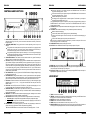
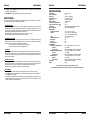
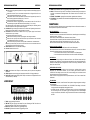
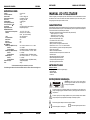
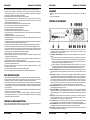
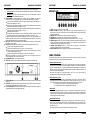
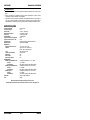
ENGLISH USER MANUAL 7. ELAPSED, TOTAL REMAIN: indicates that the time shown on the display is the track elapsed, remaining or total remaining time. 8. PITCH DISPLAY: Shows the percentage change in pitch (speed) of the song. HOW TO USE … Most of the common functions are explained in the previous chapter “controls and functions” In this chapter we talk about the functions that need a little more explanation. PLAYING MP3 FILES: The CD player automatically detects if a CD contains MP3 files. The MCD300 is able to read several different MP3 formats but due to display limitations it can’t show the ID3-tags (song title/performer/…). The CD may contain up to 999 MP3- files, spread over maximum 255 folders. When the MP3-files are sorted in separate folders, the MCD300 will list all files as if no folders exist. The MP3-files may have the following file extensions: .mp3 ~ .MP3 ~ .mP3 ~ .Mp3 Check the technical specifications to see which MP3-files are allowed. PLAYING CD-R and CD-RW: Apart from normal audio CD’s the MCD300 can play both CD-R (CD recordable) and CD-RW (CD rewriteable). Please note that you should always use the “disc at once” and “track at once” disc writing options! If the disc is multi session, it will only play the first session: o if the first session is CD-DA you can only play CD-DA tracks. o if the first session is MP3 you can only play MP3 files. SLEEP MODE: The CD player automatically shuts off the transport and laser after about 15 minutes (when in pause or cue mode). This extends the life of your motor drive and laser. During sleep mode the display shows the word “SLEEP”. To wake up the player, just press the cue or play button, the display turns to normal and is ready to receive instructions. STORING A CUE POINT: Put the player in pause and use the jog/shuttle wheel to search the exact location for the cue point. Once this location is found, press the PLAY/PAUSE button to set the new cue point. (the cue led flashes 2 times to indicate that the new cue point is set and the track starts playing from this new cue point) Once the cue point is programmed, just press the CUE button to recall it. ENGLISH USER MANUAL SPECIFICATIONS Power Supply: Power Consumption: Output level: Frequency response: THD + noise: S/N Ratio (IHF-A): Short access time (next track): Long access time (track 1 20): Laser Pickup: Electronic tracking: DISC FORMAT: Possible file extensions: ISO9660: Joliet: CD-ROM sector format: Max. Folders: Max. Files: Max. Files/Folder: MP3 FORMATS: MPEG1 Layer3 (ISO/IEC11172-3): Bitrates: Bitrate modes: MPEG2 Layer3 (ISO/IEC13818-3): Bitrates: Bitrate modes: MPEG2,5 Layer3: Bitrates: Bitrate modes: Dimensions: Weight: AC 230 V, 50Hz 14W 2.0Vrms +/1dB @ 1kHz 20-20.000Hz (+/-0.4dB) 0.006% @ 1kHz, 0dB >102dB @ 1kHz. <2sec <4sec Sony KSM-213CCM 3spot detection 780nm Full automatic digital tracking. .mp3 ~ .MP3 ~ .mP3 ~ .Mp3 Level1 (max. 8”/8.3” character style) Level2 (max. 31/30 character style) max. 64/64 character style mode-1 only 255 999 255 mono / stereo sampled at: 32 - 44,1 - 48kHz 32 – 320 Kbps CBR (Constant Bitrate) or VBR (Variable Bitrate) mono / stereo sampled at: 16 – 22,05 - 24kHz 8 – 160 Kbps CBR (Constant Bitrate) or VBR (Variable Bitrate) mono / stereo sampled at: 8 – 11,025 - 12kHz 8 – 160 Kbps CBR (Constant Bitrate) or VBR (Variable Bitrate) 482(W) x 88.8(H) x 268(D) mm 4.5Kgs Every information is subject to change without prior notice You can download the latest version of this user manual on our website: www.beglec.com PITCH BENDING: This function is used to put the beats of two tracks in perfect sync. This can be done in two ways: PITCH BEND buttons: The speed increases or decreases respectively as long as the PITCH BEND+ or PITCH BEND- button is pressed. JOG WHEEL: During play mode the JOG WHEEL will temporarily bend the pitch of the music by turning the JOG WHEEL clockwise to speed up or counterclockwise to slowdown. The rotation speed the JOG WHEEL determines the percent of pitch bend. JB SYSTEMS® 5/37 MCD300 JB SYSTEMS® 6/37 MCD300