1
Notes
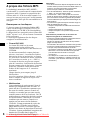
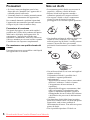
• With formats other than ISO 9660 level 1 and level 2,
folder names or file names may not be displayed
correctly.
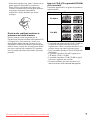
• When naming, be sure to add the file extension
“.MP3” to the file name.
• If you put the extension “.MP3” to a file other than
MP3, the unit cannot recognize the file properly and
will generate random noise that could damage your
speakers.
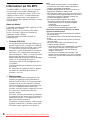
• The following discs take a longer time to start
playback.
– a disc recorded with complicated tree structure.
– a disc recorded in Multi Session.
– a disc to which data can be added.
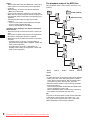
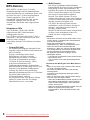
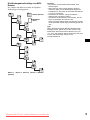
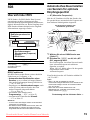
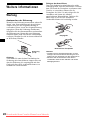
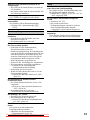
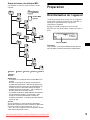
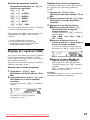
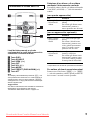
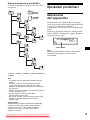
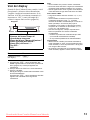
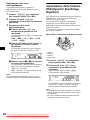
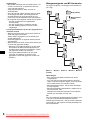
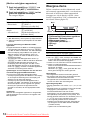
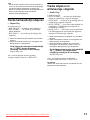
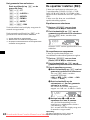
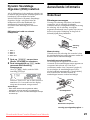
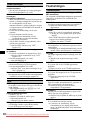
The playback order of the MP3 files
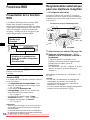
The playback order of the folders and files is as
follows:
1
Folder (album)
1
MP3 file (track)
2
2
3
Cautions when playing a disc that is recorded in
Multi Session
• When the first track of the first session is audio CD
data:
Only audio CD data of the first track is played back.
Any data in subsequent session is skipped.
• When the first track of the first session is not audio
CD data:
– If an MP3 file is in the disc, only MP3 file(s) is
played back and other data is skipped. (Audio CD
data is not recognized.)
– If no MP3 file is in the disc, “NO MUSIC” is
displayed and nothing is played back. (Audio CD
data is not recognized.)
3
4
5
4
5
6
6
7
7
8
8
9
Tree 1
(root)
Tree 2
Tree 3
Tree 4
Tree 5
Notes
• A folder that does not include an MP3 file is skipped.
• When you insert a disc with many trees, it takes a
longer time to start playback. We recommend that
you make only one or two trees for each disc.
• Maximum folder number: 150 (including root folder
and empty folders)
• The maximum number of MP3 files and folders that
can be contained in a disc: 300
When a file/folder name contains many characters,
this number may become less than 300.
Tip
To specify a desired playback order, before the folder
or file name, input the order by number (e.g., “01,”
“02”), then record contents onto a disc. (The order
differs depending on the writing software.)
8
Downloaded from Caradio-Manual.com Manuals