1
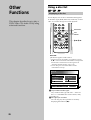
Playing a disc
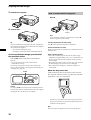
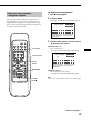
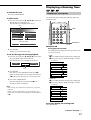
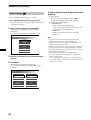
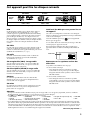
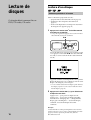
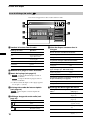
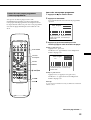
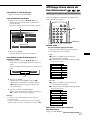
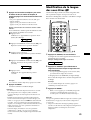
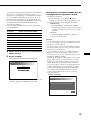
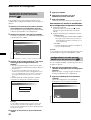
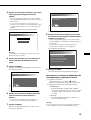
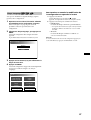
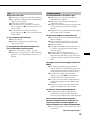
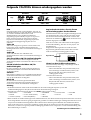
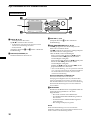
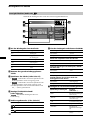
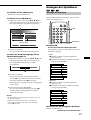
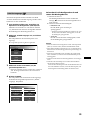
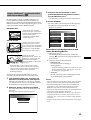
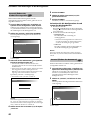
Display Screen (Audio CD)
During playback of an Audio CD, this screen appears.
4
1
6
7
8
5
10
6
2
DISC
3
4
DISC
TRACK
TRACK
- 00 : 00 : 18 02
REPEAT
L
R
A-B
SCAN
7
SHUFFLE
PROGRAM
5
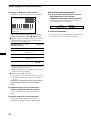
1 During an Audio CD playback
6 List of discs contained in the magazine
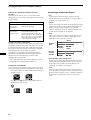
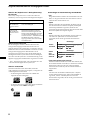
Icon display:
Operation:
The disc tray you currently selected:
“H”
Play
tray number
black
“s”
Stop/Suspend resume
playback
background
yellow
“J”
Fast forward
“j”
Fast reverse
“L/l”
Skip
“S”
Pause
The Audio disc trays currently not selected:
tray number
green
background
blue
The disc trays currently containingother-type discs (eg.
DVDs or Video CDs):
2 Track number currently playing
tray number
white
3 Running time of track (see page 27)
background
blue
•
: while elapsed disc time or remaining disc
DISC
time* is displayed.
TRACK : while elapsed track time or remaining
track time* is displayed.
* The remaining disc or track time appears with “–”
(minus).
•
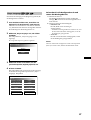
4 Illumination for repeat mode (see page
19)
REPEAT
: Repeat playback or A-B-repeat playback.
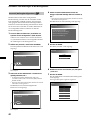
5 Audio output-type display (see page
32)
Icon display:
Operation:
“ L
R ”
Stereo
“ L
R ”
Monaural (left)
“ L
R ”
Monaural (right)
18
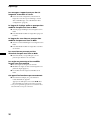
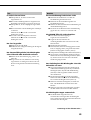
The disc trays currently containing no discs or discs notplayable by this unit:
tray number
not displayed
background
blue
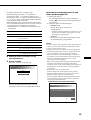
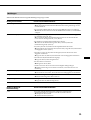
7 Illumination for various playback
Icon display: lights up in yellow Operation: (see page –)
“DISC”
Disc-repeat playback (19)
“TRACK”
Track-repeat playback
(19)
“A-B”
A-B-repeat playback (20)
“SCAN”
Scan playback (22)
“SHUFFLE”
Shuffle playback (22)
“PROGRAM”
Programme playback (22,
23)