1
Click Next.
Installation has been completed successfully.
Then click Finish.
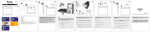
Install the PCIe card into your computer as described
in the Installing the Hardware section. Next, start up the
computer. Windows detects the new device and
incorporates the driver that was installed into the system.
Accept the terms and conditions of the license
agreement by selecting “I accept the terms of the
license agreement” and then click “Next” to continue.
You can check whether the PCIe card was installed
successfully under Start -> Control Panel -> Performance
and Maintenance -> System -> Hardware -> Device
Manager. The following must appear without a yellow
exclamation mark.
Universal Serial Bus controllers
• Renesas Electronics USB 3.0 Host Controller
• Renesas Electronics USB Root Hub
Installing the hardware
You must open your computer to install the card.
Ensure that you have first disconnected your computer
from the mains power. If you are not familiar with the
internal setup of your computer, please consult your
computer manual or ask a qualified technician.
Click Install.
8
Switch off your computer and all connected devices.
Unplug your PC before beginning installation.
Open the case of the computer.
Hold the PCIe card at the edge of the board and insert
it into the free PCIe slot.
Note: Be aware that static electricity can damage both
the PCIe card and your computer. Ground yourself by
touching a metal object. Find a free PCIe slot. Remove
the plate for this slot. Keep the screw – you will need it
later to secure the PCIe card.
• Carefully push the card into the slot until the holding
bracket is lined up with the casing and the gold-plated
contacts have disappeared into the slot.
• Secure the card using the slot cover plate screw you
removed earlier.
•
•
•
•