1
Contents
8.
9.
10.
11.
12.
13.
14.
15.
16.
1.
2.
3.
4.
5.
6.
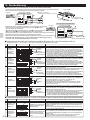
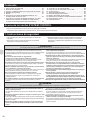
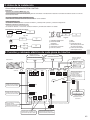
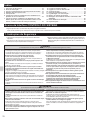
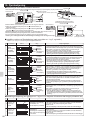
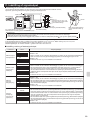
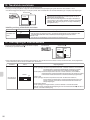
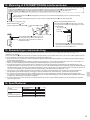
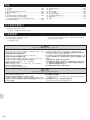
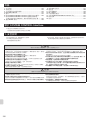
Safety Instructions ........................................................... 2
Before Installation ............................................................ 3
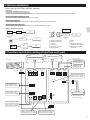
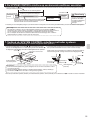
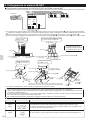
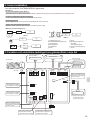
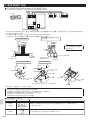
Function and electric wiring of interface each part ........... 3
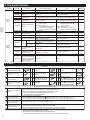
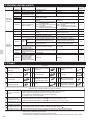
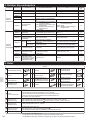
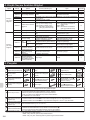
Dip Switch Details ............................................................ 4
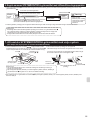
Parts ................................................................................. 4
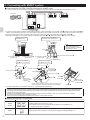
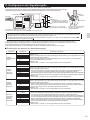
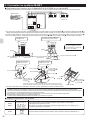
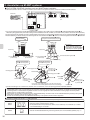
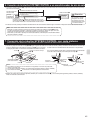
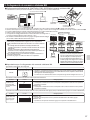
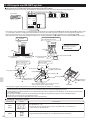
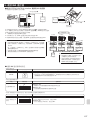
Connecting the SYSTEM CONTROL Interface to a room
air conditioner .................................................................. 5
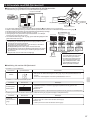
7. Connecting the SYSTEM CONTROL Interface with each
system (For details on each system, see the relevant
instruction manual.) .......................................................... 5
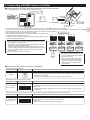
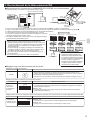
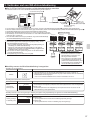
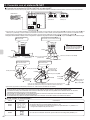
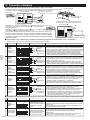
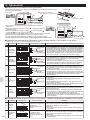
Connecting with M-NET system ....................................... 6
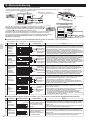
Connecting with MA remote controller ............................. 7
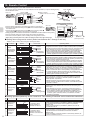
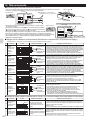
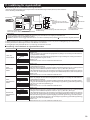
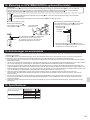
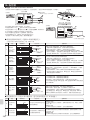
Remote Control ................................................................ 8
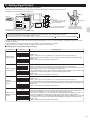
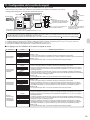
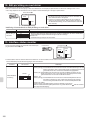
Setting Signal Output ....................................................... 9
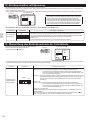
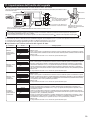
Turn on/off with power ................................................... 10
Interface status monitor ................................................. 10
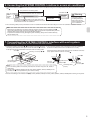
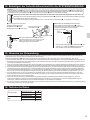
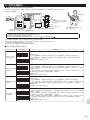
Mounting the SYSTEM CONTROL Interface Unit ......... 11
Notes Regarding Use ..................................................... 11
Specications ................................................................. 11
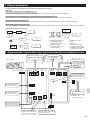
About SYSTEM CONTROL Interface
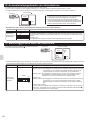
Some room air conditioners cannot be attached to the interface.
Please make sure the room air conditioner can be used before attempting to attach it.
1. Safety Instructions
Read all Safety Instructions before using this device.
This manual contains important safety information.
Be sure to comply with the instructions.
After installing the interface, provide this Installation Manual to the user.
Instruct users to store it with their room air conditioner Instruction Manual
and Warranty in a safe location.
Warning
(Improper handling may have serious consequences, including serious injury or death.)
# Users should not install the Interface on their own.
Improper installation may result in fire, electric shock, or damage/water
leaks if the Interface unit falls. Consult the dealer from whom you
purchased the unit or professional installer.
# The Interface should be securely installed in
accordance with the enclosed Installation Instructions.
Improper installation may result in fire, electric shock, or damage if the
Interface unit falls.
# The unit should be mounted in a location that can support its
weight.
If installed in an area that cannot support the unit, the Interface unit could
fall and cause damage.
# Mount so wiring external force and stress are not transmitted at the
terminal connection.
Improper connection and mounting may result in breaking, heat
generation, smoke generation, or fire.
# Securely attach the cover to the Interface unit.
If the cover of the Interface unit is not securely attached, dust or water
penetration could occur, resulting in a fire or electric shock.
# The Interface unit should not be connected to the AC power cable.
Connecting greater than the rated voltage may result in damage or fire.
# Mitsubishi components or other designated components must be
used for installation.
Improper component may result in fire, electric shock, or damage/water
leaks if the Interface unit falls.
# Electric work must be perform by authorized personnel according to the
local regulations and the instructions detailed in the installation manual.
Inadequate circuit capacity or improper installation may result in electric
shock or fire.
# This appliance is not intended for use by persons (including
children) with reduced physical, sensory or mental capabilities, or
lack of experience and knowledge, unless they have been given
supervision or instruction concerning use of the appliance by a
person responsible for their safety.
# Children should be supervised to ensure that they do not play with the
appliances.
# This device complies with part 15 of the FCC Rules. Operation is subject to the
following two conditions:
(1) This device may not cause harmful interference, and (2) this device must
accept any interference received, including interference that may cause
undesired operation.
# This Class B digital apparatus complies with Canadian ICES-003.
Caution
(Improper handling may have consequences, including injury or damage to house.)
# To prevent damage from static electricity, touch a nearby metal
body to discharge static electricity before touching the Interface
unit.
Static electricity from the human body may damage the Interface unit.
# Do not install the Interface unit a place with much steam, such as
bathroom.
Avoid places where water is splashed or where condensation forms on
walls. Installing in such places can cause electric shock or breakdown.
# Do not install the Interface unit in places with direct sunlight or
where the ambient temperature is 40ºC (104ºF) or more or is 0ºC
(32ºF) or less.
2
Direct sunlight and hot or low temperature environments may cause the
Interface unit to deform or breakdown.
# Do not use in special environments.
Use in places with much oil (including machine oil), steam, or sulfuric
gas may lead to severe decrease in functionality and damage to parts.
# Turn off power supply of connected equipment when performing
construction or wiring work.
Failure to turn off the power supply of the connected equipment may
lead to malfunction or breakdown of the Interface unit or connected
equipment.