1
18
de | Installieren des IntuiKey Keyboards
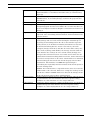
IntuiKey Tastaturen der Serie KBD
Anschlussart
Kommandoskript
Keyboardschnittstelle
Direkt an Konsolenport
Begin @boot SET-PORT-RS232 0 4 8 0 1 0_SET_KBD_MODE 01 break
(außer LTC 8900)
Direkt an Druckerport
Begin @boot SET-PORT-RS232 4 4 8 0 1 0 _SET_KBD_MODE 4 1 break
(außer LTC 8900)
Modem mit Konsolenport
Begin @boot SET-PORT-RS232 0 4 8 0 1 1 _SET_KBD_MODE 0 1 break
verbunden
(außer LTC 8900)
Modem verbunden mit
Begin @boot SET-PORT-RS232 4 4 8 0 1 1 _SET_KBD_MODE 4 1 break
Druckerport (außer LTC
8900)
Direkt an Controllerport
Begin @boot SET-PORT-RS232 0 4 8 0 1 0 _SET_KBD_MODE 0 1 break
(LTC 8900)
Direkt an Konsolenport
Begin @boot SET-PORT-RS232 4 4 8 0 1 0 _SET_KBD_MODE 4 1 break
(LTC 8900)
Modem mit Controllerport
Begin @boot SET-PORT-RS232 0 4 8 0 1 1 _SET_KBD_MODE 0 1 break
verbunden (LTC 8900)
Modem mit Konsolenport
Begin @boot SET-PORT-RS232 4 4 8 0 1 1 _SET_KBD_MODE 4 1 break
verbunden (LTC 8900)
Nachdem Sie das Script eingegeben haben, laden Sie es in die Allegiant-CPU herunter. Setzen
Sie das System zurück, indem Sie die CPU aus- und wieder anschalten, oder indem Sie
Keyboard Nutzerfunktion 15 eingeben. Der angegebene Port startet den Betrieb im
Keyboardmodus. Der Port bleibt im Keyboardmodus, es sei denn, er wird mit dem Programm
Windows HyperTerminal bei 9600 Baud durch mehrmalige Eingabe von Ctrl-C manuell
abgebrochen.
Das Keyboard kann nun physisch an das Allegiant-System angeschlossen werden (Details
siehe Bild 3.6.)
Ist die Kommunikation zwischen Keyboard und Allegiant-System hergestellt, werden auf den
LED-Displays Kamera- und Monitornummern angezeigt.
Allegiant system main
CPU bay
User-supplied female
9-pin D connector
CONSOLE port on Allegiant
system must be configured
for
RS-232 Keyboard mode
(refer to text for details)
BOSCH
Prod
Mon
Shot
Clr
1
2
3
4
5
6
7
8
9
0
3 m (10 ft) data/
power cable
supplied with
keyboard
User-supplied cable or other link
suitable for
full duplex RS-232 transmissions
at 9600 baud
Console pin 2 (Rx) to Tx of link or directly to pin 3 of IntuiKey's 9 pin connector
Console pin 3 (Tx) to Rx of link or directly to pin 2 of IntuiKey's 9 pin connector
Console pin 7 (Gnd) to Data Gnd of link or directly to pin 5 of IntuiKey's 9 pin connector
Bild 3.6 Direkter Anschluss an Allegiant-Konsolen-/Druckerport
Das Modem auf Allegiant-Seite muss auf einen automatischen Antwortmodus eingestellt sein,
und das Modem auf Keyboard-Seite muss auf einen ursprünglichen Modus eingestellt sein.
Das Modem muss außerdem entsprechend programmiert sein, dass es die Telefonnummer
des anderen Modems wählt oder die Verbindung auf andere Weise einleitet. Unter Umständen
F.01U.115.021 | 1.92 | 2008.12
Installationsanleitung
Bosch Sicherheitssysteme GmbH