1
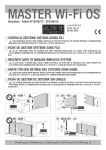
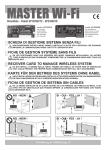
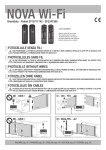
MASTER Wi-Fi
Brevettato - Patent EP10706772 - EP2345019
code ACG6094
code ACG6099
con innesto
embrochable
with connector
mit Verbinder
con conector
con morsettiera
avec bornes à visser
with terminal block
mit Endblockierung
con regleta
I
SCHEDA DI GESTIONE SISTEMA SENZA FILI
F
FICHE DE GESTION SYSTÈME SANS FILS
G
B
D
E
S
fw 01_04_13
NON POSIZIONARE DIETRO A MURI, PANNELLI METALLICI O ALTRI TIPI DI OSTACOLI CHE POSSANO IMPEDIRE LA COMUNICAZIONE
RADIO CON TUTTI I DISPOSITIVI Wi-Fi
NE LES POSITIONNEZ DONC PAS DERRIÈRE DES MURS, PANNEAUX MÉTALLIQUES, OU AUTRES TYPES D’OBSTACLES QUI
POURRAIENT COMPROMETTRE LA TRANSMISSION RADIO AVEC TOUS LES DISPOSITIFS Wi-Fi.
RECEIVER CARD TO MANAGE WIRELESS SYSTEM
DO NOT INSTALL IT BEHIND WALLS, METAL FRAMES OR PANELS, OR OTHER KIND OF OBSTACLES THAT COULD PREVENT THE
PROPER RADIO COMMUNICATION WITH ALL Wi-Fi ACCESSORIES.
KARTE FÜR DEN BETRIEB DES SYSTEMS OHNE KABEL
NICHT INSTALLIEREN HINTER MAUERN, METALLPLATTEN ODER ANDERE ARTEN VON HINDERNISSEN, DIE DEN FUNKVERKEHR
MIT Wi-Fi ZUBEHÖR BEEINTRÄCHTIGEN KÖNNEN.
FICHA DE GESTION DE SISTEMA SIN CABLES
NO LO DEBEN INSTALAR EN UN LUGAR DETRÁS DE LAS PAREDES, DE PANELES DE METAL O DE OTRO TIPO DE OBSTÁCULOS QUE
PUEDAN IMPEDIR LA COMUNICACIÓN POR RADIO CON TODOS LOS ACCESSORIOS Wi-Fi.
NO - NEIN !
SI - OUI - YES - JA !
MASTER Wi-Fi
MASTER Wi-Fi
NO - NEIN !
SI - OUI - YES - JA !
MASTER Wi-Fi
MASTER Wi-Fi
ITALIANO pag. 02 / FRANÇAIS pag. 10 / ENGLISH page 18 / DEUTSCH pag. 26 / ESPAÑOL pag. 34
I
SUN CLONE 2CH
Cod. ACG6056
SUN CLONE 4CH
Cod. ACG6058
COMBINATORE RADIO
Cod. ACG9434 da incasso
Cod. ACG9436 da parete
SUN 2CH
Cod. ACG6052
SUN 4CH
Cod. ACG6054
NOVA Wi-Fi
Cod. ACG8037
BLOCK Wi-Fi
Cod. ACG6098
SPARK Wi-Fi
Cod. ACG7064
VERTIGO Wi-Fi 8
Cod. ACG8042
VERTIGO Wi-Fi 10
Cod. ACG8043
TOUCH Wi-Fi
Cod. ACG3016
TX RED
Cod. ACG6202
TOUCH
Cod. ACG3015
o costa di altra
marca meccanica o
resistiva
Il SISTEMA Wi-Fi è conforme alla norma EN13849-2:2008 e congiuntamente ad un
quadro elettronico RIB è un dispositivo di protezione di Classe 2.
Il SISTEMA Wi-Fi permette la realizzazione tramite la scheda MASTER Wi-Fi di un
impianto con fotocellule NOVA Wi-Fi, VERTIGO Wi-Fi e coste TOUCH Wi-Fi fissate
anche sull’anta in movimento senza l’adozione di sistemi raccogli cavo.
Il sistema verifica costantemente la presenza dei vari dispositivi di sicurezza e dello stato
delle batterie, soddisfacendo completamente l’esigenza di una sicurezza attiva su tutti i tipi
di aperture.
Utilizzando i quadri elettronici RIB è possibile eseguire l’autotest del sistema come richiesto
dalle norme in vigore.
Ogni dispositivo di sicurezza radio ha un proprio codice identificativo interno che lo distingue
dagli altri.
SICUREZZE
RIFERIMENTI NORMATIVI PER PORTE E CANCELLI AUTOMATICI
MASTER Wi-Fi gestisce fino a 100 codici diversi dei telecomandi:
- Telecomandi SUN 2CH 433,92 MHz (cod. ACG6052)
- Telecomandi SUN 4CH 433,92 MHz (cod. ACG6054)
- Telecomandi SUN CLONE 2CH 433,92 MHz (cod. ACG6056)
- Telecomandi SUN CLONE 4CH 433,92 MHz (cod. ACG6058)
- Selettore a chiave BLOCK Wi-Fi 1CH 433,92 MHz (cod. ACG6098).
È possibile collegare comandi filari con contatto N.O. (selettori a chiave, pulsantiere, ecc).
MASTER Wi-Fi può gestire fino a 6 sicurezze (NOVA Wi-Fi + VERTIGO Wi-Fi + TOUCH Wi-Fi
+ TX RED) simultaneamente.
- Fotocellule NOVA Wi-Fi (cod. ACG8037): hanno la possibilità di collegare una costa
meccanica TOUCH (cod. ACG3015) o una costa resistiva sia sulla fotocellula trasmettitore,
sia sulla fotocellula ricevitore.
- Fotocellule VERTIGO Wi-Fi (VERTIGO Wi-Fi 8 cod. ACG8042 - VERTIGO Wi-Fi 10 cod.
ACG8043): fotocellule verticali senza fili sostitutive della costa.
- Costa TOUCH Wi-Fi (cod. ACG3016), con ricetrasmettitore incorporato.
- TX RED (cod. ACG6202): trasmettitore per gestire via radio coste meccaniche o resistive.
COMANDI
L’installatore deve assicurarsi che il SISTEMA Wi-Fi sia collegato come specificato nella
norma EN12453 al punto 5.1.1.6 (punti e ed f) ad una centrale elettronica in grado di
effettuare un controllo del funzionamento prima di effettuare il movimento di chiusura
(AUTOTEST).
Utilizzare quindi i dispositivi RIB permette di realizzare un’installazione conforme alle Norme
e Direttive in vigore.
Una volta ultimata l’installazione della macchina ci si deve sincerare che sia conforme alla
norma EN13241-1.
RIB non puó considerarsi responsabile per eventuali danni causati da un uso improprio,
erroneo o irragionevole del prodotto.
SEGNALAZIONI VISIVE
MASTER Wi-Fi può gestire uno o più lampeggiatori SPARK Wi-Fi (868,3 MHz) cod.
ACG7064.
MASTER Wi-Fi possiede dei led per il monitoraggio dello stato del sistema e per
l’identificazione delle fotocellule o delle coste con batterie quasi scariche o scariche.
MASTER Wi-Fi
E’ il cuore del sistema: gestisce tutti i dispositivi di comando (433,92 MHz), di sicurezza e
di segnalazione (868,3 MHz) programmati in fase di installazione.
MASTER Wi-Fi è disponibile in 4 modelli:
- MASTER Wi-Fi con connettore (cod. ACG6094), applicabile a tutti i quadri elettronici
RIB non CRX.
- MASTER Wi-Fi con morsettiera (cod. ACG6099), applicabile a quadri di altre marche
o RIB CRX.
- MASTER Wi-Fi FR con morsettiera (cod. ACG6150), applicabile a quadri di altre marche
o RIB CRX.
- MASTER Wi-Fi OS con morsettiera (cod. ACG6152), applicabile a quadri di altre
marche o RIB CRX.
SEGNALAZIONI ACUSTICHE
MASTER Wi-Fi possiede un buzzer che segnala le fasi di installazione e lo stato di attenzione
in caso di batterie quasi scariche e scariche o lo stato di allarme in caso di guasto di uno
dei dispositivi.
2
I
A - PREDISPOSIZIONE IMPIANTO
Il sistema Wi-Fi può essere installato su diverse tipologie di automazione (escluso le barriere automatiche). Di seguito indichiamo alcune possibilità.
SCORREVOLE
BATTENTE
MASTER Wi-Fi
MASTER Wi-Fi
BASCULANTE
SEZIONALE/SERRANDA
MASTER Wi-Fi
MASTER Wi-Fi
B - MONTAGGIO DISPOSITIVI DI PROTEZIONE
FOTOCELLULE NOVA Wi-Fi
- Fissare le fotocellule NOVA Wi-Fi, sui pilastri o sulle colonnine ad un’altezza di circa
40÷60 cm dal suolo e ad una distanza max di 10 cm dalla zona di convogliamento o
schiacciamento o subito dopo l’ingombro dato da un’eventuale costa, a max 20 metri di
distanza dal MASTER Wi-Fi.
- Installate il ricevitore in ombra o in una posizione in cui il sole non possa battere
orizzontalmente.
- In ogni caso si consiglia di posizionare le fotocellule alla stessa altezza e allineate tra loro.
- Per il corretto posizionamento delle fotocellule fare riferimento al loro manuale
d’installazione o comunque alla norma EN12445.
- Fissare le coste TOUCH Wi-Fi nelle zone di convogliamento o schiacciamento a max 20
metri di distanza dal MASTER Wi-Fi.
TX RED
- Collegare il trasmettitore alla costa a max 20 metri di distanza dal MASTER WI-Fi.
LAMPEGGIATORE SPARK Wi-Fi
- Fissare il lampeggiatore SPARK Wi-Fi a max 20 metri di distanza dal MASTER Wi-Fi, in
modo che sia visibile.
FOTOCELLULE VERTIGO Wi-Fi
- Fissare le fotocellule VERTIGO Wi-Fi nelle zone di convogliamento o schiacciamento a max
20 metri di distanza dal MASTER Wi-Fi.
COSTE TOUCH Wi-Fi
ATTENZIONE:
Se viene tolta l’alimentazione del MASTER Wi-Fi per un periodo di tempo prolungato le coste TOUCH Wi-Fi, le fotocellule NOVA Wi-Fi e le fotocellule
VERTIGO Wi-Fi esauriranno più velocemente del normale la carica delle loro batterie. Tenere i MASTER Wi-Fi sempre correttamente alimentati per
garantire la durata di 3 anni delle batterie come dichiarata da RIB.
Se per esempio viene tolta la tensione al cancello tutte le notti, fotocellule e coste “cercano” ripetutamente il segnale dal MASTER Wi-Fi senza
trovarlo e quindi la durata delle batterie di questi accessori si riduce a meno di un anno.
ATTENZIONE:
Se vengono comandati contemporaneamente 2 MASTER Wi-Fi installati a distanza inferiore a 20 m tra loro, i loro segnali di controllo e verifica delle
sicurezze installate possono sovrapporsi con conseguente attivazione di allarme.
3
I
C - LAYOUT SCHEDA
S1
SW1
JP1
JP2
Led bicolore
EDGE PHOT 1-6
J8
J1
BUZZER
J2
12/24V ac/dc
10 9
65
21
10 9 6 56 45J53 2211
+ +- -
+ -
MASTER Wi-Fi cod. ACG6094
centrale antenna 433 MHz
1
2
massa antenna 433 MHz
3-4 liberi
5
alimentazione negativa a 12/24V ac/dc
alimentazione positiva a 12/24V ac/dc
6
7-8liberi
9-10 comando per apertura/chiusura totale
J1 =>
J2 =>
SW1 => Microinterruttori di abbinamento e identificazione coste e fotocellule
S1 =>
PROG. RX Pulsante per programmazione
BUZZER => Segnalazione sonora per stati di installazione, attenzione e allarme
LED
DL1 (rosso)
- comando apertura pedonale N.O. (PED)
- contatto coste N.C. (EDGE)
DL2 (rosso)
DL3 (rosso)
- contatto fotocellule N.C. (PHOTO)
DL4 (rosso)
- comando apertura totale con pulsante N.O. già presente nell’impianto
DL5 (verde)
- comando radio apertura totale attivato.
DL6 (giallo)
- presenza tensione di alimentazione 12-24V ac/dc
DL7 (bicolore) - apprendimento codici radio per apertura totale e pedonale e
lampeggiatore
CONNETTORE PER COLLEGAMENTI AL QUADRO DI COMANDO A 12/24V
ac/dc, ALL’USCITA DEL LAMPEGGIATORE (ATTENZIONE ALLE POLARITA’)
Filo rosso => positivo (da collegare al polo positivo dell’uscita lampeggiatore)
Filo nero => negativo (da collegare al polo negativo dell’uscita lampeggiatore)
MORSETTI PER COLLEGAMENTI AL QUADRO DI COMANDO 120/230V,
ALL’USCITA LAMPEGGIATORE
J5 =>
C
ONNETTORE FEMMINA PER INNESTO SU QUADRI DI COMANDO RIB NON
CRX (MASTER Wi-Fi cod. ACG6094) O MORSETTIERA PER COLLEGAMENTI
SU QUADRI DI COMANDO DI ALTRE MARCHE O RIB CRX (MASTER Wi-Fi cod.
ACG6099)
J8 =>
M
ORSETTO PER COLLEGAMENTO ANTENNA 868,3 MHz
+ -
MASTER Wi-Fi con morsettiera cod. ACG6099
1 centrale antenna 433 MHz
2 massa antenna 433 MHz
3 alimentazione negativa a 12/24V ac/dc
4 alimentazione positiva a 12/24V ac/dc
5-6 da collegare alla centrale di comando all’ingresso del
comando di apertura/chiusura totale (COM-K BUTTON se
quadro RIB)
C
ONNETTORE PER COLLEGAMENTI AL QUADRO DI COMANDO, AGLI INGRESSI
DI COMANDI E SICUREZZE
Filo verde
=> comando pedonale PED
Filo grigio
=> comune dei contatti COM
Filo giallo
=> costa EDGE
Filo nero
=> fotocellula PHOT N.C.
Filo bianco
=> morsetto a cui collegare il filo proveniente dal pulsante N.O.
di comando già presente nell’impianto
Filo marrone => alimentazione autotest A-D+ TEST.
J4 =>
654321
LED BICOLORE EDGE PHOT
spento
=> funzionamento regolare
verde
=> costa o fotocellula impegnata
rosso/verde => allarme
LED EDGE PHOT 1 - COSTA O FOTOCELLULA 1
LED EDGE PHOT 2 - COSTA O FOTOCELLULA 2
LED EDGE PHOT 3 - COSTA O FOTOCELLULA 3
LED EDGE PHOT 4 - COSTA O FOTOCELLULA 4
LED EDGE PHOT 5 - COSTA O FOTOCELLULA 5
LED EDGE PHOT 6 - COSTA O FOTOCELLULA 6
SW1 MICROINTERRUTTORI - DIP
DIP 1 ON => COSTA O FOTOCELLULA 1 ATTIVATA
DIP 2 ON => COSTA O FOTOCELLULA 2 ATTIVATA
DIP 3 ON => COSTA O FOTOCELLULA 3 ATTIVATA
DIP 4 ON => COSTA O FOTOCELLULA 4 ATTIVATA
DIP 5 ON => COSTA O FOTOCELLULA 5 ATTIVATA
DIP 6 ON => COSTA O FOTOCELLULA 6 ATTIVATA
JP1 => A
/D+ TEST vedere tabella QUADRI ELETTRONICI RIB ABILITATI AL CONTROLLO
AUTOTEST
-
Jumper selezione modalità AUTOTEST per quadri di comando con alimentazione
AUTOTEST negativa
+/~Jumper selezione modalità AUTOTEST per quadri di comando con alimentazione
autotest positiva/alternata (come quadri RIB)
ATTENZIONE: Ogni volta che si esegue un cambio di posizione dei microinterruttori,
premere il tasto PROG RX per 6 volte in modo da aggiornare la programmazione del
sistema. Al termine i led bicolore EDGE/PHOT devono risultare tutti spenti.
JP2 => A bilitazione cancellazione codici radio per apertura totale e pedonale
4
I
D - COLLEGAMENTO DELLA SCHEDA MASTER Wi-Fi
ATTENZIONE: L’uso del prodotto all’interno di contenitori in metallo può generare un malfunzionamento del sistema. Si consiglia quindi in questi casi di aggiungere
l’antenna 868MHz cod. ACG5451 da applicare sul carter metallico per una perfetta ricezione/trasmissione dei segnali.
ATTENZIONE: È IMPORTANTE ATTIVARE SULLE CENTRALI DI COMANDO LA FUNZIONE DI PRELAMPEGGIO (SE DISPONIBILE).
Si consiglia di memorizzare sulla scheda comando motore un tempo di chiusura automatica non superiore ad un minuto.
Verificare sul quadro di comando la presenza del fusibile di protezione in serie al secondario. In caso non sia presente, collegare in serie all’alimentazione del MASTER un fusibile
ritardato (T) da 200 mA.
- Togliere tensione al quadro di comando dell’automazione.
NOTA: l’apertura del cancello avviene circa 2 secondi dopo che si è dato un comando da pulsante. Questo per consentire alla scheda MASTER Wi-Fi di verificare la presenza ed il corretto
funzionamento delle sicurezze memorizzate.
*
120/230V ac
PED
filo verde
COM
filo grigio
EDGE
filo giallo
PHOT.N.C.
filo nero
PULSANTE DI COMANDO
filo bianco
A/D+ TEST filo marrone
!
+
12/24V ac/dc
10 9
65
Il Sistema Wi-Fi funziona regolarmente se
gestisce lui tutti i comandi radio (tramite il
suo modulo radio 433MHz) e filari (tramite il
suo filo bianco).
In caso di utilizzo di radio ricevitori e comandi
filari già esistenti (quindi esterni al Sistema
Wi-Fi), per un regolare funzionamento
collegarli al filo bianco del MASTER Wi-Fi.
21
654321
+ -
+ -
-
**
12/24V ac/dc
MASTER Wi-Fi con morsettiera
cod. ACG6099
1 centrale antenna 433 MHz
2 massa antenna 433 MHz
3 alimentazione negativa a 12/24V ac/dc
4 alimentazione positiva a 12/24V ac/dc
5-6 d a collegare alla centrale di comando all’ingresso
del comando di apertura/chiusura totale (K
BUTTON se quadro RIB)
COLLEGAMENTO DELL’INGRESSO AUTOTEST (filo marrone A/D+ TEST)
per il rispetto della norma EN13849-2:2008
- Se il quadro utilizzato è dotato di autotest posizionare il ponticello JP1 come
specificato nella “TABELLA QUADRI ELETTRONICI RIB ABILITATI AL
CONTROLLO AUTOTEST” oppure in base all’alimentazione fornita dal quadro di comando
utilizzato (attenersi al relativo manuale).
- Collegare l’uscita autotest del quadro di comando al morsetto A/D+
TEST della scheda MASTER Wi-Fi così da poter controllare il sistema
al termine di ogni completa apertura dell’automazione.
- La chiusura viene effettuata solo se la scheda MASTER Wi-Fi ha superato il test di controllo.
- Se il controllo della scheda MASTER Wi-Fi ha avuto esito negativo, il quadro di comando
blocca l’automazione, il led bicolore sulla scheda MASTER Wi-Fi riferito alla sicurezza
guasta, lampeggia alternativamente rosso verde.
Il buzzer emette un tono alternato per 1 minuto segnalando l’anomalia.
Lo stato di allarme tramite buzzer si rinnova per 1 minuto a fronte di un comando.
Se il quadro non è dotato di autotest, il test di controllo viene ignorato.
*
Collegamento OBBLIGATORIO per quadri con uscita lampeggiatore a
120/230V ac
** Collegamento OBBLIGATORIO per quadri con uscita lampeggiatore a
12/24V ac/dc ATTENZIONE RISPETTARE LE POLARITA’
!
Il collegamento è obbligatorio anche nel caso non sia presente un lampeggiatore
sull’impianto.
ATTENZIONE: Collegare sempre l’uscita del lampeggiatore del quadro di
comando alla scheda MASTER Wi-Fi in uno dei morsetti dedicati, a seconda che
il lampeggiatore venga alimentato a 230V o ai fili del connettore J2 per 12/24V.
Se il collegamento non viene eseguito la porta non funziona ed il buzzer emette
4 toni avvertendo del mancato collegamento.
COMANDO PEDONALE (filo grigio COM, filo verde PED) dedicato al comando pedonale
via radio.
INGRESSO COSTA (filo grigio COM, filo giallo EDGE) dedicato alla costa.
Attenzione: l’eventuale ponte a filo presente sui morsetti morsetti COSTE dei quadri di
comando deve essere rimosso.
INGRESSO FOTOCELLULE (filo grigio COM, filo nero PHOT) dedicato alle fotocellule.
Attenzione: l’eventuale ponte a filo presente sui morsetti morsetti COM-PHOT
dei quadri di comando RIB deve essere rimosso.
PULSANTE DI COMANDO (filo grigio COM, filo bianco PULSANTE N.O.)
Scollegare ogni comando filare dal quadro di comando e collegarlo al filo bianco del MASTER
Wi-Fi.
5
I
QUADRI ELETTRONICI RIB ABILITATI AL CONTROLLO AUTOTEST
QUADRO ELETTRONICO RIB
COLLEGARE IL MORSETTO
A/D+ TEST AL MORSETTO
ABILITARE LA FUNZIONE DI AUTOTEST
TRAMITE
K2007 / K2007 CRX
S1
T2 - T2 CRX
T2 24V - T2 24V CRX
J - J CRX
BOSS 24V CRX
BOSS 230V CRX
A+ TEST
A+ TEST
D+ TEST
A+ TEST
D+ TEST
Morsetto 8
Morsetto 8
DIP 10
DIP 12
DIP 13
DIP 12
DIP 7
DIP 6
DIP 6
E - ALIMENTAZIONE MASTER Wi-Fi
POSIZIONARE IL JUMPER JP1
SULLA SCHEDA MASTER WI-FI IN
POSIZIONE
+/~
+/~
+/~
+/~
+/~
JP1
+/~
+/~
+/~
- Fissare la sicurezza nella posizione desiderata e identificarla spostandone il microinterruttore
interno.
- Eseguire la programmazione posizionando su ON un microinterruttore diverso da quello
delle altre sicurezze installate e identificare il dispositivo installato con l’adesivo numerato
corrispondente (vedi paragrafo F - IDENTIFICAZIONE DELLE SICUREZZE Wi-Fi).
- Su MASTER Wi-Fi mettere su ON il microinterruttore corrispondente a quello della
sicurezza appena aggiunta.
- Dare tensione alla porta.
- Eseguire le procedure di memorizzazione e verifica come sopra riportato.
Dopo avere eseguito tutti i collegamenti, alimentare il quadro di comando con MASTER
Wi-Fi.
Il led giallo DL6 si deve accendere e il buzzer deve emettere un suono per segnalare la
corretta alimentazione.
Il led DL7 lampeggerà alternativamente rosso-verde segnalando che non vi sono
telecomandi e lampeggiatore memorizzati.
F - IDENTIFICAZIONE DELLE SICUREZZE
Ogni sicurezza Wi-Fi deve essere OBBLIGATORIAMENTE identificata mettendo su ON un
solo microinterruttore dei 6 presenti sul suo circuito (diverso per ognuna delle 6 sicurezze).
Ovviamente una coppia di fotocellule è considerata una sicurezza e quindi dovrà avere
ricevitore e trasmettitore con lo stesso DIP su ON.
VERIFICA DEL CORRETTO FUNZIONAMENTO DELLE FOTOCELLULE NOVA Wi-Fi E
VERTIGO Wi-Fi
- Verificare che il microinterruttore selezionato sul trasmettitore TX NOVA Wi-Fi sia il
medesimo selezionato sul ricevitore RX NOVA Wi-Fi (esempio 1 ON).
- Il corretto funzionamento del TX NOVA Wi-Fi è visualizzato dal led verde che si accende
per 10 secondi.
- Premere e rilasciare il pulsante S3 “PROG. TX” sul ricevitore NOVA Wi-Fi (si attiva un
tempo di 3 minuti per poter eseguire l’allineamento). Se le fotocellule sono già allineate il
led rosso si accende fisso. Se il led rosso è spento o lampeggiante eseguire l’allineamento
fino a quando rimane acceso fisso.
- Dopo l’allineamento verificare che interponendo un ostacolo il led rosso si spenga e
contemporaneamente il led bicolore EDGE PHOT associato, durante la memorizzazione, si
accenda di colore verde per la durata dell’interposizione su MASTER Wi-Fi.
- Sulla scheda MASTER Wi-Fi anche il led DL3 si deve spegnere indicando l’avvenuto
corretto scambio del contatto dedicato all’ingresso PHOT sul quadro di comando.
- Ripetere la verifica sulle altre fotocellule NOVA Wi-Fi installate.
- Eseguire una verifica funzionale di tutte le fotocellule installate attivando la movimentazione
dell’automazione e controllando che interponendo un ostacolo l’automazione si fermi/
inverta se in chiusura, oppure si fermi/continui ad aprire se in apertura.
IDENTIFICARE I CONTENITORI DELLE SICUREZZE CON IL NUMERO DEL
MICROINTERRUTTORE ATTIVATO APPLICANDO L’ADESIVO NUMERATO IN
DOTAZIONE ALL’ESTERNO DI OGNI CONTENITORE.
L’adesivo serve per identificare velocemente la sicurezza che necessita di manutenzione.
Nota: Ogni sicurezza viene fornita con i microinterruttori in posizione OFF per evitare che le
batterie si scarichino quando non viene utilizzata (se inserite).
Inserire le batterie nelle sicurezze Wi-Fi.
G - MEMORIZZAZIONE DELLE SICUREZZE
Dopo avere eseguito l’identificazione delle sicurezze, ed averle alimentate tramite le batterie,
posizionare in ON i microinterruttori contrassegnati dagli stessi numeri di quelli delle
sicurezze su MASTER Wi-Fi per attivare le sicurezze da memorizzare.
Per eseguire la memorizzazione seguire la seguente procedura:
- Premere il tasto PROG RX che si trova su MASTER Wi-Fi => il led bicolore EDGE
PHOT 1 si accende rosso lampeggiando per 1 minuto (tempo utile per
eseguire la memorizzazione).
- Premere il tasto PROG TX sulla sicurezza con microinterruttore 1 su ON => su
MASTER Wi-Fi il led bicolore EDGE PHOT 1 da rosso lampeggiante diventa verde e un
tono di buzzer segnala la corretta memorizzazione della sicurezza, subito dopo si accende
lampeggiante rosso il led bicolore EDGE PHOT 2.
- Se non vengono memorizzate altre sicurezze lasciare trascorrere un minuto ed il
led bicolore EDGE PHOT 2 si spegnerà oppure premere il tasto PROG. RX per 4 volte
per terminare la procedura di memorizzazione => tutti i led bicolore EDGE PHOT
devono risultare spenti.
VERIFICA DEL CORRETTO FUNZIONAMENTO DELLE COSTE TOUCH Wi-Fi
Dopo aver eseguito la corretta taratura della costa TOUCH Wi-Fi:
- Premere il contatto di una costa TOUCH Wi-Fi (esempio la sicurezza numero 3).
- Verificare che su MASTER Wi-Fi il corrispondente led EDGE PHOT 3
esegua un lampeggio di colore verde e che il rispettivo led DL2 si spenga
momentaneamente e poi si riaccenda.
ATTENZIONE: dopo avere ricevuto il primo segnale, altri segnali vengono ignorati per 2
secondi. Se un segnale arriva durante questi 2 secondi si avrà solo una segnalazione visiva
del led EDGE PHOT 3 che diventerà verde.
- Ripetere la verifica dell’attivazione led su MASTER Wi-Fi premendo le altre coste TOUCH
Wi-Fi installate.
- Eseguire un controllo finale di tutte le coste installate attivando la movimentazione
dell’automazione e controllando che all’impatto con la costa l’automazione fermi/inverta
il movimento.
PER MEMORIZZARE ALTRE SICUREZZE
- Dopo avere memorizzato la prima sicurezza, automaticamente il led bicolore EDGE
PHOT 2 si accende di colore rosso lampeggiando per 1 minuto (tempo utile per eseguire
la memorizzazione).
- Premere il tasto PROG. TX sulla sicurezza con microinterruttore 2 su ON =>
su MASTER Wi-Fi il led bicolore EDGE PHOT 2 da rosso lampeggiante diventa verde
lampeggiante e un suono del buzzer segnala la corretta memorizzazione della sicurezza.
-
Eseguire la stessa procedura per eventuali altre sicurezze (fino ad un
massimo di 6).
ANTENNA 868MHz
Per comunicare con le sicurezze Wi-Fi a 868MHz MASTER Wi-Fi è
dotato di un pezzo di filo elettrico che funge da antenna collegato al
morsetto J8. Se si rende necessario migliorare il segnale radio (per
esempio, con MASTER Wi-Fi inserito nei motori SUPER o MASTER
Wi-Fi installato in un contenitore metallico), collegare l’antenna 868,3
MHz (cod. ACG5451) al morsetto J8 rispettando il collegamento del filo
centrale e della massa, e posizionarla in modo che sia “in vista” di tutte le sicurezze.
AGGIUNTA DI ALTRE SICUREZZE (MAX 6 TOTALI)
Se dopo l’installazione si decide di applicare altre sicurezze (FOTOCELLULE O COSTE) per
aumentare lo stato di sicurezza della porta, si consiglia di:
- Togliere tensione alla porta.
6
I
lampeggia rosso o che è acceso rosso fisso il numero della sicurezza con le batterie
scariche.
- Ricercare il dispositivo NOVA Wi-Fi o TOUCH Wi-Fi con l’adesivo con il numero di
identificazione corrispondente al numero del led bicolore che è in allarme nella scheda
MASTER Wi-Fi.
- Sostituire le batterie facendo attenzione al rispetto delle polarità.
- Premere il tastino PROG TX su NOVA Wi-Fi o TOUCH Wi-Fi per riattivare il funzionamento
del MASTER Wi-Fi.
- Il buzzer a bordo di MASTER Wi-Fi si spegnerà e i led DL2- DL3 (se era in allarme) si
accenderanno. Il led bicolore riferito alla sicurezza a cui sono state sostituite le batterie
si spegnerà.
L’automazione è pronta a ripartire in tutta sicurezza.
ATTENZIONE: Si ricorda che le batterie vanno smaltite secondo le Norme vigenti. In caso
di rottamazione delle sicurezze, si rammenta di togliere le batterie tipo AA e di smaltirle
secondo le norme vigenti.
Per ottenere il corretto funzionamento del sistema è necessario che tra MASTER Wi-Fi
e le sicurezze non ci siano ostacoli quali muri in cemento armato, superfici in ferro,
ecc. che potrebbero ostacolare le comunicazioni radio e conseguentemente ridurre la
vita delle batterie delle sicurezze.
ANTENNA 433MHz
Per i comandi funzionanti a 433,92 MHz, anche in questo caso l’antenna è
già collegata (spezzone di filo nel quadro di comando RIB), tuttavia se fosse
necessario installarla per ottenere una maggiore portata, collegarla ai morsetti
1-2 se MASTER Wi-Fi CON MORSETTIERA, oppure ai morsetti dedicati al
collegamento dell’antenna sui quadri di comando RIB.
VERIFICA DELLA SEGNALAZIONE DI ALLARME DELLE FOTOCELLULE NOVA Wi-Fi E
VERTIGO Wi-Fi
Verificare che staccando una batteria dal ricevitore della fotocellula con microinterruttore,
per esempio 3 su ON, ed eseguendo un comando di apertura della porta, su MASTER
Wi-Fi si accenda alternativamente verde-rosso il led bicolore 3, mentre i led DL2 e DL3 si
spengono, e che il buzzer emetta un suono alternato per 1 minuto.
Ripetere la verifica su eventuali altri ricevitori delle fotocellule installate.
Nota: se togliendo la batteria ed eseguendo un comando di apertura della porta il buzzer
su MASTER Wi-Fi non suona, il microinterruttore 3 su MASTER Wi-Fi si trova su OFF
(consenso non abilitato). Posizionarlo su ON.
PROCEDURA DI CANCELLAZIONE TOTALE DELLE SICUREZZE MEMORIZZATE
Per eseguire una cancellazione totale delle sicurezze (NOVA Wi-Fi e TOUCH Wi-Fi) registrate
nella memoria di MASTER Wi-Fi, è sufficiente premere e mantenere premuto il tasto PROG.
RX per 10 secondi.
Al termine dei 10 secondi tutti i led bicolore (da EDGE PHOT 1 a EDGE
PHOT 6) lampeggeranno alternativamente per 6 volte segnalando
l’avvenuta cancellazione.
Al termine i led EDGE PHOT bicolore ed i led DL2 e DL3 si spegneranno.
ATTENZIONE: CON LED DL2 E DL3 SPENTI L’AUTOMAZIONE NON PUO’ FUNZIONARE.
VERIFICA DELLA SEGNALAZIONE DI ALLARME PER COSTE TOUCH Wi-Fi
Verificare che staccando una batteria dal trasmettitore con microinterruttore, per esempio
DIP3 su ON, su MASTER Wi-Fi si accenda lampeggiante di colore rosso il led bicolore EDGE
PHOT 3 mentre il led DL2 si spegne, e che il buzzer emetta un suono ogni 3 secondi per
1 minuto.
Ripetere la verifica su eventuali altre coste installate.
Nota: Se togliendo la batteria il buzzer su MASTER Wi-Fi non suona, il microinterruttore 3 su
MASTER Wi-Fi si trova su OFF (consenso non abilitato). Posizionarlo su ON.
PROCEDURA DI CANCELLAZIONE DELLA SINGOLA SICUREZZA (FOTOCELLULA O
COSTA)
Per cancellare una singola sicurezza memorizzata su MASTER Wi-Fi, procedere nel seguente
modo:
- Premere una o più volte il tasto PROG. RX per selezionare il led bicolore EDGE PHOT, che
lampeggia di color verde, corrispondente alla sicurezza da eliminare.
- Selezionata la sicurezza, premere e mantenere premuto il tasto PROG. RX per 10 secondi.
- Al termine dei 10 secondi il led bicolore EDGE PHOT lampeggia per 6 volte alternativamente
di colore rosso e verde, segnalando l’avvenuta cancellazione.
STATO DI ATTENZIONE (avviso di sostituzione batterie)
Lo stato di attenzione (WARNING) avverte l’utilizzatore dell’imminente necessità di sostituire
le batterie.
Quando le batterie quasi scariche raggiungono i 2,3V per NOVA Wi-Fi e i 3V per TOUCH
Wi-Fi, la fotocellula ricevitore NOVA Wi-Fi o la costa segnalano via radio a MASTER Wi-Fi lo
stato di batteria quasi scarica e MASTER Wi-Fi attiva il BUZZER con un tono ogni 3 secondi
per 1 minuto.
Lo stato di attenzione si rinnova per 1 minuto a fronte di un comando della porta.
Il led bicolore su MASTER Wi-Fi riferito alla fotocellula o alla costa con batterie quasi
scariche, si accende fisso di colore rosso.
Il lampeggiatore SPARK Wi-Fi (se disponibile) segnalerà lo stato di
attenzione emettendo 2 lampeggi consecutivi seguiti da una pausa
di 3 secondi per la durata dell’apertura o della chiusura della porta.
Durante queste segnalazioni lo stato del sistema è ancora funzionante, ma è opportuno
sostituire al più presto le batterie per evitare il blocco funzionale della porta che avviene al
raggiungimento dei 2,0 V per NOVA Wi-Fi e i 2,7 V per TOUCH Wi-Fi.
ATTENZIONE: Posizionare in OFF il microinterruttore relativo alla sicurezza eliminata,
poi eseguire una scansione dei led bicolore premendo per 6 volte il tasto PROG. RX.
IMPORTANTE: Togliere le batterie alla sicurezza eliminata.
H - PROGRAMMAZIONE LAMPEGGIATORE SPARK Wi-Fi
- Premere e mantenere premuto per almeno 3 secondi il tasto PROG. RX su MASTER Wi-Fi.
Al rilascio del tasto PROG. RX il led bicolore DL7 inizia a lampeggiare di colore rosso per
10 secondi.
- Premere il tasto S4 PROG. TX sul lampeggiatore SPARK Wi-Fi per inviare il segnale radio
a MASTER Wi-Fi. La corretta memorizzazione è segnalata da un tono di buzzer e dal led
bicolore DL7 rosso su MASTER Wi-Fi che diventa verde, mentre il led rosso DL7 sulla
scheda SPARK Wi-Fi lampeggia per 3 volte.
- Per terminare la programmazione lasciate trascorrere 10 secondi, oppure premete per un
istante il tasto PROG. RX su MASTER Wi-Fi.
- Rimontare la protezione.
- Montare il diffusore e fissarlo con le viti in dotazione.
Al MASTER Wi-Fi si possono abbinare più lampeggiatori.
Ogni lampeggiatore SPARK Wi-Fi riceve durante la programmazione uno stesso identico
codice inviato da MASTER Wi-Fi a cui viene abbinato.
Quando viene dato un comando di movimento MASTER Wi-Fi trasmette un unico codice che
viene ricevuto da tutti gli SPARK Wi-Fi che sono stati a lui abbinati e che conseguentemente
inizieranno a lampeggiare in perfetta sincronia.
STATO DI ALLARME (batterie completamente scariche o guasto)
Lo stato di allarme si attiva con batterie completamente scariche (2V per NOVA
Wi-Fi e i 2,7V per TOUCH Wi-Fi) o in caso di guasto.
Su MASTER Wi-Fi i led DL2 e DL3 si spengono e MASTER Wi-Fi blocca l’automazione.
Su MASTER Wi-Fi il led bicolore riferito alla fotocellula o alla costa con batterie
completamente scariche o guasta, lampeggia di colore rosso. Il BUZZER emette un tono
ogni 3 secondi per 1 minuto.
Il lampeggiatore SPARK Wi-Fi (se disponibile) segnalerà lo stato di allarme
emettendo 2 lampeggi consecutivi seguiti da una pausa di 3 secondi per 1 minuto,
richiamando l’attenzione dell’utilizzatore che dovrà sostituire le batterie o riparare
il guasto.
Lo stato di allarme si rinnova per 1 minuto a fronte di un comando della porta.
PROGRAMMAZIONE TELECOMANDI PER APERTURA TOTALE (massimo
100 codici)
È possibile memorizzare in MASTER Wi-Fi i seguenti telecomandi:
SUN 2CH 433 MHz
SUN 4CH 433 MHz
SUN CLONE 2CH 433 MHz
SUN CLONE 4CH 433 MHz
SELETTORE A CHIAVE BLOCK Wi-Fi 433 MHz
SOSTITUZIONE DELLE BATTERIE
La durata delle batterie tipo AA da 1,5V applicate alle sicurezze è di circa 3 anni.
Nel caso di sostituzione delle batterie non è necessario rifare la programmazione delle
fotocellule, come di nessun altro dispositivo RIB Wi-Fi.
- Identificare la sicurezza con le batterie scariche verificando i leds EDGE PHOT su MASTER
Wi-Fi.
- Identificare tramite il numero a lato del led bicolore EDGE PHOT che
7
Cod. ACG6052
Cod. ACG6054
Cod. ACG6056
Cod. ACG6058
Cod. ACG6098
I
PROCEDURA DI CANCELLAZIONE TOTALE DEI COMANDI RADIO
All’accensione di MASTER Wi-Fi il led giallo DL6 si illumina. Contemporaneamente viene
emesso un suono dal buzzer che segnala lo stato di corretta alimentazione.
a - Se la memoria del MASTER Wi-Fi è vuota (default) il led bicolore DL7 lampeggia
alternativamente verde e rosso.
b - Se nella memoria ci sono già dei codici, il led DL7 bicolore rimane spento (eseguire
una cancellazione totale - vedi il paragrafo PROCEDURA DI CANCELLAZIONE TOTALE
DEI CODICI).
MASTER Wi-Fi, oltre al codice, apprende anche il canale che si vuole utilizzare.
Fate quindi attenzione al pulsante del telecomando che premete durante la
procedura di apprendimento dei codici perché sarà quello che in seguito attiverà
l’apertura totale. Se non viene inviato alcun codice, dopo 10 secondi il led DL7 bicolore
rosso del MASTER Wi-Fi si spegne segnalando l’uscita dalla procedura di programmazione.
- Premere e mantenere premuto il pulsantino PROG RX per almeno 3 secondi. Al rilascio il
led DL7 bicolore si attiva di colore rosso lampeggiando per 10 secondi.
- Durante questo tempo è sufficiente premere uno dei tasti sul trasmettitore per memorizzare
il codice. La corretta memorizzazione del codice è visualizzata dal led DL7 bicolore che si
accende verde per 500ms e da un suono emesso dal buzzer.
- Dopo avere appreso il primo codice, il tempo utile per l’apprendimento si rinnova di altri
10 secondi e si possono memorizzare altri codici.
Per terminare la procedura di apprendimento codici è sufficiente lasciare trascorrere 10
secondi fino allo spegnimento del led DL7 che lampeggia rosso. In alternativa potete
premere per un istante il pulsantino PROG RX su MASTER Wi-Fi, ed anche in questo
caso il led DL7 che lampeggia rosso si spegne per segnalare la fine della procedura di
memorizzazione.
Con il led DL7 bicolore spento MASTER Wi-Fi è pronto a lavorare.
- Premete il tasto di un telecomando memorizzato precedentemente. Il led verde DL7
su MASTER Wi-Fi si accende per un attimo segnalando il riconoscimento di un codice
valido. Dopo 2 secondi si accende per un attimo il led DL5 e comtemporaneamente viene
comandata l’apertura totale.
Nota: Se premendo un tasto del telecomando si accende per un attimo il led DL7 bicolore
di colore rosso, questo significa che il codice non è presente in memoria e che dovete
pertanto eseguire la procedura di memorizzazione dall’inizio.
- Posizionare il ponticello JP2 come da disegno:
- Premere e rilasciare il pulsantino PROG RX di MASTER Wi-Fi. La conferma dell’avvenuta
cancellazione totale dei codici è data dall’accensione del led DL7 bicolore rosso per 0,5
sec. che poi rimane spento.
- Posizionare il ponticello JP2 come da disegno:
- Il led DL7 inizia a lampeggiare alternativamente verde e rosso segnalando lo stato di
memoria vuota.
Nota: Il ponticello JP2 durante il normale funzionamento deve essere posizionato come da
disegno:
SEGNALAZIONE MEMORIA SATURA
Se premendo e mantenendo premuto il pulsantino PROG RX su MASTER Wi-Fi per almeno
3 secondi, al rilascio il led bicolore DL7 lampeggia verde per 6 volte, questo vuol dire che la
memoria è piena (max 100 codici).
Per scaricare il video di installazione inserisci questo indirizzo nel
tuo browser o leggi il QR code con il tuo cellulare: http://www.
youtube.com/user/RIBSRL?feature=mhee
P
ROGRAMMAZIONE TELECOMANDI PER APERTURA PEDONALE (massimo
100 codici)
S e la memoria di MASTER Wi-Fi è vuota (default), il led bicolore DL7 lampeggia
alternativamente verde e rosso.
MASTER Wi-Fi, oltre al codice, apprende anche il pulsante che si vuole utilizzare.
Fate quindi attenzione al pulsante del telecomando che premete durante la
procedura di apprendimento dei codici perché sarà quello che in seguito attiverà
l’apertura pedonale.
Se non viene inviato alcun codice, dopo 10 secondi il led DL7 bicolore verde del MASTER
Wi-Fi si spegne segnalando l’uscita dalla procedura di programmazione.
- Premere e mantenere premuto il pulsantino PROG RX per almeno 3 secondi. Al rilascio a
bordo del MASTER Wi-Fi il led DL7 bicolore si attiva di colore rosso.
- Premere nuovamente il pulsantino PROG RX su MASTER Wi-Fi. Il led DL7 che lampeggia
rosso si spegne e si attiva lampeggiando verde per 10 secondi segnalando che i codici che
verranno memorizzati saranno associati al comando pedonale.
- Durante questo tempo è sufficiente premere uno dei tasti sul trasmettitore (diverso
da quello usato per eseguire l’apertura totale) per memorizzare il codice. La corretta
memorizzazione del codice è visualizzata dal led DL7 bicolore che si accende rosso per
500ms e da un suono emesso dal buzzer .
- Dopo avere appreso il primo codice/telecomando, il tempo utile per l’apprendimento si
rinnova di altri 10 secondi e si possono memorizzare altri codici/telecomandi.
- Per terminare la procedura di apprendimento codici è sufficiente lasciare trascorrere 10
secondi fino allo spegnimento del led DL7 che lampeggia verde. In alternativa potete
premere per un’istante il pulsantino PROG RX su MASTER Wi-Fi ed anche in questo
caso il led DL7 che lampeggia verde si spegne per segnalare la fine della procedura di
memorizzazione.
Con il led DL7 bicolore spento il MASTER Wi-Fi è pronto lavorare.
- Premete il tasto di un telecomando memorizzato precedentemente. Il led verde DL7 sul
MASTER Wi-Fi si accende per un attimo segnalando il riconoscimento di un codice valido.
Dopo 2 secondi si accende per un attimo il led verde DL1, nello stesso istante viene
comandata l’apertura pedonale.
Nota: Se premendo un tasto del telecomando si accende per un attimo il led DL7 bicolore
di colore rosso, questo significa che il tasto/codice non è presente in memoria e che dovete
pertanto eseguire la procedura di memorizzazione dall’inizio.
8
I
IN CASO DI DIFFICOLTA’
SINTOMO
VERIFICA
Il cancello non si muove, il buzzer emette un tono alternato, ed uno dei led bicolore si accende verderosso alternato.
Se vengono comandati contemporaneamente 2 MASTER Wi-Fi installati a distanza inferiore a 20 m tra
loro, i loro segnali di controllo e verifica delle sicurezze installate possono sovrapporsi con conseguente
attivazione di allarme. Allontanare i 2 MASTER Wi-Fi ad una distanza superiore a 20 m.
Il cancello non si muove, il buzzer emette un tono alternato, ed uno dei led bicolore si accende verderosso alternato, OPPURE
il cancello tenta di aprire/chiudere e poi si ferma, il buzzer emette un tono alternato, ed uno dei led
bicolore si accende verde-rosso alternato.
Mancata supervisione tra MASTER Wi-Fi e una delle fotocellule o coste:
- Collegare un’antenna 868MHz (cod. ACG5451) a MASTER Wi-Fi per garantire il corretto dialogo tra
MASTER Wi-Fi e sicurezze installate.
Attenzione: l’antenna deve essere posizionata in vista di tutte le sicurezze installate.
Se la segnalazione persiste, controllare il valore delle batterie e se non idoneo sostituitele.
Tutti i led della scheda MASTER Wi-Fi sono spenti
Verificare la presenza di tensione 12 o 24 Vac/dc ai morsetti di alimentazione del MASTER Wi-Fi
Durante la memorizzazione delle sicurezze il buzzer suona per 3/5 secondi
Si è tentato di memorizzare una sicurezza con microinterruttore errato.
Verificare che il led bicolore che lampeggia su MASTER Wi-Fi corrisponda al microinterruttore presente
sulla sicurezza da memorizzare.
Durante la memorizzazione delle sicurezze il buzzer emette 2 toni
Sicurezza già presente in memoria
Dando un comando il buzzer emette 3 toni
- Nessuna sicurezza è stata memorizzata. Memorizzarne almeno una, OPPURE
- i DIP riferiti alle sicurezze memorizzate sulla scheda MASTER Wi-Fi sono in OFF. Posizionarli in ON
Dando un comando il buzzer emette 4 toni
Possibili cablaggi mancanti tra MASTER Wi-Fi e scheda comando porta:
- Fili staccati collegamento lampeggiatore alla scheda, OPPURE
- Filo staccato collegamento costa alla scheda, OPPURE
- Filo staccato collegamento fotocellula alla scheda, OPPURE
- Comando radio per apertura pedonale a cancello non totalmente chiuso
Il buzzer emette 5 toni alla pressione della costa collegata al ricevitore della fotocellula
Errore di configurazione contatto costa collegata al ricevitore della fotocellula
Dando un comando il buzzer emette 5 toni
- Resistenza non collegata in serie al contatto N.C. della costa collegata al ricevitore della fotocellula,
OPPURE
- Fili staccati su costa con contatto N.O., OPPURE
- Resistenza non collegata in serie al contatto N.C. della costa, OPPURE
- Fili staccati su costa con contatto N.O. collegata al ricevitore della fotocellula
Il buzzer emette un tono ogni 3 secondi ed il lampeggiatore durante il funzionamento del cancello emette
2 lampeggi consecutivi seguiti da una pausa di 3 secondi per 1 minuto ed uno dei led bicolore risulta
acceso rosso fisso
Sostituire al più presto le batterie delle/a fotocellule/a o delle costa/e in quanto sono quasi scariche
Il cancello non si muove, il buzzer emette un tono ogni 3 secondi ed il lampeggiatore emette 2 lampeggi
consecutivi seguiti da una pausa di 3 secondi per 1 minuto ed uno dei led bicolore si accende rosso
lampeggiante.
Sostituire le batterie delle/a fotocellule/a o delle costa/e in quanto scariche
Led DL2 spento e uno dei led EDGE bicolore si accende verde fisso
- Fili staccati su costa con contatto N.C., OPPURE
- Verificare la presenza della resistenza da 8,2kΩ in serie al contatto N.O. della costa collegata al ricevitore
della fotocellula
Togliendo le batterie dalla costa il buzzer non suona
Verificare su MASTER Wi-Fi che il microinterruttore corrispondente alla costa sia posizionato su ON
La porta non apre o non chiude ed uno dei led bicolore e’ acceso di colore verde
- Fotocellula non allineata, impegnata o batterie scariche sul trasmettitore fotocellula, OPPURE
- Resistenza da 8,2kΩ non collegata in serie al contatto N.C. o in parallelo al contatto N.O. della costa
collegata sul trasmettitore fotocellula, OPPURE
- Resistenza da 8,2kΩ non collegata in parallelo al contatto N.O. della costa collegata sul ricevitore della
fotocellula
La porta non apre o chiude, il buzzer emette un tono ogni 3 secondi ed il lampeggiatore emette 2 lampeggi
consecutivi seguiti da una pausa di 3 secondi per 1 minuto ed uno dei led bicolore si accende rosso
lampeggiante.
Batterie scariche sul ricevitore della fotocellula o delle coste
La costa collegata al trasmettitore o ricevitore fotocellula non agisce come sicurezza
Verificare il corretto settaggio dei ponticelli sul trasmettitore o sul ricevitore della fotocellula. Se i ponticelli
sono settati in modo corretto, togliere e rimettere le batterie.
CARATTERISTICHE TECNICHE
- ALIMENTAZIONE
- TENSIONE APPLICABILE AL MORSETTO J4
- TENSIONE APPLICABILE AL MORSETTO J2
- ASSORBIMENTO A RIPOSO
- ASSORBIMENTO MASSIMO
- TEMPERATURA DI LAVORO
- DIMENSIONI
- PESO
- DIMENSIONI
- PESO
DATI TECNICI SEGNALE RADIOFREQUENZA SICUREZZE E SEGNALAZIONE
- FREQUENZA
868,3 MHz
- SENSIBILITA’
-108 dBm
- POTENZA DI EMISSIONE
<25 mW
- TIPO DI MODULAZIONE
FSK
- PORTATA
20 m in spazio libero
12/24V ac/dc
120/220/230V 50/60Hz
12/24V ac/dc
40 mA
100 mA
-20°C ÷ +60°C
96x43x20 mm
(cod. ACG6094)
0,042 kg
(cod. ACG6094)
125x55x28 mm
(cod. ACG6099)
0,090 kg
(cod. ACG6099)
DATI TECNICI SEGNALE RADIOFREQUENZA COMANDI DI ATTIVAZIONE
- FREQUENZA
433,92 MHz
- SENSIBILITA’
-107 dBm
- TIPO DI MODULAZIONE
OOK
- PORTATA
100 m in spazio libero con antenna
9
F
SUN CLONE 2CH
Cod. ACG6056
SUN CLONE 4CH
Cod. ACG6058
CLAVIER NUMERIQUE
Code ACG9434 encastrable
Code ACG9436 mural
SUN 2CH
Cod. ACG6052
SUN 4CH
Cod. ACG6054
NOVA Wi-Fi
Code ACG8037
BLOCK Wi-Fi
Code ACG6098
SPARK Wi-Fi
Code ACG7064
VERTIGO Wi-Fi 8
Code ACG8042
VERTIGO Wi-Fi 10
Code ACG8043
TX RED
Code ACG6202
TOUCH Wi-Fi
Code ACG3016
TOUCH
Code ACG3015
ou barre palpeuse
mécanique ou
résistif d’autres
marques
Le SYSTEME Wi-Fi est conforme à la norme EN13849-2:2008 et est un dispositif de
protection de 2ème classe si associé à une armoire électronique RIB.
Le SYSTEME Wi-Fi permet de réaliser grâce à la carte MASTER Wi-Fi une
installation avec photocellules NOVA Wi-Fi et barres palpeuses TOUCH Wi-Fi fixées
également sur le battant en mouvement sans avoir à utiliser de fils.
Le système vérifie constamment la présence des différents dispositifs de sécurité ainsi que
l’état des batteries, satisfaisant totalement les exigences d’une sécurité active sur tous les
types d’ouvertures automatiques.
Il est possible d’effectuer un contrôle automatique du système par le biais de l’armoire
électronique RIB, comme le requièrent les normes en vigueur.
Chaque dispositif de sécurité radio dispose de son propre code interne qui le distingue des
autres.
SECURITES
NORMES DE REFERENCE POUR PORTES ET PORTAILS AUTOMATIQUES
MASTER Wi-Fi gère jusqu’à 100 codes différents des télécommandes:
- Télécommandes SUN bicanal 433,92 MHz (code ACG6052)
- Télécommandes SUN quadricanal 433,92 MHz (code ACG6054)
- Télécommandes SUN CLONE bicanal 433,92 MHz (code ACG6056)
- Télécommandes SUN CLONE quadricanal 433,92 MHz (code ACG6058)
- Sélecteur à clé BLOCK Wi-Fi monocanal 433,92 MHz (code ACG6098).
Il est également possible de connecter commandes filaires avec contact N.O. (sélecteur à
clé, poussoir...).
L’installateur doit s’assurer que le SYSTEME Wi-Fi soit bien connecté, comme stipulé dans
la norme EN12453 au point 5.1.1.6 (alinéas e et f), à une centrale électronique en mesure
d’effectuer un contrôle du fonctionnement avant d’actionner le mouvement en fermeture
(AUTOTEST).
L’utilisation des dispositifs RIB permet donc de réaliser une installation conforme aux
Normes et Directives en vigueur.
Une fois l’installation de l’appareil terminée, il faut s’assurer qu’elle soit conforme à la norme
EN13241-1.
RIB se dégage de toute responsabilité quant à d’éventuels dommages causés par une
utilisation non conforme, erronée ou irresponsable du produit.
MASTER Wi-Fi
C’est le cœur du système: il gère tous les dispositifs de commande (433,92 MHz), de
sécurité et de signalisation (868,3 MHz) programmés en phase d’installation.
MASTER Wi-Fi est disponible dans 4 modèles:
- MASTER Wi-Fi avec connecteur électrique (code ACG6094), applicable à toutes les
armoires électroniques RIB non CRX.
- MASTER Wi-Fi avec bornier (code ACG6099), applicable à toutes les
armoires d’autres marques et aux RIB CRX.
- MASTER Wi-Fi FR avec bornier (code ACG6150), applicable à toutes les armoires
d’autres marques et aux RIB CRX.
- MASTER Wi-Fi OS avec bornier (code ACG6152), applicable à toutes les armoires
d’autres marques et aux RIB CRX.
MASTER Wi-Fi peut gérer jusqu’à 6 sécurités (NOVA Wi-Fi + VERTIGO Wi-Fi + TOUCH Wi-Fi
+ TX RED) simultanément.
- Photocellules NOVA Wi-Fi (code ACG8037): elles peuvent connecter une barre palpeuse
mécanique TOUCH (code ACG3015) ou une barre palpeuse résistive aussi bien sur la
photocellule émettrice que sur la photocellule réceptrice.
- Photocellules VERTIGO Wi-Fi (VERTIGO Wi-Fi 8 code ACG8042 - VERTIGO Wi-Fi 10
code ACG8043): photocellules verticales sans fil pour remplacer la barre palpeuse.
- Barre palpeuse TOUCH Wi-Fi (code ACG3016), avec émetteur-récepteur incorporé.
- TX RED (code ACG6202): émetteur radio à gérer barre palpeuse mécanique ou résistif.
COMMANDES
SIGNALISATIONS VISUELLES
MASTER Wi-Fi peut gérer un ou plusieurs clignotants SPARK Wi-Fi (868,3 MHz) code
ACG7064.
MASTER Wi-Fi dispose de LED destinées à surveiller l’état du système et à identifier les
photocellules ou les barres palpeuses dont les piles sont déchargées ou presque.
SIGNALISATIONS SONORES
MASTER Wi-Fi dispose d’un bip qui signale les phases d’installation, l’état d’attention au cas
où les piles seraient déchargées ou l’état d’alarme en cas de panne d’un des dispositifs.
10
F
A - PREDISPOSITION INSTALLATION
Le système Wi-Fi peut être installé sur différentes typologies d’automation (àl’exclusion des barrières automatiques). Vous trouverez ci-dessous quelques possibilités.
COULISSANT
BATTENT
MASTER Wi-Fi
MASTER Wi-Fi
BASCULANT
SECTIONNEL/RIDEAU
B - MONTAGE DES DISPOSITIFS DE PROTECTION
PHOTOCELLULES NOVA Wi-Fi
- Fixer les photocellules NOVA Wi-Fi, sur des piliers ou sur des potelets de support à une
hauteur de 40-60 cm environ et à une distance maximum de 10 cm de la zone de passage
piéton ou d’écrasement, ou tout de suite après l’obstacle dû à une éventuelle pente, et à
20 mètres maximum du MASTER Wi-Fi.
- Installer le récepteur dans une zone ombragée ou dans une position où le soleil ne tape
pas horizontalement.
- Dans tous les cas, il est vivement recommandé de positionner les photocellules à la même
hauteur, de manière à ce qu’elles soient parfaitement alignées.
- Se référer au manuel d’installation de l’opérateur et lire la norme EN12445 pour un
positionnement correct des photocellules.
BARRES PALPEUSES TOUCH Wi-Fi
- Fixer les barres palpeuses TOUCH Wi-Fi dans les zones de passage ou d’écrasement à 20
mètres maximum du MASTER Wi-Fi.
TX RED
- Connectez le transmetteur à la barre palpeuse à 20 mètres maximum du MASTER Wi-Fi.
CLIGNOTEUR SPARK Wi-Fi
- Fixer le clignoteur SPARK Wi-Fi à 20 mètres maximum du MASTER Wi-Fi, et de façon à
ce qu’il soit visible.
PHOTOCELLULES VERTIGO Wi-Fi
- Fixer les photocellules VERTIGO Wi-Fi dans les zones de passage ou d’écrasement à 20
mètres maximum du MASTER Wi-Fi.
ATTENTION:
Si vous avez enlevée l’alimentation du MASTER Wi-Fi pour une période de temps rallongé, les barre palpeuse TOUCH Wi-Fi, les photocellules NOVA
Wi-Fi et les photocellules VERTIGO Wi-Fi termineront plus rapidement du normal la charge de leurs batteries.
Gardez les MASTER Wi-Fi toujours correctement alimentés, pour garantir la durée de 3 ans des batteries, comme déclarée de RIB.
Par exemple, si l’alimentation est coupée à la grille toutes les nuits, les photocellules et les cordons “essaient” à plusieurs reprises sans trouver le
signal du MASTER Wi-Fi et l’autonomie des batteries de ces accessoires peut être réduite à moins d’un an.
ATTENTION:
Si on commande en même temps 2 MASTER Wi-Fi installés à moins de 20 m de distance entre eux, leurs signals de contrôle et vérification des
sécurités installées peuvent se superposer et activer l’alerte.
11
F
C - LAYOUT
S1
SW1
JP1
JP2
Led bicolore
EDGE PHOT 1-6
J8
J4
J1
BUZZER
J2
12/24V ac/dc
10 9
65
21
10 9 6 56 45 3 2211
J5
+ +- -
+ -
MASTER Wi-Fi code ACG6094
1
centrale antenne 433
2
masse antenne
3-4 libres
5
alimentation négative 12/24V ac/dc
6
alimentation positive 12/24V ac/dc
7-8libres
9-10 commande d’ouverture/fermeture totale
654321
+ -
MASTER Wi-Fi avec bornier code ACG6099
1 centrale antenne 433
2 masse antenne
3 alimentation négative 12/24V ac/dc
4 alimentation positive 12/24V ac/dc
5-6 à raccorder à la centrale de commande à l’entrée du
bouton d’ouverture/fermeture totale (K BUTTON si armoire
RIB)
J1 => C
ONNECTEUR POUR RACCORDEMENTS AU TABLEAU DE COMMANDES, EN
ENTREES DE COMMANDES ET SECURITES
Fil vert
=> commande piéton PED
Fil gris
=> commun des contacts COM
Fil jaune => barre palpeuse EDGE
Fil noir
=> photocellule PHOT N.C.
Fil blanc => borne de raccordement du fil provenant du bouton N.O. de
commande déjà présent sur l’appareil
Fil marron => alimentation contrôle automatique A-D+ TEST.
J2 => CONNECTEUR POUR RACCORDEMENTS AU TABLEAU DE COMMANDES A
12/24V ac/dc, EN SORTIE DU CLIGNOTEUR (RESPECTER LES POLARITES)
Fil rouge => positif (à raccorder au pôle positif de sortie du clignoteur)
Fil noir
=> négatif (à raccorder au pôle négatif de sortie du clignoteur)
J4 => BORNES POUR RACCORDEMENTS AU TABLEAU DE COMMANDE 120/230V,
EN SORTIE DU CLIGNOTEUR
J5 => C
ONNECTEUR FEMELLE POUR FICHE SUR TABLEAUX DE COMMANDE RIB NON
CRX (MASTER Wi-Fi code ACG6094) OU BORNIER POUR RACCORDEMENTS SUR
TABLEAUX DE COMMANDE D’AUTRES MARQUES OU RIB CRX (MASTER Wi-Fi
code ACG6099)
J8 => B ORNE POUR RACCORDEMENT ANTENNE 868,3 MHz
JP1 => A/D+ TEST voir TABLEAUX ELECTRONIQUES RIB HABILITES AU CONTROLE
AUTOTEST.
-
C
avalier de sélection du mode AUTOTEST pour tableaux de commande d’autres
marques avec alimentation AUTOTEST négative
+/~Cavalier de sélection du mode AUTOTEST pour tableaux de commande avec
alimentation AUTOTEST positive/alternatif (comme tableaux RIB)
JP2 => Habilitation d’effacement des codes radio pour l’ouverture totale et piétonne
SW1 =>
Micro-interrupteurs de couplage et d’identification des barres palpeuses et
des photocellules
S1 =>
PROG. RX Bouton de programmation
BUZZER => Signalisation sonore pour les états d’installation, d’attention et d’alarme
LED
DL1 (rouge)
DL2 (rouge)
DL3 (rouge)
DL4 (rouge)
DL5 (verte)
DL6 (jaune)
DL7 (bicolore)
- commande d’ouverture piéton N.O. (PED)
- contact barres palpeuses N.C. (EDGE)
- contact photocellules N.C. (PHOTO)
- commande ouverture totale avec bouton N.O. présent dans installe
- commande radio d’ouverture totale activée.
- présence de tension alimentation 12-24V ca/cc
- apprentissage des codes radio pour ouverture totale ou piéton et
clignoteur
LED BICOLORE EDGE PHOT
éteinte
=> fonctionnement normal
=> barre palpeuse ou photocellule occupée
verte
rouge/verte => alarme
LED EDGE PHOT 1 - BARRE PALPEUSE OU PHOCELLULE 1
LED EDGE PHOT 2 - BARRE PALPEUSE OU PHOCELLULE 2
LED EDGE PHOT 3 - BARRE PALPEUSE OU PHOCELLULE 3
LED EDGE PHOT 4 - BARRE PALPEUSE OU PHOCELLULE 4
LED EDGE PHOT 5 - BARRE PALPEUSE OU PHOCELLULE 5
LED EDGE PHOT 6 - BARRE PALPEUSE OU PHOCELLULE 6
SW1 MICROINTERRUPTEURS
DIP 1 ON => BARRE PALPEUSE OU PHOCELLULE 1 ACTIVEE
DIP 2 ON => BARRE PALPEUSE OU PHOCELLULE 2 ACTIVEE
DIP 3 ON => BARRE PALPEUSE OU PHOCELLULE 3 ACTIVEE
DIP 4 ON => BARRE PALPEUSE OU PHOCELLULE 4 ACTIVEE
DIP 5 ON => BARRE PALPEUSE OU PHOCELLULE 5 ACTIVEE
DIP 6 ON => BARRE PALPEUSE OU PHOCELLULE 6 ACTIVEE
12
ATTENTION: Lorsque Vous effectuez un changement de position des microinterrupteurs,
pressez la touche PROG RX pour 6 fois, de façon à ajourner la programmation du
système.
Au terme, les leds bicolores EDGE/PHOT doivent résulter tous éteints.
F
D - RACCORDEMENT DE LA CARTE MASTER Wi-Fi
ATTENTION: L’utilisation du produit à l’intérieur de conteneurs en métal peut causer un mauvais fonctionnement du système. Il est donc recommandé dans ces cas,
d’ajouter l’antenne code ACG5451 à appliquer au carter métallique pour une parfaite réception/ transmission des signaux.
ATTENTION: EST IMPORTANT DE SÉLECTIONNER SUR CENTRALE DE COMMANDE LA FONCTION PRÉ-CLIGNOTEMENT (SI DISPONIBLE).
On conseille de se mémoriser sur la fiche commande moteur un temps de fermeture automatique pas supérieure à une minute.
Vérifier la présence de un fusible de protection en série sur secondarie de la centrale de commande. En cas elle ne soit pas présente, relier en série à l’alimentation du MASTER
un fusible retardé de T 200 mA.
- Débrancher le tableau de commande de l’automatisme.
- Brancher ou raccorder la carte MASTER Wi-Fi comme indiqué sur le schéma suivant.
l’ouverture de la grille se produit environ 2 secondes après qu’il a donné une commande par radio ou sur le bouton. C’es pour permettre à la fiche MASTER Wi-Fi de vérifier la présence et
le correct fonctionnement des sûretés mémorisées.
*
120/230V ac
PED
fil vert
COM
fil gris
EDGE
fil jaune
PHOT.N.C.
fil noir
BOUTON DE COMMANDE
fil blanc
A/D+ TEST fil marron
!
+
12/24V ac/dc
10 9
65
Le système Wi-Fi fonctionne normalement s’il
gère toutes les radio commandes (avec son
module radio 433 MHz) et filaires (avec son
fil blanc).
En cas d’utilisation de récepteurs radio et
de commandes filaires déjà (donc extérieurs
au Système Wi-Fi), pour un fonctionnement
regulier il faut les lier à travers le fil blanc du
MASTER Wi-Fi.
21
654321
+ -
+ -
1
2
3
4
5-6
-
**
12/24V ac/dc
centrale antenne 433 MHz
masse antenne 433 MHz
alimentation négative 12/24V ac/dc
alimentation positive 12/24V ac/dc
à raccorder à la centrale de commande à l’entrée
du commande d’ouverture/fermeture totale
BOUTON DE COMMANDE (fil gris COM, fil blanc BOUTON N.O.)
Déconnecter chaque commandes filaires de la centrale de commande et le connecter à fil
blanc de MASTER Wi-Fi.
!
*
Raccordement OBLIGATOIRE pour tableaux avec sortie clignoteur à
120/230V ac
** Raccordement OBLIGATOIRE pour tableaux avec sortie clignoteur à
12/24V ac/dc ATTENTION RESPECTER LES POLARITES
La connexion est obligatoire, même au cas où il n’y ait pas un clignoteur
dans le système.
ATTENTION: Toujours connecter la sortie du clignoteur de la centrale de
commande à la carte MASTER Wi-Fi dans une des bornes prévues à cet effet,
selon que le clignoteur est alimenté à 230V ou à les fils du connecteur J2 pour
12/24V. Si le raccordement n’est pas correct, la porte ne devrait pas fonctionner
et le bipper devrait émettre quatre bips signalant le mauvais branchement.
COMMANDE PIETONNE (fil gris COM, fil vert PED) dédiée à la commande piétonne de
la porte via ondes radio.
ENTREE BARRE PALPEUSE (fil gris COM, fil jaune EDGE) dédiée aux sécurités de la
barre palpeuse.
Attention: le cavalier présent sur les bornes BARRE PALPEUSE des tableaux de commande
doit être retiré.
RACCORDEMENT DE L’ENTREE AUTOTEST (fil marron A/D+ TEST) pour le respect
de la norme EN13849-2:2008
- Si le tableau électrique utilisé dispose d’un autotest, placer le cavalier JP1
comme indiqué dans le “TABLEAUX ELECTRONIQUES RIB HABILITES AU CONTROLE
AUTOTEST”ou sur la base de la alimentation fournie par le tableaux de commande utilisé
(voir le relatif manuel).
- Raccorder la sortie autotest du tableau de commande à la borne A/D+ TEST de la carte
MASTER Wi-Fi afin de pouvoir contrôler le système après chaque ouverture complète de
l’automatisme.
- La fermeture ne s’effectue que si la carte MASTER Wi-Fi a passé le test.
- Si le test de la carte MASTER Wi-Fi s’avère négatif, le tableau de commande
bloque l’automatisme, la LED bicolore sur la carte MASTER Wi-Fi correspondant à la
sécurité en panne clignote rouge/vert en alternance.
- Le bipper émet un bip pendant 1 minute pour signaler le dysfonctionnement.
- L’état d’alarme se renouvelle pendant 1 minute après une demande d’ouverture/fermeture.
Si le tableau ne dispose pas d’un autotest, le test de contrôle aest ignoré.
ENTREE PHOTOCELLULES (fil gris COM, fil noir PHOT) dédiée aux sécurités
des photocellules.
Attention: le cavalier présent sur les bornes COM-PHOT des tableaux de commande RIB
doit être retiré.
13
F
TABLEAUX ELECTRONIQUES RIB HABILITES AU CONTROLE AUTOTEST
TABLEAU ELECTRONIQUE RIB
RELIER LA BORNE A/D+ TEST
A LA BORNE
HABILITER LA FONCTION D’AUTOTEST
PAR
K2007 / K2007 CRX
S1
T2 - T2 CRX
T2 24V - T2 24V CRX
J - J CRX
BOSS 24V CRX
BOSS 230V CRX
A+ TEST
A+ TEST
D+ TEST
A+ TEST
D+ TEST
Borne 8
Borne 8
DIP 10
DIP 12
DIP 13
DIP 12
DIP 7
DIP 6
DIP 6
E - ALIMENTATION MASTER Wi-Fi
Les raccordements effectués, alimenter le tableau de commande grâce à la carte MASTER
Wi-Fi.
La LED jaune DL6 devrait s’allumer et le bipper devrait émettre un son pour signaler le
branchement.
La LED DL7 clignotera rouge/vert en alternance pour signaler qu’il n’y a pas de
télécommandes ou de clignoteur mémorisés.
F - IDENTIFICATION DES SECURITES
Chaque sécurité Wi-Fi doit être OBLIGATOIREMENT identifiée en configurant sur ON
un seul des 6 micro-interrupteurs présents sur son circuit (différent pour chacune des 6
sécurités). Bien entendu, une paire de photocellules est considérée comme une sécurité et
par conséquent les boitiers DIP correspondants de l’émetteur et du récepteur devront être
configurés sur ON.
IDENTIFIER LES BOITIERS DES SECURITES AVEC LE NUMERO DU
MICROINTERRUPTEUR ACTIVE EN UTILISANT L’ETIQUETTE FOURNIE A CET EFFET
SUR L’EXTERIEUR DE CHAQUE BOITIER.
L’étiquette sert à identifier rapidement la sécurité qui nécessite une intervention.
Remarque: Chaque sécurité est livrée avec les micro-interrupteurs en position OFF pour
éviter que les batteries se déchargent quand elle n’est pas utilisée (si elles sont insérées).
Insérer les piles dans les sécurités Wi-Fi.
G - MEMORISATION DES SECURITES
Après avoir identifié les sécurités, et après avoir inséré les piles, configurer les microinterrupteurs dont les numéros correspondent à ceux des sécurités sur la carte MASTER
Wi-Fi sur ON pour activer les sécurités à mémoriser.
Pour effectuer la mémorisation, suivre la procédure suivante:
- Appuyer sur la touche PROG RX qui se trouve sur la carte MASTER Wi-Fi => la
LED bicolore EDGE PHOT 1 clignotera en rouge pendant 1 minute (temps nécessaire pour
effectuer la mémorisation).
- Appuyer sur la touche PROG TX qui se trouve sur la sécurité avec le microinterrupteur 1 sur ON => la LED bicolore EDGE PHOT 1 présente sur le MASTER
Wi-Fi passera du rouge clignotant au vert et un bip préviendra de la mémorisation de la
photocellule. À ce moment là, la LED bicolore EDGE PHOT
2 s’allumera et clignotera rouge .
- Si d’autres photocellules ne doivent pas être mémorisées, patienter 1 minute (la
LED EDGE PHOT 2 s’éteindra) ou bien appuyer sur la touche PROG. RX 4 fois pour
terminer la procédure de mémorisation => toutes les LED EDGE PHOT doivent rester
éteintes pendant le fonctionnement normal de l’appareil.
POUR MEMORISER D’AUTRES SECURITES
- Après avoir mémorisé la première sécurité, la LED bicolore EDGE PHOT 2 clignote
automatiquement rouge pendant 1 minute (temps nécessaire à la mémorisation).
- Appuyer sur la touche PROG. TX sur la sécurité avec le micro-interrupteur 2 sur
ON => la LED bicolore EDGE PHOT 2 présente sur le MASTER Wi-Fi passera du rouge
clignotant au vert et un bip préviendra de la mémorisation de la photocellule.
- Effectuer la même procédure pour mémoriser d’autres photocellules (jusqu’à 6
maximum).
AJOUT D’AUTRES SECURITES (AU MAX 6)
Si après l’installation, d’autres sécurités doivent être installées (PHOTOCELLULES OU
BARRES PALPEUSES) pour augmenter la sécurité de la porte, il est recommandé de:
- Débrancher le courant à la porte.
PLACER LE CAVALIER JP1 SUR LA
CARTE MASTER Wi-Fi EN POSITION:
+/~
+/~
+/~
+/~
+/~
+/~
+/~
+/~
JP1
- Fixer la sécurité dans la position souhaitée et l’identifier en configurant le microinterrupteur interne à la sécurité.
- Effectuer la programmation en plaçant un autre micro-interrupteur que celui des autres
sécurités déjà installées sur ON et identifier le dispositif à peine installé grâce à l’étiquette
prévue à cet effet (voir chapitre F: IDENTIFICATION DES SECURITES Wi-Fi).
- Sur la MASTER Wi-Fi mettre le micro-interrupteur correspondant à la sécurité ajoutée
sur ON.
- Rebrancher la porte.
- Effectuer la procédure de mémorisation et de contrôle comme indiqué dans les chapitres
précédents.
CONTROLE DU FONCTIONNEMENT DES PHOCELLULES NOVA Wi-Fi ET VERTIGO Wi-Fi
- Vérifier que le micro-interrupteur sélectionné sur l’émetteur TX NOVA Wi-Fi soit le même
que celui sélectionné sur le récepteur RX NOVA Wi-Fi (exemple 1 ON).
- La LED verte qui s’allume pendant 10 secondes prévient du bon fonctionnement du TX
NOVA Wi-Fi.
- Appuyer et relâcher la touche S3 PROG TX sur le récepteur NOVA Wi-Fi (qui s’allume
pendant 3 minutes pour pouvoir effectuer l’alignement). Si les photocellules sont déjà
alignées, la LED rouge s’allume fixement. Si la LED rouge est éteinte ou clignote, effectuer
une mise au point jusqu’à ce qu’elle s’allume fixement.
- Contrôler qu’en interposant un obstacle la LED rouge s’éteigne et qu’en même temps la
LED bicolore EDGE PHOT correspondante présente sur la MASTER Wi-Fi s’illumine en vert
pendant la durée de l’interposition.
- Même la LED DL3 de la carte MASTER Wi-Fi doit s’éteindre pour signaler le bon
changement du contact dédié à l’entrée PHOT se trouvant sur le boîtier de commandes.
- Répéter le contrôle sur les autres photocellules NOVA Wi-Fi installées.
- Effectuer ensuite un contrôle de fonctionnement de toutes les photocellules installées en
activant le mouvement de l’automatisme et en contrôlant que l’interposition d’un obstacle
arrête/inverse (si automatisme en fermeture) le mouvement, ou qu’elle arrête/continue à
ouvrir (si automatisme en ouverture).
CONTROLE DU FONCTIONNEMENT DES BARRES PALPEUSES TOUCH Wi-Fi
Après avoir procédé au réglage de la barre palpeuse TOUCH Wi-Fi:
- Appuyer sur la tranche d’une barre palpeuse TOUCH Wi-Fi (par exemple la sécurité
numéro 3).
- Vérifier que la LED EDGE PHOT 3 présente sur MASTER Wi-Fi clignote vert et que la LED
correspondante DL2 s’éteigne momentanément et puis se rallume.
ATTENTION: après avoir reçu le premier signal, les éventuels autres signaux
sont ignorés pendant 2 secondes. Si un signal arrive pendant ces 2 secondes, il n’y aura
qu’un signal visuel de la LED EDGE PHOT 3 qui deviendra verte.
- Répéter le contrôle de l’activation des LED présentes sur MASTER Wi-Fi en appuyant sur
les autres barres palpeuses TOUCH Wi-Fi installées.
- Effectuer un contrôle final sur toutes les barres palpeuses installées en activant
le mécanisme d’ouverture/fermeture et en contrôlant qu’à l’impact avec la barre palpeuse
le mouvement s’arrête/s’inverse.
ANTENNE 868MHz
Pour communiquer avec la sécurité Wi-Fi 868MHz, MASTER Wi-Fi
est muni d’un morceau de fil connecté à la borne J8 qui agit comme
une antenne. En cas de besoin, pour améliorer le signal radio (par
exemple, quand MASTER Wi-Fi est intégré dans un moteur SUPER
ou installé dans un conteneur métallique), brancher le fil central et
la masse de l’antenne 868,3 MHz (codifiée ACG5451) à la borne
J8, et la positionner de sorte à ce qu’elle soit “en vue” de tous les accessoires
de sécurité.
14
F
- Identifier la sécurité dont les piles sont déchargées grâce au numéro sur le côté de la LED
bicolore EDGE PHOT qui clignote rouge ou qui est allumée rouge fixe.
- Rechercher le dispositif NOVA Wi-Fi ou TOUCH Wi-Fi avec l’étiquette correspondante au
numéro de la LED bicolore qui est en alarme sur la carte MASTER Wi-Fi.
- Remplacer les piles en respectant les polarités.
- Appuyer sur la touche PROG TX sur NOVA Wi-Fi ou TOUCH Wi-Fi pour réactiver le
fonctionnement de la MASTER Wi-Fi.
- Le buzzer de la MASTER Wi-Fi s’éteindra et les LED DL2- DL3 (si en alarme) s’allumeront.
La LED bicolore correspondant à la sécurité dont les piles ont été remplacées s’éteindra.
L’automatisme est prêt à repartir en toute sécurité.
ATTENTION: Nous vous rappelons que les piles doivent être éliminées selon les normes en
vigueur. En cas de destruction des sécurités, nous vous rappelons de retirer les piles et de
les éliminer selon les normes en vigueur.
Pour obtenir le bon fonctionnement du système, il est nécessaire qu’il n’y ait pas
d’obstacles entre les sécurités et MASTER Wi-Fi tels que murs en béton armé, surfaces
en fer, etc. ce qui pourrait entraver les communications radio et réduire la durée de vie
des piles des accessoires.
ANTENNE 433MHz
Pour les commandes en fréquence 433,92, dans ce cas l’antenne est déjà
connectée (morceau de fil dans le panneau de contrôle RIB), mais si vous avez
besoin d’installer pour obtenir une plus grande portée, connecter la aux bornes
1-2 sur MASTER Wi-Fi pour sa version À BORNES de raccordements ou bien
sur le panneau de contrôle RIB pour sa version à embrocher.
CONTROLE DU SIGNAL D’ALARME DES PHOTOCELLULES NOVA Wi-Fi
Vérifier qu’en enlevant une pile du récepteur photocellule avec micro-interrupteur ON
(par exemple 3 sur ON), et en demandant l’ouverture de la porte, la LED bicolore 3 sur la
MASTER Wi-Fi s’allume alternativement en vert et en rouge, pendant que les LED DL2 et
DL3 s’éteignent et que le buzzer émette un son entrecoupé pendant 1 minute.
Répéter le contrôle sur les autres photocellules NOVA Wi-Fi installées.
ATTENTION: si en enlevant une pile du récepteur photocellule et en demandant l’ouverture
de la porte, le buzzer sur la carte MASTER Wi-Fi ne s’actionne pas, le micro-interrupteur 3
sur MASTER Wi-Fi est positionné sur OFF (non habilité). Le positionner sur ON.
CONTROLE DU SIGNAL D’ALARME DES BARRES PALPEUSES TOUCH Wi-Fi
Vérifier qu’en enlevant une pile du transmetteur photocellule avec micro-interrupteur (par
exemple DIP3 sur ON), la LED bicolore EDGE PHOT 3 présente sur MASTER Wi-Fi clignote
rouge, pendant que la LED DL2 s’éteint et que le buzzer émet un son toutes les 3 secondes
pendant 1 minute.
Répéter le contrôle sur les autres barres palpeuses installées.
Remarque: si en enlevant une pile du récepteur photocellule et en demandant l’ouverture
de la porte, le buzzer sur la carte MASTER Wi-Fi ne s’actionne pas, le micro-interrupteur 3
sur MASTER Wi-Fi est positionné sur OFF (non habilité). Le positionner sur ON.
ÉTAT D’ATTENTION (signal de remplacement imminent des piles)
L’état d’attention (WARNING) avertit l’utilisateur d’un remplacement imminent des piles.
Quand les piles presque vides atteignent les 2,3V (pour NOVA Wi-Fi) et les 3V (pour TOUCH
Wi-Fi), la photocellule du récepteur NOVA Wi-Fi ou la barre palpeuse signale via Wifi à la
MASTER Wi-Fi que les piles sont presque vides et le buzzer de MASTER Wi-Fi émettra un
bip toutes les 3 secondes pendant 1 minute.
L’état d’attention se renouvelle pendant 1 minute après une demande d’ouverture de la
porte.
La LED bicolore sur MASTER Wi-Fi correspondant à la photocellule ou à la barre palpeuse
avec piles presque vides s’allume fixement en rouge.
Le clignoteur SPARK Wi-Fi (si disponible) signalera l’état d’attention en émettant
2 clignotements consécutifs suivis d’une pause de 3 secondes pendant toute la
durée de l’ouverture ou de la fermeture de la porte.
Pendant ces avertissements le système est toujours en état de marche, mais il est
recommandé de s’occuper du changement des piles au plus vite, pour éviter le blocage de
la porte qui survient quand la puissance des piles n’est plus que de 2,0 V pour les NOVA
Wi-Fi et de 2,7 pour les TOUCH Wi-Fi.
ÉTAT D’ALARME (piles complètement déchargées ou panne)
L’état d’alarme s’active quand les piles sont complètement vides (2,0 V pour NOVA Wi-Fi et
2,7 pour TOUCH Wi-Fi) ou quand la photocellule est en panne.
Sur MASTER Wi-Fi les LED DL2 et DL3 s’éteignent et bloquent l’automatisme.
Sur MASTER Wi-Fi la LED correspondant à la photocellule ou à la barre palpeuse en panne
ou dont les piles sont vides clignote rouge. Le BUZZER émet un son toutes les 3 secondes
pendant 1 minute, alors que le clignoteur SPARK Wi-Fi (si disponible) signalera
l’état d’alarme en émettant 2 clignotements consécutifs suivis d’une pause de 3
secondes pendant 1 minute, afin d’attirer l’attention de l’utilisateur, qui devra soit
changer les piles soit réparer la panne.
L’état d’alarme se renouvelle pendant 1 minute après une demande d’ouverture
de la porte.
REMPLACEMENT DES PILES
La durée de vie des piles de type AA 1,5V des sécurités est de 3 ans environ.
Dans le cas de remplacement des batteries, il n’y a pas besoin de refaire la programmation
des photocellules, comme de aucun autre dispositif Wi-Fi RIB.
- Identifier la sécurité dont les piles sont déchargées en analysant les LED EDGE PHOT sur
MASTER Wi-Fi.
PROCEDURE D’EFFACEMENT TOTAL DES SECURITES MEMORISEES
Pour procéder à un effacement total des sécurités (NOVA Wi-Fi et TOUCH Wi-Fi),
enregistrées dans la mémoire de MASTER Wi-Fi, il suffit d’appuyer et de maintenir appuyée
la touche PROG. RX pendant 10 secondes.
A la fin des 10 secondes toutes les LED bicolores (de EDGE PHOT 1 à EDGE PHOT 6)
clignoteront alternativement 6 fois pour signaler l’effacement effectué. Enfin les LED EDGE
PHOT bicolores et les LED DL2 e DL3 s’éteindront.
ATTENTION: AVEC LES LED DL2 ET DL3 ETEINTES L’AUTOMATISME NE PEUT PAS
FONCTIONNER.
PROCEDURE D’EFFACEMENT D’UNE SEULE SECURITE (PHOTOCELLULE OU BARRE
PALPEUSE)
Pour effectuer l’effacement d’une seule sécurité mémorisée sur MASTER Wi-Fi, procéder
de la manière suivante:
- Appuyer une ou plusieurs fois sur la touche PROG. RX pour sélectionner la LED bicolore
EDGE PHOT verte clignotante correspondant à la sécurité qu’il faut effacer.
- Une fois la sécurité sélectionnée, appuyer et maintenir appuyée la touche PROG. RX
pendant 10 secondes.
- A la fin des 10 secondes, la LED bicolore EDGE PHOT clignote 6 fois rouge/vert en
alternance, afin de signaler l’effacement de la sécurité.
ATTENTION: Positionner le micro-interrupteur correspondant à la sécurité effacée sur
OFF, puis effectuer un balayage des LED bicolores en appuyant 6 fois sur la touche PROG.
RX. IMPORTANT: Retirez les piles de la sécurité éliminés.
H - PROGRAMMATION DU CLIGNOTEUR SPARK Wi-Fi
- Appuyer sur la touche PROG. RX sur MASTER Wi-Fi en restant appuyé au moins 3
secondes. Au relâchement du bouton PROG. RX, la LED bicolore DL7 se met à clignoter
rouge pendant 10 secondes.
- Appuyer sur la touche S4 PROG. RX sur le clignoteur SPARK Wi-Fi pour envoyer le signal
radio au MASTER Wi-Fi. La mémorisation correcte est signalée par un bip et par le
changement de couleur de la LED bicolore DL7 sur MASTER Wi-Fi qui passe du rouge au
vert, tandis que la LED rouge DL7 clignote 3 fois sur la carte SPARK Wi-Fi.
- Pour terminer la programmation, attendre 10 secondes, ou appuyer sur le bouton PROG.
RX sur MASTER Wi-Fi.
- Refixer la protection.
- Monter le cache et le fixer avec les vis fournies.
MASTER Wi-Fi est mesure de piloter simultanément plusieurs clignotants sans fil.
Chaque clignotant SPARK Wi-Fi reçoit pendant sa programmation un signal identique
provenant du même MASTER Wi-Fi auquel il est accouplé.
Quand un ordre de commande est donné, MASTER Wi-Fi transmet un signal unique qui sera
reçu par tous les SPARK Wi-Fi avec lequel il aurait été accouplé et ce qui aura pour effet de
les faire clignoter, en parfaite synchronie.
PROGRAMMATION DES TÉLÉCOMMANDES POUR UNE OUVERTURE TOTALE
(100 codes maximum)
Grâce à la procédure suivante, il est possible de mémoriser les télécommandes suivantes
sur le MASTER Wi-Fi:
SUN 2CH 433 MHz
Code ACG6052
SUN 4CH 433 MHz
Code ACG6054
SUN CLONE 2CH 433 MHz
Code ACG6056
SUN CLONE 4CH 433 MHz
Code ACG6058
SÉLECTEUR À CLÉ BLOCK Wi-Fi 433 MHz
Code ACG6098
15
F
À l’allumage de MASTER Wi-Fi, la LED jaune DL6 s’allume. Au même moment, un bip
signale que l’appareil est correctement alimenté.
a - Si la mémoire du MASTER Wi-Fi est vide (default) la LED bicolore DL7 clignote
alternativement vert et rouge.
b - Si des appareils sont déjà mémorisés, la LED DL7 bicolore reste éteinte (procéder
à un effacement total - voir le paragraphe PROCÉDURE D’EFFACEMENT TOTAL DES
APPAREILS MÉMORISÉS).
En plus des appareils, MASTER Wi-Fi mémorise aussi le canal que vous souhaitez
utiliser. Faites donc attention à la touche de la télécommande sur laquelle vous
appuyez pendant le processus de mémorisation des appareils, car ce sera elle qui
activera ensuite l’ouverture totale.
Si aucun appareil n’est mémorisé pendant 10 secondes, la LED DL7 bicolore rouge du
MASTER Wi-Fi s’éteint signalant la fin du processus de programmation.
- Appuyer sur la touche PROG RX et rester appuyé pendant 3 secondes minimum. Au
relâchement, la LED bicolore DL7 clignote rouge pendant 10 secondes sur le MASTER
Wi-Fi.
- Pendant ces 10 secondes, il suffit d’appuyer sur un des boutons de l’émetteur pour
mémoriser l’appareil. La mémorisation correcte de l’appareil est signalée par un bip et par
la LED bicolore DL7 qui s’allume vert pendant 500ms.
- Après avoir mémorisé le premier télécommande, le temps nécessaire à la mémorisation
est renouvelé (10 secondes supplémentaires) et il est possible de mémoriser d’autres
télécommandes.
Pour terminer le processus de mémorisation des appareils, attendre 10 secondes jusqu’à
ce que la LED DL7 qui clignote rouge s’éteigne. Il est aussi possible d’appuyer sur la touche
PROG RX sur MASTER Wi-Fi, dans ce cas aussi la LED DL7 qui clignote rouge s’éteint pour
signaler la fin du processus de mémorisation.
Lorsque la LED DL7 bicolore est éteinte, cela signifie que MASTER Wi-Fi est prêt à l’usage.
- Appuyer sur la touche de la télécommande précédemment mémorisée. La LED verte DL7
du MASTER Wi-Fi s’allume un moment pour signaler que l’appareil a été reconnu et qu’il
est valide. Après 2 secondes on allume pour un instant le led DL5, dans le même instant
est commandée l’ouverture totale.
Remarque: Si en appuyant sur une touche de la télécommande la LED DL7 bicolore éclairée
rouge s’allume, cela signifie que le télécommande n’est pas enregistré(e) dans
la mémoire et que vous devez donc reprendre la procédure de mémorisation
depuis le début.
PROCÉDURE D’EFFACEMENT TOTAL DES APPAREILS ENREGISTRÉS
- Placer le jumper JP2 comme sur le schéma:
- Appuyer et relâcher la touche PROG RX du MASTER Wi-Fi. La confirmation de l’effacement
total des appareils enregistrés est signalée par la LED DL7 bicolore qui s’allume rouge
pendant 0,5 seconde et qui reste éteinte ensuite.
- Placer le jumper JP2 comme sur le schéma:
- La LED DL7 commence à clignoter alternativement vert et rouge pour signaler que la
mémoire est vide.
Remarque: Le jumper JP2 doit être positionné comme sur le schéma pendant le
fonctionnement normal.
SIGNAL DE MÉMOIRE SATURÉE
Si lorsque vous appuyez sur la touche PROG RX du MASTER Wi-Fi pendant 3 secondes au
moins, la LED bicolore DL7 se met à clignoter vert 6 fois lorsque vous relâchez la touche, la
mémoire est pleine (max 100 appareils).
Pour télécharger la vidéo d’aide à l’installation, utiliser le lien
indiqué ci-dessous ou bien lisez le QR code avec votre téléphone
mobile:
http://www.youtube.com/user/RIBSRL?feature=mhee
P
ROGRAMMATION DES TÉLÉCOMMANDES POUR LA COMMANDE
D’OUVERTURE PIÉTONNE (100 codes maximum)
Si la mémoire du MASTER Wi-Fi est vide (default), la LED bicolore DL7 clignote
alternativement vert et rouge.
En plus du code, MASTER Wi-Fi mémorise aussi le canal que vous souhaitez
utiliser. Faites donc attention à la touche de la télécommande sur laquelle vous
appuyez pendant le processus de mémorisation des appareils, car ce sera elle qui
activera ensuite l’ouverture piétonne.
Si aucun appareil n’est mémorisé pendant 10 secondes, la LED DL7 bicolore verte du
MASTER Wi-Fi s’éteint signalant la fin du processus de programmation.
- Appuyer sur la touche PROG RX et rester appuyé pendant 3 secondes minimum. Lors
du relâchement de la touche, la LED DL7 bicolore sur le MASTER Wi-Fi s’éclaire rouge.
- Appuyer de nouveau sur la touche PROG RX sur le MASTER Wi-Fi. La LED DL7 qui
clignote rouge s’éteint et se met à clignoter vert pendant 10 secondes pour signaler que
le télécommandes qui seront mémorisés seront associés à la commande piétonne.
- Pendant ce temps, il suffit d’appuyer sur une des touches de l’émetteur (différente de
celle utilisée pour exécuter l’ouverture totale) pour mémoriser le télécommande. La
mémorisation correcte de l’appareil est signalée par un bip et par la LED DL7 bicolore qui
s’allume rouge pendant 500ms.
- Après avoir mémorisé le premier télécommande, le temps nécessaire à la mémorisation
est renouvelé (10 secondes supplémentaires) et il est possible de mémoriser d’autres
télécommandes.
- Pour terminer le processus de mémorisation des appareils, attendre 10 secondes jusqu’à
ce que la LED DL7 qui clignote vert s’éteigne. Il est aussi possible d’appuyer sur la touche
PROG RX sur MASTER Wi-Fi, dans ce cas aussi la LED DL7 qui clignote vert s’éteint pour
signaler la fin du processus de mémorisation.
Lorsque la LED DL7 bicolore est éteinte, cela signifie que MASTER Wi-Fi est prêt à l’usage.
- Appuyer sur la touche de la télécommande précédemment mémorisée. La LED verte DL7
du MASTER Wi-Fi s’allume un moment pour signaler que l’appareil a été reconnu et qu’il
est valide. Après 2 secondes on allume pour un instant le led DL1, dans le même instant
est commandée l’ouverture totale.
Remarque: Si en appuyant sur une touche de la télécommande la LED DL7 bicolore éclairée
rouge s’allume, cela signifie que la télécommande n’est pas enregistré(e) dans
la mémoire et que vous devez donc reprendre la procédure de mémorisation
depuis le début.
16
F
EN CAS DE PROBLÈMES
PROBLÈMES
VÉRIFICATION
Le portail ne se mouve pas, le vibreur sonore émet un ton alterné, et un des led à deux couleurs
s’allume vert-rouge alterné
Si on commande en même temps 2 MASTER Wi-Fi installés à moins de 20 m de distance entre
eux, leurs signals de contrôle et vérification des sécurités installées peuvent se superposer et activer
l’alerte. Eloigner les 2 MASTER Wi-Fi à plus de 20 m de distance entre eux.
Le portail ne se mouve pas, le vibreur sonore émet un ton alterné, et un des led à deux couleurs
s’allume vert-rouge alterné, OU
Le portail cherche d’ouvrir/fermer et puis s’arrête, le vibreur sonore émet un ton alterné, et un des
led à deux couleurs s’allume vert-rouge alterné
Si le MASTER Wi-Fi pendant le test ne trouve des réponses positives par les photocellules ou
cordons de sécurité:
- Relier un clignotant 868MHz (code ACG5451) au MASTER Wi-Fi pour obtenir la correcte
communication entre MASTER Wi-Fi et les accessoires de sécurité installés.
Attention: le clignotant doit se positionner en vue de tous les accessoires de sécurité
installés. Si le signal continue, controler la valeur des batteries et éventuellement les remplacer
Toutes les LED de la carte MASTER Wi-Fi sont éteintes
Vérifier la tension 12 ou 24 Vac/dc aux bornes d’alimentation du MASTER Wi-Fi
Pendant la mémorisation des sécurités, le buzzer sonne pour 3/5 secondes
On a tenté de mémoriser une sûreté avec microinterrupteur erroné. Vérifier que le led bicolore qui
clignote sur MASTER Wi-Fi corresponde au microinterrupteur présent sur la sûreté à mémoriser
Pendant la mémorisation des sécurités, 2 bips sont émis
Vérifier si la sécurité a déjà été enregistrée
Si en exécutant une commande, 3 bips sont émis
- Si aucune sécurité n’a été mémorisée, en mémoriser au moins une, OU
- Vérifier si les boitiers DIP pour la sécurité mémorisés sur la carte MASTER Wi-Fi ne sont pas en
position OFF. Les mettre en position ON
Si en exécutant une commande, 4 bips sont émis
Des raccordements peuvent manquer entre le MASTER Wi-Fi et la carte de commande de la porte:
- Des fils sont débranchés du clignoteur à la fiche, OU
- Un fil est débranché de la barre palpeuse à la fiche, OU
- Un fil est débranché de la photocellule à la fiche, OU
- La commande radio pour l’ouverture piétonne ne referme pas totalement le portail
5 bips sont émis lorsque la barre palpeuse touche le récepteur de la photocellule
Erreur de configuration du contact de la barre palpeuse avec le récepteur de la photocellule
Si en exécutant une commande, 5 bips sont émis
- Résistance non connectée en série au contact N.C. de la barre palpeuse avec le récepteur de la
photocellule, OU
- Des fils sont débranchés sur la barre palpeuse au niveau du pôle N.O., OU
- Résistance non connectée en série au contact N.C. de la barre palpeuse, OU
- Des fils sont débranchés sur la barre palpeuse au niveau du pôle N.O. connectée au récepteur
de la photocellule
Le buzzer émet un ton chaque 3 secondes et le clignoteur pendant le fonctionnement de la grille
émet 2 clignotes consécutives, suites d’une pause de 3 secondes pour 1 minute et un des leds
bicolores résulte allumé rouge fixe
Remplacer rapidement les piles de la/les photocellule(s) ou de la/des barre(s) palpeuse(s) si elles
sont déchargées
La porte ne bouge pas, le buzzer émet un ton toutes les 3 secondes et le clignoteur émet 2
clignotes consécutives, suites d’une pause de 3 secondes pour 1 minute et un des leds bicolores
clignote rouge
Remplacer les piles de la/les photocellule(s) ou de la/des barre(s) palpeuse(s) si elles sont déchargées
La LED DL2 est éteinte et une des LED EDGE bicolore s’allume vert en continu
- Des fils sont débranchés sur la barre palpeuse au niveau du pôle N.C., OU
- Vérifier que la résistance de 8,2kΩ soit branchée en série au pôle N.O. de la barre palpeuse
connectée au récepteur de la photocellule
En enlevant les piles de la barre palpeuse, aucun bip n’est émis
Vérifier sur MASTER Wi-Fi que le micro-interrupteur correspondant à la barre palpeuse soit en
position ON
La porte ne s’ouvre ou ne se ferme pas et une des LED bicolores est allumée vert
- Photocellule non alignée, occupée ou piles déchargées sur l’émetteur de la photocellule, OU
- La résistance de 8,2kΩ n’est pas branchée en série au pôle N.C. ou en parallèle au pôle N.O. de
la barre palpeuse reliée à l’émetteur de la photocellule, OU
- Résistance de 8,2kΩ non branchée en parallèle au pôle N.O. de la barre palpeuse connectée au
récepteur de la photocellule
La porte ne s’ouvre ou ne se ferme pas, le buzzer émet un ton toutes les 3 secondes et le
clignoteur émet 2 clignotes consécutives, suites d’une pause de 3 secondes pour 1 minute et un
des leds bicolores clignote rouge
Piles déchargées dans le récepteur de la photocellule ou de la barre palpeuse
La barre palpeuse reliée à l’émetteur ou au capteur n’agit pas comme une sécurité
Vérifier que la configuration des jumpers sur l’émetteur ou sur le récepteur de la photocellule soit
correcte. Si les jumpers sont correctement définis, enlever et remettre les batteries
CARACTÉRISTIQUES TECHNIQUES
- ALIMENTATION
- TENSION APPLICABLE À LA BORNE J4
- TENSION APPLICABLE À LA BORNE J2
- CONSOMMATION EN VEILLE
- CONSOMMATION MAXIMALE
- TEMPÉRATURE DE FONCTIONNEMENT
- DIMENSIONS (code ACG6094)
- POIDS (code ACG6094)
- DIMENSIONS (code ACG6099)
- POIDS (code ACG6099)
12/24 Vac/dc
120/220/230V 50/60Hz
12/24V ac/dc
40 mA
100 mA
-20°C ÷ +60°C
96x43x20 mm
0,042 kg
125x55x28 mm
0,090kg
DONNÉES TECHNIQUES SIGNAL DE FRÉQUENCE RADIO DE SÉCURITÉS ET SIGNAUX
- FRÉQUENCE
868,3MHz
- SENSIBILITÉ
-108 dBm
- PUISSANCE D’ÉMISSION
<25mW
- TYPE DE MODULATION
FSK
- PORTÉE
20 m sans obstacle
DONNÉES TECHNIQUES SIGNAL DE FRÉQUENCE RADIO DES COMMANDES
D’ACTIVATION
- FRÉQUENCE
433,92 MHz
- SENSIBILITÉ
-107 dBm
- TYPE DE MODULATION
OOK
- PORTÉE
100m sans obstacle avec antenne
17
G
B
SUN CLONE 2CH
Code ACG6056
SUN CLONE 4CH
Code ACG6058
RADIO NUMERIC CODER
Code ACG9434 embedd
Code ACG9436 to wall
SUN 2CH
Code ACG6052
SUN 4CH
Code ACG6054
NOVA Wi-Fi
Code ACG8037
BLOCK Wi-Fi
Code ACG6098
SPARK Wi-Fi
Code ACG7064
VERTIGO Wi-Fi 8
Code ACG8042
VERTIGO Wi-Fi 10
Code ACG8043
TX RED
Code ACG6202
TOUCH Wi-Fi
Code ACG3016
The Wi-Fi System complies with the standard EN13849-2:2008 and together with
a RIB electronic control panel is a Class 2 protection device.
The Wi-Fi System through the use of the MASTER Wi-Fi card permits the
construction of a system with NOVA Wi-Fi photocells and TOUCH Wi-Fi strips
which also attach to the moveable panel without the need for a cable collector.
The system constantly monitors the presence of the various safety devices and the status
of the batteries, completely meeting the need for active safety for all types of openings.
Using the RIB electronic control panel it is possible for the system to perform an auto test
as required by current standards.
Each radio-controlled safety device has its own internal identification code which
distinguishes it from the others.
REFERENCE STANDARDS FOR AUTOMATIC DOORS AND GATES
The installer must ensure that the Wi-Fi System is connected as specified by the standard
EN12453 as per 5.1.1.6 (points e and f) to an electronic control panel capable of performing
an operations check before closing (AUTO TEST).
Therefore, the use of RIB devices permits system installation in compliance with current
Standards and Directives.
Once machine installation is complete it must be ascertained that it complies with standard
EN13241-1.
RIB may not be held responsible for any damage caused by improper, wrong or unreasonable
use of the product.
MASTER Wi-Fi
TOUCH
Code ACG3015
or other brands
mechanical/resistive
strip
SAFETY DEVICES
MASTER Wi-Fi can operate up to 6 safety devices (NOVA Wi-Fi + VERTIGO Wi-Fi + TOUCH
Wi-Fi + TX RED) at the same time.
- NOVA Wi-Fi photocells (code ACG8037): can be connected to a TOUCH mechanical strip
(code ACG3015) or a resistive strip on both the photocell transmitter and the photocell
receiver.
- VERTIGO Wi-Fi photocells (VERTIGO Wi-Fi 8 code ACG8042 - VERTIGO Wi-Fi 10 code
ACG8043): wireless vertical photocells substituting the sensitive edge.
- TOUCH Wi-Fi strip (code ACG3016), with built-in transmitter/receiver.
- TX RED (code ACG6202): radio transmitter to manage mechanical or resistive safety
strips.
CONTROLS
MASTER Wi-Fi runs up to 100 different remote control codes:
- SUN dual-channel 433,92 MHz remote controls (code ACG6052)
- SUN four-channel 433,92 MHz remote controls (code ACG6054)
- SUN CLONE dual-channel 433,92 MHz remote controls (code ACG6056)
- SUN CLONE four-channel 433,92 MHz remote controls (code ACG6058)
- BLOCK Wi-Fi mono-channel 433,92 MHz key selector switch (code ACG6098).
It is also possible to connect a wired controls with N.O. contact (key selectors, pushbuttons...).
VISUAL SIGNALS
This is the heart of the system: it runs all of the control (433,92 MHz), safety and signaling
(868,3 MHz) devices programmed in the installation phase.
MASTER Wi-Fi is available in 4 versions:
- MASTER Wi-Fi with connection couplings (code ACG6094), for use with all non-CRX
RIB electronic control panels.
- MASTER Wi-Fi with terminal block (code ACG6099), for use with other brands or RIB
CRX panels.
- MASTER Wi-Fi FR with terminal block (code ACG6150), for use with other brands or
RIB CRX panels.
- MASTER Wi-Fi OS with terminal block (code ACG6152), for use with other brands or
RIB CRX panels.
MASTER Wi-Fi can operate one or more SPARK Wi-Fi Blinkers (868,3 MHz) code
ACG7064.
MASTER Wi-Fi has LEDs for monitoring system status and for identifying photocells or strips
with low or exhausted batteries.
SOUND SIGNALS
MASTER Wi-Fi has a buzzer which signals installation phases and a warning if the batteries
are low or exhausted or, acts as an alarm in case one of the devices is not functioning.
18
G
B
A - INSTALLATION OPTIONS
The Wi-Fi system can be installed on several types of automation (excluding automatic barriers).
SLIDING GATE
SWING GATE
MASTER Wi-Fi
MASTER Wi-Fi
UP AND OVER GARAGE DOOR
SECTIONAL GARAGE DOOR
MASTER Wi-Fi
MASTER Wi-Fi
B - MOUNTING PROTECTIVE DEVICES
NOVA Wi-Fi PHOTOCELLS
- Attach the NOVA Wi-Fi photocells to the poles or columns about 40÷60 cm from the
ground and a maximum of 10 cm from the area of movement or closing or just after the
encumbrance of any strip present, a maximum of 20 meters from the MASTER Wi-Fi.
- Install the receiver in a shaded area or in a position not exposed to horizontal sunlight.
- It is advisable in every case to place the photocells at the same height and in line with
each other.
- For the correct positioning of the photocells refer to the user installation manual or to
standard EN12445.
TOUCH Wi-Fi STRIPS
- Attach the TOUCH Wi-Fi strips in the movement or closing area a maximum of 20 meters
from the MASTER Wi-Fi.
TX RED
- Connect the transmitter to the strip a maximum of 20 meters from MASTER Wi-Fi.
SPARK Wi-Fi BLINKER
- Attach the SPARK Wi-Fi blinker a maximum of 20 meters from the MASTER Wi-Fi, so
that it is visible.
VERTIGO Wi-Fi PHOTOCELLS
- Attach the VERTIGO Wi-Fi photocells in the movement or closing area a maximum of 20
meters from MASTER Wi-Fi.
WARNING:
If you remove the power of the MASTER Wi-Fi for a long time, the TOUCH Wi-Fi safety strips, the NOVA Wi-Fi photocells and the VERTIGO Wi-Fi
photocells will exhaust faster than normal the charging of their batteries. Keep the MASTER Wi-Fi always properly fed to ensure a period of three
years for the batteries-life, as stated by RIB.
If for instance, the power to the system is cut off every night, the photocells and the safety strips will regularly and constantly search for the MASTER
Wi-Fi without finding it. Therefore, the life span of the batteries may be reduce to less than one year.
ATTENTION:
If two MASTER Wi-Fi, installed at a distance of about 20 m from one another, are commanded simultaneously, their communication and check signals with
the accessories can overlap and interfere with each other, causing the systems to go into alarm.
19
G
B
C - LAYOUT
S1
SW1
JP1
JP2
Dual-color Led
EDGE PHOT 1-6
J8
J4
J1
BUZZER
J2
12/24V ac/dc
10 9
65
21
10 9 6 56 45 3 2211
J5
+ -
+ +- -
MASTER Wi-Fi code ACG6094
1
central antenna 433
2
ground-plane antenna
3-4 open
5
negative power feed 12/24V ac/dc
6
positive power feed 12/24V ac/dc
7-8feed
9-10 total open/close control
+ -
MASTER Wi-Fi with terminal block code ACG6099
1 central antenna 433
2 ground-plane antenna
3 negative power feed 12/24V ac/dc
4 positive power feed 12/24V ac/dc
5-6 connects to the control panel at the total open/close control input
button (K BUTTON for RIB panels)
J1 => CONNECTOR FOR CONNECTIONS TO THE CONTROL PANEL AND SAFETY AND
CONTROL INPUTS
Green wire=> pedestrian control PED
Gray wire=> contact common COM
Yellow wire=> sensor EDGE
Black wire => photocell PHOT N.C.
White wire=> terminal for connecting the wire coming from the system control
button N.O.
Brown wire=> auto test power feed A-D+ TEST.
J2 => CONNECTOR FOR CONNECTIONS TO THE 12/24V ac/dc CONTROL PANEL
AT THE BLINKER OUTPUT (CHECK POLARITY)
Red wire=> positive (connects to the positive pole of the blinker output)
Black wire => negative (connects to the negative pole of the blinker output)
J4 => TERMINALS FOR CONNECTIONS TO THE 120/230V CONTROL PANEL, AT
THE BLINKER OUTPUT
J5 => F EMALE CONNECTOR FOR CONNECTION TO NOT CRX RIB CONTROL PANELS
(MASTER Wi-Fi code ACG6094) OR TERMINAL BOARD FOR CONNECTIONS TO
OTHER BRANDS OR RIB CRX CONTROL PANELS (MASTER Wi-Fi code ACG6099)
J8 => TERMINAL FOR CONNECTION TO THE ANTENNA 868,3 MHz
JP1 => A/D+ TEST see SELF-TEST-ENABLED RIB ELECTRONIC BOARD CHART.
-
Jumper selection AUTOTEST mode for other brands control panels with AUTOTEST
negative power feed
+/~Jumper selection AUTOTEST mode for control panels with AUTOTEST positive/
alternate power feed (as RIB control panels)
JP2 => R adio-control code removal for total and pedestrian opening
654321
SW1 =>
S1 =>
BUZZER =>
M
icro-switches for pairing and identifying strips and photocells
PROG. RX Programming button
Sound signal for installation, warning and alarm status
LED
DL1 (red)
- pedestrian opening control N.O. (PED)
DL2 (red)
- strip contact N.C. (EDGE)
- photocell contact N.C. (PHOTO)
DL3 (red)
DL4 (red)
- total opening command with push-button N.O. in the system
DL5 (green)
- activated total opening radio-control.
- electrical power indicator 12-24V ac/dc
DL6 (yellow)
DL7 (dual-color) - radio code learning for total, pedestrian and blinker opening
DUAL-COLOR LED EDGE PHOT
off
=> operating normally
green
=> strip sensor or photocell engaged
red/green
=> alarm
LED EDGE PHOT 1 - EDGE SENSOR OR PHOTOCELL 1
LED EDGE PHOT 2 - EDGE SENSOR OR PHOTOCELL 2
LED EDGE PHOT 3 - EDGE SENSOR OR PHOTOCELL 3
LED EDGE PHOT 4 - EDGE SENSOR OR PHOTOCELL 4
LED EDGE PHOT 5 - EDGE SENSOR OR PHOTOCELL 5
LED EDGE PHOT 6 - EDGE SENSOR OR PHOTOCELL 6
SW1 MICRO-SWITCHES - DIP
DIP 1 ON => STRIP SENSOR OR PHOTOCELL 1 ACTIVATED
DIP 2 ON => STRIP SENSOR OR PHOTOCELL 2 ACTIVATED
DIP 3 ON => STRIP SENSOR OR PHOTOCELL 3 ACTIVATED
DIP 4 ON => STRIP SENSOR OR PHOTOCELL 4 ACTIVATED
DIP 5 ON => STRIP SENSOR OR PHOTOCELL 5 ACTIVATED
DIP 6 ON => STRIP SENSOR OR PHOTOCELL 6 ACTIVATED
ATTENTION: every time is executed a change of position of dip switches, press PROG
RX push-botton for 6 times to update the system programming.
At the end the dual-color leds EDGE/PHOT must be turn off.
20
G
B
D - CONNECTING THE MASTER Wi-Fi CARD
ATTENTION: The use of the product inside of metal containers can cause a system-malfunction. It is therefore recommended in these cases to add the aerial code
ACG5451 to apply to the metal casing for a perfect reception/transmission of the signals.
ATTENTION: ACTIVATE ON CONTROL PANELS THE PRE-FLASHING FUNCTION (IF AVAILABLE).
It is strongly advisable to avoid using an automatic closing time delay, not longer than 1 minute.
Verify the presence of protection fuse in series on secondary of the control panel. In case it is not available, please connect a T 200 mA delayed fuse in series on the MASTER
power supply.
- Turn off power to the automation control panel.
NOTE: The opening of the gate occurs 2 seconds after receiving a radio or push button command. That is done to allow the MASTER Wi-Fi card to verify the presence and correct functioning
of the memorized safety devices.
*
120/230V ac
PED
green wire
COM
gray wire
EDGE
yellow wire
PHOT.N.C.
black wire
CONTROL BUTTON
white wire
A/D+ TEST brown wire
!
+
12/24V ac/dc
10 9
65
21
654321
The Wi-Fi system is operating normally if he handles
all the radio controls (through its 433 MHz radio
module) and the wired controls (through its white
wire).
In case of using radio receivers and wired controls
(and therefore external to the Wi-Fi system), for a
correct functioning of the system, these commands
must be connected through the white wire of the
MASTER Wi-Fi.
+ -
+ -
1
2
3
4
5-6
-
**
12/24V ac/dc
central antenna 433 MHz
ground-plane antenna 433 MHz
negative power feed 12/24V ac/dc
positive power feed 12/24V ac/dc
c onnects at the total open/close input command
in the control panel
CONTROL BUTTON (gray wire COM, white wire N.O. BUTTON)
Disconnect every wired command from the control panel and connect it to this white wire
of MASTER Wi-Fi.
!
* OBLIGATORY connection for panels with a 120/230V ac blinker output
** OBLIGATORY connection for panels with a 12/24V ac/dc blinker output.
ATTENTION: CHECK POLARITY
The connection is compulsory also in those cases where the blinker is not
installed in the system.
ATTENTION: Always connect the control panel blinker output to the MASTER
Wi-Fi card with one of the dedicated terminals, depending on whether the
blinker is 230V or connected to the wires of the J2 connector for 12/24V. If the
connection is not made the door will not work and the buzzer emits 4 sounds
indicating that the connection is missing.
PEDESTRIAN CONTROL (gray wire COM, green wire PED) dedicated to pedestrian
radio-control.
EDGE INPUT (gray wire COM, yellow wire EDGE) dedicated to the strip safety device.
Attention: any wire jumper present on the SAFETY STRIP terminals of control panels must
be removed.
PHOTOCELL INPUT (gray wire COM, black wire PHOT) dedicated to
the photocell safety devices.
Attention: any wire jumper present on the COM-PHOT terminals of RIB control panels
must be removed.
CONNECTION OF THE AUTO TEST INPUT (brown wire A/D+ TEST) for compliance
with standard EN13849-2:2008
- If the panel used is equipped with auto test place jumper JP1 as indicated in
the “SELF-TEST-ENABLED RIB ELECTRONIC BOARD CHART” or by the control panel
power supply used (see relative instructions).
- Connect the auto test output of the control panel to the A/D+ TEST terminal of the MASTER
Wi-Fi card in order to be able to control the system at the end of every complete automated
opening.
- Closing will only occur when the MASTER Wi-Fi card has passed the
control test.
- If the MASTER Wi-Fi card control test fails, the control panel will block the
automation, the dual-color LED on the MASTER Wi-Fi card indicates a safety outage,
alternately flashing red and green.
The buzzer emits an alternating sound for 1 minute to signal the problem.
The alarm status of the buzzer comes on again for 1 minute when a control is given.
If the panel is not equipped with an auto test, the control test is ignored.
21
G
B
SELF-TEST-ENABLED RIB ELECTRONIC BOARD CHART
RIB ELECTRONIC BOARD
CONNECT A/D+ TEST TERMINAL
TO TERMINAL
ENABLE SELF-TEST FUNCTION THROUGH
PLACE JUMPER JP1 ON THE
MASTER WI-FI CARD IN POSITION:
K2007 / K2007 CRX
S1
T2 - T2 CRX
T2 24V - T2 24V CRX
J - J CRX
BOSS 24V CRX
BOSS 230V CRX
A+ TEST
A+ TEST
D+ TEST
A+ TEST
D+ TEST
Terminal 8
Terminal 8
DIP 10
DIP 12
DIP 13
DIP 12
DIP 7
DIP 6
DIP 6
+/~
+/~
+/~
+/~
+/~
+/~
+/~
E - MASTER Wi-Fi POWER
After having made all of the connections, provide power to the control panel with MASTER
Wi-Fi.
The yellow LED DL6 should come on and the buzzer will emit a sound indicating correct
power.
The LED DL7 will alternately flash red and green indicating that no remote controls or
blinkers have been memorized.
F - IDENTIFICATION OF SAFETY DEVICES
Every Wi-Fi safety device must OBLIGATORILY be identified placing only one of the 6 microswitches present on its circuit (different for each of the 6 safety devices) in the ON position.
Obviously one pair of photocells is considered one safety device and must therefore have a
receiver and transmitter with the same DIP in the ON position.
IDENTIFY THE CONTAINERS OF THE SAFETY DEVICES WITH THE NUMBER OF
THE ACTIVATED MICRO-SWITCH AND ATTACH THE NUMBERED ADHESIVE STRIP
SUPPLIED TO THE OUTSIDE OF EACH CONTAINER.
The adhesive strip serves as a means of quickly identifying the safety device when it
needs maintenance.
Note: Each safety device is supplied with the micro-switches in the OFF position so that
battery power is not consumed when not in use (if inserted).
Insert the batteries in the Wi-Fi safety devices.
G - MEMORIZATION OF THE SAFETY DEVICES
+/~
JP1
- Perform the programming by setting to ON a micro-switch different from that of the other
safety devices installed and identify it with the corresponding numbered adhesive strip (see
paragraph F - IDENTIFICATION OF Wi-Fi SAFETY DEVICES).
- Enable the micro-switch of the safety device just added on the MASTER Wi-Fi card.
- Return power to the door.
- Follow the memorization procedure and system check as indicated previously.
NOVA Wi-Fi AND VERTIGO Wi-Fi PHOTOCELLS SYSTEM CHECK
- Check that the micro-switch selected on the transmitter TX NOVA Wi-Fi is the same as that
selected on the receiver RX NOVA Wi-Fi (example 1 ON).
- Proper function of the TX NOVA Wi-Fi is shown by the green LED which comes on for 10
seconds.
- Push and release the button S3 “PROG. TX” on the NOVA Wi-Fi receiver (it activates for
3 minutes to perform the alignment procedure). If the photocells are already aligned the
red LED emits a constant light. If the red LED is off or emits a flashing light, perform the
alignment until it emits a constant light.
- After the alignment check by placing an obstacle that the red LED turns off and that at the
same time the dual-color LED EDGE PHOT associated with it during memorization shines
green on the MASTER Wi-Fi for the time that the obstacle is present.
- On the MASTER Wi-Fi card, LED DL3 should also be off indicating a proper exchange of
the dedicated input with the PHOT on the control panel.
- Repeat the procedure on the other installed NOVA Wi-Fi photocells.
- Perform a function check of all the installed photocells, activating the movement of the
automation and checking that by placing an obstacle the automation stops/reverses when
closing, or stops/continues to open when opening.
After having performed the identification of the safety devices, and provided power with the
batteries, place the micro-switches with the same number of the safety devices on the
MASTER Wi-Fi in the ON position to activate the safety devices to be memorized.
Use the following procedure for memorization:
- Push the button PROG RX on the MASTER Wi-Fi => dual-color LED EDGE PHOT 1
flashes red for 1 minute (the time needed for memorization).
- Push the button PROG TX on the safety device with micro-switch 1 in the ON
position => on the MASTER Wi-Fi the dual-color LED EDGE PHOT 1 flashing red turns
green and a sound from the buzzer indicates that the safety device has been memorized
correctly, immediately the dual-color LED EDGE PHOT 2 begins flashing red.
- If there are no other safety devices to be memorized after one minute the dualcolor LED EDGE PHOT 2 will turn off or, push the button PROG. RX 4 times to end
the memorization procedure => all of the dual-color LED EDGE PHOT should be off.
TOUCH Wi-Fi STRIP SYSTEM CHECK
After having calibrated the TOUCH Wi-Fi strip correctly:
- Push the contact of a TOUCH Wi-Fi strip (for example: safety device number 3).
- On the MASTER Wi-Fi check that the corresponding LED EDGE PHOT 3 flashes green and
that the paired LED DL2 momentarily turns off and then turns on.
ATTENTION: after receiving the first signal, other signals are ignored for 2 seconds. If there
is a signal in these 2 seconds it will be from the LED EDGE PHOT 3 which turns green.
- Repeat the LED activation check on the MASTER Wi-Fi pushing the other TOUCH Wi-Fi
strips installed.
- Perform a final check of all of the strips installed, activating the movement of the
automation and ensuring that upon impact with the strip the automation stops/reverses
movement.
MEMORIZATION OF OTHER SAFETY DEVICES
- After having memorized the first safety device, the dual-color LED EDGE PHOT 2
automatically begins flashing red for 1 minute (the time needed for memorization).
- Push the button PROG. TX on the safety device with micro-switch 2 in the ON
position => on the MASTER Wi-Fi the dual-color LED EDGE PHOT 2 flashing red turns
green and a sound from the buzzer indicates that the safety device has been memorized
correctly.
- Follow the same procedure for any other safety devices (up to a maximum of 6).
ANTENNA 868MHz
In order to communicate with 868 MHz Wi-Fi safety devices,
MASTER Wi-Fi is equipped with a piece of electric wire that acts
as an antenna linked to the J8 terminal. If it is necessary to
improve the radio signal (for example, with MASTER Wi-Fi inserted
in the SUPER motors or MASTER Wi-Fi installed in a metallic
connector), connect the 868.3 MHz antenna (code ACG5451)
to the J8 terminal, ensuring the correct connection of the central wire and the earth
wire, and position it in such a way so that it is “in view” of all safety devices.
ADDING OTHER SAFETY DEVICES (UP TO 6 TOTAL)
If after installation the use of further safety devices (PHOTOCELLS OR STRIPS) is desired, to
increase door safety, it is recommended to:
- Turn off power to the door.
- Place the safety device in the desired position and identify it by moving the internal microswitch.
22
To ensure the system functions correctly it is necessary that between the MASTER Wi-Fi and
the safety devices there are no obstacles such as reinforced cement walls, iron surfaces, etc.
that could obstruct the radio communications and consequently reduce the battery life of the
safety devices.
G
B
ANTENNA 433MHz
For control panels working at 433,92 MHz, the antenna is also in this case
already connected (wire billet in the RIB control panel), however, if it is
necessary to install the antenna to attain greater range, connect it to terminals
1-2 if MASTER Wi-Fi WITH TERMINAL BOARD, or to the terminals dedicated to
antenna connection on RIB control panels.
ATTENTION: Please remember that batteries must be disposed of properly according to
current standards. In case of disposal of the safety devices please remember to remove the
AA batteries and dispose of them properly
NOVA Wi-Fi AND VERTIGO Wi-Fi PHOTOCELL ALARM SIGNAL CHECK
Check that by taking the battery out of the photocell receiver with micro-switch, for example
3 in the ON on position, and commanding the door to open, the dual-color LED3 on the
MASTER Wi-Fi alternates green and red , while LEDs DL2 and DL3 turn off, and that the
buzzer emits an alternating sound for 1 minute.
Repeat the check for any other photocell receivers installed.
Note: if when removing the battery and commanding the door to open the buzzer on the
MASTER Wi-Fi does not sound, micro-switch 3 on the MASTER Wi-Fi is in the OFF position
(go-ahead not enabled). Turn it to ON.
TOUCH Wi-Fi STRIP ALARM SIGNAL CHECK
Check that by taking the battery out of the transmitter with micro-switch, for example DIP3
in the ON position, the dual-color LED EDGE PHOT 3 on the MASTER Wi-Fi lights flashing
red while LED DL2 turns off, and that the buzzer emits every 3 seconds sound for 1 minute.
Repeat the check for any other strips installed.
Note: if the battery is removed and the buzzer on the MASTER Wi-Fi does not sound, microswitch 3 on the MASTER Wi-Fi is in the OFF position (go-ahead not enabled). Turn it to ON.
WARNING (replace the batteries)
The WARNING tells the user of the immediate need to replace the batteries.
When battery power reaches 2,3V for NOVA Wi-Fi and 3V for TOUCH Wi-Fi, the NOVA Wi-Fi
photocell receiver or the strip signal the MASTER Wi-Fi via radio of the low battery status
and activate the BUZZER of the MASTER Wi-Fi with a sound every 3 seconds for 1 minute.
The warning is renewed for 1 minute if a command is given to the door.
The dual-color LED on the MASTER Wi-Fi corresponding to the photocell or the strip with the
low batteries emits a constant red light.
The SPARK Wi-Fi blinker (if available) indicates the warning by emitting 2
consecutive flashes followed by a pause for 3 seconds for the duration of the
opening or closing of the door.
The system is still operational during these signals, but it is advantageous to replace the
batteries as soon as possible in order to avoid a full stop of the door operation which
happens when the batteries reach 2,0 V for NOVA Wi-Fi and 2,7 V for TOUCH Wi-Fi.
ALARM (batteries completely exhausted or not working)
The alarm activates when the batteries are completely exhausted (2V for NOVA Wi-Fi and
2,7V for TOUCH Wi-Fi) or when they stop working.
On MASTER Wi-Fi the LEDs DL2 and DL3 turn off MASTER Wi-Fi blocks the automation.
On MASTER Wi-Fi the dual-color LED corresponding to the photocell or the strip with the
low or non-functioning batteries flashes red. The BUZZER emits a sound every 3 seconds
for 1 minute, while the SPARK Wi-Fi blinker (if available) signals the alarm status
by emitting emitting 2 consecutive flashes followed by a pause for 3 seconds,
notifying the user that the batteries must be replaced or repaired.
The alarm is renewed for 1 minute if a command is given to the door.
REPLACING THE BATTERIES
The lifespan of the 1.5 V AA batteries used in the safety devices is about 3 years.
In case it is required to replace the batteries, it will not be necessary to re-program the
photocells, nor any other RIB Wi-Fi accesories.
- Identify the safety device with the exhausted batteries by checking the diagnostic of the
LED EDGE PHOT on the MASTER Wi-Fi.
- Using the number on the side of the dual-color LED EDGE PHOT which is flashing red or
that emits a constant red light identify the number of the safety device with the exhausted
batteries.
- Find the NOVA Wi-Fi or TOUCH Wi-Fi device with the adhesive strip bearing the
identification number corresponding to the number of the dual-color LED which is in alarm
status on the MASTER Wi-Fi.
- Replace the batteries, checking that the polarity is correct.
- Push button PROG TX on the NOVA Wi-Fi or TOUCH Wi-Fi to restart the MASTER Wi-Fi.
- The buzzer on the strip of the MASTER Wi-Fi will turn off and the LEDs DL2- DL3 (if in
alarm status) will come on. The dual-color LED corresponding to the safety device with the
replaced batteries will turn off.
The automation is now ready for safe operation.
TOTAL REMOVAL PROCEDURE FOR MEMORIZED SAFETY DEVICES
To perform a total removal of the safety devices (NOVA Wi-Fi and TOUCH Wi-Fi)
recorded in the MASTER Wi-Fi memory just push and hold the button PROG. RX for 10
seconds. After 10 seconds all of the dual-color LEDs (from EDGE PHOT 1 to EDGE PHOT 6)
will flash alternately 6 times, indicating successful removal.
Afterwards the dual-color LED EDGE PHOT and LEDs DL2 and DL3 will turn off.
ATTENTION: WITH LED DL2 AND DL3 OFF AUTOMATION DOES NOT WORK.
REMOVAL PROCEDURE FOR A SINGLE SAFETY DEVICE (PHOTOCELL OR STRIP)
In order to remove a single memorized safety device on the MASTER Wi-Fi, use
the following procedure:
- Push the button PROG. RX one or more times to select the dual-color LED EDGE PHOT
which begins flashing green, corresponding to the safety device to be eliminated.
- After selecting the safety device, push and hold the button PROG. RX for 10 seconds.
- After 10 seconds the dual-color LED EDGE PHOT flashes alternately red and green 6 times,
indicating successful removal.
ATTENTION: Place the micro-switch corresponding to the eliminated safety device in
the OFF position, then scan the dual-color LED pushing the button PROG. RX 6 times.
IMPORTANT: Remove the batteries from the eliminated safety device.
H - PROGRAMMING THE SPARK Wi-Fi BLINKER
- Push and hold the button PROG. RX on the MASTER Wi-Fi for at least 3 seconds.
- After releasing the button PROG. RX the dual-color LED DL7 will begin flashing red for
10 seconds.
- Push the button S4 PROG. TX on the SPARK Wi-Fi blinker to send a radio signal to the
MASTER Wi-Fi.
- Successful memorization is indicated by a sound from the buzzer and the red dual-color
LED DL7 on the MASTER Wi-Fi turning green, while the red LED DL7 on the SPARK Wi-Fi
card flashes 3 times.
- Allow 10 seconds to pass to conclude programming, or push button PROG. RX on the
MASTER Wi-Fi for a moment.
- Replace the casing.
- Mount the diffuser and attach it with the screws provided.
More than one blinker can be memorized by the MASTER Wi-Fi.
Each SPARK Wi-Fi blinker receives during the memorization one single identic code from the
MASTER Wi-Fi to which it is paired up.
When the MASTER Wi-Fi is activated by a command, all SPARK Wi-Fi blinkers memorized in
it will start blinking simoultanesly.
PROGRAMMING REMOTE CONTROLS FOR TOTAL OPENING (maximum of
100 codes)
Using the following procedure it is possible for MASTER Wi-Fi to memorize the following
remote controls:
SUN 2CH 433 MHz
Code ACG6052
SUN 4CH 433 MHz
Code ACG6054
SUN CLONE 2CH 433 MHz
Code ACG6056
SUN CLONE 4CH 433 MHz
Code ACG6058
BLOCK Wi-Fi KEY SELECTOR 433 MHz
Code ACG6098
At MASTER Wi-Fi start-up the yellow LED DL6 will turn on. At the same time the buzzer will
emit a sound indicating proper power status.
a - If the MASTER Wi-Fi memory is empty (default) the dual-color LED DL7 flashes
alternately red and green.
b - If codes are already present in the memory, the dual-color LED DL7 remains off (perform
a total removal - see paragraph TOTAL CODE REMOVAL PROCEDURE).
In addition to the codes, MASTER Wi-Fi also learns the channels that are desired
for use. Be careful to remember the buttons pushed on the remote controls during
the code memorization procedure as they will be those used thereafter for the
total opening.
If no code is sent, after 10 seconds the red dual-color LED DL7 on the MASTER Wi-Fi turns
off indicating the end of the programming procedure.
- Push and hold the button PROG RX for at least 3 seconds. After release the dual-color LED
DL7 on the MASTER Wi-Fi flashes red for 10 seconds.
23
G
B
- At this time pressing one of the buttons on the transmitter will memorize the code.
Successful code memorization is shown by the dual-color LED DL7 emitting a green light
for 500ms and by a sound from the buzzer, indicating successful memorization.
- After memorizing the first code, the memorization time resets for 10 seconds and it is
possible to memorize more codes.
To finish the code memorization procedure, allow 10 seconds to pass until the flashing red
LED DL7 turns off. Alternatively, push button PROG RX on the MASTER Wi-Fi, also in this
case the flashing red LED DL7 turns off, indicating the end of the memorization procedure.
With the dual-color DL7 off, the MASTER Wi-Fi is ready to work.
- Push a button of a previously memorized remote control. The green LED DL7 on the
MASTER Wi-Fi comes on for a moment, indicating recognition of a valid code. After 2
second led DL5 comes on for a moment, at the same time, total opening is ordered.
Note: If, when pushing a button on the remote control, the dual-color LED DL7 turns red for
a moment, this means that the code is not in the memory and you must therefore perform
the memorization procedure again.
To download the video of the installation write the following
address in your browser, or, read the QR code with your
smartphone:
http://www.youtube.com/user/RIBSRL?feature=mhee
PROGRAMMING
REMOTE CONTROLS FOR PEDESTRIAN OPENING
(maximum of 100 codes)
If the MASTER Wi-Fi memory is empty (standard version), the dual-color LED DL7 flashes
alternately red and green.
In addition to the codes, MASTER Wi-Fi also learns the channels that are desired
for use. Be careful to remember the buttons pushed on the remote controls during
the code memorization procedure as they will be those used thereafter for the
total opening.
If no code is sent, after 10 seconds the green dual-color LED DL7 on the MASTER Wi-Fi
turns off indicating the end of the programming procedure. The dual-color LED DL7 flashes
alternately red and green indicating that there are no codes in the memory.
- Push and hold the button PROG RX for at least 3 seconds. Upon release the dual-color LED
DL7 on the edge of the MASTER Wi-Fi turns red.
- Push the button PROG RX on the MASTER Wi-Fi again. The flashing red LED DL7
begins flashing green for 10 seconds, indicating that the codes to be memorized will
be associated with pedestrian control. At this time, pushing one of the buttons on the
transmitter (different from that used for total opening) will memorize the code. Successful
code memorization is shown by the dual-color LED DL7 emitting a red light for 500ms and
by a sound from the buzzer, indicating successful memorization.
- After memorizing the first code/remote control, the memorization time resets for 10
seconds and it is possible to memorize more codes/remote controls.
- To finish the code memorization procedure, allow 10 seconds to pass until the flashing
green LED DL7 turns off. Alternatively, push button PROG RX on the MASTER Wi-Fi, also
in this case the flashing green LED DL7 turns off, indicating the end of the memorization
procedure.
With the dual-color DL7 off, the MASTER Wi-Fi is ready to work.
- Push a button of a previously memorized remote control. The green LED DL7 on the
MASTER Wi-Fi comes on for a moment, indicating recognition of a valid code.
After 2 second led DL5 comes on for a moment, at the same time, total opening is ordered.
Note: If, when pushing a button on the remote control, the dual-color LED DL7 turns red for
a moment, this means that the button/code is not in the memory and you must therefore
perform the memorization procedure again.
TOTAL CODE REMOVAL PROCEDURE
- Position jumper JP2 as shown here:
- Push and release button PROG RX on the MASTER Wi-Fi. The dual-color LED DL7 emits
a red light for 0.5 sec. and then turns off, indicating successful removal of codes and
start-up information..
- Position jumper JP2 as shown here:
- The LED DL7 begins flashing alternately red and green, indicating that the memory is
empty.
Note: Jumper JP2 during normal operation must be positioned as shown here:
FULL MEMORY SIGNAL
If, when pushing and holding button PROG RX on the MASTER Wi-Fi for at least 3 seconds,
upon release the dual-color LED DL7 flashes green 6 times, this means that the memory is
full (maximum 100 codes).
24
G
B
TROUBLESHOOTING
PROBLEM
CHECK
The gate would not move, the buzzer is emitting an alternating sound, and one of the LED is blinking red/
green.
If two MASTER Wi-Fi, installed at a distance of about 20 m from one another, are commanded
simultaneously, their communication and check signals with the accessories can overlap and interfere
with each other, causing the systems to go into alarm. Move the two MASTER Wi-Fi away from each other
over the 20 m.
The gate would not move, the buzzer is emitting an alternating sound, and one of the LED is blinking red/
green, OR
the gate is trying to open/close, but stops almost immediately, the buzzer is emitting an alternating sound,
and one of the LED is blinking red/green.
Failed control between MASTER Wi-Fi and the safety accessories, either the photocells or the safety edges:
- Install the 868MHz aerial (code ACG5451) on the MASTER Wi-Fi to guarantee the correct communication
between the MASTER Wi-Fi and the safety accessories installed.
Attention: The aerial must be placed in sight of all the safety accessories installed.
If the indication of failure persists, check the level of charge of the batteries, and if not adequate, replace
them.
All of the LEDs on the MASTER Wi-Fi are off
Ensure that 12 or 24 V ac/dc power is present to the power feed terminals of the MASTER Wi-Fi
During memorization of the safety devices the buzzer sounds for 3/5 second
It has been tried to memorize a safety device with wrong microswitch.
Verify that the dual-color led that flashes on MASTER Wi-Fi corresponds at the safety device microswitch
to memorize.
During memorization of the safety devices the buzzer sounds 2 twice
A safety device is already in the memory
When giving a command the buzzer sounds 3 times
- No safety device has been memorized, memorize at least one, OR
- The DIP corresponding to the safety devices memorized on the MASTER Wi-Fi card are OFF. Turn them
to ON
When giving a command the buzzer sounds 4 times
Possible cable missing between the MASTER Wi-Fi and the door control card:
- Blinker to card connection wires detached, OR
- Strip to card connection wires detached, OR
- Photocell to card connection wires detached, OR
- Radio control for pedestrian gate opening not completely closed
The buzzer sounds 5 times when the strip connected to the photocell receiver is pressed
Contact configuration error with the strip connected to the photocell receiver
When giving a command the buzzer sounds 5 times
- Resistance not connected in series with the N.C. contact of the strip connected to the photocell receiver,
OR
- Wires detached on the strip with N.O. contact, OR
- Resistance not connected in series with the N.C. contact of the strip, OR
- Wires detached on the strip with N.O. contact connected to the photocell receiver
The buzzer emits a sound every 3 seconds and the blinker during the gate operation flashes 2 times in
succession followed by a pause of 3 seconds for 1 minute and one of the dual-color leds is ignited red
fixed
Replace the batteries of the photocell(s) or the strip(s) as they are low
The gate doesn’t move, the buzzer emits a sound every 3 seconds and the blinker flashes 2 times in
succession followed by a pause of 3 seconds for 1 minute and one of the dual-color leds lights flashing red
Replace the batteries of the photocell(s) or the strip(s) as they are exhausted
LED DL2 is off and one of the dual-color LED EDGE emits a constant green light
- Wires detached on the strip with N.C. contact, OR
- Ensure that there is resistance of 8,2kΩ in series with the N.O. contact of the strip connected to the
photocell receiver
The buzzer does not sound when the batteries are removed from the strip
Ensure that the micro-switch on the MASTER Wi-Fi corresponding to the strip is in the ON position
The door does not open or close and one of the dual-color LEDs emits a constant green light
- Photocell is not aligned or it is engaged. The batteries in the photocell transmitter are exhausted, OR
- Resistance of 8, 2kΩ is not connected in series with the N.C. contact or in parallel with the N.O. contact
of the strip connected to the photocell transmitter, OR
- Resistance of 8, 2kΩ is not connected in parallel with the N.O. contact of the strip connected to the
photocell transmitter
The door does not open or close, the buzzer emits a sound every 3 seconds and the blinker flashes 2
times in succession followed by a pause of 3 seconds for 1 minute and one of the dual-color LEDs lights
flashing red
Photocell or strip receiver batteries are exhausted
The strip connected to the photocell transmitter or receiver does not work as a safety device
Check the correct setting of the jumper of the photocell transmitter/receiver. If the jumpers are correctly
setting, remove and put again the batteries.
TECHNICAL SPECIFICATIONS
- POWER
12/24 Vac/dc
- APPLICABLE TENSION ON CONTACT J4
- APPLICABLE TENSION ON CONTACT J2
- ABSORPTION AT REST
- MAXIMUM ABSORPTION
- WORKING TEMPERATURE
- SIZE (code ACG6094)
- WEIGHT (code ACG6094)
- SIZE (code ACG6099)
- WEIGHT (code ACG6099)
120/220/230V 50/60Hz
12/24V ac/dc
40 mA
100 mA
-20°C ÷ +60°C
96x43x20 mm
0,042 kg
125x55x28 mm
0,090 kg
SAFETY DEVICES AND SIGNALING RADIO FREQUENCY SIGNAL TECHNICAL
INFORMATION
- FREQUENCY
868,3 MHz
- SENSITIVITY
-108 dBm
- EMITTING POWER
<25 mW
- MODULATION TYPE
FSK
- RANGE
20 m in open spaces
COMMAND ACTIVATION RADIO FREQUENCY SIGNAL TECHNICAL INFORMATION
- FREQUENCY
433,92 MHz
- SENSITIVITY
-107 dBm
- MODULATION TYPE
OOK
- RANGE
100 m in open spaces with antenna
25
D
SUN CLONE 2CH
Kode ACG6056
SUN CLONE 4CH
Kode ACG6058
CODESCHLÖSSER
Kode ACG9434 Unterputz
Kode ACG9436 Aufputz
SUN 2CH
Kode ACG6052
SUN 4CH
Kode ACG6054
NOVA Wi-Fi
Kode ACG8037
BLOCK Wi-Fi
Kode ACG6098
SPARK Wi-Fi
Kode ACG7064
VERTIGO Wi-Fi 8
Kode ACG8042
VERTIGO Wi-Fi 10
Kode ACG8043
TX RED
Kode ACG6202
TOUCH Wi-Fi
Kode ACG3016
Das Wi-Fi SYSTEM erfüllt die Norm EN13849-2:2008 und zusammen mit einer
elektronischen RIB-Schalttafel bildet es ein Schutzgerät der Klasse 2.
Das Wi-Fi SYSTEM ermöglicht durch die Benutzung der MASTER Wi-Fi Karte den
Aufbau eines Systems mit NOVA Wi-Fi Fotozellen und TOUCH Wi-Fi Kontaktleisten,
die auch auf sich bewegende Teile montiert werden können, da sie keinen
Kabelanschluss benötigen.
Das System überwacht fortlaufend die Gegenwart der verschiedenen Sicherheitsgeräte und
den Batteriezustand. Es erfüllt alle Anforderung für aktive Sicherheit bei allen Arten von
Öffnungsfunktionen.
Mit der elektronischen Schalttafel von RIB ist es dem System möglich, den von den aktuellen
Normen geforderten Selbsttest durchzuführen.
Jedes funkgesteuerte Sicherheitsgerät verfügt über seinen eigenen internen
Identifizierungscode, welcher ihn von den anderen unterscheidet.
NORMEN FÜR AUTOMATISCHE TORE UND TÜREN
Der Installateur muss sicherstellen, dass das Wi-Fi System gemäß der Norm EN 12453
Punkt 5.1.1.6 e und f an die elektronische Schalttafel angeschlossen ist und in der Lage ist
eine Funktionsüberprüfung vor dem Schließen durchzuführen (SELBSTTEST).
Dieses wird durch die Verwendung von RIB-Geräten bei der Installation eines Systems in
Übereinstimmung mit den geltenden Normen und Richtlinien ermöglicht.
Nachdem die Anlage installiert ist muss nachgewiesen werden, dass sie die Norm EN
13241-1 erfüllt.
RIB haftet nicht für Schäden jeglicher Art, die sich auf unsachgemäße, falsche oder
unangemessene Verwendung der Produkte zurückführen lassen.
MASTER Wi-Fi
Dieses ist das Herz des Systems: Die Steuerung arbeitet mit 433,92 MHz, Geräte für
Sicherheit und Signalisierung arbeiten mit 868,3 MHz und werden während der Installation
programmiert. MASTER Wi-Fi ist in 4 Versionen erhältlich:
- MASTER Wi-Fi mit Steckverbindungen (Kode ACG6094), für die Verwendung mit allen
elektronischen CRX RIB Schalttafeln ohne Funk.
- MASTER Wi-Fi mit Klemmleiste (Kode ACG6099), für die Verwendung mit anderen
Marken oder RIB CRX Schalttafeln.
- MASTER Wi-Fi FR mit Klemmleiste (Kode ACG6150), für die Verwendung mit anderen
Marken oder RIB CRX Schalttafeln.
- MASTER Wi-Fi OS mit Klemmleiste (Kode ACG6152), für die Verwendung mit anderen
Marken oder RIB CRX Schalttafeln.
TOUCH
Kode ACG3015
oder mechanische
oder resistive
Kontaktleiste mit
anderen Marken
SICHERHEITSGERÄTE
MASTER Wi-Fi kann bis zu 6 Sicherheitsgeräte (NOVA Wi-Fi + VERTIGO Wi-Fi + TOUCH
Wi-Fi + TX RED) gleichzeitig betreiben.
- NOVA Wi-Fi Fotozellen (Kode ACG8037): können an TOUCH mechanische Kontaktleisten
(Kode ACG3015) oder an resistive Kontaktleisten, sowohl am Fotozellensender als auch
-empfänger, angeschlossen werden.
- VERTIGO Wi-Fi Fotozellen (VERTIGO Wi-Fi 8 Kode ACG8042 - VERTIGO Wi-Fi 10 Kode
ACG8043): kabellose vertikale Fotozelle ersetzt die Schaltleisten.
- TOUCH Wi-Fi Kontaktleiste (Kode ACG3016), mit integriertem Sender/Empfänger.
- TX RED (Kode ACG6202): Radio-Sender für mechanische oder resistive Kontaktleisten.
FERNSTEUERUNGEN
MASTER Wi-Fi kann mit bis zu 100 verschiedenen Kodes von Fernsteuerung arbeiten:
- SUN 2CH 433,92 MHz Fernsteuerungen (Kode ACG6052)
- SUN 4CH 433,92 MHz Fernsteuerungen (Kode ACG6054)
- SUN CLONE 2CH 433,92 MHz Fernsteuerungen (Kode ACG6056)
- SUN CLONE 4CH 433,92 MHz Fernsteuerungen (Kode ACG6058)
- BLOCK Wi-Fi 1CH 433,92 MHz Schlüsselwählschalter (Kode ACG6098).
Es ist auch möglich Kabelsteuerungen mit N.O. Kontakt anzuschließen (Schlüsselschalter,
Taster...).
VISUELLE SIGNALE
MASTER Wi-Fi kann mit eine oder mehrere SPARK Wi-Fi Blinker (868,3 MHz) Kode
ACG7064 betrieben werden,
MASTER Wi-Fi verfügt über LEDs für die Überwachung des Systemstatus und für die
Identifizierung von Fotozellen oder Kontaktleisten mit leeren Batterien.
TONSIGNALE
MASTER Wi-Fi verfügt über einen Summer zur Signalisierung der Installationsphasen und
Warnung, wenn Batterien leer sind, oder dient als Alarm für den Fall, dass die Geräte nicht
funktionieren.
26
D
A - VORBEREITUNG DER ANLAGE
Das System Wi-Fi kann an verschiedenen Automatisierungsarten installiert werden (ausgenommen automatische Schranken), von denen wir in Folgenden einige angeben.
SCHIEBETÜR
FLÜGELTOR
MASTER Wi-Fi
MASTER Wi-Fi
SCHWINGTÜR
SEKTIONALTOR/ROLLTOR
MASTER Wi-Fi
MASTER Wi-Fi
B - MONTAGE VON SCHUTZGERÄTEN
NOVA Wi-Fi FOTOZELLEN
- NOVA Wi-Fi Fotozellen an den Pfosten oder Säulen in ca. 40 cm bis 60 cm Höhe über
dem Boden und maximal 10 cm vom Bewegungsbereich abschließend oder knapp hinter
der Druckstelle von jeder Kontaktleiste in maximal 20 m Entfernung vom MASTER Wi-Fi
befestigen.
- Montieren Sie den Empfänger in einem schattigen Bereich oder in einer Position, die
keinem horizontalen Sonnenlicht ausgesetzt ist.
- In jedem Fall ist es ratsam die Fotozelle in gleicher Höhe und aufeinander ausgerichtet
anzuordnen.
- Für die korrekte Positionierung der Fotozellen beachten Sie bitte das BenutzerInstallationshandbuch oder die Norm EN 12445.
TOUCH Wi-Fi KONTAKTLEISTEN
- TOUCH Wi-Fi Kontaktleisten in den Bewegungs- oder Schließbereich in einer Entfernung
von maximal 20 m vom MASTER Wi-Fi befestigen.
TX RED
- Den Sender an die Kontaktleiste von maximal 20 m vom MASTER WI-Fi verbinden.
SPARK Wi-Fi BLINKLICHT
- Das SPARK Wi-Fi Blinklicht so in maximal 20 m Entfernung vom MASTER Wi-Fi befestigen,
das es gut sichtbar ist.
VERTIGO Wi-Fi FOTOZELLEN
- VERTIGO Wi-Fi Fotozellen in den Bewegungs- oder Schließbereich in einer Entfernung von
maximal 20 m vom MASTER Wi-Fi befestigen.
WARNUNG:
Wenn die Speisung des MASTER Wi-Fi für eine lange Zeit entfernt wird, leeren die Kontaktleisten TOUCH Wi-Fi, die Fotozellen NOVA Wi-Fi und die
Fotozellen VERTIGO Wi-Fi schneller als die normale Aufladung ihrer Batterien. Halten die MASTER Wi-Fi immer richtig ernährt, die Batterien sorgen
für einen Zeitraum von drei Jahren, als von RIB angegeben ist.
Zum Beispiel, wenn die Speisung am Tor, jede Nacht, entfernt wird, “versuchen” Fotozellen und Kontaktleisten wiederholt, ohne Befund, das Signal
vom MASTER Wi-Fi und dann die Lebensdauer der Batterien dieser Zubehörteile auf weniger als ein Jahr reduziert werden kann.
ACHTUNG:
Wenn sie gleichzeitig gesteuert werden 2 MASTER Wi-Fi in einem Abstand von weniger als 20 m voneinander installiert ist, kann ihre Signale zur
Kontrolle und Sicherheitseinrichtungen installiert überlappen sich dabei den Alarm aktivieren.
27
D
C - LAYOUT
S1
SW1
JP1
JP2
Zweifarbige LED
EDGE PHOT 1-6
J8
J4
J1
BUZZER
J2
12/24V ac/dc
10 9
65
21
10 9 6 56 45 3 2211
J5
+ +- -
+ -
MASTER Wi-Fi Kode ACG6094
1
Hauptantenne 433
2
Antenne mit Grundplatte
3-4 offen
5
Negativer Leiter 12/24V ac/dc
6
Positiver Leiter 12/24V ac/dc
7-8Versorgung
9-10 Steuerung vollständige Öffnung/Schließung
J1 => S TECKER FÜR ANSCHLÜSSE AN SCHALTTAFEL UND SICHERHEITS- UND
STEUERUNGSEINGÄNGE
Grüne Ader
=> Fußgängersteuerung PED
Graue Ader
=> Allgemeiner Anschluss COM
Gelbe Ader
=> Kontaktleiste EDGE
Schwarze Ader
=> Fotozelle PHOT N.C.
Weiße Ader
=> Klemme für Anschluss von Kabel der System-Steuertaste
N.O.
Braune Ader
=> Selbsttest-Stromversorgung A-D+ TEST.
J2 => STECKER FÜR SCHLÜSSE AN 12/24V ac/dc AUF DEM BLINKLICHTAUSGANG (POLARITÄT ÜBERPRÜFEN)
Rote Ader
=> Plus (Anschluss an den Pluspol vom Blinklichtausgang)
Schwarze Ader
=> Minus (Anschluss an den Minuspol vom Blinklichtausgang)
J4 => KLEMMEN ZUM ANSCHLUSS DER 120/230V SCHALTTAFEL AM
BLINKLICHT-AUSGANG
J5 => STECKDOSE ZUM ANSCHLUSS AN NON-CRX RIB-SCHALTTAFELN (MASTER Wi-Fi
Kode ACG6094) ODER KLEMMBRETT FÜR ANSCHLUSS ANDERER MARKEN ODER
RIB CRX SCHALTTAFELN (MASTER Wi-Fi Kode ACG6099)
J8 => KLEMME FÜR ANSCHLÜSSE AN ANTENNE 868,3 MHz
JP1 => A/D+ TEST, siehe TABELLE DER ZUR AUTOTEST-KONTROLLE ZUGELASSENEN
RIB-STEUERUNGEN
-Jumper-Auswahl AUTOTEST-Modus für anderer marken Schalttafeln Steuerungen
mit Negativer Leiter AUTOTEST
+/~Jumper-Auswahl AUTOTEST-Modus für Schalttafeln Steuerungen mit Positiv Leiter
AUTOTEST (für RIB-Schalttafeln Steuerungen)
JP2 => Funk-Steuercode für vollständige oder Fußgänger-Öffnung löschen
SW1 =>
D
IP-Schalter für Paarbildung und Identifizierung von Kontaktleisten und
Fotozellen
S1 =>
P
ROG. RX Programmiertaste
BUZZER => Summton für Installation, Warnung und Alarmstatus
654321
+ -
MASTER Wi-Fi mit Klemmleiste Kode ACG6099
1 Hauptantenne 433
2 Antenne mit Grundplatte
3 Negativer Leiter 12/24V ac/dc
4 Positiver Leiter 12/24V ac/dc
5-6 Anschluss an die Schalttafel an der Steuereingabetaste
für vollständiges Öffnen/Schließen (K-TASTE für RIBSchalttafeln).
DL1 (rot)
DL2 (rot)
DL3 (rot)
DL4 (rosso)
DL5 (grün)
DL6 (gelb)
DL7 (zweifarbig)
- Fußgängeröffnung Steuerung N.O. (PED)
- Kontaktleiste Kontakt N.C. (EDGE)
- Fotozelle Kontakt N.C. (PHOTO)
- Auftrag Gesamtöffnung mit gegenwärtigem N.O.-Knopf in installiert
- Aktivierte Funksteuerung für vollständige Öffnung.
- Spannungsanzeige 12V bis 24V Gleichstrom/Wechselstrom
- Funkprogrammierung für vollständige, Fußgänger- und BlinklichtÖffnung
ZWEIFARBIGE LED EDGE PHOT
Aus
=> Normalbetrieb
grün
=> Kontaktleiste oder Fotozelle eingeschaltet
Rot/grün
=> Alarm
LED EDGE PHOT 1 - KONTAKTLEISTE ODER FOTOZELLE 1
LED EDGE PHOT 2 - KONTAKTLEISTE ODER FOTOZELLE 2
LED EDGE PHOT 3 - KONTAKTLEISTE ODER FOTOZELLE 3
LED EDGE PHOT 4 - KONTAKTLEISTE ODER FOTOZELLE 4
LED EDGE PHOT 5 - KONTAKTLEISTE ODER FOTOZELLE 5
LED EDGE PHOT 6 - KONTAKTLEISTE ODER FOTOZELLE 6
SW1 DIP-SCHALTER
DIP 1 ON => KONTAKTLEISTE ODER FOTOZELLE 1 AKTIVIERT
DIP 2 ON => KONTAKTLEISTE ODER FOTOZELLE 2 AKTIVIERT
DIP 3 ON => KONTAKTLEISTE ODER FOTOZELLE 3 AKTIVIERT
DIP 4 ON => KONTAKTLEISTE ODER FOTOZELLE 4 AKTIVIERT
DIP 5 ON => KONTAKTLEISTE ODER FOTOZELLE 5 AKTIVIERT
DIP 6 ON => KONTAKTLEISTE ODER FOTOZELLE 6 AKTIVIERT
LED
28
ACHTUNG: Wenn Sie eine Veränderung der Position der DIP-Schalter auszuführen,
drücken Sie die PROG RX für 6 Mal, um den Status der DIP-Schalter zu aktualisieren.
Nach dem Zwei-Farben-LEDs EDGE/PHOT sollten alle ausgeschaltet werden.
D
D - ANSCHLUSS DER MASTER Wi-Fi KARTE
WARNUNG: Die Verwendung des Produkts innerhalb von Metallbehältern eine Funktionsstörung des Systems führen kann. Es ist daher in diesen Fällen empfohlen, die
Antenne Kode ACG5451 dem Metallgehäuse hinzuzufügen, für einen perfekten Empfang / Übertragung von Signalen.
WARNUNG: IST ES WICHTIG DIE FUNKTION VORBLINKEN ZU AKTIVIERT (WENN VORHANDEN).
Darüber hinaus ist es empfehlenswert, die Steuerung eines Motors zu speichern, automatische Schließzeit nicht mehr als eine Minute.
Überprüfen Sie, auf die Steuerung, das Vorhandensein von Schutz Sicherung in Serie auf der sekundären.
Falls nicht vorhanden, verbinden Sie eine T 200 mA träge Sicherung in Reihe schalten auf der MASTER Stromversorgung.
- Stromversorgung zur Automatik-Schalttafel abschalten.
HINWEIS: Die Öffnung des Tores wird etwa 2 Sekunden, nachdem man ein Radio-Befehl oder Button gab. Dies ist es, die MASTER Wi-Fi für die Sicherheit und das reibungslose Funktionieren
des Gedächtnisses zu überprüfen.
*
120/230V ac
PED
Grüne Ader
COM
Graue Ader
EDGE
Gelbe Ader
PHOT.N.C. Schwarze Ader
CONTROL BUTTON
Weiße Ader
A/D+ TEST Braune Ader
!
+
12/24V ac/dc
10 9
65
21
654321
Die Wi-Fi-System arbeitet normal, wenn er all
das Radiosteuerungen (mit seinem 433 MHzFunkmodul) und Kabelsteuerungen (mit seinem
weiße Kabel) behandelt.
Im Falle der Verwendung der bestehenden RadioEmpfänger und Kabelsteuerungen (außerhalb von
Wi-Fi-System), für eine richtiege Arbeitsweise,
müssen Sie sie durch den weißen Kabel des
MASTER Wi-Fi verbinden.
+ -
+ -
-
**
12/24V ac/dc
1 Hauptantenne 433 MHz
2 Erdung der Antenne 433MHz
3 Negativer Leiter 12/24V ac/dc
4 Positiver Leiter 12/24V ac/dc
5-6
A nschluss an die Schalttafel an der
Steuereingabetaste für vollständiges Öffnen/
Schließen.
CONTROL BUTTON (graue Ader COM, weiße Ader N.O. BUTTON)
Trennen Sie die Kabelsteuerungen von der Schalttafel und verbinden Sie den weißen Kabel
des MASTER Wi-Fi.
!
* OBLIGATORISCHER Anschluss für Schalttafeln mit einem 120/230V ac für
Blinklicht
** OBLIGATORISCHER Anschluss für Schalttafeln mit einem 12/24V ac/dc
für Blinklicht. WARNUNG: POLARITÄT ÜBERPRÜFEN
Die Verbindung ist erforderlich, auch wenn Sie keine Blinkleuchte in das
System haben.
WARNUNG: Immer den Ausgang für das Blinklicht der Schalttafel zur MASTER
Wi-Fi Karte mit einer der zugeordneten Klemmen, abhängig davon ob das
Blinklicht mit 230 V oder 12/24 V betrieben wird, verbinden. Wenn diese
Verbindung nicht erfolgt, wird die Tür nicht funktionieren und es ertönt ein
Summton von 4 Sekunden, der anzeigt, dass diese Verbindung fehlt.
FUSSGÄNGERSTEUERUNG (graue Ader COM, grüne Ader PED) ist für die FußgängerFunksteuerung vorgesehen.
EDGE INPUT (graue Ader COM, gelbe Ader EDGE) ist für die Kontaktleiste vorgesehen.
Warnung: An den COM-EDGE Klemmen der RIB Schalttafeln müssen alle Überbrückungen
entfernt werden.
PHOTOCELL INPUT (graue Ader COM, schwarze Ader PHOT) ist für die Fotozelle
vorgesehen.
Warnung: An den COM-PHOT Klemmen der RIB Schalttafeln müssen alle Überbrückungen
entfernt werden.
ANSCHLUSS DES SELBSTTESTEINGANGES (Brown wire A/D+ TEST)
zur Erfüllung der Norm EN13849-2:2008
- Sofern die benutzte Schalttafel mit einem Selbsttest-Jumper JP1, wie in der
folgenden TABELLE DER ZUR AUTOTEST-KONTROLLE ZUGELASSENEN
RIB-STEUERUNGEN angegeben, ausgestattet ist. Ansonsten nach die Stromversorgung
über der Schalttafel geliefert wird (siehe Anleitung).
- Schließen Sie den Ausgang für den Selbsttest der Schalttafel an die Klemmen A/D+
Test auf der MASTER Wi-Fi Karte derart an, damit diese das System am Ende von jeder
vollständigen automatischen Öffnung überprüfen kann.
- Ein Schließen wird nur dann erfolgen, wenn die MASTER Wi-Fi Karte den Kontrolltest
passiert hat.
- Wenn die MASTER Wi-Fi Karte den Kontrolltest nicht besteht, wird die Schalttafel
den Automatikbetrieb blockieren und die zweifarbige LED auf der MASTER Wi-Fi Karte zeigt
einen Sicherheitsausfall an, indem sie abwechseln rot und grün aufblinkt.
Um das Problem anzuzeigen ertönt ein sich ändernder Summton für eine Minute.
Der Alarmstatus des Summtons ertönt wieder für 1 Minute, wenn ein Befehl
übertragen wird.
Wenn die Schalttafel nicht mit einem Selbsttest ausgestattet ist, wird der
Kontrolltest ignoriert.
29
D
TABELLE DER ZUR AUTOTEST-KONTROLLE ZUGELASSENEN RIB-STEUERUNGEN
RIB-STEUERUNG
DIE KLEMME A/D+ TEST AN DIE KLEMME
ANSCHLIEßEN
FREIGABE DER AUTOTEST-FUNKTION
MITTELS
K2007 / K2007 CRX
S1
T2 - T2 CRX
T2 24V - T2 24V CRX
J - J CRX
BOSS 24V CRX
BOSS 230V CRX
A+ TEST
A+ TEST
D+ TEST
A+ TEST
D+ TEST
Klemme 8
Klemme 8
DIP 10
DIP 12
DIP 13
DIP 12
DIP 7
DIP 6
DIP 6
E - MASTER Wi-Fi POWER SETZEN
Legen Sie nach der Installation aller Verbindungen die Spannung an die Schalttafel mit dem
MASTER Wi-Fi an.
Die gelbe LED DL6 sollte aufleuchten und ein Summton ertönen, der anzeigt, dass die
korrekte Spannung anliegt.
Die LED DL7 wird abwechselnd rot und grün aufleuchten und zeigt an, dass keine
Fernsteuerungen oder Blinklichter gespeichert wurden.
F - IDENTIFIZIERUNG VON SICHERHEITSGERÄTEN
Jedes Wi-Fi Sicherheitsgerät muss (OBLIGATORISCH) durch Setzen von nur einem der 6
DIP-Schalter auf ihren Leiterplatten (jedes einzelne der 6 Sicherheitsgeräte unterschiedlich)
in die Position ON gekennzeichnet werden. Selbstverständlich wird ein Fotozellenpaar als
ein Sicherheitsgerät betrachtet und muss daher über einen Empfänger und Sender mit dem
gleichen DIP-Schalter in der Position ON gekennzeichnet werden.
KENNZEICHNEN SIE DIE GEHÄUSE DER SICHERHEITSGERÄTE MIT DER NUMMER
DES AKTIVIERTEN DIP-SCHALTERS UND BEFESTIGEN SIE DEN NUMMERIERTEN
MITGELIEFERTEN KLEBESTREIFEN AUSSEN AUF DEM ENTSPRECHENDEN
GEHÄUSE.
Der Klebestreifen hilft bei der schnellen Identifizierung des Sicherheitsgerätes, wenn
dieses gewartet werden muss.
Hinweis: Jedes Sicherheitsgerät wird mit den DIP-Schaltern in der Position OFF geliefert,
sodass die Batterien nicht verbraucht werden, wenn das Gerät nicht benutzt wird (sofern
eingelegt).
Legen Sie die Batterien in das Wi-Fi Sicherheitsgerät ein.
G - SPEICHERN DER SICHERHEITSGERÄTE
Nach der Identifizierung der Sicherheitsgeräte und dem Einlegen der Batterien werden die
DIP-Schalter mit der gleichen Nummer der Sicherheitsgeräte auf dem MASTER Wi-Fi auf
die Position ON gesetzt, um die Speicherung der Sicherungsgeräte zu aktivieren.
Zum Speichern:
- Drücken Sie die Taste PROG RX auf dem MASTER Wi-Fi => die zweifarbige LED
EDGE PHOT 1 blinkt rot für 1 Minute auf (für die Speicherung erforderliche Zeit).
- Drücken Sie die Taste PROG TX auf dem Sicherheitsgerät mit DIP-Schalter 1 in
der Position ON => auf dem MASTER Wi-Fi blinkt die LED EDGE PHOT 1 rot auf und
wechselt nach grün und es ertönt ein Summton, der anzeigt, dass das Sicherheitsgerät
korrekt gespeichert wurde. Die LED EDGE PHOT beginnt sofort rot zu blinken.
- Wenn keine weiteren Sicherheitsgeräte gespeichert werden müssen, schaltet sich
die LED EDGE PHOT 2 nach 1 Minute aus, oder drücken Sie die TASTE PROG. RX
4 Mal um die Speicherung abzuschließen => alle zweifarbigen LEDs EDGE PHOT
müssen sich ausschalten.
SPEICHERUNG VON WEITEREN SICHERHEITSGERÄTEN
-
Nachdem das 1. Sicherheitsgerät gespeichert wurde, beginnt die zweifarbige
LED EDGE PHOT 2 automatisch für 1 Minute rot zu blinken (für die Speicherung
erforderliche Zeit).
- Taste PROG. TX auf dem Sicherheitsgerät mit DIP-Schalter 2 in der Position ON
drücken => auf dem MASTER Wi-Fi leuchtet die rot blinkende LED EDGE PHOT 2 jetzt
grün auf und ein Summton zeigt an, dass das Sicherheitsgerät korrekt gespeichert
wurde.
- Wiederholen Sie den gleichen Ablauf für jedes weitere Sicherheitsgerät (bis zu
6 Mal).
JUMPER JP1 AUF DER MASTER
WI-FI KARTE AUF DIE POSITION:
+/~
+/~
+/~
+/~
+/~
+/~
+/~
+/~
JP1
Falls nach der Installation die Benutzung weitere Sicherheitsgeräte (FOTOZELLEN ODER
KONTAKTLEISTEN) gewünscht wird, um die Sicherheit an der Tür zu erhöhen, wird folgendes
Vorgehen empfohlen:
- Schalten Sie die Stromversorgung zur Tür ab.
- Positionieren Sie das Sicherheitsgerät in der gewünschten Position und identifizieren Sie
es durch Setzen des internen DIP-Schalters.
- Führen Sie die Programmierung durch Setzen eines weiteren DIPSchalters, unterschiedlich von dem von anderen installierten Fotozellen oder
Sicherheitsgeräten, auf ON und identifizieren Sie diese mit dem entsprechenden
nummerierten Klebebandstreifen (Siehe Absatz F - Kennzeichnung von Wi-Fi
Sicherheitsgeräten).
- Aktivieren Sie den DIP-Schalter auf dem hinzugefügten Sicherheitsgerät auf der MASTER
Wi-Fi Karte.
- Schalten Sie die Stromversorgung zur Tür wieder ein.
- Führen Sie die Speicherung und die Systemüberprüfung, so wie weiter oben beschrieben,
durch.
NOVA Wi-Fi UND VERTIGO Wi-Fi FOTOZELLEN SYSTEMÜBERPRÜFUNG
- Überprüfen Sie ob der auf dem Sender TX NOVA Wi-Fi ausgewählte DIP-Schalter der
gleiche ist wie auf dem Empfänger des RX NOVA Wi-Fi (z. B. 1 auf ON).
- Die korrekte Funktion des TX NOVA Wi-Fi wird durch die grüne LED angezeigt, die für 10
Sekunden aufleuchtet.
- Taste PROG. TX auf dem NOVA Wi-Fi Empfänger drücken und loslassen (wodurch dieser
für 3 Minuten für die Ausrichtung aktiviert wird). Wenn die Fotozellen bereits ausgerichtet
sind, leuchtet die rote LED ununterbrochen auf. Wenn die rote LED nicht leuchtet oder
blinkt, muss die Ausrichtung optimiert werden, bis diese ununterbrochen leuchtet.
- Nach dem Ausrichten ist zu überprüfen, ob die rote LED sich ausschaltet, wenn ein
Hindernis zwischen die Fotozellen gestellt wird und ob gleichzeitig die bei der Speicherung
zugeordnete zweifarbige LED EDGE PHOT auf dem MASTER Wi-Fi grün aufleuchtet,
solange das Hindernis vorhanden ist.
- Auf der MASTER Wi-Fi Karte muss sich die LED DL3 ausschalten, was einen korrekten
Austausch des zugeordneten Eingangs mit der PHOT auf der Schalttafel anzeigt.
- Wiederholen Sie den Prozess für alle anderen installierten NOVA Wi-Fi Fotozellen.
- Führen Sie anschließend eine Systemüberprüfung von allen installieren Fotozellen
durch Aktivierung der automatisierten Bewegung aus und überprüfen Sie mit
einem Gegenstand das automatische Stoppen/Zurückfahren beim Schließen oder
Stoppen/Weiterfahren beim Öffnen.
SYSTEMÜBERPRÜFUNG Wi-Fi KONTAKTLEISTEN
Nachdem die TOUCH Wi-Fi Kontaktleiste korrekt kalibriert wurde:
- Drücken Sie auf den Kontakt einer TOUCH Wi-Fi Kontaktleiste (z. B.: Sicherheitsgerät 3).
- Überprüfen Sie auf dem MASTER Wi-Fi ob die entsprechende LED EDGE PHOT
3 grün blinkt und die gepaarte LED DL2 sich augenblicklich aus- und dann wieder
einschaltet.
WARNUNG: Nach dem Empfang des ersten Signals werden alle weiteren Signale für 2
Sekunden ignoriert. Wenn innerhalb dieser 2 Sekunden ein Signal vorhanden ist, stammt
dieses von der LED EDGE PHOT 3, welche dann grün aufleuchtet.
- Wiederholen Sie die LED-Aktivierungsüberprüfung auf dem MASTER Wi-Fi durch Drücken
der anderen installierten TOUCH Wi-Fi Kontaktleisten.
- Führen Sie eine Abschlussprüfung aller installierten Kontaktleisten durch, indem die
automatische Bewegung aktiviert und überprüft wird, ob bei Druck auf die Kontaktleiste
die automatische Bewegung gestoppt/umgekehrt wird.
ANDERE SICHERHEITSGERÄTE HINZUFÜGEN (BIS INSGESAMT 6 STÜCK)
30
D
ANTENNE 868MHz
Zur Verbindung mit den Wi-Fi-868-MHz-Sicherungen ist MASTER
Wi-Fi mit einem Stück elektrischen Draht ausgestattet, der als
Antenne fungiert und an die Klemme J8 angeschlossen wird. Falls
es nötig ist, das Funksignal zu verbessern (etwa wenn MASTER
Wi-Fi in einen SUPER- oder MASTER Wi-Fi-Moter eingefügt ist,
der sich wiederum in einem Metallbehälter befindet), schließen Sie
die 868,3 MHz-Antenne (Code ACG5451) an die Klemme J8 an. Achten Sie dabei auf den
Anschluss des zentralen Drahts und der Erdung, und positionieren Sie die Antenne so,
dass sie sich im „Sichtbereich“ aller Sicherungen befindet.
Für eine ordnungsgemäße Funktion des Systems dürfen sich keine Hindernisse wie
Stahlbeton-Mauern, Eisenflächen usw. zwischen MASTER Wi-Fi und den Sicherungen
befinden. Diese könnten die Funkverbindung stören und folglich die Lebensdauer der
Batterien der Sicherungen verringern.
ANTENNE 433MHz
Auf Schalttafeln, die mit 433,92 MHz arbeiten, ist die Antenne in diesem Fall
bereits angeschlossen (Kabelfähnchen in der RIB Schalttafel), dennoch es
erforderlich sein, eine Antenne für eine größere Reichweite zu installieren.
Schließen Sie diese an die Klemmen 1-2 an, sofern ein MASTER Wi-Fi
MIT KLEMMBRETT verwendet wird oder an die Klemmen, die dem
Antennenanschluss auf der RIB Schalttafel vorbehalten sind, an.
ÜBERPRÜFUNG NOVA Wi-Fi UND VERTIGO Wi-Fi FOTOZELLEN-ALARMSIGNAL
Die Überprüfung erfolgt, indem die Batterie aus dem Fotozellenempfänger mit beispielsweise
DIP-Schalter 3 in der Position ON, herausgenommen wird und der Befehl Tür öffnen
gegeben wird. Die zweifarbige LED3 auf dem MASTER Wi-Fi wechselt zwischen grün und
rot, während die LEDs DL2 und DL3 ausgeschaltet werden und ein sich ändernder Summton
für 1 Minute zu hören ist.
Wiederholen Sie die Überprüfung für jeden weiteren installierten Fotozellenempfänger.
Hinweis: Wenn die Batterie herausgenommen wurden und der Befehl Tür öffnen gegeben
wurde und der Summton auf dem MASTER Wi-Fi nicht zu hören ist, befindet sich der DIPSchalter 3 auf dem MASTER Wi-Fi in der Position OFF (nicht aktiviert). Setzen Sie ihn auf ON.
TOUCH Wi-Fi KONTAKT-ALARMSIGNALÜBERPRÜFUNG
Hierzu wird die Batterie aus dem Sender mit beispielsweise DIP-Schalter 3 in der Position
ON herausgenommen. Die zweifarbige LED EDGE PHOT 3 auf dem MASTER Wi-Fi wechselt
zwischen rot, während LED DL2 sich ausschaltet und dass der Buzzer einen Ton abgibt alle
3 Sekunden bis 1 Minute.
Wiederholen Sie die Überprüfung für jede weitere installierte Kontaktleiste.
Hinweis: Wenn die Batterie herausgenommen wurde und der Summton auf dem MASTER
Wi-Fi nicht zu hören ist, befindet sich der DIP-Schalter 3 auf dem MASTER Wi-Fi in der
Position OFF (nicht aktiviert). Setzen Sie ihn auf ON.
WARNUNG (Austauschen der Batterien)
Diese WARNUNG teilt dem Benutzer mit, dass die Batterien unverzüglich auszutauschen
sind. Wenn die Batteriespannung vom NOVA Wi-Fi 2,3 V und vom TOUCH Wi-Fi 3,0V
erreicht, signalisiert der NOVA Wi-Fi Fotozellenempfänger oder das Kontaktleistensignal dem
MASTER Wi-Fi per Funk, dass die Batterien leer sind und aktiviert den SUMMER auf dem
MASTER Wi-Fi mit einem Summton alle 3 Sekunden während 1 Minute.
Diese Warnung für 1 Minute wird erneuert, wenn der Tür ein Befehl übermittelt wird.
Die zweifarbige LED auf dem MASTER Wi-Fi der entsprechenden Fotozelle mit leerer Batterie
leuchtet ununterbrochen rot auf.
Das SPARK Wi-Fi Blinklicht (sofern vorhanden) warnt durch 2 aufeinanderfolgende
Blitze, gefolgt von einer Pause von 3 Sekunden, während die Tür geöffnet oder
geschlossen wird.
Das System wird während dieser Signale weiterhin funktionieren. Es ist jedoch ratsam
die Batterien schnellstmöglich auszutauschen, da bei einer Batteriespannung des NOVA
Wi-Fi von 2,0 V und des TOUCH Wi-Fi von 2,7 V die Funktion der Tür gestoppt wird.
ALARM (Batterien komplett leer oder funktionieren nicht)
Der Alarm wird aktiviert, wenn die Batterien komplett leer sind (2 V bei NOVA Wi-Fi und 2,7
V bei TOUCH Wi-Fi) oder wenn sie nicht mehr funktionieren.
Auf dem MASTER Wi-Fi schalten sich die LEDS DL2 und DL3 aus und der MASTER Wi-Fi
blockiert den Automatikbetrieb.
Auf dem MASTER Wi-Fi blinkt die zweifarbige LED der entsprechenden Fotozelle oder
Kontaktleiste mit der leeren oder nicht funktionieren Batterie abwechselnd rot auf. Der Buzzer
einen Ton abgibt alle 3 Sekunden bis 1 Minute, während die SPARK Wi-Fi Blinkleuchte
(Sofern vorhanden) den Alarmzustand durch Ausgabe von 2 aufeinanderfolgenden
Blitzen, gefolgt von einer Pause von 3 Sekunden, signalisiert und dem Benutzer
mitteilt, dass die Batterien ausgetauscht oder repariert werden müssen.
Dieser Alarm von 1 Minute wird erneuert, wenn der Tür ein Befehl übermittelt wird.
AUSTAUSCHEN DER BATTERIEN
Die Lebensdauer der 1,5 V AA Batterien in einem Sicherheitsgerät beträgt ca. 3 Jahre.
Beim Auswechseln der Batterien müssen nicht auf die Programmierung der Fotozellen
nochmals machen, wie kein anderes Gerät RIB Wi-Fi.
- Sicherheitsgeräte mit leeren Batterien lassen sich durch Überprüfung der Diagnose der
LED EDGE PHOT auf dem MASTER Wi-Fi identifizieren.
- Mit der Nummer neben der zweifarbigen LED EDGE PHOT, die rot aufblinkt oder die
ununterbrochen rot aufleuchtet, wird die Nummer des Sicherheitsgerätes mit leeren
Batterien identifiziert.
- Die NOVA Wi-Fi oder TOUCH Wi-Fi lassen sich mit Hilfe der Klebeetiketten mit der Nummer
12/24V ac/dc
zur Identifizierung entsprechend der Nummer der
zweifarbigen LED mit Alarmstatus auf
dem MASTER Wi-Fi finden.
- Tauschen Sie die Batterien aus und achten Sie dabei auf die richtige Polarität.
- Taste PROG TX auf dem NOVA Wi-Fi oder TOUCH Wi-Fi drücken, um den MASTER Wi-Fi
zurückzusetzen.
- Der Summer am Rand des MASTER Wi-Fi schaltet sich aus und die LEDs DL2- DL3
(sofern im Alarmstatus befindlich) schalten sich ein. Die dem Sicherheitsgerät zugeordnete
zweifarbige LED schaltet sich nach Austausch der Batterien aus.
Der Automatikbetrieb ist wieder für einen sicheren Betrieb bereit.
WARNUNG: Bitte beachten Sie, dass die alten Batterien entsprechend der aktuellen Normen
entsorgt werden. Im Fall, dass die Sicherheitsgeräte entsorgt werden müssen, bitte daran
denken die Batterien zu entnehmen und diese entsprechend getrennt zu entsorgen.
ALLE GESPEICHERTEN SICHERHEITSGERÄTE LÖSCHEN
Um alle im MASTER Wi-Fi gespeicherten Sicherheitsgeräte (NOVA Wi-Fi und TOUCH Wi-Fi)
zu löschen muss die Taste PROG. RX für 10 Sekunden niedergedrückt werden.
Nach 10 Sekunden werden alle zweifarbigen LEDs (von EDGE PHOT 1 bis EDGE PHOT 6)
abwechselnd 6 Mal aufleuchten um anzuzeigen dass die Löschung erfolgreich ausgeführt
wurde.
Danach schalten sich die zweifarbigen LED EDGE PHOT und die LEDs DL2 und DL3 aus.
WARNUNG: BEI AUSGESCHALTETEN LED DL2 UND DL3 FUNKTIONIERT DER
AUTOMATIKBETRIEB NICHT.
LÖSCHEN VON NUR EINEM SICHERHEITSGERÄT (FOTOZELLE ODER KONTAKTLEISTE)
Um nur ein gespeichertes Sicherheitsgerät auf dem MASTER Wi-Fi zu löschen, ist folgendes
auszuführen:
- Taste PROG. RX ein oder mehrere Male drücken, um die zweifarbige LED EDGE PHOT,
die zu blinken beginnt, auszuwählen, um anschließend das zugeordnete Sicherheitsgerät
zu löschen.
- Nach Auswahl des Sicherheitsgerätes muss die Taste PROG. RX für 10 Sekunden
niedergedrückt werden.
- Nach 10 Sekunden blinkt die zweifarbige LED EDGE PHOT abwechselnd 6 Mal rot und grün
auf, um anzuzeigen, dass die Löschung erfolgreich ausgeführt wurde.
WARNUNG: Die DIP-Schalter der entsprechenden gelöschten Sicherheitsgeräte sind
auf OFF zu setzen, anschließend muss die zweifarbige LED gescannt werden, in dem
die Taste PROG. RX 6 Mal gedrückt wird. WICHTIG: Entfernen Sie die Batterien aus der
Sicherheit eliminiert.
H - PROGRAMMIERUNG DER SPARK Wi-Fi BLINKLEUCHTE
- Taste PROG. RX auf dem MASTER Wi-Fi für mindestens 3 Sekunden niedergedrückt halten.
- Taste PROG. RX loslassen. Die zweifarbige LED DL7 wird jetzt für 10 Sekunden rot
aufblinken.
- Taste S4 PROG. TX auf der SPARK Wi-Fi Blinkleuchte drücken, um ein Funksignal zum
MASTER Wi-Fi zu senden.
- Die erfolgreiche Speicherung wird durch einen Summton angezeigt und die zweifarbige
LED DL7 auf dem MASTER Wi-Fi wechselt die Farbe von rot nach grün, während die rote
LED DL7 auf der SPARK Wi-Fi Karte 3 Mal aufblinkt.
- Warten Sie 10 Sekunden ab, um die Programmierung abzuschließen oder drücken Sie die
Taste PROG. RX auf dem MASTER Wi-Fi für einen Augenblick.
- Setzen Sie das Gehäuse wieder auf.
- Montieren Sie den Diffuser und befestigen Sie ihn mit den mitgelieferten Schrauben.
MASTER Wi-Fi kann an mehre Blinkern verbindet sein.
Während der Programmierung, jeder Blinker die gleiche Kode erhält; diese Kode von die
verbindet MASTER Wi-Fi gesendet ist. Wenn eine Bedienung gegeben wird, der MASTER
Wi-Fi eine einzige Kode sendet. Diese Kode von allen verbindet SPARK Wi-Fi erhaltet wird
und die Blinkern beginnen, in perfektr Gleichzeitigkeit, zu blinken.
31
D
PROGRAMMIERUNG
VON FERNSTEUERUNGEN FÜR VOLLSTÄNDIGE
ÖFFNUNG (maximal 100 Kodes)
Mit nachfolgendem Verfahren wird ein Speichern der folgenden Fernsteuerungen auf dem
MASTER Wi-Fi ermöglicht:
Kode ACG6052
SUN 2CH 433 MHz
SUN 4CH 433 MHz
Kode ACG6054
SUN CLONE 2CH 433 MHz
Kode ACG6056
SUN CLONE 4CH 433 MHz
Kode ACG6058
BLOCK Wi-Fi SCHÜSSELSHALTER 433 MHz
Kode ACG6098
Beim Einschalten von MASTER Wi-Fi leuchtet die gelbe LED DL6 auf. Gleichzeitig ertönt ein
Summton der den korrekten Spannungsstatus anzeigt.
a - Wenn der Speicher vom MASTER Wi-Fi leer ist (default) blinkt die zweifarbige LED DL7
abwechselt rot und grün auf.
b - Wenn bereits Codes im Speicher vorhanden sind, leuchtet die zweifarbige LED DL7
nicht (Löschung aller Daten durchführen – Siehe Absatz ALLE CODES LÖSCHEN).
Zusätzlich zu den Codes können auch die für die Benutzung gewünschten Kanäle
auf dem MASTER Wi-Fi programmiert werden. Dabei müssen Sie sich die während
der Code-Speicherung auf der Fernsteuerung betätigten Tasten merken, da diese
anschließend für die Öffnung verwendet werden.
Wenn kein Code gesendet wird, schaltet sich das rote Licht der zweifarbigen LED DL7
auf dem MASTER Wi-Fi nach 10 Sekunden aus und zeigt damit die Beendigung der
Programmierung an.
- Taste PROG RX für mindestens 3 Sekunden niedergedrückt halten. Nach dem Loslassen
blinkt die LED DL7 auf dem MASTER Wi-Fi für 10 Sekunden rot auf.
- Durch Drücken von einer der Tasten auf dem Sender während dieser Zeit kann der Code
gespeichert werden. Die erfolgreiche Code-Speicherung wird durch die LED DL7 mit einem
grünen Licht von 500 ms Dauer und einem Summton bestätigt.
- Nach der Speicherung des ersten Codes wird die Speicherzeit für 10 Sekunden
zurückgesetzt und es können weitere Codes gespeichert werden.
Zum Beenden der Code-Speicherung muss 10 Sekunden abgewartet werden bis sich
die rote LED DL7 ausschaltet. Alternativ kann die Taste PROG RX auf dem MASTER Wi-Fi
gedrückt werden. Auch in diesem Fall schaltet sich die rote LED DL7 aus und zeigt damit
an, dass die Speicherung beendet wurde.
Wenn die zweifarbige LED DL7 ausgeschaltet ist, ist der MASTER Wi-Fi betriebsbereit.
- Taste auf der zuvor gespeicherten Fernsteuerung drücken. Die grüne LED DL7 auf dem
MASTER Wi-Fi leuchtet für einen Augenblick auf und zeigt an, dass ein gültiger Code
erkannt wurde. 2 Sekunden nachher haben Sie die Beleuchtung für einen Augenblick der
LED DL5, zugleich die vollständige Öffnung gesteuert wird.
Hinweis: Wenn beim Drücken einer Taste auf der Fernsteuerung die zweifarbige LED DK7
für einen Augenblick rot aufleuchtet, bedeutet dieses, dass der Code nicht gespeichert
wurde und die Speicherung erneut durchgeführt werden muss.
erkannt wurde. 2 Sekunden nachher haben Sie die Beleuchtung für einen Augenblick der
LED DL1, zugleich die vollständige Öffnung gesteuert wird.
Hinweis: Wenn beim Drücken einer Taste auf der Fernsteuerung die zweifarbige LED DK7
für einen Augenblick rot aufleuchtet, bedeutet dieses, dass der Tastencode nicht gespeichert
wurde und die Speicherung erneut durchgeführt werden muss.
ALLE CODES LÖSCHEN
- Jumper JP2 wie dargestellt setzen:
- Taste PROG RX auf dem MASTER Wi-Fi drücken und wieder loslassen.
Die zweifarbige LED DL7 gibt ein 0,5 Sekunden dauerndes rotes Lichtsignal ab und
schaltet sich anschließend aus, um anzuzeigen dass die Codes und Einschaltinformationen
erfolgreich gelöscht wurden.
- Jumper JP2 wie dargestellt setzen:
- Die LED DL7 blinkt abwechselnd rot und grün auf und zeigt an, dass der Speicher leer ist.
Hinweis: Für Normalbetrieb muss der Jumper JP2 wie nachfolgend abgebildet gesetzt
werden:
SIGNAL SPEICHER VOLL
Wenn bei Drücken und gedrückt halten der Taste PROG RX auf dem MASTER Wi-Fi für
mehr als 3 Sekunden, trotz Loslassen, die zweifarbige LED DL7 sechs Mal grün aufleuchtet,
bedeutet dieses, dass der Speicher voll ist (Maximal 100 Codes).
Zum Download der Video-Installation geben Sie diese Adresse in
Ihren Browser ein oder lesen Sie den QR-Code mit Ihrem Handy:
http://www.youtube.com/user/RIBSRL?feature=mhee
P
ROGRAMMIERUNG VON FERNSTEUERUNGEN FÜR FUSSGÄNGERÖFFNUNG
(maximal 100 Codes)
Wenn der Speicher vom MASTER Wi-Fi leer ist (default) blinkt die zweifarbige LED DL7
abwechselt rot und grün auf.
Zusätzlich zu den Codes können auch die für die Benutzung gewünschten Kanäle
auf dem MASTER Wi-Fi programmiert werden. Dabei müssen Sie sich die während
der Code-Speicherung auf der Fernsteuerung betätigten Tasten merken, da diese
anschließend für die Öffnung verwendet werden.
Wenn kein Code gesendet wird, schaltet sich das grüne Licht der zweifarbigen LED DL7 auf
dem MASTER Wi-Fi nach 10 Sekunden aus und zeigt damit die Beendigung der
- Taste PROG RX für mindestens 3 Sekunden niedergedrückt halten. Nach dem Loslassen
leuchtet die zweifarbige LED DL7 am Rand des MASTER Wi-Fi rot auf.
- Drücken Sie die Taste PROG RX auf dem MASTER Wi-Fi erneut. Die rot blinkende LED
DL7 wird für 10 Sekunden grün blicken und zeigt damit an, dass die gespeicherten Codes
einer Fußgängersteuerung zugeordnet wurden. Wenn jetzt eine beliebige andere Taste auf
dem Sender gedrückt wird, wird der Code gespeichert. Die erfolgreiche Code-Speicherung
wird durch die LED DL7 mit einem grünen Licht von 500 ms Dauer und einem Summton
bestätigt.
- Nach der Speicherung des ersten Codes/Fernsteuerung wird die Speicherzeit für 10
Sekunden zurückgesetzt und es können weitere Codes/Fernsteuerungen gespeichert
werden.
- Zum Beenden der Code-Speicherung muss 10 Sekunden abgewartet werden bis sich die
grüne LED DL7 ausschaltet. Alternativ kann die Taste PROG RX auf dem MASTER Wi-Fi
gedrückt werden. Auch in diesem Fall schaltet sich die grüne LED DL7 aus und zeigt damit
an, dass die Speicherung beendet wurde.
Wenn die zweifarbige LED DL7 ausgeschaltet ist, ist der MASTER Wi-Fi betriebsbereit.
- Taste auf der zuvor gespeicherten Fernsteuerung drücken. Die grün LED DL7 auf dem
MASTER Wi-Fi leuchtet für einen Augenblick auf und zeigt an, dass ein gültiger Code
32
D
FEHLERBESEITIGUNG
PROBLEM
ÜBERPRÜFUNG
Das Tor bewegt sich nicht, gibt der Summer einen Ton abwechselnd, und einer der Zwei-Farben-LED
leuchtet abwechselnd grün und rot
Wenn sie gleichzeitig gesteuert werden 2 MASTER Wi-Fi in einem Abstand von weniger als 20 m voneinander
installiert ist, kann ihre Signale zur Kontrolle und Sicherheitseinrichtungen installiert überlappen sich dabei
den Alarm aktivieren. Entfernen Sie die 2 MASTER Wi-Fi in einem Abstand von mehr als 20 m
Das Tor bewegt sich nicht, gibt der Summer einen Ton abwechselnd, und einer der Zwei-Farben-LED
leuchtet abwechselnd grün und rot, ODER
das Tor versucht zu öffnen / schließen und dann stoppt, ertönt der Summer eine alternative, und einer der
Zwei-Farben-LED leuchtet abwechselnd grün und rot
Mangelnde Aufsicht zwischen MASTER Wi-Fi und eine Fotozelle oder Leisten.
- Anschließen Sie einen Antenne 868MHz (Kode ACG5451) auf MASTER Wi-Fi, um die ordnungsgemäße
Dialog zwischen MASTER Wi-Fi undinstallierte Sicherheitseinrichtungen zu gewährleisten.
Achtung: Die Antenne muss in Anbetracht all der Sicherheitseinrichtungen installiert
positioniert werden.
Wenn die Meldung weiterhin, überprüfen Sie den Zustand der Batterien und ersetzen Sie sie, falls nicht
geeignet
Alle LEDs auf dem MASTER Wi-Fi sind ausgeschaltet
Überprüfen Sie, ob die 12 V oder 24 V Wechselspannung/Gleichspannung an den Anschlussklemmen des
MASTER Wi-Fi anliegt
Während der Speicherung von Sicherheiten, ertönt der Summer für 3/5 Sekunden
Sie haben versucht, eine Sicherheit mit Mikroschalter falsch zu speichern. Überprüfen Sie, dass die ZweiFarben-LED auf MASTER Wi-Fi blinkend, entsprechend dem Microschalter auf die Sicherheit zu speichern
Während der Speicherung auf den Sicherheitsgeräten ertönt der Summton 2 Mal
Auf dem Speicherplatz wurde bereits ein Sicherheitsgerät gespeichert
Wenn ein Befehl abgegeben wird ertönt der Summton 3 Mal
- Es wurde kein Sicherheitsgerät gespeichert, es muss mindestens eines gespeichert werden, ODER
- Der dem gespeicherten Sicherheitsgerät entsprechende DIP-Schalter auf dem MASTER Wi-Fi befindet
sich in der Position OFF. Dieser ist auf ON zu setzen
Wenn ein Befehl abgegeben wird ertönt der Summton 4 Mal
Möglicherweise fehlt ein Kabel zwischen dem MASTER Wi-Fi und der Tür-Steuerplatine:
- Blinklicht-Anschlusskabel herausgezoge, ODER
- Kontaktleisten-Anschlusskabel herausgezogen, ODER
- Fotozellen-Anschlusskabel herausgezogen, ODER
- Funksteuerung Fußgängertoröffnung ist nicht vollständig geschlossen
Der Summton ertönt 5 Mal, wenn die am Fotozellenempfänger angeschlossene Kontaktleiste gedrückt wird
Kontakt-Konfigurationsfehler mit an den Fotozellenempfänger angeschlossener Kontaktleiste
Wenn ein Befehl abgegeben wird ertönt der Summton 5 Mal
- Widerstand wurde nicht mit dem N.C.-Kontakt der mit dem Fotozellensender verbundenen Kontaktleiste
in Reihe geschaltet, ODER
- Kabel auf der Kontaktleiste mit N.O.-Kontakt herausgezogen, ODER
- Widerstand wurde nicht mit dem N.C.-Kontakt, ODER
- Kabel auf der Fotozellensender verbundenen Kontaktleiste in Reihe mit N.O.-Kontakt herausgezogen
Der Summer ertönt ein Signal, alle 3 Sekunden und der Blinker beim Betrieb des Tores zwei
aufeinanderfolgenden Blitzen, eine Pause von 3 Sekunden für 1 Minute und einer der Zwei-Farben-LED
leuchtet rot fest
Die Batterien der Fotozelle(n) oder der Kontaktleiste(n) austauschen, wenn diese leer sind
Das Tor bewegt sich nicht, der Summer ertönt ein Signal alle 3 Sekunden und der Blinker blinkt zwei
aufeinanderfolgenden Blitzen, eine Pause von 3 Sekunden für 1 Minute gefolgt, und einer der ZweiFarben-LED leuchtet rot
Die Batterien der Fotozelle(n) oder der Kontaktleiste(n) austauschen, wenn diese leer sind
LED DL2 ist aus und eine der zweifarbigen LED EDGE leuchtet ununterbrochen grün auf
- Kabel auf der Kontaktleiste mit N.C.-Kontakt herausgezogen, ODER
- Überprüfen ob ein Widerstand von 8,2kΩ mit dem N.O.-Kontakt auf der Kontaktleiste mit dem
Fotozellenempfänger in Reihe geschaltet wurde
Der Summton ertönt nicht, wenn die Batterien aus der Kontaktleiste herausgenommen wurden
Überprüfen Sie, ob der der Kontaktleiste entsprechende DIP-Schalter auf dem MASTER Wi-Fi sich in der
Position ON befindet
Die Tür öffnet oder schließt nicht und eine der zweifarbigen LEDs leuchtet ununterbrochen grün auf
- Fotozelle wurde nicht ausgerichtet oder ist nicht eingeschaltet. Die Batterien des Fotozellensenders sind
leer, ODER
- Der Widerstand von 8,2kΩ ist nicht mit dem N.C.-Kontakt in Reihe oder mit dem N.O.-Kontakt parallel der
mit Fotozellensender verbundenen Kontaktleiste geschaltet, ODER
- Widerstand von 8,2kΩ ist nicht parallel geschaltet mit dem N.O.-Kontakt der Kontaktleiste des
Empfängers der Fotozelle
Die Tür öffnet oder schließt nicht, der Summer ertönt ein Signal alle 3 Sekunden und das Blinklicht blinkt
2 Mal in Folge auf, gefolgt von einer Pause von 3 Sekunden, für eine Minute auf und eine der zweifarbigen
LEDs wechselt zwischen rot
Fotozellen oder Kontaktleiste-Batterien sind leer
Die mit dem Sender der Fotozelle verbundene Kontaktleiste funktioniert nicht als Sicherheitsgerät
Überprüfen Sie die korrekte Position des Jumpers auf dem Sender/Empfänger der Fotozelle. Wenn die
Jumper richtig sind, entfernen und ersetzen Sie die Batterien
TECHNISCHE DATEN
- SPANNUNG
- ANWENDBARE SPANNUNG ZU DIE KLAMMER J4
- ANWENDBARE SPANNUNG ZU DIE KLAMMER J2
- STROMAUFNAHME IM RUHEZUSTAND
- MAXIMALE STROMAUFNAHME
- BETRIEBSTEMPERATUR
- ABMESSUNGEN (Kode ACG6094)
- GEWICHT (Kode ACG6094)
- ABMESSUNGEN (Kode ACG6099)
- GEWICHT (Kode ACG6099)
12/24 Vac/dc
120/220/230V 50/60Hz
12/24V ac/dc
40 mA
100 mA
-20°C bis +60°C
96 mm x 43 mm x 20 mm
0,042 kg
125 mm x 55 mm x 28 mm
0,090 kg
SICHERHEITSGERÄTE UND SIGNALISIERUNG FUNKFREQUENZSIGNAL TECHNISCHE
DATEN
- FREQUENZ
868,3 MHz
- EMPFINDLICHKEIT
-108 dBm
- SENDELEISTUNG
<25 mW
- MODULATIONSART
FSK
- REICHWEITE
20 m in freien Bereichen
BEFEHL AKTIVIERUNG FUNKFREQUENZSIGNAL TECHNISCHE DATEN
- FREQUENZ
433,92 MHz
- EMPFINDLICHKEIT
-107 dBm
- MODULATIONSART
OOK
- REICHWEITE
100 m in freien Bereichen mit Antenne
33
E
S
SUN CLONE 2CH
cód. ACG6056
SUN CLONE 4CH
cód. ACG6058
TECLADO DIGITAL
cód. ACG9434 empotrado
cód. ACG9436 de pared
SUN 2CH
cód. ACG6052
SUN 4CH
cód. ACG6054
NOVA Wi-Fi
cód. ACG8037
BLOCK Wi-Fi
cód. ACG6098
SPARK Wi-Fi
cód. ACG7064
VERTIGO Wi-Fi 8
cód. ACG8042
VERTIGO Wi-Fi 10
cód. ACG8043
TX RED
cód. ACG6202
TOUCH Wi-Fi
cód. ACG3016
TOUCH
cód. ACG3015
o costa mecánica o
resistiva de otras marcas
El SISTEMA Wi-Fi cumple con la norma EN13849-2:2008 y, unido a un cuadro
electrónico RIB, es un dispositivo de protección de Clase 2.
El SISTEMA Wi-Fi permite realizar, mediante la tarjeta MASTER Wi-Fi, una
instalación con fotocélulas NOVA Wi-Fi y costas TOUCH Wi-Fi que también se fijan
sobre la hoja en movimiento sin tener que adoptar sistemas recoge-cables.
El sistema comprueba constantemente la presencia de los distintos dispositivos de
seguridad y el estado de las baterías, cumpliendo totalmente la exigencia de poseer una
seguridad activa para todo tipo de aberturas.
Con el uso de los cuadros electrónicos RIB es posible llevar a cabo el autotest del sistema,
tal como lo exige la norma vigente.
Cada dispositivo de seguridad de radio tiene un código propio de identificación interno que
lo distingue de los otros dispositivos.
SEGURIDADES
REFERENCIAS NORMATIVAS PARA PUERTAS Y CANCELAS AUTOMÁTICAS
MASTER Wi-Fi gestiona hasta 100 códigos distintos de los mandos a distancia:
- Mandos a distancia SUN bicanales 433,92 MHz (cód. ACG6052)
- Mandos a distancia SUN tetracanales 433,92 MHz (cód. ACG6054)
- Mandos a distancia SUN CLONE bicanales 433,92 MHz (cód. ACG6056)
- Mandos a distancia SUN CLONE tetracanales 433,92 MHz (cód. ACG6058)
- Selector de llave BLOCK Wi-Fi monocanal 433,92 MHz (cód. ACG6098).
También es posible conectar mandos alámbricos con contacto N.O. (selector de llave,
botonera...).
El instalador debe asegurarse de que el SISTEMA Wi-Fi esté conectado conforme a las
especificaciones de la norma EN12453, en el punto 5.1.1.6 (incisos e y f) a una central
electrónica capaz de efectuar un control del funcionamiento antes de ejecutar el movimiento
de cierre (AUTOTEST).
El uso de los dispositivos RIB permite realizar una instalación conforme a las Normas y
Directivas vigentes.
Una vez ultimada la instalación de la máquina, es preciso asegurarse de que ésta sea
conforme a la norma EN13241-1.
RIB no puede considerarse responsable por los eventuales daños derivados del uso
impropio, erróneo o inadecuado del producto.
MASTER Wi-Fi
Es el corazón del sistema: gestiona todos los dispositivos de mando (433,92 MHz),
seguridad y señalización (868,3 MHz) programados durante la fase de instalación.
MASTER Wi-Fi está disponible en 4 modelos:
- MASTER Wi-Fi con conector (cód. ACG6094), aplicable a todos los cuadros electrónicos
RIB no CRX.
- MASTER Wi-Fi con regleta de bornes (cód. ACG6099), aplicable a cuadros electrónicos
de otras marcas o RIB CRX.
- MASTER Wi-Fi FR con regleta de bornes (cód. ACG6150), aplicable a cuadros
electrónicos de otras marcas o RIB CRX.
- MASTER Wi-Fi OS con regleta de bornes (cód. ACG6152), aplicable a cuadros
electrónicos de otras marcas o RIB CRX.
MASTER Wi-Fi puede gestionar simultáneamente hasta un máximo de 6 seguridades (NOVA
Wi-Fi + VERTIGO Wi-Fi + TOUCH Wi-Fi + TX RED).
- Fotocélulas NOVA Wi-Fi (cód. ACG8037): ofrecen la posibilidad de conectar una costa
mecánica TOUCH (cód. ACG3015) o una costa resistiva, tanto sobre la fotocélula del
transmisor como sobre la del receptor.
- Fotocélulas VERTIGO Wi-Fi (VERTIGO Wi-Fi 8 cód. ACG8042 - VERTIGO Wi-Fi 10 cód.
ACG8043): fotocélulas verticales sin cables para reemplazar a la costa.
- Costa TOUCH Wi-Fi (cód. ACG3016), con transceptor incorporado.
- TX RED (cód. ACG6202): transmisor radio para gestionar costa mecánica o resistiva.
MANDOS
SEÑALIZACIONES VISUALES
MASTER Wi-Fi puede gestionar uno o más intermitentes SPARK Wi-Fi (868,3 MHz) cód.
ACG7064.
MASTER Wi-Fi posee leds para la monitorización del estado del sistema y para la
identificación de las fotocélulas o de las costas con baterías casi o totalmente descargadas.
SEÑALIZACIONES ACÚSTICAS
MASTER Wi-Fi posee un buzzer que indica las fases de instalación y el estado de atención,
en caso de baterías casi descargadas y descargadas, o el estado de alarma, en caso de
avería de alguno de los dispositivos.
34
E
S
A - PREDISPOSICIÓN DE LA INSTALACIÓN
El sistema Wi-Fi puede instalarse en distintos tipos de automatismos (excepto barreras automáticas). A continuación indicamos algunas posibilidades:
CORREDERA
BATIENTE
MASTER Wi-Fi
MASTER Wi-Fi
BASCULANTE
SECCIONALES/CORTINAS
MASTER Wi-Fi
MASTER Wi-Fi
B - MONTAJE DE LOS DISPOSITIVOS DE PROTECCIÓN
FOTOCÉLULAS NOVA Wi-Fi
- Fije las fotocélulas NOVA Wi-Fi, sobre pilastras o postes a una altura aproximada de
40÷60 cm del suelo y a una distancia máxima de 10 cm de la zona de desplazamiento o
aplastamiento o inmediatamente después del espacio dado por una posible costa, a una
distancia máxima de 20 metros de la MASTER Wi-Fi.
- Instale el receptor a la sombra o en una posición donde la luz del sol no se refleje
horizontalmente.
- En todos los casos, se sugiere colocar las fotocélulas a la misma altura y alineadas entre
sí.
- Para posicionar correctamente las fotocélulas, haga referencia al manual de instalación
o a la Norma EN12445.
- Fije las costas TOUCH Wi-Fi en las zonas de desplazamiento o aplastamiento a una
distancia máxima de 20 metros de MASTER Wi-Fi.
TX RED
-C
onecte el transmisor a la costa a una distancia máxima de 20 metros de MASTER Wi-Fi.
INTERMITENTE SPARK Wi-Fi
- Fije el intermitente SPARK Wi-Fi a una distancia máxima de 20 metros de MASTER Wi-Fi,
en un lugar donde quede visible.
FOTOCÉLULAS VERTIGO Wi-Fi
- Fije las fotocélulas VERTIGO Wi-Fi en las zonas de desplazamiento o aplastamiento a una
distancia máxima de 20 metros de MASTER Wi-Fi.
COSTAS TOUCH Wi-Fi
ATTENCIÓN:
Quitando el alimentación del MASTER Wi-Fi por un periodo largo de tiempo, las baterias de las costas TOUCH Wi-Fi, de las fotocelulas NOVA Wi-Fi y
de las fotocelulas VERTIGO Wi-Fi perderan su carga mas rapidamente de lo normal. Mantener siempre los MASTER Wi-Fi correctamente alimentados
para garantizar una vida de las baterias de 3 años como declarado por RIB.
Si por ejemplo, todas las noches se quita el alimentación al sistema, la fotocelulas y los burletes de seguridad, siguen buscando el signal del MASTER
Wi-Fi, sin encuentrarlo. Por lo tanto la vida de las baterias de estos accesorios pondrà durar menor de un año.
ATENCIÓN:
Si dos MASTER Wi-Fi, instalados a una distancia de 20 metros el uno del otro, se actionan a la vez, las señales de comunicación y comprobación,
con los accesorios, pueden sobreponerse e interferir entre sí, actionando el alarma en todo el sistema.
35
E
S
C - LAYOUT
S1
SW1
JP1
JP2
Led bicolor
EDGE PHOT 1-6
J8
J4
J1
BUZZER
J2
12/24V ac/dc
10 9
65
21
10 9 6 56 45 3 2211
J5
+ +- -
+ -
MASTER Wi-Fi cód. ACG609412569-10
654321
+ -
MASTER Wi-Fi con regleta de bornes cód. ACG6099
1 central antena 433
2 masa antena
3 alimentación negativa a 12/24V ac/dc
4 alimentación positiva a 12/24V ac/dc
5-6 p ara conectar la central de mando a la entrada del botón de
apertura/cierre total (K BUTTON con cuadro RIB)
J1 => C
ONECTOR PARA CONEXIONES AL CUADRO DE MANDO, A LAS ENTRADAS DE
MANDOS Y A LAS SEGURIDADES
Cable verde
=> mando peatonal PED
Cable gris
=> común de los contactos COM
Cable amarillo => costa EDGE
Cable negro
=> fotocélula PHOT N.C.
Cable blanco
=> borne al que debe conectarse el cable proveniente del
botón de mando N.O. ya presente en la instalación.
Cable marrón
=> alimentación autotest A-D+ TEST.
J2 => CONECTOR PARA CONEXIONES AL CUADRO DE MANDO A 12/24V ac/dc,
A LA SALIDA DEL INTERMITENTE (ATENCIÓN A LAS POLARIDADES)
Cable rojo
=> positivo (para conectar al polo positivo de la salida del
intermitente)
Cable negro
=> negativo (para conectar al polo negativo de la salida del
intermitente)
J4 => BORNES PARA CONEXIONES AL CUADRO DE MANDO 120/230V, A LA
SALIDA DEL INTERMITENTE
J5 => C
ONECTOR FEMENINO PARA EMPALME SOBRE CUADROS DE MANDO RIB NO
CRX (MASTER Wi-Fi cód. ACG6094) O REGLETA DE BORNES PARA CONEXIONES
SOBRE CUADROS DE MANDO DE OTRAS MARCAS O RIB CRX (MASTER Wi-Fi cód.
ACG6099)
J8 => BORNE PARA CONEXION ANTENA 868,3 MHz
JP1 => A/D+ TEST véase TABLA CUADROS ELECTRÓNICOS RIB HABILITADOS PARA EL
CONTROL AUTOEVALUACIÓN.
-
Jumper selección modalidad AUTOTEST para cuadros de mando de otras marcas
con alimentación AUTOTEST negativa
+/~
Jumper selección modalidad AUTOTEST para cuadros de mando con alimentación
AUTOTEST positiva/alternada (como los cuadros RIB)
SW1 =>
icrointerruptores de combinación e identificación de costas y fotocélulas
M
S1 =>
PROG. RX Botón para programación
BUZZER => Señalización sonora para los estados de instalación, atención y alarma
LED
DL1 (rojo)
- mando de apertura peatonal N.O. (PED)
- contacto costas N.C. (EDGE)
DL2 (rojo)
DL3 (rojo)
- contacto fotocélulas N.C. (PHOTO)
- mando apertura total con botón N.O. ya presente en la instalación
DL4 (rojo)
DL5 (verde)
- mando radio apertura total activado
DL6 (amarillo) - presencia de tensión de alimentación 12-24V ca/cc
- memorización de los códigos de radio para apertura total y peatonal e
DL7 (bicolor)
intermitente
LED BICOLOR EDGE PHOT
apagado
=> funcionamiento regular
verde
=> costa o fotocélula ocupada
rojo/verde
=> alarma
LED EDGE PHOT 1 - COSTA O FOTOCÉLULA 1
LED EDGE PHOT 2 - COSTA O FOTOCÉLULA 2
LED EDGE PHOT 3 - COSTA O FOTOCÉLULA 3
LED EDGE PHOT 4 - COSTA O FOTOCÉLULA 4
LED EDGE PHOT 5 - COSTA O FOTOCÉLULA 5
LED EDGE PHOT 6 - COSTA O FOTOCÉLULA 6
SW1 MICROINTERRUPTORES - DIP
DIP 1 ON => COSTA O FOTOCÉLULA 1 ACTIVADA
DIP 2 ON => COSTA O FOTOCÉLULA 2 ACTIVADA
DIP 3 ON => COSTA O FOTOCÉLULA 3 ACTIVADA
DIP 4 ON => COSTA O FOTOCÉLULA 4 ACTIVADA
DIP 5 ON => COSTA O FOTOCÉLULA 5 ACTIVADA
DIP 6 ON => COSTA O FOTOCÉLULA 6 ACTIVADA
JP2 => Habilitación/cancelación códigos de radio para apertura total y peatonal
36
ATENCIÓN: Cuando efectúa un cambio de posición de los microinterruptores, presionan
la tecla PROG RX por 6 veces, de tal modo que remita la programación del sistema. Al
término, los leds bicolores EDGE/PHOT deben resultar muy apagados.
E
S
D - CONEXIÓN DE LA TARJETA MASTER Wi-Fi
¡ATENCIÓN!: La utilización del producto puesto adentro de un contenedor en metal puede dar luego a malfuncionamientos del sistema. En estos casos, se aconseja
de utilizar el antenna (cód. ACG5451) y instalarla afuera del contenedor de metal, para obtener una perfecta recepción/transmision de los signales.
¡ATENCIÓN!: ES IMPORTANTE SELECCIONAR EN LOS CUADROS ELECTRÓNICOS LA FUNCIÓN PRE-INTERMITENTE (SI EXISTE).
Se aconseja de mantener el tiempo de cierre automaticos inferior al minuto.
Compruebe la presencia sur cuadro electronico del fusible de proteccion en serie al secundario. En caso de que no esté presente, conecte en serie a la alimentación del MASTER
un fusible (T) de 200 mA.
- Quite la tensión del cuadro de mando de la automatización.
NOTA: El apertura del porton occurre 2 segundos despues haber recibido un commando radio o de la pulsadora. Esto occurre para permitir a la tarjeta MASTER Wi-Fi de averiguar la presencia
y el funcionamiento correcto de los accessorios de seguridad memorizados.
*
120/230V ac
PED
cable verde
COM
cable gris
EDGE
cable amarillo
PHOT.N.C.
cable negro
BOTÓN DE MANDO
cable blanco
A/D+ TEST cable marrón
!
+
12/24V ac/dc
10 9
65
21
654321
El Sistema Wi-Fi funciona con normalidad si se
encarga de todos los radio-mandos (a través de su
módulo-radio 433 MHz) y mandos alámbricos (a
través de su cable blanco).
En caso di utilización de radio-receptores y mandos
alámbricos ya existentes (por lo tanto esterior al
Sistema Wi-Fi), por un corecto funcionamiento, se
deben conectar atravez del cable blanco del MASTER
Wi-Fi.
+ -
+ -
1
2
3
4
5-6
-
**
12/24V ac/dc
central antena 433MHz
masa antena 433MHz
alimentación negativa a 12/24V ac/dc
alimentación positiva a 12/24V ac/dc
p ara conectar la central de mando a la entrada
del comado de apertura/cierre total
CONEXIÓN DE LA ENTRADA AUTOTEST (cable marrón A/D+ TEST)
para respetar la norma EN13849-2:2008
- Si el cuadro utilizado está dotado de autotest coloque el jumper JP1 como indica la !
* Conexión OBLIGATORIA para cuadros con salida intermitente a 120/230V
ac
** Conexión OBLIGATORIA para cuadros con salida intermitente a 12/24V
ac/dc ¡ATENCIÓN! RESPETE LAS POLARIDADES
La conexion està obligatoria también en el caso no sea instalado un destellador
en el sistema.
ATENCIÓN: Conecte siempre la salida del intermitente de la central de mando a
la tarjeta MASTER Wi-Fi en uno de los bornes específicos para ello, en función
de si el intermitente es alimentado a 230V o a los cables del conector J2 para
12/24V. Si la conexión no se realiza, la puerta no funciona y el buzzer emite 4
tonos, alertando acerca de la falta de conexión.
MANDO PEATONAL (cable gris COM, cable verde PED) específico del mando peatonal
vía radio.
ENTRADA COSTA (cable gris COM, cable amarillo EDGE) específica de la costa.
Atención: el eventual puente con cable presente sobre los bornes COSTAS de los cuadros
de mando RIB debe ser removido.
“TABLA CUADROS ELECTRÓNICOS RIB HABILITADOS PARA EL CONTROL
AUTOEVALUACIÓN”o dependiendo de la alimentación de el cuadro de mando utilizado
(ver instrucciones de el cuadro de mando).
- Conecte la salida autotest del cuadro de mando al borne A/D+ TEST de la tarjeta MASTER
Wi-Fi de modo que permita controlar el sistema al final de cada apertura completa de la
automatización.
- El cierre se ejecuta sólo si la tarjeta MASTER Wi-Fi superó la prueba de control.
- Si el control de la tarjeta MASTER Wi-Fi obtuvo un resultado negativo, el cuadro
de mando bloqueo la automatización, el led bicolor sobre la tarjeta MASTER Wi-Fi,
vinculado a la seguridad averiada, parpadea de modo alternado rojo/verde.
El buzzer emite un tono alternado durante 1 minuto, indicando la anomalía.
Frente a un mando, el estado de alarma emitido por el buzzer se renueva por
1 minuto.
Si el cuadro no está dotado de autotest, la prueba de control se ignora.
ENTRADA FOTOCÉLULAS (cable gris COM, cable negro PHOT específica de las
fotocélulas. Atención: el eventual puente con cable presente sobre los bornes COM-PHOT
de los cuadros de mando RIB debe ser removido.
BOTÓN DE MANDO (cable gris COM, cable blanco BOTÓN N.O.)
Desconecte de cada mandos alámbricos de la central de mando y conéctelo a este
cable blanco de MASTER Wi-Fi.
37
E
S
TABLA CUADROS ELECTRÓNICOS RIB HABILITADOS PARA EL CONTROL AUTOEVALUACIÓN
CUADRO ELECTRÓNICO RIB
CONECTAR EL BORNE A/D+ TEST
AL BORNE
HABILITAR LA FUNCIÓN DE
AUTOEVALUACUÓN MEDIANTE
COLOQUE EL JUMPER JP1 SOBRE
LA TARJETA MASTER WI-FI EN
POSICIÓN:
K2007 / K2007 CRX
S1
A+ TEST
A+ TEST
DIP 10
DIP 12
+/~
+/~
T2 - T2 CRX
T2 24V - T2 24V CRX
D+ TEST
A+ TEST
DIP 13
DIP 12
+/~
+/~
J - J CRX
BOSS 24V CRX
BOSS 230V CRX
D+ TEST
Borne 8
Borne 8
DIP 7
DIP 6
+/~
+/~
+/~
DIP 6
E - ALIMENTACIÓN MASTER Wi-Fi
Tras haber efectuado todas las conexiones, alimente el cuadro de mando con MASTER
Wi-Fi.
El led amarillo DL6 debe encenderse y el buzzer debe emitir un sonido para indicar la
correcta alimentación. El led DL7 parpadeará de modo alternado rojo/verde indicando que
no hay mandos a distancia ni intermitente memorizados.
F - IDENTIFICACIÓN DE LAS SEGURIDADES Wi-Fi
Cada seguridad Wi-Fi debe estar OBLIGATORIAMENTE identificada colocando en posición
ON un único microinterruptor de los 6 presentes en su circuito (distinto para cada una de las
6 seguridades). Obviamente, un par de fotocélulas es considerado una seguridad y, por ello,
deberá tener el receptor y el transmisor con el mismo DIP en posición ON.
IDENTIFIQUE LOS CONTENEDORES DE LAS SEGURIDADES CON EL NÚMERO
DEL MICROINTERRUPTOR ACTIVADO, APLICANDO EL ADHESIVO NUMERADO
SUMINISTRADO EN DOTACIÓN SOBRE LA CARA EXTERIOR DE CADA CONTENEDOR.
El adhesivo sirve para identificar rápidamente la seguridad que requiere un mantenimiento.
Nota: Cada seguridad se suministra con los microinterruptores en posición OFF para evitar
que las baterías se descarguen cuando no es utilizada (si están introducidas)
Introduzca las baterías en las seguridades Wi-Fi.
G - MEMORIZACIÓN DE LAS SEGURIDADES
Tras haber efectuado la identificación de las seguridades y haberlas alimentado mediante
las baterías, coloque en posición ON los microinterruptores marcados con los mismos
números que los de las seguridades sobre MASTER Wi-Fi para activar las seguridades que
deben memorizarse.
Para efectuar la memorización respete el siguiente procedimiento:
- Presione la tecla PROG RX presente en la tarjeta MASTER Wi-Fi => el led bicolor
EDGE PHOT 1 se enciende rojo intermitente durante 1 minuto (tiempo necesario para
efectuar la memorización).
- Presione la tecla PROG TX sobre la seguridad con el microinterruptor 1 en
posición ON => sobre la tarjeta MASTER Wi-Fi el led bicolor EDGE PHOT 1 cambia
de rojo intermitente a verde y un tono de buzzer indica la correcta memorización de
la seguridad; inmediatamente después, el led bicolor EDGE PHOT 2 se enciende rojo
intermitente.
- Si no se memorizan otras seguridades, deje transcurrir un minuto y el led bicolor
EDGE PHOT 2 se apagará, o bien presione 4 veces la tecla PROG. RX para concluir
el procedimiento de memorización => todos los led bicolor EDGE PHOT deben estar
apagados.
PARA MEMORIZAR OTRAS SEGURIDADES
- Después de haber memorizado la primera seguridad, el led bicolor EDGE PHOT 2 se
enciende automáticamente con luz roja intermitente durante 1 minuto (tiempo necesario
para efectuar memorización).
- Presione la tecla PROG. TX sobre la seguridad con el microinterruptor 2 en
posición ON => sobre la MASTER Wi-Fi el led bicolor EDGE PHOT 2 cambia de rojo
intermitente a verde intermitente y un tono de buzzer indica la correcta memorización de
la seguridad.
- Lleve a cabo el mismo procedimiento para otras posibles seguridades (hasta
un máximo de 6).
+/~
JP1
INCLUSIÓN DE OTRAS SEGURIDADES (MAX 6 TOTALI)
Si tras haber efectuado la instalación, decidiese aplicar otras seguridades (FOTOCÉLULAS O
COSTE) para aumentar el estado de seguridad de la puerta, sugerimos efectuar lo siguiente:
- Quite la tensión a la puerta.
- Fije la seguridad en la posición deseada e identifíquela moviendo el interruptor interno.
- Lleve a cabo la programación colocando en posición ON un microinterruptor distinto al de
las otras seguridades instaladas e identifique el dispositivo instalado con el correspondiente
adhesivo numerado (véase apartado F - IDENTIFICACIÓN DE LAS SEGURIDADES Wi-Fi).
- Sobre la tarjeta MASTER Wi-Fi coloque en posición ON el microinterruptor
relativo a la seguridad recién incorporada.
- Vuelva a dar tensión a la puerta.
- Realice los procedimientos de memorización y comprobación siguiendo las indicaciones
precedentes.
VERIFICACIÓN DEL CORRECTO FUNCIONAMIENTO DE LAS FOTOCÉLULAS NOVA
Wi-Fi Y VERTIGO Wi-Fi
- Verifique que el microinterruptor seleccionado sobre el transmisor TX NOVA Wi-Fi sea el
mismo que se ha seleccionado sobre el receptor RX NOVA Wi-Fi (ejemplo 1 ON).
- El correcto funcionamiento del TX NOVA Wi-Fi se visualiza a través del led verde que se
enciende durante 10 segundos.
- Presione y libere el botón S3 “PROG. TX” sobre el receptor NOVA Wi-Fi (se activa un lapso
de 3 minutos para poder efectuar la alineación). Si las fotocélulas ya han sido alineadas,
el led rojo se enciende con luz fija. Si el led rojo está apagado o parpadea, realice la
alineación hasta que dicho led permanezca encendido con luz fija.
- Después de haber efectuado la alineación compruebe que, al interponer un obstáculo, el
led rojo se apague y, contemporáneamente, el led bicolor EDGE PHOT asociado, durante
la memorización, se encienda con luz verde sobre la MASTER Wi-Fi., mientras dura la
interposición.
- Sobre la tarjeta MASTER Wi-Fi el led DL3 también debe apagarse indicando que se ha
producido correctamente el cambio del contacto relativo a la entrada PHOT sobre el cuadro
de mando.
- Repita la comprobación sobre las otras fotocélulas NOVA Wi-Fi instaladas.
- Realice una verificación funcional de todas las fotocélulas instaladas activando la
movilización de la automatización y controlando que, al interponer un obstáculo, la
automatización se detenga/invierta su movimiento si se estaba cerrando o bien, se
detenga/continúe la apertura si se estaba abriendo.
VERIFICACIÓN DEL CORRECTO FUNCIONAMIENTO DE LAS COSTAS TOUCH Wi-Fi
Después de haber efectuado correctamente el calibrado de la costa TOUCH Wi-Fi:
- Presione el contacto de una costa TOUCH Wi-Fi (ejemplo seguridad número 3).
- Compruebe que sobre MASTER Wi-Fi el correspondiente led EDGE PHOT 3 realice una
intermitencia de color verde y que el respectivo led DL2 se apague momentáneamente y
después se vuelva a encender.
ATENCIÓN: después de haber recibido la primera señal, las otras señales
son ignoradas por 2 segundos. Si una señal llega durante estos 2 segundos,
se producirá simplemente una señalización visual del led EDGE PHOT 3 que cambiará a
color verde.
- Repita la comprobación de la activación del led sobre MASTER Wi-Fi presionando las otras
costas TOUCH Wi-Fi instaladas.
- Realice un control final de todas las costas instaladas activando la movilización de la
automatización y controlando que, al impactar con la costa, la automatización se detenga/
invierta el movimiento.
38
E
S
ANTENA 868MHz
Para comunicar con los dispositivos de seguridad Wi-Fi de 868MHz,
MASTER Wi-Fi está provisto de un cable eléctrico que funciona de
antena y que está conectado al borne J8.
En caso de que sea necesario mejorar la señal de radio (por ejemplo,
con MASTER Wi-Fi insertado en los motores SUPER o con MASTER
Wi-Fi instalado en un contenedor metálico), conecte la antena
868,3 MHz (cod. ACG5451) al borne J8 respetando la conexión del cable central y
de la masa y colóquela de modo que sea “visible” por todos los dispositivos de
seguridad.
Para que el sistema funcione correctamente, es necesario que entre MASTER
Wi-Fi y los dispositivos de seguridad no haya obstáculos como paredes de
cemento, superficies de hierro, etc., ya que podrían impedir la comuniación
de radio y; por tanto, reducir la carga de la batería de los dispositivos de
seguirdad.
ANTENA 433MHz
Asimismo, en el caso de aquellos mandos que funcionan a 433,92 MHz, la
antena también está conectada (sección de cable en el cuadro de mando RIB);
no obstante, si fuese necesario instalarla para obtener un mayor alcance,
conéctela a los bornes 1-2 para MASTER Wi-Fi CON REGLETA DE BORNES, o
bien a los bornes exclusivos para la conexión de la antena sobre los cuadros
de mando RIB.
VERIFICACIÓN DE LA SEÑALIZACIÓN DE ALARMA DE LAS FOTOCÉLULAS NOVA Wi-Fi
Y VERTIGO Wi-Fi
Compruebe que al extraer una batería del receptor fotocélula con microinterruptor (por
ejemplo 3 en posición ON) y que, al ejecutar un mando de apertura de la puerta, se encienda
el led bicolor 3 sobre la MASTER Wi-Fi de modo alternado verde/rojo, que los led DL2 y DL3
se apaguen y que el buzzer emita un sonido alternado durante 1 minuto.
Repita la verificación sobre otros posibles receptores de las fotocélulas instaladas.
ATENCIÓN: si al extraer una batería y al ejecutar un mando de apertura de la puerta, el
buzzer sobre MASTER Wi-Fi no suena, esto indica que el microinterruptor 3 en MASTER
Wi-Fi se encuentra en posición OFF (consentimiento no habilitado). Colóquelo en posición
ON.
VERIFICACIÓN DE LA SEÑALIZACIÓN DE ALARMA PARA COSTAS TOUCH Wi-Fi
Compruebe que al extraer una batería del transmisor con microinterruptor (por ejemplo 3
en posición ON) sobre MASTER Wi-Fi se encienda intermitente en rojo el led bicolor EDGE
PHOT 3, mientras que el led DL2 se apaga y el buzzer emite un sonido cada 3 segundos
durante 1 minuto.
Repita la verificación sobre otros posibles costas instaladas.
ATENCIÓN: si al extraer la batería, el buzzer sobre MASTER Wi-Fi no suena, esto indica que
el microinterruptor 3 en MASTER Wi-Fi se encuentra en posición OFF (consentimiento no
habilitado). Colóquelo en posición ON.
ESTADO DE ATENCIÓN (aviso sustitución de baterías)
El estado de atención (WARNING) advierte al usuario de la inminente necesidad de sustituir
las baterías.
Cuando las baterías casi descargadas alcanzan los 2,3V para NOVA Wi-Fi y 3V para TOUCH
Wi-Fi, la fotocélula del receptor NOVA Wi-Fi o la costa, señala vía radio a MASTER Wi-Fi el
estado de batería casi descargada, y activa el BUZZER de MASTER Wi-Fi con un tono cada
3 segundos durante 1 minuto.
El estado de alerta se renueva por 1 minuto ante un mando de la puerta.
El led bicolor sobre MASTER Wi-Fi referido a la fotocélula o a la costa cuyas baterías están
casi descargadas, se enciende con luz roja fija.
El intermitente SPARK Wi-Fi (si está disponible) indicará el estado de atención
emitiendo 2 intermitencias consecutivas seguidas de una pausa de 3 segundos
mientras dure la apertura o el cierre de la puerta.
Durante estas señalizaciones el estado sistema aún se encuentra en funcionamiento, pero
es oportuno sustituir con la mayor brevedad las baterías, evitando el bloqueo funcional de
la puerta, el cual se produce cuando las baterías alcanzan los 2,0 V para NOVA Wi-Fi y 2,7
V para TOUCH Wi-Fi.
ESTADO DE ALARMA (baterías completamente descargadas o avería)
El estado de alarma se activa cuando las baterías alcanzan la descarga completa
(2,0 V para NOVA Wi-Fi y 2,7V para TOUCH Wi-Fi) o en caso de avería.
Sobre MASTER Wi-Fi los led DL2 y DL3 se apagan y MASTER Wi-Fi bloquea la
automatización.
Sobre MASTER Wi-Fi, el led vinculado a la fotocélula o a la costa cuyas baterías están
completamente descargadas o ante la avería de la fotocélula o de la costa, parpadea rojo.
El buzzer emite un tono cada 3 segundos durante 1 minuto, mientras que el intermitente
SPARK Wi-Fi (si está disponible) señalará el estado de alarma emitiendo 2
intermitencias consecutivas seguidas de una pausa de 3 segundos durante un
minuto, llamando la atención del usuario, quien deberá sustituir las baterías o
reparar la avería. Frente a un mando de la puerta, el estado de alarma se renueva por
1 minuto.
SUSTITUCIÓN DE LAS BATERÍAS
La duración de las baterías tipo AA de 1,5V aplicadas a las seguridades es de 3 años
aproximadamente.
12/24V ac/dc
En el caso de remplazo de las baterias, no es necesario
reprogramar las fotocelulas, y ni
siguiera todos los otros dispositivos RIB Wi-Fi.
- Identifique cuál es la seguridad que tiene las baterías descargadas, observando los led
EDGE-PHOT sobre la tarjeta MASTER Wi-Fi.
- Identifique mediante el número situado al lado del led bicolor EDGE PHOT que parpadea
rojo o que permanece encendido con luz roja fija el número de la seguridad que presenta
las baterías descargadas.
- Localice el dispositivo NOVA Wi-Fi o TOUCH Wi-Fi con el adhesivo con el número de
identificación correspondiente al número del led bicolor que está en estado de alarma en
la tarjeta MASTER Wi-Fi.
- Sustituya las baterías respetando las polaridades.
- Presione la tecla PROG TX sobre NOVA Wi-Fi o TOUCH Wi-Fi para volver a activar el
funcionamiento de MASTER Wi-Fi.
- El buzzer presente en la MASTER Wi-Fi se apagará y los led DL2- DL3 (en caso de estado
de alarma) se encenderán. El led bicolor vinculado a la seguridad a la cual se le han
sustituido las baterías se apagará.
- La automatización está lista para volver a funcionar en total seguridad.
ATENCIÓN: Recuerde que las baterías deben eliminarse conforme a las normas vigentes.
En caso de desguace de las seguridades, recuerde extraer las baterías tipo AA y eliminarlas
conforme a las normas vigentes.
PROCEDIMIENTO DE CANCELACIÓN TOTAL DE LAS SEGURIDADES MEMORIZADAS
Para realizar la cancelación total de las seguridades (NOVA Wi-Fi y TOUCH Wi-Fi) registradas
en la memoria de MASTER Wi-Fi, basta presionar y mantener presionada la tecla PROG.
RX durante 10 segundos.
Finalizados estos 10 segundos, todos los led bicolor (de EDGE PHOT 1 a EDGE PHOT 6)
parpadearán alternativamente 6 veces indicando que se ha efectuado exitosamente la
cancelación.
Al final, los led EDGE PHOT bicolor y los led DL2 y DL3 se apagarán.
ATENCIÓN: CON LED DL2 Y DL3 APAGADOS, LA AUTOMATIZACIÓN NO PUEDE
FUNCIONAR.
PROCEDIMIENTO DE CANCELACIÓN INDIVIDUAL DE LAS SEGURIDADES (FOTOCÉLULA
O COSTA)
Para cancelar una seguridad memorizada de manera individual sobre MASTER Wi-Fi,
proceda de la siguiente manera:
- Presione una o más veces la tecla PROG. RX para seleccionar el led bicolor EDGE PHOT,
que parpadea con luz verde, correspondiente a la seguridad que se desea eliminar.
- Una vez seleccionada la seguridad, presione y mantenga presionada la tecla PROG. RX
durante 10 segundos.
- Al finalizar estos 10 segundos, el led bicolor EDGE PHOT parpadea 6 veces de modo
alternado rojo/verde, indicando que se ha efectuado
exitosamente la cancelación.
ATENCIÓN: Coloque en posición OFF el microinterruptor relativo a la seguridad
eliminada, y después ejecute una exploración de los led bicolor presionando 6 veces la
tecla PROG. RX. IMPORTANTE: Quite las baterías de la seguridad eliminada.
H - PROGRAMACIÓN INTERMITENTE SPARK Wi-Fi
- Presione y mantenga presionado por al menos 3 segundos la tecla PROG. RX sobre
MASTER Wi-Fi.
- Al liberar la tecla PROG. RX el led bicolor DL7 comienza a parpadear con luz roja durante
10 segundos.
- Presione la tecla S4 PROG. TX sobre el intermitente SPARK Wi-Fi para enviar la señal de
radio a MASTER Wi-Fi.
- La correcta memorización queda evidenciada por un tono de buzzer y por el led bicolor
DL7 que cambia de rojo a verde sobre MASTER Wi-Fi, mientras que el led rojo DL7 sobre
la tarjeta SPARK Wi-Fi parpadea 3 veces.
39
E
S
- Para concluir con el procedimiento de programación deje transcurrir 10 segundos, o bien
presione un instante la tecla PROG. RX sobre MASTER Wi-Fi.
- Vuelva a montar la protección.
- Monte el difusor y fíjelo con los tornillos suministrados en dotación.
MASTER Wi-Fi puede memorizar mas de un destelleante.
Cada destelleante SPARK Wi-Fi, durante la memorización, recibe el mismo codigo enviado
por el MASTER Wi-Fi en lo cual está acoplado.
Cuando el MASTER Wi-Fi viene activado por un comando, eso transmite su codigo unico a
todos los destelladores acoplados que por lo tanto comenzarán a relampaguear en perfecta
sincronía.
P
ROGRAMACIÓN MANDOS A DISTANCIA PARA APERTURA TOTAL
(máximo 100 códigos)
Mediante el siguiente procedimiento es posible memorizar en MASTER Wi-Fi los siguientes
mandos a distancia:
SUN 2CH 433 MHz
Cód. ACG6052
Cód. ACG6054
SUN 4CH 433 MHz
SUN CLONE 2CH 433 MHz
Cód. ACG6056
SUN CLONE 4CH 433 MHz
Cód. ACG6058
SELECTOR A LLAVE BLOCK Wi-Fi 433 MHz
Cód. ACG6098
Al encender MASTER Wi-Fi el led amarillo DL6 se ilumina
- Contemporáneamente se emite un tono del buzzer que indica el correcto estado de
alimentación.
a - Si la memoria sobre MASTER Wi-Fi está vacía (default) el led bicolor DL7 parpadea de
modo alternado verde/rojo.
b - Si en la memoria ya hay códigos presentes, el led DL7 bicolor permanece apagado
(realice una cancelación total – véase apartado PROCEDIMIENTO DE CANCELACIÓN
TOTAL DE LOS CÓDIGOS).
MASTER Wi-Fi, además del código, memoriza también el canal que se desea
utilizar. Por ello, preste atención al botón del mando a distancia que presiona
durante el procedimiento de memorización de los códigos, pues será el que
activará la apertura total de ahora en más.
Si no se envía ningún código, después de 10 segundos, el led DL7 bicolor rojo del MASTER
Wi-Fi se apaga indicando la salida del procedimiento de programación.
- Presione y mantenga presionado el botón PROG RX durante al menos 3 segundos. Al
liberarlo, sobre MASTER Wi-Fi, el led DL7 bicolor se activa con luz roja intermitente por
10 segundos.
- Durante este tiempo basta presionar una de las teclas sobre el transmisor para memorizar
el código. La correcta memorización del código queda evidenciada por el led DL7 bicolor
que se enciende con luz verde durante 500ms y por un tono emitido por el buzzer.
- Después de haber memorizado el primer código, el tiempo útil para la memorización se
renueva por otros 10 segundos y es posible memorizar otros códigos.
Para concluir con el procedimiento de memorización de los códigos basta dejar transcurrir
10 segundos hasta que se apaga el led DL7 que parpadea con luz roja. Como alternativa,
puede presionar un instante el botón PROG RX sobre MASTER Wi-Fi y, también en este
caso, el led DL7 que parpadea con luz roja, se apaga para indicar que el procedimiento de
memorización ha finalizado.
Con el led DL7 bicolor apagado, MASTER Wi-Fi está lista para funcionar.
- Presione la tecla de un mando a distancia memorizado anteriormente. El led verde DL7
sobre MASTER Wi-Fi se enciende un instante indicando el reconocimiento de un código
válido. Después de 2 segundos se enciende para un momento el led DL5, en el mismo
momento se ordena la apertura total.
Nota: Si presionando una tecla del mando a distancia se enciende por un instante el led
DL7 bicolor de color rojo, esto significa que el código no está presente en la memoria y que,
por consiguiente, debe efectuarse el procedimiento de memorización desde el comienzo.
- Durante este tiempo basta presionar una de las teclas del transmisor (distinta a la utilizada
para efectuar la apertura total) para memorizar el código. La correcta memorización del
código queda evidenciada por el led DL7 bicolor que se enciende con luz roja durante
500ms y por un tono emitido por el buzzer.
- Después de haber memorizado el primer código/mandos a distancia, el tiempo útil para
la memorización se renueva por otros 10 segundos y es posible memorizar otros códigos/
mandos a distancia.
- Para concluir con el procedimiento de memorización de los códigos basta dejar transcurrir
10 segundos hasta que se apaga el led DL7 que parpadea con luz verde. Como alternativa,
puede presionar un instante el botón PROG RX sobre MASTER Wi-Fi y, también en este
caso, el led DL7 que parpadea con luz verde, se apaga para indicar que el procedimiento
de memorización ha finalizado.
Con el led DL7 bicolor apagado, MASTER Wi-Fi está lista para funcionar.
- Presione la tecla de un mando a distancia memorizado anteriormente. El led verde DL7
sobre MASTER Wi-Fi se enciende un instante indicando el reconocimiento de un código
válido. Después de 2 segundos se enciende para un momento el led DL1, en el mismo
momento se ordena la apertura total.
Nota: Si presionando una tecla del mando a distancia se enciende por un instante el led
DL7 bicolor de color rojo, esto significa que el código no está presente en la memoria y que,
por consiguiente, debe efectuarse el procedimiento de memorización desde el comienzo.
PROCEDIMIENTO DE CANCELACIÓN TOTAL DE LOS CÓDIGOS
- Posicione el puente JP2 como indica el dibujo:
- Presione y libere el botón PROG RX de MASTER Wi-Fi. El led DL7 bicolor rojo se enciende
por 0,5 segundos y después permanece apagado confirmando la cancelación total de los
códigos.
- Posicione el puente JP2 como indica el dibujo:
- Posicione el puente JP2 como indica el dibujo:
- El led DL7 comienza a parpadear de modo alternado verde/rojo indicando el estado de
memoria vacía.
Nota: el puente JP2 durante el funcionamiento normal, debe estar colocado como indica
el dibujo:
SEÑALIZACIÓN DE MEMORIA SATURADA
Si se presiona y mantiene presionado el botón PROG RX sobre MASTER Wi-Fi durante un
mínimo de 3 segundos y después se libera, el led bicolor DL7 parpadea 6 veces con luz
verde, indicando que la memoria está llena (máx.100 códigos).
Para descargar el video de la instalación, escriba este dirección
en su browser, o, leiga el codigo QR con su telefono mobil:
http://www.youtube.com/user/RIBSRL?feature=mhee
PROGRAMACIÓN
DE LOS MANDOS A DISTANCIA PARA APERTURA
PEATONAL (máximo 100 códigos)
Si la memoria de MASTER Wi-Fi está vacía (default), el led bicolor DL7 parpadea de modo
alternado verde/rojo.
MASTER Wi-Fi, además del código, memoriza también el canal que se desea
utilizar. Por ello, preste atención al botón del mando a distancia que presiona
durante el procedimiento de memorización de los códigos, pues será el que
activará la apertura peatonal de ahora en más.
Si no se envía ningún código, después de 10 segundos el led DL7 bicolor verde del MASTER
Wi-Fi se apaga indicando la salida del procedimiento de programación.
- Presione y mantenga presionado el botón PROG RX por al menos 3 segundos. Al liberarlo,
el led DL7 bicolor presente en MASTER Wi-Fi se activa con luz roja.
- Presione nuevamente el botón PROG RX sobre MASTER Wi-Fi. El led DL7 que parpadea
con luz roja se apaga y se activa con luz verde intermitente por 10 segundos, indicando
que aquellos códigos que serán memorizados, estarán asociados al mando peatonal.
40
E
S
EN CASO DE INCONVENIENTES
SÍNTOMA
COMPROBACIÓN
La puerta no se mueve, el “buzzer” emite un tono alternado, y uno de los LED de dos colores se vuelve
verde y rojo alternativamente.
Si dos MASTER Wi-Fi, instalados a una distancia de 20 metros el uno del otro, se actionan a la vez, las
señales de comunicación y comprobación, con los accesorios, pueden sobreponerse e interferir entre sí,
actionando el alarma en todo el sistema. Còloque los dos MASTER Wi-Fi a distancia de 20 m uno del otro.
La puerta no se mueve, el “buzzer” emite un tono alternado, y uno de los LED de dos colores se vuelve
verde y rojo alternativamente, O BIEN
la puerta intenta abrir / cerrar y luego se detiene, el “buzzer” y uno de los LED de dos colores se vuelve
verde y rojo alternativamente.
La falta de supervisión entre el MASTER Wi-Fi y una fotocélula o una banda de seguridad:
- Conecte una antena 868MHz (código ACG5451) a MASTER Wi-Fi para asegurar un diálogo adecuado
entre el MASTER Wi-Fi y los dispositivos de seguridad instalados.
Advertencia: La antena deberá ser colocada a la vista de todos los dispositivos de seguridad
instalados.
Si el mensaje persiste, compruebe el valor de las pilas y cámbielas si no es apropiado.
Todos los led de la tarjeta MASTER Wi-Fi están apagados
Compruebe la presencia de tensión 12 o 24 V ca/cc en los bornes de alimentación del MASTER Wi-Fi
Durante la memorización de las seguridades el buzzer emite un tono para 3/5 segundos
Se intentó memorizar una seguridad con microinterrupteur erróneo.
Comprobar que el led bicolor que emite intermitencias sobre MASTER Wi-Fi corresponda al
microinterrupteur presente sobre la seguridad que debe memorizarse.
Durante la memorización de las seguridades el buzzer emite 2 tonos
Seguridad ya presente en la memoria
Actuando un mando el buzzer emite 3 tonos
- No se ha memorizado ninguna seguridad; memorice al menos una, O BIEN
- Los DIP vinculados a las seguridades memorizadas sobre la tarjeta MASTER Wi-Fi están en OFF.
Colóquelos en posición ON
Actuando un mando de buzzer emite 4 tonos
Faltan posibles cableados entre MASTER Wi-Fi y la tarjeta de mando de la puerta:
- Cables desconectados conexión intermitente a la tarjeta, O BIEN
- Cable desconectado conexión costa a la tarjeta, O BIEN
- Cable desconectado conexión fotocélula a la tarjeta, O BIEN
- Mando radio para apertura peatonal a la cancela no totalmente cerrado
El buzzer emite 5 tonos cuando se presiona la costa conectada al receptor de la fotocélula
Error de configuración contacto costa conectada al receptor de la fotocélula
Actuando un mando el buzzer emite 5 tonos
- Resistencia no conectada en serie al contacto N.C. de la costa conectada al receptor de la fotocélula,
O BIEN
- Cables desconectados sobre la costa con contacto N.O., O BIEN
- Resistencia no conectada en serie al contacto N.C. de la costa, O BIEN
- Cables desconectados sobre la costa con contacto N.O. conectada al receptor de la fotocélula
El buzzer emite un tono cada 3 segundos y el intermitente durante el funcionamiento de la puerta emite 2
intermitencias consecutivas seguidas de una pausa de 3 segundos durante 1 minuto y uno del led bicolor
se enciende rojo fijo.
Sustituya en la mayor brevedad posible las baterías de la/s fotocélula/s o de la/s costa/s pues están casi
descargadas
La puerta no se mueve, el buzzer emite un tono cada 3 segundos y el intermitente emite 2 intermitencias
consecutivas seguidas de una pausa de 3 segundos durante 1 minuto y uno del led bicolor se enciende
rojo intermitente
Sustituya las baterías de la/s fotocélula/s o de la/s costa/s pues están descargadas.
El led DL2 está apagado y uno de los led EDGE bicolor se enciende con luz fija verde.
- Cables desconectados sobre la costa con contacto N.C., O BIEN
- Verifique la presencia de la resistencia de 8,2kΩ en serie al contacto N.O. de la costa conectada al
receptor de la fotocélula
Quitando las baterías de la costa, el buzzer no suena
Verifique sobre MASTER Wi-Fi que el microinterruptor correspondiente a la costa esté colocado en posición
ON
La puerta no se abre ni se cierra y uno de los led bicolor está encendido con luz verde
- Fotocélula no alineada, ocupada o baterías descargadas sobre el transmisor fotocélula, O BIEN
- Resistencia de 8,2kΩ no conectada en serie al contacto N.C. o en paralelo al contacto N.O. de la costa
conectada sobre el transmisor fotocélula, O BIEN
- Resistencia de 8,2kΩ no conectada en paralelo al contacto N.O. de la costa conectada sobre el receptor
de la fotocélula
La puerta no se abre ni se cierra, el buzzer emite un tono cada 3 segundos y el intermitente emite 2
intermitencias consecutivas seguidas de una pausa de 3 segundos durante 1 minuto y uno de los led
bicolor se enciende rojo intermitente
Baterías descargadas sobre el receptor de la fotocélula o de la costa
La costa conectada al transmisor o receptor fotocélula no actúa como seguridad
Compruebe la correcta configuración de los jumper sobre el transmisor o sobre el receptor de la fotocélula.
Si los jumpers se definen correctamente, retirar y volver a poner las baterías.
CARACTERÍSTICAS TÉCNICAS
- ALIMENTACIÓN
- TENSIÓN APLICABLE AL BORNE J4
- TENSIÓN APLICABLE AL BORNE J2
- ABSORCIÓN EN REPOSO
- ABSORCIÓN MÁXIMO
- TEMPERATURA DE FUNCIONAMIENTO
- DIMENSIONES (Cód. ACG6094)
- PESO (Cód. ACG6094)
- DIMENSIONES (Cód. ACG6099)
- PESO (Cód. ACG6099)
12/24 Vac/dc
120/220/230V 50/60Hz
12/24V ac/dc
40 mA
100 mA
-20°C ÷ +60°C
96x43x20 mm 0,042 kg
125x55x28 mm
0,090 kg
DATOS TÉCNICOS SEÑAL DE RADIOFRECUENCIA SEGURIDADES Y SEÑALIZACIÓN
- FRECUENCIA
868,3 MHz
- SENSIBILIDAD
-108 dBm
- POTENCIA DE EMISIÓN
<25 mW
- TIPO DE MODULACIÓN
FSK
- ALCANCE
20 m en espacio libre
DATOS TÉCNICOS SEÑAL RADIOFRECUENCIA MANDOS DE ACTIVACIÓN
- FRECUENCIA
433,92 MHz
- SENSIBILIDAD
-107 dBm
- TIPO DE MODULACIÓN
OOK
- ALCANCE
100 m en espacio libre con antena
41
NOTES
42
43
44
45
46
R.I.B. S.r.l.
25014 Castenedolo - Brescia - Italy
Via Matteotti, 162
Tel. ++39.030.2135811
Fax ++39.030.21358279 - 21358278
www.ribind.it - [email protected]
AZIENDA CON SISTEMA
DI QUALITÀ CERTIFICATO
DA DNV
COMPANY WITH QUALITY
SYSTEM CERTIFIED
BY DNV
DICHIARAZIONE DI CONFORMITÁ - DÉCLARATION DE CONFORMITÉ
DECLARATION OF COMPLIANCE - DECLARACIÓN DE CONFORMIDAD
Dichiariamo sotto la nostra responsabilità che MASTER Wi-Fi è conforme alle seguenti norme e Direttive:
MASTER Wi-Fi se conforme aux normes suivantes:
We declare under our responsibility that MASTER Wi-Fi is conform to the following standards:
Wir erklaeren das MASTER Wi-Fi den folgenden EN-Normen entspricht:
Declaramos bajo nuestra responsabilidad que MASTER Wi-Fi ed conforme a la siguientes normas y disposiciones:
EN 12978
EN 13849-2
EN 55014-1
EN 55014-2
EN 60335-1
EN 61000-3-2
2009
2013
2012
2009
2013
2011
EN 61000-3-3
EN 61000-6-1
EN 61000-6-2
EN 61000-6-3
EN 61000-6-4
EN 300 220-1
2009
2007
2006
2012
2012
2012
EN 301 489-1
EN 301 489-3
EN 60950-1
2011
2012
2012
Inoltre permette un’installazione a Norme - Permit, en plus, une installation selon les normes suivants
You can also install according to the following rules - Desweiteren genehmigt es eine Installation der folgenden Normen
Además permite una instalación según las Normas:
EN 13241-1 2011
Come richiesto dalle seguenti Direttive - Conformément aux Directives
As is provided by the following Directives - Gemaß den folgenden Richtlinien
Tal y como requerido por las siguientes Disposiciones:
89/106/EEC - 1999/5/EC - 2004/108/CE - 2006/95/CE
Il presente prodotto non può funzionare in modo indipendente ed è destinato ad essere incorporato in un impianto costituito da ulteriori elementi. Rientra perciò nell’Art. 6
paragrafo 2 della Direttiva 2006/42/CE (Macchine) e successive modifiche, per cui segnaliamo il divieto di messa in servizio prima che l’impianto sia stato dichiarato
conforme alle disposizioni della Direttiva.
Le présent dispositif ne peut fonctionner de manière indépendante, étant prévu pour être intégré à une installation constituée d’autres éléments. Aussi rentre-t-il dans le
champ d’application de l’art. 6, paragraphe 2 de la Directive machines 2006/42/CEE et de ses modifications successives. Sa mise en service est interdite avant que
l’installation ait été déclarée conforme aux dispositions prévues par la Directive.
This product can not work alone and was designed to be fitted into a system made up of various other elements. Hence, it falls within Article 6, Paragraph 2 of the
EC-Directive 2006/42 (Machines) and following modifications, to which respect we point out the ban on its putting into service before being found compliant with
what is provided by the Directive.
Dieses Produkt kann nicht allein funktionieren und wurde konstruiert, um in einen von anderen Bestandteilen zusammengesetzten System eingebaut zu werden. Das
Produkt fällt deswegen unter Artikel 6, Paragraph 2 der EWG-Richtlinie 2006/42 (Maschinen) und folgenden.
El presente producto no puede funcionar de manera independiente y está destinado a ser incorporado en un equipo constituido por ulteriores elementos. Entra por lo
tanto en el Art. 6 párrafo 2 de la Directiva 2006/42/CEE (Máquinas) y sucesivas modificaciones, por lo que señalamos la prohibición de puesta en servicio antes de
que el equipo haya sido declarado conforme con las disposiciones de la Directiva.
Legal Representative
(Rasconi Antonio)
47
30/05/2014
MASTER Wi-Fi
TOUCH
RED
BLOCK Wi-Fi
Selettore a chiave via radio
Sélecteur à clé via radio
Key Selector operating by radio
Funkgesteuerter Schlüsselwählschalter
Selector de llave vía radio
Code ACG6098
SPARK Wi-Fi
Lampeggiatore via radio
Clignoteur via radio
Blinker operating by radio
Funkgesteuertes Blinker
Intermitente vía radio
Code ACG7064
Fotocellule via radio
Photocellules via radio
Photocells operating by radio
Funkgesteuerte Fotozellen
Fotocélulas vía radio
Code ACG8037
Cavo di alimentazione.
L’unico cavo necessario.
Fils d’alimentation.
L’unique fil nécessaire.
Power Supply cable.
The only one required.
Netzanschlusskabel. Das
einzige erforderliche Kabel.
Cable de alimentación.
Único cable necesario.
VERTIGO Wi-Fi
Fotocellule verticali senza fili
sostitutive della costa.
Photocellules verticales sans fil pour
remplacer la barre palpeuse.
Wireless vertical photocells
substituting the sensitive edge.
Kabellose vertikale Fotozelle ersetzt
die Schaltleisten.
Fotocélulas verticales sin cables para
reemplazar a la costa.
VERTIGO Wi-Fi 8 - Code ACG8042
VERTIGO Wi-Fi 10 - Code ACG8043
MASTER Wi-Fi
Gestisce via radio tutti gli accessori di comando, protezione
e segnalazione del cancello
Gère par onde radio tous les accessoires de commande,
protection et signal du portail
It manages by radio all command, protection and signalling
devices of the gate
Funksteuerung von allen Torbefehlen, Schutz- und
Signalzubehörteilen
Gestiona vía radio todos los accesorios de mando, protección
y señalización de la cancela
con innesto
embrochable
with connector
mit Verbinder
con conector
con morsettiera
avec bornes à visser
with terminal block
mit Endblockierung
con regleta
Code ACG6094
Code ACG6099
SUN CLONE 2CH
SUN 2CH
Code ACG6056
Code ACG6052
SUN CLONE 4CH
SUN 4CH
Code ACG6058
Code ACG6054
TOUCH Wi-Fi
Costa meccanica via radio
Barre palpeuse via radio
Mechanical strip operating by radio
Funkgesteuerte mechanische
Kontaktleiste
Costa mecánica vía radio
Code ACG3016
Tastiera digitale
Clavier numerique
Numeric coder
Codeschlösser
Teclado digital
Code ACG9434 empotrado
Code ACG9436 de pared
Questo prodotto è stato completamente progettato e costruito in Italia · Ce produit a été complètement développé et fabriqué en Italie · This product has been completely developed and built
in Italy · Dieses Produkt wurde komplett in Italien entwickelt und hergestellt · Artìculo totalmente proyectado y producido en Italia
25014 CASTENEDOLO (BS) - ITALY
Via Matteotti, 162
Tel. +39.030.2135811
Fax +39.030.21358279
www.ribind.it - [email protected]
Cod. CVA1965 - 30052014 - Rev. 16
NOVA Wi-Fi
Costa meccanica
Barre palpeuse
Mechanical strip
Mechanische
Kontaktleiste
Costa mecánica
Code ACG3015
Trasmettitore radio RED
Transmetteur radio RED
Radio transmitter
Radio RED - Sender
Transmisor radio RED
Code ACG6202