1
ENGLISH
9
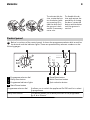
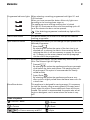
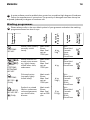
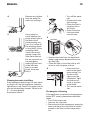
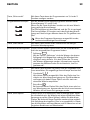
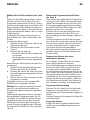
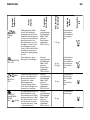
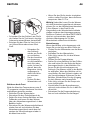
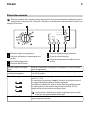
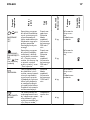
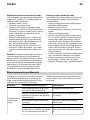
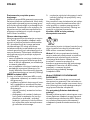
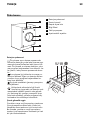
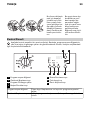
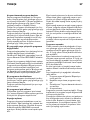
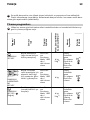
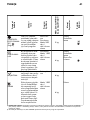
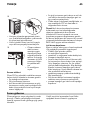
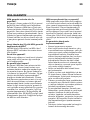
Programme Indicator lights When selecting a washing programme both lights 3.1 and
3.2 illuminate.
When you have pressed the button 4 the only light corre3.1
sponding to the running phase stays on.
The appliance starts working and the door is locked.
3.2
The light 3.3 illuminates at the end of the washing cycle. After a few minutes the door can be opened.
3.3
If the draining programme is selected any light will illuminate.
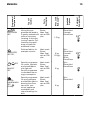
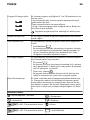
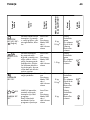
Start/Pause button
This button allows you to start or to interrupt the selected
washing programme.
Spin reduction button
By pressing this button you can change the spin speed of the
selected programme.
•
Rinse Hold
By selecting this option the water of the last rinse is not
emptied out to prevent the fabrics from creasing. Before
opening the door it will be necessary to empty out the water. To empty out the water, please read the paragraph
«At the end of the programme».
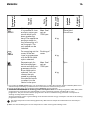
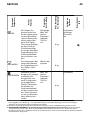
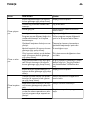
Multi-Functions button:
By pressing this button, you can select only one of the options. The relevant light will light up.
•
Prewash
By selecting this option the appliance performs a prewash
cycle before the main wash phase. The washing time will
be prolonged. This option is recommended for heavily
soiled laundry.
•
Super Quick
By selecting this option the appliance performs a very
short cycle for slightly soiled items that have been worn for
a short time.
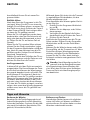
Extra Rinse button
This appliance is designed for saving energy. If it necessary
to rinse the laundry using an extra quantity of water (extra
rinse), select this option. Some additional rinses will be performed. This option is recommended for people who are allergic to detergents, and in areas where the water is very
soft.
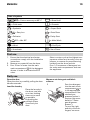
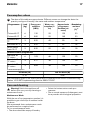
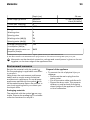
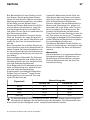
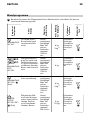
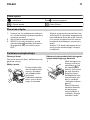
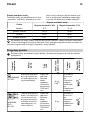
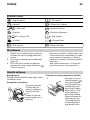
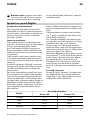
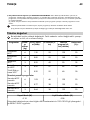
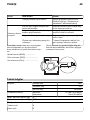
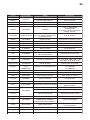
Table of symbols
= On/Off - Reset
= Cottons
= Cottons economy at 60° C
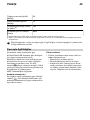
= Rinses
= Drain
= Spin