1
46D21-A_EN.fm Page 3 Thursday, July 26, 2007 3:53 PM
7.
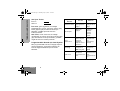
Microphone
Speak clearly into the micorphone when
sending a message.
8.
Antenna
9.
Accessory Connector
Connects headsets, remote speaker/
microphones and other accessories. Replace
attached dust cap when not in use.
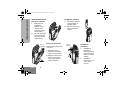
Radio Controls
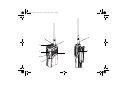
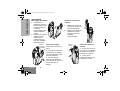
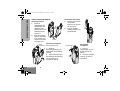
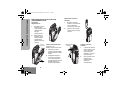
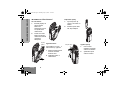
The numbers below refer to the illustrations on the
inside front cover.
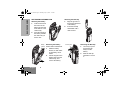
1.
Channel Selector Knob (4 Position)
Used to switch the radio to different channels.
2.
On-Off / Volume Knob
Used to turn the radio on or off, and to adjust
the radio’s volume.
3.
Side Button 1 (programmable)
Recommended for Monitor/Cancel Button.
4.
Push to Talk Button (PTT)
Press and hold down this button to talk, release
it to listen.
5.
Side Button 2 (programmable)
6.
LED Indicator
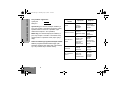
Green: Successful power up.
Red: Radio transmitting.
Red Flashing: Channel busy - when receiving.
Yellow: Radio called.
Yellow Flashing: Radio call reminder alert.
Red Flashing: Low battery warning - when
transmitting.
3
English
BASIC USER GUIDE
OPERATION AND CONTROL FUNCTIONS