1
http://www.icybox.de
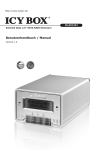
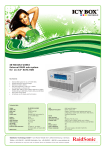
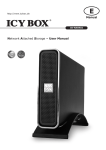
IB-RD3252
External 2bay 3.5" SATA RAID Enclosure
Benutzerhandbuch / Manual
Version 1.4
2
http://www.icybox.de
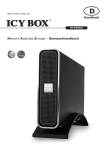
IB-RD3252
Externes 2x 3,5” SATA Festplatten
RAID Gehäuse
1
EINLEITUNG
1.1
Systemanforderungen
1.1.1
•
•
•
•
•
PC Anforderungen
Minimum Intel Pentium III CPU 500MHz, 128MB RAM
PC mit eSATA Anschluss: Windows XP/Vista/7/8
PC mit FireWire 400/800 Anschluss: Windows XP/Vista/7/8
PC mit USB 2.0 Anschluss: Windows XP/Vista/7/8
Ihre Hardware muss über eine entsprechende Datenschnittstelle verfügen
(z.B. USB 3.0 Host Controller)
Plug & Play Unterstützung für eSATA Host Controller
•
1.1.2
•
•
•
•
•
•
Mac Anforderungen
Minimum Apple G4 Prozessor, 128MB RAM
Mac mit eSATA Anschluss: Mac OS 10.4 oder höher
Mac mit FireWire 400/800 Anschluss: Mac OS 10.2 oder höher
Mac mit USB 2.0 Anschluss: Mac OS 10.2 oder höher
Ihre Hardware muss über eine entsprechende Datenschnittstelle verfügen
(z.B. USB 3.0 Host Controller)
Plug & Play Unterstützung für eSATA Host Controller
1.1.3
•
•
•
Unterstützte Festplatten
Zwei 3,5" SATA I / II / III Festplatten
80 GB – 4 TB je Festplatte
Festplatten der gleichen Kapazität sind zu bevorzugen.
Anmerkung
Damit ein Computer auf Datenträger größer 2 TB zugreifen kann, muss die Hardware, sowie das
Betriebssystem diese Funktion unterstützen (z.B. Windows Vista 32bit/64bit oder Mac OS 10.4 und
höher).
1.2
Verpackungsinhalt
Der Verpackungsinhalt kann, abhängig von Version und Ausführung, von den folgenden Angaben
abweichen.
•
IB-RD3252U3SE2 (Festplatten nicht enthalten)
•
Externes Netzteil
•
Datenübertragungskabel
•
Bedienungsanleitung (Englisch/Deutsch)
1.3
Über dieses Handbuch
Die in dieser Anleitung dargestellten Anzeigebeispiele und Beschreibungen können von den tatsächlichen
Anzeigen des aktuellen Produkts oder dem Inhalt etwas abweichen.
1.4
Warenzeichen
•
•
•
MS-DOS, Microsoft, Windows XP/Vista/7/8 sind Markenzeichen der Microsoft Corporation.
Apple Macintosh und Mac sind Markenzeichen von Apple Computer.
Alle anderen Drittanbietermarken und -namen sind Eigentum der jeweiligen Inhaber.
1
http://www.icybox.de
IB-RD3252
Externes 2x 3,5” SATA Festplatten
RAID Gehäuse
1.5
Übersicht IB-RD3252
1.5.1 Frontansicht IB-RD3252
LED/Taste
Status
•
Ein-/Ausschalttaste; blau = Stromzufuhr an
HDD1/2
•
*UQ 'DWHQ]XJULϑOHVHQVFKUHLEHQ
Rot = Fehler oder leerer Festplattensteckplatz
Rebuild
•
•
Aus = Festplattenstatus normal
Orange = Datenwiederherstellung
Select
•
Wählen des Auswahl- oder Setupmenüs
OK
•
•
Bestätigung der aktuellen Auswahl oder Setupmenü
aktivieren.
2
http://www.icybox.de
IB-RD3252
Externes 2x 3,5” SATA Festplatten
RAID Gehäuse
1.5.2 Rückansicht IB-RD3252
gϑQXQJIU.HQVLQJWRQ/RFN
= 1x Netzteilanschluss
eSATA = 1x Externer SATA Anschluss
FW800 = 2x FireWire 800 Anschluss
FW400 = 1x FireWire 400 Anschluss
USB 3.0 = 1x USB 3.0 High Speed Anschluss
3
http://www.icybox.de
IB-RD3252
Externes 2x 3,5” SATA Festplatten
RAID Gehäuse
1.6
RAID Modi
Bevorzugt sollten Festplatten der gleichen Kapazität verwendet werden. Sollten die Kapazitäten unterschiedlich sein, wird die Summe der zur Verfügung stehenden Gesamtkapazität immer nur der kleineren
Festplatte entsprechen. Einen Geschwindigkeitsunterschied wird immer nur über schnelle Datenschnittstellen wie z.B. eSATA erkennbar und nutzbar sein.
5$,'±'LVN6WULSLQJ=XJULϑVEHVFKOHXQLJXQJRKQH5HGXQGDQ]
+LHUZHUGHQEHLGH)HVWSODWWHQDOVHLQJURHV/DXIZHUNDEJHELOGHWDOOHUGLQJVZLUGQXUGLH.DSD]LWlWGHU
kleineren Platte verdoppelt. Diese Einstellung sollte verwendet werden, wenn es primär um sehr schnelle
'DWHQ]XJULϑHJHKWDOOHUGLQJVVWHKWGDQQNHLQH5HGXQGDQ]]XU9HUIJXQJ:HQQDOVRHLQH)HVWSODWWH
ausfällt, bedeutet dies meist den Verlust sämtlicher gespeicherten Daten.
Storage Capacity
Data Safety
Performance
2 Festplatten
5$,''LVN0LUURULQJ)HVWSODWWHQVSLHJHOXQJ
+LHUZHUGHQEHLGH)HVWSODWWHQHEHQIDOOVDOVHLQ/DXIZHUNDEJHELOGHWDOOHUGLQJVQXUPLWGHU*HVDPWkapazität beider Festplatten, basierend auf der kleineren Festplatte. Im RAID 1 Modus wird eine genaue
Kopie der ersten Festplatte auf die zweite Festplatte erstellt (Spiegelung). Diese Einstellung sollte verwendet werden, wenn Datensicherheit einer höheren Kapazität vorzuziehen ist. Wenn also eine Festplatte
ausfällt, kann die entsprechende Festplatte einfach ausgetauscht werden, wonach eine automatische
Datenwiederherstellung (Rebuild) von der verbliebenen Festplatte initialisiert wird.
Storage Capacity
Data Safety
Performance
2 Festplatten
1.6.3 Einstellen eines RAID Modus
Der RAID Modus sollte nach dem Einsetzen der Festplatten, aber vor dem ersten Formatieren eingestellt
werden.
1.
2.
3.
4.
5.
Stellen Sie sicher, dass die Stromzufuhr unterbrochen ist und setzen anschließend die Festplatten
ein.
Starten Sie das Gerät über die An-Austaste an der Front.
Stellen Sie den gewünschten RAID Modus am Display des Gerätes ein.
Stellen Sie nun im Einstellungsmenü Ihren bevorzugten RAID Modus ein.
Über Ihr Betriebssystem nehmen Sie nun bitte die Initialisierung, Erstellung der Partition und
Formatierung der Festplatten vor.
4
http://www.icybox.de
IB-RD3252
Externes 2x 3,5” SATA Festplatten
RAID Gehäuse
Anmerkung
Das Wechseln des RAID Modus erfordert ein Neuformatieren der Festplatten. Durch diesen Vorgang
werden alle Daten auf den Festplatten gelöscht. Stellen Sie sicher, das vorher alle vorhanden Daten auf
einen anderen Datenträger gesichert werden.
Wichtig
Damit ein Computer auf Datenträger größer 2 TB zugreifen kann, muss die Hardware, sowie das Betriebssystem diese Funktion unterstützen (z.B. Windows Vista 32bit/64bit oder Mac OS 10.4 und höher).
2.
SYSTEM EINRICHTUNG
2.1
IB-RD2252 Festplatteninstallation
Zur Festplatteninstallation gehen Sie bitte wie folgt vor:
1.
Entfernen Sie die Schrauben der Füße auf der Unterseite des Gerätes und drücken den
inneren Gehäuseteil aus dem äußeren Gehäuse heraus.
2.
Setzen Sie die erste Festplatte ein und befestigen diese mit je zwei Schrauben auf jeder Seite.
5
http://www.icybox.de
IB-RD3252
Externes 2x 3,5” SATA Festplatten
RAID Gehäuse
4.
Setzen Sie die zweite Festplatte ein und befestigen diese mit je zwei Schrauben auf jeder Seite.
5.
Verbinden Sie die SATA- und Stromversorgungskabel mit den eingesetzten Festplatten. Gehen Sie
vorsichtig vor und stellen sicher, dass keine Komponente beschädigt wird und die Anschlüsse
festsitzen. Der mit J1 bezeichnete SATA Anschluss spricht Festplatte 1 und der mit J2
bezeichnete SATA Anschluss spricht Festplatte 2 an.
J2
J1
6.
Schieben Sie das Innere des Gehäuses zurück in die Gehäusehülle und montieren die Füße
mittels der Schrauben wieder.
7.
Verbinden Sie das Gerät mit der Stromversorgung, schalten es ein und verbinden die IB-RD3252
mittels Datenkabel mit Ihrem Computer.
Haben Sie die Funktion zur Einstellung der RAID Modi über das Display gewählt, stellen Sie
zuerst, unter Verwendung des LCD Displays, Ihren bevorzugten RAID Modus ein.
PC Benutzer können nun unter Verwendung der Datenträgerverwaltung, MAC Benutzer unter
Verwendung der Festplattenverwaltung, eine entsprechende Partitionierung und anschließende
Formatierung vornehmen.
8.
Fertig! Ihre IB-RD3252 ist nun einsatzbereit.
6
http://www.icybox.de
IB-RD3252
Externes 2x 3,5” SATA Festplatten
RAID Gehäuse
Anmerkung
'LHVHV*HUlWZXUGHIUGLH9HUZHQGXQJYRQ]ZHL/DXIZHUNHQHQWZLFNHOWXQGIXQNWLRQLHUWQLFKWZHQQQXU
eine Festplatte installiert ist.
Wichtig
Bei Erstinstallation und Wechsel des RAID Modus werden alle vorhandenen Daten auf den Festplatten
gelöscht. Stellen Sie sicher, das vorher alle vorhanden Daten auf einen anderen Datenträger gesichert
werden.
2.2
Festplatten ersetzen
:HQQHLQH)HVWSODWWHLP6\VWHPDXVIlOOWZLUGGLHVGXUFKGDV/HXFKWHQGHU]XJHK|ULJHQURWHQ)HVWSODWWHQ/('DQJH]HLJW:HQQQXUHLQH)HVWSODWWHLP5$,'0RGXVDXVIlOOWNDQQZHLWHUKLQDXIGLH'DWHQ
]XJHJULϑHQZHUGHQHVZLUGDEHUHPSIRKOHQGLHIHKOHUKDIWH)HVWSODWWHVRIRUWDXV]XWDXVFKHQXPIRUWODXfende Datenbackups und –sicherheit zu gewährleisten.
Sollte mehr als seine Festplatte gleichzeitig ausfallen oder ein RAID 0 Modus eingestellt sein, könne die
Daten in der Regel, nach dem Austausch der defekten Festplatten, nicht wieder hergestellt werden.
2.
4.
5.
6.
hEHUSUIHQ6LHGLH)HVWSODWWHQ/('DQGHU9RUGHUVHLWH:HQQHLQ)HVWSODWWHQIHKOHUYRUOLHJWZLUG
GLHVGXUFKGLH]XJHK|ULJHURWH)HVWSODWWHQ/('DQJH]HLJW
Im Falle eine Festplattenausfalls unterbrechen Sie die Stromzufuhr zum Gerät.
gϑQHQ6LHGDV*HUlWXQGWDXVFKHQGLHGHIHNWHQ)HVWSODWWHQZLHZHLWHUREHQEHVFKULHEHQ
aus.
Schließen Sie den Austausch der Festplatten durch den abschließenden Zusammenbau ab und
verbinden das Gerät wieder mit der Stromzufuhr.
Ist ein RAID 1 Modus eingestellt, wird der Datenträgerverbund automatisch wiederhergestellt.
:lKUHQGGLHVHV3UR]HVVHVEOLQNWGLH:LHGHUKHUVWHOOXQJV/(''HU:LHGHUKHUVWHOOXQJVSUR]HVVGHV
RAID-Verbundes kann abhängig von der Festplattenkapazität, einige Stunden in Anspruch
nehmen.
Ist ein RAID 0 Modus eingestellt, wechseln Sie in das RAID-Einstellungsmenü, wählen erneut
RAID 0 und bestätigen diese Einstellung. Nach dem Neustart des Gerätes, formatieren Sie das
HQWVWDQGHQH/DXIZHUNLQJHZRKQWHU:HLVH
Anmerkung
Stellen Sie sicher, dass die Stromversorgung während des Wiederherstellungsprozesses nicht unterbrochen wird. Sollte dies trotzdem geschehen, wird der Wiederherstellungsprozess nach der Verbindung mit
der Stromquelle fortgesetzt.
2.3
Verbindung mit dem Computer
Einige Anmerkungen zur Verwendung des IB-RD3252:
•
•
•
•
•
6HW]HQ6LHGDV*HUlWNHLQH1lVVHRGHUKRKHU/XIWIHXFKWLJNHLWDXV
9HUGHFNHQ6LHDXINHLQHQ)DOOGLH/IWXQJV|ϑQXQJHQ
Vor der ersten Verbindung mit dem Computer setzen Sie bitte die entsprechenden Festplatten ein
und wählen den bevorzugten RAID Modus.
Zum sicheren Entfernen der IB-RD3252 vom Computer unter der Vermeidung von Datenverlust,
folgen Sie der korrekten Trennung Ihrer Hardware entsprechend Ihres Betriebssystems.
Damit ein Computer auf Datenträger größer 2 TB zugreifen kann, muss die Hardware, sowie das
Betriebssystem diese Funktion unterstützen (z.B. Windows Vista 32bit/64bit oder Mac OS 10.4
und höher). Ist dies nicht der Fall, deaktivieren Sie die > 2 TB Option im Einstellungsmenü.
Wenn der Computer in den Stand-By Modus gesetzt wird, erfolgt ein Festplatten Spin-Down
(Ruhezustand).
Es kann nur eine Datenschnittstelle zur gleichen Zeit verwendet werden.
7
http://www.icybox.de
IB-RD3252
Externes 2x 3,5” SATA Festplatten
RAID Gehäuse
2.4
Zur Datensicherheit
Um Ihre Daten zu sichern und Datenverlust zu vermeiden, sollten Sie immer mindestens zwei Kopien
,KUH'DWHQDQODJHQ(LQPDODXIGHU,%5'XQGHLQPDODXIHLQHPDQGHUHQ/DXIZHUNRGHUHQWVSUHchenden Speichermedien wie CD, DVD, Blu-Ray o.ä.
Jeglicher Datenverlust oder -schaden durch die Benutzung der IB-RD3252 liegt in der Verantwortung des
Benutzers und es kann unter keinen Umständen der Hersteller für die Wiederherstellung der Daten oder
deren Kosten zur Verantwortung gezogen werden.
3
LCD DISPLAY
8PHLQ0HQ]XZlKOHQRGHU(LQVWHOOXQJHQ]XYHUlQGHUQYHUZHQGHQ6LHGLH6(/(&77DVWHDQGHU
9RUGHUVHLWH8PHLQ0HQ]X|ϑQHQRGHUHLQHbQGHUXQJ]XEHVWlWLJHQYHUZHQGHQ6LHGLH2.7DVWHDQ
GHU9RUGHUVHLWH)U]XVlW]OLFKH'HWDLOVIROJHQ6LHGHQ$QZHLVXQJHQDP/&''LVSOD\RGHUOHVHQGLH
folgenden Schritt für Schritt Anleitungen:
3.1
Startmenü
9HUZHQGHQ6LHGLH6(/(&77DVWHXP]ZLVFKHQGHQYHUVFKLHGHQHQ0HQSXQNWHQ]XZHFKVHOQXQGEHWlWLgen die OK Taste um ein Menü auszuwählen.
1.
3.
Die Standardanzeige stellt den Produktnamen und den derzeit eingestellten RAID Modus dar.
'LH6\VWHPLQIRUPDWLRQJLEW$XVNXQIWEHUQlKHUH,QIRUPDWLRQHQ]XU.RQ¿JXUDWLRQXQG+DUGZDUH
des Gerätes.
Die Festplatten Information gibt Auskunft über die installierten Festplatten.
'DV(LQVWHOOXQJVPHQHUP|JOLFKWGLH.RQ¿JXUDWLRQGHV*HUlWHV]XYHUlQGHUQ
8
http://www.icybox.de
IB-RD3252
Externes 2x 3,5” SATA Festplatten
RAID Gehäuse
3.2
System Informationen
8PGLHVHQ0HQSXQNW]XDNWLYLHUHQGUFNHQ6LHGLH6(/(&77DVWHELVGDV6\VWHP,QIRUPDWLRQVPHQHUVFKHLQWXQGGUFNHQDQVFKOLHHQGGLH2.7DVWHXPZHLWHUH2SWLRQHQ]X(LQVWHOOXQJHQXQG.RQ¿JXUDWLRQ
aufzurufen. Die verschiedenen Unteroptionen werden automatisch alle ca. 8 Sekunden weitergescrollt.
)UHLQVFKQHOOHUHVHUUHLFKHQGHUJHZQVFKWHQ8QWHURSWLRQYHUZHQGHQ6LHGLH6(/(&77DVWH
1.
2.
3.
4.
6.
Startanzeige des System-Informationsmenüs.
Die Seriennummer ist eine Kombination der 1394 Hersteller ID, der Chip ID Hi und der Chip
,'/R
Zeigt die aktuelle Firmwareversion der IB-RD3252 an.
Der I/O Status zeigt die aktuell verwendete Datenschnittstelle zum Computer an.
=HLJWGLHGHU]HLWLJH/IWHUJHVFKZLQGLJNHLWXQGGLH7HPSHUDWXUDP7HPSHUDWXUIKOHUDQ
Zeigt den aktuellen Status der >2 TB- und Alarmfunktion an.
=HLJWDQZLHGHU5$,'0RGXVJHVHW]WZXUGH/&0 EHU/&''LVSOD\$3 &RPSXWHUSURJUDPP
und die zur Verfügung stehende Gesamtkapazität des Systems.
IB-RD3252 Anzeige:
3.3
Festplatteninformation
8PGLHVHQ0HQSXQNW]XDNWLYLHUHQGUFNHQ6LHGLH6(/(&77DVWHELVGDV)HVWSODWWHQ,QIRUPDWLRQVPHQ
erscheint und drücken anschließend die OK Taste um weitere Optionen zu den eingebauten Festplatten
aufzurufen. Die verschiedenen Unteroptionen werden automatisch alle ca. 8 Sekunden weitergescrollt.
)UHLQVFKQHOOHUHVHUUHLFKHQGHUJHZQVFKWHQ8QWHURSWLRQYHUZHQGHQ6LHGLH6(/(&77DVWH
1.
2.
3.
4.
5.
Startanzeige des Festplatteninformationsmenüs.
Zeigt die Bezeichnung und die Seriennummer der installierten Festplatte 1 an.
Zeigt die Gesamtkapazität und Temperatur der installierten Festplatte 1 an.
Zeigt die Bezeichnung und die Seriennummer der installierten Festplatte 2 an.
Zeigt die Gesamtkapazität und Temperatur der installierten Festplatte 2 an.
9
http://www.icybox.de
IB-RD3252
Externes 2x 3,5” SATA Festplatten
RAID Gehäuse
3.4
Einstellungen
8PGLHVHQ0HQSXQNW]XDNWLYLHUHQGUFNHQ6LHGLH6(/(&77DVWHELVGDV(LQVWHOOXQJVPHQHUVFKHLQW
und drücken anschließend die OK Taste um weitere Optionen aufzurufen.
)UHLQHUUHLFKHQGHUJHZQVFKWHQ8QWHURSWLRQYHUZHQGHQ6LHGLH6(/(&77DVWHXQGGUFNHQDQVFKOLHßend die OK Taste um Einstellungen vornehmen zu können.
1.
2.
3.
4.
7.
Einstellung zum aktivieren oder deaktivieren der Unterstützung für Datenträgervolumen größer
2 TB.
Einstellungsmenü für die RAID Funktionen.
Einstellung zum aktivieren oder deaktivieren der Alarmfunktion.
Einstellung zum aktivieren oder deaktivieren des Alarmtons.
(LQVWHOOXQJVPHQIUGLH*HVFKZLQGLJNHLWGHV/IWHUV
(LQVWHOOXQJVPHQIUGLH'DXHUGHU/&''LVSOD\+LQWHUJUXQGEHOHXFKWXQJ
Verlassen des Einstellungsmenüs und Rückkehr zu Startmenü.
IB-RD3252 Anzeige:
3.4.1 > 2TB Volume Modus
Damit ein Computer auf Datenträger größer 2 TB zugreifen kann, muss die Hardware, sowie das Betriebssystem diese Funktion unterstützen (z.B. Windows Vista 32bit/64bit oder Mac OS 10.4 und höher).
Ist dies nicht der Fall, deaktivieren Sie die > 2 TB Option im Einstellungsmenü
•
•
[Enabled] Unterstützt Datenträger größer 2 TB Kapazität. Sollte die Gesamtkapazität 2 TB über
VFKUHLWHQN|QQHQlOWHUH%HWULHEVV\VWHPHGDV/DXIZHUNZHGHUPRXQWHQQRFKGDUDXI]XJUHLIHQ
können.
[Disabled] Unterstützt nur Datenträger bis zu 2 TB Kapazität. Sollte die Gesamtkapazität 2 TB
EHUVFKUHLWHQNDQQDXIGLHYHUEOHLEHQGH6SHLFKHUNDSD]LWlWQLFKW]XJHJULϑHQZHUGHQDEHUlOWHUH
Betriebssysteme hätten die Möglichkeit auf den Datenträger zuzugreifen.
Drücken Sie die [OK] Taste um in das Setupmenü zu gelangen und verwenden die [Select] Taste um
durch die verschiedenen Optionen zu scrollen.
•
8PGDV0HQ]XYHUODVVHQRKQHbQGHUXQJHQYRU]XQHKPHQGUFNHQ6LHELWWHGLH>6HOHFW@7DVWH
bis die EXIT Anzeige erscheint und drücken dann die [OK] Taste.
Um die Einstellungen zu ändern drücken Sie bitte die [Select] Taste um die bevorzugte Einstellung
auszuwählen, dann die [OK] Taste um die Auswahl vorzunehmen und nochmals die [OK] Taste um
GLHbQGHUXQJ]XEHVWlWLJHQ
10
http://www.icybox.de
IB-RD3252
Externes 2x 3,5” SATA Festplatten
RAID Gehäuse
IB-RD3252 Anzeige:
3.4.2 Einstellung des RAID Modus
Um Einstellungen des RAID Modus über das Display vornehmen zu können, stellen Sie sicher, dass die
DIP Switch Position wie folgt eingestellt ist: 1 oben, 2 unten.
•
•
[RAID 1] RAID 1 Spiegelungsmodus bestätigen.
>5$,'!@bQGHUQGHV0RGXVYRQ5$,']X5$,'
[RAID 0] RAID 0 Beschleunigungssmodus bestätigen.
>5$,'!@bQGHUQGHV0RGXVYRQ5$,']X5$,'
Drücken Sie die [OK] Taste um in das Setupmenü zu gelangen und verwenden die [Select] Taste um
durch die verschiedenen Optionen zu scrollen.
•
8PGDV0HQ]XYHUODVVHQRKQHbQGHUXQJHQYRU]XQHKPHQGUFNHQ6LHELWWHGLH>6HOHFW@7DVWH
bis die EXIT Anzeige erscheint und drücken dann die [OK] Taste.
Um die Einstellungen zu ändern drücken Sie bitte die [Select] Taste um die bevorzugte Einstellung
auszuwählen, dann die [OK] Taste um die Auswahl vorzunehmen und nochmals die [OK] Taste
XPGLHbQGHUXQJ]XEHVWlWLJHQ$QVFKOLHHQGHLQZHLWHUHV0DOGLH>2.@7DVWHGUFNHQXP]X
bestätigen, dass alle Daten gelöscht werden sollen. Das Gerät daraufhin automatisch neu
gestartet. Nach dem Neustart ist eine weitere Bestätigung des neu eingestellten RAID Modus
notwendig.
IB-RD3252 Anzeige:
11
http://www.icybox.de
IB-RD3252
Externes 2x 3,5” SATA Festplatten
RAID Gehäuse
Anmerkung
Bei Erstinstallation und Wechsel des RAID Modus werden alle vorhandenen Daten auf den Festplatten
gelöscht. Stellen Sie sicher, das vorher alle vorhanden Daten auf einen anderen Datenträger gesichert
werden.
3.4.3
Alarm Einstellungen
Der allgemeine Alarmton ist ein kurzes Piepen, das Sie hören, wenn das Gerät gestartet wird oder ein
Fehler vorliegt. Um den Alarmton zu aktivieren oder zu deaktivieren, wählen Sie entsprechend die
Einstellung ON oder OFF.
•
•
[ON] Signalton und Alarm ist aktiviert.
[OFF] Signalton und Alarm ist deaktiviert.
Drücken Sie die [OK] Taste um in das Setupmenü zu gelangen und verwenden die [Select] Taste um
durch die verschiedenen Optionen zu scrollen.
•
8PGDV0HQ]XYHUODVVHQRKQHbQGHUXQJHQYRU]XQHKPHQGUFNHQ6LHELWWHGLH>6HOHFW@7DVWHELV
die EXIT Anzeige erscheint und drücken dann die [OK] Taste.
Um die Einstellungen zu ändern drücken Sie bitte die [Select] Taste um die bevorzugte Einstellung
auszuwählen, dann die [OK] Taste um die Auswahl zu bestätigen
IB-RD3252 Anzeige:
3.4.4
Temperatur Alarm Einstellung
Der dieser Alarmton ist ein Piepen, das Sie hören, wenn die Temperatur am Messfühler einen kritischen
Bereich (>60° C) erreicht. Um den Alarmton zu aktivieren oder zu deaktivieren, wählen Sie entsprechend
die Einstellung ON oder OFF.
•
•
[ON] Temperatur Alarm ist aktiviert.
[OFF] Temperatur Alarm ist deaktiviert.
Drücken Sie die [OK] Taste um in das Setupmenü zu gelangen und verwenden die [Select] Taste um
durch die verschiedenen Optionen zu scrollen.
•
8PGDV0HQ]XYHUODVVHQRKQHbQGHUXQJHQYRU]XQHKPHQGUFNHQ6LHELWWHGLH>6HOHFW@7DVWHELV
die EXIT Anzeige erscheint und drücken dann die [OK] Taste.
Um die Einstellungen zu ändern drücken Sie bitte die [Select] Taste um die bevorzugte Einstellung
auszuwählen, dann die [OK] Taste um die Auswahl zu bestätigen.
12
http://www.icybox.de
IB-RD3252
Externes 2x 3,5” SATA Festplatten
RAID Gehäuse
3.4.5
Lüftergeschwindigkeit Einstellungen
Anpassung der Lüftergeschwindigkeit erfolgt automatisch.
3.4.6
Einstellungen der Hintergrundbeleuchtung
Die Hintergrundbeleuchtung des LCD Displays kann aktiviert, deaktiviert oder auf Automatik gestellt
werden, so dass die Beleuchtung nach voreingestellter Zeit selbstständig erlischt.
[ON] Immer aktiviert.
[OFF] Immer deaktiviert.
[1min] Die Hintergrundbeleuchtung erlischt automatisch, wenn das LCD Display länger als eine
Minute nicht verwendet wird.
[3min] Die Hintergrundbeleuchtung erlischt automatisch, wenn das LCD Display länger als drei
Minuten nicht verwendet wird.
[5min] Die Hintergrundbeleuchtung erlischt automatisch, wenn das LCD Display länger als fünf
Minuten nicht verwendet wird.
Drücken Sie die [OK] Taste um in das Setupmenü zu gelangen und verwenden die [Select] Taste um
durch die verschiedenen Optionen zu scrollen.
Um das Menü zu verlassen ohne Änderungen vorzunehmen, drücken Sie bitte die [Select] Taste bis
die EXIT Anzeige erscheint und drücken dann die [OK] Taste.
Um die Einstellungen zu ändern drücken Sie bitte die [Select] Taste um die bevorzugte Einstellung
auszuwählen, dann die [OK] Taste um die Auswahl zu bestätigen.
IB-RD3252 Anzeige:
13
http://www.icybox.de
IB-RD3252
Externes 2x 3,5” SATA Festplatten
RAID Gehäuse
3.5
Display Informationen
Zusätzlich zu den Details zur Hardware- und Geräteinformation, zeigt das LCD Display bestimmte
Informationen zu verschiedenen Vorkommnissen an. Eine Liste der Meldungen und ihrer Bedeutungen
lauten wie folgt:
[HDD Error / Remaining 1xHDD]
Wenn im RAID 0 Modus eine Festplatte ausfällt, ertönt zunächst der Alarm und das Display zeigt
an, dass nur noch eine funktionstüchtige Festplatte verbleibt. Die defekte Festplatte wird durch
die zugehörige LED in der Front angezeigt.
[RAID Warning / Degraded Array]
Wenn im RAID 1 Modus eine Festplatte ausfällt, ertönt zunächst der Alarm und das Display zeigt
diese Meldung an. Drücken Sie die [OK] Taste um den Alarm vorrübergehend zu deaktivieren. Die
defekte Festplatte wird durch die zugehörige LED in der Front angezeigt.
[XX Cable / Connected]
Zeigt an welches Schnittstellenkabel verbunden ist.
[Cable / Disconnected]
Zeigt an, dass das Schnittstellenkabel getrennt wurde.
[Rebuilding… / Hrs left xhxxmin]
Zeigt an, wie viele Stunden und Minuten voraussichtlich verbleiben, bis ein Wiederherstellungsprozess eines RAID 1 Verbundes abgeschlossen ist.
[Alarm / High Temperature] Anzeige bei kritischer Temperaturüberschreitung (>60C)
[Alarm / Fan Failure] I Anzeige bei Lüfterfehler oder unerwartet niedriger Umdrehungsgeschwindigkeit des Lüfters.
[Detecting Disk / Starting…]
Anzeige während der Startfrequenz.
[XX / Starting …]
Anzeige während der Startfrequenz.
[Check DIP Switch] Anzeige, wenn versucht wird das RAID System am Display einzustellen,
obwohl ein RAID Modus bereits über den RAID Switch gewählt wurde.
[RAID Mode Locked]
Wird angezeigt, wenn Sie versuchen den RAID Modus zu wechseln, der Sperrschalter an der
14
http://www.icybox.de
IB-RD3252
Externes 2x 3,5” SATA Festplatten
RAID Gehäuse
© Copyright 2013 RaidSonic Technology GmbH. Alle Rechte vorbehalten.
bQGHUXQJHQGHV,QKDOWHVGLHVHU$QOHLWXQJVLQGRKQH9RUDQNQGLJXQJYRUEHKDOWHQ.HLQ7HLOGLHVHU$QOHLtung darf ohne die schriftliche Genehmigung des Herstellers reproduziert werden. Die in dieser Anleitung
dargestellten Anzeigebeispiele und Beschreibungen können von den tatsächlichen Anzeigen des aktuellen
Produkts oder dem Inhalt etwas abweichen. RaidSonic Technology GmbH ist nicht verantwortlich für
irgendwelche Schäden oder Verluste, die auf die Verwendung dieser Anleitung zurückzuführen sind.
15
http://www.icybox.de
IB-RD3252
Dual-Bay RAID Storage Enclosure
for two 3.5-inch Serial ATA
Hard Drives
1
INTRODUCTION
1.1
System Requirements
1.1.1
•
•
•
•
•
•
PC Requirements
Minimum Intel Pentium III CPU 500 MHz, 128 MB RAM
eSATA equipped PC; Windows XP/Vista/7/8
FireWire 400/800 equipped PC; Windows XP/Vista/7/8
USB 2.0 equipped PC; Windows XP/Vista/7/8
Your hardware device must have the correct corresponding port (e.g. USB 3.0 host controller)
Plug & Play support for eSATA host controller
1.1.2
•
•
•
•
•
•
Mac Requirements
Minimum Apple G4 processor, 128 MB RAM
eSATA equipped Mac; Mac OS 10.4 or above
FireWire 400/800 equipped Mac; Mac OS 10.2 or above
USB 2.0 equipped Mac; Mac OS 10.2 or above
Your hardware device must have the correct corresponding port (e.g. USB 3.0 host controller)
Plug & Play support for eSATA host controller
1.1.3
•
•
•
Supported Hard Drives
Two 3.5" SATA-I / II / III hard drives
80 GB – 4 TB per HDD
Hard drives of identical capacities are recommended
Note
In order for the computer to access volumes larger than 2 TB, both the hardware and OS need to have
the capacity to support large volumes (e.g.: Windows Vista 32bit/64bit or Mac OS 10.4 and above).
1.2
Package Contents
Package content may vary depending on vendor & version.
•
IB-RD3252SU3SE2 (hard drives not included)
•
External power supply
•
Interface cables
•
User manual (English/German)
1.3
About this Manual
Firmware, images and descriptions may vary slightly between this manual and the actual product you
KDYH)XQFWLRQVDQGIHDWXUHVPD\FKDQJHGHSHQGLQJRQWKH¿UPZDUHYHUVLRQ3OHDVHUHDG\RXUZDUUDQW\
FDUHIXOO\DVWKLVPD\YDU\EHWZHHQGLϑHUHQWYHQGRUV
1.4
Trademarks
•
•
•
MS-DOS, Microsoft, Windows XP/Vista/7 are trademarks of Microsoft Corporation.
Apple Macintosh and Mac are trademarks of Apple Computer.
All other third party brands and names are the property of their respective owners.
16
http://www.icybox.de
IB-RD3252
Dual-Bay RAID Storage Enclosure
for two 3.5-inch Serial ATA
Hard Drives
1.5
Detailed View IB-RD3252
1.5.1 Front View IB-RD3252
LED/Button
Status
•
Power button; blue = power on
HDD1/2
•
•
Green = Data access (read/write)
Red = Error or empty drive bay
Rebuild
•
•
OFF = HDD status normal
Yellow = Rebuilding data
Select
•
Select setup menu or mode
OK
&RQ¿UPFXUUHQWRSWLRQRUHQWHUVHWXSPHQX
17
http://www.icybox.de
IB-RD3252
Dual-Bay RAID Storage Enclosure
for two 3.5-inch Serial ATA
Hard Drives
1.5.2 Rear View IB-RD3252
= Security lock slot
= 1x Power receptacle
eSATA = 1x External SATA port
FW800 = 2x FireWire 800 port
FW400 = 1x FireWire 400 port
USB 3.0 = 1x USB 3.0 High Speed port
18
http://www.icybox.de
IB-RD3252
Dual-Bay RAID Storage Enclosure
for two 3.5-inch Serial ATA
Hard Drives
1.6
RAID Modes
+DUGGULYHVRILGHQWLFDOFDSDFLWLHVDUHUHFRPPHQGHG,IWKHFDSDFLWLHVDUHGLϑHUHQWWKHWRWDODPRXQWRI
WKHVSDFHWKDWFDQEHXVHGZLOOGHSHQGRQWKHGULYHZLWKWKHVPDOOHVWFDSDFLW\7KHGLϑHUHQFHLQSHUIRUmance is only visible for fast interfaces like eSATA.
1.6.1 RAID 0 - Disk Striping
The drives are shown as one large single volume but the total size will depend on the drive with the
VPDOOHVWFDSDFLW\7KLVVHWWLQJLVXVHGZKHUHVSHHGLVWKHSULPDU\REMHFWLYHEXW5$,'/HYHODOVRFDOOHG
striping) is not redundant. This form of array splits each piece of data across the drives in segments;
since data is written without any form of parity data-checking, it allows for the fastest data transfer.
On the downside, if one drive becomes damaged, the whole array can become corrupted.
Storage Capacity
Data Safety
Performance
2 Festplatten
1.6.2 RAID 1 - Disk Mirroring
7ZRGULYHVVKRZXSDVRQHYROXPHEXWRQO\RIWKHWRWDOFDSDFLW\GHSHQGLQJRQWKHGULYHZLWKWKH
smallest capacity, can be used. RAID 1 creates an exact copy (or mirror) of a set of data on the second
drive. This is useful when reliability and backup take precedence over storage capacity. Should one hard
drive fail, it can be replaced and the data rebuilt automatically.
Storage Capacity
Data Safety
Performance
2 Festplatten
1.6.3 Changing the RAID Mode
7KH5$,'PRGHVKRXOGEHVHWDIWHULQVWDOOLQJWKHGULYHVDQGEHIRUH¿UVWIRUPDWWLQJWKHGULYHV
0DNHVXUHWKHSRZHULVRϑDQGWKHQLQVWDOOWKHKDUGGULYHV
2.
Initialize the disk, create a partition and format the drives.
(QWHUWKHVHWXSPHQXYLD/&0GLVSOD\DQGVHW\RXUSUHIHUUHG5$,'PRGHQRZ
4.
Turn on the power.
5.
Done.
19
http://www.icybox.de
IB-RD3252
Dual-Bay RAID Storage Enclosure
for two 3.5-inch Serial ATA
Hard Drives
Note
Changing the RAID mode requires you to re-format the drives. This will erase all data on the hard drives
that are being formatted. Make sure to backup all existing data
Important
In order for the computer to access volumes larger than 2 TB, both the hardware and Operating System
need to have the capacity to support large volumes (e.g.: Windows Vista 32bit/64bit or Mac OS 10.4 and
above).
2.
SYSTEM SETUP
2.1
IB-RD3252 Hard Drive Assembly
Your unit may come with pre-installed hard drives. Before opening such an enclosure, please read the
warranty from your vendor carefully, as this could void your warranty.
1.
Remove the screws of the feet at the bottom of the case, push the inner chassis out and
remove the outer enclosure.
2.
Install the
hard drive and mount it with two screws on each side.
20
http://www.icybox.de
IB-RD3252
Dual-Bay RAID Storage Enclosure
for two 3.5-inch Serial ATA
Hard Drives
3.
Install the second hard drive and mount it with two screws on each side.
4.
Connect the SATA and power cables to your hard drives. Be careful not to damage any
that the cables are connected
components and
The SATA connector labeled J1 is HDD1 and the SATA connector labeled J2 is HDD2.
J2
J1
5.
Slide the inner chassis back into the outer enclosure and fasten the screws to
assembly.
6.
After turning on the power and connecting it to the computer use the disk management tool (PC)
or disk utility (Mac) to create a new partition and format the drives. If you have selected the
option to set the RAID mode via LCM display, set the RAID mode
before you format the
drives.
7.
Done! Your drive is now ready to use.
21
the
http://www.icybox.de
IB-RD3252
Dual-Bay RAID Storage Enclosure
for two 3.5-inch Serial ATA
Hard Drives
Note
This device is designed for two hard drives and does not work when only one HDD is installed.
Important
Upon initial start up of the device and when changing the RAID mode, any existing data on the installed
hard drives will be erased. Please make sure you backup all data prior to installing the hard drives and
prior to changing the RAID mode!
2.2
Replacing Hard Drives
:KHQDGULYHIDLOVWKHFRUUHVSRQGLQJ+''/('ZLOOOLJKWXSUHG,IRQO\RQHGULYHLVGHIHFWLYHDQGWKH
RAID mode is set to RAID 1, the data can still be accessed, however, we strongly recommend replacing
the faulty drive immediately to assure continued proper backup and data safety.
If more than one drive fails at the same time or if the RAID mode is set to RAID 0, the data will be lost
and the system cannot be accessed again until the drive(s) have been replaced.
3.
4.
&KHFNWKH+''/('7KHFRUUHVSRQGLQJ/('ZLOOOLJKWXSUHGLQGLFDWLQJWKHGHIHFWLYHGULYH
7XUQRϑWKHSRZHUE\UHPRYLQJWKHSRZHUVXSSO\IURPWKHZDOOVRFNHW
Open the enclosure and replace the faulty hard drive(s) with a new one.
Finish the assembly and re-connect the power supply.
)RU5$,'WKH5$,'DUUD\ZLOOEHUHEXLOWDXWRPDWLFDOO\'XULQJWKLVSURFHVVWKH5HEXLOG/('ZLOO
EHÀDVKLQJXQWLODOOGDWDLVEDFNHGXS5HEXLOGLQJWKH5$,'DUUD\ZLOOWDNHVHYHUDOKRXUV
depending on the drive capacity.
)RU5$,'XQORFNWKH5$,'VZLWFKJRWRWKH5$,'VHWXSPHQXVHOHFW5$,'DQGFRQ¿UPWKH
settings. After the system restart, simply format the drives.
Note
:HUHFRPPHQGQRWWXUQLQJRϑWKHSRZHUGXULQJWKHUHEXLOGSURFHVVEXWLIWKHSURFHVVLVLQWHUUXSWHGLW
will continue rebuilding the data as soon as the power is turned back on.
2.3
Connection to Computer
A few precautions and notes when using IB-RD3252:
•
Do not expose the product to water or humid conditions.
•
Do not cover the enclosure’s ventilation holes.
•
Before connecting the device, install the hard drives and set your preferred RAID mode.
•
For the safe removal of your drive and to assure that no data is lost, always follow the correct
unplug procedure for external hardware (e.g.: Eject the drive before removal).
•
In order for the computer to access volumes larger than 2 TB, both the hardware and Operating
System need to have the capacity to support large volumes (e.g.: Windows Vista 32bit/64bit or
Mac OS 10.4 and above) or the >2 TB option should be disabled.
•
When the computer goes into stand-by mode, the external hard drives will spin down as well.
•
Only one interface can be used at any given time.
2.4
About Data Backup
7RSURWHFW\RXU¿OHVDQGKHOSSUHYHQWWKHORVVRI\RXUGDWDZHVWURQJO\UHFRPPHQGWKDW\RXNHHSWZR
copies of your data, one copy on your IB-RD3252 and a second copy either on your internal drive or
another storage media such as CD, DVD, Tape or an additional external drive.
Any loss or corruption of data while using the IB-RD3252 is the sole responsibility of the user, and under
no circumstances will the manufacturer be held liable for compensation or the recovery of this data.
22
http://www.icybox.de
IB-RD3252
Dual-Bay RAID Storage Enclosure
for two 3.5-inch Serial ATA
Hard Drives
3
LCD DISPLAY
7RVHOHFWDPHQXRUFKDQJHDQRSWLRQXVHWKH>6HOHFW@EXWWRQ7RHQWHUDPHQXDQGFRQ¿UPDFKDQJH
use the [OK] button. For further details, follow the on-screen wizard or refer to the following step by step
descriptions.
3.1
Main Menu
3UHVVWKH>6HOHFW@EXWWRQWRFKDQJHEHWZHHQWKHGLϑHUHQWPHQXVDQGSUHVVWKH>2.@EXWWRQWRHQWHUD
menu.
1.
3.
The main screen displays the product name and the current RAID mode.
7KHV\VWHPLQIRUPDWLRQZLOOVKRZIXUWKHUGHWDLOVDERXWWKHFRQ¿JXUDWLRQDQGWKHKDUGZDUH
The HDD information will show further details about the installed hard drives.
7KHVHWWLQJVPHQXRϑHUVRSWLRQVWRFKDQJHWKHGHYLFHFRQ¿JXUDWLRQ
3.2
System Information
Press the [Select] button until the system information menu is selected and then press the [OK] button
WRVWDUWGLVSOD\LQJIXUWKHUGHWDLOVDERXWWKHGHYLFHFRQ¿JXUDWLRQDQGWKHKDUGZDUH,WZLOODXWRPDWLFDOO\
F\FOHWKURXJKWKHGLϑHUHQWLQIRUPDWLRQGLVSOD\LQJHDFKVFUHHQIRUDERXWVHFRQGVDQGWKHQUHWXUQWR
the main screen. To fast forward, press the [Select] button.
IB-RD3252 Display:
1.
The main screen of the system information menu.
7KHVHULDOQXPEHULVDFRPELQDWLRQRIWKHYHQGRU,'WKHFKLS,'+LDQGWKHFKLS,'/R
'LVSOD\VWKHFXUUHQW¿UPZDUHYHUVLRQRIWKH7DXUXV6XSHU6/&0
4.
The I/O status shows the interface that is currently used for the connection to the computer.
5.
Displays the current speed of the smart-fan and the temperature from its thermal probe.
6.
Displays the current status of the >2TB and the alarm function.
'LVSOD\VKRZWKH5$,'PRGHLVVHW',3VZLWFK +:RU/&0 /&0GLVSOD\DQGWKHWRWDO
storage capacity.
23
http://www.icybox.de
IB-RD3252
Dual-Bay RAID Storage Enclosure
for two 3.5-inch Serial ATA
Hard Drives
3.3
HDD Information
Press the [Select] button until the HDD information menu is selected and then press the [OK] button
to start displaying further details about the installed hard drives. It will automatically cycle through the
GLϑHUHQWLQIRUPDWLRQGLVSOD\LQJHDFKVFUHHQIRUDERXWVHFRQGVDQGWKHQUHWXUQWRWKHPDLQVFUHHQ7R
fast forward, press the [Select] button.
1.
2.
3.
4.
5.
The main screen of the HDD information menu.
Displays the model number and serial number of the drive
Displays the total storage capacity and the temperature of
Displays the model number and serial number of the drive
Displays the total storage capacity and the temperature of
3.4
Settings
installed at HDD1.
the drive installed at HDD1.
installed at HDD2.
the drive installed at HDD2.
Press the [Select] button until the settings menu is selected and then press the [OK] button to enter the
FRQ¿JXUDWLRQPHQX<RXFDQQRZXVHWKH>6HOHFW@EXWWRQWRF\FOHWKURXJKWKHGLϑHUHQWVHWWLQJVDQGWKH
>2.@EXWWRQWRIXUWKHUFRQ¿JXUHWKHGHYLFHVHWWLQJV
IB-RD3252 Display:
1.
Option to enable or disable the support for large volumes in excess of 2TB.
2.
Setup menu for the RAID settings.
3.
Option to enable or disable the general alarm sound.
4.
Option to enable or disable the temperature alarm sound.
6HWXSPHQXWRGH¿QHWKHIDQVSHHGRIWKHVPDUWIDQ
6HWXSPHQXWRGH¿QHKRZORQJWKHEDFNOLJKWIRUWKH/&0GLVSOD\VWD\VOLW
7.
To exit the settings menu and return to the main menu.
24
http://www.icybox.de
IB-RD3252
Dual-Bay RAID Storage Enclosure
for two 3.5-inch Serial ATA
Hard Drives
3.4.1 > 2TB Volume Mode
In order for the computer to access volumes larger than 2 TB, both the hardware and Operating System
need to have the capacity to support large volumes (e.g.: WinVista 32bit/64bit or Mac OS 10.4 and
above) or the >2 TB option should be disabled.
•
•
[Enabled] Supports volumes in excess of 2 TB. If the total storage capacity exceeds 2 TB, older
Operating Systems will not be able to mount and access the drive.
[Disabled] Only supports volumes up to 2 TB. If the total storage capacity exceeds 2 TB, the
remaining storage space cannot be accessed but on the other hand, older Operating Systems are
still able to use the drive.
Press the [OK] button to enter the setup menu and press the [Select] button to cycle through the
GLϑHUHQWRSWLRQV
•
•
To exit the menu without changing any of the settings, press the [Select] button until you see the
Exit screen and then press the [OK] button.
To change the setting, press the [Select] button to choose your preferred mode, press the [OK]
EXWWRQWRVHOHFWLWDQGWKHQSUHVVWKH>2.@EXWWRQDJDLQWRFRQ¿UPWKHFKDQJH
IB-RD3252 Display:
25
http://www.icybox.de
IB-RD3252
Dual-Bay RAID Storage Enclosure
for two 3.5-inch Serial ATA
Hard Drives
3.4.2 RAID Mode Setup
,QRUGHUWRVHWWKH5$,'PRGHYLD/&0GLVSOD\PDNHVXUHWKH',3VZLWFKSRVLWLRQLVVHWDVIROORZVXS
GRZQ7RORFNWKHVHWWLQJRQFHLWKDVEHHQFKDQJHGYLD/&0GLVSOD\RUWRVHWLWE\XVLQJWKH',3VZLWFK
•
•
>5$,'@&RQ¿UP5$,'PLUURULQJPRGH
[RAID 0->1] Change the mode from RAID 0 striping to RAID 1 mirroring.
>5$,'@&RQ¿UP5$,'VWULSLQJPRGH
[RAID 1->0] Change the mode from RAID 1 mirroring to RAID 0 striping.
3UHVVWKH>2.@EXWWRQWRHQWHUWKHVHWXSPHQXDQGSUHVVWKH>6HOHFW@EXWWRQWRF\FOHWKURXJKWKHGLϑHrent options.
•
To exit the menu without changing any of the settings, press the [Select] button until you see the
Exit screen and then press the [OK] button.
•
To change the setting, press the [Select] button to choose your preferred mode, press the [OK]
EXWWRQWRVHOHFWLWSUHVVWKH>2.@EXWWRQDJDLQWRFRQ¿UPWKHFKDQJHDQGRQFHPRUHWR
acknowledge that all data will be erased by this change. The device will restart automatically and
DIWHUVWDUWXSRQHPRUHFRQ¿UPDWLRQLVUHTXLUHGWRVHWWKHQHZ5$,'PRGH
IB-RD3252:
Note
Changing the RAID mode requires you to re-format the drives. Make sure to backup all existing data
¿UVW
26
http://www.icybox.de
IB-RD3252
Dual-Bay RAID Storage Enclosure
for two 3.5-inch Serial ATA
Hard Drives
3.4.3
Alarm Setup
The general alarm sound is the short beep you hear when starting up the system and it will also sound
when something is wrong. To enable or disable the alarm, select ON or OFF respectively.
•
•
[ON] Beeper and alarm is enabled.
[OFF] Beeper and alarm is disabled.
Press the [OK] button to enter the setup menu and press the [Select] button to cycle through the
GLϑHUHQWRSWLRQV
•
•
To exit the menu without changing any of the settings, press the [Select] button until you see the
Exit screen and then press the [OK] button.
To change the setting, press the [Select] button to choose your preferred mode and then press the
>2.@EXWWRQWRFRQ¿UPWKHFKDQJH
IB-RD3252 Display:
3.4.4
TEMP Alarm Setup
This is the alarm sound you hear when the temperature that is measured by the thermal probe reaches a
FULWLFDOOHYHO!Û&<RXFDQHQDEOHRUGLVDEOHLWKHUH
•
[Enabled] High temperature alarm is turned on.
>'LVDEOHG@+LJKWHPSHUDWXUHDODUPLVWXUQHGRϑ
Press the [OK] button to enter the setup menu and press the [Select] button to cycle through the
GLϑHUHQWRSWLRQV
•
•
To exit the menu without changing any of the settings, press the [Select] button until you see the
Exit screen and then press the [OK] button.
To change the setting, press the [Select] button to choose your preferred mode and then press the
>2.@EXWWRQWRFRQ¿UPWKHFKDQJH
27
http://www.icybox.de
IB-RD3252
Dual-Bay RAID Storage Enclosure
for two 3.5-inch Serial ATA Hard Drives
3.4.5
Fan Speed Setup
The fan speed will be controlled automatically.
3.4.6
Backlight Setup
The backlight for the LCD display can be enabled, disabled or set so that it turns
the screen has been idle for a certain amount of time.
[ON] Always ON.
[OFF] Always OFF.
[1min] Backlight turns
[3min] Backlight turns
[5min] Backlight turns
automatically, when
when the screen has been idle for more than one minute.
when the screen has been idle for more than three minutes.
when the screen has been idle for more than
minutes.
Press the [OK] button to enter the setup menu and press the [Select] button to cycle through the
options.
To exit the menu without changing any of the settings, press the [Select] button until you see the
Exit screen and then press the [OK] button.
To change the setting, press the [Select] button to choose your preferred mode and then press
the [OK] button to
the change.
IB-RD3252 Display:
28
http://www.icybox.de
IB-RD3252
Dual-Bay RAID Storage Enclosure
for two 3.5-inch Serial ATA
Hard Drives
3.5
Display Information
the LCD display will also show
In addition to the details about the hardware and device
certain event information. Following is a list of possible messages and their meanings.
[HDD Error / Remaining 1xHDD]
When using RAID 0 and one of the drives fails, the alarm will go
and the display indicates that
only one good drive remains. Refer to the HDD LED’s in order to locate the defective drive.
[RAID Warning / Degraded Array]
When using RAID 1 and one of the drives fails, the alarm will go
and the display shows this
message. Press the [OK] button to temporarily mute the alarm and use the HDD LED’s in order to
locate the defective drive.
[XX Cable / Connected]
Shows which cable has been connected.
[Cable / Disconnected]
Shows when the cable has been unplugged.
[Rebuilding… / Hrs left xhxxmin]
Shows during the rebuild process of a RAID 1 array with an approximate time in hours and minutes
indicating how long it takes until the backup is done.
[Alarm / High Temperature] Indicates critical temperature (>60C)
[Alarm / Fan Failure] Indicates a fan failure or unexpectedly slow RPM.
[Detecting Disk / Starting…]
Shows during start up of the system.
[XX / Starting …]
Shows during start up of the system.
[Check DIP Switch] Shows when trying to change the RAID mode via LCM display but the DIP switch
RAID mode already.
is set to a
[RAID Mode Locked]
Shows when trying to change the RAID mode but the RAID switch is still in the locked position.
29
© Copyright 2013 by RaidSonic Technology GmbH. All Rights Reserved
The information contained in this manual is believed to be accurate and reliable. RaidSonic Technology GmbH assumes no
responsibility for any errors contained in this manual. RaidSonic Technology GmbH reserves the right to make changes in the
specifications and/or design of the above mentioned product without prior notice. The diagrams contained in this manual may
also not fully represent the product that you are using and are there for illustration purposes only. RaidSonic Technology GmbH
assumes no responsibility for any differences between the product mentioned in this manual and the product you may have.