1
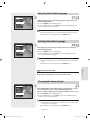
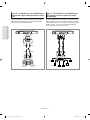
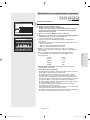
Playing the Title List
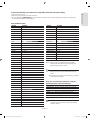
Title List
DVD-RW(VR)
APR/19/2007
1/6
No.
APR/19/2007 12:00 PR12
APR/19/2007
SP
MOVE
Title
01 APR/19/2007
02 APR/19/2007
03 APR/20/2007
04 APR/20/2007
05 APR/21/2007
06 APR/21/2007
OK
Length Edit
12:00
12:30
12:00
12:30
12:00
12:30
RETURN
00:00:21
00:00:03
00:00:15
00:00:16
00:06:32
00:08:16
►
►
►
►
►
►
EXIT
DVD-R155 only
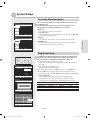
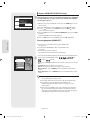
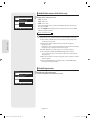
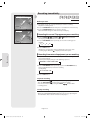
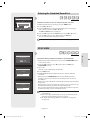
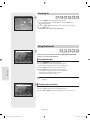
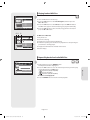
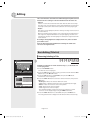
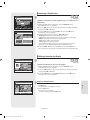
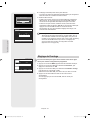
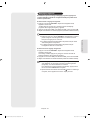
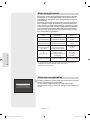
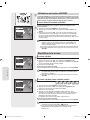
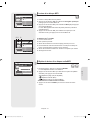
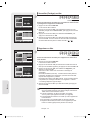
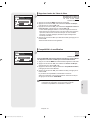
Follow these instructions to play back a scene from the Title List.
1. Press the TITLE LIST button. The Title List screen is displayed.
2. Press the ▲▼ buttons to select an entry you want to play from Title List.
• Press the PLAY button. The selected entry (title) will be played back.
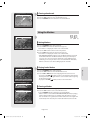
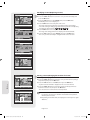
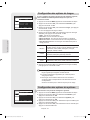
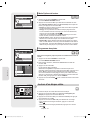
• Press the OK or ► button. The Edit menu is displayed on the right.
(Rename, Delete, Edit, Protection : See pages 55-57)
3. To stop title play, press the STOP button.
To return the title list screen, press the TITLE LIST button.
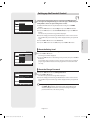
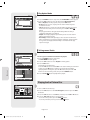
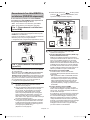
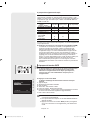
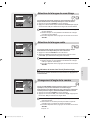
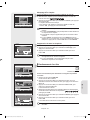
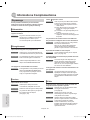
▌Title List Screen Elements
1. Playback screen for recorded entries.
DVD-RW(VR)
Title List
APR/21/2007
5/6
APR/21/2007 12:00 PR12
APR/21/2007
SP
MOVE
No. Title
01 APR/19/2007
02 APR/19/2007
03 APR/20/2007
04 APR/20/2007
05 APR/21/2007
06 APR/21/2007
OK
Length Edit
12:00 00:00:21 ►
12:30 00:00:03 ►
Play
12:00 00:00:15 ►
Rename
12:30 00:00:16 ►
Delete
12:00 00:06:32 ►
Edit00:08:16 ►
12:30
Protection
RETURN
EXIT
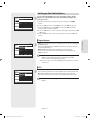
2. Information window for the selected entry:
Title name, recording date, lock status, recording mode
3. Recorded entry No.
4. Recorded entry title
5. Recording length (i.e., the playing time)
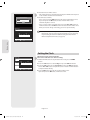
6. Title list edit items
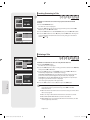
Play: Plays the selected entry.
Rename: Renames the title of a selected entry.
Delete: Deletes the selected entry from the list.
Edit: Deletes a section of titles.
Protection: Locks or unlocks the selected entry.
7. Button display.
■ By pressing the ANYKEY button, you can play desired title.
(See page 46)
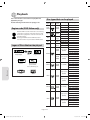
Playback
■ This may depend on the disc type.
■ DVD±R/DVD-RW(Video) discs have limited editing function.
(See page 32)
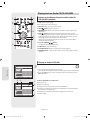
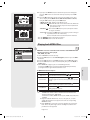
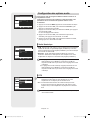
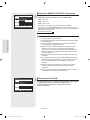
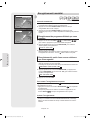
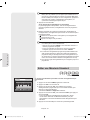
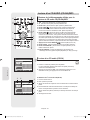
▌Recording on Free space
DVD+RW
Title List
Free Space
5/7
No. Title
01 APR/19/2007
02 APR/19/2007
03 APR/20/2007
04 APR/20/2007
05 Free space
06 APR/21/2007
07 Free space
Free Space
PR 10
SP
MOVE
OK
Length Edit
12:00 00:00:21 ►
12:30 00:00:03 ►
12:00 00:00:15 ►
12:30 00:00:16 ►
00:06:32 ►
Recording
12:30 00:08:16 ►
03:40:27 ►
RETURN
EXIT
DVD-R155 only
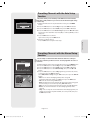
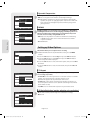
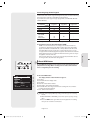
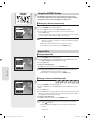
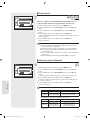
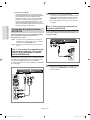
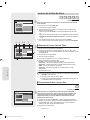
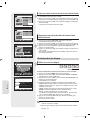
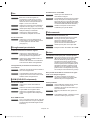
This function is only available with DVD+RW discs. If existing titles are
deleted, new free space will be created. When you operate free space
function, on-air TV images will appear on the left side of the title list.
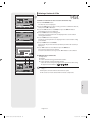
1. Press the TITLE LIST button. The Title List screen is displayed.
2. Press the ▲▼ button to select Free Space, then press the OK or ► button.
On-air TV images will appear on the left side of the title list.
3. Press the OK button.
English - 54
01274J-R150,155-AFR-ENG.indb 54
2007-04-20 오후 2:28:59