1
Network connectivity
Tethering and Mobile hotspot
About tethering and mobile hotspots
Use this feature to share the device’s mobile data connection with computers and other
devices if an Internet connection is unavailable. Connections can be made via the Wi-Fi, USB,
or Bluetooth.
You may incur additional charges when using this feature.
Using the mobile hotspot
Use your device as a mobile hotspot to share your device’s mobile data connection with other
devices.
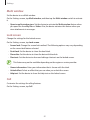
1 On the Apps screen, tap Settings → Tethering and Mobile hotspot → Mobile hotspot.
2 Tap the Mobile hotspot switch to activate it.
• appears on the status bar. Other devices can find your device in the Wi-Fi networks
list.
• To set a password for the mobile hotspot, tap
enter a password and tap Save.
and select the level of security. Then,
3 On the other device’s screen, search for and select your device from the Wi-Fi networks
list.
4 On the connected device, use the device’s mobile data connection to access the Internet.
33