1
DVD_P360_XEL Eng 1
2/20/06
10:19
Page 12
Connection to a TV (Progressive)
1
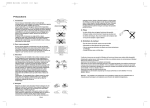
Using component video cables (not included), connect the
COMPONENT VIDEO OUT terminal on the rear of the
DVD player to the COMPONENT IN terminal of TV.
2
Using the audio cables, connect the AUDIO (red and
white) OUT terminals on the rear of the DVD player to the
AUDIO (red and white) IN terminals of TV. Turn on the
DVD player and TV.
RED
3
Press the input selector on your TV remote control until the
Component signal from the DVD player appears on the TV
screen.
BLUE
GREEN
WHITE
RED
Audio Cable
Component cable
(not included)
RED
WHITE
RED
BLUE
GREEN
4
Set the Video Output to P-SCAN in the Display Setup
menu. (See pages 27)
To see the progressive video output,
-You
Consult
TVsupporting
User’s Manual
to find out
need ayour
TV set
the progressive
scanif your TV supports Progressive Scan. If Progressive
Scan isfunction.
supported,
follow
TV up
User’s
Manual regarding Progressive Scan settings in the TV’s
input
And you
havethe
to set
the TV
menu system.
- Depending on your TV, the connection method may differ from the illustration above.
Note
- What is "Progressive Scan"?
Progressive scan has twice as many scanning lines as the interlace output method has. Progressive
scanning method can provide better and clearer picture quality.
12