1
Settings
Settings
5. When you are satisfied, press
or the OK soft
key. The phone sends your settings to the network
and the network’s acknowledgement is displayed.
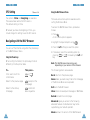
Call Barring
To deactivate specific call diverting settings, proceed
as follows.
Call barring can be set up in the following ways.
1. Select the call diverting option to be deactivated.
The call barring network service allows you to
restrict your calls.
All outgoing: calls cannot be made.
International: international calls cannot be made.
2. Select the type of calls to which this option
applies.
International except to home: when abroad, calls
can be made only to numbers within the current
country and to your home country, that is the country
where your home network provider is located.
3. Press the Remove soft key.
All Incoming: calls cannot be received.
The phone sends your settings to the network and
the network’s acknowledgement is displayed.
You can also deactivate all call diverting settings by
selecting the Cancel All option.
Incoming while abroad: calls cannot be received
when you are using your phone outside your home
service area.
Cancel All: all call barring settings are deactivated;
calls can be made and received normally.
You can specify individual call barring options for
each of the following call types:
• Voice calls only
• Fax calls only (not available when line 2 is in use)
• Data calls only (not available when line 2 is in
use)
To set your call barring options, proceed as follows.
1. Select the type of call barring required by
pressing
or
until the appropriate option
is highlighted and then press the Select soft key.
2. Select the type of calls to be barred by
pressing
or
until the appropriate
option is highlighted and then press the Select
soft key.
98
99