1
Using Bluetooth Devices
(Optional)
You can transfer files between Bluetooth devices, use the Internet, and
construct a Personal Area Network. In addition, you can use a wireless
keyboard, wireless mouse, and a wireless printer that have the Bluetooth
function.
Note
You can only use the Bluetooth communication function between
devices (computers, mobile phones, PDAs, printers, etc.) which
support Bluetooth.
The Bluetooth function is provided through the Bluetooth software
included in Microsoft Windows XP SP2.
Bluetooth Device On-line Help
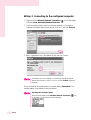
For more detailed procedures on using the Bluetooth function, click Start > Help
and Support > Network and the Web > Networking > Wireless
networking > Bluetooth devices, and view the descriptions.
■ The following functions are provided by the
Bluetooth software.
Transferring files
You can transfer files between Bluetooth devices such as computers, mobile
phones, PDAs (Personal Digital Assistant), etc.
For more detailed procedures on transferring files, refer to“Send and
Receive files to/from a Bluetooth device”
of the Bluetooth On-line help.
Using the Internet via a mobile phone
You can connect to the Internet through your mobile phone after connecting it
to a computer which is connected to the Internet.
For more detailed procedures on using the Internet, refer to“Install a
Bluetooth mobile phone”and“Create a Bluetooth connection
to the Internet using a Bluetooth mobile phone”of the Bluetooth
On-line help.
Using a wireless keyboard and mouse
You can use a wireless keyboard and mouse which have the Bluetooth
function.
For more detailed procedures on using a wireless keyboard and mouse, refer
to“Install a Bluetooth keyboard”and“Install a Bluetooth
mouse”of the Bluetooth On-line help.
Using a wireless printer
You can use a wireless printer if the printer supports Bluetooth HCRP
(Hardcopy Cable Replacement Profile).
For more detailed procedures on using a wireless printer, refer to“Install a
Bluetooth printer”of the Bluetooth On-line help.
4-26 Manual