1
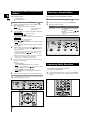
Where to Install Your
Micro Component System
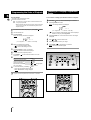
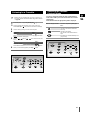
Inserting Remote Control Batteries
GB
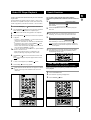
To take full advantage of your new micro component system,
follow these installation instructions before connecting the unit.
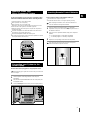
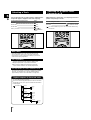
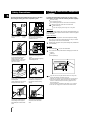
Install the system on a flat, stable surface.
Never place this unit on carpeting.
Never place this unit in an outdoor area.
Maintain an open space of approximately 6 inches (15 cm) on the
sides and rear of the system, for ventilation purposes.
Make sure that you have enough room to open the compact disc
compartment easily.
Place the loudspeakers at a reasonable distance on either side of
the system to ensure good stereo sound.
Direct the loudspeakers towards the listening area.
For optimum performance, make sure that both speakers are placed
at an equal distance above the floor.
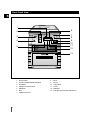
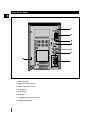
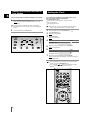
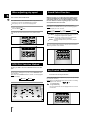
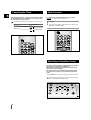
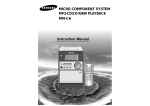
TUNER
Standby/On
Open/Close
Band
VCD/CD
Previous
Down
TAPE
Phones
AUX
Tuning
Mode
Next
Up
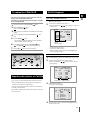
Insert or replace remote control batteries when you:
Purchase the micro component system
Find that the remote control is no longer operating correctly
When replacing the batteries, use a new set of batteries and
never mix alkaline and manganese batteries.
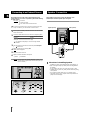
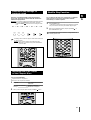
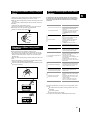
1
Place your thumb on the position marked
on the battery
compartment cover (rear of the remote control) and push the cover in
the direction of the arrow.
2
Insert two AA, R6 or equivalent batteries, taking care to respect the
polarities:
+ on the battery against + in the battery compartment
– on the battery against – in the battery compartment
3
Replace the cover by sliding it back until it clicks into position.
If you will not be using the remote control for a long time,
remove the batteries to prevent corrosion.
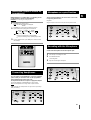
Demo
Volume
REC/Pause
REV.Mode
Sound
Mode
Mic
Push Eject
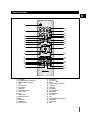
Full Auto Remote Control Operation
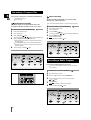
Connecting your System to the
Power Supply
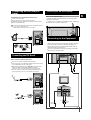
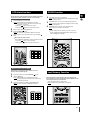
The main lead must be plugged into an appropriate socket.
Before plugging your system into a main socket, you must check
the voltage.
1
Check the position of the voltage selector on the rear panel
(OPTIONAL).
2
Plug the main lead (marked AC Cord on the rear of the system) into
an appropriate socket.
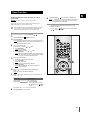
3
Press the Standby/On button to switch your mini-compact system on.
7