1
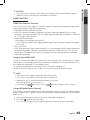
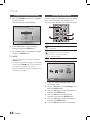
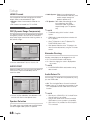
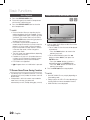
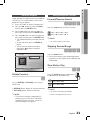
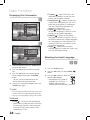
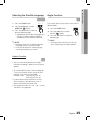
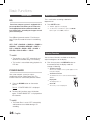
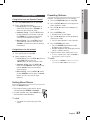
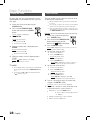
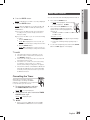
04 8. Press the ENTER button. You can set the time that the DVD player will shut itself off. 1. Press and hold SLEEP button: `` Result: Starts playback and the following indication appears: 90 MIN Result: CHK REC (Do you want to record?) is displayed. 9. Press the ENTER button. Result: REC N is displayed, you can press the $ or % button to select the REC Y or REC N, and then press ENTER button. 1). If you select the REC N, it will cancel tuner timing recording even if you have already set the tuner timing recording. 2). If you select the REC Y, you can set the tuner timing recording. a. Press the ENTER button. Result: ON is displayed for a few seconds, you can set the tuner timing recording switch-on time. b. Press the ENTER button. Result: OFF is displayed for a few seconds, you can set the tuner timing recording switch-off time. 2. Press and hold the SLEEP button once or more times to indicate how long the system should continue playing before it switches off: 90 MIN 60 MIN 45 MIN 30 MIN 15 MIN OFF At any time, you can: `` check the remaining time by pressing and holding the SLEEP button. `` Change the remaining time by repeating steps 1 and 2. 3. To cancel the sleep timer, press and hold the SLEEP button until OFF appears on the display. ✎✎NOTE `` `` `` `` `` The maximal tuner timing recording time is 5 hours. If the timer switch on and off times are identical, the word ERROR is displayed. If there is no disc or usb, please wait 5 seconds, it will automatically change to “FM”. If the switch-on or -off time is the same as the timing recording time, only the switch-on or -off time is effective, and the timing recording time is not applied. If the auto timer is turned on, the DVD/CD or USB function may require an additional step to be activated depending on the disc (or device). Hence it is better for you to select the FM function instead. Cancelling the Timer After having set the timer, it will start automatically as shown by the TIMER indication on the display. If you no longer wish to use the timer, you can cancel it. 1. To cancel the timer, press and hold the TIMER ON/OFF button once. Result: is no longer displayed. 2. To resume the timer, press and hold the TIMER ON/OFF button again. Result: is displayed again. ✎✎NOTE `` When you select the TIMER OFF mode, the TIMER RECORDING and TIMER function are not available. English 29 Basic Functions Sleep Timer Function