1
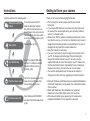
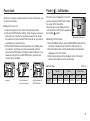
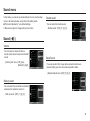
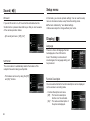
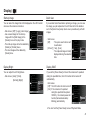
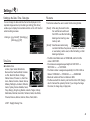
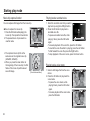
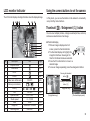
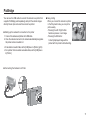
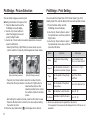
Setting up the play back function using the LCD monitor
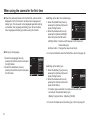
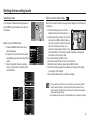
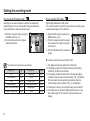
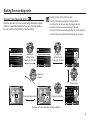
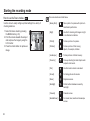
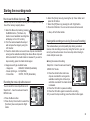
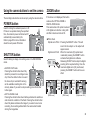
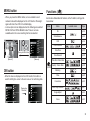
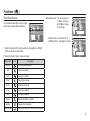
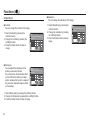
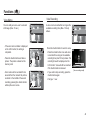
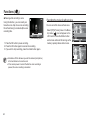
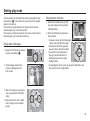
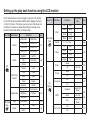
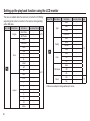
PLAY mode functions can be changed by using the LCD monitor.
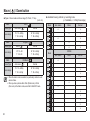
In the PLAY mode, pressing the MENU button displays the menu
on the LCD monitor. The menus you can set up in Play mode are
as follows. To capture an image after setting up the play menu,
press the PLAY mode button or shutter button.
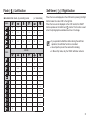
Menu Tab
Main Menu
Sub Menu
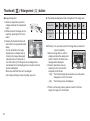
2592x1944
Resize
Rotate
)
Photo Style
Selector
Multi Slide
Show
)
(
2048x1536
2592X1728
2592X1458
1920X1080
Start Image
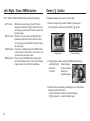
Right 90˚
Left 90˚
180˚
Horizontal
Effect
p.61
Multi Slide
Show
)
(
Normal
Soft
Vivid
Forest
Retro
Cool
Calm
Classic
Custom
Red-eye Fix
Face Retouch
Image Adjust
Brightness
Contrast
Saturation
-
Start
Play / Repeat
-
All
Date
Select
-
Interval
Music
p.62
-
Negative
Images
Main Menu
Page
1800X1200
Vertical
Edit
(
1024X768
Menu Tab
Delete
Protect
p.62
File
Options
(
)
p.63
Voice memo
DPOF
p.64
p.65
Copy To Card
Sub Menu
Secondary
Menu
Off
Calm
-
Sweet
Rural
-
Vivid
Lively
-
Shine
Relax
-
1, 3, 5, 10 sec
-
Off
Mist
-
Muse
Fall
-
Dawn
Party
-
Drops
Trip
-
Select
-
All
Yes / No
Select
-
All
Unlock / Lock
Off
-
On
-
Standard
Select / All /
Reset
Index
Yes / No
Size
Select / All /
Reset
Yes
-
No
-
Page
p.65
p.66
p.66
p.66
p.67
p.67
p.68
~
p.69
p.70
59