1
Introduction
Standard Pages
From the Print page of Internet Services, select the standard pages
radio button.
Using this feature, you can print a standard page that is resident on
the printer. These Standard Pages can be very helpful in
troubleshooting, or for reference. For example, you may want to
generate a Menu Map to help you navigate through the printer’s
menus that are accessed at the printer’s Control Panel.
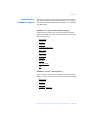
Select the Standard Page that you want to print and then press the
Print button. Note that this Print button will appear only if
JavaScript has been enabled. If JavaScript has not been enabled, an
HTML button will be visible. Choose one of the following
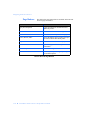
Standard Pages:
Quantity (1...999) - Select the number of pages that you want to
print. Choose a number from 1 to 999.
Tray - Select the Tray from which you want to print.
7-4 ❖ CentreWare Internet Services Setup and User Guide