Transcript
DIGITAL VIDEO CAMERA
User manual
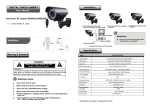
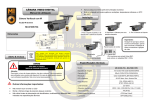
Installation
Dome Camera
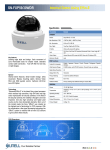
1.Fix the base on the wall,
then fix the camera on the base;
2.Turn the camera to a suitable
position;
3.Fasten the camera on the
base;
DR45
Rear Panel of monitor
85mm
100mm
Attention:
Be sure to connect power supply after
all installation is completed!
78mm
Interface
Video out(BNC)
Power in(DC12V)
4.Connect the camera to the monitor.
War ning & Attention
Specification
WARNING
Please don't open camera,it's w ith
danger of electronic shock.
Attention:
To reduce the danger of electronic shock ,please don't open the case(or
back cover)of camera ;everything is on the surface of camera for user
operation, please seek help from qualified professionals for repair.
Image Dev ice
DSP Device
Attention items:
Lens (varifocal)
Make camera aw ay from violent attack;
TV System
Don't use any unidentified pow er supply;
Electronic Shutter
Make camera lens aw ay from strong light;
White Balance
Avoid installation in unstable places(shake,w et,high temperature,
cold,etc)
Avoid operation out of the follow ing conditions,temperature:
0 ℃~+50℃,humidity:less than 85%;
1/3" S o n y Exview HAD CCD II (ICX672/3A KA )
SonyEf f io-E (CXD4127GG,CXD4816GG)
650TVL
Resolution
Picture Elements
Don’t touch CCD or lens;
DR45
M ode l
PA L:976(H)×582(V )
NTSC:976(H)×494(V)
4-9mm Manual Zoom Lens
PA L
NTSC:1/60~1/100,000, PA L:1/50~1/110,000
ATW /PUSH/ User1/User2
Backlight
OFF/ON/BLC/ HLC
Privacy Masking
OFF/ON (4 Zone)
2D-NR
Video Output
Power Supply
Specifications are subject to change w ithout notice
OFF/ON (Y/C level)
1 Vp-p / 75 Ohms
DC12V/250mA