1
IP POWER 9258 USER MANUAL
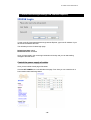
8. DDNS setting
DDNS Setting
2. DDNS Setup
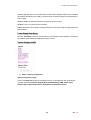
When the user connects to the Internet through ADSL (PPPOE Service), the IP address that you
receive from ISP is usually a dynamic IP Address. Therefore when someone wants to visit your
device they are usually not able to because the IP Address is dynamic and it will keep changing.
By using DDNS this problem is solved.
Below we will explain using the DDNS service provided by www.dyndns.com:
1.) First, apply for a domain name (Ex. [email protected]) in www.dyndns.com for the
9258.
2.) Set the domain password and select the proper DNS server (for example, dnsdojo.net) for
domain name resolve.
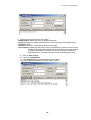
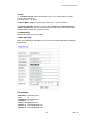
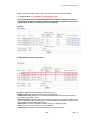
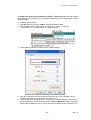
1.) Then input the Domain Name Server (host name), user name, password, and, etc in the
DDNS webpage of 9258.
2.) After you have set every up correctly every time the 9258 start or user selects submit, the
9258 will send a message package including its current IP address, domain name to
www.dyndns.com, then the DNS server you choose will link the domain name of 9258 to its
current IP address. That way the visitor can visit the 9258 webpage by inputting the domain
name of 9258 (abcdefg.dnsdojo.net) in the address column of the browser.
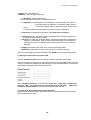
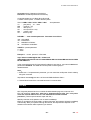
DDNS Server IP: Type in the IP Address and port number provided by www.dyndns.com Please
refer to the figure above for reference.
- 24 -