1
4. Alignment and Troubleshooting
11
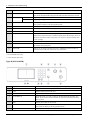
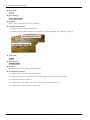
Stop/Clear
Stops current operation.
12
Power/Wake up
Turns the power on or off, or wakes up the machine from the power save mode. If
you need to turn the machine off, press this button for more than three seconds.
13
Start
Color
Begins a printing job in color mode.
Black
Begins a printing job in black and white mode.
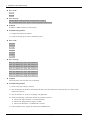
14
On Hook Dial*
When you press this button, you can hear a dial tone. Then enter a fax number.
It is similar to making a call using speaker phone.
15
Back
Sends you back to the upper menu level.
16
Menu
Enters Menu mode and scrolls through the available menus.
17
Scan*
Switches to Scan mode.
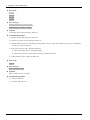
18
Toner Colors
Show the status of each toner cartridge. If the toner cartridge is low or needs to be
replaced, the Status LED turns red and the display shows the message. However,
the arrow mark shows which color toner is of concern or may be installed with
a new cartridge.
19
Status LED
Indicates the status of your machine.
20
Eco
Turn into eco mode to reduce toner consumption and paper usage when
pc-printing and copying only.
21
Direct USB
Allows you to directly print files stored on a USB memory device when it is
inserted into the USB port on the front of your machine.
* CLX-419xFN series only.
** CLX-419xN series only.
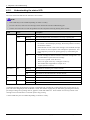
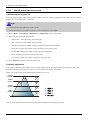
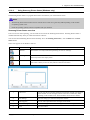
Type B (CLX-419xFW)
4-2
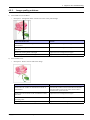
1
Display screen
Shows the current status and displays prompts during an operation.
2
Numeric keypad
Dials a number or enters alphanumeric characters.
3
Clear
Deletes characters in the edit area.
4
Stop/Clear
Stops an operations at any time.
5
Power/Wake up
Turns the power on or off, or wakes up the machine from the power save
mode. If you need to turn the machine off, press this button for more than
three seconds.
6
Start
Starts a job in black or color mode.
7
On Hook Dial
When you press this button, you can hear a dial tone. Then enter a fax number.
It is similar to making a call using speaker phone
8
Help
Gives detailed information about this machine’s menus or status.
Copyright© 1995-2012 SAMSUNG. All rights reserved.