1
Media
1. Select Menu > Media > Media player > Streaming settings > Configuration.
2. Select a service provider, Default, or Personal config. for streaming.
3. Select Account and a streaming service account contained in the active configuration settings.
Music player
Your device includes a music player for listening to music tracks or other MP3 or AAC sound files that you have downloaded from
the web or transferred to the device with Nokia PC Suite. See "Nokia PC Suite," p. 36.
Music files stored in the music folder in the device memory or on the memory card are automatically detected and added to the
music library during the startup of the device.
To open the music player, select Menu > Media > Music player.
Play music tracks
Warning: Listen to music at a moderate level. Continuous exposure to high volume may damage your hearing. Do
not hold the device near your ear when the loudspeaker is in use, because the volume may be extremely loud.
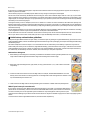
Operate the music player with the virtual keys on the display.
When you open Music player, the details of the first track on the default track list are shown. To start playing, select .
To adjust the volume level, use the volume keys of the device.
To pause the playing, select .
To skip to the next track, select
. To skip to the beginning of the previous track, select
To fast forward the current track, select and hold
position you want.
twice.
. To rewind the current track, select and hold
. Release the key at the
To stop the music player, press and hold the end key.
Music player options
In the music player menu, select from the following options:
• Show tracks — View all available tracks of the active track list and play the desired track. To play a track, scroll to the desired
track, and select Play.
• Music library — View all available tracks ordered according to Artists, Albums, Genres, Composers, or Track lists. Select
Update library to refresh the lists. To find track lists generated with the Nokia Music Manager, select Track lists > My track
lists.
• Play options — Select Random to play the tracks on the track list in random order. Select Repeat to play the current track
or the entire track list repeatedly.
• Media equalizer — to select or define an equalizer setting
• Add to Favorites — to add the current track to the favorite track list
• Play via Bluetooth — to connect and play the tracks on an audio accessory using Bluetooth technology
• Use tone — Set the currently played music track, for example, as a ringing tone.
• Send — to send the current track by a multimedia message or using Bluetooth technology
• Web page — to access a web page associated with the currently played track, which is dimmed if no web page is available.
• Music downloads — to connect to a web service
• Memory status — to view the free and used memory capacity
Radio
The FM radio depends on an antenna other than the wireless device antenna. A compatible headset or enhancement
needs to be attached to the device for the FM radio to function properly.
Warning: Listen to music at a moderate level. Continuous exposure to high volume may damage your hearing. Do
not hold the device near your ear when the loudspeaker is in use, because the volume may be extremely loud.
Select Menu > Media > Radio.
To use the graphical keys
,
,
, or
Save radio frequencies
1. To start the search, select and hold
on the display, scroll left or right to the desired key, and select it.
or
. To change the radio frequency in 0.05 MHz steps, briefly press
or
.
2. To save a frequency to a memory location, 1 to 9, press and hold the corresponding number key. To save a frequency to a
memory location from 10 to 20, press briefly 1 or 2, and press and hold the desired number key, 0 to 9.
3. Enter the name of the radio station.
© 2007 Nokia. All rights reserved.
29