1
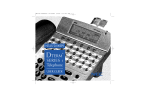
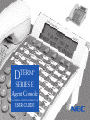
DTERM
®
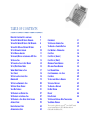
SERIES E
Agent Console
USER GUIDE
LIABILITY DISCLAIMER
NEC AMERICA, INC. RESERVES THE RIGHT TO CHANGE THE SPECIFICATIONS,
FUNCTIONS, OR FEATURES, AT ANY TIME, WITHOUT NOTICE.
NEC AMERICA, INC. HAS PREPARED THIS DOCUMENT FOR USE BY
ITS EMPLOYEES AND CUSTOMERS. THE INFORMATION CONTAINED
HEREIN IS THE PROPERTY OF NEC AMERICA, INC. AND SHALL NOT
BE REPRODUCED WITHOUT PRIOR WRITTEN APPROVAL FROM
NEC AMERICA, INC.
COPYRIGHT 1998
NEC AMERICA, INC.
TABLE OF CONTENTS
DEDICATED FUNCTION KEYS AND LAMPS
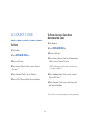
TO LOG ON WHEN ID CODE IS REQUIRED
TO LOG ON WHEN ID CODE IS NOT REQUIRED
TO LOG OFF WITH OR WITHOUT ID CODES
TO SET AUTOMATIC ANSWER
TO SET MANUAL ANSWER
TO ANSWER/RELEASE AN INCOMING ACD CALL
TO HOLD A CALL
TO TRANSFER A CALL TO SPLIT QUEUE
TO SET/RESET BREAK MODE
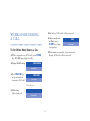
WORK MODE DURING A CALL
TALLY COUNT
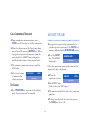
TO PLACE AN ASSISTANCE CALL
MONITOR ME
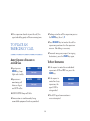
TO PLACE AN EMERGENCY CALL
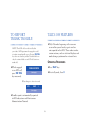
TO REPORT TRUNK TROUBLE
TALLY-OH FEATURES
TO ORIGINATE AN OUTSIDE CALL
TO ORIGINATE AN INTERNAL CALL
TO ORIGINATE A CALL USING SPEED CALLING
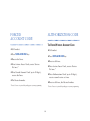
ACCOUNT CODE
FORCED ACCOUNT CODE
AUTHORIZATION CODE
2
7
8
9
10
11
11
13
14
15
17
18
18
19
20
21
21
27
27
28
29
30
30
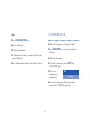
CONFERENCE
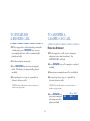
TO ESTABLISH A BROKER CALL
TO ANSWER A CAMPED-ON CALL
CALL WAITING – ORIGINATING
CALL PARK
CALL PICK-UP ( GROUP )
CALL PICK-UP ( DIRECT )
OUTGOING TRUNK QUEUING
OFF-HOOK TRUNK QUEUING
LAST NUMBER REDIAL
CALL FORWARDING – ALL CALLS
CALL BACK
TO SAVE AND REPEAT A NUMBER
TO LEAVE A MESSAGE
TO ANSWER A MESSAGE
DO NOT DISTURB
PRIVACY
DATA FEATURES
TO ESTABLISH EXTERNAL DATA TRANSMISSION
VIA MODEM POOLING
This user guide is published to support Dterm Series E ACD Terminal
operation with ACD Release II, III, IV (NEAX2400 IMS) and
CallCenterWorX (NEAX2000 IVS).
31
32
32
33
34
36
36
37
38
38
39
40
41
42
42
43
44
44
46
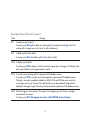
DEDICATED FUNCTION
KEYS AND LAMPS
LOGON
Press to LOGON or LOGOFF status.
BREAK
When pressed by the ACD Agent, the position
is still Logged On, but it is temporarily unavailable
to receive ACD calls. (This key is used for
lunch time and breaks, etc)
FUNCTION KEYS
RELEASE
Press this key to release an established ACD or
NON-ACD call.
TRANSFER
Used to set or reset Work mode.
Allows the console user to transfer established
calls to another station, agent or queue without
attendant assistance.
HOLD
CONF
Used to hold an ACD call or a NON-ACD call
presently in progress.
Allows simple access to establish a three-way
conference.
DIAL KEY PAD
TALLY
Provides access to NON-ACD PBX dialed
features and input of Tally Count data to the
MIS system.
By pressing this key an Agent enters the tally
count mode. The Agent can register up to 22
digits by pressing the dial pad digit x (x=1-9)
and then #, for each different event.
WORK
2
ACD PROGRAMMABLE LINE/FEATURE KEYS
EMER
This feature permits an ACD Agent to record a
conversation between an ACD Agent and caller
if recording equipment is provided. Simultaneously,
a call is placed to the Split Supervisors Line key
for silent monitoring.
AUTO/MAN
When pressed the associated lamp will light
steadily indicating the Agent is in the Automatic
Answer Mode and will automatically receive a
new ACD call upon the release of an established
call if calls are in queue to that Split. Before
being connected to a new call the Agent will
hear “Zip” tone.
ACD CALL
All ACD calls directed to an ACD Agent will
terminate to this line key.
LINE
When pressed again the Agent’s Answer mode
will change from Automatic to Manual. The
associated lamp is dark. When an ACD call
comes into the ACD Agent position which
is set for manual operation, the console rings
and must be manually answered by pressing the
ACD call key.
This key is used by the Agent to originate or
answer a NON-ACD call.
TRK TRBL
The Agent presses this key to report low
volume, static, or any problem with trunks
encountered during a call.*
MONITOR/BARGE
*This feature does not improve upon problem encountered.
This feature allows the Agent to select another
Agent position to monitor or barge into calls
on both the ACD line and NON-ACD line at
that Agent position.
3
ASSIST
NON-ACD PROGRAMMABLE
LINE/FEATURE KEYS
Feature activation provides immediate call
connection to a split supervisor’s line key for
assistance in handling a complaint or problem.
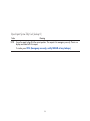
NOTE: Each ACD Agent may program PBX features
in any of the unused twenty-four programmable line
keys or available one touch calling keys.
CW
This key is used to indicate calls in queue. The
Agent presses this key to show how many calls in
queue and the time of the longest waiting call.
MSG
Message Reminder – Dterm Series E station
users may leave messages on the alphanumeric
displays of other Dterm Series E instruments,
indicating their station number and time of
call attempt.
FEATURE
Used to adjust LCD contrast, speaker/receiver,
volume, and ringer volume.
RECALL
UP/ DOWN
Press to terminate established call and reseize
internal dial tone.
◆ LCD
Contrast:
Press ▲ or▼ key while idle.
PICK
◆ Speaker / Receiver
Volume:
Press ▲ or▼ key during conversation.
Call Pick-Up-Group – this feature allows
a station user to intercept calls directed to
another station.
◆ Ringer
Volume:
Press ▲ or▼ key during ringing.
4
PICK-DIRECT
DTX
Call Pick-Up-Direct – allows a station user to
intercept calls directed to another station.
Press key to transfer a call from a voice line to
a data line.
FWD
DND
Call Forwarding-All Calls – this feature allows
the station user to forward a split incoming call
to an alternate answering position.
Do not disturb – the feature allows a station
user to stop calls from ringing at the station
during on hook or off hook condition.
DSY/AUTO
CALL BACK
While engaged in a voice conversation, the
Agent presses this key to display the status of a
data connection. If this key is pressed while not
engaged in a data connection the agent sets the
data terminal equipment to the Automatic
Answer Mode.
Enables an originated NON-ACD call upon
encountering a busy condition to have a call
automatically completed when the called ACD
Agent or busy trunk becomes idle.
NOTE: Lower line of LCD constantly indicates
time, day and date.
DATA
NOTE: Display indicatations may change depending
on the PBX product. Display in this manual reflect
the indicates behind the NEAX2400 PBX.
The Agent presses this key to set up a
connection between the MIS system and the
MIS terminals.
5
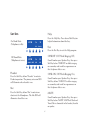
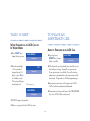
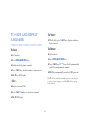
SOFT KEYS
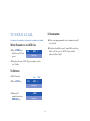
Help
On Hook State
(Telephone is idle)
3:17 PM
Fri
Mic
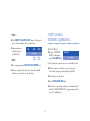
Press the Help Key. Press desired Soft Key for
helpful information about that key.
28
Exit
Headset
Help
Exit
Press the Exit Key to exit the Help program.
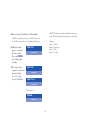
OHROFF (Off Hook Ringing Off)
2000
Off Hook State
(Telephone is in use)
3:17 PM
Fri
28
OHROff
MIC
HSET
MUTE
Exit
Go off-hook or press Speaker Key, then press
Soft Key below “OHROFF” to disable ringing
on secondary and trunk line appearances on
this telephone while in use.
Help
Headset
OHR-ON (Off Hook Ringing On)
Press the Soft Key below “Headset” to activate
Headset operation. The primary extension LED
will illuminate when headset is on.
Go off-hook or press Speaker Key, then press
Soft Key below “OHR-ON” to allow ringing
on secondary and trunk line appearances on
this telephone while in use.
Mic
Press the Soft Key below “Mic” to activate or
deactivate the Microphone. The Mic LED will
illuminate when Mic is on.
MUTE
Go off-hook or press Speaker Key, then press
Soft Key below “MUTE”. MUTE will flash and
Voice Path is eliminated to the handset, headset
or speaker.
6
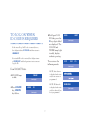
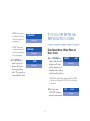
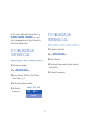
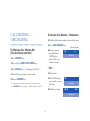
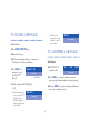
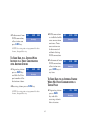
TO LOG ON WHEN
ID CODE IS REQUIRED
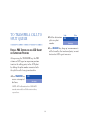
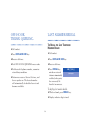
♦ Dial Agent LOG
ID Code, press the
# key, digits dialed
are displayed. The
LOGON and
WORK lamps light
steadily; display
indicates greeting.
If the entered Log On ID code is currently in use,
the display indicates ID IN USE and then returns to
LOGON ID?
If an invalid ID code is entered, the display returns
to LOGON ID? and the Agent must enter a current
Log On ID.
Then reviews the
following modes:
HELLO
LARRY
(Time display)
SPLIT
CUST.
(Time display)
From VACANT Status:
♦ LOGON lamp
NOTE: Auto Answer
is displayed and active
only if auto answer is
programmed.
VACANT
is dark.
(Time display)
♦ Press LOGON
key, LOGON
key flashes.
LOGON
NOTE: Work mode
is displayed and active
only if work mode has
been programmed.
ID?
(Time display)
7
WORK MODE
(Time display)
SYS.
♦ The WORK key
must be pressed
before Agent can
begin taking calls.
The console is now
in Ready status.
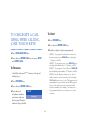
TO LOG ON WHEN ID
CODE IS NOT REQUIRED
READY
(Time display)
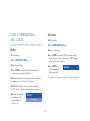
From VACANT Status:
♦ LOGON lamp
VACANT
is dark.
(Time display)
♦ Press LOGON
HELLO
key, LOGON
lamp is lit steadily;
display indicates
the greeting.
Then reviews the
following modes:
LARRY
(Time display)
SPLIT
SALES
(Time display)
8
NOTE: Auto answer
is displayed and active
only if auto answer is
programmed.
NOTE: Work mode
is displayed and active
only if work mode has
been programmed.
♦ The WORK key
must be pressed
before the Agent
can begin taking
calls. The console is
now in Ready status.
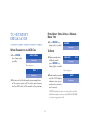
TO LOG OFF WITH OR
WITHOUT ID CODES
AUTO ANSWER
(Time display)
WORK MODE
FROM BREAK MODE, WORK MODE OR
READY STATUS
(Time display)
♦ Press LOGON key,
GOODBYE
lamp is dark. Several
displays will cycle
on the display for 4
seconds each, ending
with farewell greeting.
READY
(Time display)
LARRY
(Time display)
NOTE: Name will only be displayed if LOGON ID
codes are used. During LOGOFF, ACD calls cannot
be received.
♦ The time since
LOGON in hours,
minutes and seconds.
9
SHIFT
6:38:08
(Time display)
♦ The number of
ACD CALLS
incoming calls
handled.
♦ Of the calls handled,
(Time display)
AVG TALK
the average time
spent on each call in
minutes, seconds and
tenths of a second.
♦ The cumulative
amount of time spent
in Break Mode during
the shift in hours,
minutes and seconds.
♦ Finally, the display
1:30.9
NOTE: This feature applies only to a station that is
off hook on handset or headset.
(Time display)
NOTE: Automatic Answer applies only to ACD calls.
It does not apply to calls terminated on the agent line
key.
T-WORK
amount of time spent
in Work mode during
the shift in hours,
minutes and seconds.
♦ The cumulative
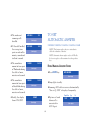
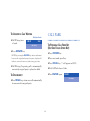
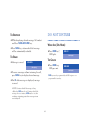
TO SET
AUTOMATIC ANSWER
138
2:07:41
FROM MANUAL ANSWER STATUS
(Time display)
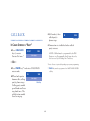
♦ Press AUTO key.
AUTO ANSWER
(Time display)
T-BREAK
1:02:41
♦ Lamp lights steadily.
(Time display)
♦ Incoming, ACD calls are answered automatically.
“Time in Q: X:XX” is displayed temporarily.
♦ Zip tone is heard
VACANT
shows VACANT.
before call is
connected to
ACD Agent.
(Time display)
10
Elapsed Time
Type
No.
15:39
WATS
3
(Time display)
TO SET
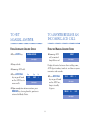
MANUAL ANSWER
TO ANSWER/RELEASE AN
INCOMING ACD CALL
FROM AUTOMATIC ANSWER STATUS
FROM THE MANUAL ANSWER STATUS
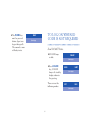
♦ Press AUTO key.
♦ Incoming ACD
MANUAL ANSWER
(Time display)
♦ Lamp is dark.
key or go off hook
on the ACD line to
answer calls.
(Time display)
Display alternates between who is calling name,
ACD Agent number, trunk etc. and time in queue
in minutes and seconds.
♦ Incoming ACD calls.
♦ Press ACD CALL
READY
call, associated
lamp flashes red.
Time
Type
No.
15:39
WATS
3
♦ Press ACD CALL
15:39
key or go off hook
on the ACD line,
lamp is steadily
lit green.
(Time display)
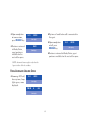
♦ Upon completion of conversation, press
RELEASE key if using handset, position is
returned to Ready Status.
WATS
(Time display)
TIME IN
Q
(Time display)
11
3
0:02
♦ Upon completion
15:39
of conversation,
press RELEASE key.
♦ Zip tone is heard before call is connected to
SERVICE
the agent.
(Time display)
♦ Upon completion
♦ Position is returned
of call, press
RELEASE key.
READY
to Ready Status,
agent position is
available for the
next call in queue.
SERVICE
(Time display)
(Time display)
♦ Position is returned to Ready Status, agent
position is available for the next call in queue.
NOTE: Automatic Answer applies only when the
Agent is in the off-hook condition.
FROM AUTOMATIC ANSWER STATUS
♦ Incoming ACD call,
15:39
15:39
hear zip tone, lamp
lights green, name
displayed.
SERVICE
(Time display)
TIME IN
Q
0:04
(Time display)
12
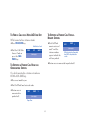
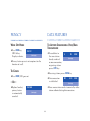
TO HOLD A CALL
IF UNANSWERED
♦ After a preprogrammed time; automatic recall
is initiated.
WHILE ENGAGED IN AN ACD CALL
♦ Press HOLD key;
HLD
held line will flash
green.
WATS
♦ Visual and audible signal (rapid flash and ring
burst) will be sent to ACD Agent which
placed call on hold.
3
(Time display)
♦ Displayed name, ACD Agent number, trunk,
etc. flashes.
TO RETRIEVE
♦ Lift Handset.
♦ Press ACD key.
1:09
Route
TRK No.
WATS
3
(Time display)
♦ Upon call
completion press
RELEASE key.
READY
(Time display)
13
TO TRANSFER A CALL TO
SPLIT QUEUE
♦ Dial the destination
split via a pilot
number.
XFR
3000
(Time display)
will be heard by the transferred party) or wait
for transfer ACD agent to answer.
After pressing the TRANSFER key, the PBX
station or ACD agent or supervisor position
transfers the calling party to the ACD pilot
by dialing the pilot number associated with
the split the call is being transferred to.
receive interrupted
dial tone.
Flashes
♦ Press RELEASE key, hang up (announcements
FROM A PBX STATION OR AN ACD AGENT
OR SUPERVISOR POSITION
♦ Press TRANSFER key,
Steady
XFR
(Time display)
NOTE: ACD calls transferred to a NON-ACD
transfer station will recall if the station is busy
upon release.
14
FROM READY STATUS USING A NORMAL
BREAK TYPE
TO SET/RESET
BREAK MODE
♦ Press BREAK key,
ON BREAK
lamp lights steadily.
(Time display)
WHILE ENGAGED IN AN ACD CALL
♦ Press BREAK
key, lamp lights
steadily.
TO RESET
BREAK PENDING
♦ Upon completion
of Break mode,
press BREAK key.
Lamp lights steadily.
(Time display)
Then changes to:
WATS
3
BREAK OVER
15:00
(Time display)
Then changes to:
♦ Break mode is canceled
(Time display)
and the LCD display
indicates time spent
on break in minutes
and seconds.
♦ Position in the Break mode upon completion
of the conversation, will be taken out of queue
and no ACD calls will be routed to the position.
READY
(Time display)
NOTE: Break mode can be set if any call is on hold.
Break Mode may be set/reset when NON-ACD LINE
is actively engaged in a call.
15
♦ Status returned to Ready or Work mode.
NOTE: The Supervisor defines Break selection types
in the MIS and provides this information to the Agent.
NOTE: Depending on the type of MIS system used,
the ACD system can be set up for multiple break type.
♦ Multiple break
types is selected
by the system.
Press the BREAK
key, lamp lights
steadily.
♦ The agent then
inputs x via the key
pad, one digit
(x=x1-9), then
presses the # key.
Example:
Break 1 - Lunch
Break 2 - Restroom
Break 3 - Files
Break 4 - Coffee
BREAK TYPE?
(Time display)
BREAK TYPE?
(Time display)
BREAK TYPE = X
(Time display)
Then changes to:
ON BREAK
(Time display)
16
♦ No further ACD calls will be received.
WORK MODE DURING
A CALL
♦ Upon completion
of Work, press
WORK key, lamp
extinguishes.
TO SET WORK MODE DURING A CALL
Ready, ACD calls will be received.
key, WORK lamp lights steadily.
WORK PENDING
(Time display)
♦ Press RELEASE key
or go on hook to
terminate ACD call.
(Time display)
♦ Work mode is canceled, status returns to
♦ While engaged in an ACD call, press WORK
♦ Displays Work Pending.
READY
WORK MODE
(Time display)
Then changes to:
♦ Work lamp
light steady red.
(Time display)
17
TALLY COUNT
TO PLACE AN
ASSISTANCE CALL
WHILE ENGAGED IN AN ACD CALL OR
IN WORK MODE
♦ Press TALLY key;
AGENT IS ENGAGED IN AN ACD CALL
TALLY NUMBER?
♦ Agent presses
lamp flashes green.
ASSIST key; lamp
lights steadily.
(Time display)
♦ Press desired digit
1-9 key on dial
keypad up to 22
digits, press # key
to validate entry.
The entered digits
are displayed.
ASSIST PARTS
(Time display)
♦ The Agent hears ring back tone and the assist
22#
destination is rung (normally a supervisor).
If no supervisor is available, the call waiting
indicator is provided to each supervisor, until
answered. (Depends on ACD programming).
(Time display)
♦ Agent may converse with supervisor, ACD
Then changes to:
Call is held in automatic hold mode.
TALLY ENTERED
♦ To cancel assistance call, press the TRANSFER
key; the ACD will be recovered.
(Time display)
♦ TALLY lamp extinguishes.
♦ Data is registered in the MIS system.
18
MONITOR ME
CALL CONFERENCE/TRANSFER
♦ Upon completion of conversation, press
CONF key, all three parties will be connected.
♦ An agent can request to be monitored by a
specific agent or supervisor. If the ASSIST key
feature is dedicated to the MONITOR ME feature.
♦ Either the Supervisor or the Agent may drop
out of the call by pressing RELEASE key. When
the agent or supervisor disconnects from the
assisted call, the ASSIST lamp extinguishes
and the display returns to the original status.
♦ Press the ASSIST
♦ The remaining party may converse with the
is terminated to
a busy supervisor.
ASSIST BUSY
(Time display)
Either the supervisor’s name or the name of the
supervisor’s split is displayed.
ACD caller.
♦ If the assist feature
MONITOR JAMES
key. The ASSIST
lamp lights.
XXXX
♦ When the
supervisor answers.
(Time display)
MONITOR
XXXX
(Time display)
♦ The ASSIST lamp
TO CANCEL
flashes red at the ACD Agent.
♦ Press TRANSFER key to return to the calling
♦ The monitor lamp flashes red at the supervisor
party, the assistance call is canceled.
position.
♦ To barge into the call, the supervisor presses
the MON key, then 1, #.
19
♦ If the supervisor decides to join the call, the
♦ To barge into the call the supervisor presses
the MON key, then 1, #.
agent and calling party will hear a warning tone.
♦ Press RELEASE key to transfer the call to
TO PLACE AN
EMERGENCY CALL
supervisory position after the supervisor
answers. No dialing is necessary.
♦ To cancel emergency request (to ringing
destination), press the EMER key again.
AGENT CONSOLE IS
AN ACD CALL
♦ Agent presses
EMER key, lamp
lights red steadily.
♦ Supervisor is
monitoring call
between Agent
and ACD caller.
ENGAGED IN
EMERG
TO BUSY DESTINATION
♦ If the request is routed to an individual
SUPVR
supervisor’s ACD or PBX line, press the
EMER key.
(Time display)
MONITOR
♦ If the request is
XXXX
routed to a busy
supervisor, the
agent’s LED is
extinguished.
(Time display)
EMERG BUSY
(Time display)
♦ ASSOCIATED lamp will flash.
♦ The ACD agent’s conversation is
♦ Conversation is simultaneously being
never interrupted.
recorded if equipment has been provided.
20
TO REPORT
TRUNK TROUBLE
TALLY-OH FEATURES
♦ Tally-Oh codes beginning with a zero are
reserved for special use by agents and are
not reported to the MIS. These codes invoke
various actions, such as statistical displays and
mode changes performed on a tenant basis.
NOTE: The ACD call is not effected by this
procedure. ACD Agent must be engaged in a call
to initiate a trunk trouble report. Pressing TRK TRBL
key does not clear the problem. Trunk trouble can
only be activated while on an ACD call (station or
trunk call).
♦ While engaged
OPERATING PROCEDURES
♦ Press TALLY key.
TROUBLE REPORTED
in an ACD call,
press TRK TRBL
key once only.
♦ Enter tally code, then #.
(Time display)
When changes to: after 4 seconds:
5:22
WATS
3
(Time display)
♦ Trouble report is automatically reported
to MIS subsystems and Maintenance
Administration Terminal.
21
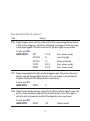
Special Agent System Tally Code (Leading O)
Code
Meaning
000#
Displays the agent’s statistics (shift time, number of ACD calls answered, average talk time, total time
in Work mode since logging on, and total time in Break mode since logging on) for the current agent
or the last agent logged on. The statistics are for the shift, they are not given on a per split basis.
To invoke, press 000#.
SAMPLE DISPLAYS:
SHIFT
3:12:48
(hours, minutes, seconds)
ACD CALLS
22
(one to three digits)
AVG TALK
3:11
(minutes and seconds)
T-WORK
0:20:16
(hours, minutes, seconds)
T-BREAK
0:10:00
(hours, minutes, seconds)
001#
Displays the queue depth of the split(s) served by the logged on agent. If the position is Vacant and
allowed a single split, the queue depth for that split is shown. For an agent, in multi-split mode, the
information for each split will be displayed for a four second interval.
To invoke, press 001#.
SAMPLE DISPLAY:
ORDERS
10
002#
Displays the time waited by the longest waiting call in the split(s) served by the logged on agent. If the
position is Vacant and allowed a single split, the wait time for that split is shown. For an agent, in
multi-split mode, the information for each split will be displayed for a four second interval.
To invoke, press 002#.
SAMPLE DISPLAY:
SERVICE
1:28
(Minutes, Seconds)
22
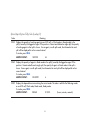
Special Agent System Tally Code (Leading O)
Code
Meaning
003#
Displays the quantity of working agents (on an ACD call, in Work mode, in Ready mode) in the
split(s) served by the logged-on agent. If the position is Vacant and allowed a single split, the quantity
of working agents in that split is shown. For an agent, in multi-split mode, the information for each
split will be displayed for a four second interval.
To invoke, press 003#.
SAMPLE DISPLAY:
SERVICE
26
004#
Displays the quantity of agents in Break mode in the split(s) saved by the logged on agent. If the
position is Vacant and allowed a single split, the quantity of agents in Break mode in that split is
shown. For an agent, in multi-split mode, the information for each split will be displayed for a four
second interval.
To invoke, press 004#.
SAMPLE DISPLAY:
DELIVERY
6
005# Displays the elapsed time since entering the current mode. The code is valid for the following modes:
on an ACD call, Work mode, Break mode, Ready mode.
To invoke, press 005#.
SAMPLE DISPLAY:
BREAK
0:10:00
(hours, minutes, seconds)
23
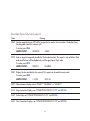
Special Agent System Tally Code (Leading O)
Code
006#
Meaning
Sends a request during an ACD call for a supervisor to monitor the conversation. The display shows
the designated supervisor’s name or split.
To invoke, press 006#.
SAMPLE DISPLAY:
MONITOR
JAMES
007# Sends a request to temporarily disable the Work mode time limit. This request is only valid from Work
mode, and the timer will be disabled only until the agent leaves Work mode.
To invoke, press 007#.
SAMPLE DISPLAY:
TIMEOUT
DISABLED
008# Displays the time and date for four seconds. This request can be made from any mode.
To invoke, press 008#.
SAMPLE DISPLAY:
1:32 PM
MON 22
009# Clear permanent display such as ”READY,” “ON BREAK,” or “VACANT.”
021# Setup Connection Displays, see “CONNECTION DISPLAYS C-199” see ACD F&S.
022# Online Help, see “CONNECTION DISPLAYS C-199” see ACD F&S.
023#
Show Connection Displays, see “CONNECTION DISPLAYS C-199” see ACD F&S.
24
Special Agent System Tally Code (Leading O)
Code
Meaning
024
To add a new split to split list.
To invoke, press 024ssspp# to add a new working split (sss) at preference level (pp) to the list of
working splits. An agent may work in up to 16 splits simultaneously.
025
To delete a split from the split list.
To invoke, press 025sss# to delete a split (sss) from the list of splits.
026# To display current split list.
To invoke, press 026# to display a list of the currently assigned splits on the agent’s LCD display. Each
split’s name will be shown for approximately 3 seconds.
027# To save the current working split list to permanent ACD database memory.
To invoke, press 027# to save the current split assignments to permanent ACD database memory.
Ordinarily, when splits are added or deleted (via Tally-Oh 024 and 025) they are in use for the
current logon session only. However, if the split selections are to be permanently assigned (until
modified) to that agent’s logon ID then they must be transferred to permanent ACD database memory.
028# Unlocks the agent’s current position. This request is for emergency use only. There is no display
associated with this request.
To invoke, press 028#. (Emergency use only, notify NECAM of any lockups.)
25
Special Agent System Tally Code (Leading O)
Code
029#
Meaning
Forces the agent to log off at the current position. This request is for emergency use only. There is no
display associated with this request.
To invoke, press 029#. (Emergency use only, notify NECAM of any lockups.)
26
In this section, additional Function Keys (e.g.
FEATURE, ANSWER, TRANSFER, etc.) must
first be programmed on the Agent Console by
the System Administrator.
TO ORIGINATE AN
INTERNAL CALL
TO ORIGINATE AN
OUTSIDE CALL
♦ Lift handset or headset.
♦ Press NON-ACD LINE key.
♦ Receive dial tone.
♦ Dial desired station number; display indicates
♦ Lift handset or headset.
digits dialed.
♦ Press NON-ACD LINE key.
♦ Use handset to converse.
♦ Receive dial tone, Dial the Central Office
Access Code, e.g. 9.
♦ Dial desired telephone number.
♦ Use handset
to converse.
Elapsed Time
TRK Type TRK No.
15:39
WATS
3
(Time display)
Time
Day
Date
27
TO VERIFY
TO ORIGINATE A CALL
USING SPEED CALLING
(ONE-TOUCH KEYS)
♦ Press FEATURE key.
♦ Press desired SPEED CALL key.
♦ Display indicates digits programmed.
♦ Press NON-ACD LINE key.
NOTE 1: To program a hookswitch for transfer or
feature activation, press RELEASE key as first digit
(“!” displays on LCD).
NOTE 2: To program a pause, press RELEASE key as
any digit other than the first (“-” displays on LCD).
NOTE 3: To program a Voice Call press TRANSFER
key after dialing station number (“V” displays on LCD).
NOTE 4: Speed calling for feature access: Speed
call keys may be used as feature keys by storing the
NEAX2400 feature access codes. The feature may be
programmed on a system basis by the PBX engineer.
Access codes may be stored in conjunction with
telephone numbers. For example, one button can
be programmed by the user to transfer to a cetain
extension.
♦ Press desired SPEED CALL key, or press SPKR
and SPEED CALL.
TO PROGRAM
(Available only on Dterm stations with speed
calling keys).
♦ Press FEATURE key.
♦ Press desired SPEED CALL key.
♦ Enter desired
telephone number
or feature code on
the keypad. Display
indicates digits dialed.
SPD SET
(Time display)
28
ACCOUNT CODE
TO ENTER ACCOUNT CODE AFTER
AUTHORIZATION CODE
♦ Life handset.
TO ENTER
♦ Press NON-ACD LINE key.
♦ Lift handset.
♦ Receive dial tone.
♦ Press NON-ACD LINE key.
♦ Enter feature Access Code for Authorization
♦ Receive dial tone.
Code, receive Service Set tone.
♦ Enter feature Access Code, receive Service
NOTE: Authorization and account codes may be up
to 15 digits combined.
Set tone.*
♦ Enter Account Code (up to 10 digits).
♦ Enter Authorization Code, receive second
Service Set tone.*
♦ Receive Dial Tone and dial desired number.
♦ Enter Account Code, receive dial tone and
dial desired number.
*Service Set tone is optional depending upon system programming.
29
FORCED
ACCOUNT CODE
AUTHORIZATION CODE
TO ENTER WITHOUT ACCOUNT CODE
♦ Lift handset.
♦ Lift handset.
♦ Press NON-ACD LINE key.
♦ Press NON-ACD LINE key.
♦ Receive dial tone.
♦ Receive dial tone.
♦ Enter feature Access Code, receive Service
♦ Enter feature Access Code, receive Service
Set tone.*
Set tone.*
♦ Enter Forced Account Code (up to 10 digits),
♦ Enter Authorization Code (up to 10 digits),
receive dial tone.
receive second service set tone.
♦ Dial desired number.
♦ Receive dial tone, dial desired number.
*Service Set tone is optional depending upon system programming.
*Service Set tone is optional depending upon system programming.
30
–OR–
CONFERENCE
♦ Press NON-ACD LINE key.
♦ Receive dial tone.
♦ With call in progress, ask party to hold.
♦ Dial desired number.
♦ Press TRANSFER key, receive interrupted
dial tone.
♦ If Authorization Code is required, caller hears
♦ Dial desired number.
special dial tone.
♦ After call is answered, press CONF key;
♦ Enter Authorization Code, or call will be denied.
CONF LED lights.
♦ Three-way
conference is
established.
CNF
(Time display)
♦ If one party hangs up, other two remain
connected; CONF LED goes out.
31
TO ESTABLISH
A BROKER CALL
TO ANSWER A
CAMPED-ON CALL
♦ While engaged in a call and wishing to consult
FROM THE ATTENDANT
a third party, press TRANSFER key; receive
interrupted dial tone, caller is automatically
placed on hold.
♦ While engaged in a call, receive camp-on
indication (one short tone burst); the
ANSWER LED will flash.
♦ Dial desired party to consult.
♦ Press ANSWER key; call in progress is placed
♦ Press TRANSFER key to return to original
on hold.
caller. Third party is automatically placed
on hold.
♦ Connection to camped-on call is established.
♦ By repeating these steps, it is possible to
♦ By repeating these steps, it is possible to
alternate between calls.
alternate between calls.
NOTE: Display will indicate connected station or
trunk at any given time.
NOTE: Display will indicate connected station or
trunk at any given time.
TRK Type TRK No.
♦ Press ANSWER key
to return to original
call, camp-on call is
placed on Hold.
32
CMP
WATS
1
CALL WAITING –
ORIGINATING
TO ACTIVATE CALL WAITING – ORIGINATING
♦ Dial desired station number, receive busy tone.
♦ Press CALL WAITING key.
Called Station Number
TO PROGRAM CALL WAITING KEY
(ON ONE-TOUCH SPEED KEY)
♦ Receive special
ring back tone,
Call Waiting
tone will be sent
to busy station.
♦ Press FEATURE key.
♦ Press desired ONE-TOUCH SPEED key.
♦ Press RECALL key (“!” will appear on LCD).*
– OR –
♦ Dial call waiting feature access code.
♦ Lift handset.
♦ Repress FEATURE key.
♦ Dial Call Waiting
(Time display)
CW
access code, receive
dial tone.
*To program a hook switch for transfer or feature activation,
press RELEASE key as first digit (“!” will be displayed on LCD).
♦ Dial busy station.
/0
CW
(Time display)
CW SET
2000
(Time display)
33
CALL PARK
TO ANSWER A CALL WAITING
♦ Call Waiting tone
is heard.
Calling Station Number
CW SET
2000
TO PROGRAM CALL PARK KEY
(ON ONE-TOUCH SPEED KEY)
(Time display)
♦ Press ANSWER key.
♦ Press FEATURE key.
NOTE: By pressing the ANSWER key, station can alternate
between the original and camped-on parties, display will
indicate connected station or trunk at any given time.
♦ Press one touch speed key.
♦ Press RECALL key (“!” will appear on LCD.)
♦ Call Waiting-Originating call is automatically
♦ Dial Call Park Access Code.
connected; original party is placed on hold.
♦ Press FEATURE again.
TO DISCONNECT
PRK SET
(Time display)
♦ Press RECALL key, station user will automatically
be connected to original party.
34
TO PARK A CALL ON A NON-ACD LINE KEY
TO RETRIEVE A PARKED CALL FROM A
REMOTE STATION
While connected to a station or trunk:
♦ Dial Call Park
♦ Press TRANSFER key.
remote retrieval
code* and the
station number
against which the
call was parked.
Parked Station or Trunk
♦ Dial the Call Park
SET
PARK
Access Code or
press the CALL
PARK key.
WATS 2
(Time display)
Or, while connected to a station or trunk on a
NON-ACD LINE key:
♦ Press one touch key or
♦ Dial Call Park local retrieval code.
connected to
parked call.
WATS
10:01
WATS
3
(Time display)
200 is the station the call was parked
from, WATS3 is the parked station
or trunk.
♦ Station user is connected to parked call.
TO RETRIEVE A PARKED CALL FROM AN
ORIGINATING STATION
♦ Station user is
0:01
2
(Time display)
Elapsed Time
35
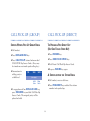
CALL PICK-UP (GROUP)
CALL PICK-UP (DIRECT)
STATION WITHIN PICK-UP GROUP RINGS
TO PROGRAM PICK-DIRECT KEY
(ON ONE-TOUCH SPEED KEY)
♦ Lift handset.
♦ Press FEATURE key.
♦ Press NON-ACD LINE key.
♦ Press ONE-TOUCH SPEED key.
♦ Press CALL PICK-UP feature button or dial
CALL PICK-Up Access Code. (Also, may
be stored on one touch speed calling key.)
♦ Connection to
calling party is
established.
PCK
2000
♦ Dial Direct Call Pick-Up Access Code.
♦ Re-press FEATURE key again.
WATS 3
A STATION WITHIN THE SYSTEM RINGS
(Time display)
Called
Station
♦ Lift handset, receive dial tone.
Calling
Station
♦ Press PICK-DIRECT key and dial the station
number to be picked up.
♦ If engaged on call on NON-ACD LINE key,
press TRANSFER key and dial Call Pick-Up
Access Code. The original party will be
placed on hold.
36
OUTGOING
TRUNK QUEUING
– OR –
♦ Dial DIRECT CALL PICK-UP Access Code and
the station number to be picked up.
♦ Connection to
calling party is
established.
– OR –
PCK
2000
If trunk “Busy”:
WATS 3
♦ Receive TRUNK
(Time display)
Called
Station
OGQ SET
BUSY indication;
press CALL BACK key.
Calling
Station
(Time display)
Call is placed in queue for next available trunk.
♦ Press programmed ONE-TOUCH SPEED key.
♦ When trunk is available, setting station is
♦ If busy, original call must be placed on hold
alerted by ringing and flashing red LED.
before new call can be picked up.
♦ Lift handset or headset.
♦ Press NON-ACD LINE key.
♦ Dial tone is heard or number is automatically
dialed if NEAX2400 IMS is programmed with
Least Cost Routing.
37
OFF-HOOK
TRUNK QUEUING
LAST NUMBER REDIAL
♦ Lift handset.
TO RECALL THE LAST TELEPHONE
NUMBER DIALED
♦ Press NON-ACD LINE key.
♦ Lift handset.
♦ Receive dial tone.
♦ Press NON-ACD LINE key.
♦ Dial OFF-HOOK QUEUING access code.
♦ Receive dial tone.
♦ Dial desired telephone number; encounter
♦ Press REDIAL key,
outside or internal
station is automatically
redialed,when party
has answered, lift
handset to converse.
a trunk busy condition.
♦ Station user receives Service Set tone, and
leaves speaker on. The desired number
will automatically be dialed when a trunk
becomes available.
LNR [*]/SD [-]
(Time display)
To display last number dialed:
♦ While on hook, press REDIAL key.
♦ Display indicates digits stored.
38
CALL FORWARDING –
ALL CALLS
TO CANCEL
♦ Lift handset.
♦ Press NON-ACD LINE key.
TO SET
♦ Receive dial tone.
♦ Lift handset.
♦ Press FWD key or dial Call Forward cancel
code; receive Service Set tone*, FWD lamp
goes out at your station.
♦ Press NON-ACD LINE key.
♦ Receive dial tone.
♦ Press LINE key;
code; receive special dial tone.
*Service Set tone is optional depending upon system programming.
♦ Dial destination station or external telephone
number; receive Service Set tone.*
♦ FWD LED lights (at your station or at the
Dterm of the subline station you are setting).
♦ Return to onhook
condition, call
forwarding all
calls is set.
FWD CNCL
Call forward all
calls canceled.
♦ Press FWD key or dial Call Forward access
FWD SET
(Time display)
39
CALL BACK
♦ Lift handset, then
called party’s
phone rings.
IF CALLED STATION IS “BUSY”
♦ Press CALL BACK
Calling Party
♦ Connection is established when called
2000
NOTE: Call Back may be programmed by the PBX
Engineer on a Programmable Line/Feature key or by
the user on a Speed Calling One-Touch key.
(Time display)
– OR –
*Service Set tone is optional depending upon system programming.
♦ Press FLASH key** and enter CALL BACK
** FLASH key must be programmed on ONE-TOUCH SPEED
call key.
access code.
become idle, calling
party’s phone rings.
Calling party would
go off hook and hear
ring back tone. The
called station would
then be ringing.
2000
party answers.
CB SET
key if; receive
Service Set tone.*
♦ When both parties
CB
CB
2000
(Time display)
Called Party
40
TO SAVE AND REPEAT
A NUMBER
TO VERIFY
♦ While idle, press S & R key, display indicates
digits stored.
TO SAVE
TO REPEAT
♦ Lift handset.
♦ Lift handset.
♦ Press NON-ACD LINE key.
♦ Press NON-ACD LINE key.
♦ Dial desired telephone number.
♦ Press S & R key; Dterm Series E will automatically
redial the programmed number.
♦ Press S & R key; dialed number is now stored.
♦ S & R key automatically canceled; LED goes out.
♦ S & R key LED lights.
NOTE: If Save and Repeat number is busy or no answer is
received, to save it again, press S & R key before going
back on hook.
– OR –
♦ Receive Internal Call.
♦ Press S & R. Number is stored in memory.
♦ S & R LED lights.
41
TO LEAVE A MESSAGE
•If station is not
equipped to receive
messages, reorder
tone is heard.
♦ Lift handset.
♦ Press NON-ACD LINE key.
♦ Dial desired station number; encounter a
TO DISPLAY
“No-Answer” or Busy condition.
message is sent
to called Dterm
Series E.
(Time display)
TO ANSWER A MESSAGE
♦ Receive dial tone.
♦ Press MSG key;
MSG RST
♦ MSG LED LIT;
2000
MSG SET
MSG
station is idle.
(Time display)
2000
12:28PM
(Time display)
♦ Press MSG key; display indicates time of
Recipient Station
message and station number leaving message;
♦ Called station MSG LED lights.
♦ Re-press MSG key again to display additional
messages in order received.
NOTE:
•Up to four messages
can be stored in Dterm
Series E memory.
If a fifth message is
attempted, ring back
tone is heard.
MSG BUSY
(Time display)
42
DO NOT DISTURB
TO RESPOND
♦ While displaying desired message; lift handset
and Press NON-ACD LINE key.
WHILE IDLE (ON HOOK)
♦ Press MSG key; station which left message
♦ Press DND key*;
will be automatically redialed.
DND SET
LED lights.
(Time display)
TO ERASE
♦ Message is erased.
TO CANCEL
MSG CNCL
♦ Press DND key;
(Time display)
DND CNCL
LED goes out.
(Time display)
♦ To erase a message without returning the call,
press MSG key to display desired message.
*DND key must be programmed by the PBX engineer on a
programmable feature key.
♦ Dial # while message is displayed, message
is erased.
NOTE: If station which left message is busy,
callback or MSG may be set. If station which left
message does not answer, MSG may be set, thus
notifying originating party that a message return
was attempted.
43
PRIVACY
DATA FEATURES
WHILE OFF-HOOK
TO ACTIVATE SIMULTANEOUS VOICE/DATA
TRANSMISSION
♦ Press DND key,
PRV SET
♦ To send data to
LED flashes;
Display indicates:
(Time display)
♦ Privacy feature prevents interruptions for the
duration of a call.
TO CANCEL
♦ Data connection
– OR –
privacy feature
is automatically
canceled.
DTE
XXXX
(Time display)
♦ Receiving station presses DATA key.
♦ Press DND; LED goes out.
♦ Replace handset;
D
the same station
already involved
in voice conversation,
originating station
presses DTX key.
RDY
D DTE
XXXX
is established.
(Time display)
♦ Voice conversation can be terminated by either
PRV CNCL
station without affecting data connection.
(Time display)
44
♦ To disconnect from
RLS
DATA connection,
either station can
press DATA key.
D DTE
♦ DATA connection
XXXX
(Time display)
NOTE: If receiving station is programmed for Auto
Answer, disregard this step.
TO SEND DATA TO A STATION WHILE
INVOLVED IN A VOICE CONVERSATION
WITH ANOTHER STATION
♦ Originating station
presses DATA key
and dials the Data
port number of the
destination station.
RLS
D DTE
RDY
is established while
voice conversation
continues. Voice
conversation can
be disconnected
without affecting
DATA connection.
♦ To disconnect from
DATA connection,
either station can
press DATA key at
any time.
XXXX
(Time display)
D DTE
XXXX
(Time display)
RLS
D DTE
XXXX
(Time display)
TO SEND DATA TO AN INTERNAL STATION
WHEN NO VOICE COMMUNICATION IS
TAKING PLACE
♦ Receiving station presses DATA key.
♦ Originating station
NOTE: If receiving station is programmed for Auto
Answer, disregard this step.
presses DATA
key and dials
receiving station’s
data extension.
45
D
DTE
(Time display)
XXXX
♦ Receiving station
presses DATA key.
RDY
D DTE
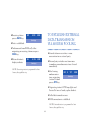
TO ESTABLISH EXTERNAL
DATA TRANSMISSION
VIA MODEM POOLING
XXXX
(Time display)
♦ Data is established.
♦ To disconnect from DATA call, either
originating or receiving station can press
DATA key.
♦ Released station’s
display indicates:
RLS
D DTE
♦ Internal station user initiates a voice
conversation to an external party.
XXXX
♦ External party switches over from voice
to modem, or modem carrier tone is heard
immediately.
(Time display)
NOTE: If receiving station is programmed for Auto
Answer, disregard this step.
♦ After hearing
modem carrier
tone, originating
(internal) station
presses DTX key.
YYY
RDY D
XXXX
(Time display)
♦ Originating station‘s DTX lamp lights and
Service Set tone is heard, replace handset.
♦ Called data terminal answers.
♦ DATA connection is established.
NOTE: If internal station is programmed for Auto
Answer, disregard this step.
46
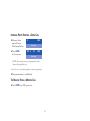
INTERNAL PARTY RECEIVES A DATA CALL
♦ Station‘s data
D
port will ring.
Data lamp flashes.
♦ Press DATA
XXXX
(Time display)
YYY
RDY D
XXXX
key to answer.
(Time display)
NOTE: If receiving station is programmed for Auto
Answer, disregard this step.
*Service Set tone is optional depending upon system programming.
♦ Data connection is established.
TO RELEASE FROM A MODEM CALL
♦ Press DATA key, LED goes out.
47
NOTES
48
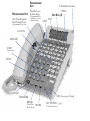
PROGRAMMABLE
KEYS
Flexible Line /
PROGRAMMABLE KEYS Feature Keys
(Programmable by
telephone system
One-Touch Speed
administrator)
Dial / Feature Keys
Call Indicator Lamp
EXIT
SOFT KEYS
LCD
HELP
(4)
(Programmable by user)
LOGON
RELEASE
CONF
(Conference)
TALLY
HOLD
(Enter/Exit
Break Mode)
WORK
>
<
MIC (Microphone) Lamp
TRANSFER
BREAK
UP / DOWN (
(Volume/Contrast)
)
NEAX and Dterm are registered trademarks of
NEC Corporation
For more information contact:
NEC America, Inc.
CNG
1555 Walnut Hill Lane, Irving Texas 75038-3796
1 800 TEAM NEC
590301
*590301*
7/98