1
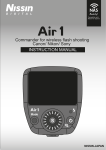
LR Digital Remote Control System User Guide June 01, 2010 Set Up Group and ID on each Flash You need to set up a Group and ID for on each flash when you want to control that flash from the hand-held remote controller. This set-up is done on the flash itself. There are five GROUP SETTINGS (A, B, C, D, E): each of these can have 10 flashes assigned to them (ID SETTINGS 1 to 10). To set the GROUP and ID on each flash you will use the • XB button, • LCD display and • both flash and modeling light dials. 1. Press the XB button for approximately 3 seconds a. The LCD screen will display the GROUP/ID SETTING screen (opposite) MODE REM A-‐01 b. The GROUP/ID SETTING screen will revert back to the default screen if you do not activate steps 2 and 3 below GROUP SETTING A B C D E ID SETTING 1 2 3 4 5 6 7 8 9 10 2. Rotate the Flash dial to set the GROUP SETTING: A, B, C, D, E GROUP-ID Displayed here 3. Rotate the Modeling Light dial to set the ID SETTING: 1 to 10 a. After setting GROUP and ID, the screen will revert back to default screen after several seconds. Remote Control Operation You can fire and control the functions of each flash (up to 50) with the hand held remote control. 1. Press the POWER button to turn the remote control ON…it will power OFF on its own after approx 1 minute. 2. Press SCAN to identify flashes “connected” to the remote controller. 3. Use alphanumeric pad to select a flash: GROUP (A to E) and ID (1 to 10) 4. Press the REM button…the “default” screen will display on the remote control. Functions of the controller are explained in chart (next page). Lightrein 3