1
Chapter 9: Appendices
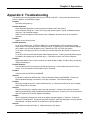
Appendix 2: Troubleshooting
The following are common problems that may occur while using ACD. If the solution provided does not
solve the problem, call CINTECH Support.
Problem:
ACD locks during start-up.
Possible Solutions:
Check Applications Module connections (power switches, cords, and outlets).
Listen to system cooling fan. If fan is not running and incoming power is good, a hardware problem
may exist. Call Technical Support.
Check for error messages on ACD screens, and, if displayed, write them down for your dealer's
reference.
Problem:
Agents are not receiving calls.
Possible Solutions:
Try to log in at station set. If LOGIN or END CALL message displays, ACD is operating correctly.
Check to see if the Incoming Lines are working correctly. If Feature 9nn or Feature Inactive displays
on the station set, ACD has stopped running. Warm Boot (CTRL-ALT-DEL) the system.
Try to make an Outgoing call, and, if you cannot, this means that either the Norstar or Lines are not
working.
Try to call a ACD Line while watching the Status Display Screens. If calls are queued while an Agent
is available, have Agents log out and then log in. If this does not work, call Technical Support.
Problem:
Applications Module Time is incorrect which can cause the Day to Night, or Night to Day, routing step
change to be delayed.
Possible Solution:
Time and date for ACD are taken from Norstar during boot up. Check station set and see if time is
correct. If not, the Norstar's time and date must be corrected.
Problem:
Voice port status is INITING or DISABLED.
Solution:
If port fails to respond to INITING after 5 tries, the status will display as DISABLED. The port will
become disabled pending next reboot or voice port verification. Call Technical Support.
Problem:
Receiving "Invalid product ID", “Invalid Verification Key”, or “Security Key Not Found” error message
when turning ACD or rebooting.
Solution:
The ACD Security Key is missing or there is a bad connection. Check the Security Key connector
attaching parallel printer cable to Applications Module's printer port. If missing, or if it is connected but
does not respond, call Technical Support immediately.
Problem
When Configuration changes are made, some Agents may get logged out. Reasons: An Agent is
deleted from Configuration. An Agent ID has been changed. Agent was assigned to a Group that has
been deleted. An Agent has been removed from an Group’s Agent List.
Solution
Re-configure the Agent and login; or, if Agent still exists, login Agent.
Norstar PRELUDE and CINPHONY ACD 3.6 User Guide
189