1
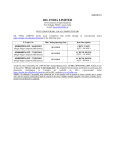
Reception of animals from within Quebec
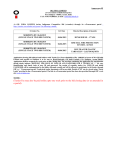
Reception
province
of
animals
from
another
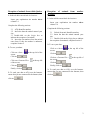
1- In the tab Movement/death declarations:
1- In the tab Movement/death declarations:
Insert your exploitation site number above
column 3.6.
Insert your exploitation site number above
column 3.6.
Complete the following sections:
Complete the following sections:
3.1 ATQ Identifier number;
3.2 Insert the date the animal entered your
site;
3.3 Double-click on the Origin box to
indicate the reception of an animal;
3.6 Insert the site number where the animal
came from. If this site number is unknown,
complete Section 2.
2- To save your data:
at the top left of the
;
at the top left
;
3- To send your data to ATQ over the Internet:
ensure that you are connected to the Internet, then
click on
;
Click on
at the top left of
;
Finally, click on
;
Finally, click on
Click on
at the top left of the
Click on « Generate File »
the screen;
Click on « Generate File »
of the screen;
Click on
2- To save your data:
Click on « Save »
screen;
Click on « Save »
screen;
Click on
3.1 Federal electronic identifier number;
3.2 Insert the date the animal entered your
site;
3.3 Double-click on the Origin box to indicate
the reception of an animal; complete Section 2.
;
3- To send your data to ATQ over the Internet:
ensure that you are connected to the Internet, then
click on
.
.
3