1
OPTIONS>
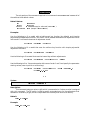
CUERATE
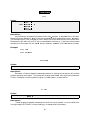
Syntax:
CUERATE = value1 /SE=value2 ;
Description:
For cue counting (pg:8-9, 270-275), 'value1' is the average rate at which animals issue visual
or auditory detection cues. The rate should be given in the same units of time as the values given
for sampling effort in the data. For example, if effort is measured in hours then the cue rate should
be number of cues per hour. The cue rate must be a positive number (>0). Optionally a standard
error for the cue rate can be given with 'value2'. This standard error is accounted for in the
estimated standard error of the density and abundance estimates. This option is only used if
TYPE=CUE is specified.
Default:
CUERATE=1/SE=0;
Example:
An estimate of the cue rate is 12 per hour with a standard error of 2 per hour. The sample
effort for this cue counting example be specified in hours sampled.
CUERATE=12 /SE=2 ;
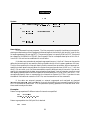
DEFAULT
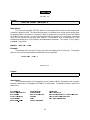
Syntax:
DEFAULT ;
Description:
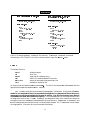
This command resets all of the options to their default values. Remember that an option
remains in effect until it is changed or DISTANCE is terminated. The default values for each of the
options are:
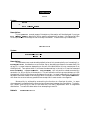
PVALUE=0.15
SELECT=SEQUENTIAL
MAXTERMS=5
ITERATIONS=100
LOOKAHEAD=1
EPSILON=1.0E-7
PRINT=SELECT
SQUEEZE=OFF
BOOTSTRAPS=1000
SEED=0
SF=1
CUERATE=1/SE=0
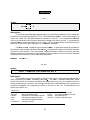
24
TYPE=LINE
OBJECT=SINGLE
DISTANCE=PERP/EXACT/UNITS=METERS
LENGTH/UNITS=KILOMETERS
AREA/UNITS=HECTARES