1
Editing Arrhythmias
l
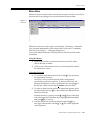
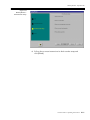
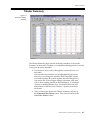
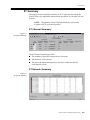
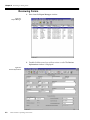
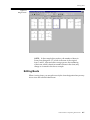
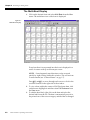
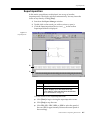
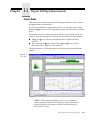
The 20 minutes of data deÞned by the blue box is displayed at a larger
scale on the right side of the screen.
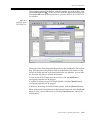
The Diagnostic Strip and Form Display
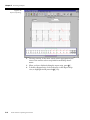
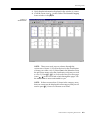
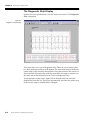
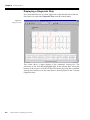
The right side of this section contains a 7-second diagnostic strip. The onset of
the current episode is centered in this box. Above the 7-second strip is
information about the episode such as a description of the subcategory and the
heart rate. Also displayed is more detailed information when applicable. For
example, a Pause episode will have the pause duration displayed here.
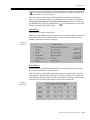
The left side of this section displays the form that is currently highlighted in the
7-second diagnostic strip.
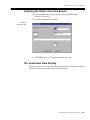
The Contextual View Display
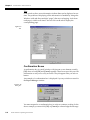
At the bottom of the Pattern Strip window is a 30-second, full disclosure strip
for viewing the selected beat in context with the surrounding beats. The onset
of the current episode is centered in this box.
Editing Arrhythmias
Selecting Arrhythmias to Edit
The Vision Premierª includes a certain number of representative arrhythmia
strips in the Final Report. The number of strips included is determined by the
System Settings. (See ÒSystem SetupÓ on pg. 12-1.) The Vision Premierª
selects what it considers to be the worst-case examples of each type of
arrhythmia. You may, however, wish to edit or include additional strips that
you feel are representative or delete those that you believe are not signiÞcant.
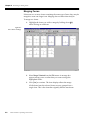
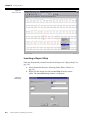
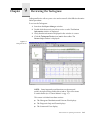
1. Click on the column of the subcategory you wish to review in
order to view the Diagnostic Strip and Contextual View
displays.
2. To view the next Pattern Strip for the current arrhythmia
subcategory, press N. Press O to go to the previous Pattern
Strip at any time.
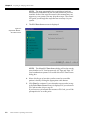
3. To view another arrhythmia category, click the icon in the
toolbar that corresponds to the category you wish to review
such as SVE Episodes (
).
Editing an Episode
NOTE: Beats labeled as SVE may be reclassiÞed as Normal if
beats within the SVE run are manually edited. It takes two beats
in a row to trigger the labelling of an SVE run. Relabelling one
of these beats results in a different call by the Vision Premierª
software.
Vision Premierª Operating Instructions
7-3