1
RETScreen® Software Online User Manual
Sensitivity and Risk Analysis
As part of the RETScreen Clean Energy Project Analysis Software, a Sensitivity and Risk
Analysis worksheet is provided to help the user estimate the sensitivity of important financial
indicators in relation to key technical and financial parameters. This standard sensitivity and risk
analysis worksheet contains two main sections: Sensitivity Analysis and Risk Analysis. Each
section provides information on the relationship between the key parameters and the important
financial indicators, showing the parameters which have the greatest impact on the financial
indicators. The Sensitivity Analysis section is intended for general use, while the Risk Analysis
section, which performs a Monte Carlo simulation, is intended for users with knowledge of
statistics.
Both types of analysis are optional. Inputs entered in this worksheet will not affect results in
other worksheets.
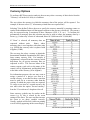
Use sensitivity analysis sheet?
The user indicates, by selecting from the drop-down list, whether or not the optional Sensitivity
and Risk Analysis worksheet is used to conduct a sensitivity analysis of the important financial
indicators.
If the user selects "Yes" from the drop-down list, the sensitivity analysis section will open and the
user should complete the top part of the worksheet. The user will need to click on "Calculate
Sensitivity Analysis" button to get the results.
Perform risk analysis too?
The user indicates, by selecting from the drop-down list, whether or not the optional risk analysis
section is used to conduct a risk analysis of the important financial indicators, in addition to the
sensitivity analysis. In the risk analysis section, the impact of each input parameter on a financial
indicator is obtained by applying a standardised multiple linear regression on the financial
indicator.
If the user selects "Yes" from the drop-down list, then the risk analysis section will open and the
user should complete the lower-half of the worksheet. The analysis will be performed on the
financial indicator selected by the user in the "Perform analysis on" input cell at the top-right.
The user will need to click on "Calculate Risk Analysis" button in the Risk Analysis section at the
lower-half of this worksheet to get the results.
Project name
The user-defined project name is entered for reference purposes only in the Energy Model
worksheet, and it is copied automatically to the Sensitivity worksheet.
HYDRO.102